Tools
Tools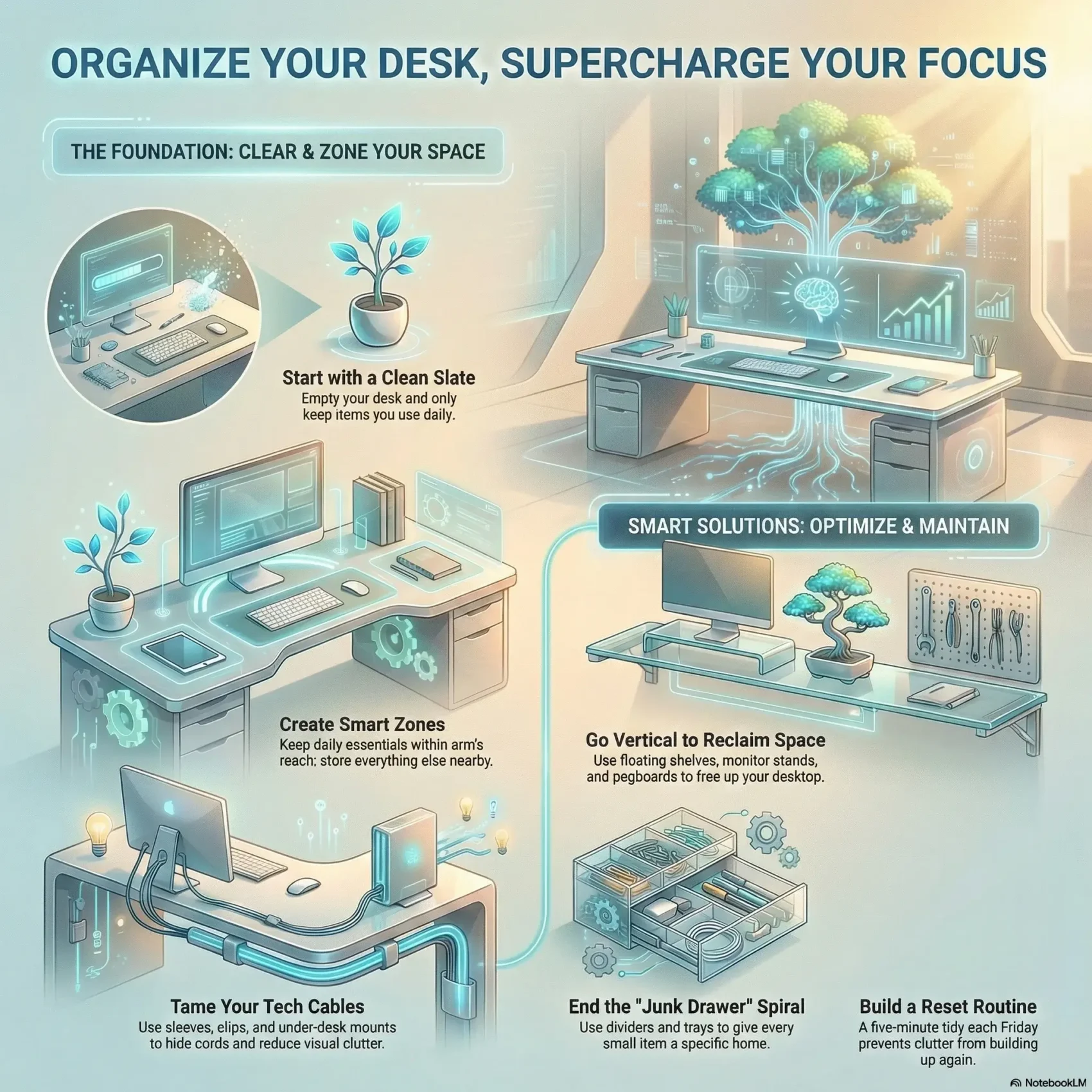
Last Updated on March 9, 2026
You can set the tone for a calmer workday by creating a simple system for where every item lives on your desk and in your workspace.
Good desk organization boosts productivity and cuts decision fatigue. Clear the surface, take inventory, and keep only daily essentials within reach. Store rarely used items in labeled boxes or a nearby supply area.
Small upgrades—like a monitor riser, a laptop stand, a wooden tray, or a wireless charging pad—free space and make routines smoother. Vertical solutions such as floating shelves and pegboards give you storage without crowding the desktop.
Adopt a weekly reset routine and use cable sleeves, clips, and compact peripherals to prevent clutter from creeping back in. By focusing on durable accessories and smart placement, your home office will look tidy on video calls and support deep work.
Key Takeaways
- Define clear homes for tools to reduce decision fatigue.
- Keep only daily-use items on the surface; store the rest nearby.
- Use vertical and under-desk solutions to expand storage.
- Choose simple, durable accessories to unlock hidden space.
- Keep a weekly tidy routine to prevent clutter build-up.
Why desk organization matters right now for focus and productivity
You spend less time hunting and more time doing when your workspace has a clear system. Setting items by how often you use them keeps essentials within reach and cuts visual distractions that pull your attention away.
Less visual noise means faster task switching and a calmer mind during long stretches of work. Move backups and rarely used items into nearby office storage so your surface stays functional and uncluttered.
Vertical solutions and modular accessories reclaim space without expanding your footprint. Stands, risers, and small shelves support ergonomics and make your home office video-ready with a clean, professional background.
- Keep daily items within arm’s reach; everything else earns a home off the surface.
- Choose consistent placement to cut micro-decisions about pens, cables, and files.
- Match options to how you work—minimal for focus, fuller setups for creative tasks.
Start fresh: clear everything, take inventory, and keep only the essentials
Empty the top, inspect each item, and only return things that earn their spot. This simple reset helps you see what matters and removes distractions fast.
Set your keep / toss / backstock rules
Decide a clear rule for every item. If you use it daily, it stays. If you haven’t used it in six months, consider tossing or moving it to backstock.
Backstock items go to labeled containers in nearby storage so they’re available but out of sight. Collections with matching colors and materials help the area look tidy while keeping categories clear.
Labeling basics so you always know where things live
Good labels make returns automatic. Use short, specific names like “Cables—USB‑C” or “Notepads—Letter.” Place labels where your eye lands: the top or front edge of drawers and boxes.
- Use a consistent font and color so the whole storage set reads as one system.
- Label both the container and its shelf spot to make returns foolproof.
- Add dates to time-limited folders, e.g., “Taxes 2024,” to make purges easy.
- Keep a small labeler or cards in your top drawer so names can evolve with your needs.
“Labeled storage conceals contents while ensuring retrieval.”
Create smart zones: what stays on top, what goes in drawers, what moves off the desk
Group items by how often you reach for them so the things you need most sit closest to you. This simple zoning keeps your surface clear and your focus steady.
Daily essentials within arm’s reach
Keep only what you touch every day near the chair: favorite pens, one notebook, and a charging cable. Measure reach from your seat so you can grab tools without standing.
Backups and bulk items off the surface
Store extras—extra ink, paper, spare adapters—in labeled boxes on a shelf or in a closet in your home office. Use a company resource room if one is available for rarely used items.
- You’ll select your everyday office supplies and keep them reachable.
- You’ll store backups in labeled storage to prevent top-surface sprawl.
- You’ll choose one small home for today’s papers and clear it nightly.
- You’ll set a monthly check to restock from backstock so your workflow stays smooth.
“A clear zoning system makes returns automatic and decisions faster.”
Tidy tech: cable management that actually sticks
A few smart mounts turn a tangle of cords into a tidy, safe system. Start by deciding which devices need constant access and which can live out of sight. Mounting gear under the surface clears your top and keeps cables from creeping across the floor.
Use sleeves, clips, and blocks to corral cords
Wrap groups of cables in a sleeve to reduce visual clutter. Add adhesive clips to route lines along the underside of the top so plugs and adapters stay where you expect them.
Mount power strips and drives beneath the surface
Attach a surge-protected strip under the desktop to centralize plugs and cut floor tangles. Use adhesive brackets to fasten external drives under the surface for vibration-free, hidden storage.
- You’ll mount a surge-protected strip under the desktop to centralize plugs and eliminate floor clutter.
- You’ll attach external drives beneath the surface using adhesive brackets to keep them out of sight and vibration-free.
- You’ll route a single power lead down to the outlet for a tidy, safe run with minimal exposed cable.
- You’ll check clearance for knees and stand/sit movement before final mounting so nothing blocks comfort.
- You’ll create a quick-access spot for a spare outlet under the desk for occasional gear.
Small details matter: secure mounts keep gear accessible without spoiling the look of your stand or workspace. A neat setup makes your office feel calmer and helps you focus on work, not cords.
Elevate your setup: monitor stand, desk shelf, and risers for ergonomic space gains
B.
A few smart risers can change posture, free surface area, and make your setup feel intentional. Use a monitor stand or a compact shelf to lift screens to eye level and reclaim the area beneath for a keyboard, tray, or storage box.
Monitor stand with drawer vs. desk shelf: which frees more workspace
Choose a monitor stand with a shallow drawer if you need hidden storage for small items. The drawer tucks pens and cables out of sight while keeping them close.
A simple shelf gives more open space underneath for larger items and a cleaner profile on video calls.
Laptop and tablet stands to stop hunching and reclaim surface area
Set your laptop or tablet at eye level with a sturdy stand to prevent hunching and create usable space beneath for an external keyboard or a slim storage tray.
Pairing those stands with an external keyboard and mouse boosts comfort and makes the top surface look neater.
- You’ll park your phone on a compact stand so notifications stay visible without scattering devices across the surface.
- You’ll route a single charging cable to the back to keep power from sprawling across your workspace.
- You’ll pick accessories that match the size and weight of your gear for reliable, long-term use.
“Small changes to height and placement yield big gains in comfort and clarity.”
Focus on the details: choose a stand and matching accessories that fit your tools and habits to make the upgrade last.
Learn more about practical setup tips at workspace optimization.
Drawer peace: dividers, trays, and storage drawers that stop the junk-drawer spiral
Tame drawer chaos with a simple grid of compartments that give every item a clear spot.
Mix-and-match drawer organizers let you fit compartments to exact interior sizes. Use them to corral paper clips, push pins, sticky notes, and cords so everything is visible at a glance.
Stackable paper trays help separate action items from archives. A shallow tray for today’s paperwork keeps urgency visible and clears during your weekly reset.
- You’ll measure interior dimensions and line drawers so dividers don’t slide and jumble categories.
- You’ll assign each section a single purpose—paper clips, sticky notes, chargers—so you stop rummaging.
- You’ll keep everyday tools in the top desk drawer and move rarely used items to lower drawers or external storage drawers.
- You’ll label the inside lip of drawers so returns are quick and correct.
- You’ll leave a little open space so drawers close smoothly and don’t overfill.
“Clear compartments turn hunting into finding.”
Desk organization
A compact surface set keeps small supplies tidy so you can work without searching. Pick vertical pieces that reduce footprint and keep active folders visible.
Use a desktop organizer set for pens, sticky notes, and small items
Pick a set with distinct compartments so each item has a clear spot. A shallow tray for sticky notes, a narrow slot for your favorite pen, and a small cup for paper clips keep things from scattering.
Pencil holder and file holder picks that fit your workflow
Choose a pencil holder desk model that won’t tip and holds your usual writing tools. Vertical file holder options save space and make folders easy to scan.
Placement and simple habits that make the system stick
Place holders on your non-mouse side to keep the mouse area clear. Keep a single small cup for paper clips and binder clips to stop them from migrating across the surface.
- You’ll choose a pencil holder desk that fits your preferred pen count and doesn’t tip.
- You’ll use a sturdy file holder with labeled tabs for active folders so you can reach and return quickly.
- You’ll keep one small cup for paper clips and binder clips to stop them from migrating across the surface.
- You’ll place holders on the non-mouse side to keep your mouse area clear.
- You’ll review your file holder weekly so inactive folders move off the desktop.
Small, stable containers change how your space feels — and how quickly you work.
No-drawer desk solutions: hidden storage, under-desk trays, and rolling carts
Hidden bins, under-tray mounts, and a slim rolling cart give you extra room without crowding your surface. These solutions keep tools accessible while preserving a calm visual field.
Conceal clutter with labeled boxes and minimalist containers
Pick decorative desktop storage that closes fully. Look for recycled materials and matching colors to keep your decor cohesive.
Label the front edge so you can spot the right box without opening it. Add a simple index card for quick reference.
- You’ll choose sturdy containers that close fully, hide contents, and stack neatly.
- You’ll label the front edge so you can spot the right box quickly.
- You’ll keep color and decor consistent to create a calm visual field.
- You’ll store seldom-used tools higher and daily-use lower for easy reach.
- You’ll build a simple index card of what’s in each box for quick reference.
“Small, labeled containers turn hidden clutter into predictable, usable storage.”
Focus on the details: neat labels, reliable closures, and a mobile cart for overflow make your area feel intentional and ready for work.
Go vertical: shelves, pegboards, and wall organization to free your desktop
Vertical solutions turn unused wall space into an easy-access command center for supplies. Use shelves and boards to lift binders, magazines, and decor off the surface so you get back useful room for work.
Floating shelves for binders, magazines, and decor
Floating shelves keep bulky items visible yet out of the way. Use a slim shelf for binders and a shallow shelf for magazines so paper and reading materials stay tidy.
Modular pegboards and paper tray systems for flexible storage
Pegboards paired with cups and trays offer flexible layouts you can change as projects shift. Add vertical acrylic organizers and stand-up holders to free space while keeping tools easy to grab.
- You’ll mount a pegboard and attach cups for pens, scissors, and tools you grab daily.
- You’ll stack wall paper trays labeled “In,” “Waiting,” and “Archive” so paper flows in one direction.
- You’ll adjust the layout as projects change, keeping the system responsive.
- You’ll choose sturdy accessories that don’t wobble so you feel confident using the wall daily.
Small details matter: pick reliable fasteners, match finishes to your room, and add a single tray for overflow near active projects. These simple moves make wall storage work like a set of living desk organizers that evolve with your needs.
“Mount once, adapt often — vertical systems grow with your work.”
External support: filing cabinets, bookcases, and office storage that work hard
Smart external units give you space to file, store, and style your office without crowding the work area.
Filing cabinets add secure capacity for active files and archives. Pick a compact model and label each drawer so retrieval is fast and predictable.
A sturdy file holder on top keeps today’s work visible while deeper file storage lives below. This keeps papers reachable without filling the main surface.
Bookshelves bring vertical storage for reference materials, boxes, and gear that shouldn’t live on your desk. They’re great in small rooms because they lift items off the surface.
- You’ll add a compact filing cabinet for active and archive file categories with clear labels.
- You’ll use a sturdy file holder atop a cabinet for today’s work while deeper file storage lives below.
- You’ll choose storage drawers or a rolling unit to act as your mobile utility station.
- You’ll position external storage within a step or two so retrieval is quick yet out of sight.
- You’ll match finishes so the whole office reads cohesive and calm.
“External storage should simplify access, not add noise.”
Digitize to minimize: scanning, shredding, and smarter printing
Scan, shred, and simplify: your paperwork can be gone in minutes, not hours. Start a quick scan-and-store habit for receipts, warranties, and bills. Name files clearly and move them into a dated folder so retrieval is instant.
Scan-and-store routines for receipts and files
Scan once, touch paper once. Use a phone app or a small scanner to capture receipts. Save PDFs to a cloud folder and tag them by project or month.
“Digitizing reduces clutter and protects records.”
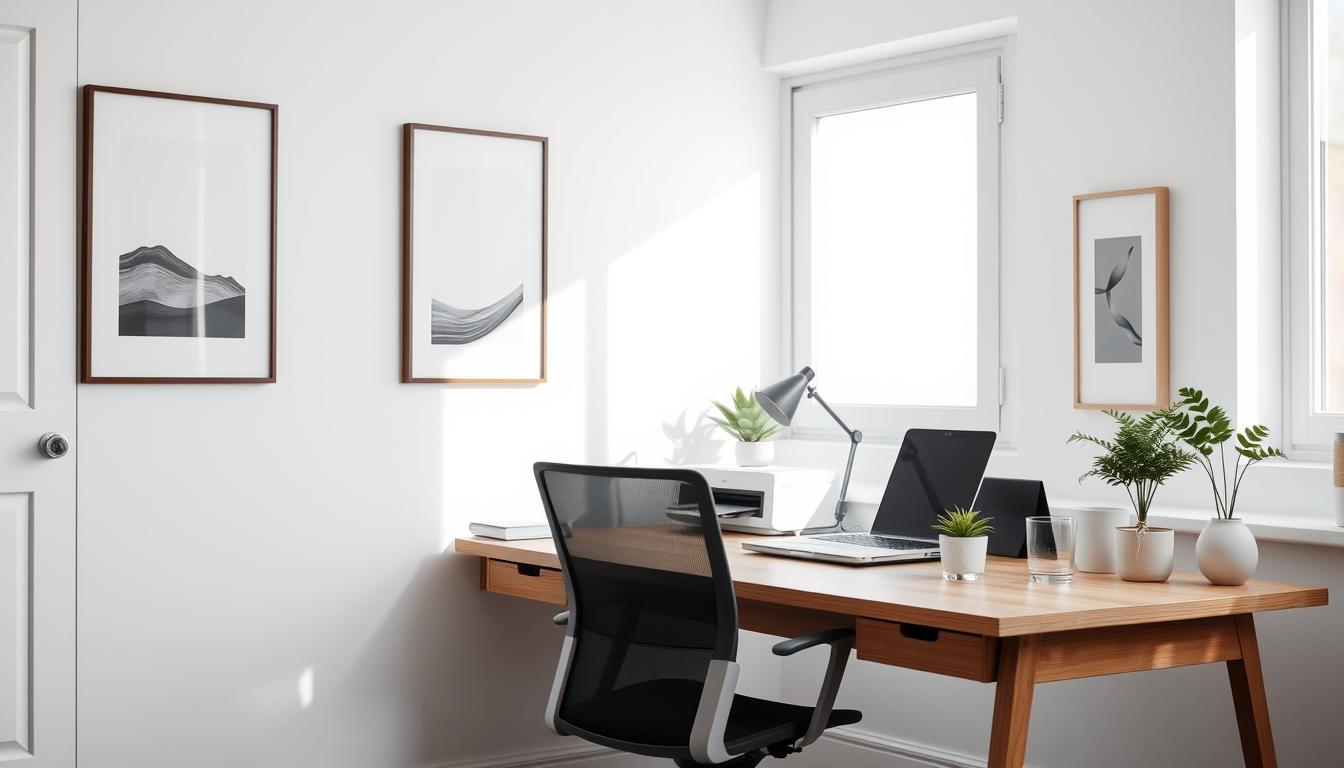
Hide a compact wireless printer
Pick a compact wireless printer that fits your closet or a large drawer to preserve desktop real estate and visual calm. Measure the space and confirm ventilation and power access before you buy.
- You’ll measure the size and confirm ventilation so your printer fits and runs reliably.
- You’ll route one power cord and keep extra paper in a nearby bin for quick reloads.
- You’ll print wirelessly from any device and close the door to keep your office tidy.
Final detail: shred originals you no longer need and keep only what law or taxes require. Small steps like these make storage lighter and your workflow faster.
Small spaces, big gains: multi-use nooks, modular organizers, and stackable options
Small footprints can deliver big wins when you pick pieces that work twice as hard. In a compact room, choose items that shift from day to night so your area feels calm and useful.
Double-duty furniture that pulls its weight
Pick a unit that serves as both a work surface and a bedside table. Keep the top minimal: one lamp, one small tray, and a slim organizer to hold immediate needs.
You’ll hide chargers behind the unit and show only one visible lead for your phone. This keeps the surface tidy and makes switching modes easy.
Small habits and smart accessories for a clean transition
Use a compact storage bin or stackable boxes for overnight items. Choose accessories that fit your decor so they look at home by day and night.
- You’ll edit your layout to one lamp, one small tray, and a slim organizer to serve both day and night.
- You’ll hide chargers behind the desk and keep only one visible lead for your phone.
- You’ll choose accessories that look as good bedside as they do in an office setting.
- You’ll set a nightly reset to clear work items and a morning reset to clear personal items.
“A quick reset makes a multi-use nook feel intentional and peaceful.”
Style with purpose: materials, colors, and desk accessories that match your decor
A few well-chosen pieces can turn a functional area into a styled corner of your home.
Mix natural materials—wood, metal, and acrylic—so the space feels warm and durable. Choose one dominant material and use others as accents to balance longevity with lightness.
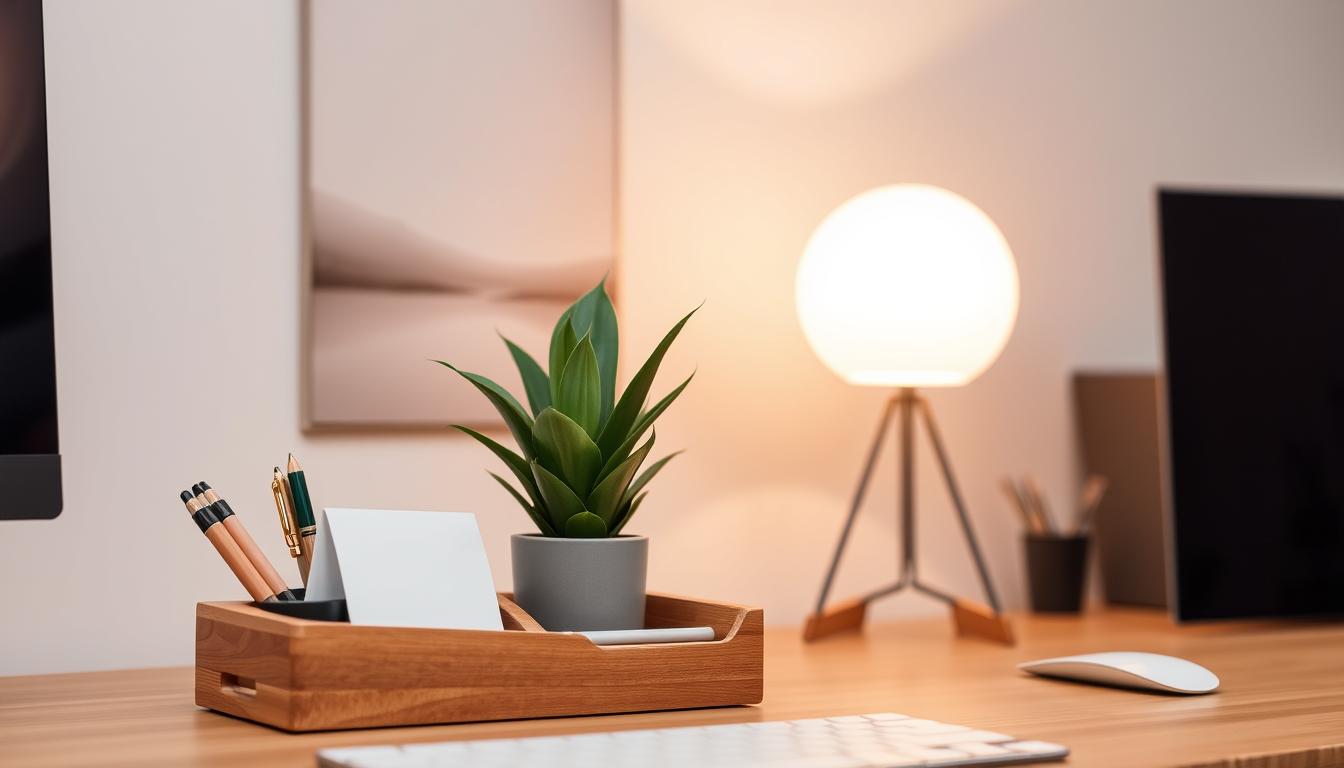
Pick colors that echo the room so the top reads as a single, calm zone. Coordinated accessories in matching tones reduce visual clutter and make returns automatic.
Let function lead form: every decorative item should earn its place by serving a use.
- You’ll choose materials that feel good to the touch and stand up to daily use.
- You’ll coordinate colors across organizers so the desk reads as a cohesive zone.
- You’ll use a few well-made accessories instead of many small items to reduce clutter.
- You’ll let function lead form so every decorative piece also earns its place through utility.
- You’ll keep walls and shelves styled lightly so they enhance, not overwhelm, your setup.
“Small, intentional details make the whole space feel pulled together.”
Light it right: move lighting off the desktop and use natural light
Natural light plus a smart floor lamp can transform how your workspace feels after dark. Aim to keep light sources off the surface so the top stays clear for tasks.
Floor lamps with arc or boom joints shine directly over your work area without taking up table real estate. An adjustable arm directs light where you need it and keeps the surface neat.
Floor lamps and slim task lights that save surface space
Pick a floor lamp with an adjustable arm so you can cast light exactly where you work. For focused reading, add a compact task light with a small footprint.
- You’ll pick a floor lamp with an adjustable arm to cast light exactly where you need it.
- You’ll add a slim task light if you need focused lighting for reading or writing at night.
- You’ll place switches within reach so adjusting brightness is effortless.
Small choices matter: choose lamps with dimming and warm tones to cut eye strain and highlight the practical details that keep your area both functional and inviting.
Power made neat: wireless charging and a designated charging zone
Set a single charging area so power gear stops roaming the room. A focused spot reduces visual clutter and makes recharging routine.
Keep a shallow tray beside your charger to hold blocks, tips, and spare cords. A small set of clips at the edge keeps cable ends ready where you sit.
Create a catchall for chargers to cut cable clutter
Lay out one clear zone for phones, earbuds, and tablets. Use clips and ties to keep lines tangle-free and out of sight.
Make the system simple and repeatable
Small details matter: label a pouch for spare leads and bundle seldom-used cables with a tie. That habit stops loose cords from spreading across the surface.
- You’ll place a shallow tray beside your charger to hold blocks, tips, and spare cords.
- You’ll add two clips at the desk edge so ends are always where you need them.
- You’ll bundle seldom-used leads with a tie and store them in a labeled pouch.
For digital clutter beyond cords, learn how to declutter your digital workspace so power and files stay equally tidy.
Make it cozy, keep it you: plants, photos, and soft touches that don’t crowd your desk
Add a few personal touches to make your workspace feel like a calm corner of your home.
Pick micro accents—a small frame, a compact plant, or a tiny humidifier—to lift mood without stealing space.
Place photos and plants on a riser or floating shelf so the surface stays clear. Choose materials and colors that echo your room to make the look feel intentional.
Keep scent minimal. Avoid strong fragrances that can distract. Instead, use visual and tactile comforts like a lightweight throw you can drape over a chair.
- You’ll choose a few personal touches that lift your mood without stealing space.
- You’ll place plants and photos on a shelf or riser to keep the work surface clear.
- You’ll keep a lightweight throw nearby if you tend to get cold during long sessions.
- You’ll avoid scented items that could distract, opting for subtle elements that support focus.
Small details—a single well-chosen accessory, a plant with low care needs, or a muted frame—keeps your home setup cozy and useful.
Keep it that way: five-minute Friday resets and monthly audits
Finish the week with a five-minute reset to keep small tasks from piling up. A short habit loop makes clutter easy to spot and simple to fix. Do this each Friday and pair it with a quick monthly audit for deeper refreshes.

Update labels, rotate supplies, and review what truly earns a spot
Use clear labels so returns stay fast. Relabel categories that have drifted and keep names short and specific.
Make drawers and small storage work for you
Use drawer organizers to corral tiny office supplies and reduce digging. Move duplicates and expired items out so motion stays smooth.
- You’ll relabel categories that have drifted so retrieval remains intuitive.
- You’ll rotate office supplies so the top drawer holds only what you use often.
- You’ll clear expired items and duplicates from drawers to keep motion smooth.
- You’ll note friction points and adjust layout to remove them.
“A weekly reset and a monthly check keep small problems from becoming big ones.”
Conclusion
Close the loop on your workspace by pairing thoughtful habits with a few reliable tools. The most effective setups balance essentials-at-hand with vertical and external storage. Use stands, trays, and slim containers to keep the surface clear and the rest stored nearby.
You’ll leave with a clear, repeatable system for what lives on your desk and what moves off it. Digitize bulky paper, hide large gear, and set a five-minute weekly reset to protect focus and speed.
Small details matter: a consistent placement, simple labels, and one charging zone keep your home office tidy. With these moves, your desk will look great and support your best, most focused work every day.