

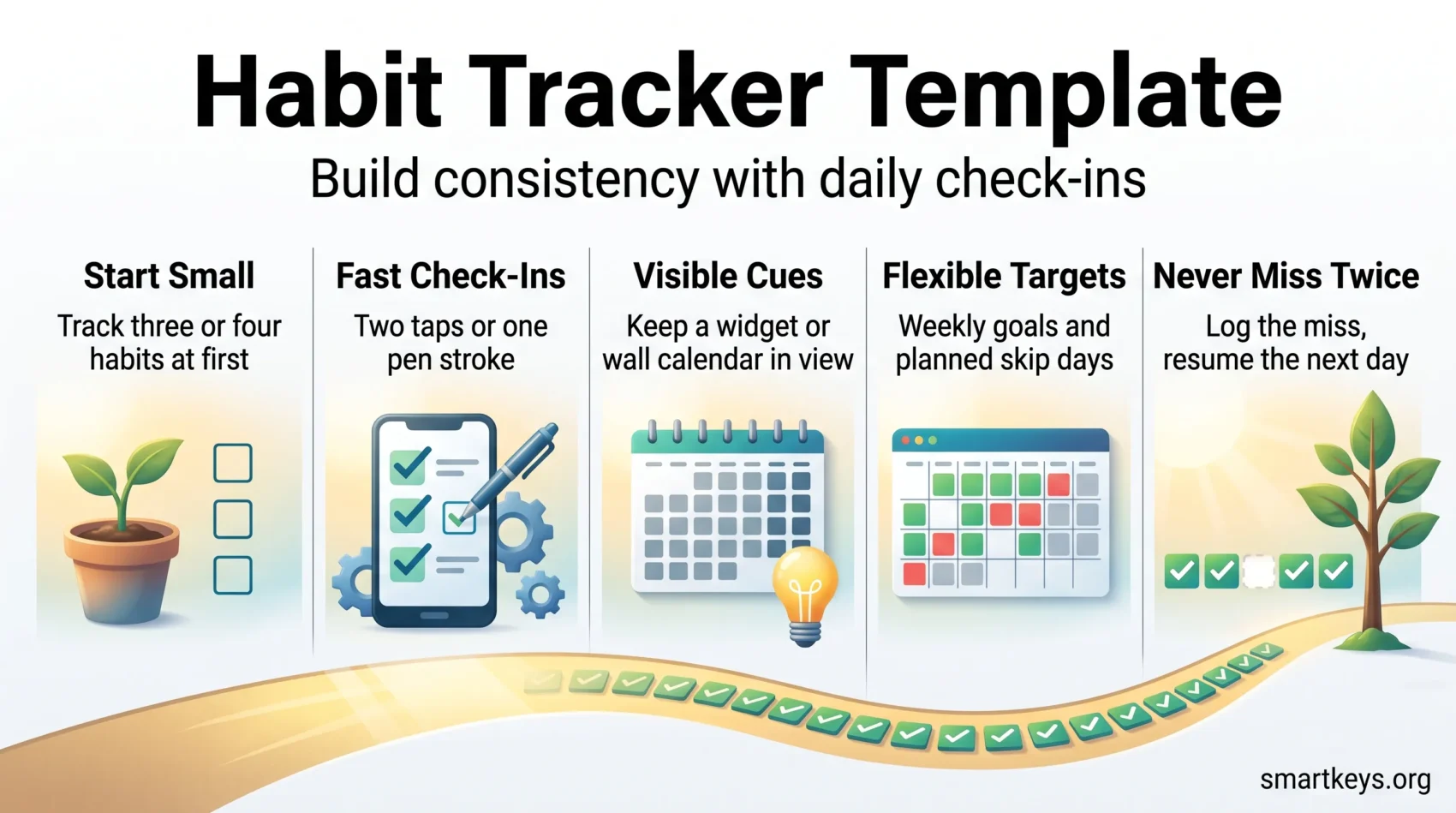
Start simple and stay consistent. A habit tracker is just a record of whether you did a thing today. You mark the box, the row of marks builds up, and the next day gets easier. Books like Atomic Habits and Tiny Habits pushed the idea into the mainstream, and a whole category of apps grew up around it.
This guide covers what works in 2026: which apps are worth paying for, what they actually cost now, when a paper calendar beats software, and how to set the system up so logging takes two seconds instead of two minutes.
You will also find layouts you can copy straight into a notebook, plus the setup habits that keep a tracker alive past the first fortnight. The goal is a system you keep using. If you are folding this into a bigger plan, our guide to setting goals for the year ahead pairs well with it.
Key Takeaways
- Immediate feedback is the whole point. Seeing today marked makes tomorrow easier.
- Match the template to your devices and your daily rhythm, not to the longest feature list.
- Fast check-ins beat deep analytics for most people: two taps or one pen stroke.
- Good apps in 2026 range from free to roughly $60 for lifetime access. Several cost under $6 once.
- Start with three or four habits. Add more only once those stick.
- A missed day is normal. Follow the rule “never miss twice” and the habit survives.
Why daily check-ins actually work
A check-in is the two seconds you spend recording that you did the thing. It sounds trivial, and that is exactly why it works: the effort is small enough that you will still do it on a bad day.
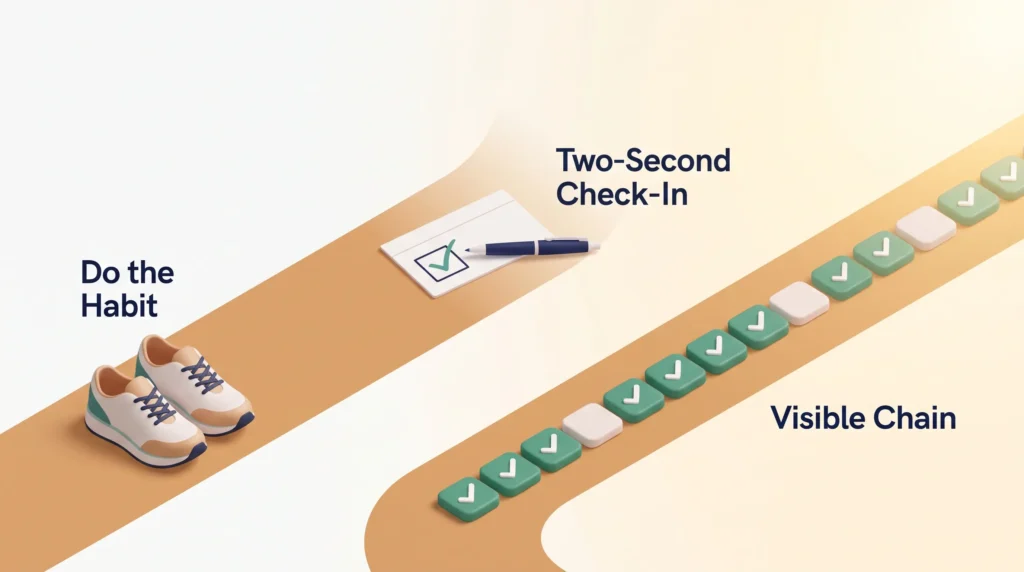
The payoff is evidence. Instead of a vague sense that you have “been meaning to” exercise, you have a row of eleven marks and two gaps. That turns a fuzzy intention into something you can look at and act on. In that sense a tracker is the feedback layer of any system for building self-discipline and consistency: it shows whether the rest of your plan is actually working.
Immediate feedback and visual cues
Immediate feedback matters more than accuracy. When you mark today, you see progress at a glance, and the visible chain gives you something you would rather not break.
Visual cues do the rest of the work. A grid on the fridge or a widget on your home screen puts the decision in front of you at the moment it matters. This is the same logic behind habit stacking, where you attach a new behaviour to one you already do without thinking.
Record the action right after you finish it. Log it at the end of the week and you are reconstructing from memory, which is both slower and less accurate.
“Never miss twice”: recovering when a streak breaks
“Never miss twice.”
James Clear’s rule reframes the setback. One missed entry is ordinary life: a late flight, a sick child, a deadline. Two missed entries in a row is how a habit quietly ends.
So log the miss rather than hiding it, note the reason in a word or two, and do the thing the next day. The record stays honest and the pattern survives. Over months, the reasons you wrote down tell you which habits were badly designed in the first place. Very small commitments, the kind described in our guide to micro-habits, are the ones most likely to survive a rough week.
How to choose a habit tracker template or app
The right tool removes friction, so you spend your time doing things rather than logging them.
Start by writing down what your day actually needs: fast check-ins, schedules that are not strictly daily, and enough statistics to spot a trend. That short list rules out most cluttered apps in about five minutes of testing.
The features that matter
Fast check-ins come first. If marking a habit takes more than a couple of taps, you will stop doing it. Flexible targets come second: many useful habits are three-times-a-week habits, and an app that only understands “every day” will label you a failure every Tuesday.
After that, decide how much data you want. Some people need only a streak count. Others want notes attached to each entry so they can work out why a good month fell apart. Both are valid, and they point to different apps.
Platform fit and sync
Match the tool to the device you actually hold. On iPhone, integration with Apple Health, Apple Watch and home screen widgets removes manual entry for anything the phone already measures, such as steps or sleep. On Android, widget flexibility and generous free tiers are usually the deciding factors.
If you switch between phone, laptop and browser during the day, check that sync is included rather than sold as an upgrade. Several apps put cloud backup behind the paywall.
Price models: free, one-time and subscription
Three models dominate. A free tier lets you test the flow but usually caps the number of habits. A one-time purchase buys a stable feature set forever. A subscription tends to fund sync, exports and automation.
If you expect to use the app for years, a one-time or lifetime purchase is often the cheaper path. If you are still experimenting with what to track, stay on the free tier until your list settles down. The section on tracking progress toward goals covers what is worth measuring before you pay for anything.
If reminders and follow-through are the hard part
Some people do not struggle to choose a habit, they struggle to remember it at the right moment. If that is you, prioritise apps with several reminders per habit, location-based prompts and a lock screen widget. Group or shared habits add mild social pressure, which for some people is the difference between logging and forgetting. Our guide to productivity systems for ADHD brains goes into the wider question of designing around attention rather than fighting it.
The best habit tracker apps in 2026
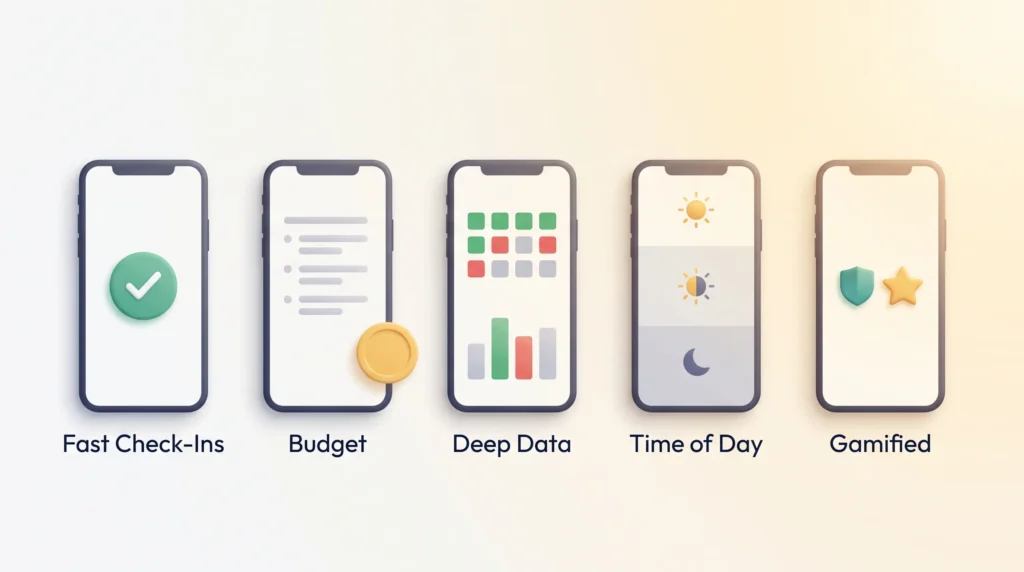
Five apps cover almost every need: fast streak building, an affordable Android option, deep data, day organisation, and gamified motivation. All prices below are US App Store or vendor list prices checked in 2026 and can vary by region.
Streaks: the fastest check-ins on iPhone
Streaks, made by Crunchy Bagel, is an iOS-first app that runs on iPhone, iPad, Apple Watch, Mac and Apple Vision, with iCloud keeping everything in sync. It won an Apple Design Award, and the reason is speed: marking a habit takes two taps, and a long press gives you shortcuts.
Apple Health links can complete items automatically. If your goal is 8,000 steps, the app ticks the box when your phone says you got there, so you never log it by hand.
It suits small repeatable actions best: taking medication, hitting a step target, a short workout. You can require several completions per day and set daily, weekday or monthly schedules. The price is $5.99 as a one-time purchase for the universal app, with no subscription.
HabitNow: the budget pick on Android
HabitNow covers the core job on Android without a subscription. The free tier handles up to seven habits, which is more than most people should be tracking anyway, so you can test it properly before spending anything.
Premium is a one-time in-app purchase rather than a recurring fee, and it removes the habit limit while adding checklists, timers and extra backup options. Because the exact figure moves between regions and sales, check the Play Store listing before you buy.
Logging works as yes or no, as a number, or as a timed session, so “drink two litres” and “practise guitar for 20 minutes” both fit. Home screen widgets show today’s list without opening the app, and the statistics cover streaks, completion rates and calendar heat maps.
Way of Life: for people who want the data
Way of Life turns checkmarks into a searchable journal, which is what you want if your real question is why progress stalled rather than whether it did.
Each day is green (done), red (not done) or skip. That third option matters: a planned rest day is not a failure, and marking it as one distorts your own record. Every entry takes a note, so context lives next to the data.
You can watch your longest streak, set target streaks for cycles such as three days on and one off, and use red chains to spot repeated misses. The app is free to download and free for a small number of habits. Premium, which unlocks unlimited habits and cloud backup, is sold as in-app purchases starting at $4.99, with longer terms available at higher one-off prices.
Habitify: routines organised by time of day
Habitify groups habits into Areas such as Morning, Afternoon and Evening, so the app shows you what is relevant right now instead of one long list. It runs on iOS, Android, macOS and the web.
You can attach an action list to a habit, which breaks a vague entry like “tidy the kitchen” into three concrete steps. Mood notes let you connect how you felt to whether you followed through, and Challenges add a social element.
Habitify moved to tiered pricing in April 2026. The free plan covers three habits with one reminder each. Paid plans remove those limits, and the Pro tier adds checklists, automation and deeper health integrations. At the time of writing, Habitify lists Premium at $2.49 a month billed annually, or $59.99 as a lifetime purchase. Apple Health and Google Fit sync steps, sleep and workouts, and the Zapier and API connections can mark a habit done when something else finishes, such as closing a task in your to-do app.
Habitica: habit tracking as a role-playing game
Habitica puts role-playing game mechanics on top of daily life. You create a character, earn experience and gold for completed tasks, and pick a class at level 10.
Quests and parties make the accountability social. You join friends, take on quests together and fight bosses. If someone in the party skips their dailies, the party takes damage, which is a stronger nudge than a notification. This is gamification applied honestly: the reward is fictional, but the pressure to show up is real.
Work is organised as Habits, Dailies and To-Dos. The trade-off is depth of analysis: you get more fun and community, but fewer charts than a data-focused tracker. The core app is free. A subscription costs $5 a month, or $48 for a year, and buys cosmetic items and conveniences rather than an advantage.
What each one costs
- Streaks: $5.99, one-time, iOS and Mac only.
- HabitNow: free for up to seven habits, then a one-time premium unlock. Android.
- Way of Life: free for a few habits, Premium from $4.99 as an in-app purchase.
- Habitify: free for three habits, Premium from $2.49 a month billed annually, $59.99 lifetime.
- Habitica: free core app, optional subscription at $5 a month or $48 a year.
Weigh the price against what you will genuinely use: widgets, notes, exports, automation. Paying for analytics you never open is the most common waste here.
Printable and calendar-based habit tracker templates
Paper makes progress visible in a way a phone does not. A wall calendar with a shaded square per day sits in your field of view whether you open it or not, and it costs nothing.
Daily, weekly and monthly grids
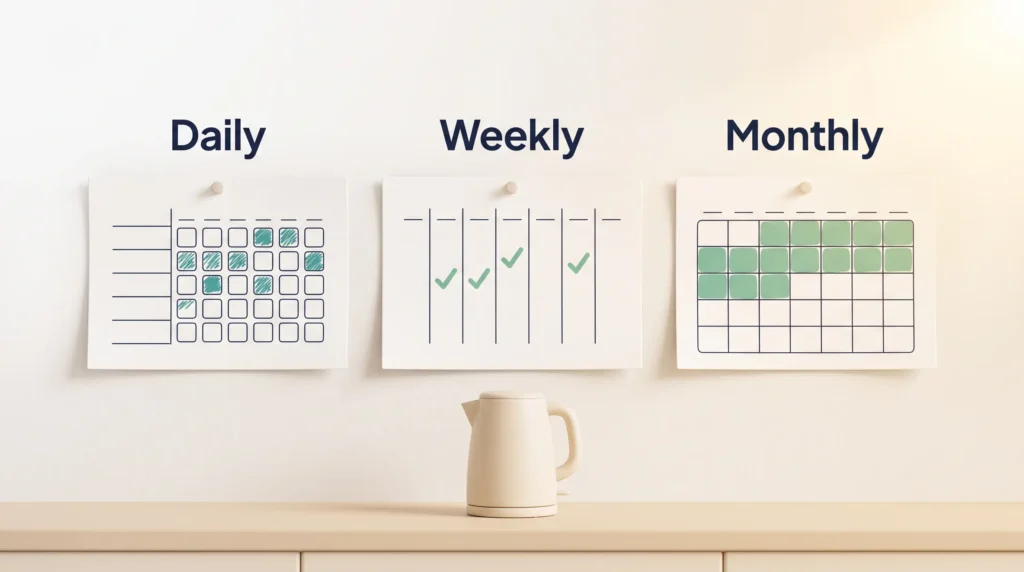
Use a daily grid for actions you want every day. A weekly layout suits things you do a few times a week, such as three runs or two long writing sessions. A monthly view is for spotting drift: you see that October was solid and November fell apart, which a streak counter alone will not tell you.
Keep the grid short. Five rows you fill in beats twenty rows you abandon.
Wall calendars and journal layouts
- Visible cue: hang the calendar where you already stand each morning, such as beside the kettle.
- Journal pages: one page per month for the grid, one page per week for notes, so daily marks and weekly reflection do not compete for space.
- Colour coding: green, red and skip work on paper too, and give you the same nuance as the apps. Our guide to colour coding a system covers how to keep the scheme readable.
- Hybrid use: paper for two or three core habits, an app for anything your phone can measure automatically.
If you already keep a notebook, a digital bullet journal gives you the same layout with search and backup attached.
Habit tracking ideas inspired by Atomic Habits
Small actions build the momentum that large ones never get to. Start with something you can finish in two minutes and log it immediately. James Clear calls this the Two-Minute Rule: make starting so easy that refusing feels silly.
Two-Minute Rule starters
Simple starters stick: read one page, write one sentence, stretch for a minute, put your running shoes by the door. Record it the moment you finish. Our full explanation of the Two-Minute Rule covers where it works and where it quietly fails.
Anchor the check-in to something you already do. After brushing your teeth, mark the hydration box. The existing routine becomes the reminder, so you are not relying on willpower at 10pm.
Weekly, monthly and avoidance habits
Not everything belongs on a daily grid. Keep a short weekly list for things like laundry, a long walk or publishing a post, and a monthly list for the finance review, the deep clean, or a look back at your goals.
Breaking bigger goals into micro-goals works the same way: the smaller unit is the one you can actually schedule.
- Track habits of avoidance too, such as “no soda” or “no purchases after 9pm”. A clean row is still progress.
- Pair a habit you avoid with something you enjoy. This is temptation bundling, and it works better than willpower.
- Keep the starting list small enough that logging never feels like admin.
Scale slowly. Once a tiny behaviour is reliable, raise the difficulty a little while keeping the logging just as easy. That order matters: raise the effort of the habit, never the effort of the record.
Set up your habit tracker so it sticks
Design the system so logging feels like the last step of the action, not a separate chore.
Define the cadence
Decide whether each habit is daily, a set number of days per week, or a monthly target you pace across the month. Getting this right prevents the most common failure: marking a three-times-a-week habit red on four days and concluding you are bad at it.
Start small. Three or four habits is plenty. Our guide to building a daily routine covers how to sequence them so they support each other.
Cues, reminders and time of day
Choose time windows that match your energy rather than your ambitions. A morning routine suits habits that need focus, while an evening routine is better for wind-down habits like reading or planning tomorrow.
- Anchor: stack the log onto an existing routine so it happens without a decision.
- Keep the cue visible: a widget, a wall calendar, or an open notebook on the desk.
- Log immediately: right after the action, while it costs nothing to remember.
- Review weekly: a short weekly review is where you adjust cadence and drop the habits that were never realistic.
- Automate what you can: let health data complete the steps and sleep entries for you.
- Add a person: accountability partners raise follow-through when the internal nudge is not enough.
Once a month, step back further. A monthly review is the right moment to ask whether a habit still serves the goal you set it for, or whether you are maintaining a streak out of stubbornness.
Avoiding burnout: build routines that fit your life
The way to avoid burning out on a tracker is to build in the pause. Targets that assume every week is a good week will break during the first bad one, and then take the habit down with them.
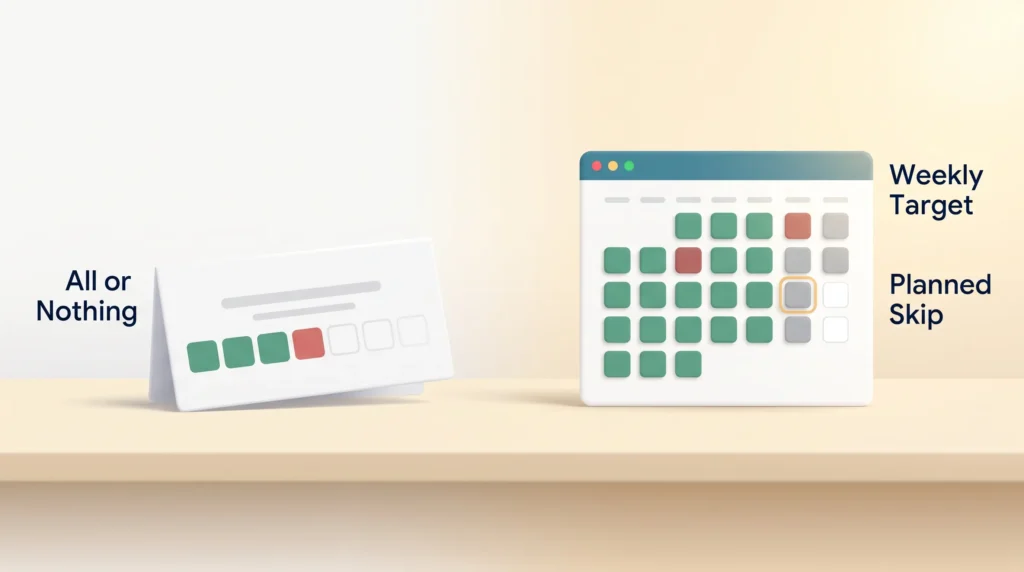
Flexible targets beat all-or-nothing
Set targets per week or per month rather than demanding daily perfection. Most apps support days-per-week goals and skip logic, so a planned rest day does not show up as failure.
Keep a short list of non-negotiable micro-habits you can complete even on a hard day: two minutes of stretching, one page, one glass of water. Everything else becomes optional when life gets loud. Adding short movement breaks to that list is one of the easiest wins available.
When to skip without losing momentum
Plan skips ahead of travel, illness or a heavy week, and use the skip function rather than leaving a gap. Then apply the rule:
“Never miss twice.”
- Match the cadence to reality: track how many days a week you are aiming for, and count a hit as a hit.
- Schedule rest: a planned skip is part of the plan, not a reset.
- Read your notes: they tell you which habits keep failing at the same point in the week.
If the tracker itself starts to feel like pressure, that is a signal to cut the list, not to try harder. Preventing burnout and building habits are the same project.
Conclusion
Pick one small system you will actually use, and the rest follows. Keep the log quick, keep the cue visible, and tie the check-in to a fixed moment in your day so marking progress becomes the last step of the action.
Whether you go analog or digital, the tools that work share three traits: speed, flexible cadence, and visible progress. Match the tool to your device, start with three or four habits, and add more only once those are automatic.
If you miss a day, note why and resume the next day. For a complementary practice that sets the direction before you start marking boxes, see our short guide to daily intentions. Your next check-in is the whole job.
Found this useful?
Make SmartKeys a preferred source on Google, and our articles will surface more often in your Top Stories, AI Overviews, and AI Mode.
Add as Preferred Source




