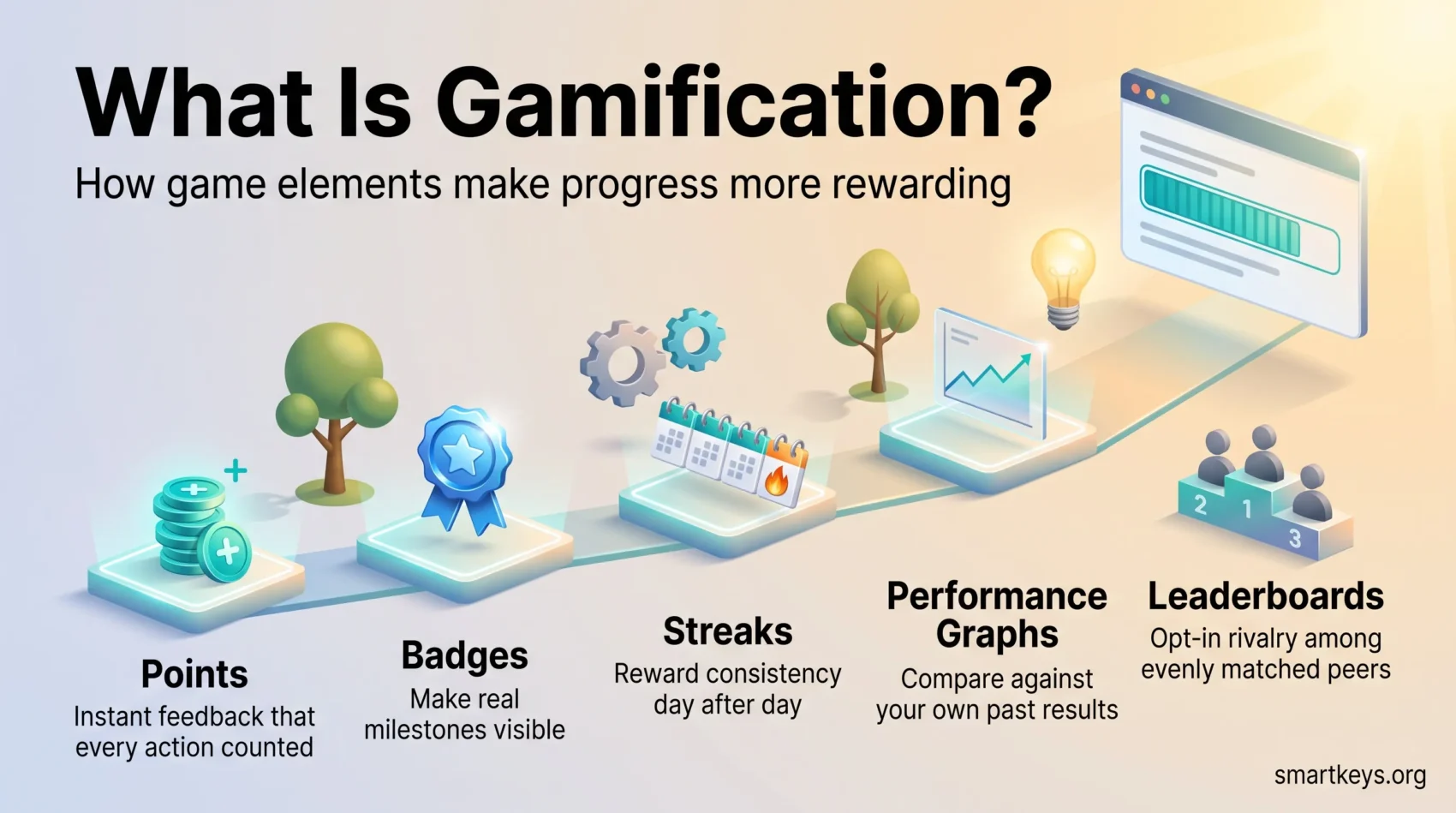
You can make daily tasks feel more rewarding by borrowing a few simple ideas from games: points, badges, streaks, progress bars and leaderboards. Games are very good at one thing that most to-do lists are bad at. They show you, all the time, how far you have come and what comes next.
Gamification is the practice of using those game elements in places that are not games. That could be your task list, a training course or a sales team’s weekly routine. The aim is not to turn your job into a game. The aim is to give your work clearer goals, faster feedback and visible progress, so that effort does not vanish into an endless list.
This guide explains what gamification is, why some of it works and some of it backfires, and how to apply it to your own workday or a small team. You will see examples from language apps, fitness apps, online communities and workplace tools, along with the research that separates useful mechanics from decoration.
Key Takeaways
- Visible progress is the core benefit. Points, streaks and progress bars make small wins real and keep momentum going.
- Research shows that specific elements have specific effects. Badges, leaderboards and performance graphs support a sense of competence; stories, avatars and teammates support a sense of belonging.
- Leaderboards help when peers are similarly skilled and can demotivate everyone else. Personal performance graphs are the safer default for individual work.
- Gamification cannot repair a broken process. Fix the workflow first, then add feedback and rewards.
- Start with one workflow, measure completion and retention, and scale only what proves itself.
What Gamification Is and Why It Works for Your Productivity
Gamification means applying game design elements in non-game contexts. In plain terms: you take the feedback tricks that keep people playing and use them to make routine work clearer and more motivating.
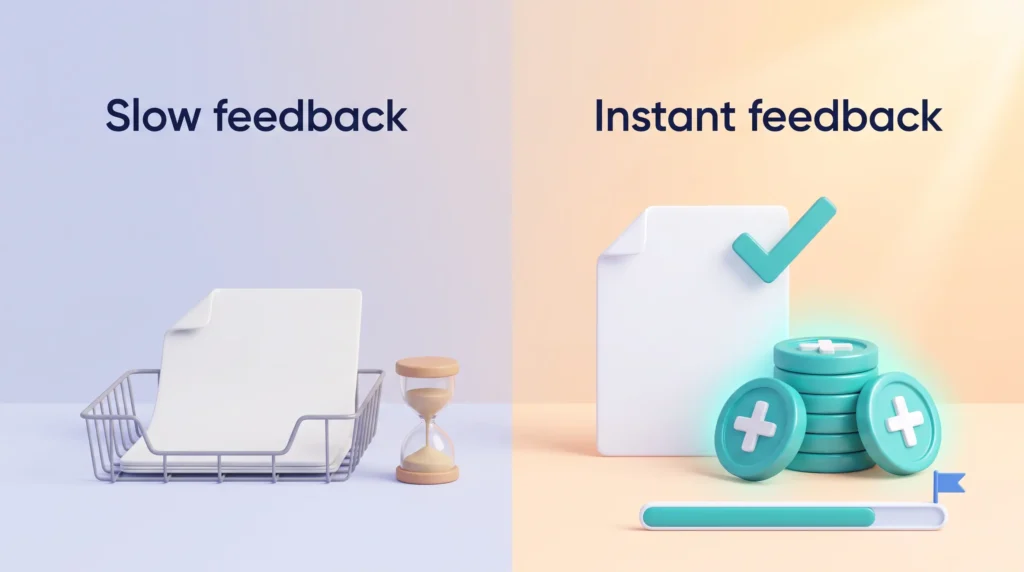
Why it helps: most work gives you slow, vague feedback. You send a report and hear nothing for a week. A game does the opposite. It tells you immediately whether an action counted, how close you are to the next milestone and what to do next. Gamification copies that loop.
How the core elements drive engagement
Points give immediate, numerical feedback. They let you pace tasks and notice small wins as you work, for example five points for every customer follow-up completed before noon.
Badges mark milestones and make achievements visible. They also steer which challenges people pick next, because a badge signals what the system values.
Leaderboards create social comparison. They boost effort when peers are similarly skilled, but people who fall far behind often disengage rather than try harder.
Performance graphs compare you to your own past results instead of to other people. For personal productivity they are usually the best choice, because they reward improvement rather than rank.
An experimental study published in Computers in Human Behavior in 2017 (Sailer and colleagues) tested these elements separately in an online simulation. Badges, leaderboards and performance graphs increased participants’ sense of competence and made the task feel more meaningful. Avatars, a meaningful story and teammates increased the sense of social connection. The authors’ conclusion is worth remembering: gamification is not effective in itself; specific elements have specific effects.
- Mix mechanics: use points for feedback, badges for status and optional leaderboards for friendly rivalry.
- Design for context: match rewards to the behavior you want, not to what looks fun.
- Respect the evidence: competition has mixed effects, so make comparisons optional or keep them within evenly matched groups.
Bottom line: a balanced system with clear objectives, visible progress and timely feedback lowers the friction of starting and makes work feel doable.
The Psychology Behind Motivation: Autonomy, Competence and Relatedness
Most serious gamification design draws on self-determination theory, a well-established theory of motivation developed by psychologists Edward Deci and Richard Ryan. It says that people stay motivated when three needs are met: autonomy (a sense of choice), competence (a sense of getting better) and relatedness (a sense of connection to others). Game elements work when they feed those needs and fail when they only dangle rewards.
Intrinsic vs. extrinsic motivation in your daily tasks
Intrinsic motivation means you do the task because it is interesting or meaningful in itself. You stick with a project because you care about the result.
Extrinsic motivation relies on outside rewards such as points, bonuses or praise. These help you start and keep short-term momentum, but they can fade, and they can crowd out the internal reasons for doing the work if they become the whole point.
The practical rule: use external rewards to get a habit started, then let visible progress and real results take over. If you need a broader look at this balance, see our guide on how to stay motivated throughout the workday.
Designing for autonomy without manipulation
Give meaningful choices. Let people pick which challenges to take on, when to do them and which path to follow. Keep prompts gentle. A system that nags or shames people may raise activity for a week and lose them for good.
Building competence with progressive challenge and feedback
Break skills into levels with rising difficulty and give feedback right after each step. Small wins build confidence, and confidence keeps people going through harder tasks. Our guide to breaking large goals into smaller steps covers how to size those levels so they stay achievable.
Fostering relatedness through social interaction and community
Design social features to support belonging, not pressure. Team goals, peer recognition and cooperative quests help people feel connected while reducing the downsides of head-to-head competition. Even a simple accountability partner arrangement can supply the relatedness that a solo point system lacks.
- Balance elements: combine story, choice and feedback rather than relying on points alone.
- Match rewards: keep incentives proportional so the experience stays meaningful.
- Test with people: find out where competition helps and where self-comparison works better before you roll anything out widely.
Gamification Core Elements You Can Use at Work
Start by picking a few core game elements that map directly to the behaviors you want to encourage at work.
Points and experience
Points are awarded for specific actions and give continuous feedback. Experience points (XP) accumulate over time, so people see both the micro-win of today and their long-term growth.
Badges and achievements
Design badges for real milestones such as finishing a project phase or learning a new skill. A badge for “logged in ten days in a row” rewards showing up, not doing good work.
Leaderboards and competition
Leaderboards can lift engagement among evenly matched peers. If the gap between top and bottom is wide, replace public ranks with personal bests or group people into smaller cohorts.
Performance graphs and mastery
Performance graphs show your current output against your own history. They encourage mastery by spotlighting steady improvement, which is why many habit trackers show a trend line rather than a rank.
Streaks, story, avatars and teammates
Streaks reward consistency and are the most copied mechanic in consumer apps. A short story or theme adds purpose to routine tasks. Avatars let people express identity, and teammates create the cooperation that keeps competition friendly.
“Connect every element to a clear behavior and a way to measure its effect on engagement and outcomes.”
From Dynamics to Mechanics to Components: Designing Systems, Not Just Features
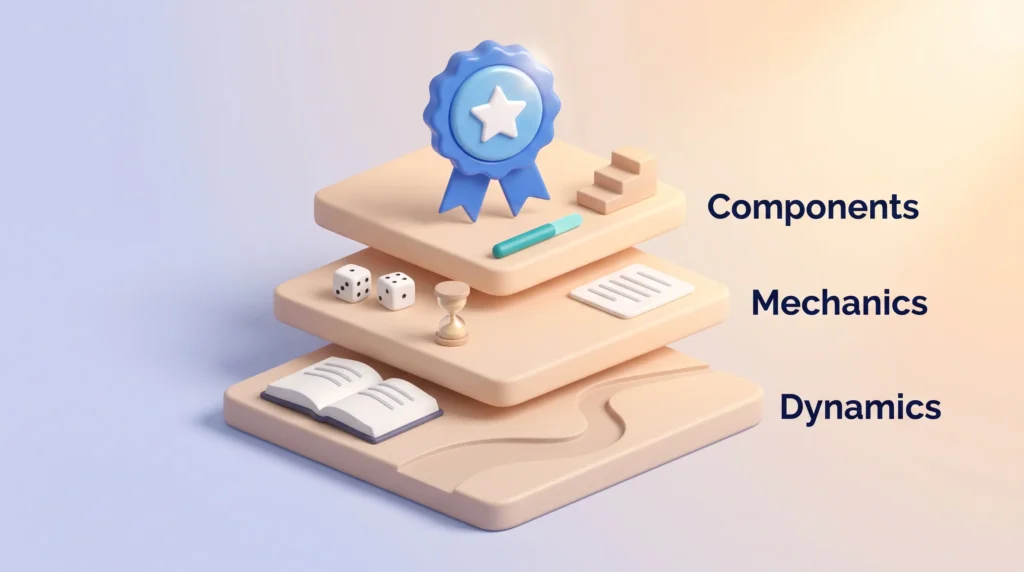
Think in layers: motivations first, rules next, visible pieces last. This hierarchy, popularized by Kevin Werbach and Dan Hunter in their book For the Win, helps you build a coherent system instead of bolting on isolated features.
Dynamics: the big-picture motivations
Dynamics are the things people never interact with directly but always feel: the story, the sense of progression, the social relationships. Map these to your workflow so the experience feels purposeful.
Mechanics: the rules that guide action
Mechanics are the rules that move the system forward: rewards, challenges, chance, turns and feedback. Good mechanics make behavior predictable and fair. If your project runs in two-week sprints, a mechanic like “one quest per sprint” mirrors how the work already unfolds.
Components: the tangible elements people see
Components are the concrete pieces: points, badges, levels, quests, progress bars and virtual goods. They make progress visible and reduce doubt about what to do next.
- Align dynamics with outcomes: match story and social hooks to real goals such as learning speed or on-time delivery.
- Sequence components: introduce one mechanic at a time so people are not overwhelmed on day one.
- Document rules: write down reward logic and difficulty adjustments so the system stays fair as it grows.
Where Gamification Already Works: Examples You Can Borrow
Across industries, simple play elements have changed how people track progress and stay motivated. A few well-documented cases show what the mechanics look like in practice.
Communities: Stack Overflow’s reputation system turns helpful answers into points and points into privileges such as editing rights. Contribution quality rises because status is earned, not bought.
Loyalty: in 2010 Starbucks partnered with Foursquare to award custom badges to customers who checked in at multiple stores, an early and widely copied example of location-based rewards. Foursquare later retired its City Guide app (December 2024), but the pattern lives on in nearly every loyalty program that counts stars, stamps or visits.
Onboarding: website builder DevHub relaunched with points, badges and progress bars in July 2010. According to TechCrunch’s report that October, the average new user went from completing four actions in a first session to twelve. The share of new signups who published a blog post doubled from 7% to 15%. The often-repeated claim that DevHub’s completion rate jumped from 10% to 80% is harder to trace to a primary source, so we quote the documented figures instead.
Habits at scale: Duolingo’s streak is probably the most famous productivity mechanic in the world. In its Q2 2026 results (5 August 2026) the company reported daily active users growing 23% year over year. It also described a June “Streak Revival” campaign that let lapsed learners restore a lost streak by completing three lessons. That campaign re-engaged more than 15 million users, and the company said they retained better than a typical returning cohort. That is a large-scale demonstration that a lost streak is a powerful reason to quit, and that a forgiving repair path brings people back.
How to use these examples: start small and measurable. Pick one workflow, add a clear feedback loop and measure completion, retention and momentum rather than vanity metrics.
Use Gamification to Supercharge Your Workday
You do not need software to gamify your own work. A visible goal, a small reward and a way to see progress are enough. Treat a written goal with a deadline as a quest (our goal setting guide shows how to phrase one), keep a daily streak for one keystone habit, and give each quest a clear start and end with a round of focus sprints. If you like more structure, personal OKRs work well as “levels”: one objective per quarter and three measurable key results.
On a team, keep leaderboards opt-in and reward mastery rather than raw activity. Company-wide programs are a different project with their own platforms, KPIs and pitfalls. Our guide to running gamification programs for employee engagement covers what the evidence supports there and where vendor claims fall apart.
Player-Centered Design: Know Your Users, Tailor the Experience
Start with who will use the system. Knowing people’s day-to-day goals shapes every design choice. Build simple personas that capture constraints, workflows and core motivations so you can match mechanics to real needs.
Personas and motivations across different roles
Define clear personas. Capture what each person values, how much time they have and what success looks like for them. A support agent who handles 60 tickets a day wants different feedback from a designer who ships one feature a month. Use interviews, surveys and quick user tests to check your assumptions.
Onboarding and progressive disclosure to reduce friction
Teach by doing. Start with a short first mission, show one mechanic at a time and let people discover deeper features as they gain confidence. Simple icons and micro-tutorials lower the barrier to entry. The same principle applies to remote onboarding in general: early, visible wins predict whether someone stays engaged. For a step-by-step look at new-hire programs, see our guide to gamified employee onboarding with checklists and progress bars.
Inclusive mechanics for diverse stakeholders
Offer paths for competition, collaboration, exploration and mastery so everyone finds a fit. Let people opt out of leaderboards and track personal bests instead.
- Align rewards and tone with your workplace culture.
- Plan measurement up front so you can tell whether the system helps.
- Integrate with existing tools and keep accessibility central.
What to Gamify First: High-Impact Workflows and Habits
Pick one repeatable workflow where a small nudge will produce measurable gains. Start with clear actions and visible outcomes so you can test quickly and learn what drives engagement.
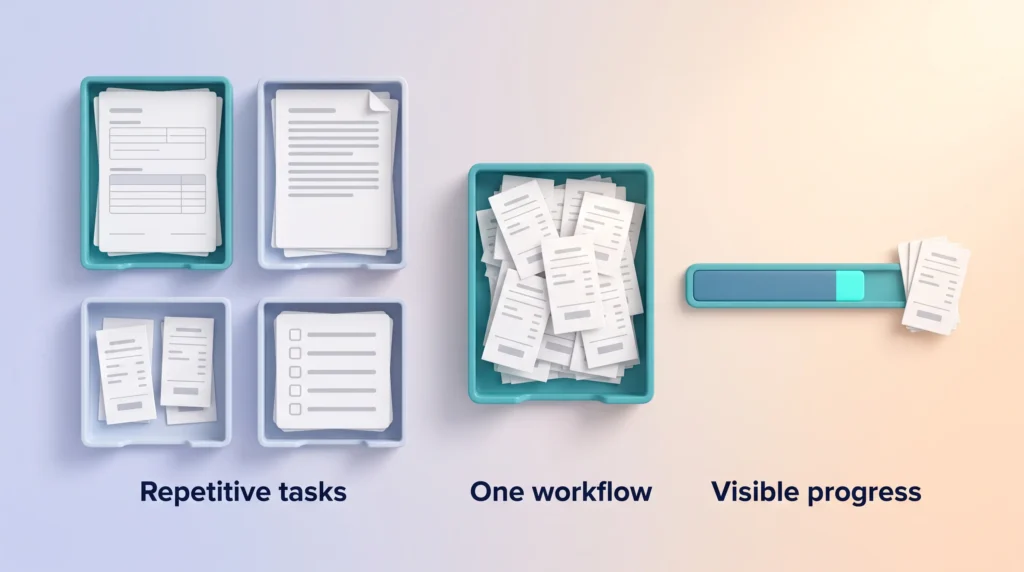
Prioritizing repetitive tasks that need engagement
Look for high-volume tasks that stall or get skipped. These offer the largest return when you add simple feedback such as points or a progress bar.
Examples: form completions, review cycles, weekly reports, expense submissions and routine quality checks. Pick one and instrument it. If your own task management is the bottleneck, start there: a visible daily completion count is the simplest possible gamification.
Aligning mechanics to clear business and personal goals
Match mechanics to what matters. Use badges for skill milestones, progress bars for completion and points for timely, high-quality submissions. Tie micro-goals to each step so the reward arrives while the effort is still fresh.
- Identify repetitive activities where small lifts produce big impact.
- Define measurable goals so feedback maps to outcomes, not just activity.
- Choose lightweight mechanics (points, progress bars, milestones) and test one at a time.
- Integrate with existing tools to avoid extra steps that kill adoption.
- Measure and iterate: start small, then scale what improves completion and engagement.
- Align rewards with value delivered (quality, timeliness).
- Set guardrails so nobody rushes low-quality work for points.
- Schedule regular reviews to tune difficulty and rewards.
Health, Learning and Community Patterns You Can Borrow for Work
Fitness apps, language apps and online communities have spent more than a decade refining these mechanics. Their patterns are compact and easy to copy.
Fitness and wellness: streaks, quests and social proof
Running apps such as Nike Run Club reward runs with points, levels and badges, and compare you to your past performance and to peers. Borrow the streak for one key work habit, use short quests to group related tasks, and add light social proof so teammates can celebrate wins without heavy rivalry. Our guide to micro-habits shows how to keep each streak small enough to survive a bad week.
Education and training: mission-based units and mastery
Duolingo and Khan Academy use missions and XP to guide skill growth. Adapt mastery-based progression so people advance when they are ready, not just on a schedule. The same approach shows up in VR employee training, where scenarios are unlocked one level at a time.
Communities and loyalty loops: recognition that carries responsibility
Stack Overflow turns points into privileges, and crowdsourcing projects such as the protein-folding game Foldit used friendly competition to solve hard scientific problems. The lesson for teams: make rewards mean something. Access, responsibility or curated visibility work better than tokens. Design contribution rules so the system cannot be gamed, and pair public recognition with private progress so casual contributors do not drop out. Our article on positive reinforcement at work covers the timing of recognition in more depth.
- Keep elements simple: unobtrusive levels and progress bars.
- Mix private and opt-in visibility: personal graphs for growth, public recognition for those who want it.
- Tie effort to meaning: Forest links focused time to virtual trees, and the company funds real tree planting, so attention has a tangible outcome.
Ethics and Pitfalls: Avoid Manipulation and “Magic Paint”
Before you add points or leaderboards, ask how the system will affect people’s wellbeing and fairness. Good intent is not enough. Your choices shape behavior and day-to-day experience, and a badly designed system can feel like surveillance.
Designing for wellbeing, not pressure
Design systems that support healthy habits and voluntary challenge. Avoid tricks that push people to skip breaks or chase hollow rewards.
- Make participation optional: let people opt into competitive features.
- Guardrails: cap points tied to risky behaviors, such as answering tickets faster at the expense of accuracy, and monitor for abuse.
- Transparency: explain how points, levels and data are used. If the system tracks activity, the same concerns apply as with any employee monitoring tool, including the rules that now govern it in the EU and several US states.
When leaderboards demotivate, and what to use instead
Leaderboards discourage those far from the top. Use personal bests, tiers or progress graphs instead to preserve motivation.
- Offer private performance graphs to track growth.
- Group leaderboards into cohorts so competition stays fair.
- Reward collaboration as well as individual wins.
Why gamification will not fix a broken process
Magic paint is the design community’s term for sprinkling game elements over bad tools. It does not solve workflow problems. If the expense system takes 20 minutes per receipt, a badge for submitting receipts will not help. Fix usability, remove friction, and then add rewards that map to real goals.
“Treat rewards as a last-mile tool: improve the process first, then add systems that sustain healthy motivation.”
Measurement That Matters: Feedback, Progress and Outcomes
Measure what moves people: pick metrics that show real improvement, not just clicks. You want signals that tie your design to business and human goals.
Defining success: engagement, completion, retention
Define success in terms of three things. Completion: did the work get done? Retention: do people keep using the system after week four? Quality: did the work get worse while it got faster? Raw activity, such as points earned, is not an outcome.
Use segments by role or cohort to spot where the system helps and where it needs tuning. If you already track employee engagement, compare the gamified group against the rest before you draw conclusions.
Performance graphs and progress bars for momentum
Points provide continuous, immediate feedback and help people feel short-term wins. Performance graphs track improvement over time and support mastery. A simple productivity dashboard can hold both without any special software.
- Instrument feedback loops: points, progress bars and status updates should show the impact of each action.
- Align mechanics to goals: make progress indicators map to real outcomes and quality.
- Test and iterate: A/B test streak thresholds and badge timing to find the right balance.
- Mix metrics: combine numbers with short interviews to understand why people behave the way they do.
Implementation Roadmap: Evaluate, Iterate and Scale
Begin with a focused experiment that validates which mechanics actually change behavior. A short pilot helps you learn fast and avoid building features that do not fit real workflows.
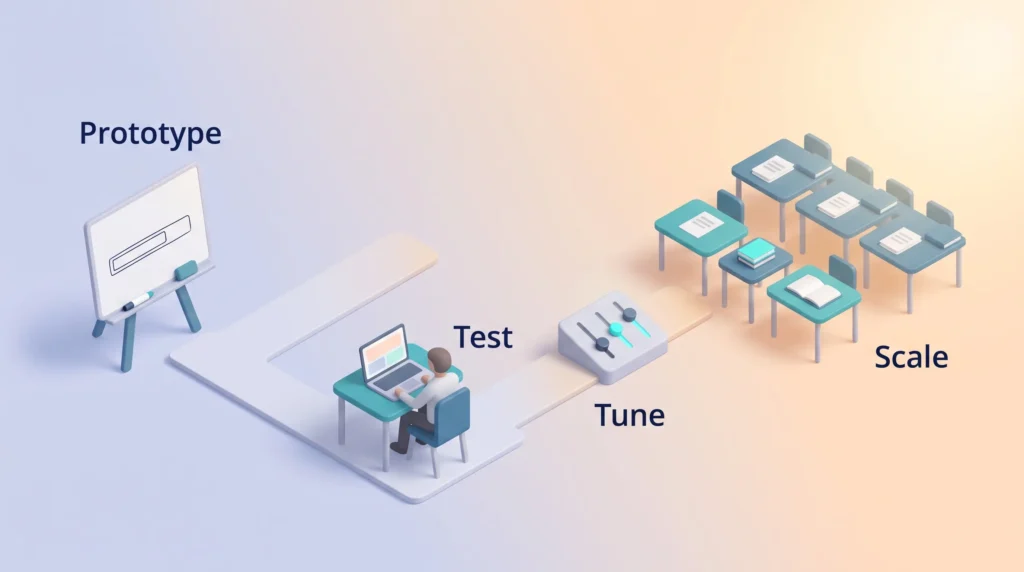
Prototype the mechanics and test with real users
Prototype low-fidelity. A shared spreadsheet with a points column, or a progress bar drawn on a whiteboard, is enough to test whether the idea lands. Build inside the tools people already use so feedback is grounded in actual work.
Collect feedback, adjust difficulty and rewards
Run short usability tests to find friction and confusion before wider rollout. Collect continuous feedback and tune thresholds, rewards and pacing so the experience stays motivating rather than distracting.
Governance: monitor impact and prevent misuse
Document ownership, review cadence and escalation paths. Monitor for unintended behaviors, such as people splitting one task into five to earn more points, and have a plan to recalibrate.
- Stage rollouts from pilot cohorts to broader deployment with clear success gates.
- Train stakeholders so they understand intent, measures and how to support users.
- Budget time for iteration and maintenance. These systems improve with cycles of learning.
A Brief History of Gamification and What It Means for You
The idea is older than the buzzword. British game developer Nick Pelling says he coined the term “gamification” in 2002. It first appeared online in a software context in 2008 and only became popular around 2010. In October 2007 Bunchball became the first company to sell game mechanics as a service. Badgeville launched in late 2010 and raised $15 million in venture funding in its first year. Both offered points, badges and leaderboards to business customers, which is why those three elements still dominate how people picture gamification.
Marketing, education and workplace tools pushed these ideas into everyday applications. Foursquare’s check-ins and mayorships proved that social status could drive repeat visits. DevHub’s relaunch showed that the same mechanics could move onboarding numbers. Later research tempered the hype. The 2014 literature review by Hamari, Koivisto and Sarsa found that gamification generally produces positive effects. It also found that the size of the effect depends heavily on the context and on the people using the system.
What this history gives you:
- Practical lineage: learn which mechanics traveled from games to apps and why they stuck.
- Realistic expectations: the early hype promised universal engagement; the evidence supports targeted, well-designed use.
- Lessons learned: successes show impact; missteps teach ethical limits and measurement needs.
Use this perspective to avoid short-lived trends. Focus on durable practices: clear goals, visible progress, ethical guardrails and honest measurement.
Conclusion
Build your plan around clear goals and visible steps so daily work feels purposeful and doable. Align points, badges, leaderboards and performance graphs to measurable outcomes, not flashy rewards.
Focus on intrinsic motivation (autonomy, competence and relatedness), then add small game elements that support those needs. Measure completion, retention and quality so you can tell what truly moves people.
Avoid manipulation and “magic paint.” Fix process and usability issues first, then start small, test and iterate. Keep ethics central so your design supports healthy, sustainable performance. If you want to protect the focus time your quests depend on, our guide to deep work is the natural next read.
Found this useful?
Make SmartKeys a preferred source on Google, and our articles will surface more often in your Top Stories, AI Overviews, and AI Mode.
Add as Preferred Source