

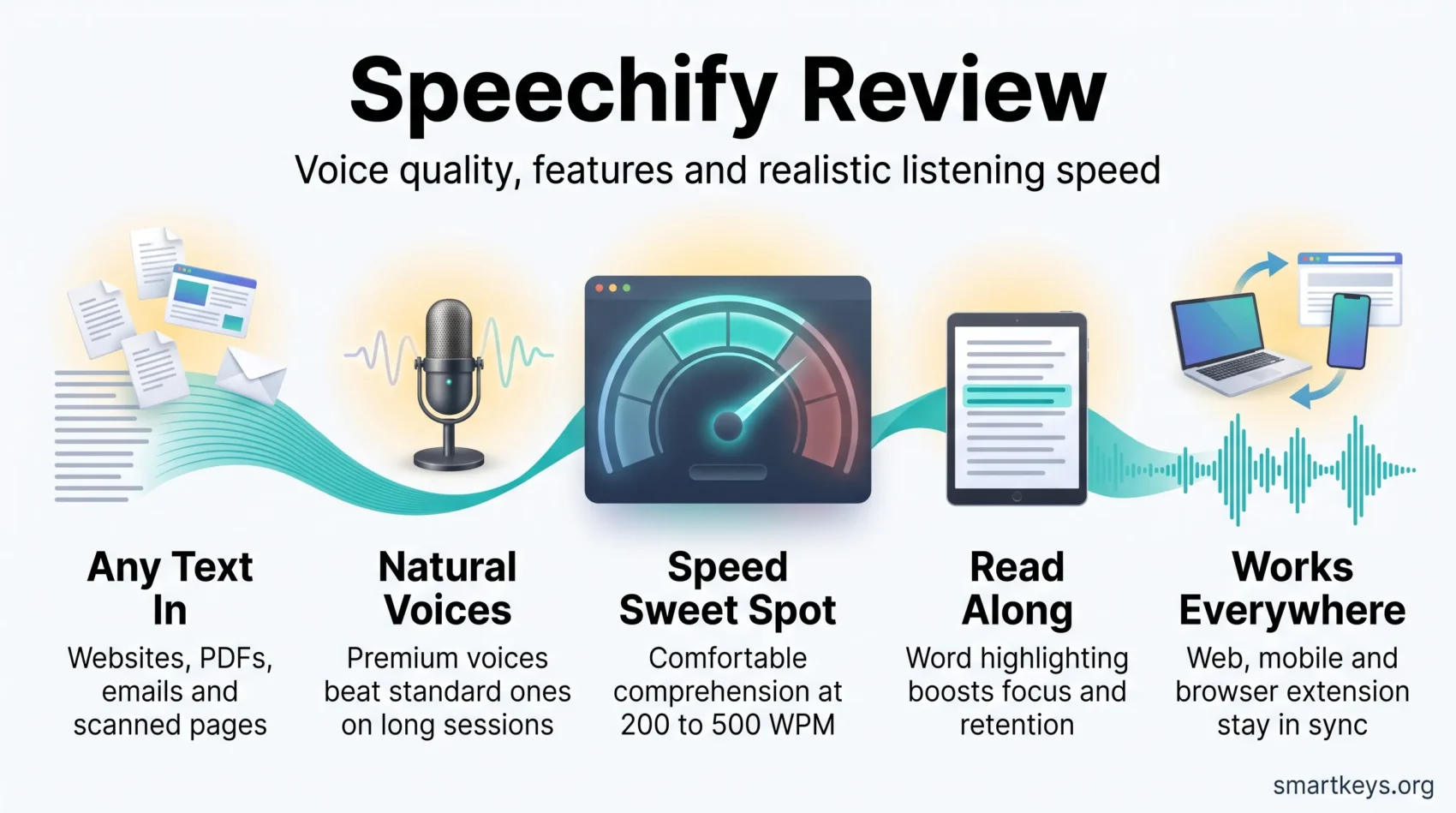
Speechify is a text-to-speech app. Text-to-speech, usually shortened to TTS, means software reads written text out loud in a synthetic voice. Speechify does that for websites, PDFs, emails, and documents, on your phone, your laptop, and inside your browser.
The question this review answers is simple: does listening instead of reading actually save you time, and is the paid plan worth its price? Speechify sells a Premium plan at $29 per month, or roughly $139 for a year when you pay annually (about $11.58 per month). A three day free trial comes first, and a limited free tier stays free forever.
The limits are here too. Marketing promises playback up to 4.5x normal speed, around 900 words per minute, but most people stop understanding what they hear well before that. Scanning printed pages works beautifully on flat, clean paper and poorly on anything else.
This review walks through voice quality, speed, pricing, the browser extension, privacy, and support, so you can decide before the trial clock starts. If you want to compare it against a voiceover-focused tool first, our Murf AI review covers that side of the market.
Key Takeaways
- Speechify turns websites, PDFs, emails, and scanned pages into audio across web, mobile, and browser.
- Premium costs $29 monthly or about $139 per year, after a three day trial.
- Advertised speed reaches 4.5x (roughly 900 WPM), but comprehension usually holds only up to 400 to 500 WPM.
- Premium voices sound clearly more natural than the free ones, which matters most on long sessions.
- Refunds are limited to seven days and to accounts that have barely used the service, so test early.
Quick Take: Is Speechify worth it for you right now?
The short answer depends on how often you will listen. If you work through long articles, research PDFs, or a full inbox daily, the paid plan pays for itself. If you would use it twice a month, the free tier is enough.
Speechify’s Premium plan costs $29 if you pay month to month, or about $139 for a year, which the company markets as roughly 60 percent off the monthly rate. The three day trial is your window to test it against your own files, not against a demo.
- Start with the free tier and load your own documents. It handles ten standard voices at up to 1.1x speed, which is enough to see whether your PDFs parse cleanly.
- Set a calendar reminder before day three of the trial. Refunds are narrow (more on that below), so cancelling on time is easier than arguing later.
- Sample the premium voices in the first hour. Voice quality is the single biggest difference between free and paid, and you will know quickly whether it matters to you.
- If most of your reading happens in a browser, install the extension first. That is where the app saves the most steps.
Bottom line: Speechify earns its price for people who listen daily. For occasional use, run the trial, then let it lapse.
Try Speechify free for 3 daysWhat Speechify is and how it works
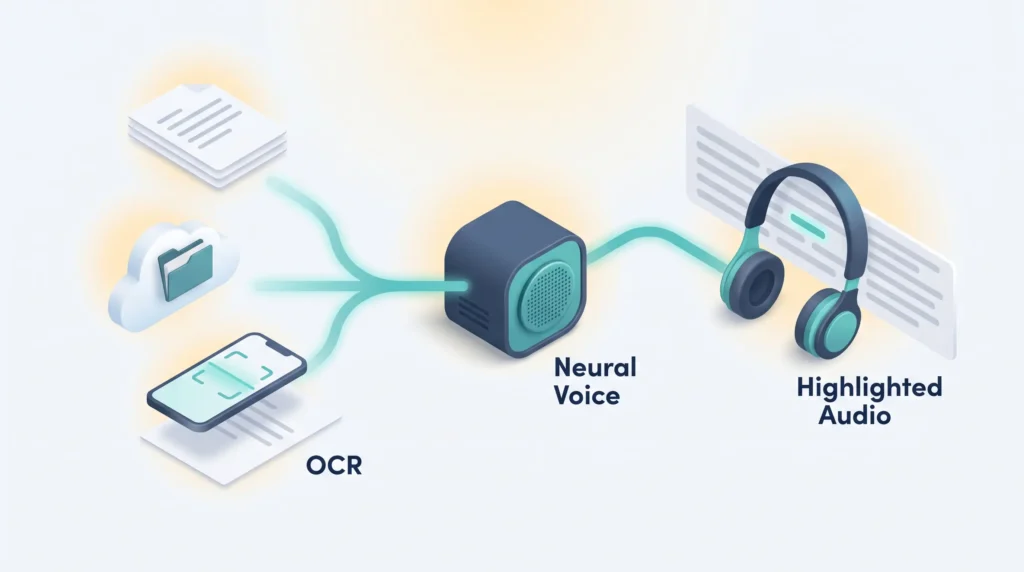
Here is the basic loop: you give the app text, it gives you audio. You paste a link, upload a file, connect a cloud drive, or photograph a printed page. Speechify converts what it finds into speech and highlights each word on screen as it reads.
The engine, OCR, and AI summaries in plain English
Speechify uses neural text-to-speech. That means the voice is generated by a model trained on recorded human speech, rather than stitched together from recorded syllables. The practical result is more natural rhythm and emphasis than older synthetic voices.
OCR stands for optical character recognition. It is the step that turns a photo of a page into actual text the app can read aloud. Point your phone at a textbook page and OCR does the conversion before playback starts.
The AI features sit on top. You can ask for a summary of an uploaded file, ask follow up questions about it, or generate a quiz from the material. Speechify also builds short AI podcasts from a document or a prompt, and it added a Voice AI Assistant you can talk to directly.
“Audio plus highlighting helps you stay focused and move faster through material.”
Web, mobile apps, and the browser extension
Files reach your library from links, uploads, or cloud storage. Speechify connects to Google Drive, Dropbox, and Microsoft OneDrive, so class materials and work documents land in the queue without manual uploads. Your position syncs across web, iOS, Android, and desktop.
- Open a PDF or article and start listening with on-page controls.
- Use the Chrome or Edge extension to play web content without copying text.
- Switch voices and accents from a catalog the company advertises at 1,000+ voices across 60+ languages.
If you already run an audio-first routine, our guide to digital note-taking pairs well with this kind of tool.
Speechify Review
Setup takes minutes. You sign up, connect a source such as Google Drive or Dropbox, or simply paste a link, and the web app starts reading.
Setup, onboarding, and your first listen
Onboarding walks you through the four ways to add content: upload a file, paste a link, paste raw text, or connect cloud storage. The web version and the browser extension feel the most polished. The Mac desktop build has historically felt rougher, so start on the web.
Choose a voice, set a speed, and watch the word-by-word highlighting scroll with the audio. That visual anchor is more useful than it sounds, especially on dense material.
Reading versus listening: what highlighting changes
Listening keeps momentum. You do not stall on a difficult paragraph, because the audio keeps moving. The trade-off is that you also skim past things without noticing.
Highlighting is the fix. Seeing each word light up as it is spoken gives your eyes something to track, which helps you catch structure, headings, and key terms. It turns passive listening into something closer to guided reading. Our piece on speed reading techniques covers the same trade-off from the visual side.
“Ask AI gives quick takeaways so you can decide whether to listen to the full document.”
- Start slow: set speed near 200 to 250 WPM, then raise it once the cadence feels normal.
- Test real files: use your own PDFs, articles, and Google Docs during the three day trial to check how cleanly they parse.
- Set a reminder: decide before the trial ends, because the refund window afterwards is tight.
Voice quality and variety: standard, premium, and celebrity voices
Voice quality is where the paid plan justifies itself. Premium voices carry natural rhythm, pauses, and emphasis. The free standard voices sound flat next to them, and that gap grows during long listening sessions.
Celebrity voices and the novelty factor
Speechify licenses voices from Snoop Dogg, Gwyneth Paltrow, and MrBeast. In February 2026 the company extended these celebrity voices to its Voice AI Assistant and launched a ChatGPT app that reads ChatGPT replies aloud in Speechify voices.
They are fun, and they do make a dull article more entertaining. They are not the reason to subscribe. For studying or work, a well-tuned premium voice is easier to follow over an hour.
“Celebrity voices add fun, but they are best for personal listening rather than study.”
Where premium shines and where standard voices fall short
You hear the difference within a sentence or two: varied pacing, clearer phrasing, natural inflection on questions and lists. That helps you follow complex sentences and keeps listening fatigue low.
Standard voices are fine for a quick email scan. After a week on premium voices, going back feels noticeably robotic.
Languages and accents
Speechify advertises support for more than 60 languages. English voices are the most polished, which is normal for this category: English gets the most training data and tuning. Other languages are usable, but quality varies more between accents. If you listen mainly in another language, test it during the trial.
- Premium voices measurably improve comprehension on longform and technical content.
- Celebrity voices are a nice extra for casual listening, not a productivity feature.
- Licensed celebrity voices are usually restricted from audio downloads.
Speed and listening: the 200 to 500 WPM sweet spot
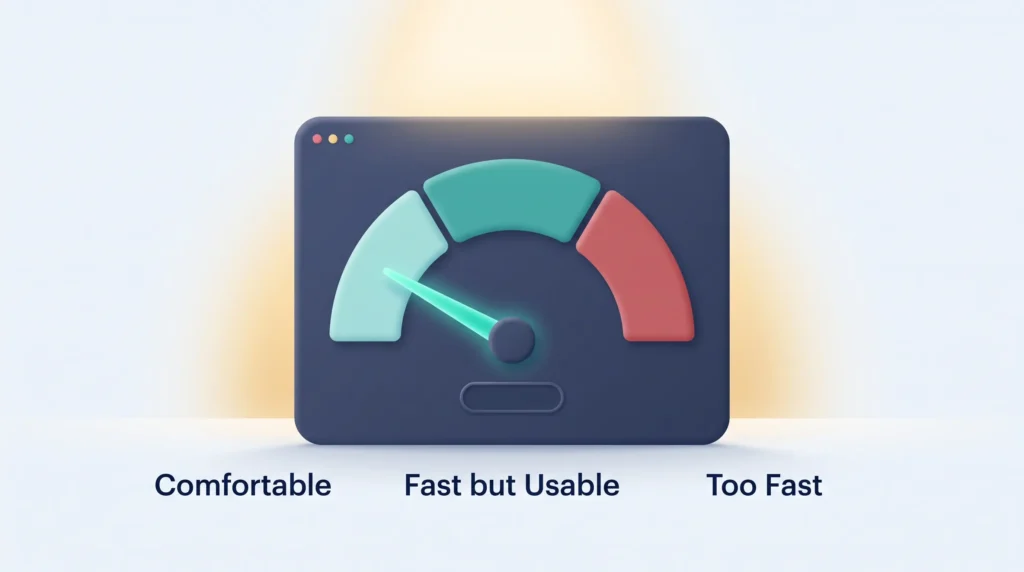
Speechify markets playback up to 4.5x, which the company itself describes as around 900 words per minute. That number is a technical ceiling, not a listening target. Here is the distinction that matters: the app can produce audio that fast, but your brain cannot reliably decode meaning from it.
What you can actually comprehend at different speeds
Comfortable: around 200 to 300 words per minute. Meaning stays clear and you rarely rewind. For comparison, typical silent reading sits in a similar range.
Fast but usable: 400 to 500 words per minute works for simple articles, news, and summaries. Dense or technical passages start slipping.
Too fast: past roughly 600 words per minute, speech blurs for most listeners. You will finish faster and remember less.
Reading along to boost retention
Pairing audio with word-by-word highlighting and auto-scroll helps you hold more at mid-range speeds, because two senses are carrying the same information. Visual cues also flag structure that audio alone hides, such as headings, bullet points, and emphasis.
- Start at a comfortable pace, then nudge the speed up as your ear adapts.
- Slow down for technical material. Pauses matter more than raw rate.
- When multitasking, keep speeds moderate to avoid constant rewinds. Our look at multitasking and productivity explains why.
- On long sessions, a premium voice at moderate speed beats a standard voice at high speed.
“Ramping speed gradually helps your brain learn the new cadence without losing meaning.”
Pricing and plans: free, Premium, and the real cost
Your plan choice comes down to listening volume and whether you need the better voices, faster speeds, and offline access.
Free plan versus Premium
The free version gives you ten standard voices at up to 1.1x speed, which Speechify describes as roughly 250 words per minute. It is a genuine free tier, not a countdown, and it is enough to check whether your files parse cleanly and whether the workflow suits you.
Premium costs $29 per month billed monthly, or about $139 billed annually, which works out to roughly $11.58 per month. It unlocks the large premium voice catalog, 60+ languages, scanning with OCR, AI summaries and chat, voice typing, AI podcasts, and the cloud storage integrations.
Usage limits worth knowing
Speechify publishes a monthly allowance for premium voice usage rather than an unlimited promise. The company guarantees a minimum of 150,000 premium voice words per month, and it has raised that guarantee to 1,000,000 words per month through 31 December 2026. The allowance resets monthly and covers all premium, HD, and AI voices together.
Speechify also states that accounts may be restricted if usage looks shared between multiple people, or if audio is generated for resale, distribution, or broadcast. Users with documented accessibility needs can request additional allowance at no extra cost.
Trial and refund terms: read these before you subscribe
The free trial runs three days. The refund policy is the part most people miss, so here it is plainly:
- Refund requests must arrive within seven days of the subscription date, trial periods included.
- Unused annual text-to-speech subscriptions qualify only if you have used no more than 500 HD words.
- Monthly, quarterly, and discounted subscriptions are listed as non-refundable.
- Purchases made through the App Store or Google Play follow Apple’s and Google’s refund policies, not Speechify’s.
In short: decide during the trial, not after. Once you have listened to a few chapters on an annual plan, the refund door is closed.
Check Speechify pricing and plans“The real cost of fast listening is how much comprehension you trade for it.”
Web app: websites, PDFs, and documents without friction
The web interface exists to cut the prep work. You add content by link, upload, or direct integration with Google Drive, Dropbox, and OneDrive, and everything lands in one library.
Import options and quick starts
Paste a link, drop in a file, or pull documents from cloud storage. The flow keeps you in one tab, so you are not juggling windows to start a listen. For teams already standardised on one suite, our Google Workspace review and Dropbox Business review cover the storage side.
Audio downloads and practical limits
Premium subscribers can download audio for offline use. Two limits shape how useful that is: licensed celebrity voices are generally excluded from downloads, and your premium voice word allowance applies to generated audio as well. Plan larger exports around the monthly reset rather than assuming an unlimited bucket.
Ask AI: summaries and document chat
The built-in AI assistant turns a document into a quick briefing. Ask for key takeaways, a definition, or a section-by-section summary before committing to the full audio. On a 40 page report, that alone can save the listen entirely.
- Cleaner playback: word highlighting and auto-scroll keep the text visible while you listen.
- Noise filters: skip headers, footnotes, URLs, and bracketed text to stay on the core content.
- PDF tools: zoom, thumbnails, and search help you jump to the passages that matter.
Tip: the web app generally feels faster and steadier than the desktop build, which makes it the safer default on laptops and Chromebooks for daily listening.
Browser extension: webpages, emails, and feeds as audio
The extension is the feature most daily users end up relying on. It overlays a floating play control on supported sites, so you never copy text into the app or switch tabs to start listening. Speechify offers it for Chrome and Edge.
The overlay shows an estimated read time and can start from any paragraph you click. Articles, social posts, and forum threads get inline play buttons. It also reads email inside your inbox, a fast way to clear newsletters and long threads. If notifications keep interrupting that flow, our guide on managing work notifications is worth a look.
On-page controls, screenshot-to-speech, and dyslexia-friendly options
Screenshot-to-speech is the standout: drag a box over an image, a scanned chart, or text you cannot select, and Speechify converts that region into readable text and audio.
You can also switch on a dyslexia-friendly font and adjust text size for on-page reading. Keyboard shortcuts start, pause, and change speed without leaving the tab. These accessibility options are part of why the tool has a following among readers with dyslexia and ADHD, a point our article on ADHD and productivity picks up.
“A floating play button turns long browsing sessions into efficient listening time.”
- Save pages to your library and pick them up later in the web app.
- Switch voices and jump between paragraphs without breaking focus.
Mobile apps on iOS and Android
On mobile, Speechify works as a pocket reading assistant for PDFs, articles, and printed pages. You scan, queue, and keep listening while you move between tasks.
Scanning, offline listening, and syncing
Scan with your phone camera to convert textbooks, handouts, or printouts into text. OCR works best on flat, well-lit, high-contrast pages.
Your position syncs across devices, so you can start a chapter on your laptop and finish it on the train without hunting for where you stopped. Offline playback is available for items already processed. That makes the app genuinely useful on a productive commute.
- Scan physical pages into text for fast study sessions.
- Playback position and speed carry over between web and mobile.
- Offline listening works on flights, though premium voices and fresh OCR processing usually need a connection.
Real-world performance: OCR accuracy and complex layouts
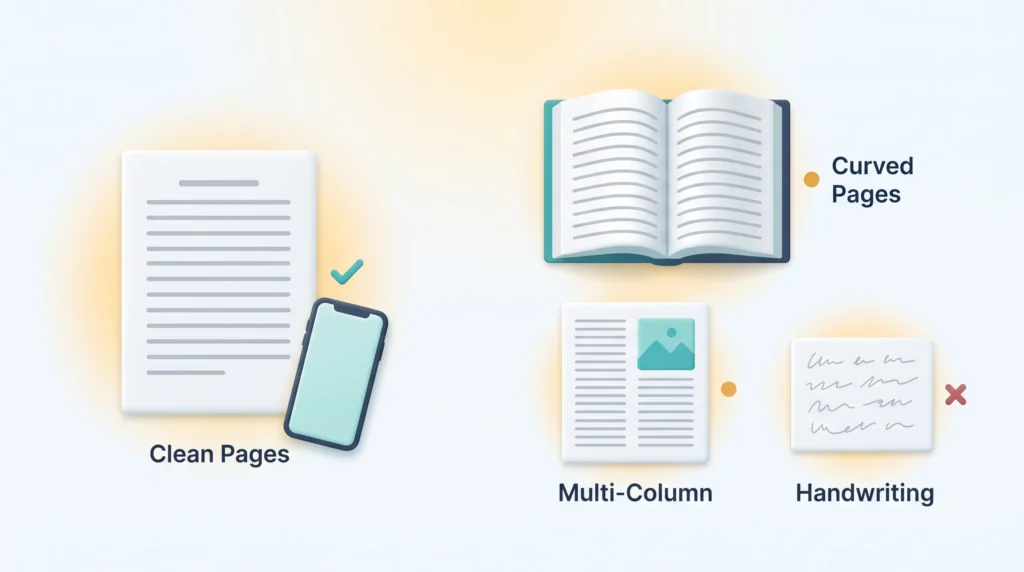
OCR is excellent on clean pages and unreliable on complicated ones. That single fact shapes how much cleanup you do before you can listen.
Clean text versus curved pages, columns, and handwriting
Flat, typed, high-contrast pages convert quickly and accurately. You get usable text with almost no corrections.
Expect trouble with curved pages near a book spine, multi-column layouts, and text printed over images. Scanning flatter pages and improving your lighting both help measurably. Handwritten notes usually fail recognition and are faster to type out.
Technical terms, acronyms, and pronunciation
Acronyms and specialist jargon still trip up pronunciation. Premium voices reduce the problem without eliminating it. If you listen to medical, legal, or engineering material, expect to mentally correct a handful of terms per document.
“Scan flatter, test a representative file early, and correct key terms before you export.”
- Multi-column PDFs may read out of order. Reflow or copy the text out for accuracy.
- Complex tables and sidebars confuse reading order, so test one representative file first.
- Feed it high-contrast PDFs or well-formatted web pages and switch on the skip settings for headers and URLs.
Before you commit, run a quick test on one real document and keep an audio notes workflow alongside it to capture what you hear.
Integrations: where Speechify fits in your stack
Integrations are what turn scattered files into one listening queue.
Speechify connects to Google Drive, Dropbox, and Microsoft OneDrive, so research PDFs, course materials, and team documents flow into your library without manual uploads. The 2026 ChatGPT app adds another route, reading assistant replies aloud in Speechify voices.
How the pieces work together
The browser extension acts as a quick-play overlay so you can start audio on any page without leaving the tab. Mobile and web sync near-instantly, so an article saved on your phone appears in the web library.
- Cloud sync: new files from Drive, Dropbox, or OneDrive appear in your queue automatically.
- Browser reach: Chrome and Edge extensions plus inbox reading cut the friction while you browse.
- Persistent settings: voice and speed preferences carry across devices.
- Learning workflows: quizzes and summaries suit study routines, similar to those in microlearning strategies.
“Speechify is a consumer listening tool, not an API-first automation platform. If you need programmatic voice in a product, look at a developer-focused service instead.”
Privacy and security: what happens to your documents
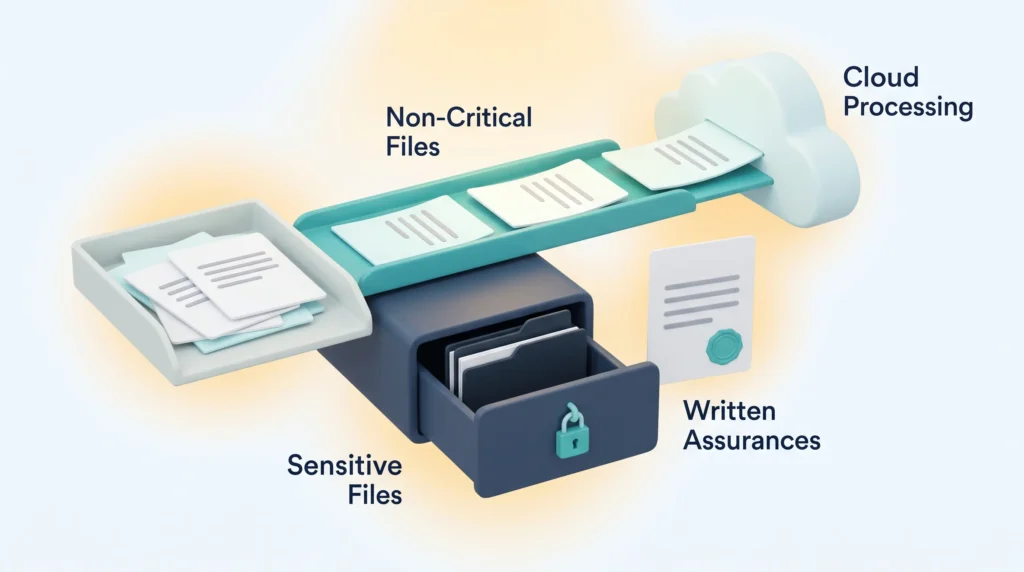
Before you upload anything sensitive, think about where it goes. Speechify processes files in the cloud, which is what makes it fast and also what raises questions about retention, encryption, and staff access.
Data handling and enterprise considerations
Your content is processed on remote servers. That is fine for public articles and your own notes. It is a different conversation for client files, patient records, or unreleased material.
Public documentation is thin on retention timelines and region-specific storage. If your organisation has data residency requirements, you will need written answers before rollout. Our overview of data privacy at work covers the questions worth asking.
- Confirm encryption standards and storage location before adopting the tool at scale.
- Ask about staff access controls and whether processed files inform model training.
- For regulated work, restrict uploads to non-sensitive content until policies are documented in writing.
- Record your privacy questions before moving from trial to a paid team plan.
Practical rule: treat cloud text-to-speech like any third-party tool. Test with non-critical files and get written assurances before broad adoption.
Customer support and reputation
Support quality shapes the whole experience, especially with a product that bills annually. Speechify’s support reputation is one of the more consistently positive themes in user feedback: quick replies and a willingness to resolve billing disputes.
Billing complaints do appear, most often from people who missed the end of the three day trial. Given the seven day refund window and the 500 word usage threshold on annual plans, contacting support immediately matters far more than arguing your case a month later.
- Contact support the day you notice a charge, not the week after.
- Include your account email, the charge date, and what you actually used.
- If you subscribed through the App Store or Google Play, request the refund there instead.
“Fast replies and clear fixes are the reason many users stay after a billing hiccup.”
Who should use Speechify, and who should look elsewhere
An audio-first workflow suits some people enormously and others barely at all. The deciding factor is reading volume, not enthusiasm for the technology.
Who benefits most
If you have dyslexia or ADHD, hearing text while seeing it highlighted can change how quickly material lands. Accessibility is Speechify’s strongest use case, and it shows in the feature set: dyslexia-friendly fonts, adjustable sizing, scanning, and highlighting all point the same direction. Our piece on accessibility in remote work covers the wider context.
Professionals who work through long articles, case briefs, or research papers reclaim real time by listening during commutes or workouts. Students with heavy reading loads get the same benefit, plus scanning for printed handouts.
- Use Speechify if accessibility matters to you and you need synced apps across devices.
- If your work centres on longform study or case review, daily listening genuinely speeds you up.
- Rely on premium voices for long sessions to cut fatigue, and test a representative file during the trial.
When another tool fits better
If price is the deciding factor, NaturalReader offers comparable core features at a lower entry point. For iOS-first users who prefer a one-time purchase over a subscription, Voice Dream Reader remains a solid option.
If your goal is producing voiceovers for video or marketing rather than consuming text, a studio-focused tool is the better fit. Compare our Murf AI, Synthesia, and Jellypod reviews for that side of the market.
“Test representative documents and weigh the privacy limits before you commit.”
- Choose based on how sensitive your documents are and whether you need enterprise controls.
- Match the tool to your habits: device mix, reading volume, and where you actually read.
- If you only want basic text-to-speech, cheaper options cover it without the premium voice catalog.
Conclusion
Speechify combines a large voice library, scanning, and AI summaries into something that makes listening a practical daily habit rather than a novelty. Audio quality is its strongest asset, the browser extension is its most useful feature, and accessibility is where it clearly outperforms general-purpose alternatives.
Expect to pay $29 monthly or about $139 for a year. Use the three day trial deliberately, because the refund window afterwards is seven days and applies only to barely-used annual plans. Set a reminder on day two.
Treat the 900 WPM headline as a ceiling, not a goal. Comfortable comprehension lands between 200 and 500 words per minute, and the real gain comes from listening consistently at a sane speed. If the desktop build feels rough, stay on the web app and the extension.
Start listening with Speechify todayFound this useful?
Make SmartKeys a preferred source on Google, and our articles will surface more often in your Top Stories, AI Overviews, and AI Mode.
Add as Preferred Source




