

Dropbox is 18 years old in 2026, and it looks very different from the file-sync startup people remember. This Dropbox Business review covers what the team plans cost, what you get at each tier, where the security story is strong, and where a cheaper suite would serve you better.
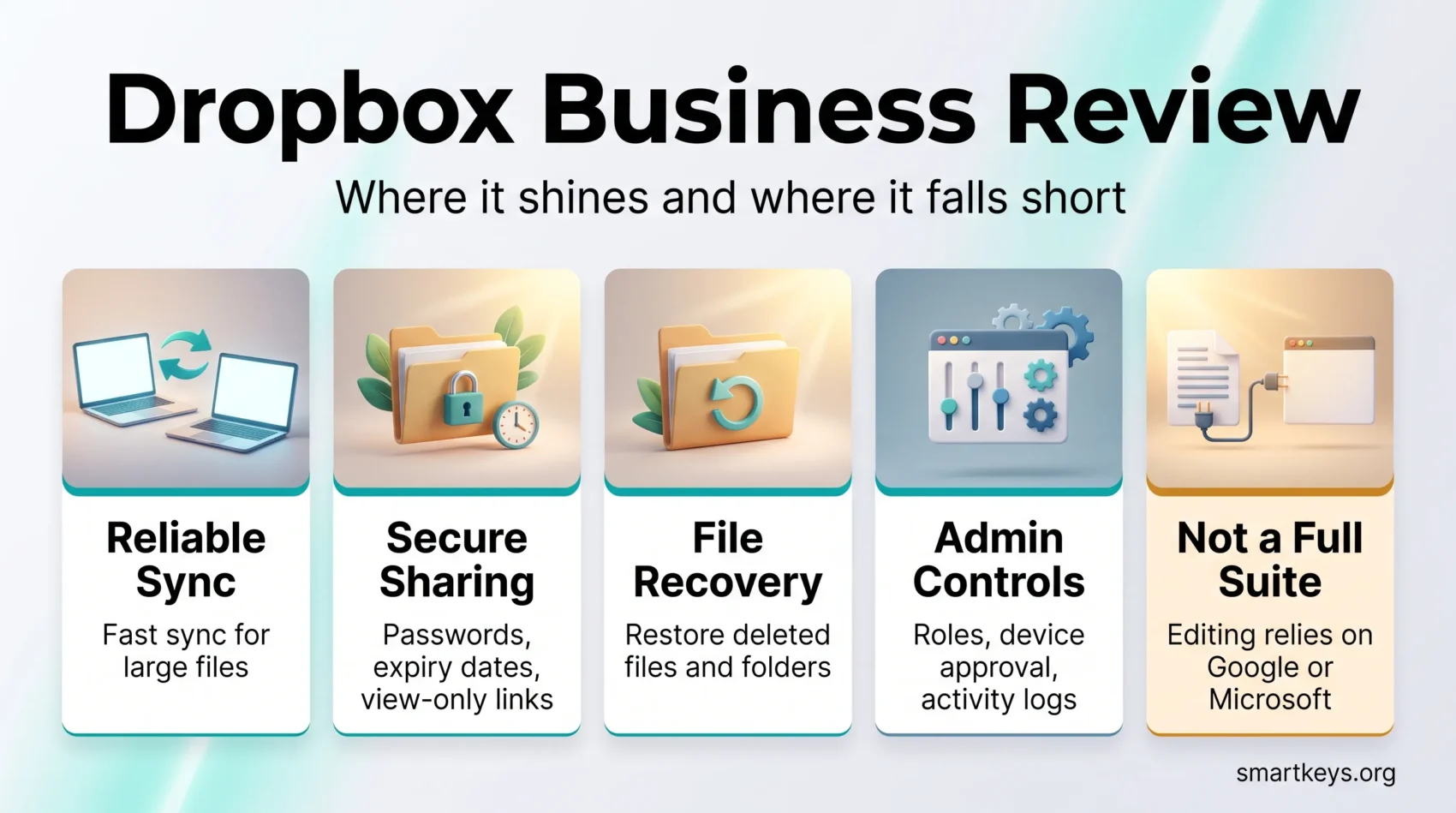
The short version: Dropbox Business remains one of the most reliable sync engines on the market, and its admin and recovery controls are solid. It is not a full productivity suite. If your team lives in documents rather than files, the calculation changes.
Key Takeaways
- Standard costs $15 per user per month and starts at 3 TB of team storage.
- Advanced costs $24 per user per month, starts at 15 TB, and needs at least three seats.
- Dropbox Dash, the AI search layer, is billed separately from the storage plans.
- File recovery runs 180 days on Standard and a full year on Advanced.
- Encryption is AES-256 at rest and TLS in transit, with end-to-end encryption on Advanced.
- Capterra reviewers rate Dropbox Business 4.5 out of 5 across more than 21,000 reviews.
- Document editing still depends on Google or Microsoft tools you plug in.
What Dropbox Business Actually Is
Dropbox Business is the team tier of Dropbox: shared storage, centralised administration, and controls a personal account does not have. The sync engine is the same one that made the product popular, but the account sits under an admin console where someone can add and remove members, set sharing rules, watch activity, and pull deleted work back.
Dropbox is often compared with suites that do far more. Google Workspace and Microsoft 365 sell mail, calendars, and an office suite. Dropbox sells a place for files and the governance around them. Whether that is a limitation depends on what you already pay for elsewhere.
Who It Suits
Dropbox Business fits teams that move large files and care about who can reach them: agencies, design and video studios, architecture practices, and consultancies sending deliverables to clients. The 100 GB transfer limit on Standard and Advanced beats emailing links to compressed folders.
It fits less well if your daily work is writing and editing documents together. There Dropbox is a layer over someone else’s editor, and Google Workspace or Microsoft 365 does the job natively.
How It Differs From a Personal Account
Paid personal plans give you storage and sharing. The business plans add team folders, group management, tiered admin roles, single sign-on at the Advanced level, and audit logs. They also change the recovery window: personal accounts keep deleted files for 30 days, Standard for 180 days, and Advanced for a year. For anyone who has watched a contractor clear the wrong folder, that difference alone justifies the tier.
Dropbox Business Pricing in 2026
Dropbox lists three team tiers. The prices below are its published monthly-billing rates; paying annually reduces the per-seat cost.
Standard, Advanced and Enterprise
- Standard: $15 per user per month, from 3 TB of team storage, available from one seat. Includes 180 day file recovery, transfers up to 100 GB, team folders, groups and roles, and PDF editing and signing.
- Advanced: $24 per user per month, from 15 TB of team storage, minimum three seats. Adds a one year recovery window, tiered admin management, end-to-end encryption, advanced key management, single sign-on, and compliance tracking.
- Enterprise: pricing on request. Customisable seats and storage, transfers up to 250 GB, dedicated support, and integration with enterprise security tooling.
Note the three-seat minimum on Advanced: a two-person studio that wants end-to-end encryption pays for a seat it will not use.
Dropbox Dash Is a Separate Bill
Dash is Dropbox’s AI layer: universal search across connected apps, chat-style answers with sources, and collections of links called Stacks. Useful if your work is scattered across Slack, Notion, Jira, and Gmail, but it is not bundled into the storage plans.
Dash for Teams is listed at $15 per user per month billed yearly, or $19 billed monthly. Dash for Business is $35 per user per month, billed yearly only, adding a company directory and dedicated support. Budget separately: an Advanced seat plus a Dash for Business seat lands close to $60 per person per month.
Dropbox itself is candid that Dash is early. In its Q2 2026 results the company reported 18.19 million paying users and $631.5 million in quarterly revenue, up 0.9% year on year, while telling investors that guidance assumed no significant AI monetisation for 2026.
Value for Money
At $15 a seat, Standard is priced against Google Workspace Business Standard and Microsoft 365 Business Standard, both of which bundle mail and an office suite. Judged as a suite, Dropbox loses. Judged as storage and file governance, it wins on capacity: 3 TB pooled at entry level beats what those suites include per user.
The honest question is whether you are paying twice. Many teams already hold Google or Microsoft licences and add Dropbox for sync reliability and external sharing. That is a second bill, and the wave of SaaS consolidation has made finance teams less patient with overlapping tools.
Key Features
File Sharing and Sync
Sync is the part Dropbox has spent almost two decades refining, and it shows. Block-level sync uploads only the changed part of a large file. Selective sync and online-only files keep the local footprint small on laptops with modest drives, which matters when you edit video on a 512 GB SSD.
Sharing is link-based, with expiry dates, passwords, download controls, and view-only access. That is part of the security story rather than a convenience, and it is one reason Dropbox holds on in industries that routinely send files outside the organisation.
Team Management and Admin Controls
The admin console covers member provisioning, group creation, sharing policies, device management, and activity logs. Advanced adds tiered admin roles, so support staff get limited powers rather than the whole account, and enforceable SSO, which is usually the point at which IT stops objecting.
The console pairs sensibly with a written policy. Our guide to cybersecurity for remote teams covers the habits that make technical controls worth having, and employee data privacy rules covers what regulators expect of the logs these consoles produce.
PDF Editing and E-Signatures
Both Standard and Advanced include PDF editing and signature requests through Dropbox Sign, formerly HelloSign. For light contract and approval work this removes a separate subscription, and the signed document lands back in the folder it came from.
It is not a full e-signature platform. Teams with heavy signing volume, complex routing, or strict audit requirements still want a dedicated tool. Our DocuSign review sets out where that line falls, and Adobe Sign compared with Dropbox Sign is the closer head-to-head.
Dropbox Paper
Paper is still part of Dropbox: a lightweight document tool for notes, briefs, and agendas, with comments and task assignment inside the doc. Treat it as a shared scratchpad rather than a Notion competitor. For a database-backed workspace, Notion and Coda are the comparison to make, and a proper task management system will outperform Paper checklists once a project grows.
Security
Encryption and Key Management
Dropbox encrypts files at rest with AES-256 and protects data in transit with TLS. Advanced adds end-to-end encryption for selected team folders plus advanced key management, which is the tier most compliance reviewers ask for.
End-to-end encryption is a real change in the threat model, not a marketing line: content in those folders is not readable by Dropbox. It has consequences, since server-side features such as search inside file contents behave differently there. Test it before rolling it out team-wide.
Access Controls and Recovery
Administrators can set granular roles, require multi-factor authentication, restrict sharing to approved domains, and password-protect or expire external links. Device approval stops an old laptop syncing after someone leaves.
Recovery is the underrated feature. Version history and file restore cover 180 days on Standard and a year on Advanced, and Dropbox Rewind rolls an entire folder back to a point in time. That is the practical answer to ransomware or an accidental mass delete, and it beats any single compliance certificate.
Integrations
Dropbox connects to Google Workspace and Microsoft Office so files can be edited without leaving the folder structure. It also integrates with the usual collaboration stack: Slack, Zoom and Microsoft Teams, Asana, ClickUp, Canva, and whiteboards such as Miro and Lucidspark.
The integrations are competent rather than seamless. Editing an Office file from Dropbox is a handoff between two products, and it shows: an extra dialogue, a slower first load, an occasional conflicted copy when two people open the same file at once.
Dropbox Business vs Google Drive and OneDrive
Dropbox leads on sync reliability, external sharing controls, and large file transfers. Google Drive leads on real-time co-editing, because the editor and the storage are one product. OneDrive leads on price for anyone already buying Microsoft 365, where storage is effectively bundled.
Storage favours Dropbox at entry level, with 3 TB pooled for the team, though pooled and per-user allowances behave differently as headcount grows. Support is a genuine strength: live chat and phone support come with the paid business tiers.
For the full breakdown, see our comparison of Dropbox Business and Google Workspace. If you are re-examining the wider stack, cloud computing trends covers where storage pricing is heading, and Evernote against OneNote helps if notes rather than files are the real problem.
What Reviewers Say
Dropbox Business holds 4.5 out of 5 on Capterra across more than 21,000 reviews, with roughly nine in ten classified as positive. G2 rates Dropbox 4.4 out of 5 across more than 30,000 reviews.
The praise is consistent: the interface needs no training, sync just works, and sharing with clients is straightforward. So is the criticism. Reviewers point to the absence of native document editing, and to pricing that feels steep for small teams next to suites that include email and an office package. Neither complaint is unfair, and neither has changed much in years.
Verdict
Dropbox Business earns its place if files are the centre of your work and reliability matters more than breadth. The sync engine, the sharing controls, and the recovery windows are good, and a small team can run the admin console without dedicated IT.
It is harder to justify as your only subscription. There is no mail, no calendar, no native editor, and Dash arrives as a separate line item. Teams already paying for Google Workspace or Microsoft 365 should ask whether they need both, and teams choosing from scratch should price the suites first.
Start with Standard unless you need end-to-end encryption, SSO, or a year-long recovery window. Those three make Advanced worth its extra $9 a seat; without them the cheaper tier does the same job. The way distributed work has settled means most teams need dependable shared storage, not the top tier of it.
Found this useful?
Make SmartKeys a preferred source on Google, and our articles will surface more often in your Top Stories, AI Overviews, and AI Mode.
Add as Preferred Source




