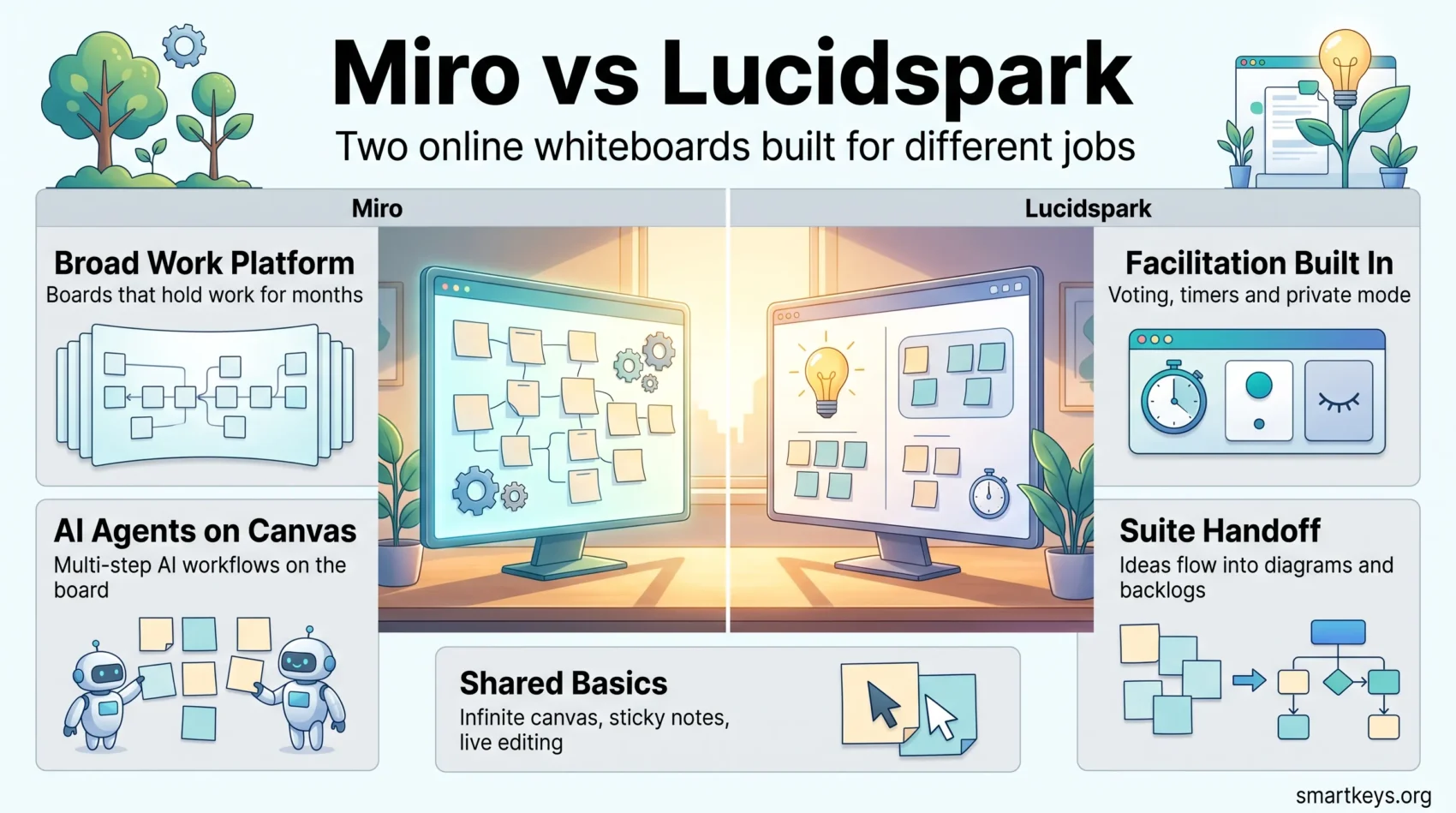
Miro and Lucidspark are the two whiteboards most teams shortlist when they need a shared canvas for workshops, roadmaps and messy early thinking. They solve different problems: Miro has grown into a broad work platform with AI agents and a large app marketplace, while Lucidspark stays focused on facilitated ideation inside the wider Lucid suite. This comparison covers what each costs in 2026, where the free plans stop, and which tool fits which team.
Key Takeaways
- Both free plans cap you at three editable boards, so neither is a long-term free option for a working team.
- Miro Starter costs $8 per member per month billed annually; Lucid Individual costs $9 per user per month.
- Miro is the broader platform: 7,000+ templates, 250+ marketplace apps and AI agents on the canvas.
- Lucidspark is the stronger facilitation tool, with voting, timers, private mode and a dedicated facilitator panel.
- Lucidspark can import Miro and Mural boards, which lowers the cost of switching.
- Pick Miro for cross-functional platform work, Lucidspark for structured workshops that end in a decision.
Online Whiteboards in 2026
Online whiteboard tools are now standard infrastructure for distributed teams, sitting somewhere between a meeting room and a project tracker. The market has consolidated: Google retired Jamboard, Figma pushed FigJam into design teams, and Lucid bought the product management tool airfocus to extend its suite beyond diagrams.
What changed most recently is AI. Both platforms now generate content directly on the canvas instead of just storing what people draw. Our guide to digital whiteboards for team collaboration covers the category as a whole, and our piece on asynchronous communication tools explains why boards increasingly replace live meetings.
Whiteboards remain useful for work that structured tools handle badly: mind mapping a problem, running a design thinking session, or making a plan legible through visual thinking. A board only works when people contribute, which is where employee engagement in remote teams comes in.
Overview of Miro
Miro is the larger product and has repositioned itself as an AI workspace rather than a whiteboard. The infinite canvas is still the core, but around it sit agents, workflows and connectors that pull data from the rest of your stack.
Key Features of Miro
- More than 7,000 templates for workshops, roadmaps, retrospectives and research synthesis.
- Sticky notes, shapes, connectors, freehand drawing and presentation mode on one canvas.
- Real-time co-editing, comments, video and audio chat inside the board.
- 250+ marketplace apps and AI connectors, including Slack, Jira and Azure DevOps.
- AI features Miro calls Sidekicks (context-aware agents), Flows (multi-step AI workflows) and AI Playbooks for use cases such as competitor analysis or research synthesis.
The AI layer is metered with credits rather than sold as a separate add-on, which matters when you compare plans below.
Miro Review: User Experience and Benefits
Miro’s strength is breadth. Product, design, research and operations teams work on the same canvas, and the board connects to the tools where the work continues afterwards, whether that is Jira or monday.com and Trello.
That breadth is also the main complaint. New users land in a dense interface, and teams that only wanted sticky notes often find the first session slower than expected. If your problem is really chat and meetings rather than canvas work, comparing Slack and Microsoft Teams is a better starting point.
Overview of Lucidspark
Lucidspark is Lucid’s brainstorming canvas. It is deliberately narrower than Miro, built around the moment a group needs to generate ideas, sort them and agree what happens next.
Distinctive Features of Lucidspark
The Facilitator Panel is the clearest difference. It gives the host voting, a timer, a laser pointer, private mode so people ideate without anchoring on each other, and the ability to lock or hide objects. Lucid AI adds prompt-based idea generation, automatic sorting of sticky notes, canvas summaries and self-building mind map branches.
The other differentiator is the suite: Lucidspark hands off to Lucidchart when a sketch needs to become a real diagram, and to airfocus when ideas become prioritised product work. Our Lucidchart vs Miro comparison covers the diagramming side.
Lucidspark Pricing and Plans
Lucid prices Lucidspark and Lucidchart identically. The free plan gives you three editable documents, 60 objects per document and around 250 MB of storage; older documents become view-only once you pass three. Individual costs $9 per user per month, Team costs $10 per user per month with a three-user minimum, and Enterprise is quote-only. The Visual Collaboration Suite bundles Lucidspark and Lucidchart at roughly a 25% discount, at $13.50 for individuals and $15 per user per month for teams (source: Lucid pricing data compiled by checkthat.ai, 2026).
Miro vs Lucidspark: A Feature Comparison
Both tools give you an infinite canvas, sticky notes, real-time editing and comments. The differences show up at the edges: facilitation, and what happens after the board is full.
Essential Tools for Collaboration
- Miro: larger template library, in-board video and audio, AI agents and workflows, deeper support for long-running boards that act as a team’s working memory.
- Lucidspark: facilitator panel with voting, timer and private mode, cleaner default canvas, faster handoff into diagrams and product backlogs.
Put simply, Miro is better at holding work over time and Lucidspark is better at running a session that has to end in a decision. Teams that mostly need documents rather than canvases may be better served by Notion or Coda, and teams organising structured data by Airtable.
Integrations and Compatibility with Other Applications
Miro lists more than 250 apps, integrations and AI tools in its marketplace, and its AI connectors can pull live data from those systems into agents and workflows. Lucidspark connects to over 100 applications, with two-way data sync for Jira, Azure DevOps and airfocus, task imports from Asana, monday.com and Airtable, and embeds from Confluence, Google and Microsoft.
One practical detail favours Lucidspark: it can import boards from Miro and Mural, so switching does not mean abandoning old work. Both platforms offer APIs for custom integrations. If your integration problem is broader than whiteboards, an automation layer such as the one described in our Workato vs Zapier comparison usually solves more than a native connector will.
Miro vs Lucidspark Pros and Cons
Advantages of Using Miro
- The widest feature set of the two, from research synthesis to prototyping.
- 7,000+ templates and 250+ marketplace apps.
- AI agents and multi-step workflows that run on the canvas, not in a side panel.
- In-board video and audio, useful for workshops with external guests.
- Scales well across departments, which suits larger organisations.
Advantages of Using Lucidspark
- A simpler canvas that new participants understand in minutes.
- The Facilitator Panel: voting, timer, laser pointer, private mode.
- Direct handoff to Lucidchart and airfocus inside one suite.
- Board import from Miro and Mural, which lowers switching cost.
- Identical pricing across Lucid products, so licensing is easy to reason about.
Drawbacks of Each Tool
- Miro’s free plan stops at three editable boards, and its learning curve is real.
- Miro’s AI is credit-metered, so heavy use pushes you toward the Business tier.
- Lucidspark’s free plan is tighter still: three documents and only 60 objects each.
- Lucidspark on its own is hard to justify; most of its value depends on using the wider Lucid suite.
- Lucidspark’s Team plan requires at least three seats.
The Best Online Collaboration Tool: Miro or Lucidspark?
There is no single winner. The answer depends on what happens after the board fills up.
Choose Miro if the whiteboard is a permanent workspace: cross-functional planning, research repositories, prototyping, boards that stay alive for months. The template library, marketplace and AI agents all reward that use, and Miro is the easier sell where several departments want in.
Choose Lucidspark if the whiteboard is a meeting instrument: a workshop, a retrospective, a prioritisation session that must produce a ranked list. The facilitator tooling is better, the canvas is less intimidating for occasional participants, and the handoff into Lucidchart or airfocus turns output into action. Teams running structured work in Asana or Trello often value that handoff more than raw canvas features.
User Insights and Feedback
Recurring themes in public reviews are useful even where the scores are not comparable across sites.
Miro users praise flexibility and the sheer amount one canvas can hold, and complain about performance on very large boards and an interface that overwhelms at first. Lucidspark users praise how quickly a group gets productive and how well voting and timers keep a session moving, and complain that the tool feels limited beyond ideation.
Both patterns point the same way: these tools are not competing for the same job. Either way, a board is only as good as the facilitation around it, which is why teams pair canvases with AI-assisted remote collaboration and AI agent workflows for follow-up work.

Pricing Breakdown of Miro and Lucidspark
Miro pricing (2026): Free with three editable boards and 10 AI credits per month. Starter is $8 per member per month billed annually or $10 monthly, with unlimited editable boards and 25 AI credits. Business is $20 per member per month billed annually or $25 monthly, adding unlimited workspaces, guest access, AI workflows and agents, and 50 AI credits. Enterprise is quote-only with a 30-member minimum and a pooled AI credit allowance starting at 2,500 per month (source: miro.com/pricing).
Lucidspark pricing (2026): Free with three editable documents and 60 objects each. Individual is $9 per user per month, Team is $10 per user per month with a three-seat minimum, and Enterprise is quote-only. The Visual Collaboration Suite bundle with Lucidchart runs $13.50 for individuals and $15 per user per month for teams.
At entry level the two are within a dollar of each other, so price rarely decides it. The real gap appears higher up: Miro’s Business tier doubles the per-seat price, while Lucid’s bundle adds a second product for less than half again. Budget for AI usage too, since credit-metered features are easy to underestimate. For a wider stack view, see our ClickUp review, Canva review and Figma vs Sketch.
Found this useful?
Make SmartKeys a preferred source on Google, and our articles will surface more often in your Top Stories, AI Overviews, and AI Mode.
Add as Preferred Source