

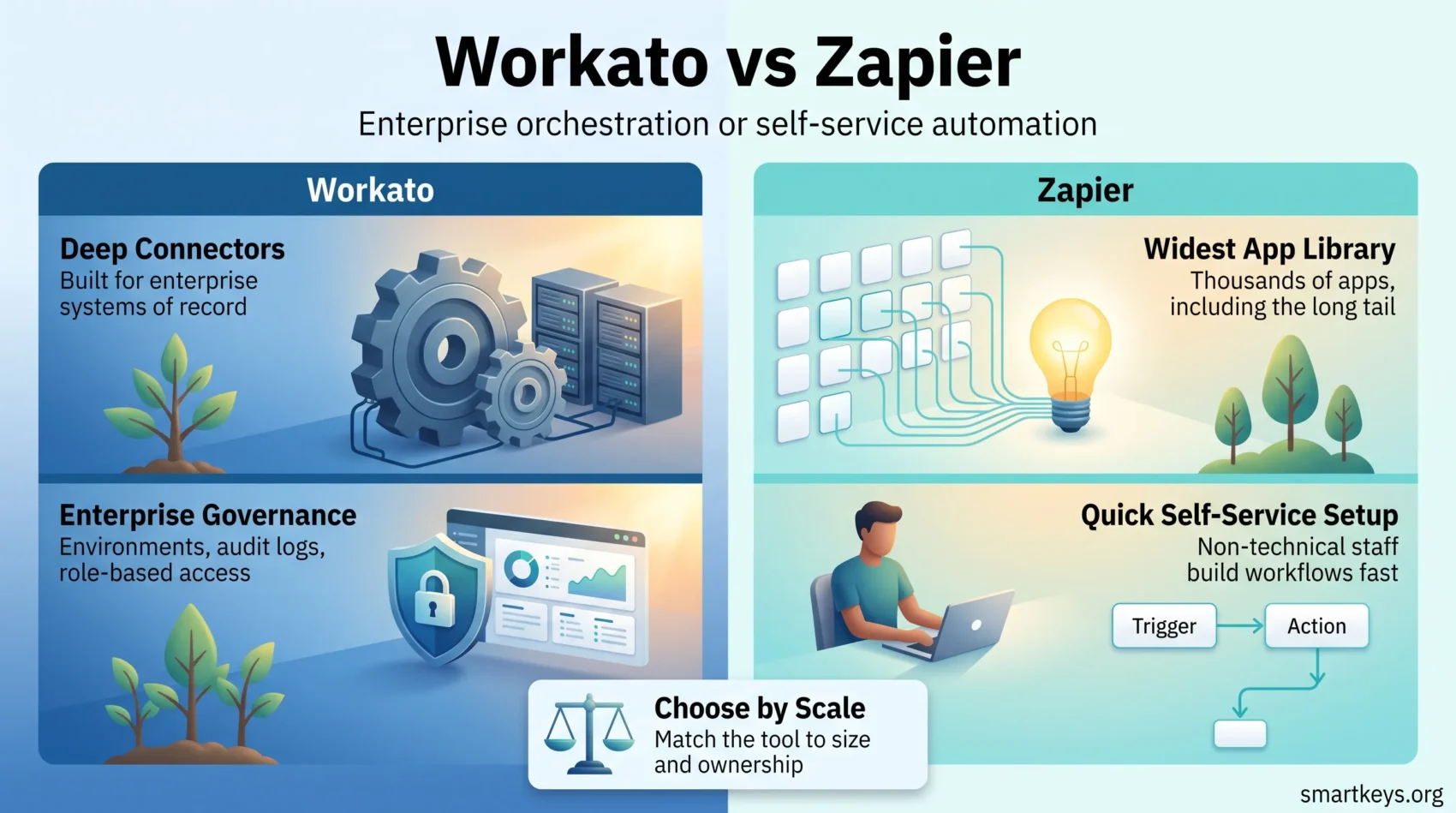
Picking an automation platform is less about which tool is “best” and more about which one matches the size of your operation. This comparison looks at Workato and Zapier in 2026: what each connects to, how they price, and which company each is built for.
Key Takeaways
- Zapier connects to 9,000+ apps and publishes its prices; Workato lists 1,200+ enterprise connectors and quotes every deal through sales.
- Zapier starts free (100 tasks per month) with paid plans from $19.99 per month; Workato has no public price list and is bought on an annual contract.
- Both platforms now sell AI agents, not just workflows: Zapier Agents and MCP on one side, Workato One and Agent Studio on the other.
- Zapier features a build-it-yourself interface most non-technical staff can learn in an afternoon. Workato expects a platform owner.
- Governance is the dividing line: Workato ships environments, audit trails and role-based controls that Zapier matches only partially, at Enterprise tier.
Introduction to Automation Tools
Automation tools sit between the apps you already pay for and turn manual handoffs into background jobs. They watch for a trigger and run a sequence of actions across other systems, so nobody copies data by hand.
The category has widened. What used to be app-to-app plumbing now covers data transformation, approval steps, error handling and AI agents that decide which action to take. That is why iPaaS platforms and lightweight connectors appear on the same shortlist despite solving problems at very different scales.
Workato and Zapier are the clearest example of that split. Both build workflows without code. Beyond that, almost every design decision points in a different direction. Our guide to business automation trends is a useful starting point before you compare vendors.
Overview of Workato
Workato is an enterprise integration and orchestration platform. Workflows are called recipes, built in a visual editor that supports conditional logic, loops, error handling and callable sub-recipes. The company says it is trusted by half of the Fortune 500, and has been named a Leader in Gartner’s Magic Quadrant for Integration Platform as a Service eight times.
The connector library covers more than 1,200 pre-built integrations, weighted toward systems of record: Salesforce, NetSuite, SAP, Workday, ServiceNow. Where no connector exists, Workato offers an HTTP connector and an SDK.

In March 2025 Workato launched Workato One, folding AI agents into the same orchestration layer: Agent Studio for building agents, Agent Orchestrator for coordinating them across CRM, ERP, HR and finance systems, and Agent Trust for governance. Workato also acquired DeepConverse to strengthen automated support, and supports the Model Context Protocol. For its fiscal year ending 31 January 2026 it reported 35 percent year-over-year ARR growth and plans to ship more than 100 production-ready MCP servers during 2026.
Security and governance take most of Workato’s engineering effort: separate development, test and production environments, role-based access control, single sign-on, audit logs and data-residency options. That is the feature set enterprise buyers evaluate, and the main reason the platform commands enterprise pricing. It connects directly to broader data governance strategy work.
Overview of Zapier
Zapier is the mass-market end of the category. It connects to more than 9,000 apps and says it is used by over three million people. Workflows, called Zaps, are built in a linear editor: pick a trigger, add actions, map the fields, switch it on.
The product line has grown beyond Zaps: Tables for storing workflow data, Interfaces and Forms for capturing input, Canvas for planning, Chatbots, and Agents for AI-driven tasks. Zapier MCP lets AI assistants call those 9,000+ connections directly, which has quietly become one of the platform’s strongest arguments.
- Connects to more than 9,000 apps, including long-tail SaaS that enterprise platforms rarely cover.
- A workflow can be live in minutes, with no implementation project attached.
- Suits teams that want SaaS integrations without an internal platform owner.
Zapier’s advantage is breadth at the edges. For a niche scheduling app, a small e-commerce plugin or a regional payment provider, Zapier usually has the connector and Workato does not.
Workato vs Zapier Review
This section compares the platforms on what actually decides the purchase: capability depth, and who runs the tool day to day.
Comparative Analysis of Features
Workato handles complexity that Zapier struggles with: branching logic, loops over large data sets, bulk API operations, retries with custom error handling and reusable sub-recipes. Version control and promotion between environments mean a change is tested before it touches production data.
Zapier’s editor is deliberately simpler. Paid plans support multi-step Zaps, filters, formatting steps, paths for basic branching and code steps in Python or JavaScript. That covers a lot of ground, but the model is built around one record moving through one workflow. High-volume batch processing is where it runs out of room. If your bottleneck is repetitive admin rather than system integration, our piece on automating repetitive tasks is the more practical read.
Target Audience and Use Cases
Workato fits organisations where automation is owned by a central team: an integration function, a centre of excellence, or a RevOps group running processes that touch finance and compliance. Typical projects are order-to-cash flows, employee onboarding and offboarding across HR and IT, and keeping a CRM synchronised with an ERP.
Zapier fits everyone else: founders, marketers, agencies and operations staff who want a specific handoff to stop being manual. Lead routing into a CRM, form submissions posted into Slack, a mailing list synced with Mailchimp. Businesses already on Microsoft may find Power Automate cheaper, since it is bundled with several Microsoft 365 plans. For a broader tool shortlist, our Monday.com and Trello comparison covers the project side.
Key Features of Workato
Workato’s feature set targets business-critical processes rather than convenience automations. Two things stand out: orchestration depth and the AI layer.
End-to-End Automation Capabilities
Workato features genuine end-to-end automation capabilities. One recipe can pull records from a system, transform them, apply business rules, write to several destinations and hand off to a human for approval when a threshold is crossed. Sub-recipes let you build shared components once and call them from dozens of workflows, which matters when you maintain hundreds of automations rather than a handful.
The platform also handles the unglamorous parts: scheduled and event-driven triggers, searchable job history, replay of failed jobs and alerting when a recipe misbehaves. Teams building finance automation or RevOps tooling lean on exactly these features.
Intelligent Automation and AI Support
Workato One moved the platform from workflow automation toward agent orchestration. Agent Studio builds agents, Agent Orchestrator coordinates them across systems, and Agent Trust applies policy so an agent cannot act outside its remit. Otto, Workato’s AI assistant, helps build and troubleshoot recipes inside the editor.
The Model Context Protocol support is the piece worth watching. It lets AI assistants call enterprise systems through governed, pre-approved actions rather than raw API keys, which is the difference between an experiment and something a security team signs off. Our overview of AI agent workflows covers how these patterns are spreading.
Key Features of Zapier
Zapier optimises for time-to-first-workflow. Everything, from the connector directory to the templates, is built so a non-technical user can ship an automation the same day.
Ease of Use and Quick Setup
The editor walks you through a trigger, then actions, then field mapping, testing each step as you go. Templates cover the common combinations, so many workflows are a matter of authorising two accounts and confirming the mapping. There is no environment to provision and no implementation partner to hire.
That accessibility has a cost. Because anyone can build a Zap, organisations end up with undocumented workflows owned by people who have since left, a variant of the shadow IT problem. Zapier’s Team and Enterprise plans add shared connections and admin controls to contain it. The case for automating repetitive work still holds; it just needs an owner.
Extensive App Integrations
The 9,000+ app library is Zapier’s moat. It covers the tools enterprise iPaaS vendors consider too small to build for, where most small-business friction lives: not just Gmail, Slack, Salesforce and HubSpot, but invoicing tools, niche form builders and regional services.
Zapier MCP extends the same library to AI assistants. Combined with Tables and Interfaces, a small team can assemble something close to an internal application without a developer.

Workato vs Zapier Pricing
Pricing is the sharpest difference here, and where most shortlists resolve themselves. One publishes a price page; the other does not.
Understanding Workato’s Pricing Structure
Workato does not publish list prices. Its pricing page calls the model flexible and predictable, then directs buyers to sales for a quote. Independent analyses describe the structure as a platform edition fee plus a usage component, across editions named Standard, Business, Enterprise and Workato One, with usage metered per capability.
Practically, that means a scoping conversation, a negotiation and an annual contract. Budget for implementation on top: third-party analyses put professional services in the tens of thousands of dollars for larger rollouts.
Understanding Zapier’s Pricing Structure
Zapier publishes everything. The Free plan costs nothing and includes 100 tasks per month with two-step workflows. Professional starts at $19.99 per month and adds multi-step Zaps, premium apps, webhooks and AI fields. Team starts at $69 per month, supports up to 25 users, and adds shared workflows and connections plus SAML single sign-on. Enterprise is quoted individually and adds advanced admin permissions and annual task limits. Paying yearly saves 33 percent.
The number to watch is tasks. Every step in a Zap consumes one, and Zaps, AI steps, code steps, MCP and SDK calls all draw from the same monthly allowance. Tiers run from 100 to more than two million per month, so a workflow that looks cheap at low volume gets expensive once it runs thousands of times a day. Model your real volume first, the same discipline that applies to any SaaS stack decision.
Integrations: Workato vs Zapier
Both platforms connect applications, but they optimise for different halves of the market. Zapier goes wide across the long tail; Workato goes deep into systems of record.
Depth matters more than it sounds. A Workato connector for NetSuite or Workday exposes bulk operations, custom objects and field-level control, while a long-tail connector on either platform exposes a handful of common triggers and actions. If you must move ten thousand records nightly with reconciliation, breadth will not save you.
- Workato:
- More than 1,200 pre-built connectors, weighted toward enterprise systems.
- An SDK and HTTP connector for building custom integrations.
- Environment separation, audit logging and role-based access control.
- Enterprise MCP servers for governed AI access to internal systems.
- Zapier:
- More than 9,000 app connections, including many small and regional tools.
- A free tier for low-volume use and fast evaluation.
- Webhooks and code steps when a connector falls short.
- Zapier MCP for connecting AI assistants to the same app library.
For a closer look at one vendor alone, see our Workato iPaaS review, and for another comparison in the category, our Zapier and Make comparison.
Pros and Cons of Workato
Workato is a strong platform with a narrow fit. The question is not whether it works, but whether you are big enough to justify it.
Advantages of Workato
- Real orchestration depth: branching, loops, bulk operations, error handling and reusable sub-recipes handle processes that break simpler tools.
- Enterprise governance: separate environments, role-based access control, single sign-on and audit logs make automation auditable.
- Deep connectors: integrations with Salesforce, NetSuite, SAP, Workday and ServiceNow go well beyond basic triggers and actions.
- Agent orchestration: Workato One, Agent Studio and MCP support extend the same governance model to AI agents.

Drawbacks of Workato
- Opaque pricing: no published rates means every evaluation starts with a sales cycle and ends in a negotiation.
- Learning curve: the concepts are approachable, but building reliable production recipes is a specialist skill.
- Needs an owner: the platform assumes someone is accountable for environments, releases and access. Without that, you pay for capability you never use.
- Thin long tail: smaller and regional SaaS tools are far less likely to have a ready-made connector.
Pros and Cons of Zapier
Zapier’s strengths and weaknesses come from one design choice: it made automation easy enough that anyone can do it.
Advantages of Zapier
Coverage is the headline. With more than 9,000 connected apps, Zapier reaches whatever combination of tools a small business has accumulated. Nothing needs installing, the free tier makes evaluation free, and the AI layer of Agents, Chatbots and MCP arrived without a migration.
- Transparent, published pricing with a usable free tier.
- Multi-step Zaps, filters, paths and code steps on paid plans.
- The widest connector library in the category.
- Tables, Interfaces and Agents for building beyond simple workflows.
- Searchable task history for troubleshooting individual runs.
Drawbacks of Zapier
The task-based model is the most common complaint. Costs scale with every step of every run, so high-volume automations get expensive fast. The free plan’s 100 tasks and two-step workflows are enough to evaluate, rarely enough to operate on.
There are hard limits too. Zapier does not sign business associate agreements, so it cannot carry protected health information under HIPAA. Heavy data transformation and batch jobs push against the model rather than fitting it, and governance features such as shared connections and SAML sit behind the Team and Enterprise tiers. Anyone handling regulated data should read this alongside a privacy compliance framework.
- Task-based costs that climb steeply with volume.
- Free plan restricted to 100 tasks and two-step workflows.
- No HIPAA business associate agreement on any plan.
- Limited fit for bulk processing and heavy data transformation.
- Admin and security controls reserved for higher tiers.
Conclusion
Scale and ownership settle this. If automation runs business-critical processes across systems of record, needs an audit trail and has a team accountable for it, Workato is built for that job and priced accordingly. If you want specific handoffs to stop being manual and you have no platform owner, Zapier gets you there this week at a published price.
Plenty of companies run both: Workato for core integrations, Zapier for the departmental long tail. That is a legitimate architecture, not a failure to decide. Make and Microsoft Power Automate also deserve a place on most shortlists.
Whichever way you lean, model your real volumes and name an owner before signing anything. Those two decisions predict success better than any feature comparison. Our look at hyperautomation in business covers where the category is heading.
Found this useful?
Make SmartKeys a preferred source on Google, and our articles will surface more often in your Top Stories, AI Overviews, and AI Mode.
Add as Preferred Source




