Updated September 2026. This review reflects Clay’s current Free, Launch, Growth and Enterprise structure, and the dual Actions and Data Credits system introduced on 11 March 2026. It covers the Claygent, Audiences, Signals and Functions features as they ship today.
Clay is a data enrichment and prospecting platform: it looks like a spreadsheet, but every column can fetch a fact about a company or a person, check it, score it and pass it on. If you last looked at Clay when it sold Starter, Explorer and Pro plans, almost every number you remember is obsolete. Clay collapsed three self-serve tiers into two, split credits into two separate currencies, and cut marketplace data costs sharply on most providers.
That change matters more than any feature on the roadmap. It decides what Clay actually costs you per enriched contact, and whether the tool still earns a slot in your stack.
This review covers what Clay does in 2026, what you will really pay, where it beats a plain contact database, and who should look elsewhere.
Key Takeaways
- Clay overhauled pricing on 11 March 2026. Starter ($149), Explorer ($349) and Pro ($800) are retired for new customers. Launch (from $185 a month) and Growth (from $495 a month) replaced them.
- Credits now split in two: Data Credits buy third-party data, Actions pay for the platform work. Both are consumed per enrichment step, not per contact.
- Enrichments that return nothing cost neither Data Credits nor Actions. That is a meaningful change from the old model.
- Automatic CRM sync, the HTTP API and webhooks start at Growth. If your workflow has to write into HubSpot or Salesforce by itself, Launch will not do.
- Clay is an orchestration layer, not a CRM. It sits between your data sources and your sales tools rather than replacing either.
Quick Verdict: Is Clay Worth It in 2026?
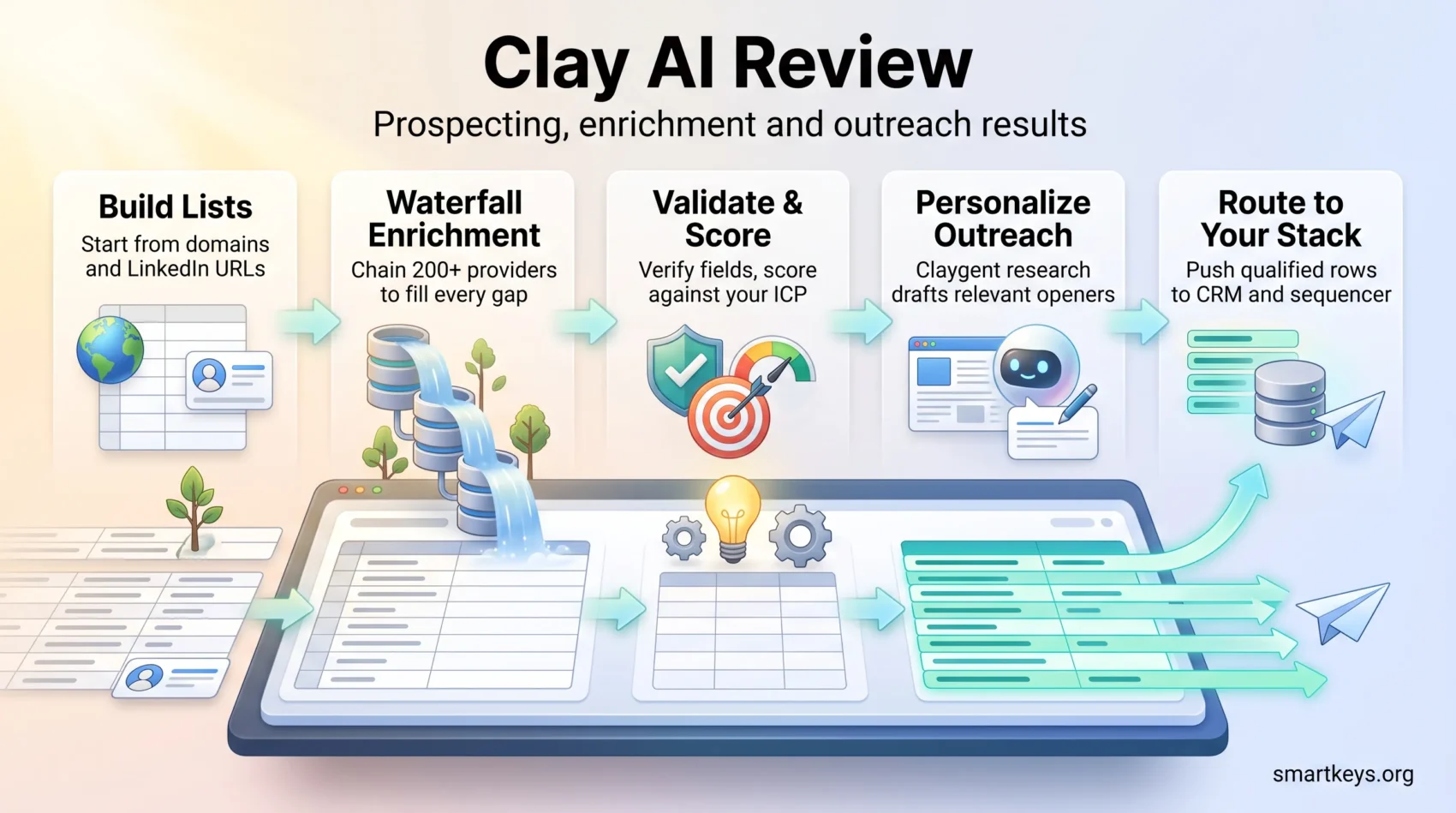
When speed to personalization matters, Clay compresses pre-outreach work from days into hours. It builds lists and enriches them across more than 200 data providers. It then scores each record against your ideal customer profile, the written definition of the companies and roles you actually want, and hands the finished rows to your CRM or your sending tool.
Who benefits most: outbound sales teams, RevOps functions and agencies. RevOps is the practice of running sales, marketing and customer success off one shared set of data. These teams want control over which data source runs when, and they are willing to build that logic themselves.
- Immediate win: fresher profiles and better timing lift reply rates before you touch a word of the copy.
- Stack fit: not a CRM. Clay has its own sequencer now, but multi-step email campaigns still live better in Instantly, Smartlead or Outreach.
- Cost reality: you pay for usage, not for seats. Seats are unlimited on every plan, so your bill tracks workflow volume instead of headcount.
Verdict: worth testing if data quality and flexible provider chains are what you are missing. Skip it if you want an all-in-one sending tool, or if nobody on the team will own the upkeep of the workflows.
Try Clay for faster prospectingWhat Changed in Clay During 2026
Five shifts matter if your last hands-on experience predates spring 2026.
1. Two plans instead of three. Launch and Growth replaced Starter, Explorer and Pro. Existing self-serve customers keep legacy pricing indefinitely, but the window to move between legacy tiers closed on 10 April 2026.
2. Dual currency. Data Credits pay the data partners. Actions pay for Clay running your table. Previously a single credit covered both, which hid where the money actually went.
3. Data got cheaper. Clay negotiated volume discounts with its partners and passed them through. The most-used enrichments cost a fraction of the credits they used to, and the surcharge on extra credits bought mid-month fell from 50% to 30%.
4. Failed lookups are free. If an enrichment returns no result, you are charged neither a Data Credit nor an Action. This closes the biggest source of surprise bills under the old system.
5. The product widened. Audiences centralizes your own data alongside bought data, Functions let you define scoring logic once and reuse it everywhere, and Signals covers job changes and buying intent. Clay also opened the platform to AI agents through an MCP server, a standard interface that lets an external AI assistant read and write in your tables.
“Re-run your cost model. The plan names changed, but the per-record economics changed more.”
What Clay Is and Who Should Use It
Clay works like a living spreadsheet that enriches contacts, scores them, and fires actions into your stack. Rows are records, columns are steps, and each column can chain lookups, apply logic, call an AI model, or push data outward.
Live data replaces stale exports. Clay queries Apollo, People Data Labs, Crunchbase, Hunter, Dropcontact and hundreds of others in sequence, so fields stay current instead of ageing in a spreadsheet on someone’s desktop.
Built for: growth teams, SDR organisations (sales development reps, the people who do first-touch outreach), RevOps groups, agencies and enterprises running outbound at volume. You will get the most from it if someone on the team enjoys spreadsheet-style control and iterating on rules.
- Best fit: teams that need flexible automation and want to choose their own data providers per segment or region.
- Governance: agencies and RevOps benefit from standardising enrichment and scoring across clients. Our RevOps efficiency playbook covers where data quality sits in the wider funnel, and our guide to RevOps forecasting shows what clean records do for pipeline predictions.
- Limit: small teams on tight budgets with no appetite for configuration will find simpler tools cheaper to run.
For context on how this fits alongside forecasting, engagement and intelligence tooling, see our roundup of RevOps automation tools.
Core Features That Move the Needle
Chained lookups, signal-driven timing and on-point messaging are where the hours actually come back.
Waterfall enrichment for fuller profiles
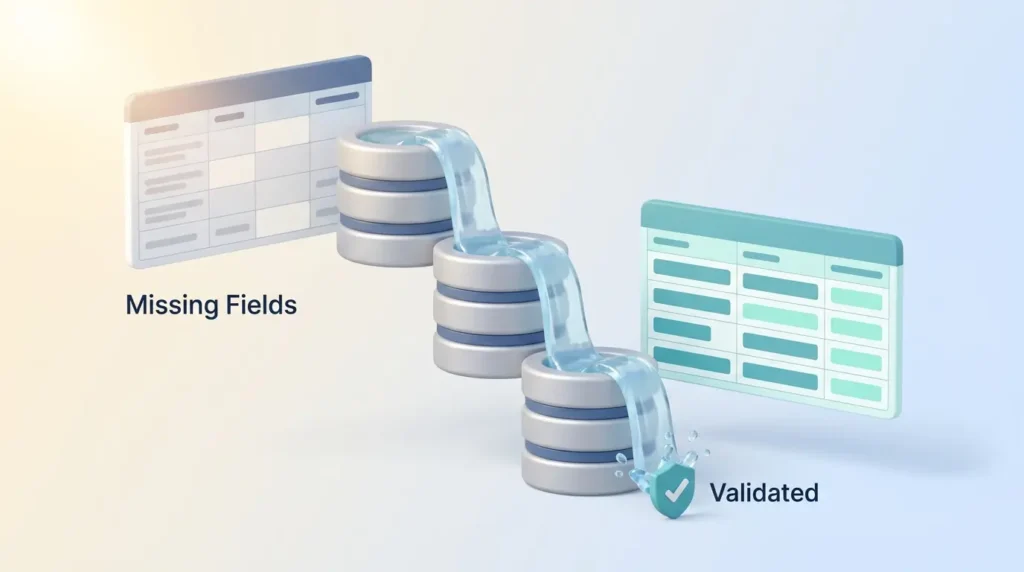
Waterfall enrichment means asking one data provider for a missing field, and if it comes back empty, asking the next one in line until someone answers. Where one source has a gap, the next fills it. That is why multi-provider chains consistently beat betting everything on a single database, especially outside the United States.
A worked example: you have 500 company domains and no phone numbers. A single provider might return 180. Running three providers in sequence, each only on the rows still missing a number, typically returns considerably more without paying three times for the rows that were already filled.
End every chain with a validation step so only verified fields move downstream. That protects your sender reputation and keeps bounce rates low.
Signals and intent for better timing
Clay tracks job changes, promotions, new hires, company news and social activity on Launch and above. Web intent signals, which flag companies researching your category, and webhook-triggered automation require Growth.
Timing beats volume. A message that lands two weeks after a champion changes companies outperforms the same message sent cold.
Claygent for web-scale research
Claygent is Clay’s AI research agent. You give it a question in plain English, it reads the web, and it writes the answer into a cell. Clay’s own models are priced per row. Helium costs one credit and suits high-volume lookups and simple extraction. Argon costs three and is built for genuine multi-step research, where the answer sits several clicks deep. Neon sits between the two, for qualification and structured multi-field answers.
Frontier models from OpenAI, Anthropic, Google and Fireworks are also available. Clay bills most models at a fixed credit price and the heaviest reasoning models on actual usage with no markup, withholding an estimate up front and refunding whatever is left over.
Model choice is a budget decision. Defaulting everything to Argon triples the bill for work Helium would have handled.
Functions, AI formulas and personalized copy
AI formula columns turn plain-English instructions into working logic without code: normalising job titles, extracting a company’s tech stack, classifying industries. Functions, added in March 2026, let you define that logic once and reuse it across every table instead of rebuilding it per campaign.
Personalized copywriting then pulls from the enriched profile to draft short openers that reference something real, such as a recent funding round, rather than a merge tag.
Explore Clay core featuresClay Pricing 2026: What You Actually Pay
Clay charges by usage, not by seat. Every plan includes unlimited seats and tables, so team size does not move your subscription cost. That is a different model from most sales tools, and our primer on usage-based pricing covers what it does to a budget.
| Plan | Price | Monthly allowance | Key unlock |
|---|---|---|---|
| Free | $0 | 100 Data Credits + 500 Actions | 200 rows per table, waterfalls, Claygent, bring your own API keys |
| Launch | From $185/mo ($167 annual) | 3,000 Data Credits + 15,000 Actions | Phone enrichment, signals, campaign integrations, Functions |
| Growth | From $495/mo ($446 annual) | 6,000 Data Credits + 40,000 Actions | Automatic CRM sync, HTTP API, webhooks, web intent, priority support |
| Enterprise | Custom, annual commitment | 100,000+ Data Credits + 200,000+ Actions | Single sign-on, role-based access, bulk enrichment, warehouse sync |
Allowances and prices are Clay’s published figures as of September 2026. Both Launch and Growth run on expandable tiers, so you can raise your Action allowance or top up Data Credits without jumping a plan. A 14-day trial is available without a credit card.
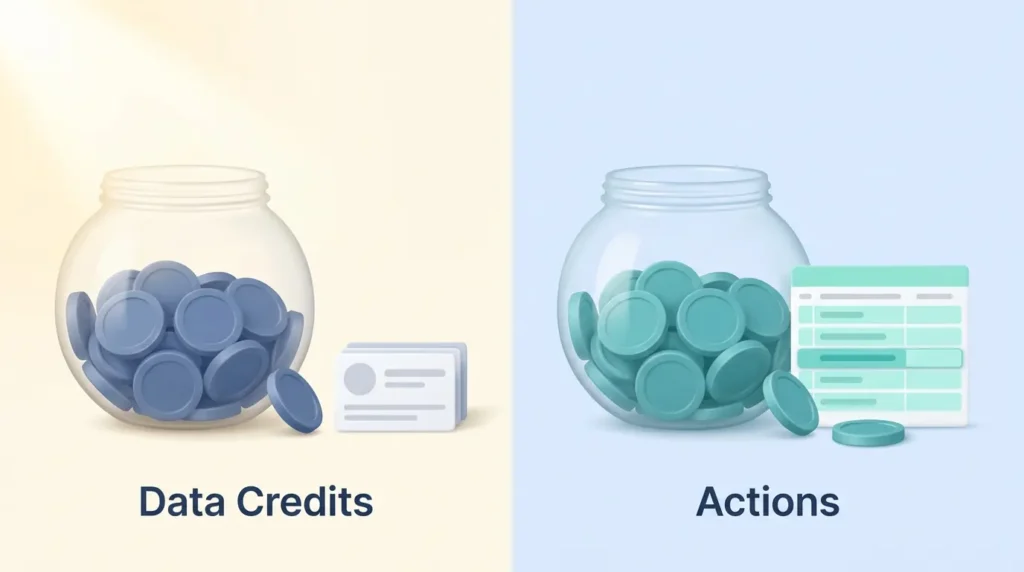
How Actions and Data Credits differ
Data Credits buy the data itself: an email, a mobile number, a firmographic field such as headcount or industry from one of Clay’s partners. They start at roughly $0.05 each and get cheaper as volume rises.
Actions measure Clay’s own work: running a table, calling a provider, invoking an AI model, exporting a row, pushing to your CRM. They cost under a cent each.
The distinction has a practical consequence. If you bring your own API keys, meaning you pay a provider directly and let Clay use your account, you skip Data Credits entirely and pay only Actions. That used to be effectively free. Since March 2026 it is not, because the orchestration work itself now costs Actions.
Rollover, top-ups and the fine print
- Data Credits roll over on Launch and Growth up to twice your monthly allowance. Actions reset each cycle and do not roll over.
- Credits bought mid-cycle carry roughly a 30% premium over your plan rate.
- Annual billing saves about 10% and delivers credits up front, but locks in twelve months before you know your real usage pattern.
- Legacy Starter, Explorer and Pro customers keep their pricing indefinitely. Switching between legacy tiers closed on 10 April 2026.
Practical ways to control spend
Build lean chains: filter first, enrich only qualified rows, and never run every provider on every record.
- Qualify before you enrich. Scoring a company with a cheap model and discarding poor fits cuts total burn substantially compared with enriching everything.
- Match the Claygent model to the task rather than defaulting to the strongest one.
- Check the credit dashboard weekly to spot the two or three columns consuming most of the budget.
- Measure cost per qualified lead before you scale, not after.
Tip: if your workflow needs automatic CRM sync, the HTTP API or webhooks, budget for Growth from the start. Discovering that gate mid-build is the most common planning mistake.
Check Clay pricing and creditsSetting Up Your First Clay Workflow
Start lean and build confidence before you scale. The order of your columns decides both accuracy and cost.
Corner pieces: the fields that unlock everything else
Begin with a small table. For companies, that means the website domain and the company LinkedIn URL. For people, the full name plus the person’s LinkedIn URL. These identifiers drive accurate matching and prevent the mismatches that poison a list later, such as enriching the wrong Michael Schmidt at the wrong company.
Use “Add enrichment” to chain providers that fill the gaps, then close with a validation provider so only reliable records survive.
Test, validate, then scale
Run a slice of your list first. A few dozen rows is enough. Spot-check the enriched output against reality by opening five profiles yourself. Only once match quality clears your bar should you add scoring, Claygent research and personalized hooks.
“Start small: enrich, validate, then sync with your CRM once accuracy meets your bar.”
- Save the working flow as a template so the next campaign starts from a known-good base.
- Keep the first version lean: enrich, score, write an intro, route to the sending tool.
- Add conditions and fallbacks later, once you know which edge cases actually occur.
If you are still shaping the process rather than the tooling, our guide to automating repetitive work is a useful companion. Our overview of AI agent workflows covers where automated research fits into a working day.
Build your first Clay workflowHow Enrichment Actually Works Inside Clay Tables
Each column behaves like a small workflow of its own: it looks up a fact, cleans it, scores it, and passes the result along.
Start simple. Three to five core columns that fetch a domain or LinkedIn URL, validate the contact and apply a score will teach you more than a fifteen-step chain you cannot debug.
- Chain multiple providers to lift match rates and cover the regional gaps that any single source leaves.
- End chains with validation so only verified fields push downstream.
- Add logic that skips low-signal rows entirely. The cheapest enrichment is the one you never run.
- Use AI formula columns for conditional logic. They are inexpensive and keep the costly steps behind a gate.
Finish by routing qualified rows outward through native integrations or webhooks, and write a one-line description on each column explaining what it does. Six months later, that note is the difference between a maintainable flow and a rebuild. If enriched records feed several teams, our overview of customer data platforms covers where that data should ultimately live.
CRM, Sequencer and Workflow Integrations
Link enrichment to action: a finished row can trigger an email sequence, update a record or fire a webhook without anyone copying and pasting.
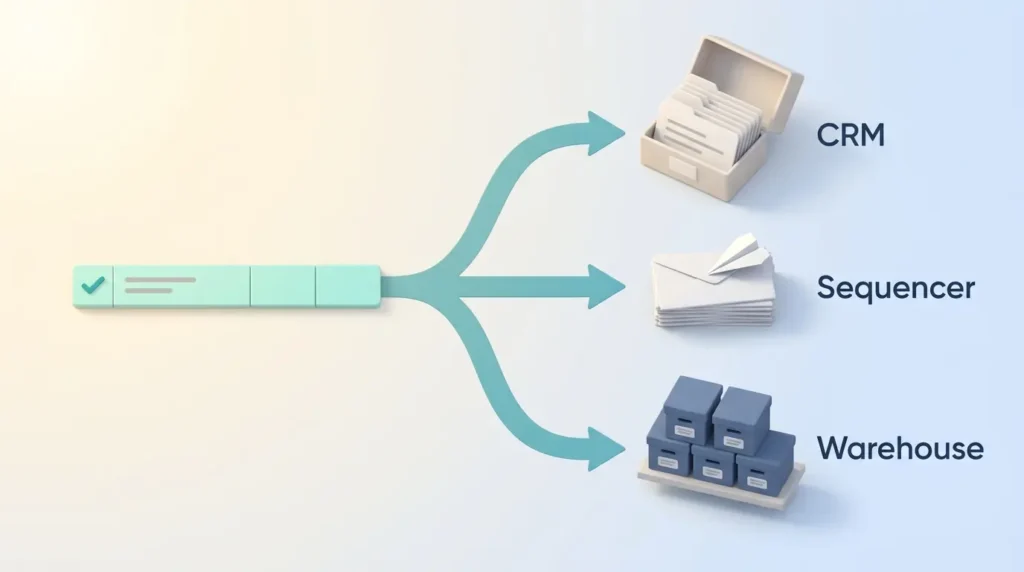
Clay connects to the tools your reps already live in. HubSpot and Salesforce sync contacts, notes and scores in both directions. Data warehouse connectors cover Snowflake, BigQuery, Databricks, Postgres and Fivetran, which matters if your analytics team wants the same records.
For sending, you can push ready rows into Instantly, Smartlead, Salesloft, Outreach or lemlist, or use Clay’s own sequencer for lighter volumes. Webhooks and Zapier handle anything bespoke. Our guides to Salesforce CRM and HubSpot Marketing Hub cover what each side of that sync costs, and our iPaaS explainer covers the wider integration layer.
- Plan gate: automatic CRM sync, the HTTP API and webhook automation require Growth. Launch covers campaign integrations only.
- Standardise handoffs: when a row hits “qualified”, route it to one named owner and write the outcome back so the context survives.
- Bring your own keys: using your own provider credentials skips Data Credits and improves coverage on segments you already pay for.
Real-World Performance: Personalization and Time Saved
When live profile data drives the message, reply rates and booked meetings climb noticeably. An opener built from a funding round or a job change reads as relevant rather than templated.
The bigger gain is cycle time. Enrichment, scoring and draft copy run in one pass, which compresses the gap between building a list and the first touch from days to hours. For a team that used to hand a researcher a spreadsheet on Monday and start sending on Thursday, that is the whole week back.
Clay publishes customer case studies reporting large gains in pipeline and cold email performance. Treat vendor numbers as selected examples rather than benchmarks. The direction is consistent with what practitioners report, but the size of the lift depends entirely on your list quality and your market.
- Personalized openers built from live data lift reply rates and the share of replies that turn into meetings.
- Example flow: pull the job title from a people provider, the latest funding round from Crunchbase, then write an opener referencing the raise.
- Handoffs into sending tools get smoother because the contact arrives already scored and validated.
How to measure it: track reply rate, meetings booked and credits consumed per qualified lead. Expect the returns to compound as prompts and scoring rules mature over two or three campaign cycles. For the wider market context, see our breakdown of 2026 sales trends and our guide to running remote sales teams.
“Start with clean inputs and clear ICP rules: these features work best when your data and criteria are well defined.”
Pros and Cons
| Strengths | Limitations |
|---|---|
| More than 200 providers in one waterfall, with genuine coverage depth | A real learning curve once chains run ten or more steps |
| Unlimited seats on every plan, including Free | Two credit currencies make forecasting harder than a flat rate |
| Failed lookups cost nothing since March 2026 | CRM sync, HTTP API and webhooks gated behind Growth |
| Claygent research plus reusable Functions cut manual work | Not a CRM, so you still need a system of record alongside it |
| Deep integrations and a free tier for prototyping | The built-in sequencer is light next to dedicated campaign tools |
“Weigh your appetite for configuration against the gains in accuracy, personalization and time saved.”
Limitations You Should Plan Around
Knowing the edges helps you design handoffs so pipeline tracking does not break.
Clay is a research and preparation engine, not your system of record. It does not manage deal stages, forecasting or revenue reporting. Your CRM keeps that job.
Expect a genuine ramp if the team is new to logic-driven automation. Train two power users and document the flows rather than hoping the knowledge spreads on its own.
Outreach is largely pre-sequencing. The built-in sequencer handles simple sends, but multi-step campaigns with deliverability tooling belong in a dedicated platform. Data quality also depends on the providers you connect. Clay orchestrates sources, it does not manufacture coverage where none exists, and thin regions stay thin. Clay keeps widening that coverage, though. Its September 2026 integration batch added regional providers such as Leadfeeder, Vainu and Pubrio for EMEA and APAC, plus sector-specific sources like GovSpend for public-sector accounts.
- Complement, do not replace: Clay enriches and routes, your CRM owns the pipeline.
- Cost management: two credit pools require active monitoring as volume grows.
- Process: document columns so flows stay maintainable when people move on.
- Compliance: bought contact data carries obligations of its own. Our privacy compliance framework covers the questions to settle before the first send.
Clay vs Alternatives: Which Fits Your Workflow?
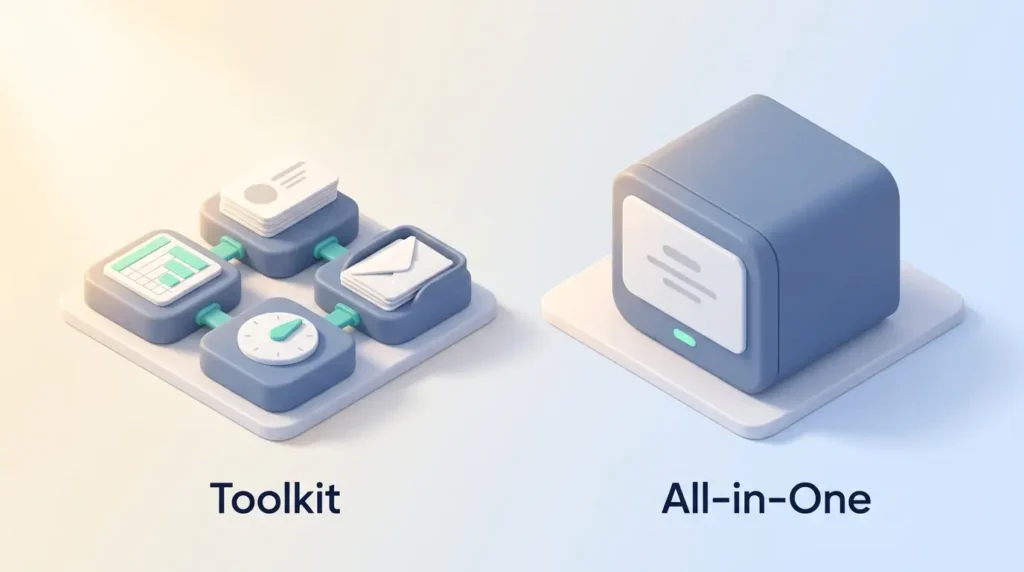
The real choice is between a composable toolkit and an all-in-one platform. Pick the model that matches how your team works, not the longer feature list.
| Option | Strongest at | Choose it when |
|---|---|---|
| Clay | Provider choice, custom scoring, pre-sequencing logic | You want control and someone will own the build |
| Apollo / ZoomInfo | Large built-in databases and bundled sequencing | You need breadth in one contract, not depth of logic |
| Lusha | Browser-based lookups during live prospecting | Reps prospect one profile at a time in LinkedIn |
| FullEnrich | Focused waterfall lookups for emails and phone numbers | You only need contact details, not a workflow builder |
| Instantly / Smartlead | Multi-step sending and deliverability management | You already have data and need volume sending |
| folk / lightweight CRM | Simple contact management and pipeline tracking | You need a system of record, not an enrichment engine |
The practical combination is usually a database for list pulls, Clay to enrich and score across sources, then a sending tool for delivery. Our Lusha review covers the browser-extension route, our FullEnrich review looks at the focused waterfall option, our ZoomInfo review covers the bundled-database end of the market, and our folk.app review looks at the lightweight CRM side of the same stack.
“Compare cost models, not just features: subscription and usage-based pricing diverge fast at volume.”
Best Use Cases
Clay pays off wherever clean profiles and fast personalization decide the outcome.
Outbound sales. Build targeted lists, score them against your ideal customer profile, and pass only qualified rows to the sending tool. This is the core use case and where most teams see returns first.
Recruiting. Spot recent job switchers, enrich profiles with current titles, and reach out with context that a generic InMail lacks.
Venture capital and business development. Track funding events and hiring velocity to decide which founders or partners to approach this month rather than next quarter.
- Marketing operations: clean and enrich contact records at scale to improve segmentation and nurture performance. Our guide to first-party data strategy covers what to collect yourself instead of buying.
- Account-based programmes: combine industry, size and tech stack for company targeting. Our guide to account-based strategy covers how to structure those tiers.
- Handoff quality: enriched, scored records reduce the friction between marketing and sales, the theme of our piece on sales and marketing alignment.
“Blend automation with human review on sensitive segments to keep quality high.”
Who Gets the Most Value, and Who Will Not
Good fit: outbound teams, recruiters, agencies, RevOps groups and growth marketers who can configure provider chains and iterate on prompts. Agencies in particular benefit from standardising enrichment across clients and sharing one credit pool across unlimited seats.
Poor fit: bootstrapped teams on very tight budgets, organisations that want a single all-in-one app, and anyone expecting set-and-forget behaviour. Clay rewards periodic optimisation. It does not run itself.
- High-volume outreach that depends on accurate data sees the largest lift.
- Recruiters gain most from job-change signals, where timing is the whole advantage.
- Teams that enjoy tuning logic and scoring will thrive. Others will find the ceiling frustrating rather than freeing.
Buyer’s Checklist Before You Commit
Start with clear goals: who you want to reach, what success looks like, and which signals actually predict a deal.
- Define your ideal customer profile and confirm the providers you need are in Clay’s marketplace.
- Map the full flow, from enrichment and scoring through copy, CRM sync and sending-tool handoff, then check which steps require Growth rather than Launch.
- Estimate monthly Data Credits and Actions separately from your list size and step count.
- Run a pilot on a small list and measure reply rate, meetings booked and credits consumed.
- Confirm CRM sync rules (create versus update) and field mapping to avoid duplicate records.
- Assess who will maintain prompts, rules and fallbacks once the novelty wears off.
“Decide based on pilot data, not assumptions.”
Final step: run the maths on cost per meeting or cost per qualified lead, and make the call from that number.
Start a Clay pilotVerdict
Clay prepares prospects with fresh context so reps spend their time on conversations instead of research. That is the whole proposition, and it delivers on it.
The March 2026 overhaul made the economics clearer and, for most data-heavy workloads, cheaper. It also added a second currency to forecast, and moved CRM sync behind a higher tier. Both are worth modelling before you sign.
Waterfall enrichment, signal tracking, Claygent research and reusable Functions genuinely cut manual work. Clay pairs with HubSpot, Salesforce and your sending tool rather than replacing them, so plan the handoffs deliberately.
The practical test: take the free tier or the 14-day trial, run forty rows from your real target list, and compare hit rate and cost per record against what you use today. Coverage varies enough by region and seniority that no review, including this one, substitutes for that check.
Found this useful?
Make SmartKeys a preferred source on Google, and our articles will surface more often in your Top Stories, AI Overviews, and AI Mode.
Add as Preferred Source