

Last updated: August 2026. Prices, plan limits, AI credits, and the interactive video tiering were re-checked against LearnWorlds’ published pricing page and help center. Confirm current terms on the official site before you buy.
You want a clear picture of this course platform before committing time or money. This LearnWorlds review shows what it does best right now, what it still asks you to bolt on, and which plan actually unlocks the features people buy it for.
LearnWorlds is an LMS, short for learning management system: software that hosts your lessons, tracks who completed what, and takes payment. It combines a drag-and-drop course builder, a customizable course player, and tools for assessments and analytics. You structure content into sections and learning activities, then publish everything on a website with sales funnels, popups, and a blog.
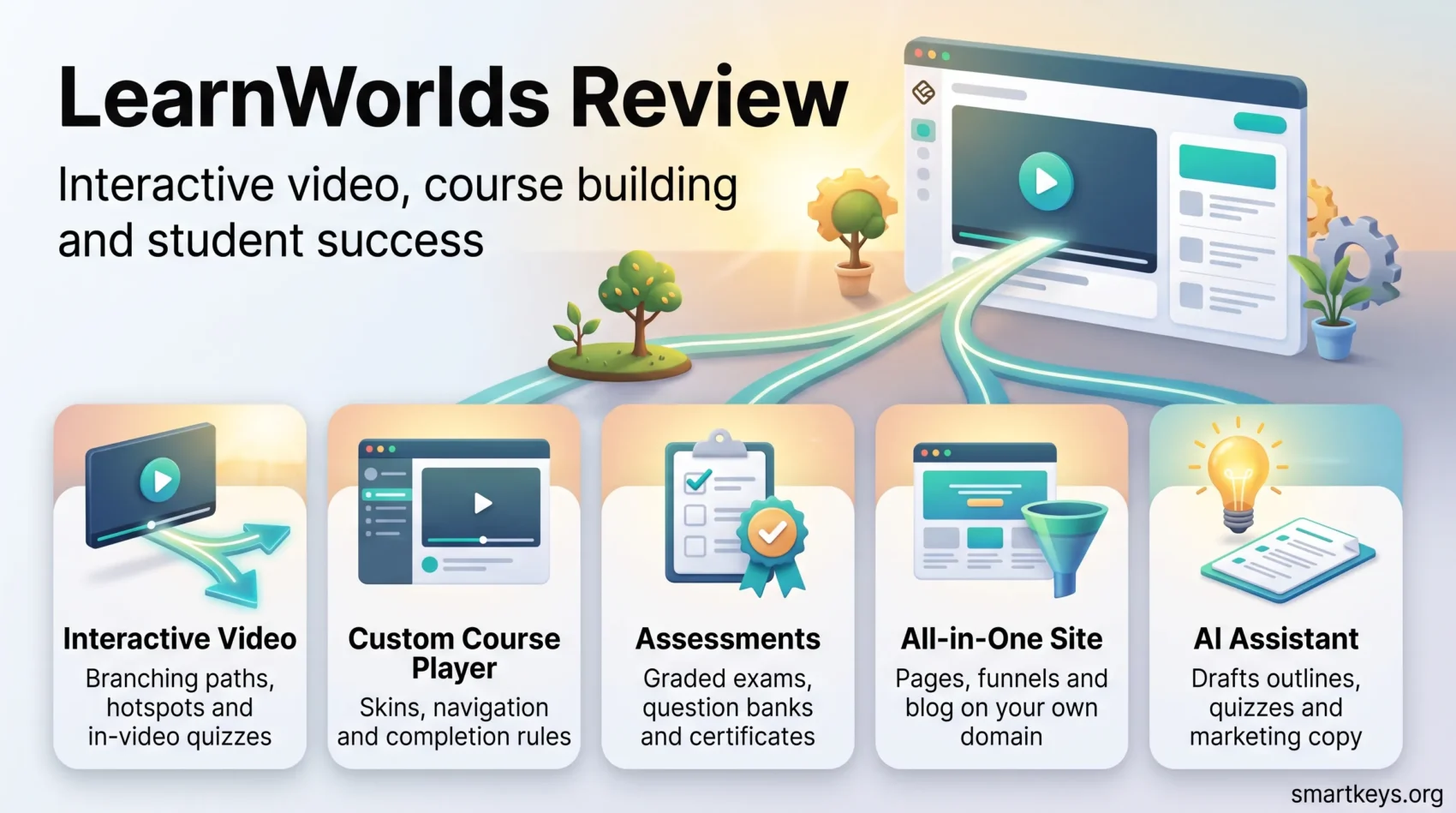
Hands-on features like in-player notes, clickable hotspots, branching videos, and certificates aim to lift engagement. An AI Assistant sits across the builder to draft outlines, quizzes, and marketing copy. If you are still comparing categories of tool, our roundup of AI learning platforms is a useful companion read.
Pricing starts at $29 per month and runs to $299 per month for the tier that unlocks the full interactive video editor, unlimited SCORM, and app publishing. That gap matters more than most reviews admit, and this guide explains exactly where the line falls.
Key Takeaways
- Interactive delivery wins: Branching video, hotspots, and in-video quizzes are the platform’s strongest differentiator.
- Check the tier first: Starter and Pro Trainer get some interactive video features. The full editor arrives on Learning Center ($299 per month), so budget accordingly.
- Starter has a catch: A flat $5 fee per paid enrollment makes it costlier than Pro Trainer once volume picks up.
- All-in-one site: Pages, funnels, and a blog keep course and marketing under one roof, on your own domain from the cheapest plan up.
- AI speeds the draft, not the judgment: The assistant drafts outlines and assessments you still review, and every plan caps AI credits monthly.
- No native email: Plan for an external provider and test enrollment flows carefully.
Quick Verdict: Is LearnWorlds the Right Course Platform for You?
Creators who want dynamic, hands-on learning get the deepest interactivity toolkit in this category. If your courses are mostly talking-head video and PDFs, you are paying for capability you will not use.
Best fit: engagement-first creators, training teams, and corporate learning centers that need branching video, gamification, community tools, assessments, and granular reporting.
Weaker fit: creators who want native email marketing bundled in, and anyone shipping a simple, linear course where a lighter platform launches faster and cheaper.
Try before you buy: the 30-day free trial covers all standard tiers, so build a small pilot course and walk the full student path before committing.
Start your free 30-day trial- Solo creators: Pro Trainer removes enrollment fees and unlocks subscriptions. It is the practical starting point.
- Teams and schools: role-based access and automations scale cleanly.
- Corporate centers: SCORM, SSO, APIs, and white-label apps meet enterprise needs on Learning Center and above. Our guide to remote learning in corporate training covers the program side.

Pricing and Plans in 2026: What Each Tier Actually Unlocks
Your plan decides three things that hit your budget directly: whether you pay a fee on every sale, how much of the interactive video editor you get, and how many SCORM packages you can upload. Annual billing saves roughly 17 to 20 percent.
Plan comparison at a glance
| Plan | Monthly | Annual (per month) | What it unlocks |
|---|---|---|---|
| Starter | $29 | $24 | 1 admin, unlimited paid courses, site builder on your own domain, exams, live 1:1 and group sessions, 300 AI credits a month, plus a $5 fee on every paid enrollment |
| Pro Trainer | $99 | $79 | No enrollment fees, subscriptions and memberships, up to 5 admins, 20 SCORM packages, basic interactive video, Zapier, 500 AI credits a month |
| Learning Center | $299 | $249 | Full interactive video editor, unlimited SCORM and HTML5, up to 25 admins, full white-label, advanced assessments and analytics, 1,000 AI credits a month, mobile app add-on eligibility |
| High Volume & Corporate | Custom quote | Premium servers, daily backups, custom admin and instructor counts, dedicated success manager | |
Figures above come from LearnWorlds’ own pricing page, August 2026.
The Starter math most buyers miss
The $5 charge is per paid enrollment, not a percentage. On a $50 course that is a 10 percent cut before your payment processor takes its share.
Run the numbers: at roughly 14 paid enrollments a month, Starter plus fees costs about the same as Pro Trainer with no fees at all. Past that point, the cheaper plan is the expensive one.
One more Starter limit catches people out: no subscriptions, memberships, or SCORM uploads. If your model is recurring rather than one-off, Starter is not a starting point at all.
Where the interactive video line really falls
This is the correction worth flagging, and it cuts both ways. Plenty of write-ups say interactive video is a Learning Center exclusive. That is too blunt.
LearnWorlds states that the video editor’s full feature set starts on Learning Center, while Starter and Pro Trainer include some interactive video features. In practice, Pro Trainer gets you a basic version, and the deep toolkit sits on the $249 per month annual tier.
So test the specific interaction you need during the 30-day trial rather than trusting a feature label. A branded mobile app is a separate paid add-on on top, available from Learning Center and higher.
Compare plans & pricing
Platform Highlights That Stand Out
The platform’s reputation rests on turning ordinary lessons into interactive moments. You add clickable buttons, hotspots, quizzes, branching paths, transcripts, and overlays directly inside video lessons. The course player, the screen your student actually sits in front of, is equally customizable: change skins, control navigation, and set completion rules so learners follow the path you designed.
All-in-one site builder
Drag-and-drop themes, funnels, popups, forms, and a blog let you build marketing pages without stitching in another platform. A funnel here just means a short sequence of pages, for example a landing page, a checkout, and a thank-you page, that walks a visitor from interest to purchase.
AI Assistant: What It Drafts and What It Cannot Decide
The built-in AI Assistant has grown into one of the platform’s headline features. It spans dozens of functions across the builder, backed by a large library of education-specific prompts.
What it handles well: course outlines, first-draft lesson content, quizzes and exams generated from material you import, video subtitles and transcripts, landing page copy, and email copy. It also repackages older courses, so you refresh a back catalog instead of rebuilding it.
The limit to plan around: AI usage runs on monthly credits, and the allowance scales with your plan. LearnWorlds’ pricing page lists 300 credits a month on Starter, 500 on Pro Trainer, and 1,000 on Learning Center. Heavy generators should treat that number as a real constraint, not a footnote.
Where you stay in the loop: every output is a draft. Accuracy, bias, and pedagogical fit still need a human pass before publishing.
Used well, it compresses the blank-page stage from days to minutes. It does not replace instructional design, and treating it that way shows up fast in completion rates. Our overview of EdTech for corporate training puts these assistants in context.
“AI shortens the first draft. It does not shorten the thinking.”
Course Creation Deep Dive: Sections, Learning Activities, and Templates
Organize your material into purposeful sections so every lesson has a defined role in the learner’s journey.
Sections vs. learning activities
Sections act like chapters. Activities are the tasks inside them: videos, PDFs, or assignments. Mapping both before you build saves rework later.
Interactive options to increase engagement
Choose from interactive video, ebooks, diaries, live sessions, graded exams, and text or video assignments. Pair certificates with assessments to gate progress and reward milestones. Teams building short, single-idea lessons will recognize the pattern from our microlearning strategy guide. Templates such as Welcome Activity, Instructor Evaluation, and the interactive Diary speed up creation, while PDFs, audio, and embeds cover different learning styles. For narration, tools covered in our Murf AI review pair well with slide-based lessons.
Drip schedules, access types, and pricing that convert
Set access types (free, paid, private, draft, or coming soon) and add discounts to lift conversions. Drip release means content unlocks on a schedule instead of all at once, either by calendar date or by how long a student has been enrolled. That keeps a self-paced cohort from bingeing week one and vanishing.
Course Player Experience: How Your Students Actually Learn
A well-designed course player turns passive watching into guided learning. It controls navigation, shows learners where they are, and offers tools that make content stick. If your lessons lean on AI-generated presenters, our Synthesia review and our HeyGen review cover how that footage holds up in a real course.
Skins, navigation control, and completion rules
Pick skins and toggle elements like the progress bar, learners tab, and discussions. Choose free navigation or set sequential rules so students follow a set path.
Completion rules force key steps before moving on, which protects critical material.
Built-in note-taking, highlights, and social sharing
Students can highlight text, add notes, and share snippets to social channels. These are small features that quietly drive both retention and word-of-mouth.
The sidebar lists sections and activities so learners always know what comes next. In-video prompts and action buttons keep attention on task.
Test the player while you build, and use access rules to decide who sees which material.
Interactive Videos: Branching, Hotspots, and Table of Contents
Interactive video turns passive clips into choices that guide each learner’s path. Branching means the video sends different learners down different routes depending on what they click or answer. Remember the tier note above: the full editor sits on Learning Center.
Inside the video editor you insert clickable buttons, info hotspots, and multiple-choice hotspot questions. A hotspot is a clickable area laid over the frame, so learners stay inside the player instead of navigating away.
Clickable buttons, quizzes, and gamified paths
Add a button to jump to resources or branch learners to a new topic, and use multiple-choice hotspots to check understanding. The same psychology behind gamification at work applies here: visible progress and immediate feedback keep people moving, and the badge-and-milestone patterns in our gamified onboarding guide transfer almost directly to a course.
Be selective, though. Interactivity on every clip becomes noise.
Transcripts, timestamps, and overlays to improve retention
Generate interactive transcripts and build a table of contents with chapter markers. Learners revisit sections faster and retain more when content is easy to scan. Transcripts also help students who prefer reading or listening at speed, a habit we looked at in our Speechify review.
Overlay videos with embeds or pop-ups to surface timely resources. Edits save once and push straight to the course player.
Create your first interactive video“Use interactivity sparingly and strategically. It should enhance learning, not distract.”
Assessments, Certificates, and Question Banks
Clear assessment workflows confirm mastery and control who moves forward. You get graded exams, file, video and audio assignments, and self-assessments.
Grading, SCORM, and gated progression
SCORM is a packaging standard for e-learning content, so a course built in another authoring tool can be dropped into LearnWorlds and still report completions. That matters mainly for compliance training.
Watch the tier split. Starter has no SCORM at all, Pro Trainer allows 20 packages, and unlimited SCORM and HTML5 sits on Learning Center.
Set minimum passing scores and restrict the next section until learners pass. That enforces mastery and keeps your sequence intact. For skills that resist multiple-choice testing, the practice-based approaches in our VR employee training guide are a useful contrast.
Review Center, Gradebook, and exports
The Review Center queues submissions for grading and feedback. The Gradebook shows course-wide results and supports exports for audits or stakeholder reports.
Question Banks store reusable questions so exam quality stays consistent, and certificates mark achievement.
Website and Page Builder: From Home Page to Sales Funnels
Your course site should convert visitors into students. Pick from templates for about, pricing, contact, and thank-you pages, then swap in widgets like buttons, timers, sliders, and forms.
Templates and theme-wide styling
Theme Explorer applies site-wide styles, so your brand holds from homepage to checkout. Change fonts and colors once and push everywhere.
Popups, forms, blog, and landing pages
Funnels, a popup builder, and a form creator capture leads. A built-in blog fuels SEO and nurtures your audience between launches.
- Build fast: launch landing pages from templates to test offers quickly.
- Convert more: add popups, timers, and forms on key pages.
- Brand control: selling on your own custom domain is included from Starter up. Full white-label, which removes LearnWorlds branding entirely, starts on Learning Center.
- Compare the alternative: if you only need a marketing site, a dedicated builder like those in our Squarespace vs Wix comparison may be cheaper.
User Management, Marketing Tools, and Integrations
Define roles, set permissions, and let automations handle repetitive work.
Roles are precise: admins, course creators, instructors, assistant instructors, reporters, seat managers, and affiliates, each with custom permissions. Admin seats scale from one on Starter to 25 on Learning Center.
Roles and automations
Automations enroll users, send extra material to those who fail, and trigger follow-ups. Rules can grant access after payment or re-engage struggling learners without manual work. If you are onboarding staff rather than selling seats, the sequencing ideas in our remote onboarding and training guide map neatly onto these rules.
Bundles, subscriptions, coupons, and lead capture
Package courses into bundles, offer subscriptions or memberships, and drive sales with coupons. Subscriptions and payment plans require Pro Trainer or above.
Email, live sessions, and analytics integrations
There is no native email marketing, so you connect a provider. Mailchimp and ActiveCampaign are the usual choices, and our MailerLite vs ActiveCampaign comparison covers the trade-offs. Run live sessions via Zoom or Webex, and track behavior with Google Analytics or Mixpanel. Zapier, available from Pro Trainer up, extends the rest.
Analytics and Reporting: Progress, Segments, and Sales
Good reporting shows not just enrollments, but how much time learners actually spend on your content.
User progress, time-on-platform, and certificates
The Reports Center tracks study time, completions, and issued certificates, so you can spot who moves forward and who stalls. Average scores and per-activity logs help you coach individuals.
Course insights and revenue reports
Course Insights show enrollments over time and highlight top courses. Sales and revenue reports link learning outcomes to business results, the same logic behind measuring upskilling ROI in corporate programs.
Event and email logs round this out, so you can troubleshoot a broken learner experience instead of guessing.
Mobile App and Learning Apps: Community and Gamification
From the Learning Center plan you can publish a branded iOS and Android app without coding, as a paid add-on quoted separately by LearnWorlds. Customize colors and icons, then ship to the App Store and Google Play. Push notifications for new lessons, live sessions, and deadlines are the feature that most reliably lifts completion rates.
Learning Apps that spark engagement
- Community: private social feeds and profiles for peer connection, the same dynamic explored in our look at peer learning platforms.
- Gamification: badges, milestones, and leaderboards.
- Daily News & Best Resources: RSS-driven updates and a searchable library.
- People Directory: learners find instructors and peers quickly.
Decide whether mobile is critical now or a later roadmap item, because the add-on cost is real. Teams already experimenting with immersive delivery may want to read our augmented reality training guide before committing budget.
Support and Onboarding: How Fast You Get Help
Fast, clear help shortens time to launch. An in-admin support widget handles common setup questions, and a technical team takes the deeper issues like integrations or unexpected site behavior. Responsiveness is a recurring theme in public reviews on G2 and Product Hunt.
Engage support early, during your trial and first month, to validate email integrations, live sessions, and site settings.
Who LearnWorlds Is Best For (and Who Should Skip It)
Pick this platform when interactivity, assessments, and community are core to your strategy. Teams and organizations also benefit from role-based permissions, automations, and reporting that keep workflows tidy across multiple content owners.
Corporate training programs gain from SCORM and HTML5 support, APIs, and white-label options that lighter tools lack. That also suits providers serving career changers, a group we covered in our piece on mid-career retraining.
When to look elsewhere: if you want native email campaigns bundled in, or your offering is simple and linear, a lighter platform launches faster and costs less. Our Kajabi vs Teachable comparison covers two of the most common alternatives.
Pros and Cons Based on Hands-On Testing
Where it shines
The interactive video editor and branching options keep learners active rather than watching passively, and the customizable player gives real control over pacing. Deep reporting helps you optimize content and marketing, while community and gamification tools drive repeat visits.
Trade-offs
There is no built-in email tool, so you must connect an external provider and test enrollment flows carefully. Feature depth also brings a learning curve, so budget setup time before launch week.
The headline capabilities, meaning the full interactive video editor, unlimited SCORM, and app publishing, sit on the $249 to $299 tier. That is the single biggest budgeting surprise for new buyers.
- Pros: branching videos, hotspots, engaging course player, many activity types.
- Pros: strong analytics linking learner behavior to revenue.
- Pros: community and gamification tools that drive return visits.
- Pros: AI Assistant that removes the blank-page problem.
- Cons: no native email, so integrations are required.
- Cons: Starter’s $5 per-enrollment fee scales badly, and it excludes subscriptions.
- Cons: flagship features gated to the highest standard tier.
- Cons: AI credits are capped monthly on every plan.
Conclusion
LearnWorlds remains the strongest option in this category if interactivity is the point of your course rather than a nice-to-have. The player, video editor, assessments, and analytics genuinely raise engagement and give you data to act on.
The honest caveat is pricing. Starter looks affordable until enrollment fees stack up, and it locks out subscriptions entirely. The features that make the platform special live on Learning Center, while Pro Trainer is the sensible middle for most independent creators.
Start with the 30-day trial, build a small pilot, connect your email tool, and iterate on real learner data before you scale. For wider market context, our overview of business education trends pairs well with this review.
Bottom line: this LearnWorlds review finds the platform easy to recommend for creators who value engagement and data-driven growth, provided you buy the tier that matches the features you actually need.
Launch your online academy todayFound this useful?
Make SmartKeys a preferred source on Google, and our articles will surface more often in your Top Stories, AI Overviews, and AI Mode.
Add as Preferred Source




