

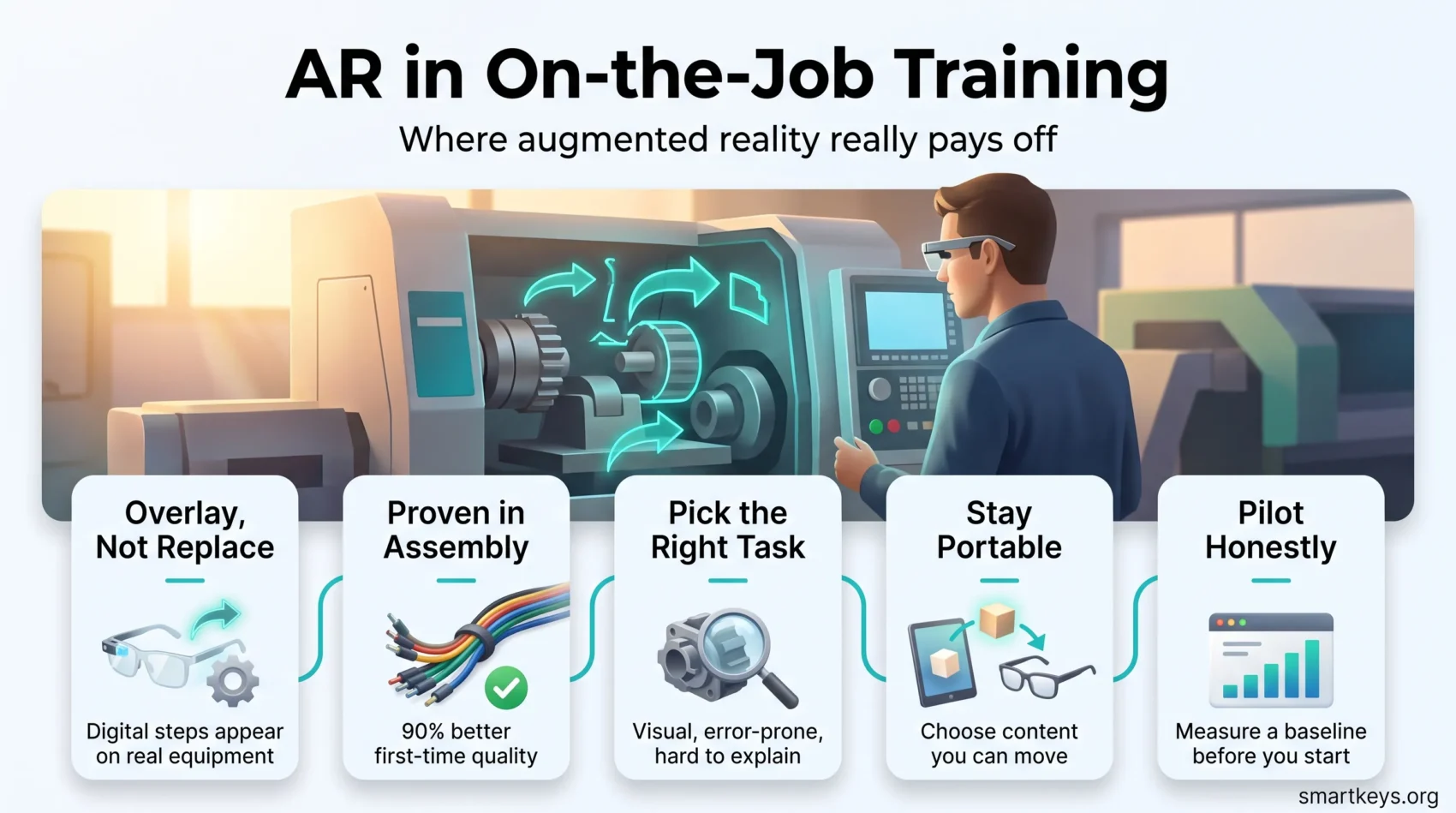
Augmented reality (AR) puts digital instructions on top of what a worker is actually looking at. A technician sees the next step appear over the machine in front of them instead of reading it from a manual. Used for training, that closes the gap between learning a task and doing it.
The idea has been promising for a decade. What changed by 2026 is the hardware market underneath it and the evidence about what AR training really delivers. Some of it holds up. Many of the numbers in marketing decks do not.
This guide covers what AR training is, where the technology and evidence stand in 2026, and how to judge a pilot. For the wider view of how AR and VR are reshaping the workplace, from meetings to product design, start with our overview of AR and VR in future workspaces. It also helps to know what VR employee training delivers too, since the two get confused constantly.
Key Takeaways
- AR overlays instructions on the real workplace; VR replaces the view. Most famous “AR training” case studies are actually VR.
- In a Boeing study with Iowa State University, AR improved first-time quality by 90% against desktop instructions and cut assembly time by about 30%.
- Microsoft ended HoloLens 2 production in 2024 and retires Dynamics 365 Guides and Remote Assist on 31 December 2026, so vendor longevity now matters.
- IDC counted about 14.5 million XR devices shipped in 2025: lightweight glasses growing fast, bulkier headsets falling.
- AR pays off on visual, error-prone tasks that words describe badly. It is poor value for anything a short video already explains.
What AR Training Actually Is
Augmented reality adds digital content to your real surroundings. You still see the room, the machine and your own hands. A phone, a tablet or a pair of glasses places arrows, labels, part numbers or a 3D model into that view, anchored to the object in front of you.
Virtual reality does the opposite: it replaces your view with a simulated environment. That difference matters more than it sounds. AR is used while the real work happens. VR is used instead of the real work.
Two different things get sold as AR training:
- Guided practice: a trainee follows overlays through each step on real equipment, then repeats the task until the overlay is no longer needed.
- Performance support: an experienced worker keeps the overlay permanently, because the task is rare, complex or changes often. That is closer to a live checklist than a course.
Performance support is where most of the measurable value sits today. It also explains why AR fits awkwardly in a learning catalogue: it belongs to operations as much as to corporate learning technology.
Where the Technology Stands in 2026
The market numbers look spectacular and need reading carefully. Grand View Research puts the global augmented reality market at USD 120.2 billion in 2025 and an estimated USD 170.0 billion in 2026, growing at 29.7% a year to 2033. Most of that is consumer and mobile AR, not enterprise training. Read it as evidence the underlying technology keeps getting cheaper, not that companies are buying training headsets.
Device shipments tell a more useful story. IDC reported in December 2025 that global extended reality shipments would reach about 14.5 million units in 2025, up 41.6%. Within that, mixed and virtual reality headsets fell 42.8% while lighter XR glasses grew 211.2%, and IDC expects glasses to grow roughly 29.3% a year through 2029. The market is moving towards eyewear you can wear for a full working day, as our guide to what smart glasses actually deliver at work describes.
The Microsoft Exit and Why It Matters
For years, enterprise AR meant Microsoft HoloLens. That era ended. Microsoft stopped HoloLens 2 production in 2024 with no successor announced, and support runs out in 2027. The software followed: Microsoft’s lifecycle notice sets 1 November 2025 as the last date to buy or renew Dynamics 365 Guides and Remote Assist, and 31 December 2026 as end of support, after which they stop functioning.
The lesson is not that AR failed but that platform risk is real. Companies that built content inside one vendor’s authoring tool now have to move it. Ask any supplier three questions before committing: can we export our content in an open format, does the software run on hardware from more than one manufacturer, and what happens to our library if you are acquired? The same caution applies to any AI-powered learning platform holding your content in a proprietary format.
What the Evidence Actually Supports
Good published evidence on AR training is thin, and most of what circulates comes from vendors. Two examples are worth knowing because they are specific and independently documented.
Boeing and Iowa State: Assembly Instructions
Researchers at Iowa State University worked with Boeing to compare three ways of giving assembly instructions for aircraft wiring harnesses: printed desktop instructions, tablet instructions and augmented reality. AR produced a 90% improvement in first-time quality against the desktop method and cut assembly time by around 30%.
“First-time quality” means the share of units built correctly without rework, which is what a plant manager watches, because rework costs labour twice and can scrap the part. The result also shows where AR works: a spatial task that paper describes badly. A wiring harness is a tangle of near-identical cables, and telling someone which one to grab is exactly the problem an overlay solves.
Walmart: A Case Study That Is Not AR
Walmart is the example everyone cites for AR training, and it is a VR programme. From 2018 Walmart distributed 17,000 Oculus Go headsets to its US stores. It reported test score increases of roughly 5% to 10% when VR was used in classroom training, and compressed modules that had taken 30 to 45 minutes into three to five minute VR sessions.
Those results are real and worth knowing. They are not evidence about AR. Keep the two apart in a business case, or you will promise your finance director a result your technology cannot produce. Wider lessons on format choice sit in our guide to remote learning in corporate training.
How to Read a Vendor Claim
When a supplier quotes a percentage, ask what it was measured against. “40% faster training” means little next to unstructured shadowing. Next to a well-built video course delivered through a microlearning approach, it means a great deal. Ask for the comparison group, the sample size and who paid for the study.
Where AR Training Pays Off
AR earns its cost on tasks with three traits: visual, expensive to get wrong, and badly described in words.
Assembly and Manufacturing
This is the strongest case. Overlays show which fastener, which torque sequence, which cable, so the worker never has to translate a drawing into the object in front of them. It works best on high-mix, low-volume production, where operators build something different each week.
Plants already running digital twins in manufacturing have an advantage, because the 3D models the overlay needs already exist. Building those models purely for training is usually what kills the budget. The same models support AR and VR in product prototyping, which spreads the cost across departments.
Field Service and Maintenance
A technician on site shares their camera view with a remote expert, who draws directly onto the live image. The technician keeps both hands free and follows the annotation on the equipment itself. For rare faults, this often replaces flying a specialist across the country.
Be careful with the numbers here. First-time fix improvements are widely quoted and almost always come from the companies selling the software. The mechanism is sound; the percentages are not independently verified. Measure your own before and after.
Healthcare and Clinical Skills
Medical schools use AR to display anatomy in three dimensions over a model or a patient, so students practise spatial relationships that a textbook flattens. Hospitals moving through wider digital transformation in healthcare add it alongside simulation labs, not instead of them, because AR cannot reproduce tactile feedback.
Safety and High-Risk Work
AR lets people rehearse a hazardous procedure on the real equipment with the danger removed: a lockout sequence, a confined-space entry, an electrical panel that is not live during the drill. Muscle memory gets built on the real object in the real location.
For scenarios that cannot be staged at all, such as a building fire, VR is better, because AR needs the environment to already exist. This is also where robotics automation and exoskeletons in industrial work attack the same risk differently: removing the human from the hazard instead of training them through it.
What It Costs
AR training has four cost lines, and hardware is rarely the biggest.
Devices. Phone and tablet AR uses equipment your workforce already carries, which makes it the cheapest way to test the idea. Head-mounted displays cost far more per user and add charging, cleaning, fitting and safety certification.
Content. Every procedure has to be authored and anchored to a real object. A single complex procedure can take weeks of specialist work, and it must be rebuilt whenever the equipment changes. This is the line that surprises budgets.
Integration. The overlay is only useful if it knows which machine, model and revision the worker is standing in front of, which means a link to your asset or product data. Companies with mature digital twin technology get this cheaply. Others face a data project, not a training project.
Change management. Supervisors have to schedule it, workers have to accept wearing it, and someone has to own the content library. Skipping this is why successful pilots fail to scale.
Where AR Training Projects Fail
The failures follow a pattern.
The wrong task. AR gets applied to something a two-minute video already handles. It impresses in the demo and adds nothing in production.
No content pipeline. A vendor builds three showcase procedures and nobody inside the company can build the fourth. The library quietly dies.
Vendor lock-in. Content is trapped in one platform. When that platform is retired, as Dynamics 365 Guides now is, the investment repeats.
Ergonomics. Headsets fog up, do not fit over safety glasses or cannot be shared hygienically. Pilots run for an hour. Real work runs for eight.
No measurement. Without a baseline error rate and cycle time from before the pilot, you cannot prove anything afterwards. This is why measuring the ROI of employee development is worth setting up before the first headset arrives.
How to Run a Pilot Worth Trusting
A pilot should be capable of failing. If it cannot produce a negative result, it is a demonstration, not a test.
- Pick one task with a known error rate. Something visual and error-prone where you already record defects or rework. No data today means no baseline to beat.
- Record the baseline first. Measure time-to-competence, error rate and first-time quality for several weeks before anything changes.
- Compare against your best current method. Beating an outdated paper manual proves very little.
- Count the full cost. Content authoring hours, integration work and supervisor time, not just devices.
- Set a decision date and threshold in advance. Agree what would justify scaling and what would end the project.
Most companies find AR worth funding for a narrow set of tasks and not for the rest. That is the honest outcome a good test produces, and it feeds into your broader upskilling and reskilling priorities and your remote onboarding programme.
What Comes Next
The shipment data points one way: lighter glasses, longer wear time, lower prices. As devices become something a worker keeps on for a shift rather than puts on for a demo, performance support gets more practical than training-room use.
Two adjacent shifts matter. AI is being used to generate and update overlay content, which attacks the authoring cost that limits most programmes today. And remote presence tools, from holographic collaboration to shared camera views, are converging with AR support. Judging any of it on measured results rather than demo appeal is also what keeps staff positive about the tools they are handed, as our piece on how technology affects job satisfaction sets out.
Conclusion
AR training works within limits that are now reasonably well understood. It is strongest where a task is spatial, error-prone and hard to write down, and weakest where a short video would do. The Boeing evidence is genuine and worth citing. The Walmart evidence is genuine and about VR.
The bigger risk in 2026 is not whether the technology works but who supplies it and who maintains the content. Microsoft’s withdrawal is the warning: pick tools you can leave. Otherwise the advice is unglamorous: choose one task, measure it honestly, and let the numbers decide. Personalised and adaptive training programs follow the same rule, as does the wider shift in how distributed teams learn, covered in our overview of remote work trends.
Found this useful?
Make SmartKeys a preferred source on Google, and our articles will surface more often in your Top Stories, AI Overviews, and AI Mode.
Add as Preferred Source




