

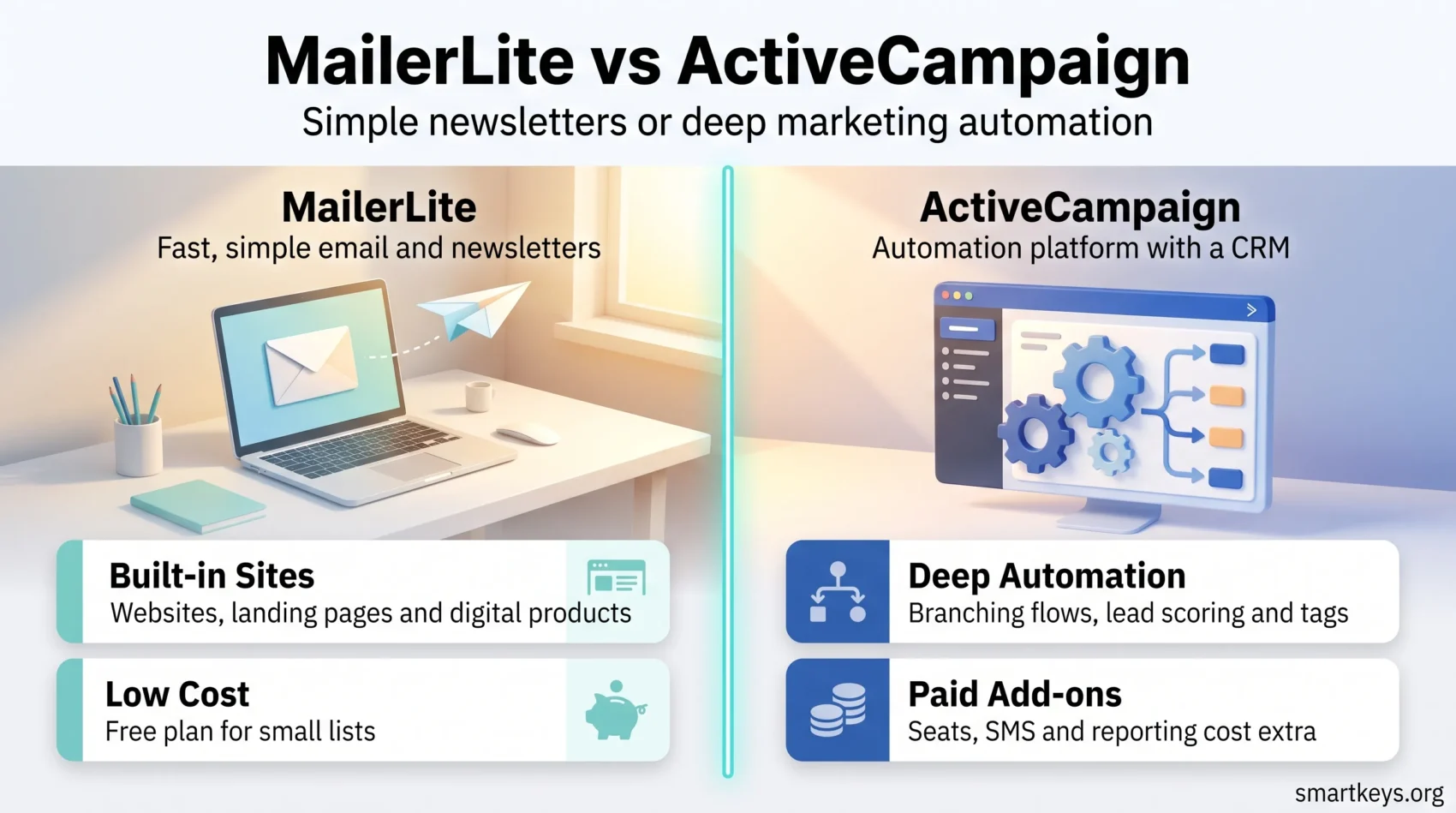
MailerLite and ActiveCampaign both send email, and that is roughly where the similarity ends. One is a deliberately small, well-designed tool that gets a newsletter out the door in an afternoon. The other is a marketing automation platform with a CRM attached, priced accordingly.
Both changed in ways that matter during 2025 and 2026: MailerLite cut its free plan and renamed its paid tiers, and ActiveCampaign changed how it counts the contacts you pay for. This comparison covers what each platform costs now, where the practical limits sit, and which one fits the way you actually work.
Key Takeaways
- MailerLite’s free plan now covers 250 subscribers and 2,500 emails a month, down from 500 subscribers and 12,000 emails before 16 June 2026.
- MailerLite’s paid tiers were renamed: Growing Business became Comfort, Advanced became Power. Comfort starts at $12 a month and Power at $25 a month for 500 subscribers on annual billing.
- ActiveCampaign has no free plan, only a 14-day trial, and no longer publishes prices on its pricing page without configuring a contact tier first.
- ActiveCampaign accounts created on or after 3 November 2025 are billed for every contact, including unsubscribed, unconfirmed and bounced ones. Older accounts still pay only for active contacts.
- ActiveCampaign’s Starter plan caps automations at five actions each, which is the single limit most likely to force an upgrade.
- Choose MailerLite for speed, clarity and cost. Choose ActiveCampaign when the automation logic, not the newsletter, is the product.
What Changed in 2026
If you last compared these two platforms a year ago, three things are now out of date.
First, MailerLite’s free plan shrank. On 16 June 2026 the limit dropped from 500 subscribers to 250, and the monthly send allowance fell from 12,000 emails to 2,500. In exchange, free accounts gained a second seat and access to tools that used to sit behind the paywall, including custom templates and an HTML editor. Free accounts also get three automations, three forms, one landing page, one website and one digital product. Existing users over the new limits keep their data but have sending and automations paused until they upgrade or trim the list.
Second, the paid plans were renamed. Growing Business is now Comfort and Advanced is now Power, and the free trial for paid features was shortened from 30 days to 14.
Third, ActiveCampaign changed the billing basis. According to its own help documentation, accounts created on or after 3 November 2025 count all contacts toward the plan limit regardless of status, so unsubscribed, unconfirmed and bounced records now cost money. Accounts created before that date keep the old rule and pay only for active contacts. If you are migrating a list with years of accumulated dead weight, clean it before you import.
MailerLite in Brief
MailerLite launched in 2010 and has stayed deliberately narrow. The drag-and-drop editor is fast, the interface has very little chrome, and most people can build and send a campaign without reading documentation. The platform includes more than 70 content blocks for newsletters and landing pages, covering surveys, countdown timers, coupons and galleries.
Beyond email, MailerLite sells websites, landing pages and digital products from the same account, which is unusual at this price. Creators use it to run a newsletter and sell an e-book without adding a second tool. An AI writing assistant and subject line generator sit on Comfort and above.
The trade-off is depth. Automation is visual and pleasant but shallow compared with a dedicated automation platform, and reporting answers “how did this campaign do” better than “which segment drives revenue”. If your questions are the second kind, look at a platform with a customer data layer behind it, such as those covered in our guide to customer data platforms.
ActiveCampaign in Brief
ActiveCampaign has been around since 2003 and sells itself as an automation platform rather than an email tool. Email is one channel inside it; the rest is workflows, conditional logic, lead scoring, tagging and a sales CRM that can be bought alongside it.
Its strength is the automation builder, where you can branch on almost any behavioural signal: what someone opened, clicked, bought, visited or ignored. Predictive sending, split paths and goal-based exits are standard. The marketplace lists over 1,000 apps and integrations, which matters once email has to talk to a store, a helpdesk and a billing system.
The cost of that power is a learning curve and a bill that grows in several directions at once. Extra users, CRM pipelines, SMS credits and custom reporting are add-ons rather than inclusions. Teams that want this depth wrapped in a single suite often end up comparing it against HubSpot Marketing Hub or, at enterprise scale, Adobe Marketo Engage.
Pricing Compared
What MailerLite Costs
MailerLite publishes its prices, which is worth something on its own. The Free plan covers 250 subscribers and 2,500 emails a month with two seats. Comfort starts at $12 a month for 500 subscribers on annual billing and adds three seats, 50 automations, 10 websites and landing pages, unlimited newsletter templates and the AI writing tools. Power starts at $25 a month at the same subscriber tier and removes most caps: unlimited seats, unlimited monthly emails, unlimited automations and 24/7 live chat support. Above 200,000 subscribers, pricing moves to a custom Enterprise agreement.
Prices scale with subscriber count on every tier, so the entry figure is a floor rather than a forecast. Note that unlimited sending is now a Power feature, not a company-wide policy.
What ActiveCampaign Costs
ActiveCampaign no longer shows plan prices until you pick a contact tier and currency, which makes budgeting awkward. EmailToolTester’s August 2026 tracking puts the four plans at roughly $19 a month for Starter, $59 for Plus, $89 for Pro and $159 for Enterprise at 1,000 contacts. Other price trackers list somewhat lower figures, so treat these as a range and confirm in the configurator before committing.
There is no free plan. The trial runs 14 days and limits how much you can send during it. The smallest tier starts at 1,000 contacts, so the very small lists MailerLite serves for free have no cheap entry point here at all.
The wider point is that ActiveCampaign’s headline price is rarely the invoice. Additional seats, CRM pipelines, SMS and advanced reporting are billed separately, and the November 2025 contact rule means a neglected list inflates the base cost. This is the same usage-driven pattern now shaping software pricing generally, which we cover in our overview of subscription business models.
Automation and Segmentation
This is the clearest split between the two products.
MailerLite’s automations are triggered by the obvious events: someone joins a group, submits a form, clicks a link, has a date field come around. You can branch on conditions, but you are building sequences rather than decision trees. For a welcome series, an abandoned-cart nudge or a course drip, that is enough.
ActiveCampaign is built for the other end of the scale. Segments combine behavioural, demographic and custom-field conditions; tags and lead scores accumulate across the customer lifecycle; automations can start, pause and hand off to each other. Segmentation depth is explicitly tiered — limited on Starter, standard on Plus, advanced on Pro and premium on Enterprise — so the plan you choose decides how precisely you can target.
The Starter limit worth flagging is the cap of five actions per automation. Any real nurture flow exceeds that quickly, which is why Plus, not Starter, is the realistic starting point for automation-led teams. If you are trying to work out which behavioural signals deserve a branch at all, our primer on behavioural analytics is a useful companion, and the wider shift toward machine-assisted targeting is covered in AI in marketing.
Design, Forms and Landing Pages
Both platforms ship a drag-and-drop email editor with responsive templates, and both let you build signup forms, pop-ups and landing pages.
MailerLite’s advantage is that the website and landing page builder is genuinely part of the product rather than an afterthought, and a limited version is available even on the free plan. The editor is opinionated: fewer knobs, harder to make something ugly. Teams that produce their own graphics usually pair it with a design tool — our Canva review covers the obvious one.
ActiveCampaign gives you more control and more brand kits as you move up the plans, with one brand kit on Starter and five from Plus upward. Landing pages sit on the higher tiers rather than the entry plan, so the free-to-cheap end of the market is not really where it competes.
Deliverability, Support and Compliance
Neither vendor’s marketing claims about deliverability are worth much on their own, because inbox placement depends far more on your list hygiene, authentication and sending pattern than on the platform. Both support SPF, DKIM and DMARC alignment, double opt-in and suppression handling, which is the part you should actually verify during a trial.
On support, MailerLite is the more responsive of the two at the low end: live chat and email support are included from the paid plans, with 24/7 live chat on Power. ActiveCampaign’s advantage is depth rather than speed — an extensive knowledge base, a community forum and, on higher tiers, more direct help. If email is one channel in a broader service operation, it is worth reading our overview of customer service trends and how AI chatbots now handle first-line questions.
For compliance, both handle consent capture, unsubscribe management and regional sending rules, but the responsibility for lawful basis and record-keeping stays with you regardless of which one you pick.

Which One Fits You
Pick MailerLite if your list is under roughly 20,000 subscribers, your automation needs are sequences rather than decision trees, and you value a tool you can hand to a colleague without training. It is also the better choice if you want to sell a digital product or run a small site from the same account.
Pick ActiveCampaign if the automation logic is the point — if you score leads, run multi-branch lifecycle flows, or need email to react to what happens in a store or CRM. Budget for Plus rather than Starter, and clean your list before importing.
Consider a third option if neither fits. Newsletter-first publishers with a paid subscription model are usually better served by a purpose-built platform; our Beehiiv review covers that case. E-commerce teams should compare Mailchimp and Klaviyo before defaulting to either platform here, and the general-purpose option is set out in our Mailchimp review. Agencies managing many client accounts should look at GoHighLevel, and teams whose real bottleneck is contact management rather than sending may only need a light CRM such as the one in our folk.app review.
Conclusion
The honest summary is that these two tools are not really competitors for the same job. MailerLite wins on price, clarity and time-to-first-send, and it remains one of the few platforms where a small list costs nothing at all — though “nothing at all” now means 250 subscribers rather than 500. ActiveCampaign wins on automation depth, segmentation and integration breadth, and charges for all three.
The decision usually comes down to one question: is your email programme a publishing operation or an automation programme? If you are sending good campaigns to a list, MailerLite does that for a fraction of the cost. If email is the output of logic running across your customer data, ActiveCampaign earns its price — provided you budget for the add-ons and the contacts you are no longer allowed to ignore.
Either way, verify the current price in the vendor’s own configurator before you commit. Both companies changed their commercial terms within the last year, and both are likely to do so again. For how email fits alongside the rest of the mix, see our overviews of digital marketing trends, social media trends and CRM trends.
Found this useful?
Make SmartKeys a preferred source on Google, and our articles will surface more often in your Top Stories, AI Overviews, and AI Mode.
Add as Preferred Source




