

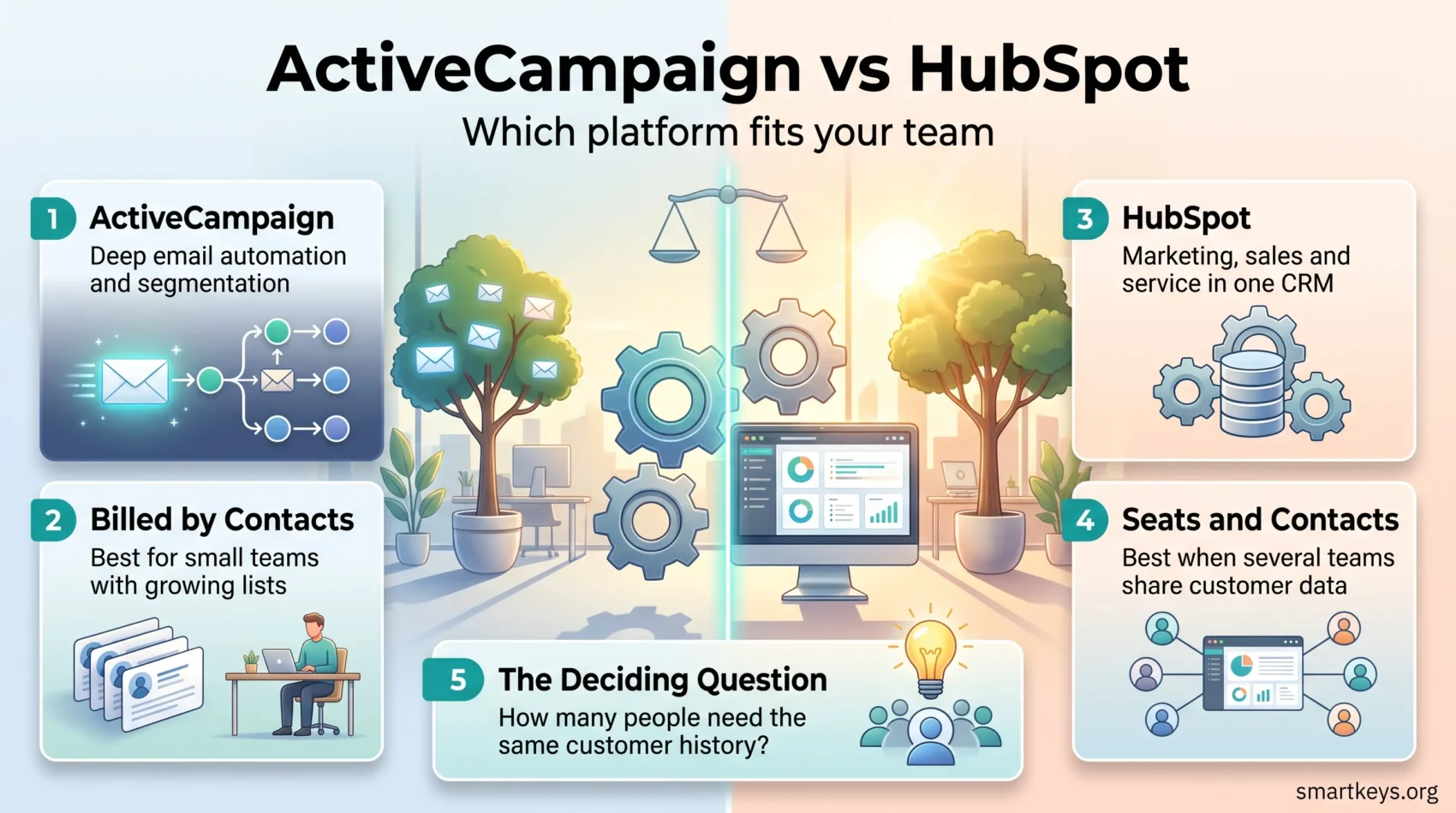
ActiveCampaign and HubSpot both promise to run your marketing on autopilot, but they are built for different jobs. ActiveCampaign is an email marketing and automation platform that added a light sales CRM. HubSpot is a full customer platform that happens to include email.
CRM stands for customer relationship management: software that stores every contact, deal and conversation in one place. Marketing automation is the layer on top that sends the right message at the right moment without anyone pressing send. This comparison covers what each platform costs in 2026, how the billing works, and which type of business each one actually fits. For a deeper look at one side of the pair, see our full HubSpot Marketing Hub review.
Key Takeaways
- ActiveCampaign is cheaper at small contact volumes and stronger at email automation.
- HubSpot bills per seat and per marketing contact, and adds a mandatory onboarding fee from the Professional tier upward.
- ActiveCampaign changed its billing in November 2025: new accounts pay for every contact, including unsubscribes and bounces.
- HubSpot covers sales, service and content in one system, which matters once several teams share the data.
- The right answer depends on how many contacts you hold and how many people need a login.
What CRM and Marketing Automation Actually Do
A CRM is a shared record of your customers. It holds contact details, past purchases, support tickets and every email your team has sent. Nobody has to ask a colleague what happened last time a customer got in touch.
Marketing automation sits on top of that record and acts on it. Someone downloads a pricing guide, waits three days, then receives a follow-up about a case study. Nobody schedules that manually. The system watches for the trigger and sends the message.
Together the two cut repetitive work, let you message different groups differently, and show which campaigns produced revenue. Our overview of CRM trends in 2026 covers where the market is heading.
ActiveCampaign in 2026
ActiveCampaign is built around its automation builder. You drag conditions and actions onto a canvas, and the platform runs that workflow whenever a contact matches. It is the reason most people choose the tool.
Segmentation is the other strength. It means splitting your list into groups based on behaviour or data, such as everyone who opened the last three emails but never bought. ActiveCampaign builds those groups from a wide range of conditions and sends each one different content.
It also handles A/B testing, where two versions of an email go to small slices of your list and the better performer goes to everyone else. ActiveCampaign states on its pricing page that it offers more than 1,000 integrations, so connecting your shop or accounting tool is usually a matter of picking it from a list.
ActiveCampaign Plans and Pricing
ActiveCampaign prices by contact count, not by user. The four plans are Starter, Plus, Pro and Enterprise. At 1,000 contacts on annual billing the list prices are roughly $15, $49, $79 and $145 a month. Paying month to month costs about a fifth more, at roughly $19, $59, $99 and $179 (EmailToolTester and EmailVendorSelection, 2026).
The plan also decides how many people can log in. Starter and Plus include one user, Pro includes three and Enterprise includes five. Starter caps each automation at five actions, which is restrictive as soon as your workflows get real.
One change matters more than the prices. Since November 2025, new ActiveCampaign accounts are billed on every contact in the account, including unsubscribed, bounced and unconfirmed addresses. Accounts opened before that date keep the old method. If your list carries years of dead addresses, budget for cleaning it before you migrate. If ActiveCampaign is one of several tools on your shortlist, our MailerLite vs ActiveCampaign comparison covers the cheaper end of the same market.
HubSpot in 2026
HubSpot sells a connected set of products rather than a single app. Marketing Hub handles campaigns and email, Sales Hub handles deals, Service Hub handles tickets, and Content Hub handles your website. They share one contact database, which is the actual selling point.
That shared database is what a smaller tool cannot copy. When a salesperson opens a contact record, they see the marketing emails that person received, the pages they visited and any support tickets they raised. Reporting works the same way, so you can trace revenue back to the campaign that started it. Our comparison of Salesforce vs HubSpot covers how that stacks up against the enterprise incumbent.
HubSpot also runs a large app marketplace and a free tier giving up to two users the basic CRM, forms and email tools at no cost. For a very small team, that is a genuine starting point rather than a demo.
HubSpot Plans and Pricing
HubSpot Marketing Hub bills on two axes at once: seats and marketing contacts. A seat is a person who can use the paid features. A marketing contact is someone you are allowed to email.
Starter costs from $20 per seat per month and includes 1,000 marketing contacts. Extra contacts run about $50 per additional 1,000. Professional starts at $890 a month, includes three seats and 2,000 marketing contacts, and carries a one-time onboarding fee of $3,000 in the first year. Enterprise starts at $3,600 a month with five seats and 10,000 contacts, plus a $7,000 onboarding fee (HubSpot pricing page and Cargas, 2026).
The jump from Starter to Professional is the number that surprises people. It is not a small step up; it is a different budget. Each paid tier also includes a monthly allowance of HubSpot credits, which fund the AI features: 500 on Starter, 3,000 on Professional and 5,000 on Enterprise.
ActiveCampaign vs HubSpot: The Practical Differences
Both platforms send email, score leads and manage a sales pipeline. The differences show up in three places: what you pay for, how deep each area goes, and how many teams touch the system.
What you pay for. ActiveCampaign charges for contacts and gives you a fixed small number of users. HubSpot charges for both seats and contacts. A one-person business with 5,000 contacts will pay far less on ActiveCampaign. A ten-person team with 1,500 contacts may find HubSpot Starter competitive, since ActiveCampaign would need its Enterprise plan just to reach five users.
Depth by area. ActiveCampaign goes deeper on email logic. HubSpot goes wider across sales, service and content. If email is 80 percent of your marketing, the deeper tool wins. If you need a ticketing system and a knowledge base too, the wider one does.
Number of teams involved. This is the quiet decider. One marketer rarely needs a shared platform. Once sales, support and marketing all need the same customer history, stitching separate tools together starts to cost more than HubSpot does. Our guide to aligning sales and marketing explains why that shared record matters more than any single feature.
Reporting and Analytics
Reporting diverges most clearly, because it can only show what the system already stores.
What ActiveCampaign Reports
ActiveCampaign reports on email and automation performance. You get open rates, click-through rates, conversion data and a view of how contacts move through each workflow. That is enough to answer the question most email marketers ask: which campaign performed, and which step in the automation lost people.
What it does not do well is attribution across many channels. If a customer saw an ad, read three blog posts and then converted, ActiveCampaign will show you the email in that chain, not the whole chain.
What HubSpot Reports
HubSpot builds custom reports across the whole contact database. You can follow a customer journey from first website visit to closed deal, attribute revenue to the campaign that started it, and forecast a sales pipeline. Dashboards are customisable, and the higher tiers add more report types.
That breadth costs something. HubSpot reporting only works properly when every team logs its activity in the same place. A neglected HubSpot produces confident-looking reports built on gaps.
Pipeline Management
A pipeline is the list of open deals, sorted by how close each one is to closing. Both have one, but treat it differently.
Pipelines in ActiveCampaign
ActiveCampaign includes deal pipelines on its paid plans with a drag-and-drop board for moving deals between stages. It works well for a small sales team that mostly needs to see what is in progress and get a nudge when a deal goes quiet.
The limit is the user count. With one seat on Starter and Plus and three on Pro, the pipeline is not really designed for a sales team of eight. For that, a dedicated sales CRM is usually a better fit; our Pipedrive review and Salesflare review cover two of the common choices.
Pipelines in HubSpot
HubSpot lets you run multiple pipelines with custom stages, which matters when you sell more than one thing with different sales cycles. Activity is tracked in real time, so managers can see where deals stall.
Forecasting is the part teams actually pay for. HubSpot projects likely revenue from deal stage and history, and flags bottlenecks in between. Our guide to remote sales teams covers the wider setup.
Automation Compared
Automation means the same thing on both platforms and works quite differently in practice.
Email Automation in ActiveCampaign
ActiveCampaign’s automations react to what a contact does. Someone abandons a cart, and a reminder goes out two hours later. Someone clicks a link about a specific product, and they get added to a segment that receives content about it.
The builder handles branching logic well, which means a workflow can split into different paths depending on what each contact does next. Combined with segmentation, that is how a list of 20,000 people ends up receiving a dozen different messages instead of one. The same principle drives e-commerce personalization, where the trigger is a product view rather than an email click.
Automation Across HubSpot
HubSpot’s workflows are not limited to email. The same tool can assign a lead to a sales rep, create a task, update a deal stage or open a support ticket. Marketing, sales and service automation run in one system rather than three.
That breadth is the argument for HubSpot and also its trap. Workflows that touch several teams need someone to own them. Without that, companies end up with dozens of half-forgotten automations quietly firing at customers. Our overview of AI in marketing covers what the newer automated features realistically add on top.

Email Marketing Compared
Both platforms send campaigns from a drag-and-drop editor with a template library, A/B testing and personalisation. Personalisation here means inserting stored data into the message, from a first name to the last product someone viewed.
ActiveCampaign treats email as the main event. Its template library, automation recipes and segmentation options are all built around getting the right message to the right slice of the list. If your marketing is mostly newsletters and lifecycle emails, this is the tool that will feel less restrictive.
HubSpot treats email as one channel among several. The editor is capable and the analytics tie back to the CRM, but the depth of email-specific tooling is not the reason anyone buys HubSpot. If you want to see how both compare with the pure email tools, our Mailchimp vs Klaviyo comparison and our Sendinblue vs ConvertKit comparison cover that end of the market, and the Mailchimp review looks at the best-known option on its own.
Support and Onboarding
Support quality shapes the first three months more than any feature list.
ActiveCampaign Support
ActiveCampaign provides tutorials, guides and a searchable help centre, which covers most setup questions. Faster responses and hands-on onboarding sit on the higher plans. Small businesses on Starter should expect to teach themselves.
HubSpot Support and Academy
HubSpot invests heavily here. HubSpot Academy offers free structured courses, and the community forums and knowledge base are large enough that most questions already have an answer.
The catch is the onboarding fee. From Professional upward it is not optional: $3,000 in year one on Professional, $7,000 on Enterprise. Budget for it as part of the first-year cost. Our reviews of Bitrix24 and Salesforce CRM show how differently vendors handle setup, and our Clay review covers what a specialist prospecting tool adds alongside either platform.
What Both Platforms Share
The overlap is real. Both give you a contact database, a deal pipeline, lead scoring that ranks contacts by how likely they are to buy, campaign automation and reporting. Both connect to hundreds of other tools, and both are usable without technical training.
Both also carry the same obligation. Contact data is personal data, and consent and deletion requests are regulated regardless of which vendor stores it; our guide to data privacy at work covers what that means. If neither platform fits, our comparisons of Freshworks CRM vs Pipedrive and Freshworks CRM vs Salesforce cover adjacent options, and our overview of digital marketing in 2026 puts the tooling question in context.
Verdict
Choose ActiveCampaign if email automation is the core of your marketing, your team is small, and your contact list is the thing that grows. The pricing rewards exactly that shape of business, and the automation builder is more capable than the price suggests. Check your list hygiene first, because of the November 2025 billing change.
Choose HubSpot if more than one team needs the same customer record, or if you expect to add sales and support tooling within a year. Start on the free tier or Starter, and go in with open eyes about the Professional jump and the onboarding fee.
Still undecided? The deciding question is not which platform has more features. It is how many people need to see the same customer history. One or two, and ActiveCampaign is the cheaper, sharper tool. Three teams, and HubSpot starts paying for itself.
Found this useful?
Make SmartKeys a preferred source on Google, and our articles will surface more often in your Top Stories, AI Overviews, and AI Mode.
Add as Preferred Source




