

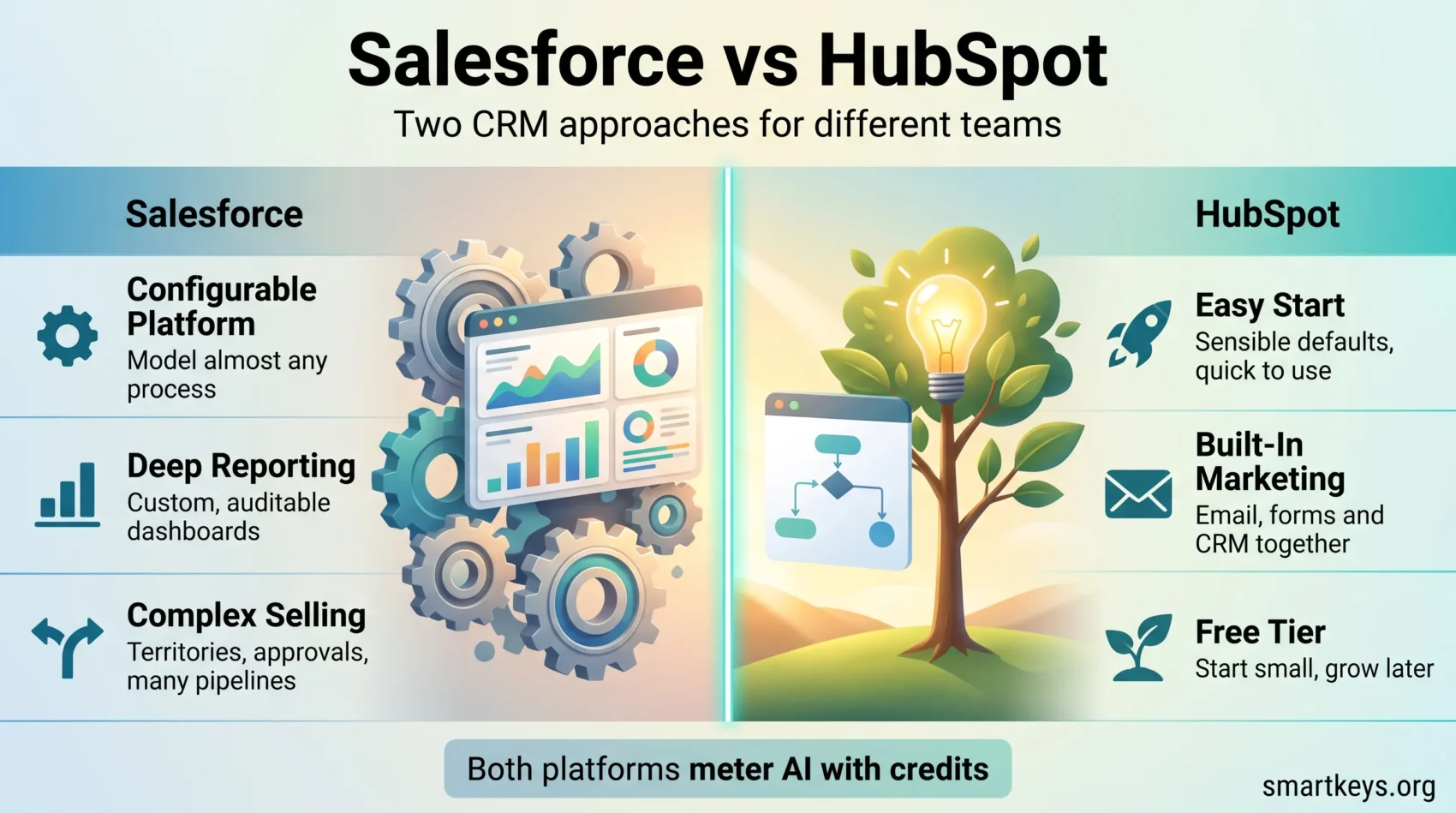
Salesforce and HubSpot both sell customer relationship management, but they are built for different companies. Salesforce is the revenue leader: IDC put its share of the worldwide CRM market at 20.0% for 2025, its thirteenth consecutive year in first place. HubSpot came from the other direction, starting with marketing software for smaller companies, and reported more than 306,000 customers as of 30 June 2026.
This comparison covers what each platform costs in 2026, how both bill for AI, and which teams should pick which. Figures are US list prices checked in August 2026, excluding tax.
Key Takeaways
- Salesforce Sales Cloud runs from $25 per user per month (Starter Suite) to $350 (Unlimited), with an Agentforce-led edition at $550.
- HubSpot Sales Hub starts free for two users; Professional lists at $90 per seat per month on annual billing.
- Both vendors now meter AI with credits — Agentforce Flex Credits at Salesforce, HubSpot Credits at HubSpot.
- HubSpot adds one-time onboarding fees on its upper tiers: $1,500 for Professional, $3,500 for Enterprise.
- The deciding factor is rarely the feature list — it is whether someone will own the admin work.
Introduction to CRM Solutions
Both vendors now sell marketing, sales and service as one connected platform rather than three separate tools, and both expect you to consolidate. That is where the cost sits, and where the wider shift in customer relationship management is heading: fewer point solutions, more platform, more AI billed by consumption.

What Changed in 2026
AI is now metered rather than bundled. Salesforce sells Agentforce, its agent layer, and its top Sales Cloud edition — Agentforce 1 Sales at $550 per user per month — includes one million Flex Credits and 2.5 million Data Cloud Credits per org each year. On Enterprise and Unlimited, Agentforce is bought separately. HubSpot took the same route with HubSpot Credits: 500 with Starter, 3,000 with Professional, 5,000 with Enterprise. On both platforms, heavy AI use is a cost you have to forecast.
Two smaller changes matter when reading older reviews: Salesforce’s marketplace is now AgentExchange, listing agents and experts alongside apps, and HubSpot bills by seat rather than bundled user counts. Our roundup of AI in SaaS covers the wider pattern.
Understanding Salesforce: Features and Benefits
Salesforce’s proposition is that almost anything can be modelled in it — which is why it feels heavy in week one and valuable in month six.
Comprehensive CRM System
Contact and account management, opportunity tracking, forecasting, quoting and sales automation are first-party rather than bolted on. Because the data model is extensible, it can also hold processes that are not really sales: partner onboarding, renewals, field service. That breadth is why large organisations standardise on it, and why small ones sometimes drown in it. Our full Salesforce CRM review goes deeper on setup and administration.
Advanced Reporting and Analytics
Reporting is Salesforce’s clearest advantage. Report types, custom fields and dashboards let you answer questions the vendor never anticipated: how long deals sit in each stage, which stages leak, whether a rep’s forecast runs optimistic. Because field changes are recorded, the answers are auditable rather than anecdotal. The catch is that good reports need clean data entry.
Exploring HubSpot: Features and Benefits
HubSpot’s proposition is the opposite: sensible defaults, usable immediately, and an interface non-technical staff do not resent.
User-Friendly Interface
Records, pipelines and workflows are laid out so a new rep can find them without training, and the free tier is a usable product rather than a demo — two users, up to 1,000 contacts, one deal pipeline, meeting scheduling and live chat. A CRM only pays for itself if the people entering data actually enter it.
Integrated Marketing Features
Email campaigns, landing pages, forms, social scheduling and reporting sit in the same product as the contact record, so marketing and sales work from one timeline instead of syncing two systems. Teams whose main problem is lead generation rather than deal complexity usually get more from this than from a configurable sales engine. The HubSpot Marketing Hub review covers the tiers in detail.
Salesforce vs HubSpot: Pricing in 2026
Both are sold per user or per seat, per month. The list prices below cover Salesforce Sales Cloud and HubSpot Sales Hub, checked in August 2026.
Salesforce Pricing Plans
- Free Suite: $0 per user per month.
- Starter Suite: $25 per user per month, billed monthly or annually.
- Pro Suite: $100 per user per month, annual billing only.
- Enterprise: $175 per user per month, annual billing; Agentforce sold separately.
- Unlimited: $350 per user per month, annual billing.
- Agentforce 1 Sales: $550 per user per month, including one million Flex Credits and 2.5 million Data Cloud Credits per org each year.
The Starter-to-Pro jump is fourfold, and it is usually triggered by wanting one specific feature.
HubSpot Pricing Plans
- Free tools: $0, up to two users and 1,000 contacts.
- Starter: $20 per seat per month monthly, discounted to $7 on annual billing at the time of writing, with 500 HubSpot Credits.
- Professional: $100 per seat per month monthly, $90 annually, plus a one-time $1,500 onboarding fee and 3,000 credits.
- Enterprise: quoted individually, plus a one-time $3,500 onboarding fee and 5,000 credits.
Two things catch buyers out: the onboarding fees on Professional and Enterprise are mandatory, and HubSpot’s marketing tiers are priced separately from Sales Hub, so a full marketing-plus-sales stack costs considerably more than the figures above. If the budget looks tight either way, a focused CRM such as Pipedrive, Salesflare or folk covers the sales basics for far less.
Ease of Use: Salesforce vs HubSpot
Adoption decides whether a CRM earns its licence fee. HubSpot is faster to start. Defaults are opinionated, guidance is built into the product, and HubSpot Academy is available to every account including free ones. A small team can be productive in days, and occasional users — an executive checking a pipeline, a marketer looking up a contact — need no briefing.
Salesforce assumes a setup phase. Objects, page layouts, validation rules and permission sets have to be decided before the tool reflects how you work, and the paid onboarding path exists because most companies need it. In exchange, power users get saved list views, inline editing at scale and reports they build themselves.
Who pays the cost, and when, is the real question. HubSpot defers it to the day your process outgrows the defaults. Salesforce charges it up front.
Marketing Automation: Salesforce vs HubSpot
This is HubSpot’s home ground, and the comparison is less close than the sales one.
Salesforce Marketing Cloud
Marketing Cloud is a separate product family aimed at large-scale, multi-channel campaigns: granular segmentation, journey design, cross-channel orchestration and deep analytics. It is powerful, and it is a project, typically with specialist help. For enterprise depth without the full Salesforce stack, Adobe Marketo Engage is the usual third option.
HubSpot Marketing Hub
Marketing Hub is designed so a marketer can build a campaign without a specialist, with email, workflows, forms, landing pages and reporting in one place and entry tiers cheap enough to test. Its limits show at very high volume and in complex multi-brand setups. If email is the only piece you need, a dedicated tool is cheaper — see Mailchimp versus Klaviyo. For an all-in-one closer to HubSpot’s shape, compare ActiveCampaign and HubSpot directly.
Customer Support: Salesforce vs HubSpot
Both offer documentation, in-product chat and ticketing, with phone access and faster response targets on higher tiers or paid success plans. Baseline support is included on each side; guaranteed responsiveness is a premium purchase, so check the plan you are actually buying.
Training is where they differ. HubSpot Academy is free, structured and available on every plan, which lowers the cost of onboarding new staff. Salesforce’s Trailhead is also free, and its certification path is a recognised hiring credential — useful when you need to recruit an administrator. Salesforce’s consultant market is also far larger. If service workload is the real problem, a dedicated helpdesk such as Zendesk or Zoho Desk handles it better than either CRM.
Sales Features of Salesforce and HubSpot
Both cover the fundamentals — pipelines, activity logging, email tracking, quotes and forecasting. The difference is depth versus friction.
Salesforce is stronger on complex selling. Multiple pipelines with different stage logic, territory and quota management, approval chains on discounts, product catalogues and forecast hierarchies are all native, so sales operations can encode a process and then measure it.
HubSpot is stronger on velocity. Sequences, templates, meeting links, a straightforward workflow builder and clear reporting let a small team run a consistent process without an administrator. It gets thin on unusual structures: matrixed teams, intricate approval rules, revenue models that do not look like a pipeline.
For a mid-point between the two philosophies, Freshworks CRM versus Salesforce is a useful comparison, and the wider direction of travel is covered in our overview of sales trends for 2026.
Integration and Customization: Salesforce vs HubSpot
API and Third-Party Integrations
Salesforce has the larger ecosystem by a wide margin. AgentExchange lists apps, agents and consulting partners, and its APIs are mature enough that most enterprise software ships a Salesforce connector by default. HubSpot’s App Marketplace is smaller and weighted toward marketing, sales and service tools — usually enough for a mid-market stack, thinner in specialist verticals.

Where a native connector does not exist, an automation platform fills the gap — compare Zapier and Make for lighter work, or Workato and Zapier when the integration itself becomes a system.
Customization Capabilities
Salesforce customisation runs from clicks to code: flows and formula fields need no developer, while Apex and Lightning components do. That ceiling is high enough that Salesforce is often used as an application platform rather than a CRM. HubSpot customisation is deliberately bounded — custom objects and properties, workflow logic, calculated fields — and that boundary is a feature for teams without developers.
The question is not which is more flexible, but whether anyone will use the flexibility. Unused configuration capacity is just cost, and a neglected Salesforce instance is worse than a tidy HubSpot one.
Conclusion: Which One Fits Your Business
Choose HubSpot if marketing and sales need one shared system, nobody will own CRM administration, you want to be running within a fortnight, or the free and Starter tiers can carry you while you grow.
Choose Salesforce if your sales process has real structure — approvals, territories, multiple pipelines — if you need auditable history and reporting you design yourself, or if you will assign an administrator.
The two compete on how much structure you want to define before the software becomes useful, not on quality. If neither fits, lighter CRMs cost a fraction of both, and customer service trends suggest support workloads are often better handled by a dedicated tool alongside a simple CRM. The most expensive mistake is not picking the wrong platform — it is buying an edition you have no plan to configure.
Found this useful?
Make SmartKeys a preferred source on Google, and our articles will surface more often in your Top Stories, AI Overviews, and AI Mode.
Add as Preferred Source




