

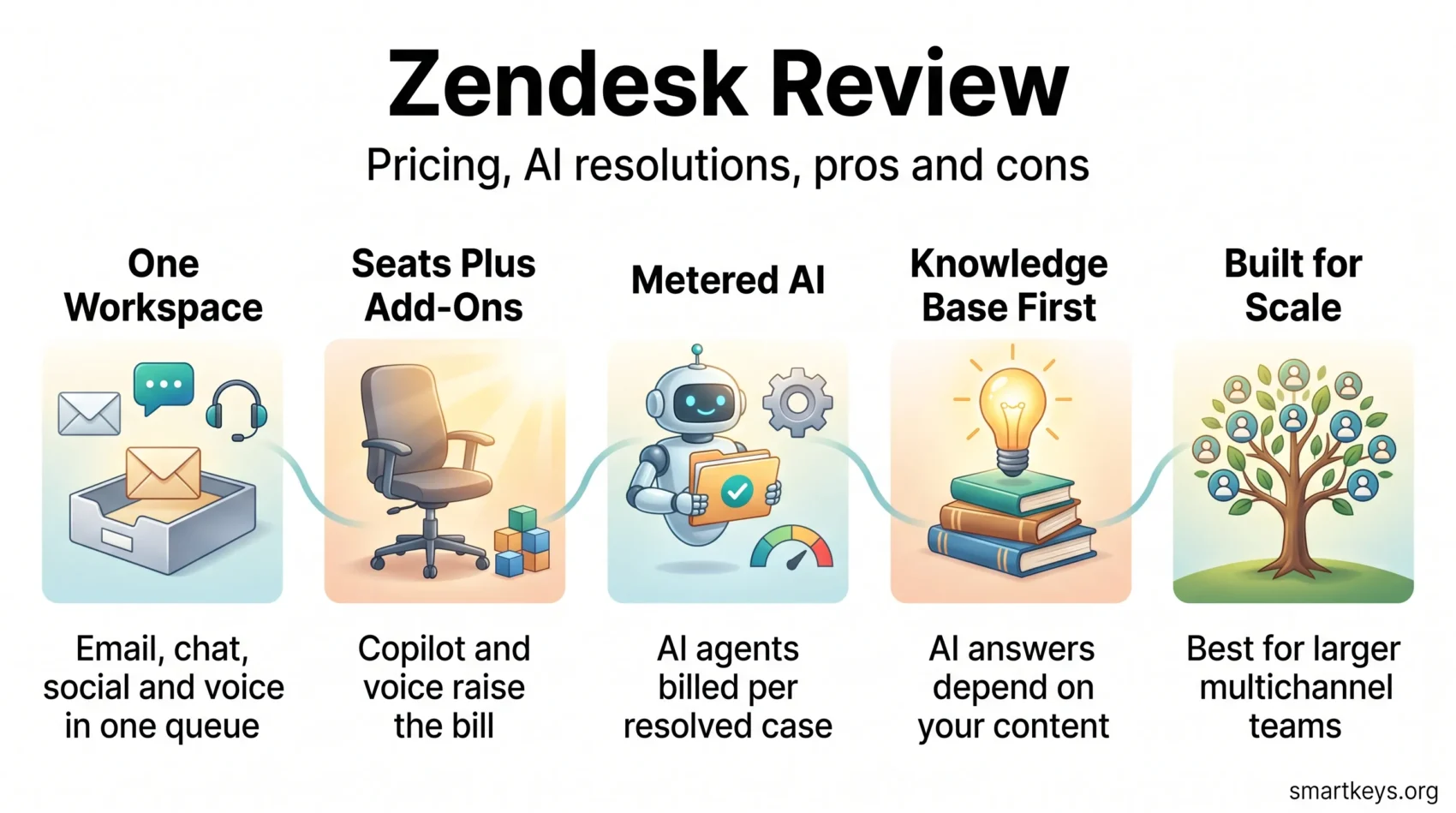
Zendesk is one of the most established names in customer service software, and in 2026 it looks quite different from the ticketing tool most teams remember. The company now markets itself around what it calls the Resolution Platform, and it has moved a large part of its AI billing away from per-seat licences toward charging for outcomes. That shift changes the buying decision: the sticker price per agent is no longer the whole story.
This review covers what Zendesk actually does today, what it costs once add-ons and AI usage are counted, where it clearly outperforms cheaper tools, and which teams are better served elsewhere. If you are weighing it directly against its closest rival, our head-to-head comparison of Zendesk and Freshdesk goes deeper on that specific matchup.
Key Insights
- Zendesk Suite starts at $55 per agent per month on annual billing; the ticketing-only Support Team plan starts at $19.
- Add-ons carry real weight: Copilot is $50 per agent per month and the Contact Center add-on is $83.
- AI agents are included in every plan but billed per automated resolution rather than per seat.
- Zendesk reported nearly 20,000 customers using its AI and roughly $200 million in AI annual recurring revenue for 2025.
- There is no free tier. Evaluation happens through a 14-day trial of Suite Professional.
- Small teams and lean e-commerce shops will usually find better value in Zoho Desk, Freshdesk or Gorgias.
What Zendesk Is in 2026
Zendesk is a cloud-based customer service platform that pulls email, chat, messaging, social channels, voice and self-service into one agent workspace. It has been privately held since November 2022, when a consortium led by Hellman & Friedman and Permira completed a $10.2 billion take-private deal. That ownership matters more than it sounds: the company has spent the years since buying capability rather than building it slowly, and the product reflects that pace.
The Resolution Platform, Explained Plainly
Zendesk’s current positioning is that the job is not a fast first reply but a closed case. Around that idea it has assembled a set of AI components: AI agents that handle conversations end to end across chat, email and voice, an Admin Copilot for configuration work, Action Builder for wiring automations into other systems, App Builder for custom agent-side tools, and Knowledge Builder for generating help-centre content from existing material. Advanced Insights, its analytics layer, came out of the HyperArc acquisition.
Two acquisitions filled the biggest gaps. Unleash, acquired in December 2025, added permission-aware retrieval so employee-facing AI agents only surface documents a given person is allowed to see. Forethought, acquired in March 2026, brought omnichannel AI agents across chat, email and voice. Zendesk says the platform resolves close to five billion issues a year across its customer base.
The honest read is that Zendesk has repositioned itself as an AI-first service platform and priced accordingly. If your interest in a help desk is mainly a shared inbox with rules, you will be paying for a lot of machinery you do not use. For a wider view of where the category is heading, see our overview of current customer service trends.
Core Features That Do the Daily Work
Under the AI layer, the fundamentals are strong and well worn:
- Ticket management: one queue for every channel, with routing, SLAs, macros, side conversations and audit trails.
- Messaging and live chat: web, mobile and social messaging in the same workspace, with AI agents handling first contact and escalating what they cannot close.
- Help centre: a multilingual self-service knowledge base that both customers and AI agents draw answers from.
- Reporting via Explore: prebuilt dashboards plus custom queries across tickets, agents, channels and satisfaction data.
- Automation: triggers, workflows and Action Builder connectors that push and pull data from other business systems.
- Employee service: IT asset management and a service catalogue, aimed at internal help desks rather than customer support.
The knowledge base deserves particular attention now, because AI answer quality is downstream of it. Teams that never maintained their help centre tend to be disappointed by AI agents, whatever platform they buy. If your use case is narrower than a full help desk, a document-trained bot such as the one covered in our Chatbase review may cover it at a fraction of the cost.

Zendesk Pricing in 2026
Zendesk pricing has two layers that behave very differently. Seats are predictable. AI usage is not. Budgeting well means modelling both.
Plan Tiers and List Prices
Prices below are Zendesk’s published annual-billing rates per agent per month. Monthly billing costs more.
- Support Team — $19. Ticketing only: email, web form and basic automation, without the wider Suite channels.
- Suite Team — $55. The practical entry point: omnichannel messaging, help centre, AI agents and standard reporting.
- Suite Professional — $115. Adds skills-based routing, richer Explore analytics, SLA management and integrated community forums.
- Suite Enterprise + Copilot — quoted by sales. Adds intelligent triage, Auto Assist, generative AI for voice, approval workflows, a sandbox and custom agent roles.
The jump from Suite Team to Suite Professional more than doubles the per-seat cost, and several features teams consider basic — SLA management chief among them — sit above that line. That single step is where most Zendesk budget surprises originate.
Add-Ons That Change the Bill
The add-on catalogue is where a $55 seat becomes something else entirely. Copilot, the agent-assist layer, is $50 per agent per month. The Workforce Engagement bundle, combining quality assurance and workforce management, is also $50. Contact Center, which brings full voice capability, is $83. Stack Copilot onto Suite Professional and you are at $165 per agent per month before any AI usage is metered.
How Automated Resolution Billing Works
AI agents ship with every Suite and Support plan, but they are not free in use. Zendesk bills by the automated resolution: a customer request the AI closed without handing off to a human. The company applies a second evaluation model to confirm the resolution actually happened, and excludes spam and trivial exchanges from billable volume. Plans include an allowance of resolutions, and volume beyond it is charged.
Zendesk does not publish a single public per-resolution rate, and third-party estimates circulating in 2026 vary widely, so treat any specific figure you see with caution and ask for committed-volume pricing in writing. The structural point holds regardless of the rate: the more successfully you automate, the more that line grows, and a genuinely good deployment can push AI spend past seat spend. Model it against your ticket volume before signing.
A Realistic Cost Picture
For a ten-agent team on Suite Professional, seats alone are $1,150 per month on annual billing. Add Copilot for everyone and it is $1,650. Add voice through Contact Center and it passes $2,400, before a single metered resolution. That is the number to compare against alternatives — not the $19 headline.
There is no free tier. Zendesk offers a 14-day trial of Suite Professional with Copilot included, which is enough to test workflows but not enough to observe how AI resolution volume behaves over a full month.
What Zendesk Does Well
One Workspace for Every Channel
Omnichannel consolidation remains Zendesk’s clearest strength. Email, chat, messaging apps, social and voice land in the same queue with shared context, so agents are not reconstructing history from three tabs. Teams that have grown into messaging-first support get more from this than email-only teams do; our piece on conversational commerce covers why that channel mix keeps shifting.
Reporting That Survives Scrutiny
Explore is one of the better analytics layers in the category. You can build custom queries across ticket, agent and satisfaction data rather than being confined to fixed dashboards, and Advanced Insights has extended that further. If you are being asked to justify headcount or measure the effect of automation, this is a genuine advantage over lighter-weight tools. Pair it with survey data — our SurveyMonkey review covers one common way teams collect it.
Scale, Governance and Ecosystem
Zendesk handles large agent counts, multiple brands, regional data requirements and complex permission models without much drama. The app marketplace and open API mean integrations with CRM, billing and commerce systems are usually a configuration job rather than a development project. Teams standardising on a broader stack often connect it to their CRM — see our Salesforce CRM review and the wider CRM trends picture — or to automation middleware, compared in our Zapier and Make comparison and Workato versus Zapier review.
Employee Service in the Same Platform
The IT asset management and service catalogue features let internal help desks run on the same platform as customer support, with permission-aware AI answering staff questions. For organisations already paying for Zendesk on the customer side, this is often cheaper than buying a separate ITSM tool. Our look at HR chatbots covers the adjacent internal use case.

Where Zendesk Falls Short
Cost Escalation for Small Teams
Zendesk is expensive at the low end and gets more so as you add what you need. Cheaper competitors start below $10 per agent and some offer usable free tiers for very small teams; Zendesk offers neither. Because billing is per seat, organisations with seasonal or fluctuating support headcount tend to overpay for capacity they use a few months a year.
Administrative Weight
The flexibility that makes Zendesk work at scale makes it heavy at small scale. Triggers, automations, routing rules, custom fields and permission schemes all reward careful design and punish improvisation. Most teams need someone who owns the configuration. Without that, instances drift into a tangle of overlapping rules that nobody wants to touch — and the Admin Copilot reduces that work without eliminating it.
Budgeting Under a Metered Model
Outcome-based AI pricing is defensible in principle and awkward in practice. A per-seat bill is knowable in advance; a bill that scales with resolution volume is not, and it rises precisely when automation is working. Finance teams accustomed to flat SaaS lines should expect to build a forecast and revisit it, and to negotiate committed volume rather than accepting pay-as-you-go rates.
You Pay for Breadth You May Not Use
Zendesk now spans customer service, voice, workforce management, employee service and analytics. If you need three of those, the consolidation is efficient. If you need one, you are funding the rest. This is the most common reason teams migrate away, and it is worth being honest about before you commit.
Who Should Choose Zendesk
Zendesk fits best when several conditions hold at once: a support team in double figures or larger, meaningful volume across more than two channels, a maintained knowledge base, someone who owns platform administration, and enough ticket volume that automation has something to work on. Multi-brand and multi-region operations benefit most, because permissions, localisation and data residency are already solved.
It fits poorly for a two- or three-person team handling email, for organisations with no help-centre content to ground AI answers, and for teams that need predictable flat monthly costs. Very small teams are usually better served by a simpler shared inbox — the tools in our Intercom versus Help Scout comparison and the lightweight option in our Tidio review are more proportionate starting points.
Zendesk Alternatives in 2026
Where Competitors Start
Entry prices below are annual-billing rates published by each vendor or compiled in 2026 pricing comparisons. Feature sets at these tiers differ substantially, so treat them as a starting point rather than a like-for-like comparison.
- Zoho Desk — from about $7 per agent per month, the cheapest credible entry point, and strongest if you already use other Zoho products. See our Zoho Desk review.
- Freshdesk — a free tier for up to two agents, with paid plans from roughly $19. The closest structural equivalent to Zendesk at lower cost.
- Help Scout — free for up to five users, then around $25. Built for teams that want a shared inbox rather than a configurable platform.
- Gorgias — from about $10 per month for a small billable-ticket allowance, priced by volume rather than per seat. Purpose-built for e-commerce.
- Intercom — from roughly $29 per seat, with strong in-product messaging and its own AI agent. Covered in our Intercom review.
- HubSpot Service Hub — from about $15 per seat, and the obvious choice if marketing and sales already run on HubSpot. Context in our HubSpot Marketing Hub review and Salesforce versus HubSpot comparison.
How to Compare Them Properly
Headline prices mislead in this category because AI is metered almost everywhere now. Four questions separate the options usefully. First, what does your realistic configuration cost per month, including add-ons and expected AI usage? Second, does the tool bill by seat, by ticket or by resolution, and which suits your volume pattern? Third, how much administration does it demand, and do you have someone to do it? Fourth, how good is your knowledge base, since that ceiling applies to every vendor’s AI equally.
For live-chat-led evaluations, our Drift versus LiveChat comparison covers a different slice of the market with a different cost structure.

Verdict
Zendesk in 2026 is a capable, mature platform that has bet heavily on autonomous resolution and priced itself for organisations with real scale. The channel consolidation is excellent, Explore is among the best reporting in the category, and the AI layer is substantive rather than cosmetic. None of that is cheap, and the metered resolution model shifts genuine forecasting work onto you.
Buy it if you have the volume, the channels, the knowledge base and the administrative capacity to use what you are paying for. If any of those is missing — particularly the knowledge base — a smaller tool will serve you better and cost a fraction as much. The most useful thing you can do before signing is build the full monthly cost of your actual configuration, add a resolution forecast, and compare that number rather than the entry price.
Found this useful?
Make SmartKeys a preferred source on Google, and our articles will surface more often in your Top Stories, AI Overviews, and AI Mode.
Add as Preferred Source




