

Picking a help desk is really a decision about how you want to answer customers. A help desk is simply the software that collects every customer message, from email, live chat or a contact form, into one shared place your team works from. Intercom and Help Scout both do that, but they were built with different ideas in mind.
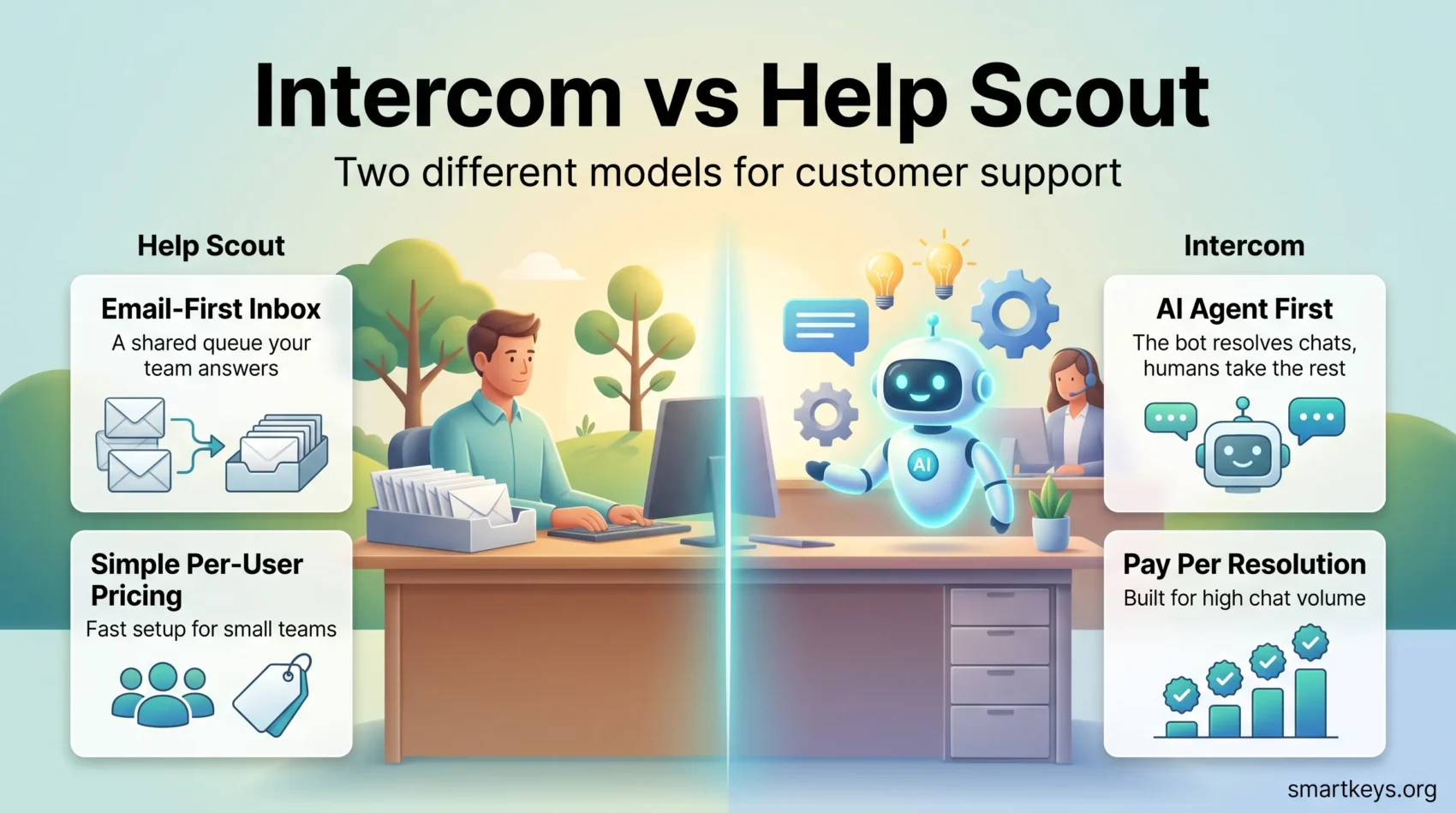
Help Scout keeps support close to email and hands most conversations to a person. Intercom builds everything around an AI agent and charges for the answers it resolves. This 2026 update compares what each platform costs, what the plans include, and which type of team each one fits.
Key Takeaways
- Help Scout charges per user: Free, Standard at $25, Plus at $45 and Pro at $75 per user per month.
- Intercom charges per seat: Essential at $29, Advanced at $85 and Expert at $132 per seat per month.
- Intercom’s Fin AI agent starts at $0.99 per resolved conversation and can run on top of another help desk.
- Help Scout’s AI Answers costs $0.75 per resolution as an add-on, with three months free at the start.
- Help Scout has a free plan for 5 users and a 15-day trial with no credit card.
- Help Scout advertises 100+ integrations, Intercom 350+.
- Help Scout suits small support teams. Intercom suits companies that want AI to close tickets at volume.
What These Two Tools Actually Do
Before comparing plans, it helps to agree on the vocabulary. Both platforms sell the same three building blocks under different names.
The first is a shared inbox. Instead of support@ landing in one person’s mailbox, every message lands in a queue the whole team can see, claim and reply to. That prevents two agents answering the same customer twice.
The second is a knowledge base, sometimes called a help center or docs site. It is a public library of articles that lets customers solve common problems without writing in at all.
The third is an AI agent. This is a bot that reads your help articles and past replies, then answers customers on its own. When it closes a conversation without a human, both vendors call that a resolution, and both charge you for it. That billing detail matters more than any feature list, and we come back to it below.
Everything else in these products sits on top of those three parts: automation rules, reporting, and integrations with the rest of your stack.
Help Scout in 2026
Help Scout is a support platform aimed at small and mid-sized companies. It looks and feels like email, which is deliberate. New agents can usually work a queue on their first day without training.
The product line is now organised around five pieces:
- Inbox: every support channel in one queue, with private notes and assignment.
- Knowledge Base: a branded help center customers can search themselves.
- Messages: proactive alerts and surveys you push to customers.
- Insights and Analytics: built-in reports on volume, response times and satisfaction.
- Mobile: apps for answering on the go.
Help Scout advertises 100+ platforms it connects to. AI Summarize and AI Drafts, which condense long threads and suggest a reply, are included from the Standard plan upward.
The trade-off is scope. Help Scout is a support tool, not a marketing or sales platform. If you want lead nurturing in the same window, look at a customer relationship management platform instead.
Intercom in 2026
Intercom started as a website chat widget and has grown into a full customer service platform. Its 2026 positioning is blunt: the AI agent handles the first pass, and humans take what is left.
The core pieces are:
- Messenger: the chat widget on your site or in your app.
- Inbox: where agents work conversations and tickets.
- Fin AI Agent: the bot trained on your content that resolves conversations by itself.
- Tickets: customer, back-office and tracker types for work that outlives a chat.
- Workflows: a visual, no-code builder for routing and automation rules.
Intercom lists 350+ integrations plus APIs for anything missing. Our full Intercom review goes deeper on the individual features.
The trade-off here is complexity. There is far more to configure, and the bill has more moving parts. Teams that want everything in one console will like that. Teams of three will find it heavy.
Pricing in 2026
This is where the two products diverge most, so read the plan pages carefully before you commit.
Help Scout Pricing
Help Scout charges per user per month:
- Free: $0 for up to 5 users, 1 inbox, 1 docs site and 100 contacts a month.
- Standard: $25 per user, up to 25 users, unlimited contacts.
- Plus: $45 per user, up to 50 users.
- Pro: $75 per user, unlimited users, minimum 10 seats.
Annual billing takes 16% off. Standard and Plus come with a 15-day trial and no credit card required. Pro is sold through a demo.
The appeal is that you can read the price and do the maths yourself. There is no quote to chase for a small team.
Intercom Pricing
Intercom charges per seat per month:
- Essential: $29 per seat.
- Advanced: $85 per seat, including 20 free Lite seats.
- Expert: $132 per seat, including 50 free Lite seats.
Lite seats are for colleagues who only need to read or comment, not work the queue. That is useful once engineers and account managers get pulled into threads.
Several things are billed separately. Fin starts at $0.99 per outcome. Copilot, the assistant that drafts replies for your agents, is $29 per agent per month with 10 free conversations. Proactive Support Plus, which adds product tours, checklists and surveys, is $99 a month. Email campaigns, SMS, WhatsApp and phone are pay as you go. Startups can apply for a 93% discount.
What a Team of Five Actually Pays
Take five agents and no AI. Help Scout Standard is $125 a month. Intercom Essential is $145. Close enough that price alone should not decide it.
Now add 200 automated resolutions a month. Help Scout AI Answers at $0.75 each adds $150. Intercom’s Fin at $0.99 each adds $198. The gap widens as volume grows, which is why you should estimate your resolution count before signing anything.
One caution on both: a resolution is billed whether or not the customer was happy with the answer. Test the bot against your real questions during the trial, not against the demo.
AI Features and What They Cost
Both vendors have made AI the centre of their pitch, but they sell it differently.
Help Scout splits it in two. AI Summarize and AI Drafts help your agents and are included from Standard upward, so they do not change your bill. AI Answers, which replies to customers without a human, is the paid part at $0.75 per resolution. New customers get three months of unlimited AI Answers resolutions first, which is a fair way to measure real volume before paying for it.
Intercom sells Fin as the main event. It starts at $0.99 per outcome and, notably, can run standalone on top of a help desk you already use, with no seats required. If you are happy with your current tool but want a stronger bot, that is a real option worth pricing.
The honest caveat: an AI agent is only as good as the help articles behind it. Thin documentation produces thin answers. If your knowledge base is out of date, fix that before you buy either bot. The same pattern shows up across AI features inside SaaS products and in wider AI assistant deployments at work.
Ease of Use and Setup
Help Scout is the faster start. The inbox behaves like an email client, so agents already know the pattern. Connecting a mailbox and publishing a docs site is an afternoon of work, not a project.
Intercom asks more of you up front. Installing the Messenger means adding a snippet to your site or app, and getting value out of Fin means feeding it good content. Workflows, ticket types and routing rules all need decisions before go-live. Teams that have run a Zendesk style help desk will recognise the work.
Neither approach is wrong. The question is whether you have someone to own the configuration. If support is one person’s half-time job, Help Scout’s simplicity is worth more than Intercom’s flexibility.
Reporting and Analytics
Help Scout ships built-in reports on conversation volume, response and resolution times, and customer satisfaction. They are readable without a data analyst, which is the point. For a team of five to fifty, that is usually enough to spot a backlog or a slipping first-reply time.
Intercom’s reporting is broader and more configurable, covering conversation flow, agent performance and Fin’s resolution rate. That extra depth is genuinely useful once several teams share the tool, and it matters if you are tracking how much work the bot is absorbing.
If you need to join support data with revenue or product data, both will hit a ceiling eventually. That is a job for dedicated business intelligence tools or a real-time data pipeline, not a help desk.
Integrations
Help Scout advertises 100+ integrations. That covers the usual suspects: e-commerce platforms, CRMs, chat tools and billing systems. For a small company running a handful of apps, coverage is rarely the problem.
Intercom lists 350+ integrations plus open APIs. Larger companies with unusual internal systems will find that reach useful, especially when support needs to read data from a product database.
If a connector is missing on either side, an integration platform can bridge the gap. Our comparison of Workato and Zapier and our guide to iPaaS platforms cover how that works. Before you buy, list the three systems support actually touches every day and check those specifically.
Who Should Choose Help Scout?
Help Scout fits you if support is mostly email and chat, your team is under fifty people, and you want a predictable monthly bill.
It is a strong choice for e-commerce shops, small software companies and service businesses where a human reply is part of the product. The free plan is a genuine starting point for a team of five, not a crippled demo, and the 15-day trial needs no card.
It is also the safer pick when nobody owns tooling full time. Less to configure means less to get wrong. If you are still assembling the wider stack, our reviews of Asana, Slack and DocHub cover neighbouring tools.
Who Should Choose Intercom?
Intercom fits you if conversation volume is high enough that deflection saves real money, and someone owns the configuration.
It suits software companies with in-app support, marketplaces, and any business where chat is the main channel. The Lite seats matter once people outside support get pulled into threads. Proactive messaging is worth paying for if onboarding and activation are part of the support team’s job, which is common in subscription businesses and among remote sales teams.
Intercom is also the better answer if you want the AI agent above everything else, since Fin can sit on top of an existing help desk. Just model the per-resolution cost at your real volume first.
Verdict
Neither tool is better in the abstract. They are priced and built for different support models.
Choose Help Scout if you want a clear per-user price, a short setup, and a queue your team can work from day one. Choose Intercom if you expect an AI agent to handle a large share of conversations and you have the volume, and the person, to make that pay.
If neither shape fits, the wider market is worth a look. Our Zendesk and Freshdesk comparison covers the enterprise end, Zoho Desk is worth a look on price, and our overview of AI chatbots in customer service explains what the technology can and cannot do. If you need marketing automation in the same platform, HubSpot Marketing Hub and Adobe Marketo Engage approach that differently. Whichever you pick, remember that support software also holds customer records, so check it against your obligations on data privacy at work.
Found this useful?
Make SmartKeys a preferred source on Google, and our articles will surface more often in your Top Stories, AI Overviews, and AI Mode.
Add as Preferred Source




