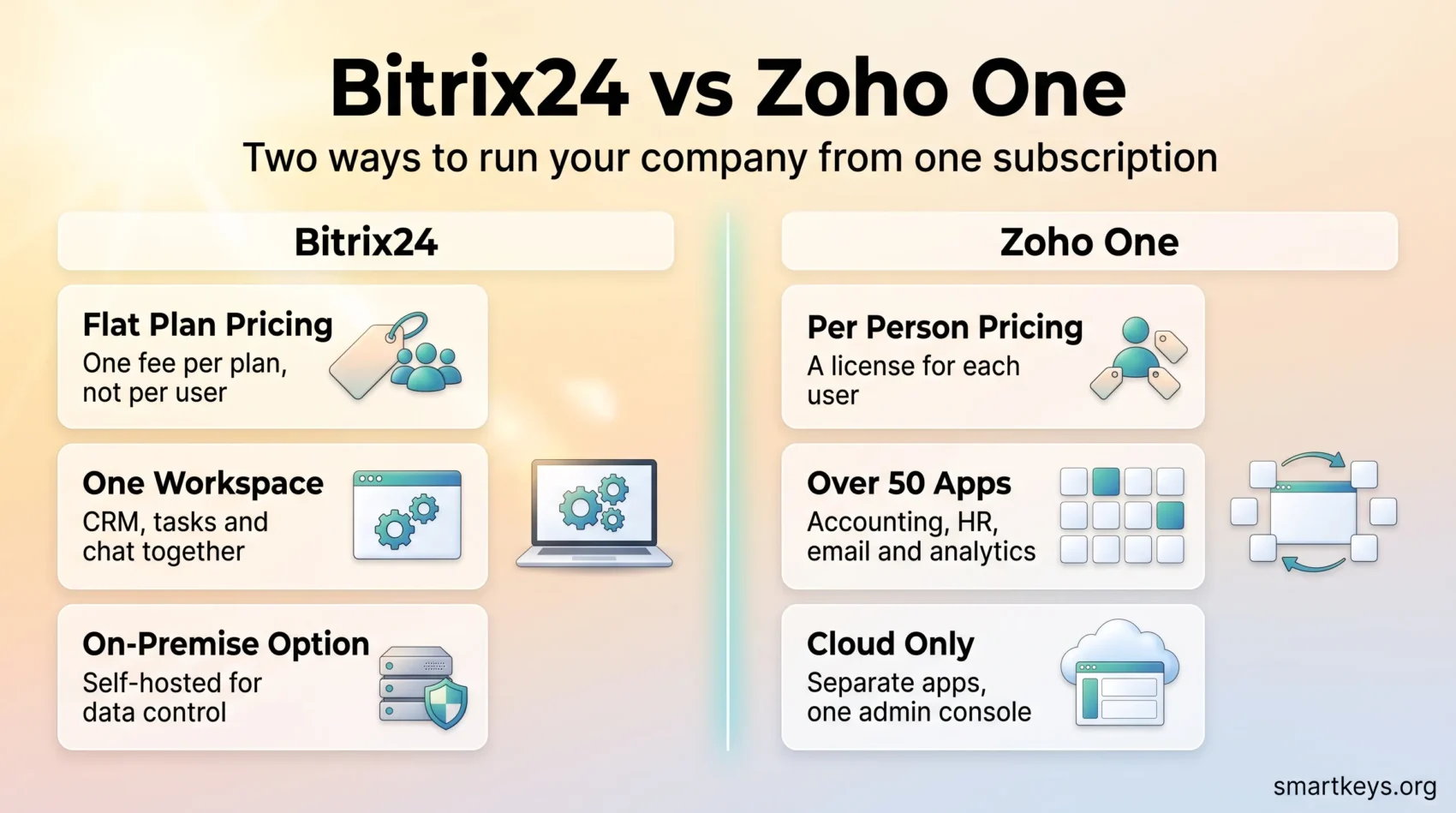
Bitrix24 and Zoho One promise the same thing: run your whole company from one subscription. They deliver it in very different ways. Bitrix24 is a single workspace that charges a flat fee per plan. Zoho One is a bundle of more than 50 separate Zoho apps that charges per person.
This Bitrix24 vs Zoho One comparison covers what each platform costs in 2026, what you get for the money, and which type of business each one suits. All prices are the vendors’ published US list prices at the time of writing.
Key Takeaways
- Bitrix24 charges a flat monthly fee per plan, not per user. Standard costs $99 per month on annual billing for up to 50 users.
- Zoho One charges per person: $37 per employee per month if you license everyone on payroll, or $90 per user if you license only some staff (both billed annually).
- Zoho One includes real accounting, HR, email and analytics apps. Bitrix24 covers CRM, tasks, chat, sites and telephony but has no full bookkeeping module.
- Bitrix24’s free plan is now marketed for 1-2 users. Zoho One has no free plan, only a 30-day trial.
- For a 20-person team, licence costs differ by roughly a factor of seven. Whether that is worth paying depends on how many Zoho apps you would use.
What an All-in-One Business Tool Actually Is
An all-in-one business tool is a single subscription that replaces several separate applications. You buy one product instead of a CRM (customer relationship management software, the system that stores your contacts, deals and sales pipeline), a project tool, a team chat and a document store.
The appeal is one login, one bill, and one place where a customer record and the task it created live together. The risk is that bundled tools are rarely as good as the specialists they replace. A bundle makes sense when “good enough in one place” beats “excellent in five places”. Our overview of CRM trends in 2026 shows how far that market has moved.
Understanding Bitrix24
Bitrix24 launched in 2012 and states on its website that more than 15 million organizations use it. It is a cloud workspace built around a CRM, with tasks, chat, video calls, a company feed, document storage, a website builder and HR tools in the same account. A self-hosted on-premise edition exists for companies that must keep data on their own servers.
What Is Bitrix24?
Think of Bitrix24 as one large application with many modules. A deal in the CRM, the task it spawns and the chat thread about that task all sit in the same interface. That is its main strength. It is also why new users often find the first week overwhelming: a lot is on screen until an administrator hides unused modules.
For a deeper look at the CRM side alone, read our full Bitrix24 CRM review.
Key Features of Bitrix24
- CRM and sales automation: leads, deals, custom pipelines, quotes, invoices, online payments and rules that move deals between stages automatically.
- Tasks and projects: Kanban boards, Gantt charts, recurring tasks, project groups and time tracking.
- Communication: team chat, video calls, a company feed and a contact centre that pulls email, live chat, telephony and messenger channels into one inbox.
- CoPilot AI: the built-in assistant transcribes calls, fills CRM fields, summarises task threads and drafts text. Bitrix24 does not publish a clear per-plan usage allowance, so test it during the trial.
- Websites and HR: a site and store builder, plus employee directories, absence tracking and work-time reports.
The missing piece is full double-entry accounting. Bitrix24 can raise invoices and take payments, but you still need a tool like QuickBooks Online or Xero for the books.
Exploring Zoho One
Zoho One is not one application. It is a licence that unlocks more than 50 Zoho apps under a single admin console, single sign-on and a shared user directory. Zoho sells most of those apps separately too; Zoho One is the bundle price.
What Is Zoho One?
The bundle covers far more ground than Bitrix24. It includes Zoho CRM, Zoho Books for accounting, Zoho People for HR, Zoho Mail, Zoho Projects, Zoho Desk for support and Zoho Analytics for reporting. It also includes Zoho Creator, a low-code platform for building your own apps. Several are strong products on their own. We have reviewed Zoho Desk, compared Zoho Analytics with Power BI and put Zoho Projects up against Jira in separate articles.
The trade-off is that these are separate apps with separate interfaces. Moving from Zoho CRM to Zoho Books feels like moving between products, because it is.
Key Features of Zoho One
- Sales and marketing: Zoho CRM with lead scoring and multi-channel outreach, plus Zoho Campaigns and Zoho Marketing Automation.
- Finance: Zoho Books, Zoho Invoice, Zoho Expense and Zoho Inventory, which give you real accounting rather than just invoicing.
- People and operations: Zoho People for HR, Zoho Recruit for hiring, and Zoho Projects for project tracking.
- Reporting: Zoho Analytics pulls data from many of the apps into unified dashboards.
- Customization: Zoho Creator lets non-developers build custom apps, and Zoho Flow connects apps with automated workflows.
- Zia AI: Zoho’s assistant handles lead scoring, anomaly detection, sales forecasts and writing help across the suite.

Quality across the suite is uneven. Zoho CRM, Books and Desk are mature; some smaller apps are thinner. Evaluate the four or five apps you would actually rely on.
Bitrix24 vs Zoho One: A Feature Comparison
Bitrix24 wins on integration inside the workspace. Its CRM, tasks, chat and telephony are one product, so a sales call can create a task, notify a colleague and update the deal without leaving the screen. It also offers an on-premise edition, which Zoho One does not.
Zoho One wins on breadth. It has accounting, HR, a proper email service and a low-code app builder. Its CRM is more capable for a dedicated sales team, and Zoho Analytics is a stronger reporting tool than anything inside Bitrix24. If you pay separately for a CRM, accounting, a helpdesk and email marketing today, Zoho One can plausibly replace all four. Bitrix24 can replace two or three.
Pricing Comparison: Bitrix24 vs Zoho One
Pricing is where the two products differ most. Both vendors changed their plans, so the figures below come from the official pricing pages of Bitrix24 and Zoho One as of September 2026.
Bitrix24 Pricing Structure
Bitrix24 charges a flat fee per plan for a block of users. A 12-person team and a 48-person team on Standard pay the same.
- Free: basic CRM, tasks, chat and 5 GB storage. The pricing page now describes it as “100% free for 1-2 users”, although the help centre still refers to unlimited users. Confirm the limit in your account before building a team on it.
- Basic: $49 per month billed annually ($69 monthly), up to 5 users, 24 GB storage.
- Standard: $99 per month billed annually ($144 monthly), up to 50 users, 100 GB storage.
- Professional: $199 per month billed annually ($289 monthly), up to 100 users, 1 TB storage, full sales and task automation, HR tools.
- Enterprise: from $399 per month billed annually ($579 monthly) for 250 users, rising to $7,999 per month at the 10,000-user tier.
The catch is the hard cap. User limits are ceilings, so a team that grows from 50 to 52 people moves from Standard to Professional rather than adding two seats. A 15-day trial of the higher tiers is available without a credit card.
Zoho One Pricing Structure
Zoho One charges per person.
- All Employee pricing: $37 per employee per month billed annually (about $45 monthly). You must buy a licence for every employee on your payroll, including people who will never open a Zoho app.
- Flexible User pricing: $90 per user per month billed annually (about $105 monthly). You license only the people who need access.
- Essentials: a newer entry tier with a curated set of “15+” apps instead of the full suite. Zoho shows its price on the regional pricing page, so check the figure for your country.
There is no free plan; a 30-day trial covers the full suite. Basic support is included, and Zoho’s paid Premium and Enterprise support plans are priced as a percentage of your licence fee.
What That Means in Practice
A 20-person company on Bitrix24 Standard pays $99 per month, or $1,188 a year. The same company on Zoho One All Employee pricing pays 20 times $37, or $740 per month and $8,880 a year. Licensing only ten people on Flexible User pricing costs $900 per month.
Zoho One is not overpriced for what it contains; bought separately, its apps would cost more. The question is whether you would buy them at all. If you need CRM, tasks and chat, Bitrix24 is dramatically cheaper. If you would otherwise pay for a CRM, accounting, a helpdesk and email marketing, the gap narrows a lot. For what those separate tools cost, see our reviews of HubSpot Marketing Hub and Salesforce CRM.
Integration Capabilities of Both Platforms
Integration means connecting a platform to the software you already use, so data flows without manual re-entry.
Integrations Available in Bitrix24
Bitrix24 runs an application marketplace covering telephony, accounting, e-commerce, messengers and marketing, and connects natively to the mainstream messenger and social platforms. It also exposes a REST API (a programming interface that lets developers read and write CRM, task and user data) plus webhooks for simpler syncs. For connecting external apps, the tools in our Workato vs Zapier comparison fill the gaps.
Integrations Available in Zoho One
Zoho One’s first integration layer is internal. Its apps share a directory, so a deal closed in Zoho CRM can create an invoice in Zoho Books without third-party tools. Zoho Flow, included in the bundle, automates those cross-app workflows. Externally, the Zoho Marketplace connects to Slack, Mailchimp, Google Workspace and many others, and every Zoho app has its own API. If you already use Mailchimp or an automation platform like those in our Zapier vs Integromat comparison, they will connect.
User Experience and Ease of Use
Neither platform is simple, because both do a great deal.
Bitrix24’s difficulty is density. Its layout borrows from social networks, with a central activity feed and a left-hand rail of tools. A fresh account shows almost everything at once. The fix is administrative: hide unused modules on day one and configure dashboards per role.
Zoho One’s difficulty is sprawl. Each app is individually cleaner, and Zoho CRM is easy for a sales rep to pick up. But the suite is a set of separate products with separate settings pages, so administration takes real effort. Larger deployments usually involve a Zoho partner, and the mobile experience varies from app to app.
In short: Bitrix24 is harder to learn and easier to live in. Zoho One is the reverse.
Customer Support and Training Resources
Support Options for Bitrix24
Bitrix24 leans on self-service: a large public help centre, video tutorials and live webinars. Direct support depends on your plan, with priority support reserved for higher tiers. Onboarding and implementation are sold separately, usually through partners.
Support Options for Zoho One
Zoho includes basic support with every subscription and sells Premium and Enterprise support plans with faster response times. Zoho Academy offers free structured courses on individual apps. Reviewers consistently rate Zoho’s support below premium competitors, especially for problems that span several apps. Budget for a partner if your deployment touches many of them.
Automation Capabilities in Business Processes
Business automation means letting software carry out repetitive steps on its own. Examples: moving a deal forward when a quote is signed, or sending a reminder when an invoice goes unpaid. Both platforms do this, but the scope differs.
In Bitrix24, automation lives inside the workspace. Rules and triggers on deals, tasks and leads can send notifications, create tasks and update fields. Full sales and task automation sits on the Professional plan and above, so the free and Basic tiers will not carry a real automated sales process. Because chat, telephony and CRM are one system, a single rule can span all of them.
In Zoho One, automation happens at two levels. Each app has its own workflow rules, and Zoho Flow handles cross-app automation, connecting a CRM event to Books, Desk or an external tool. Zoho Flow includes a monthly task allowance, so heavy users should check the limits. Zoho Creator goes further and lets you build custom apps around your own processes without code.
If your automation stays within sales, tasks and chat, Bitrix24’s built-in rules are enough and cost less. If it must reach into finance, HR and support, Zoho One is the stronger option.
Collaboration Tools Offered by Each Platform
Collaboration is where Bitrix24 has the clearest advantage, because it started life as an intranet.
Collaboration Features in Bitrix24
- Team chat and video calls on the same screen as tasks and CRM, so you rarely need a separate messaging tool.
- Project groups with their own tasks, files, chat and notifications.
- Shared calendars and document storage with online editing.
For many companies under 100 people, Bitrix24 removes the need for a separate chat platform. Compare that with the per-user prices in our Slack vs Microsoft Teams comparison.
Collaboration Features in Zoho One
- Zoho Cliq for team chat and video, comparable in scope to Slack.
- Zoho WorkDrive for shared files, plus Zoho Writer, Sheet and Show for documents.
- Zoho Projects for task tracking, milestones and Gantt views.
Zoho’s collaboration tools are capable, but they are separate apps. A team that already uses a dedicated meeting tool, like those in our Zoom vs Microsoft Teams comparison, may not care.
Bitrix24 vs Zoho One: Pros and Cons
Bitrix24 Pros:
- Flat-rate pricing. Filled to capacity, Standard works out at about $2 per user per month.
- CRM, tasks, chat, telephony and sites in one interface, with rules that can span all of them.
- On-premise edition for strict data residency needs.
Bitrix24 Cons:
- Steep learning curve; the interface is dense until you hide unused modules.
- Hard user caps force a full plan upgrade instead of adding seats.
- No full accounting module.
- The free plan’s user limit is currently described inconsistently by Bitrix24 itself.
Zoho One Pros:
- More than 50 apps covering sales, finance, HR, support, email, analytics and low-code development.
- Several strong products inside the bundle, including Zoho CRM, Books and Desk.
- Cheaper than buying the same apps from separate vendors.
Zoho One Cons:
- Per-person pricing, and All Employee pricing requires licensing everyone on payroll.
- App quality and interfaces vary across the suite.
- Setup usually needs a partner for larger deployments, and faster support costs extra.
- No free plan and no on-premise option.
Which One Should You Choose?
Choose Bitrix24 if you are a company of roughly 10 to 100 people that needs CRM, project management and internal communication in one place. You will keep a separate accounting tool, but the flat fee makes it one of the cheapest ways to give everyone an account. It is a poor fit for a two-person business, where a lighter CRM such as those in our Freshworks CRM vs Pipedrive comparison is cheaper and faster to adopt.
Choose Zoho One if you want to consolidate finance, HR, support and sales onto one vendor and are prepared to invest in setup. The value case is strongest for companies that would otherwise pay four or five separate subscriptions, and weakest for teams that only need a CRM and a task board.
If project management is what you really care about, neither is the best available option; our ClickUp review and Asana vs Trello comparison cover tools built for that job. If customer support is the priority, compare Zoho Desk with the platforms in our Zendesk vs Freshdesk comparison first.
Whichever you lean towards, use the trial deliberately. Import real data, run one sales cycle, and count how many bundled tools your team actually opens in two weeks. That number tells you which platform to buy.
Found this useful?
Make SmartKeys a preferred source on Google, and our articles will surface more often in your Top Stories, AI Overviews, and AI Mode.
Add as Preferred Source