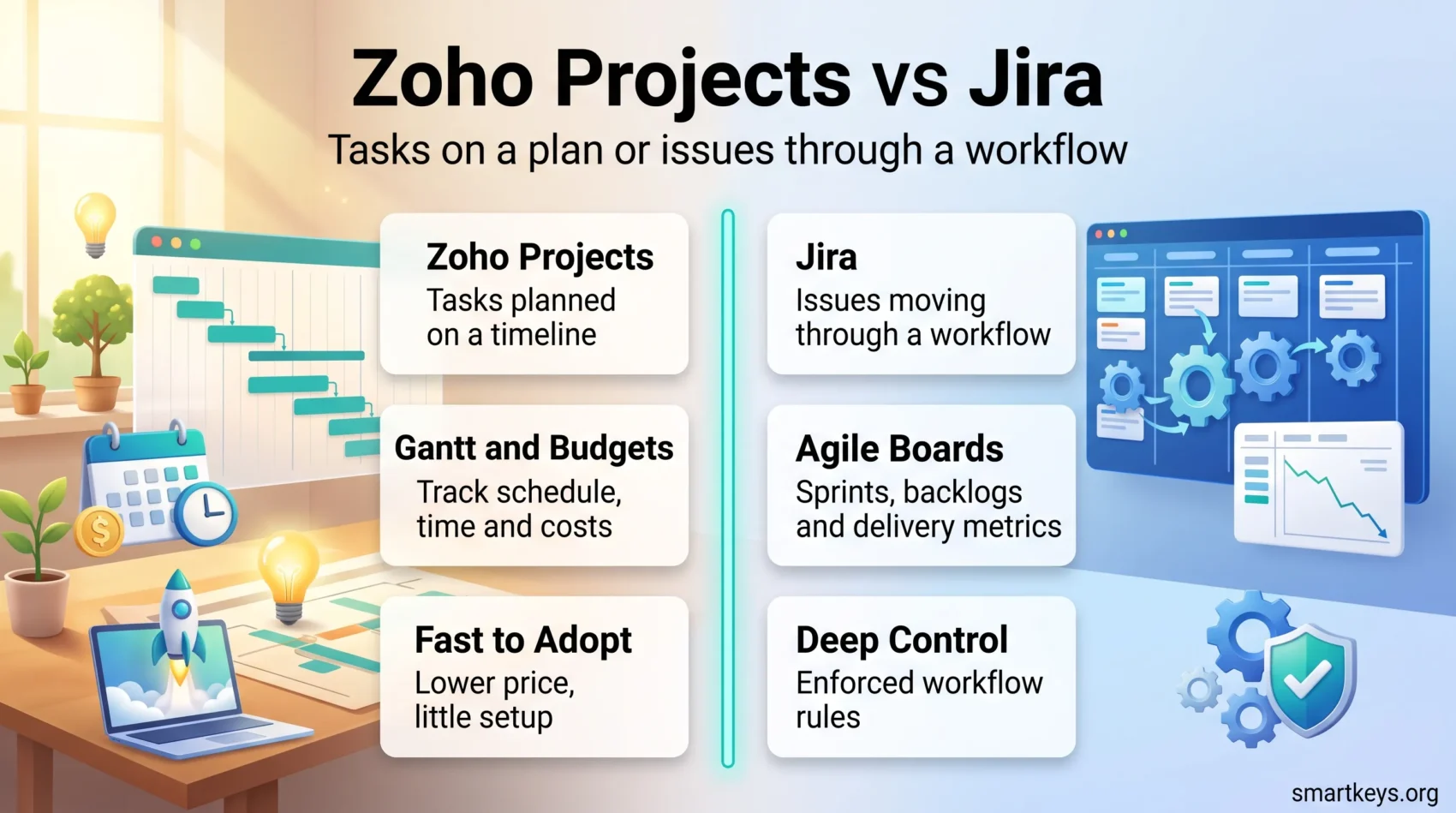
Picking a project management tool feels like a small decision until you realise the whole team will live inside it every working day. Zoho Projects vs Jira is a common shortlist, and the two are built on very different assumptions. Zoho Projects is a planning tool most teams can learn in an afternoon. Jira is an issue tracker built around software development, and it rewards teams willing to configure it properly. This comparison covers what each costs in 2026, where each is genuinely stronger, and how to tell which side of that line your team sits on.
Key Takeaways
- Zoho Projects is the cheaper option at every paid tier and the faster one to roll out.
- Jira is built around issue tracking and agile workflows, which makes it the stronger fit for software teams.
- Zoho Projects has a free plan for up to 5 users; Jira’s free plan covers up to 10.
- Both connect to the tools you already use, but Jira’s Atlassian Marketplace is far larger.
- The right answer usually comes down to one question: does your team track work as tasks on a plan, or as issues moving through a workflow?
What Each Tool Is Built For
Both products sit in the same category but were designed to solve different problems. Understanding that difference saves a lot of wasted evaluation time.
Zoho Projects: Planning Work on a Timeline
Zoho Projects is the project management app inside Zoho’s business suite. Its core model is a project broken into milestones, task lists and tasks, with dependencies and dates shown on a Gantt chart (a bar chart of which task starts when and what it waits for). Built-in time tracking turns logged hours into timesheets and invoices, which matters if you bill clients.
It suits marketing teams, agencies, construction and professional services: groups that plan work against a deadline and need to know whether they are on schedule. If your organisation already uses Zoho CRM or Zoho Desk, the shared login and data model are a real advantage. Our Zoho Desk review and our Bitrix24 vs Zoho One comparison cover how the rest of that suite fits together.
Jira: Tracking Issues Through a Workflow
Jira, made by Atlassian, started as a bug tracker and still thinks that way. The unit of work is an issue: a bug, a story, a task, or whatever type you define. Each issue moves through a workflow of statuses you control, and you can force rules on those transitions, such as requiring a code review before anything reaches “Done”.
That model fits software development closely. Sprints, backlogs, scrum boards and kanban boards are native concepts rather than add-ons, and Jira connects tightly to Bitbucket, GitHub and CI/CD pipelines (the automated systems that build and release code). Our full Jira Software review goes deeper on the platform itself, and Trello vs Jira covers the lighter Atlassian option.
Zoho Projects vs Jira Pricing in 2026
Price is where the two diverge most sharply. Both publish list prices in US dollars per user per month, and both discount annual billing.
Zoho Projects Pricing
Zoho Projects has four tiers. The Free plan covers up to 5 users, 3 projects and 5 GB of storage, with subtasks, mobile apps and Google Workspace or Microsoft 365 integration.
Premium is $5 per user per month billed monthly, or $4 billed annually. It removes the project and user caps, raises storage to 100 GB, and adds custom views and statuses, task blueprints, budget tracking, timesheet approvals and Zia, Zoho’s AI assistant, for summaries and task creation.
Enterprise is $10 per user per month, or $9 annually. It adds single sign-on and two-factor authentication, critical path and baseline scheduling, portfolio dashboards, a Power BI connector and 120 GB of storage.
Ultimate is $15 per user per month, or $14 annually, and mainly raises the ceilings: 15 GB of storage per user, unlimited custom dashboards and far higher automation limits. Most teams will not need it.
Jira Pricing
Jira also starts free, and its free tier is more generous on headcount: up to 10 users, one site and 2 GB of storage. For a small team that needs only boards and a backlog, it is genuinely usable.
Standard is $7.91 per user per month on monthly billing, dropping to roughly $6.52 on annual billing, with 250 GB of storage. Premium is $14.54 per user per month and adds unlimited storage, advanced roadmaps, sandbox environments and a service-level uptime guarantee. Enterprise is quoted by Atlassian’s sales team and billed annually only.
Two things catch teams out. Atlassian bills on licensed seats rather than active logins, so someone who left in March still costs you money in June until their access is removed. And the published per-user rate is a small-team list price; it slides as your user count grows, so a quote for 300 seats will not simply be 300 times the headline figure.
What That Means in Practice
Take a 20-person team on annual billing. Zoho Projects Premium works out at roughly $80 a month. Jira Standard at the same headcount is around $130 a month. The gap is real but modest in absolute terms, so price alone rarely decides this. It matters most for larger teams, where the difference compounds, and for organisations already paying for other Zoho or Atlassian products.
Add-ons change the maths too. Both have marketplaces where the useful extras are paid, and a few Jira apps can quietly cost more than Jira itself. If you are comparing more widely, our reviews of ClickUp, Wrike and Asana use the same pricing structure.
Feature Comparison
Once you set price aside, the differences come down to how each tool models your work.
Task and Project Management
Zoho Projects gives you tasks, subtasks, recurring tasks, dependencies and milestones, viewable as a list, kanban board, calendar or Gantt chart. The Gantt view is the strongest part: you can see the whole plan, spot what is slipping and understand which delay causes which knock-on effect.
Jira handles the same work as issues on a board. You get a backlog, sprints and a board per team, plus custom issue types and fields. Timeline and roadmap views exist, but they are built for release planning rather than for tracking a fixed deadline with contractual dates attached. If Gantt charts are central to how you report progress, Zoho Projects does it better out of the box.
Agile Boards and Issue Tracking
This is Jira’s home ground. Sprint planning, story points, velocity charts, burndown reports and cumulative flow diagrams all ship with the product and are understood by anyone who has worked in software. Workflows are configurable down to individual status transitions, with conditions and validators that stop work moving forward before the right checks are done.
Zoho Projects supports agile too, with scrum and kanban boards and sprint planning, but it is a competent implementation rather than a deep one. For a marketing or operations team running kanban, it is more than enough. For a 40-engineer product organisation running two-week sprints across five squads, Jira will bend to your process where Zoho Projects will ask you to bend to its. If your team is new to these methods, agile beyond IT explains how scrum and kanban work outside software.
Reporting and Analytics
Zoho Projects offers dashboards covering task status, workload, budget and logged time, and Enterprise adds portfolio views across projects plus a Power BI connector. That matters if your reporting already lives in a BI tool; our Zoho Analytics vs Power BI comparison covers that side.
Jira’s reporting is narrower but deeper on delivery: how fast issues move, where they queue, how much a team completes per sprint. Premium adds cross-project roadmaps for planning several teams at once. Neither tool reports well on things you never recorded, so decide which metrics you actually want before you configure either one. Our guide to task prioritization frameworks is a useful starting point for deciding what to measure.
Integrations and Extensibility
Both tools connect outward, but the shape of the ecosystem differs.
Zoho Projects Integrations
Zoho Projects connects natively to:
- The Zoho suite, including CRM, Desk, Books and Analytics, sharing users and records without extra setup.
- Google Drive, Microsoft 365 and Dropbox for document storage and editing.
- Slack and Microsoft Teams for project notifications in the channel your team already watches.
- GitHub, GitLab and Bitbucket for linking commits to tasks.
The value here is depth inside one vendor rather than breadth. If you already run Zoho, the integration is close to free. If you do not, the list looks ordinary.
The Atlassian Marketplace
Jira’s advantage is the Atlassian Marketplace, which lists thousands of apps. Popular categories include test management, time tracking and timesheets, and portfolio or programme management for coordinating work across many teams.
That breadth is genuinely useful, and it is also the main hidden cost. Marketplace apps are usually priced per user on top of your Jira licence, and need review whenever Jira changes. Treat each one as a small procurement decision rather than a free upgrade. The same warning applies to Trello, as our guide to Trello Power-Ups explains.
AI Features
Both vendors added AI to these products, and both are worth checking rather than assuming.
Zoho bundles Zia from the Premium plan upward. In Zoho Projects it summarises long task threads, drafts task descriptions, translates comments and flags projects that look at risk based on your own data.
Atlassian includes AI agents in every paid Jira plan through Rovo, its assistant layer across the Atlassian suite. It can search across Jira and Confluence in plain language, summarise a busy issue, and run agents that triage or update issues automatically.
Neither replaces a project manager. The realistic gain is time saved on writing and reading updates, not better decisions. If you want a broader look at what these assistants do well, see our guide to AI-powered project management tools.
Support, Documentation and Mobile
Zoho Projects includes email support on all plans, with live chat and faster response targets on higher tiers, plus a large help centre and an active user forum. Reviewers rate it solid rather than exceptional.
Atlassian leans on documentation and community. The written documentation is unusually thorough, the community forums are busy, and a large partner ecosystem sells implementation help. Direct support on lower tiers is limited, which is a real consideration if nobody in your team wants to own the configuration.
Both have mobile apps for iOS and Android, and both handle the same jobs: check what is assigned to you, update a status, comment, log time. Neither replaces the desktop app when you are planning a quarter, and that is fine. For a wider look at what belongs on a work phone, see our roundup of productivity apps worth using in 2026.
Which One Should You Choose?
The answer depends less on features than on how your team thinks about work.
Choose Zoho Projects If
You plan work against dates and report on schedule and budget. You bill clients for time and want tracking, timesheets and invoicing in one place. You already use other Zoho products. Or you want something the team can adopt without a configuration project and an internal admin to maintain it. Teams that fit this description often also shortlist Monday.com and Trello or Smartsheet and Airtable.
Choose Jira If
You build software, or you run any process where work moves through defined states with rules attached. You need sprint metrics your engineers already trust. You want workflows enforced rather than suggested. Or you are already on Confluence and Bitbucket, where the shared permissions and linking save real effort. If Jira feels heavier than you need, Asana vs Trello and ClickUp vs Asana cover lighter alternatives.
A Practical Way to Decide
Skip the feature comparison. Take one real project from last quarter, rebuild it in both free plans, and invite three colleagues who will actually use the tool. Two afternoons of that will tell you more than any comparison table, including this one.
Whichever you pick, write down how your team will use it: field conventions, naming, what “Done” means. Tools do not create clarity on their own, which is why documented procedures matter more than the software choice.
Conclusion
Zoho Projects and Jira are both good tools that answer different questions. Zoho Projects answers “are we on schedule and on budget”, cheaply and with little setup. Jira answers “where is every piece of work right now and what is blocking it”, with far more control and a steeper learning curve.
If your work is planned in advance and measured against a deadline, start with Zoho Projects. If your work arrives continuously and moves through stages, start with Jira. And if a shortlist of two feels too narrow, our comparisons of Teamwork and Wrike and Airtable and Notion widen it usefully.
Found this useful?
Make SmartKeys a preferred source on Google, and our articles will surface more often in your Top Stories, AI Overviews, and AI Mode.
Add as Preferred Source