

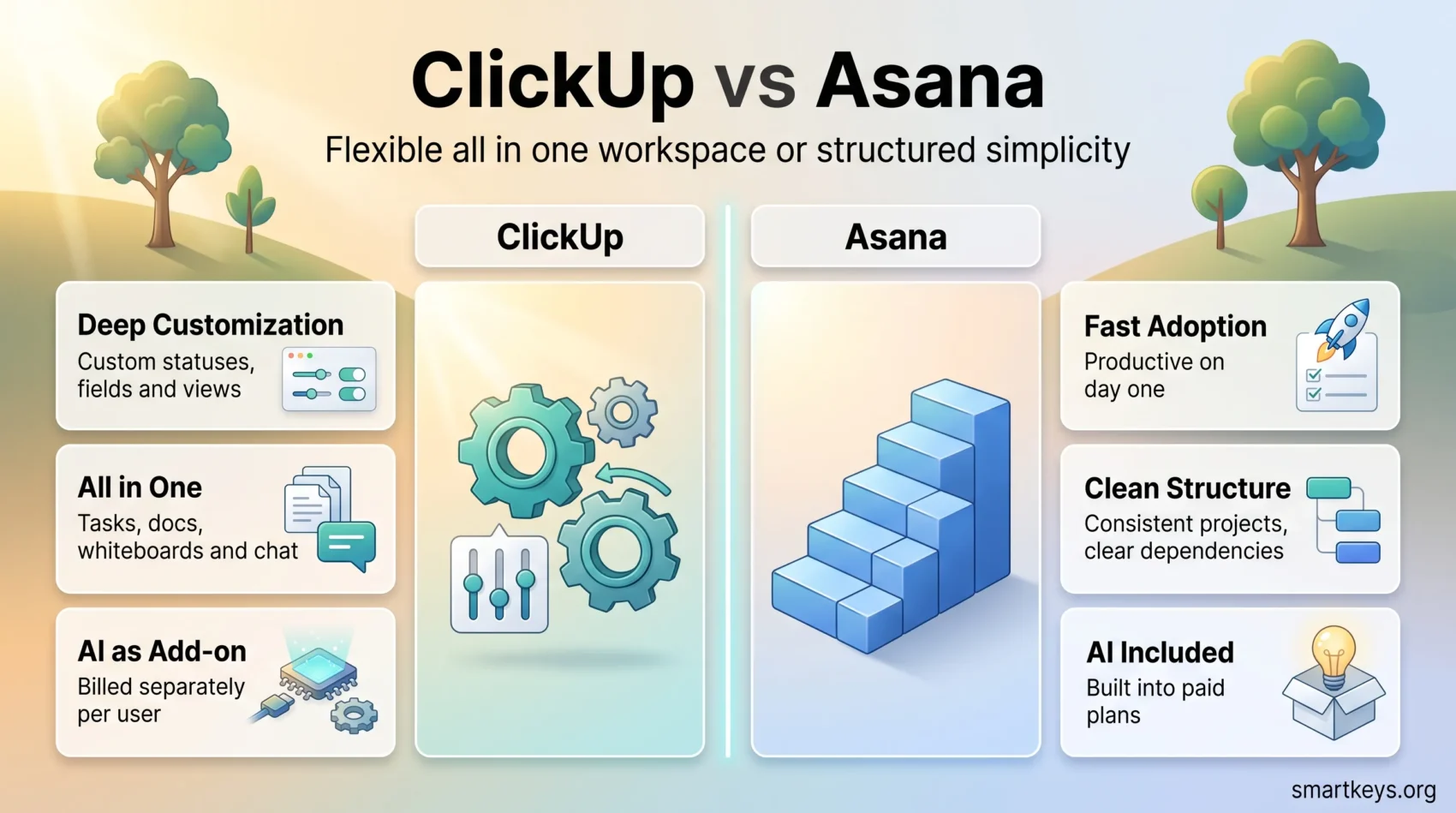
ClickUp and Asana are still the two names that come up most often when a team goes shopping for project management software, and in 2026 the gap between them is less about features and more about how each company prices access. Asana has tightened its free tier to two people. ClickUp has moved its most interesting AI work behind a separate add-on. Both changes matter more to a growing team than any single feature on a comparison table.
This guide walks through what each platform actually costs now, where the interfaces differ in daily use, how far the integrations reach, and which type of team each one suits. If you want a deeper look at either tool on its own, we have a full ClickUp review and a separate Asana project management review.
Key Takeaways
- Asana’s free Personal plan now supports only two users, which pushes almost any real team onto a paid plan.
- ClickUp keeps a genuinely usable Free Forever tier and starts paid plans at $7 per user per month billed yearly.
- Asana Starter is $10.99 per user per month billed yearly, and Advanced jumps to $24.99.
- ClickUp Brain is a paid add-on starting at $9 per user per month, so budget for AI separately.
- Asana includes its AI features across paid tiers rather than selling them as an extra line item.
- ClickUp advertises more than 1,000 integrations; Asana no longer publishes a headline number but keeps a large app directory.
- Choose Asana for speed of adoption and clean structure. Choose ClickUp for depth, customization and lower entry cost.
A Brief Overview of ClickUp
ClickUp positions itself as a single workspace that replaces several separate tools. Task management, documents, whiteboards, time tracking, chat and dashboards all live inside one product, and the platform leans hard into configurability. Custom fields, custom statuses, custom views and per space settings mean two ClickUp workspaces can look almost nothing alike.
The free tier remains one of the most generous in the category. You get unlimited tasks, Kanban boards, calendar and list views, and enough collaboration features that a small group can run real projects without paying. Storage is the main constraint at 60 MB, which is fine for text and links but not for file heavy work.
Automation is where ClickUp historically pulled ahead. Rule based automations, recurring tasks and template driven workflows are available on paid plans, with higher limits as you move up the tiers. In 2026 the headline addition is ClickUp Brain, the AI layer that handles summaries, writing, task generation and agent style workflows.
The trade off is complexity. ClickUp gives you a lot of switches, and teams that never sit down to configure them often end up with a messy workspace. If you like the all in one idea but want a lighter starting point, Basecamp takes the opposite approach.
A Brief Overview of Asana
Asana is the more opinionated product. It gives you projects, tasks, subtasks, sections and a small set of views, and it makes those defaults work well rather than offering endless alternatives. New users tend to be productive on day one, which is a real advantage when you are rolling software out to people who did not ask for it.
Task organization is Asana’s strongest area. Assignees, due dates, dependencies and multi homing (putting one task in several projects without duplicating it) are handled cleanly. Rules and forms on paid plans cover most everyday automation without any scripting.
Asana’s limits show up at the edges. There is no native time tracking on lower tiers, budgeting and invoicing are not part of the product, and portfolios, goals and workload management sit behind the Advanced plan. Teams that need resource planning built in often look at Wrike or Smartsheet and Airtable instead.
The bigger 2026 story is the free plan. Asana’s Personal tier is now capped at two collaborators, so the old habit of running a five person side project for free is gone.
ClickUp vs Asana: Key Features Comparison
Both tools cover the basics well. The differences appear once you push past simple task lists.
Task Management Capabilities
ClickUp offers more ways to look at the same work: list, board, calendar, Gantt, timeline, table, workload and mind map views, plus custom fields and custom task statuses per space. Asana covers list, board, timeline, calendar and Gantt, with a tighter set of field types. If your process is unusual, ClickUp bends to fit it. If your process is conventional, Asana gets you there faster. For a different take on the same trade off, see Asana vs Trello.
Automation and AI
Asana bundles its AI features into paid tiers, including AI Studio for building automated intake and routing flows without code. ClickUp sells AI separately: ClickUp Brain starts at $9 per user per month on top of your plan, with a higher tier bundling notetaking, AI fields and agents. That makes ClickUp cheaper to start and potentially more expensive once AI becomes part of how the team works.
For heavier cross tool automation, both platforms hand off to dedicated services. Our comparisons of Workato and Zapier and Zapier and Make cover that layer.
Collaboration Tools
ClickUp includes chat, comment threads, proofing on files, whiteboards and docs inside the workspace. Asana keeps collaboration close to the task: comments, attachments, project status updates and inbox notifications, with messaging left to your chat tool. Neither approach is wrong. Teams already living in Slack or Teams often prefer Asana’s narrower scope, and our Slack vs Microsoft Teams comparison is a useful companion read. If whiteboarding is the priority, Miro and Lucidspark still beat both.

Both platforms cover the essentials; the question is how much structure you want handed to you. For a wider look at the category, see our roundup of productivity apps.
User Experience and Interface
Ease of Use
Asana wins on first impressions. The navigation is shallow, the vocabulary is small, and most people can create a project and assign work without training. ClickUp asks more of you up front. The sidebar hierarchy of spaces, folders, lists and tasks is powerful but takes explaining, and the sheer density of settings can stall adoption if nobody owns the setup.
A practical rule: if you have someone who will act as workspace admin, ClickUp rewards that investment. If you do not, Asana is the safer bet.
Customization Options
ClickUp lets you reshape almost everything: statuses, fields, views, dashboards, permissions and automation rules. Asana gives you rules, forms, custom fields and project templates, but keeps the underlying structure fixed. That constraint is a feature for organizations that want every project to look the same. It becomes a limitation when a team needs a workflow the product did not anticipate, which is where tools like Monday.com and Notion or Airtable and Notion enter the conversation.
Integrations with Other Tools
ClickUp advertises more than 1,000 integrations on its integrations page, covering the usual suspects: Google Workspace, Slack, GitHub, Figma, Zoom and the major storage providers. Asana no longer publishes a single headline count, but its app directory is comparably broad and includes deep, well maintained connections to Salesforce, Google Drive, Microsoft 365 and Jira.
In practice, the raw number matters less than the depth of the two or three integrations you actually depend on. Check how each tool handles your identity provider, your code repository and your CRM before you sign anything. If your work already lives in Jira, our Jira Software review and Trello vs Jira comparison are worth reading first, and Zoho Projects vs Jira covers the budget end of that market.
Pricing Comparison in 2026
Pricing is where the two products genuinely diverge. Both quote lower rates for annual billing.
- ClickUp:
- Free Forever: unlimited tasks, 60 MB storage
- Unlimited: $7 per user per month billed yearly, $10 billed monthly
- Business: $12 per user per month billed yearly, $19 billed monthly
- Enterprise: custom pricing
- ClickUp Brain AI add-on: from $9 per user per month
- Asana:
- Personal: free for up to 2 users
- Starter: $10.99 per user per month billed yearly, $13.49 billed monthly
- Advanced: $24.99 per user per month billed yearly, $30.49 billed monthly
- Enterprise: custom pricing
Run the numbers on a ten person team. ClickUp Business costs $1,440 a year on annual billing. Asana Starter costs $1,318.80, and Asana Advanced costs $2,998.80. ClickUp only looks decisively cheaper once you compare feature for feature, because much of what Asana reserves for Advanced (portfolios, goals, workload) sits on ClickUp Business.
Add AI and the picture shifts again. ClickUp Brain at $9 per user adds $1,080 a year for that same team, which erases most of ClickUp’s price advantage over Asana Starter. Decide early whether AI is a requirement or a nice to have.
Both vendors publish current pricing on their own sites, and both change it. Verify before you budget.
Mobile Apps
Both platforms ship native apps for iOS and Android, and both are good enough for triage: checking assignments, commenting, marking things done, capturing a task before you forget it.
Asana’s app mirrors the restraint of the desktop product. It is quick, predictable and easy to navigate one handed. ClickUp’s app carries more of the desktop feature set, including multiple views and a widget on iOS, which makes it more capable and slightly busier. Neither app is a full replacement for the browser when you are planning rather than executing. If mobile time tracking is the priority, a focused tool like Toggl Plan may serve better alongside either platform.
Which One Should You Choose?
Pick Asana if adoption speed matters most, if your projects follow a repeatable shape, and if you want AI included rather than metered. It suits marketing teams, operations teams and any group where the software has to disappear into the background.
Pick ClickUp if you want one tool to cover tasks, docs, whiteboards and time tracking, if someone on the team will own the configuration, and if the lower entry price matters while you grow. It suits agencies, product teams and anyone whose workflow does not fit a standard template.
If neither fits, the category is crowded. Monday.com and Trello cover the visual end, Teamwork and Wrike target client services, and Notion AI and Coda suit teams that think in documents rather than tasks. Whichever way you lean, run a two week trial with one real project in each tool before you commit a whole team.
Found this useful?
Make SmartKeys a preferred source on Google, and our articles will surface more often in your Top Stories, AI Overviews, and AI Mode.
Add as Preferred Source




