

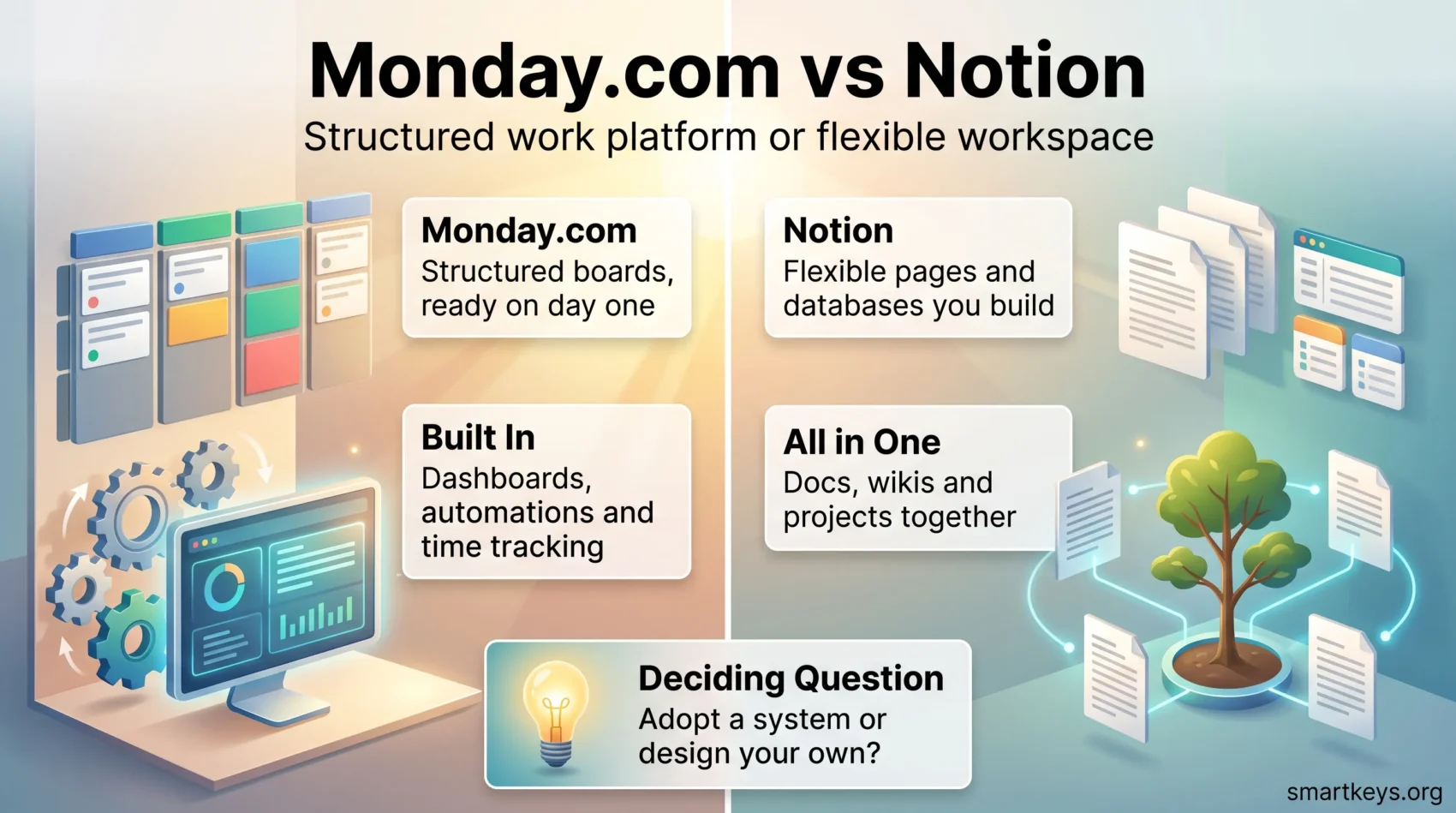
Picking between Monday.com and Notion is less a feature contest than a question about how your team works. One is a structured work platform built around boards, automations and reporting. The other is a flexible document workspace with databases strong enough to run projects. This comparison covers what each does well in 2026, what both charge, how their AI is billed, and which team each one suits.
Key Takeaways
- Both platforms offer free plans, but Monday.com caps its free tier at two seats and three boards.
- Notion passed 100 million users in 2024 and remains one of the most widely used workspace tools.
- Monday.com Work Management lists at $9, $12 and $19 per seat per month on annual billing.
- Notion lists Plus at $10 and Business at $20 per member per month, with up to 20% off yearly.
- Notion now supports sub-items and dependencies with automatic date shifting, so the old “no dependencies” criticism no longer holds.
- Both vendors moved AI onto credit-based billing in 2026, which changes the real cost of each seat.
- On G2, Monday.com scores 9.1 out of 10 for ease of use against 8.3 for Notion.
Monday.com vs Notion at a Glance
Monday.com and Notion solve overlapping problems from opposite directions. Monday.com starts with the board: a structured table of items with owners, statuses, dependencies and automations on top. Everything else, docs and dashboards included, orbits that structure.
Notion starts with the page. A page can hold text, a database, an embedded file or all three, and a database can be shown as a table, board, calendar, timeline or gallery. Structure is built, not inherited.
That difference explains most of what follows. Monday.com asks fewer questions and gives you a working project faster. Notion asks more and rewards teams that answer well. For a wider field, our comparison of Monday.com and Trello covers the lighter end of the market.
Overview of Monday.com
Monday.com sells several products from one platform: Work Management, CRM, Dev and Service. This comparison covers Work Management, the part people weigh against Notion. Every project lives on a board, and boards feed dashboards, automations and reports.
Key Features of Monday.com
Monday.com’s standout features include:
- Multiple project views: Table, Kanban, calendar, timeline and Gantt from the same underlying data.
- Automations: Rule-based triggers that move items, assign owners and send notifications, with monthly limits per plan.
- Time tracking: Built into paid plans, with the time tracking column unavailable on Free.
- Task dependencies: Link items so that shifting one date pushes the ones that follow.
- Dashboards and reporting: Widgets that pull across boards, with connected-board limits rising by plan.
- monday AI: AI Blocks, agents, a Sidekick assistant and an AI Notetaker, all metered in credits.
Pros and Cons of Using Monday.com
What works well:
- Fast to stand up: Teams can run a real project on day one without designing a system first.
- Strong reporting: Cross-board dashboards answer status questions without manual roll-ups.
- Mature automation: The recipe builder is approachable for non-technical owners.
Where it frustrates:
- Seat minimums: Paid Work Management plans are sold in seat tiers, so small teams often pay for more seats than they have.
- Thin free plan: Two seats, three boards, 200 items and no automations or integrations.
- Weak as a knowledge base: Docs exist, but long-form documentation is not what the product is built around.
Teams that outgrow Monday.com’s reporting usually look at heavier tools next. Our Jira review and the Trello vs Jira comparison cover that step up.
Overview of Notion
Notion is a connected workspace that merges documents, wikis, databases and project tracking into one tool. It reached 100 million users in 2024, and the 2025 and 2026 releases pushed it toward AI agents rather than new database features.
Key Features of Notion
Some standout Notion features include:
- Databases with multiple views: Table, board, calendar, timeline, gallery and list, all reading the same records.
- Sub-items and dependencies: Break work down and link blocking items, with options to shift dates automatically and skip weekends.
- Wikis and docs: Long-form documentation that lives beside the work instead of in a separate tool.
- Relations and rollups: Connect databases so one record can summarise many others.
- Custom Agents: Introduced in Notion 3.3 on 24 February 2026, these run on triggers or schedules and can reach Slack, Mail, Calendar and MCP-enabled tools.
Pros and Cons of Using Notion
What works well:
- A workspace you can shape to your process rather than the other way round.
- Documentation and project data in one place, which removes a common source of drift. If document management is a large part of the job, that matters.
- A generous free tier for individuals, with unlimited blocks for solo use.
Where it frustrates:
- A real learning curve, because a blank workspace has no opinion about how you should work.
- No built-in time tracking, so teams that bill hours need a second tool.
- Reporting is possible through rollups and formulas, but it takes setup that Monday.com gives you out of the box.
One old criticism no longer applies: Notion supports two-step verification on all plan types, by authenticator app or text message. If your team lives in chat as much as in documents, our Slack review and the Slack vs Microsoft Teams comparison are useful companions.
Monday.com vs Notion: Pricing in 2026
Pricing is where the two diverge most, because they meter different things. Notion charges per member. Monday.com charges per seat within tiered bundles, and the tier you land in can cost more than your actual headcount.
Free Plans and Paid Tiers
Monday.com’s Free plan allows two seats, three boards, three docs, 200 items and 500 MB of storage, with no automations and no integrations. Paid Work Management plans list at $9 per seat per month for Basic, $12 for Standard and $19 for Pro on annual billing, with Enterprise quoted on request. Seats are sold in bundles, so the price you see is rarely the price a five-person team pays.
Notion’s Free plan gives individuals unlimited blocks, unlimited databases with sub-items and dependencies, and up to 10 external guests, with a 5 MB file upload cap and seven days of page history. Multi-member free workspaces hit a block limit. Plus lists at $10 per member per month and Business at $20, and Notion advertises up to 20% off for yearly billing. Enterprise is quoted on request.
What AI Costs on Each Platform
Both vendors moved AI to credit metering in 2026, a change most buyers miss.
Monday.com’s AI portfolio bundles a monthly credit allowance with each plan: 1,000 credits on Basic, 2,000 on Standard and 3,000 on Pro, with larger buckets available on Standard and Pro. Credits are consumed per action, for example 8 credits per AI Block action and 120 credits per meeting hour of AI Notetaker, while agents can run from 10 to 250 or more credits depending on complexity. This model applies to customers who signed up on or after 6 May 2026.
Notion’s Custom Agents were free to try through 3 May 2026 and moved to Notion credits on 4 May 2026, priced at $10 per 1,000 monthly credits. Basic AI features remain available on paid tiers, but sustained agent use is a separate line on the bill.
Cost-effectiveness for Teams
For a small team that needs a shared place to plan and document, Notion is usually cheaper: you pay per person and nothing else. For a team that needs reporting, automation and time tracking on day one, Monday.com saves more in setup time than it costs in licences. Run the numbers on your real headcount, and check whether seat bundling pushes you into a tier you do not need. Teams juggling several streams may also want our guide to managing multiple projects.
Project Management Features
This is where the 2026 picture differs most from the received wisdom. Monday.com is still stronger here, but the gap narrowed.
Task Dependencies and Tracking in Monday.com
Monday.com handles dependencies as a first-class feature: link items, and moving one date pushes the chain that follows. Timeline and Gantt views make the critical path visible, time tracking records effort against items, and dashboard widgets roll several boards into one status view. For teams that report upward, that is the main argument for the platform.
Project Management Capabilities in Notion
Notion supports sub-items across every database view and dependencies with three date-shifting behaviours: shift only when dates overlap, shift while maintaining the gap between items, or do not shift at all. There is an option to avoid weekends when dates move. That covers most of what small and mid-sized projects need.
What Notion lacks is native time tracking and a ready-made reporting layer. You can build a dashboard from rollups and linked views, but you are building it. If your process is stable, that is a one-time cost. If it changes every quarter, it is recurring work. Writing the process down first helps, which our guide to standard operating procedures covers.
Collaboration Features of Both Tools
Both handle the basics of shared work. The difference is what collaboration centres on: items in Monday.com, pages in Notion.
Team Collaboration in Monday.com
Monday.com’s collaboration features include:
- Guest access: Bring clients or contractors into specific boards on paid plans.
- Item-level discussion: Comments and updates attach to the work rather than to a chat channel.
- Automations: Route approvals and handoffs without anyone chasing them.
- Shared views: Kanban, calendar and timeline views of the same board for different audiences.
Notion as a Collaboration Workspace
Notion’s collaboration features include:
- Real-time editing: Several people in one document at once, with page history on paid plans.
- Relational databases: Connect projects, people and documentation so context travels with the record.
- Comments and mentions: Discussion threaded into the page where the decision was made.
- Integrations and agents: Custom Agents can reach Slack, Mail and Calendar, so updates can flow outward.
For visual sessions such as workshops and retrospectives, neither tool replaces a whiteboard. Our Miro vs Lucidspark comparison covers that gap.
Customization Options
Monday.com customises within a fixed frame. Notion lets you change the frame.
How Customizable is Monday.com?
You can add column types, build custom views, adjust colours and design dashboard widgets, and boards can be templated across teams. What you cannot change is the fundamental shape of a board, which is exactly why new users get productive quickly.
Customizing Your Notion Workspace
Notion lets you design page hierarchies, database schemas, linked views and templates from scratch. Teams that invest in the setup get a workspace that mirrors how they operate. Teams that do not end up with a sprawl of half-finished pages. The template gallery shortens the process, and a clear prioritization framework helps decide what to surface first.
Ease of Use and Learning Curve
Independent review data is consistent here, and it favours Monday.com.
User Experience with Monday.com
On G2, Monday.com scores 9.1 out of 10 for ease of use and 8.8 for ease of setup. That matches the design: opinionated defaults, visible structure and a short path from signup to a working board.
User Experience with Notion
Notion scores 8.3 out of 10 for ease of use and 8.2 for ease of setup on G2. The lower scores reflect the blank-canvas problem rather than poor design. Once a workspace is set up well, satisfaction is high, but somebody has to do it. Assign that to one person and protect the time, which is easier when the team respects maker and manager schedules.
Integrations and Compatibility
Both connect to the usual business stack and fall back on middleware for anything unusual.
Integration Options on Monday.com
Monday.com integrates with Outlook, Slack, Google Drive, Jira, Teams, Zoom and dozens more through its marketplace, with integration actions metered per plan. Neither integrations nor automations work on the Free plan, the single biggest reason teams upgrade.
Notion’s Integration Capabilities
Notion offers a public API, embeds for most common services, and connections to Slack, Google Drive, GitHub and Figma. Custom Agents extend this by acting inside Slack, Mail and Calendar as well as MCP-enabled tools. Notion has no native time tracking, so billable teams add a dedicated timer.
When a native connector does not exist on either side, an automation platform fills the gap. Our Workato vs Zapier comparison covers the two most common options.
User Reviews and Ratings
Aggregate scores put the two close together, with Monday.com slightly ahead on satisfaction and clearly ahead on ease of use. On G2, Monday.com holds 4.7 out of 5 across roughly 17,000 reviews and Notion 4.6 across roughly 13,800.
The qualitative pattern is stable. Monday.com draws praise for structure, reporting and automation, and criticism for pricing and seat bundling. Notion draws praise for flexibility and documentation, and criticism for the effort needed before it pays off. Neither complaint is a defect: each is the cost of what the other tool does well.
Alternatives to Consider
Neither product is the obvious answer for every team, and this market is crowded.
Other Project Management Tools
Worth a trial before you commit:
- Trello: The simplest option here, and often enough for a small team with a linear process. See our Asana vs Trello comparison.
- Asana: Structured work management with strong task hierarchies. Our Asana review has the detail.
- ClickUp: The most feature-dense of the group, covered in our ClickUp review and the ClickUp vs Asana comparison.
- Airtable: Closer to a relational database than a task tool, compared against Notion in our Airtable vs Notion piece.
- Basecamp: Flat pricing and a deliberately narrow feature set. See the Basecamp vs Monday.com comparison.
- Superhuman Docs: The product formerly known as Coda, covered in our Notion AI vs Coda comparison.
- Evernote or OneNote: If documentation is the real need and projects are secondary, see Evernote vs OneNote.
When to Choose an Alternative
Look elsewhere when:
- You need engineering workflows: sprints, issue types and release tracking.
- Your team is under five people and seat bundling makes Monday.com poor value.
- You need built-in time tracking and billing, which neither provides natively.
- Your process is simple enough that a Kanban board covers it.
Conclusion
Choose Monday.com if you need structure now: dependencies, dashboards, automations and time tracking that work on day one without design work. It suits teams that report upward, run repeatable processes and would rather adapt to a tool than build one. The cost is licence spend and a frame you cannot reshape.
Choose Notion if documentation and project data belong together, if your process is unusual, or if you would rather build the system than inherit it. The dependency gap that used to rule Notion out has closed. Time tracking and ready-made reporting are still missing, and the setup is real work.
The deciding question is not which tool has more features. It is whether your team has the time and appetite to design its own system. If yes, Notion pays that back. If no, Monday.com is safer. Migrating later is expensive, so run a two-week trial with a real project rather than a demo one.
Found this useful?
Make SmartKeys a preferred source on Google, and our articles will surface more often in your Top Stories, AI Overviews, and AI Mode.
Add as Preferred Source




