

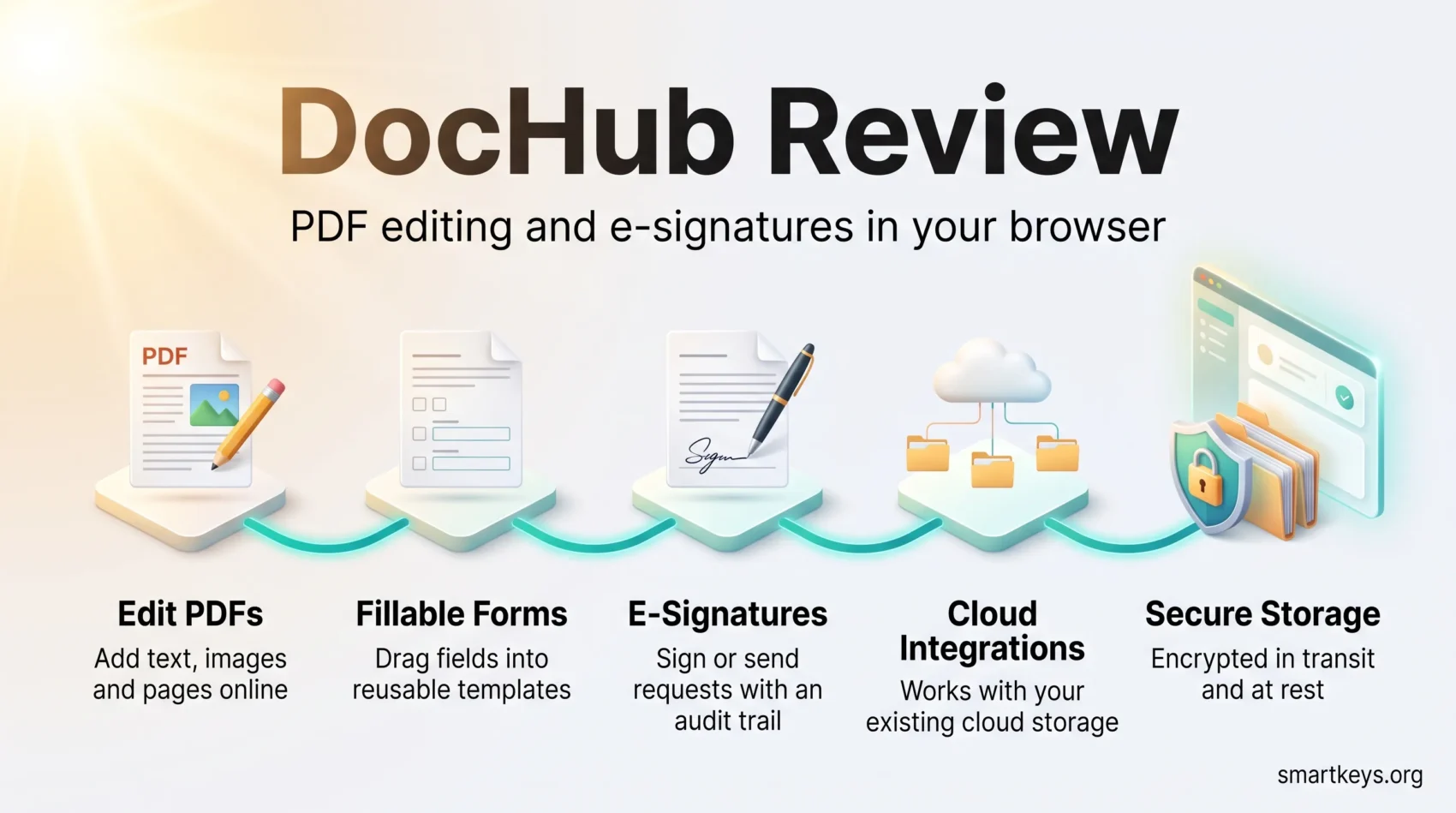
Digital document management decides how fast contracts get signed, how quickly forms come back, and how much time a team loses to printing and scanning. DocHub tackles that problem in the browser: you upload a file, edit it, add fields, request e-signatures, and store the finished document without installing anything.
This DocHub review covers what the platform does well in 2026, what its plans cost, how it handles security, and where it sits next to heavier e-signature suites. Every price, rating and compliance detail below comes from DocHub’s own pages or from public review platforms, checked in August 2026.
Key Takeaways
- DocHub is free to start. The Free plan covers a small monthly allowance of e-signatures, sign requests and completed documents.
- Paid plans are Basic at $8 and Pro at $12 per user per month billed annually, with roughly 25% off compared with monthly billing.
- The Pro plan includes a 30-day free trial, and larger organisations can get HIPAA support, SSO and volume pricing through the Site License plan.
- Data is encrypted in transit and at rest on AWS SOC 2 accredited infrastructure; DocHub also states SOC 2, GDPR, CCPA and PCI-DSS compliance.
- Reviewers rate it highly for simplicity: 4.8 out of 5 on Capterra across 263 reviews, and 4.6 out of 5 on G2.
- Native integrations cover Google Drive, Gmail, Dropbox, OneDrive, Box and Google Classroom.
Understanding Document Management in the Digital Age
Document work has quietly become one of the biggest hidden costs in distributed teams. Files live in three clouds at once, approvals sit in inboxes, and nobody is sure which version is final. Effective document management fixes that by giving every file one place to live and one auditable path to approval.
The discipline is simple to describe and hard to do: organise, store, share and protect digital files without slowing anyone down. It matters most for contracts, onboarding paperwork and anything containing personal data, which is why it appears early in most digital transformation roadmaps. It also interacts with how your team communicates: a document needing three signatures does not belong in a chat thread, which is the same logic behind choosing between email, chat and meetings.

What is DocHub?
DocHub is a cloud-based document management solution that combines a PDF editor with an e-signature platform. You can create, edit, annotate, sign and store files from a browser, which means it works the same way on a laptop in the office and on a tablet somewhere else.
The company launched the service in October 2014 and states on its homepage that it has been used by more than 133 million users across more than 744 million documents. Those are DocHub’s own figures rather than independently audited numbers, but they place it firmly in the mainstream rather than the niche.
Its scope is deliberately narrower than a full contract lifecycle suite. DocHub concentrates on the everyday middle of the document process — fill it in, mark it up, get it signed, send it back.

Key Features of DocHub
DocHub’s feature set is compact, which is largely the point.
Online Document Editing
The online document editing tools let you upload a PDF and change it directly: add or whiteout text, insert images, draw annotations, reorder or delete pages, and merge several files into one. Nothing needs to be installed, and no conversion step stands between you and the document.
Digital Signature Tool
The digital signature tool removes the print-sign-scan loop entirely. You can sign a document yourself, or send sign requests to others and track them as they come back. DocHub points to the US ESIGN Act framework, under which a record or signature cannot be denied legal effect purely because it is electronic, and provides a downloadable audit trail for signed documents.
User-Friendly Interface
The interface is the feature reviewers mention most. Menus are shallow and most tasks are reachable in one or two clicks. That matters when the people signing your documents are clients or new hires who will use the tool exactly once.
Collaboration Made Easy with DocHub
DocHub also works as a lightweight collaboration platform. Documents live in the cloud, so there is one canonical copy rather than five attachments with different edits.
Real-Time Updates and Notifications
Changes save automatically and sync across devices, and you get notified when someone comments, edits or signs. For teams already coordinating in chat, this pairs naturally with a hub like the one described in our Slack collaboration tool review — the discussion happens in one place, the document stays in another.
Seamless Sharing Options
You can share a document as a link, invite specific people, or email it directly, with permissions, passwords and authentication set per recipient. If your team already lives inside Google’s stack, our G Suite review covers how those sharing controls line up with Workspace.
What Reviewers Say About DocHub
Aggregated review data says more than anecdotes.
Ratings at a Glance
On Capterra, DocHub holds 4.8 out of 5 stars from 263 reviews, with sub-scores of 4.8 for ease of use, 4.8 for value for money, 4.6 for features and 4.5 for customer service. On G2 it sits at 4.6 out of 5. The pattern across both is consistent: users reward it for being simple and inexpensive rather than for depth.
Where the Trade-offs Are
The lowest sub-score on Capterra is customer service, and features trails ease of use — a fair reflection of a tool built to be approachable first. If you need routing rules across dozens of approvers or contract lifecycle management, a heavier platform will serve you better. For most small teams, that depth is capability they would never switch on.
Secure Document Sharing and Storage
Security is where a document tool earns or loses trust, particularly once client data is involved.
Encryption and Compliance
DocHub encrypts data both in transit and at rest, and hosts its infrastructure in Amazon Web Services data centres holding SOC 2 accreditation. The company is a PCI DSS compliant card-not-present merchant, uses Vanta for continuous security monitoring with a public trust portal, and states compliance with SOC 2, GDPR and CCPA. HIPAA support is available to organisations on a customised Site License plan rather than on the standard tiers. These are sensible baselines rather than exotic ones — the same expectations set out in our guide to cybersecurity for remote work.
Managing Sensitive Information
Per-document controls let you set access permissions, add password protection and require authentication before a file opens. Used consistently, those controls are the practical layer underneath a broader data governance strategy, and they fit the least-privilege thinking behind zero-trust security models.

Creating Fillable Forms with DocHub
Fillable forms are where DocHub saves most teams the most time. Client intake, consent forms and internal requests stop being email ping-pong once they become a link.
Step-by-Step Process
- Log into your DocHub account.
- Select a document or upload a new one that needs form fields.
- Use the form field tool to drag and drop fields such as text boxes, checkboxes and dropdown menus into the document.
- Customise each field’s properties, including size and whether it is required.
- Save the document as a template, then share it for filling or signing.
Benefits for Businesses
- Less rekeying, because responses arrive in a structured, legible form.
- Fewer follow-ups, since required fields stop half-finished submissions.
- Reusable templates for documents you send repeatedly.
- Access controls and password protection on anything sensitive.
If you mainly need to collect structured answers rather than signatures, a dedicated survey tool may be the better fit — our comparison of SurveyGizmo and Google Forms covers that choice. For sales documents that need pricing tables and acceptance tracking, see our Proposify review.
Integration with Popular Tools
DocHub is designed to sit inside the tools you already use.
Google Workspace Integration
The Google Workspace integration is the strongest part of the product. You can open attachments straight from Gmail, edit and sign files stored in Google Drive, and distribute assignments through Google Classroom, all without leaving the browser tab you were already in.
Connecting with Cloud Storage Solutions
Beyond Google, DocHub connects to Dropbox, OneDrive and Box, so files stay where your team already keeps them. Choosing that underlying storage layer is its own decision — our Dropbox Business versus Google Workspace comparison and our Dropbox Business review both go into detail. For triggering downstream steps once a document is signed, a workflow automation layer such as those covered in our Zapier and Make comparison can pass the finished file on to the next system.
Enhancing Workflow Efficiency with DocHub
The efficiency gains come from removing small frictions repeated hundreds of times a month.
Automatic Saving Features
Edits save as you make them and sync across devices, so there is no save button to forget and no local copy to lose.
Document Organization Capabilities
Folders, tags and search keep files findable as volume grows. Documents that need surrounding context — notes, checklists, project detail — are usually better held in a dedicated workspace tool; see our Evernote versus OneNote comparison or our Notion AI versus Coda comparison for that layer.

DocHub Pricing Plans and Free Trial
DocHub’s pricing plans are among the simplest in the category, with three published tiers plus an enterprise option.
Overview of Plans
The Free plan costs nothing and suits occasional use, with a small monthly allowance across core actions — on the order of a handful of e-signatures, sign requests and completed documents per month. Basic costs $8 per user per month billed annually and is aimed at freelancers and small teams, adding unlimited PDF downloads, unlimited self-signing and unlimited templates, with support for a small number of team members. Pro costs $12 per user per month billed annually and unlocks unlimited PDF editing and unlimited sign requests, in-person signing, bulk send and priority support. Annual billing saves around 25% against monthly. A custom Site License covers unlimited users with volume discounts, SSO, organisations and HIPAA compliance.
Benefits of the Free Trial
Pro comes with a 30-day free trial, long enough to run real work through it rather than click around a demo. The useful test is a full cycle: build one template you send often, request signatures from someone outside your organisation, and check the finished file lands where you need it. If that round trip beats what you do today, a DocHub subscription pays for itself quickly at these prices.
Why Choose DocHub for Your Document Management Needs?
The case for DocHub is not that it does the most, but that it does the common things with very little friction and at a low price.
Versatility Across Industries
It is general-purpose enough to cover most document workflows, including:
- Remote and distributed teams handling approvals across time zones
- Small business owners sending contracts and invoices
- Teachers and educators distributing worksheets through Google Classroom
- Recruiters and HR teams collecting signed onboarding paperwork
- Contract and office managers running routine paperwork
Finance-heavy workflows usually pair it with an accounting platform such as the one in our QuickBooks Online review, with DocHub handling the signature step and the ledger handling everything after it.
How DocHub Compares
Against dedicated e-signature suites, DocHub trades depth for price and simplicity. Our DocuSign review covers the enterprise end of that market, where routing logic, integrations and compliance tooling go considerably further, and our Adobe Sign versus HelloSign comparison sits in between. If your requirement is “get this PDF filled in and signed without a project”, DocHub is usually the shorter path.
Conclusion
DocHub earns its place by being unglamorous and quick. It edits PDFs properly, collects e-signatures, turns documents into reusable fillable forms, and slots into Google Drive, Gmail, Dropbox, OneDrive and Box without ceremony. The security fundamentals are in place: encryption in transit and at rest, SOC 2 accredited AWS hosting, continuous monitoring, and stated SOC 2, GDPR and CCPA compliance, with HIPAA available on a customised plan.
It will not replace a contract lifecycle platform, and teams needing complex approval routing should look higher up the market. But at $8 to $12 per user per month with a 30-day trial on Pro, the cost of finding out whether it fits is close to zero — and for a large share of small and mid-sized teams, it fits.
Found this useful?
Make SmartKeys a preferred source on Google, and our articles will surface more often in your Top Stories, AI Overviews, and AI Mode.
Add as Preferred Source




