

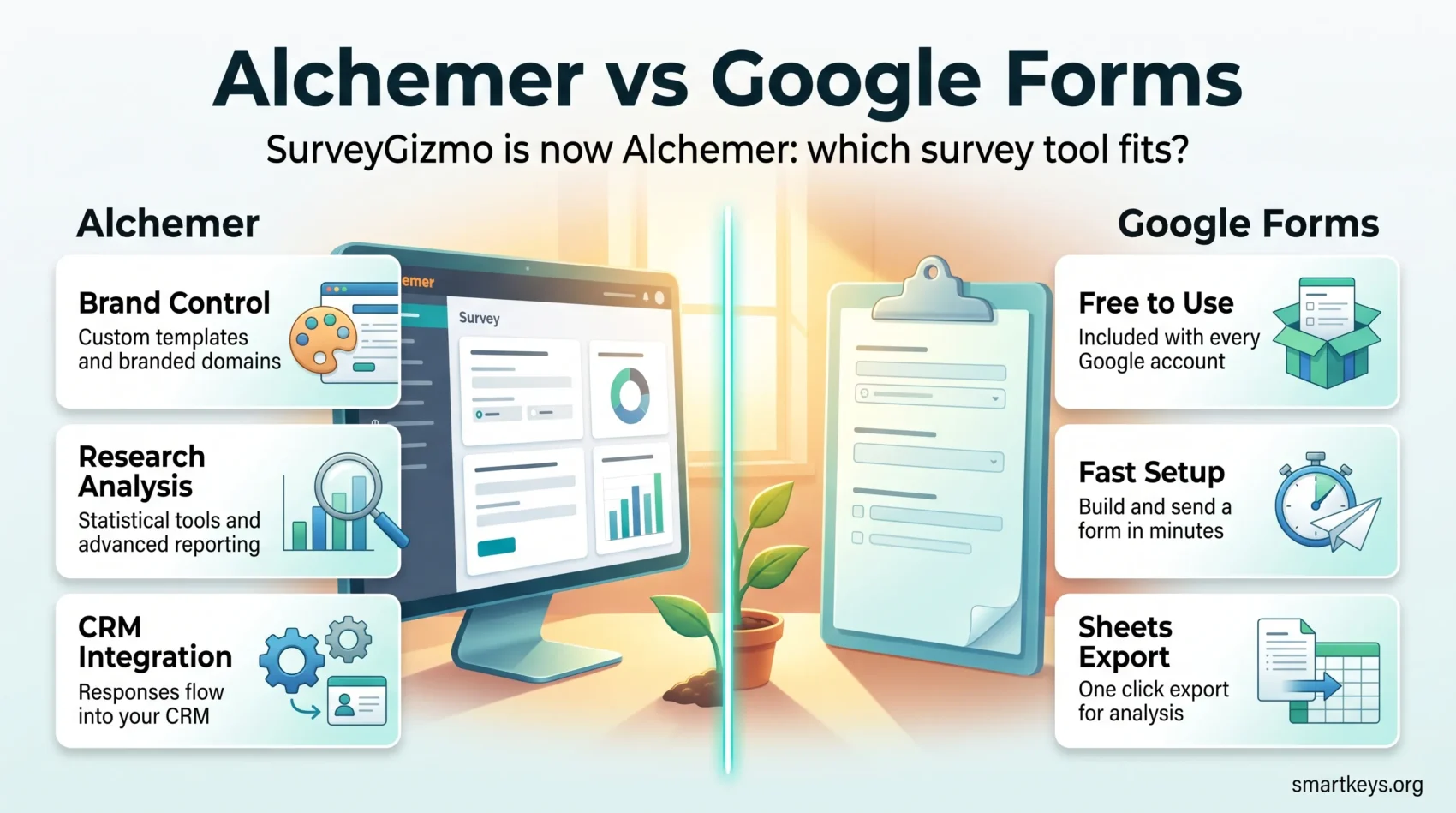
If you are still searching for SurveyGizmo, the short answer is that the product exists but the name does not. SurveyGizmo became Alchemer on 13 October 2020, and the platform has moved a long way upmarket since then. So the real 2026 question is not SurveyGizmo vs Google Forms. It is whether a paid enterprise feedback platform earns its price against a form builder that ships free with every Google account.
This comparison covers what Alchemer now costs, what Google Forms actually does in 2026, and where each one stops being the right answer. Both collect responses competently. They diverge on price, branding control, analysis depth and compliance.
Key Takeaways
- SurveyGizmo was renamed Alchemer in October 2020. Any guide still using the old name is out of date.
- Alchemer starts at $55 per user per month, or $315 per user per year on an annual contract.
- Google Forms is free with a personal Google account and included in every Google Workspace plan at no extra charge.
- Alchemer holds SOC 2 Type 2, ISO 27001, HIPAA, GDPR, CCPA and FERPA attestations. Google Forms is covered by a Workspace HIPAA BAA.
- Choose Google Forms for internal and low-stakes surveys. Choose Alchemer when branding, logic depth or research-grade analysis decide the outcome.
What Happened to SurveyGizmo
Alchemer announced the name change from Louisville, Colorado on 13 October 2020, positioning the company around customer experience and voice-of-the-customer work rather than plain survey building. The URLs, the pricing and the product tiers all changed with it.
That matters if you are working from an older article. Pricing pages quoting a $25 Basic plan or a $249 Premier plan describe a product that no longer exists at that price. Our overview of AI-assisted voice of customer programs covers where survey data now feeds into wider analysis.
Alchemer vs Google Forms: Pricing in 2026
Cost is the first place these two separate, and the gap is large enough that it usually settles the decision on its own.
What Alchemer Costs
Alchemer publishes three self-serve tiers alongside a quoted enterprise plan:
- Collaborator: $55 per user per month, or $315 per user per year billed annually. Includes unlimited surveys, 75,000 annual responses and email support.
- Professional: $165 per user per month, or $1,075 per user per year. Capped at three users. Adds 100,000 annual responses, custom templates and branding, advanced logic and scripting, plus phone support.
- Full Access: $275 per user per month, or $1,895 per user per year. Also capped at three users. Adds 125,000 annual responses, advanced research question types, statistical analysis and advanced reporting.
- Business Platform: quoted by sales. Adds omnichannel collection, system integration, text analysis, 24/7 support, SSO controls and a dedicated success manager.
Two details are easy to miss. The annual price is a lump sum per user, so one Full Access seat is a $1,895 commitment. And the three-user ceiling on Professional and Full Access pushes growing teams toward the quoted platform tier instead of simply adding seats. Alchemer offers a 7-day free trial with full access to the selected plan and no credit card required up front.
What Google Forms Costs
Nothing, in practical terms. Google Forms is free with a personal Google account and is included in every Google Workspace edition at no additional per-seat charge. There is no survey-specific upgrade to buy.
That changes the calculation entirely. If your organisation already pays for Workspace, the marginal cost of running a survey in Forms is zero, and the comparison becomes a question of capability rather than budget. Our Google Workspace review breaks down what each Workspace tier includes, and the Dropbox vs Google Workspace comparison covers the storage side of that decision.
Survey Creation and Customization
Alchemer is built for surveys that carry a brand: custom templates, branded domains, styling control and multi-language support. That matters when the survey is a customer-facing touchpoint rather than an internal poll. Professional and above unlock the full branding set.
Google Forms offers themes, header images, font and colour choices, and a clean drag-and-drop builder. It looks tidy, but it does not look like your brand, and there is no branded domain option. Nobody notices on an internal pulse survey. On a post-purchase survey, respondents see a Google form and some treat it accordingly.
If the survey is part of a customer experience programme, that presentation gap is worth paying to close. Our guide to customer experience trends covers why touchpoint consistency matters.
Reporting and Analytics
Alchemer’s reporting is the clearest justification for its price. Full Access adds statistical analysis, advanced reporting and research-grade question types, the level you need for segmentation, cross-tabulation and weighted analysis. Below that tier you get solid standard reporting, not research tooling.
Google Forms gives you a live summary view with basic charts, plus one-click export to Google Sheets. That export is more useful than it sounds. Once responses are in Sheets you can pivot, chart and formula your way to most standard analysis, and connect the sheet to whatever BI layer you already run. Our comparison of Zoho Analytics and Power BI covers that downstream step, and data storytelling is worth reading before you present any of it.
Where Forms falls short is multi-wave research, panel management and significance testing inside the tool. Sheets will not save you there.
Integrations and Workflow Automation
Alchemer connects directly to CRM systems including Salesforce and HubSpot, which lets response data land against the customer record instead of sitting in a separate export. For teams running feedback as part of a revenue process rather than a one-off project, that is the difference between insight and admin. If you are still choosing a CRM, our Salesforce vs HubSpot comparison and Freshworks CRM vs Salesforce breakdown both cover the integration side.
Google Forms integrates natively with the rest of Workspace: Sheets, Drive, Gmail and Apps Script. Beyond that it relies on general automation platforms, which is a smaller limitation than it used to be, because a Zapier or Make connection covers most routine handoffs. See our Workato vs Zapier comparison and Zapier vs Make guide.
Apps Script deserves a mention. It is genuinely capable, free, and lets a technical user build notification, routing and validation logic that would otherwise need a paid tier elsewhere. It also means someone has to maintain that script.
Ease of Use and Support
Google Forms wins on time-to-first-survey by a wide margin. Anyone can build and send a working form in minutes with no training, which is why it spreads inside organisations without anyone deciding to adopt it.
Alchemer takes longer to learn, which is the trade for what it does. The builder is well organised, but advanced logic, scripting and custom theming are not things you pick up in an afternoon. Budget onboarding time.
Support splits the same way. Alchemer includes email support on Collaborator, adds phone support from Professional, and puts 24/7 support and a dedicated success manager on the Business Platform tier. Google Forms relies on Workspace support for paying customers and community help for everyone else. If your survey is business critical and you are on a free tool, there is nobody to call.

Question Types and Survey Logic
Alchemer supports a broad question library, and Full Access adds advanced research question types. Logic and scripting on Professional and above let you branch, pipe answers forward, and run routing rules that adapt the survey to each respondent.
Google Forms covers the standard set: multiple choice, checkboxes, dropdowns, linear scale, grids, short and long text, file upload, date and time. It supports section-based branching, so an answer can send a respondent to a different section, and it handles quizzes with automatic marking. That is enough for most operational feedback.
The ceiling is real. Forms cannot pipe a previous answer into later question text, has no meaningful randomisation controls, and cannot handle nested research logic. If your survey design document contains the word “quota”, Forms is the wrong tool.
Data Security and Compliance
This is the section most outdated comparisons get wrong, usually by claiming Google Forms has no compliance story.
Alchemer publishes a broad attestation set: SOC 2 Type 2, ISO 27001, GDPR, CCPA, HIPAA and FERPA. HIPAA and FERPA compliant surveys require enabling specific security settings in the account, so it is a configuration step rather than something that applies by default.
Google Forms is not the compliance gap it is often described as. Google Forms sits inside Google Drive on Google’s HIPAA Included Functionality list, which means it is covered by a Google Workspace Business Associate Addendum for organisations that sign one. Data is encrypted in transit and at rest, and Workspace services undergo independent verification of their security, privacy and compliance controls.
The honest difference is control rather than certification. Alchemer gives you granular per-survey security settings, data residency options on the platform tier and SSO controls. Workspace gives you organisation-wide policy. If your requirement is survey-level control over sensitive responses, that favours Alchemer. Our guides to data privacy at work and building a privacy compliance framework cover what to check before either tool touches personal data.
Pros and Cons
Alchemer works well when:
- Branding and presentation are part of the survey’s job.
- You need advanced logic, piping and research question types.
- Response data has to reach your CRM automatically.
- You want per-survey security configuration and named support.
It works badly when the budget is thin, when you need more than three seats below the enterprise tier, or when the survey is a five-question internal check nobody outside the company sees.
Google Forms works well when:
- Cost has to be zero and speed matters more than polish.
- The audience is internal or already familiar with your organisation.
- Analysis will happen in Sheets or a BI tool rather than in the survey platform.
- You are already paying for Google Workspace.
It works badly for branded customer research, quota-managed studies, multi-wave tracking, or any project where a support escalation path is part of the requirement.
Neither is the only option. SurveyMonkey sits between the two on price and capability, and if what you actually want is on-site experimentation rather than surveys, our VWO review covers A/B testing properly.
Which One Should You Choose
Start with the audience. If the survey goes to customers and carries your brand, or the analysis has to stand up to scrutiny, Alchemer is the defensible choice and the annual commitment is the cost of that. If it goes to colleagues, or it is a signup form, a quick poll or an event RSVP, Google Forms does the job.
Team size is the second filter. The three-user cap on Alchemer’s Professional and Full Access tiers means mid-sized teams face a jump to quoted enterprise pricing sooner than the published rates suggest. Price that jump before you commit.
Finally, check where the data has to go. If survey responses need to reach your CRM, your customer success tooling or a product analytics platform like Pendo, Alchemer’s integrations save real work. If they just need to reach a spreadsheet, Forms already does that in one click. Run the free trial before signing anything: seven days is enough to build one real survey and find out which side of that line you sit on.
Found this useful?
Make SmartKeys a preferred source on Google, and our articles will surface more often in your Top Stories, AI Overviews, and AI Mode.
Add as Preferred Source




