

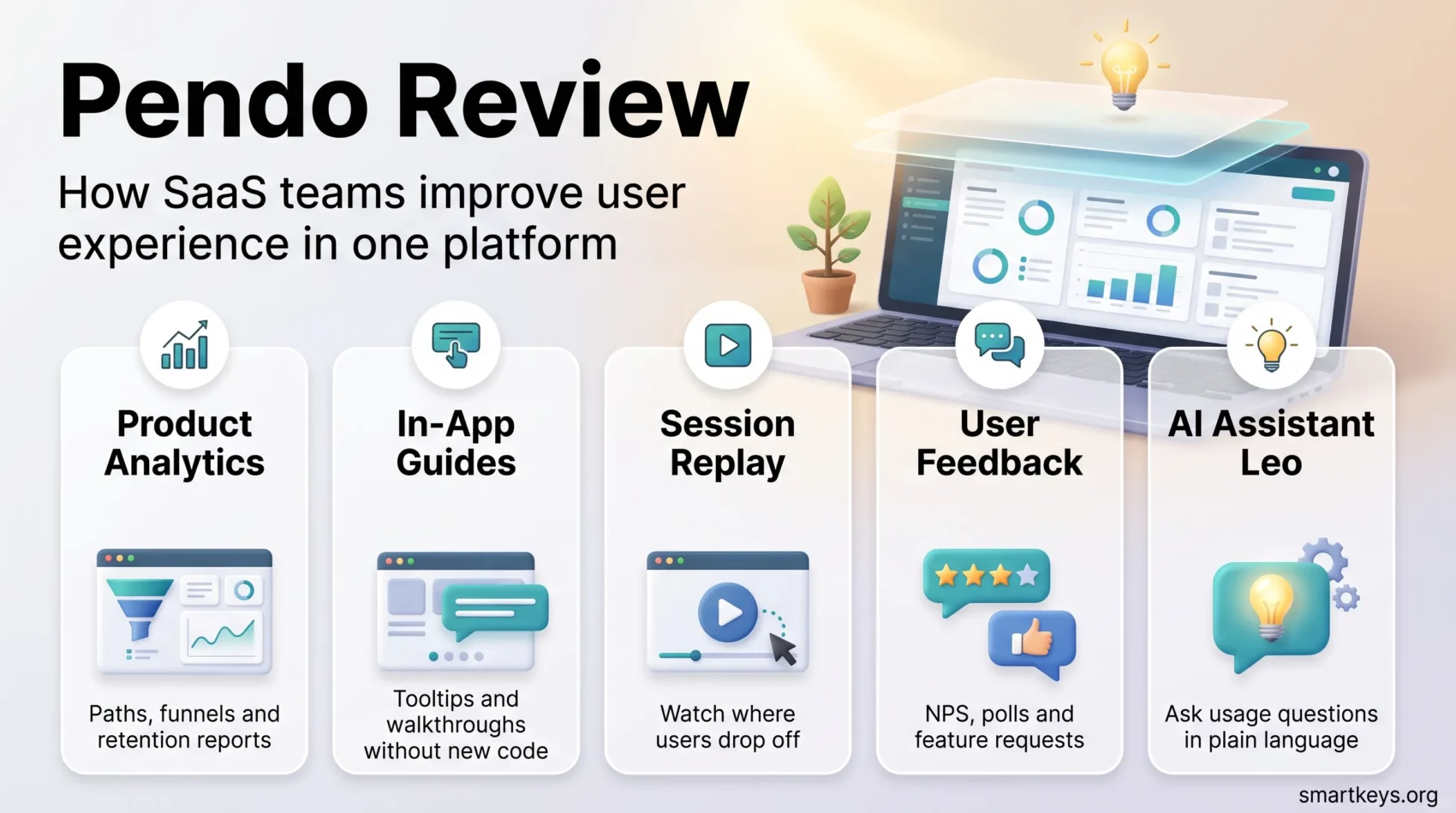
Pendo is a digital adoption platform that combines product analytics, in-app guides and user feedback in one layer that sits on top of your software. For SaaS teams, that combination is the appeal: you can see what people actually do inside the product, then act on it without shipping new code. This Pendo review looks at where the platform stands in 2026, what the current plans include, what it realistically costs, and where it frustrates the teams that use it.
Key Takeaways
- Pendo bundles product analytics, in-app guides, session replay and sentiment surveys into a single platform.
- The free plan covers up to 500 monthly active users. Every paid tier is quoted individually.
- Plan names changed: the current line-up is Free, Base, Core and Ultimate, plus a Novus beta.
- An AI assistant called Leo now handles analysis, guide drafting and agent monitoring.
- Cost and setup effort remain the two most common complaints, especially for small teams.
What Is Pendo in 2026?
Pendo was founded in 2013 and is headquartered in Raleigh, North Carolina. The platform started as product analytics for software teams and has grown into a broader suite covering onboarding, in-app communication, session replay, feedback collection and, more recently, monitoring of AI agents inside products.
The core idea has not changed. You install a small snippet or SDK, Pendo captures how visitors and accounts move through your application, and product, customer success, marketing and UX teams work from that shared picture. Because tagging happens retroactively against captured data, teams can define a feature today and still analyse how it was used last quarter.
That positioning puts Pendo in the same conversation as behavioral analytics platforms and customer success tools, but with the in-app layer as the differentiator. It is also a natural fit for teams running a product-led growth playbook, where the product itself carries most of the onboarding and expansion work.
Key Features of Pendo
Product Analytics
Analytics is the foundation. Paths show the sequences of events before or after a chosen action, funnels expose where people drop out of a multi-step flow, and retention reports track cohorts over time. You can toggle between visitors and accounts, which matters for B2B products where one logo contains many users. Segments can be built from behaviour, metadata or survey responses and then reused across reports and guides.
In-App Guides and Onboarding
Guides are the part most users associate with Pendo. Lightboxes, banners, tooltips and walkthroughs are built in a visual designer and targeted at segments, so a new admin sees something different from a returning end user. A resource center gives users a persistent in-app help hub, which is where much of the reported reduction in support tickets comes from.
Sentiment and Feedback
Polls, open text inputs, NPS, CSAT and product-market-fit surveys collect qualitative signals in context, while the feedback module lets teams collect and rank feature requests. Pairing that with usage data is the point: you learn what someone did before they complained. If you already run a formal voice of customer programme, Pendo can feed it rather than replace it.
Session Replay
Session replay arrived as a first-class part of the platform and is included from the Core plan upward. It is most useful as a follow-up step: find a drop-off in a funnel, then watch a handful of sessions to understand why it happens.

Taken together, the feature set is broad, and that breadth is genuinely useful when it replaces three or four point tools. It also explains the learning curve. Teams that treat Pendo as a weekend setup usually end up with messy tagging and reports nobody trusts. Budget for a proper instrumentation plan before you buy.
Pendo’s AI Layer: Leo and Agent Analytics
The biggest change since the last version of this review is how much of Pendo now runs through its AI assistant, Leo. Leo answers questions about product usage in natural language, drafts in-app guides from a written description, and can be scoped to specific agents with mentions. Pendo has also shipped AI tagging in beta, which labels pages and features automatically instead of leaving every tag to a human.
Agent Analytics is the more interesting addition. As products embed their own AI agents, teams need to know which conversations succeed, where they stall, and what users were trying to do. Pendo added filtering, volume trend charts, custom success metrics and conversation validation to that module through 2026, and an “Ask Pendo” integration brings answers into Slack. Pendo also publishes how it uses Agent Analytics on its own product, which is a reasonable place to start if you are evaluating it.
This is where AI in SaaS stops being a marketing line and becomes an operational question. If your roadmap includes an in-product assistant, agent monitoring may matter more than another dashboard.
Improving User Onboarding with Pendo
Creating Effective Onboarding Flows
Good onboarding in Pendo is less about the guide builder and more about segmentation. Trigger a walkthrough on the first login for a role, suppress it once the user completes the target action, and follow up with a tooltip only for people who stalled. Guides can be sequenced so a user never sees three overlapping messages at once, which is the most common self-inflicted problem in new accounts.
Localization and Personalization
Pendo supports translated guide content, so the same flow can serve several markets without duplicating the build. Combined with metadata from your CRM, you can personalise both the message and the moment. That is the practical link between onboarding and customer retention strategies: users who reach first value quickly are the ones who renew.
Pendo Analytics: Understanding User Behavior
Tracking Engagement Metrics
The analytics module reports on the metrics most product teams argue about:
- Page views
- Feature clicks
- Custom events
- Guide views and completion
On their own these numbers say little. They become useful when tied to an outcome, which is why an analytics maturity model is worth applying before you start building dashboards. Teams that skip that step tend to measure activity rather than value.
Using Funnels and Paths for Insights
Funnels and paths are where Pendo earns its keep. A funnel tells you that 40 percent of users abandon at step three; a path tells you what they did instead. Feeding those findings back to stakeholders is a communication problem as much as an analysis one, and clear data storytelling usually decides whether the insight leads to a roadmap change. For broader reporting, many teams still export to their existing business intelligence tools or lean on augmented analytics features elsewhere in the stack.
Integrating Pendo with Your Existing Tools
CRM and Support Tools
Pendo integrates with the usual commercial stack, including Salesforce CRM, Intercom, Slack, Segment and GitHub. Pushing account metadata in is what makes segmentation useful: plan tier, industry, renewal date and health score all become filters. Survey tools such as SurveyMonkey can still cover research that does not belong in-app.
Data Synchronization and Reporting
Data Sync, part of the Ultimate plan, exports Pendo data into a warehouse so product usage can sit next to billing and support data. Teams that already run a customer data platform will want this early. For everything Pendo does not connect to natively, an integration layer such as Workato or another iPaaS platform fills the gaps.
Pendo Pricing in 2026
Comparing Plan Levels
Pendo’s published line-up now has four tiers plus a beta:
- Free: up to 500 monthly active users, with product analytics, in-app guides, and Pendo-branded roadmaps and NPS surveys.
- Base: product analytics and in-app guides, custom quote.
- Core: adds session replay, custom quote.
- Ultimate: adds sentiment surveys, Orchestrate, Listen and Data Sync, custom quote.
- Novus: a free beta covering continuous product monitoring, Slack recommendations and auto-instrumentation via GitHub.
Note that the older Starter, Growth and Portfolio names no longer apply. If you are comparing against an old quote, the packaging has changed underneath it.
What Teams Actually Pay
Pendo does not publish list prices for paid plans. Pricing is volume-based on monthly active users, and the cost per MAU falls as volume rises. Third-party procurement data compiled by Usercall from Vendr contracts puts typical annual spend between roughly 17,800 and 151,600 US dollars, with a median near 49,000 dollars. Treat those as negotiation context rather than a price list, because feature package and contract length move the number substantially.
The commercial model is worth understanding before you sit down with sales. The free tier works as a genuine freemium model for very small products, while everything above it behaves like enterprise usage-based pricing. Teams under pressure from SaaS consolidation often justify Pendo by retiring separate analytics, onboarding and survey tools rather than by the analytics alone.
Where Pendo Falls Short
Three complaints come up repeatedly in user reviews. The first is price: for a seed-stage company past 500 monthly active users, the jump from free to quoted is steep. The second is complexity, since the platform rewards disciplined tagging and punishes ad hoc setup. The third is that the guide designer can struggle with heavily custom front ends, which means engineering involvement you may not have budgeted for. None is disqualifying, but together they explain why evaluations run long.
For companies weighing whether the product should carry the growth motion at all, the wider comparison between product-led and sales-led growth is the more important decision. Pendo is a strong tool for the first model and an expensive one for the second.
Published Customer Stories
Pendo publishes customer stories worth reading with the usual vendor caveat. Its LabCorp story describes identifying onboarding friction and reducing a support ticket backlog; its Okta story covers running end-to-end product analytics and digital adoption from the platform. Both are vendor accounts, not independent audits, so read them for the workflows rather than as benchmarks.
Found this useful?
Make SmartKeys a preferred source on Google, and our articles will surface more often in your Top Stories, AI Overviews, and AI Mode.
Add as Preferred Source




