Choosing a CRM is one of the few software decisions a small business rarely gets to undo cheaply. This comparison of Freshworks CRM vs Salesforce looks at what each platform costs in 2026, what you actually get at the entry tier, and which type of team each one is built for.
The two sit at opposite ends of the market. Freshworks sells Freshsales (still widely known as Freshworks CRM) as a compact sales suite for smaller teams; the company reported $838.8 million in revenue for 2025, up 16 percent, with 24,762 customers above $5,000 in annual recurring revenue. Salesforce reported $41.5 billion for fiscal 2026, up 10 percent, and remains the reference point for enterprise CRM.
Scale alone will not tell you which one fits. Pricing, setup effort and customization depth matter far more for a team of five than market share does.
Key Takeaways
- Freshsales starts at $9 per user per month billed annually; Salesforce Starter Suite starts at $25.
- The gap widens fast: Salesforce Enterprise is $175 per user per month, Freshsales Enterprise is $59.
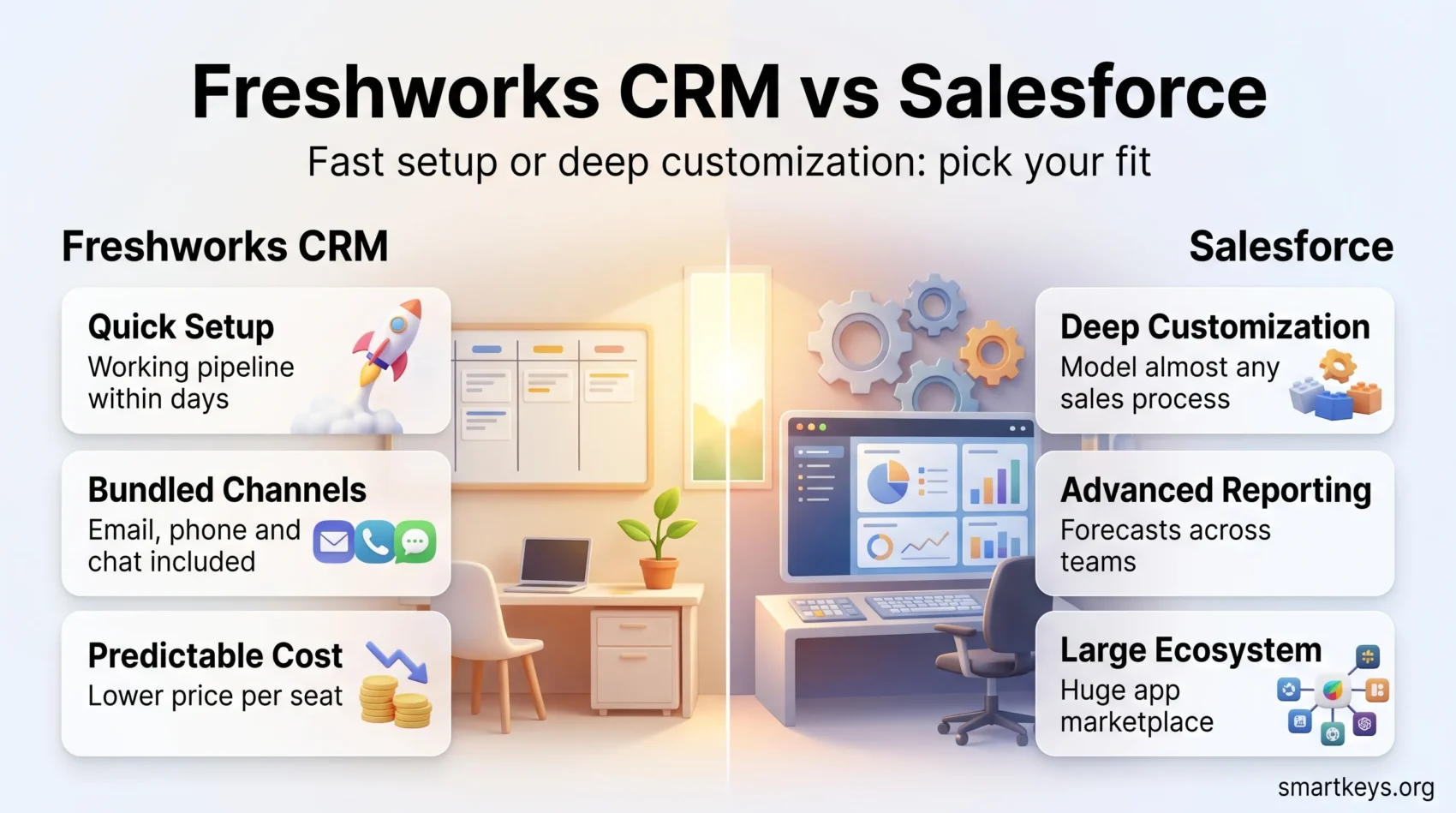
- Freshworks bundles email, phone and chat into the core product instead of charging for them separately.
- Salesforce wins on customization, reporting depth and its app ecosystem, at the cost of a longer setup.
- Pick by team size, admin capacity and sales-process complexity, not by feature-count comparisons.
Why the CRM Choice Matters for a Small Business
A CRM centralizes customer data so a deal does not live in one person’s inbox. For a small team that is usually the whole business case: fewer dropped follow-ups, a shared pipeline view, and reporting that does not depend on a spreadsheet.
The risk is picking a platform whose running cost or admin burden outgrows the value it delivers. A CRM nobody updates is worse than none, and adoption tracks setup simplicity more closely than feature depth. If you are still mapping requirements, our guide to pipeline-focused CRM tools is a useful starting point.
Understanding Freshworks CRM (Freshsales)
Freshsales is built for sales teams that want a working pipeline within a day rather than a configuration project. It combines contact management, deal tracking and built-in communication channels, with Freddy AI layered on top for lead scoring and summaries.
Overview of Freshsales Features
The core product covers what most small sales teams need without add-ons:
- Clear dashboards and a Kanban deal view that new users can read without training.
- Freddy AI for lead scoring, deal insights and drafting outreach.
- Multi-channel engagement through email, built-in phone and chat from inside the record.
- Custom fields, lifecycle stages and workflow automation that adapt to your process.
- Published per-seat pricing, so you can forecast the bill before talking to sales.
Freshworks also sells a marketing-inclusive Suite edition that bundles 500 marketing contacts into each tier. Teams needing heavier campaign tooling usually pair a CRM with a dedicated platform instead; our HubSpot Marketing Hub review and the ActiveCampaign vs HubSpot comparison cover that route.
Who Should Use Freshsales?
Freshsales fits best when the CRM has to earn its keep quickly:
- Startups and sales teams in the low single digits of headcount, where setup time is a real cost.
- Businesses that sell across email, phone and chat and do not want each channel priced separately.
- Teams that would rather have a smaller feature set they use than a large one they configure and abandon.
If you want a second option in the same bracket, the Freshworks CRM vs Pipedrive comparison covers the closest direct alternative, and Salesflare and folk.app are worth a look for automation-first and lightweight setups respectively.
Salesforce: An Industry Giant
Salesforce sells the most configurable CRM on the market. Sales Cloud can model almost any sales process, which is exactly why it takes work to set up and usually needs someone who owns the system.
Key Features of Salesforce
The platform’s strengths cluster around depth rather than convenience:
- Custom objects, fields and page layouts that can mirror an unusual sales process.
- Advanced forecasting, territory and quota management.
- Reporting and dashboards that handle multi-object, multi-team analysis.
- AppExchange, the largest third-party integration marketplace in the CRM category.
- Agentforce and Einstein AI for scoring, summaries and agentic workflows, priced as higher tiers or add-ons.
Target Audience for Salesforce Users
Salesforce targets organizations with the complexity and staffing to justify it: multiple sales teams, non-standard processes, compliance requirements, or a stack that has to integrate tightly. In return you get:
- Reporting depth that smaller CRMs simply do not attempt.
- Custom solutions aligned to specific business functions.
- A platform that scales without a migration when headcount doubles.
Growing companies often shortlist Salesforce against HubSpot rather than against Freshsales; the Salesforce vs HubSpot comparison covers that matchup, and our full Salesforce CRM review goes deeper on the product itself.
Freshworks CRM vs Salesforce: The Direct Comparison
Both platforms manage contacts, deals and pipelines competently. What differs is cost per seat, how much configuration each expects, and what happens to the bill as you add capability.
Feature Set and Usability
Freshsales leads on time to value. The interface is readable on first use, the contact timeline puts every interaction in one place, and a small team can run a real pipeline the same week. That simplicity has a ceiling: complex forecasting, custom objects and cross-team reporting are not what the product is for.
Salesforce leads on ceiling. Almost anything you can describe about your sales process can be modelled in it, and the AppExchange fills most remaining gaps. The trade-off is administration. Salesforce expects someone to own configuration, permissions and reporting, and teams without that person tend to use a fraction of what they pay for.
Pricing: Which is More Affordable?
Freshworks lists Freshsales at $9 per user per month for Growth, $39 for Pro and $59 for Enterprise, all billed annually, according to its official pricing page. Monthly billing costs more per seat. Freddy AI Agent sessions are sold separately at $49 per 100 sessions.
Salesforce lists Sales Cloud at $25 per user per month for Starter Suite, $100 for Pro Suite, $175 for Enterprise, $350 for Unlimited and $550 for Agentforce 1 Sales, all billed annually, on its Sales Cloud pricing page.
The entry gap is roughly threefold, and Salesforce Enterprise costs about three times Freshsales Enterprise per seat. For a five-person team that is the difference between a few hundred dollars a year and several thousand. Whether the premium is justified depends entirely on whether you use the customization it buys.
Advantages of Using Freshworks CRM
Freshsales earns its place through predictable cost and low friction rather than through breadth.
Cost-Effectiveness for Small Businesses
Pricing is published per seat and per tier, with no mandatory implementation package. For a business watching cash flow, a CRM whose annual cost you can calculate in your head beats a longer feature list. Budget the AI add-on separately if you plan to lean on Freddy, since session packs bill on top of the seat price.
User-Friendly Interface and Setup
Onboarding is the strongest argument for Freshsales. Most teams can import contacts, define stages and start logging activity without external help, which matters when nobody on staff is a CRM administrator. Faster adoption also keeps the data current, and current data is the only kind that improves forecasting.
Multi-Channel Engagement Features
Email, phone and chat are part of the core product rather than separately licensed modules. Reps can call from inside a contact record and the activity is logged automatically. For teams that sell by phone, this bundling is often the single largest practical cost difference between the two platforms.
Advantages of Salesforce for Larger Organizations
Salesforce is built for the problems that appear once a sales organization stops being one team.
Advanced Features and Customization
Custom objects, validation rules, approval processes and a full API make it possible to encode a sales process rather than adapt to one. Salesforce also connects readily to the rest of a mature stack, whether through native integrations or automation platforms such as those covered in our Workato vs Zapier comparison and Zapier vs Integromat comparison.
Robust Analytics and Reporting Tools
Reporting is where the gap is clearest. Salesforce handles multi-object reports, joined dashboards, forecast hierarchies and historical trend analysis as standard functionality. If your leadership team asks questions that span pipeline, product and territory at once, this is the capability you are paying for. Feeding those reports well usually means clean inbound data, which is why prospecting tools like Lusha, ZoomInfo and Clay often sit alongside a Salesforce deployment.
Support and Customer Service: Freshworks vs Salesforce
Support quality shapes daily experience more than most feature comparisons admit, and the two vendors structure it differently.
Available Support Options
Freshworks provides chat, email and phone support to paying customers, with availability documented per plan. For a small team without internal CRM expertise, reachable support is effectively part of the product.
Salesforce tiers its support. Standard support comes with the licence, while faster response times, guided onboarding and named contacts sit in paid success plans. Enterprises typically budget for that layer; smaller buyers frequently do not realise it is separate until they need it.
Reliability of Customer Service
Both vendors run extensive documentation, community forums and training libraries, and both are dependable on routine issues. The practical difference is escalation: Freshsales has a smaller product surface, so answers tend to be direct, while Salesforce resolution speed depends on which support plan you bought. Read that line of the contract before signing.
Key Differences Between Freshworks CRM and Salesforce
Strip away the marketing and three differences decide most evaluations: what is bundled, how much administration is required, and how the cost curve behaves as you grow.
Feature Availability and Flexibility
Freshsales bundles email, phone and chat into a single per-seat price. Salesforce prices capability in layers, so telephony, advanced AI and premium support commonly arrive as separate line items. Neither approach is wrong, but they produce very different invoices for the same headcount.
Ease of Use and Learning Curve
Freshsales is designed so that a salesperson can be productive without training. Salesforce is designed so that an administrator can build almost anything, which means someone has to do the building. If no one on your team owns that role, the platform’s flexibility becomes an unclaimed cost rather than a benefit.

Making the Right Choice for Your Business
The right answer depends on three things you can assess in an afternoon: seat count, whether anyone will own the system, and how unusual your sales process really is.
Identifying Your Business Needs
Work through these before booking demos:
- Budget: multiply seats by tier price for a full year, then add AI or telephony add-ons you actually intend to use.
- Ownership: decide who will configure, maintain and report on the system. If the answer is nobody, weight simplicity heavily.
- Process complexity: a linear pipeline needs far less platform than multi-team forecasting with approval chains.
- Adjacent tools: check how the CRM connects to your helpdesk and collaboration stack, for example Zoho Desk, Zendesk or Freshdesk, and Google Workspace.
When to Choose Freshworks CRM or Salesforce
Choose Freshsales for a small team, a straightforward pipeline, no dedicated administrator and a hard budget ceiling. Choose Salesforce when your process needs modelling rather than adapting, when reporting spans teams, or when deep integration with surrounding systems pays for itself.
If neither profile matches yours, the middle of the market is well populated. Bitrix24 and Pipedrive or Insightly cover the ground between a lightweight sales tool and a full platform, and agencies often prefer an all-in-one such as GoHighLevel.
Conclusion
Freshworks CRM and Salesforce are not really competing for the same buyer. Freshsales wins on entry price, setup speed and bundled communication channels, which is exactly what a small sales team needs to get value in the first month. Salesforce wins on customization, reporting depth and ecosystem, which is what a scaling organization needs once its process stops being simple.
Run the numbers for your own headcount first. At $9 versus $25 per seat at entry, and $59 versus $175 at the enterprise tier, the annual difference is large enough to fund other tooling. Pay the Salesforce premium when you have a concrete plan to use the flexibility, and keep the money when you do not.
Read the full Salesforce CRM review
Found this useful?
Make SmartKeys a preferred source on Google, and our articles will surface more often in your Top Stories, AI Overviews, and AI Mode.
Add as Preferred SourceFAQ
What are the main differences between Freshworks CRM and Salesforce?
Freshworks CRM (Freshsales) is a compact sales platform for small and mid-sized teams, with email, phone and chat bundled into a single per-seat price and a setup most teams complete without help. Salesforce Sales Cloud is a configurable enterprise platform built for complex processes, deep reporting and heavy integration through AppExchange. The practical difference is where each one stops: Freshsales trades customization for speed of adoption, while Salesforce trades simplicity for the ability to model almost any sales process. Cost follows the same pattern, with Salesforce charging roughly three times as much per seat at comparable tiers.
Which CRM is more affordable for small businesses?
Freshsales is the cheaper option at every comparable tier. Freshworks lists Growth at $9 per user per month, Pro at $39 and Enterprise at $59, all billed annually. Salesforce lists Starter Suite at $25 per user per month, Pro Suite at $100, Enterprise at $175 and Unlimited at $350, also billed annually. For a five-seat team on a mid tier, that is a difference of several thousand dollars a year. Remember to add optional items on both sides, such as Freddy AI sessions at $49 per 100 sessions or Salesforce premium support plans, before comparing final numbers.
Does Freshworks CRM still have a free plan?
Freshworks no longer advertises a free tier on its Freshsales pricing pages. The current listings show three paid plans, Growth, Pro and Enterprise, plus a 21-day trial that unlocks the full product. If you previously used a free Freshsales account, check your billing settings rather than assuming the plan carries forward, because vendor free tiers are often grandfathered for existing users but withdrawn for new signups. For evaluation the trial is the reliable route, and it unlocks features the old free plan never included.
Are there limitations to using Freshworks CRM?
Yes, and they are mostly about depth rather than reliability. Freshsales handles linear pipelines, contact management and multi-channel outreach well, but it is not built for multi-team forecasting hierarchies, heavily custom data models or reporting that joins several objects at once. The integration catalogue is smaller than AppExchange, so unusual stack requirements can need custom work. Marketing contacts are also metered on the Suite editions, which adds cost as your list grows. For most teams under about twenty sales seats none of this bites, but it is worth checking against your actual reporting requirements.
Is Salesforce suitable for a small business?
It can be, through Starter Suite at $25 per user per month, which is deliberately stripped down and quick to launch. The catch is that Starter Suite does not include the customization and reporting depth that make Salesforce worth choosing, and moving up to Pro Suite quadruples the seat price. A small business with an unusual process, an in-house administrator or a clear plan to scale can justify starting on Salesforce. A small business that simply wants a working pipeline will generally get more value per dollar from Freshsales or a comparable mid-market CRM.
How much customization does Salesforce actually allow?
More than almost any competitor. You can create custom objects and fields, build validation rules and approval processes, design page layouts per role, automate with Flow, and extend through a full API and the AppExchange marketplace. In practice the limit is not the platform but your administration capacity, since every customization has to be designed, documented and maintained. Teams that budget for an administrator or a partner get substantial value from this flexibility. Teams without that capacity end up running a highly customizable platform in near-default configuration while paying the premium price for it.
How do analytics compare between Freshsales and Salesforce?
Freshsales covers the essentials: pipeline value, deal stage movement, activity volume, conversion rates and standard sales dashboards. That is enough for a single team tracking a linear process. Salesforce goes considerably further with multi-object reports, joined report types, forecast hierarchies, historical trend tracking and dashboards that combine data across teams and territories. If your reporting questions currently get answered in a spreadsheet exported from the CRM, Salesforce is likely to remove that step. If your dashboards already answer everything you ask, the extra depth is capacity you will pay for and not use.
Which CRM is better for multi-channel selling?
Freshsales, for most small teams, because email, built-in phone and chat come with the core product rather than as separately licensed modules. Reps can call from a contact record and the activity logs itself, which keeps the timeline complete without manual entry. Salesforce supports the same channels and more, but telephony and advanced engagement tooling typically arrive through add-ons, higher tiers or third-party apps, each with its own cost. If phone and chat are central to how you sell, compare total configured cost rather than list price.