

Last updated: August 2026. Pricing and feature limits verified against folk’s public plan pages and independent 2026 reviews at the time of writing.
folk is a spreadsheet-style CRM built for people who sell through relationships — founders, agencies, recruiters, partnership managers, and investors — rather than for enterprise sales operations. This review covers what folk does well in 2026, where it still falls short, what the three plans actually cost, and which teams should look elsewhere.
Two things changed significantly since folk’s early days: the platform now ships native iOS and Android apps and a set of AI Assistants that draft follow-ups and summarise contact history. One thing changed for the worse: the generous free tier that older reviews still reference is gone.
Key Takeaways
- folk keeps contacts, pipelines, and conversations in one spreadsheet-like workspace most teams learn in under an hour.
- Plans run roughly $24 / $48 / $80 per seat per month on annual billing (about 20% more monthly).
- There is no permanent free plan anymore — you get a 14-day trial with Premium features, no card required.
- Deals, email sequences, dashboards, and API access are locked behind Premium, which is a big jump from Standard.
- Ratings hold steady around 4.5/5 on both G2 and Capterra, with ease of use and support as the recurring praise.
- Native mobile apps landed in 2026, closing the single most-cited gap in earlier reviews.
folk.app Review 2026: The Quick Verdict
If your team lives in email, LinkedIn, and WhatsApp and abandoned its last CRM within a month, folk is worth a serious trial. Setup genuinely takes minutes: connect a mailbox or drop in a CSV, and you have a shared, deduplicated contact base the same day.
Where folk earns its keep is adoption. A CRM nobody opens is worth nothing, and folk’s biggest achievement is being a CRM people actually open daily. Where it struggles is depth — if you need probability-weighted forecasting, complex multi-object deal models, or trigger-based workflow automation, you will hit the ceiling fast.
- Best for: solo founders, agencies, recruiters, VCs, and revenue teams under roughly 20 people who value speed over configurability.
- Skip it if: you need forecasting depth, native Salesforce sync, or automation that fires on pipeline stage changes.
- Price range: about $24 to $80 per seat per month on annual billing.
- Our take: a strong buy at Standard for relationship-led work, a harder sell at Premium unless you specifically need sequences and dashboards.
If you are still mapping out your stack more broadly, our overview of sales trends heading into 2026 puts folk’s relationship-first approach in context.
Try folk.app free for 14 daysWhat Changed in folk During 2026
If you read a folk review written before mid-2026, several of its conclusions are now out of date. Here is what actually shifted.
Native mobile apps finally shipped
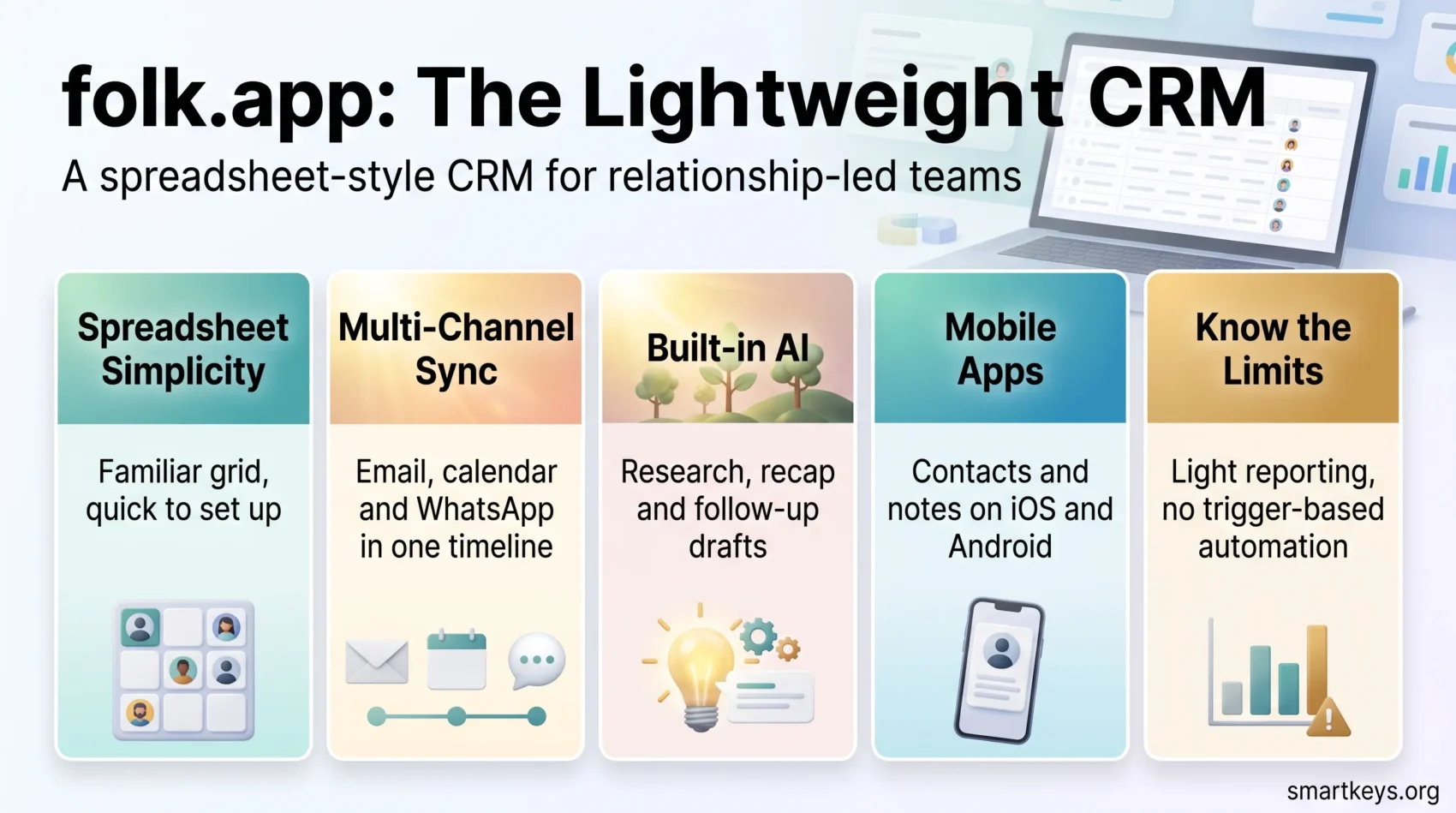
For years the single most common complaint about folk was that it was browser-only. That is no longer true. Contacts by folk CRM is now available on both iOS and Android, with contact history, voice-to-text note capture, contact creation from business cards or WhatsApp, and natural-language search. Heavy configuration work — building pipelines, designing sequences — still belongs on desktop, but logging a call from an event is finally a solved problem.
AI Assistants replaced simple AI copywriting
folk’s AI moved beyond generating subject lines. The current assistants cover research (pulling public context on a prospect before outreach), recap (summarising every past interaction with a contact), follow-up (scanning synced threads for conversations that went quiet and drafting a nudge in your tone), and workflow support. This is the feature set that most clearly differentiates folk from a shared spreadsheet.
Multi-channel sync now includes WhatsApp
Alongside Gmail, Outlook, and calendar sync, folk logs WhatsApp conversations directly against contact records. For teams selling in markets where business runs on messaging rather than email, this is rare at folk’s price point and a genuine reason to pick it over Pipedrive or Attio.
The free plan quietly disappeared
Older reviews — and older versions of this one — mention a permanent free tier capped at 200 contacts. As of 2026, folk’s plan pages no longer promote it. What you get instead is a 14-day free trial that unlocks Premium features with no credit card required. Check folk’s current pricing page before you build a plan around a free tier.

Core Features: From Spreadsheet Feel to Smart Workflows
folk’s design principle is that a CRM should look like something you already know. The grid view keeps rows and columns familiar, so onboarding takes minutes rather than weeks.
Spreadsheet-like interface for faster contact management
A shared table centralises contacts and companies so everyone works from the same source of truth. You can sort, filter, and bulk-edit, which removes most of the repetitive maintenance that kills CRM adoption. Independent testers consistently report full setup in under an hour — three reps with no technical background reaching working status in about 45 minutes is a figure that comes up repeatedly in 2026 reviews.
Magic Fields and automatic enrichment
Custom fields let you mirror your own data model. Magic Fields go further: they use AI to populate attributes from public signals and your own conversation history — role, company, industry, location — so records stay current without manual entry. Paired with the folkX Chrome extension, this is the workflow that justifies the subscription for most users.
If enrichment is the main thing you need, note that folk’s credits are capped per plan and reviewers frequently call them tight. A dedicated enrichment layer like the one we cover in our Clay AI review or a contact-data tool such as Lusha will go deeper than folk does natively.
Collaboration: shared groups, notes, and activity timelines
Teams share groups, add notes, and see email, call, and meeting timelines in one place. That visibility is what makes folk usable across functions — the same workspace can hold a sales pipeline, a recruiting funnel, and a partnership list without duplicate seat costs. Teams already working on cross-functional alignment will recognise the pattern from our RevOps efficiency playbook.
Where the feature set stops
folk optimises for speed, not coverage. There is no trigger-based workflow automation — no rules that fire when a deal changes stage, no automated lead routing. Reporting is snapshot-level rather than analytical. Bulk editing gets awkward past a few thousand records, and re-importing the same contact from two different sources can still create duplicates despite solid initial dedupe.
Contact and Company Management
Quick imports and reliable matching protect your data so you spend time on outreach rather than cleanup.
Import options and automatic linking
Import from a Google or Microsoft mailbox sync, or upload a CSV. People are auto-linked to company records, so context travels with the contact when you prepare an email or walk into a meeting.
Segmentation with groups, tags, and custom fields
Build groups for clients, candidates, or investors, then layer on company attributes like industry, size, and location for precise targeting. Contacts are unlimited on paid plans — the caps that matter are on enrichment credits, AI usage, message volume, and connected accounts.
Capture on the go with folkX
The folkX Chrome extension turns LinkedIn, X, and company websites into one-click sources of contacts and companies. New records arrive categorised and enriched, which is what keeps data quality from decaying. On mobile, business-card scanning and WhatsApp import cover the same job away from the desk.
Email Campaigns and Sequences
Built-in campaigns let you personalise outreach and measure it without leaving your contact list.
Dynamic variables, snippets, and AI drafting
Dynamic variables insert first name, company, and role so messages read one-to-one. Reusable snippets keep tone consistent across a team, and the AI assistants draft openers and follow-ups from real contact context rather than generic prompts. Standard includes campaigns up to roughly 2,000 sends per seat per month.
Scheduling, deliverability, and reporting
Schedule sends now or later, with formatting that survives across inboxes. Reporting shows opens and clicks and surfaces top-performing content. One recurring bug worth knowing: several reviewers report that emails sent through folk occasionally fail to appear in the Sent folder of the connected Outlook account.
What you can and cannot automate
Multi-step email sequences require Premium. On Standard you get campaigns and delayed sends but not automated follow-up chains. Even on Premium, sequences are time-based rather than behaviour-based — there is no branching on what a recipient did. For anything more sophisticated, you will pair folk with an outreach tool or a workflow layer. Our guide to streamlining your email workflow covers how to structure that hand-off cleanly.
Pipelines, Deals, and Reporting
folk uses a clean Kanban board with drag-and-drop movement, and you can run multiple pipelines — inbound, outbound, partnerships — switching between them from the sidebar. Deal cards show contact, company, last interaction, and value without opening the record.
Where the plan split hurts most
This is the sharpest edge in folk’s packaging. Standard includes pipeline management, but deals as a proper custom object, dashboards, and API access all sit behind Premium — roughly double the price. If deal tracking is your primary reason for buying a CRM, budget for Premium from the start rather than discovering the limit in week three.
Forecasting remains a genuine gap
Even on Premium, folk gives you dashboards and stage snapshots rather than probability-weighted revenue forecasting, cohort analysis, or win/loss reporting. Teams that need those numbers export data or model them in a BI tool. That is a reasonable trade for a five-person agency and a dealbreaker for a twenty-rep sales org.
Integrations, folkX, and Mobile
Native sync with Google and Microsoft covers email, contacts, and calendar, with WhatsApp added to the same unified timeline. Beyond that, folk leans almost entirely on Zapier and Make to reach 5,000+ other apps.
The Zapier dependency is a real cost
The native integration list is short. If your stack sits outside Google, Microsoft, and LinkedIn, you are paying for a connector platform on top of folk — plus the maintenance overhead that comes with it. Some field types are not yet supported by the Zapier connector, and folk’s API, available only on Premium, is still light by the standards of a mature CRM. If you are weighing that layer seriously, our Workato vs Zapier comparison is a useful starting point, and the task automation playbook covers where automation actually pays back.
Mobile apps
Contacts by folk CRM on iOS and Android handles the on-the-go half of the job: viewing full interaction history, adding contacts from your phone or WhatsApp, dictating notes, and asking natural-language questions of your database. It is deliberately not a full port of the desktop app.
folk Pricing 2026: Plans, Limits, and When to Upgrade
folk bills per workspace member. Annual billing saves roughly 20% against monthly, and adding or removing a seat produces a prorated charge or credit on your next invoice.
| Plan | Annual (per seat/mo) | Monthly (per seat/mo) | What it unlocks |
|---|---|---|---|
| Standard | ~$24 | ~$30 | Contacts and companies, pipeline management, email campaigns (~2,000 sends/seat/mo), folkX extension, email / calendar / WhatsApp sync, enrichment, Magic Fields, AI Assistants, Zapier and Make |
| Premium | ~$48 | ~$60 | Everything in Standard plus deals as custom objects, multi-step email sequences, dashboards, API access, advanced roles and permissions, higher credit limits |
| Custom | from ~$80 | from ~$100 | Raised or removed usage caps, tailored terms, priority support |
Which plan actually fits
- Standard is the right call for solo operators and small teams whose job is staying on top of relationships and sending occasional campaigns.
- Premium only makes sense if sequences, deal objects, dashboards, or the API save your team meaningful time. Paying double for features nobody opens is the most common folk overspend.
- Custom is for high-volume workspaces bumping into enrichment or messaging caps.
How to trial it properly
The 14-day trial includes Premium features, which cuts both ways — it is generous, but it means you are evaluating a feature set you may not be paying for. Import a real contact list on day one, run one genuine campaign, and deliberately test whether you touch deals, sequences, or dashboards. If you never open them during the trial, buy Standard.
Start your free folk.app trialSupport and User Reviews: What Real Users Say
Support is one of folk’s most consistently praised attributes. In-app chat replies typically land within the hour during business hours, and reviewers across multiple platforms describe migration help as proactive rather than deflecting. For a small team with no internal IT function, that matters more than most feature comparisons suggest.
Self-service resources
The help centre carries articles, video tutorials, FAQs, and folk Academy material, which keeps most onboarding questions from becoming tickets at all.
Ratings across review platforms
folk holds roughly 4.5/5 on G2 from over 300 reviews and 4.5/5 on Capterra from around 46 reviews, with ease of use scoring 4.6 and customer service 4.5. Product Hunt sits higher still. The praise is remarkably consistent — clean interface, fast setup, folkX, LinkedIn enrichment — and so are the reservations: shallow reporting, rigid tagging, tight enrichment credits, and limited native integrations with no Salesforce sync.
- Consistent strength: ease of use and setup speed, cited in nearly every review.
- Consistent weakness: reporting depth and integration breadth.
- Resolved in 2026: the missing mobile app, which dominated criticism through the first half of the year.
folk vs Traditional CRMs and Alternatives
folk trades enterprise depth for something rarer: a CRM that gets used. Against a spreadsheet, you gain deduplication, shared structure, interaction history, and outreach in one place. Against HubSpot or Salesforce, you lose forecasting, custom objects at depth, workflow automation, and reporting — but you also lose a week of implementation and an admin role nobody wanted to fill.
- vs spreadsheets: cleaner data, real pipeline visibility, email context that travels with the record.
- vs HubSpot / Salesforce: dramatically faster adoption, dramatically less reporting depth.
- vs Pipedrive / Attio: folk wins on multi-channel sync and design; those tools win on automation and integrations.
- vs an all-in-one suite: if you want CRM, marketing, and support in one bill, something like Bitrix24 covers far more ground at the cost of simplicity.
A common and sensible pattern in 2026 is folk as the relationship layer, a dedicated enrichment tool feeding it, and an AI meeting notes workflow capturing conversation context that would otherwise never reach a record.
Who Should Buy folk — and Who Should Not
Buy folk if you sell through relationships rather than volume, your team is under about 20 people, you work across email and messaging channels, and your last CRM died of neglect. The combination of folkX, Magic Fields, and AI Assistants removes the manual data-entry tax that kills most CRM rollouts.
Look elsewhere if you need forecasting accuracy, trigger-based automation, deep native integrations, or reporting your finance team will accept. Those are structural characteristics of the product, not gaps that close with a plan upgrade.
Conclusion
folk in 2026 is a more complete product than the one most reviews describe — mobile apps shipped, AI assistants matured, WhatsApp sync arrived — but it is also a more expensive one, with the free tier gone and the most-wanted features sitting behind a Premium plan at roughly double the entry price.
That still leaves a clear recommendation. For founders, agencies, recruiters, and small revenue teams who need a CRM they will actually open every day, folk remains one of the best options available, and Standard at around $24 per seat is fair value. For anyone whose process depends on forecasting or automation, the honest answer is that folk will frustrate you regardless of which plan you pick.
The 14-day trial costs nothing and no card is required, which makes a two-week pilot with a real contact list the fastest way to settle the question for your own team.
Try folk.app free — no credit cardFound this useful?
Make SmartKeys a preferred source on Google, and our articles will surface more often in your Top Stories, AI Overviews, and AI Mode.
Add as Preferred Source




