

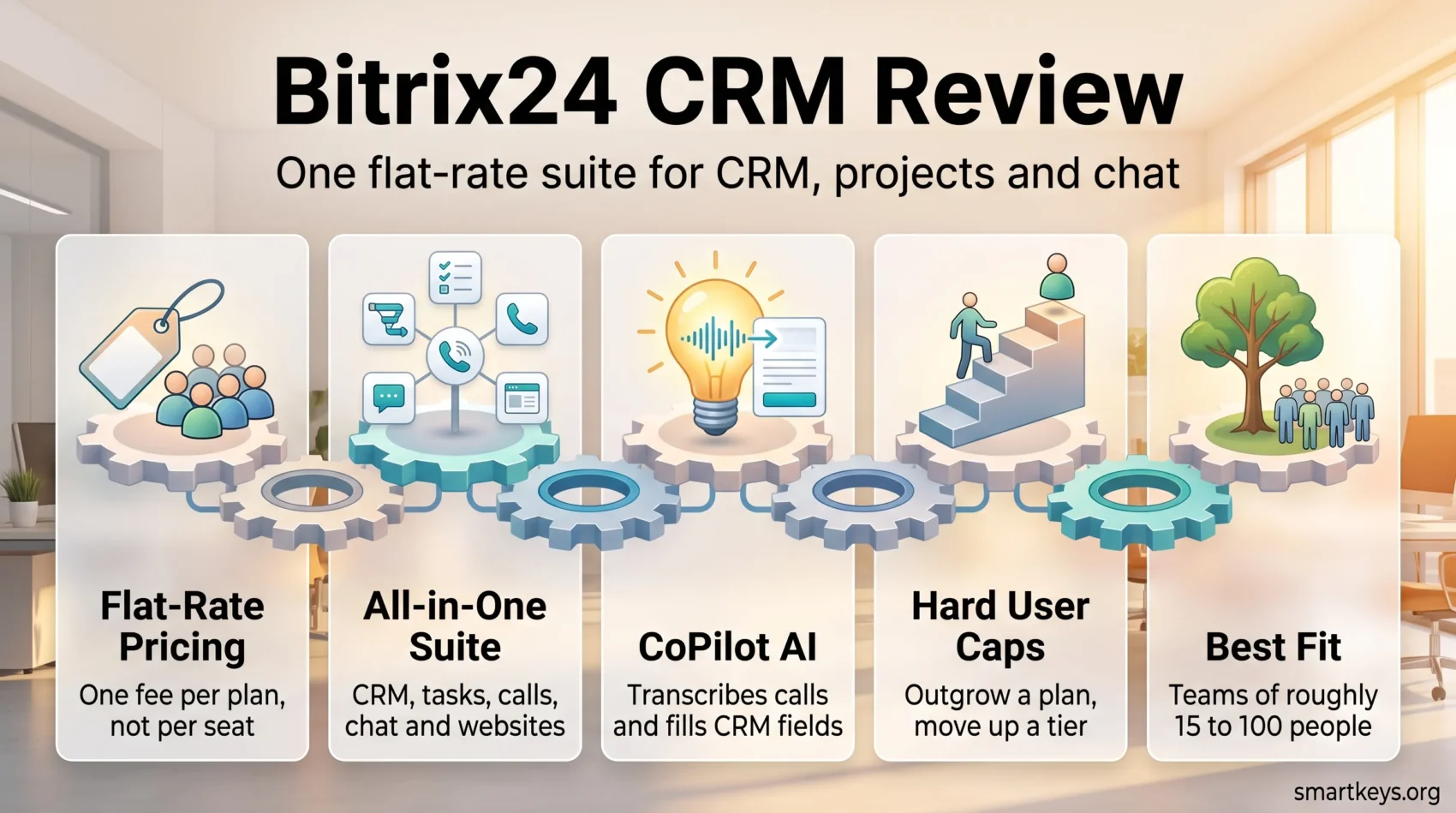
Bitrix24 is one of the few business platforms that refuses to specialise. A single subscription bundles a CRM, task and project management, telephony, an internal chat and activity feed, a website and store builder, and an AI assistant called CoPilot. Bitrix24 states that 15 million organizations have chosen the platform.
What makes it unusual is the billing model. You pay a flat monthly fee for a block of users rather than a price per seat. A 45-person sales team on the Standard plan pays exactly what a 12-person team pays. If you fill the seats, that is far cheaper than a per-user CRM. If you are five people, it often is not.
This Bitrix24 CRM review covers what the platform actually costs in 2026, what CoPilot adds inside the CRM, where the all-in-one approach genuinely helps, and where a focused tool serves you better.
Key Takeaways
- Bitrix24 charges a flat fee per plan, not per user, so the value depends entirely on how many seats you fill.
- Paid plans start at $49 per month on annual billing for up to 5 users and scale to $7,999 per month for 10,000 users.
- The free plan covers basic CRM, tasks, chat and 5 GB of storage, but Bitrix24 now markets it “for 1–2 users”.
- CoPilot, the built-in AI, transcribes call recordings, fills CRM fields, and summarises tasks and chats.
- Breadth is the trade-off: you get a lot of tools in one place, and none of them is best-in-class.
- A 15-day trial lets you test higher-tier features before you commit.
What Is Bitrix24?
Bitrix24 is a cloud collaboration suite built around a CRM. Alongside deals, contacts and pipelines you get tasks with Kanban and Gantt views, shared calendars, a company-wide feed, chat and video calls, document storage, a website and online store builder, HR tools and workflow automation. Everything runs in one account, so a deal, the task it created and the chat about it all live in the same place.
You can reach it through a browser or the iOS and Android apps. Consolidating this many functions into one subscription is the core pitch: instead of paying separately for a CRM, a project tool, a chat app and a site builder, you pay once. Whether that saves money depends on how many of those tools you would otherwise buy — and on whether the bundled version is good enough to replace them.
The honest framing is that Bitrix24 competes on coverage rather than depth. If you want the best pipeline experience on the market, a focused tool like Pipedrive’s sales-first CRM will feel sharper. If you want one login for the whole company, that is the case for Bitrix24.
Bitrix24 Pricing in 2026
Pricing is where Bitrix24 differs most from the rest of the market, so it is worth getting exact. All figures below are Bitrix24’s published cloud list prices; annual billing costs roughly 30 % less per month than paying monthly.
Free Plan
The free plan includes basic CRM with deals and contacts, tasks with Kanban and Gantt views, shared calendars, chat and video calls, and 5 GB of shared storage. Bitrix24’s help documentation notes that unlimited deals and invoices are allowed on this tier.
Two caveats matter. First, Bitrix24’s pricing page now markets the free plan as “100 % free for 1–2 users”, while its own help centre still describes the free plan as open to an unlimited number of users. The two statements do not agree, so confirm the current terms in your account before you build a team workflow on it. Second, a free account with no sign-in for 50 days is marked inactive and deleted automatically.
Paid Plans Compared
- Basic — $49 per month billed annually, $69 monthly. Up to 5 users, 24 GB storage.
- Standard — $99 per month billed annually, $144 monthly. Up to 50 users, 100 GB storage.
- Professional — $199 per month billed annually, $289 monthly. Up to 100 users, 1 TB storage.
- Enterprise — from $399 per month billed annually ($579 monthly) and rising to $7,999 per month billed annually ($11,499 monthly) at the 10,000-user tier, with 3 TB to 30 TB of storage.
Do the arithmetic before you choose. Basic works out at roughly $10 per user per month if you use all five seats, which is unremarkable. Standard is where the model pays off: filled to 50 users it lands around $2 per user per month, a level no mainstream per-seat CRM approaches. Compare that with the tiers in our Salesforce CRM review or with HubSpot Marketing Hub’s plan structure and the gap at scale is large.
The flip side is the cliff. User limits are hard caps per plan, so a team that grows from 50 to 52 people moves to the next tier rather than adding two seats. Budget for the jump before it happens.
A 15-day free trial gives access to higher-tier features without a credit card, which is the sensible way to test whether the bundled tools are good enough for you.
Key Features of Bitrix24 CRM
The CRM itself covers the expected ground: lead capture, deal pipelines, contact and company records, quotes and invoices, and reporting on funnels and rep performance. Around it sit payment processing, inventory, e-signatures and marketing campaigns, which is more than most CRMs include natively.
Contact and Deal Management
Customer records hold interaction history, and you can run bulk actions, import contacts from files or other systems, and capture leads directly from web forms, email and social channels. Custom fields and multiple pipelines let you model a sales process rather than bending yours to fit the tool. For a very small team that wants something lighter, a focused option such as folk.app’s lightweight CRM may be a better fit than a suite this large.
Sales Automation
Rules and triggers move leads and deals through stages, send SMS or email notifications, and assign follow-up tasks automatically. Workflow automation sits on the paid tiers, so the free plan will not carry a real sales process on its own. If automation across separate apps is the actual goal, our comparison of Zapier and Integromat covers that ground.
CoPilot: AI Inside the CRM
CoPilot is Bitrix24’s AI assistant, and it is embedded across the product rather than bolted on. According to Bitrix24’s help centre, it transcribes call recordings and fills CRM fields from them, runs speech analytics on calls, summarises long task comment threads and generates checklists, drafts and rewrites feed posts, answers questions in a standalone chat, generates websites and page blocks, writes product catalogue descriptions, and flags inefficiencies in workflows.
That is a wide surface for a platform at this price. Bitrix24 does not publish a simple per-plan allowance for CoPilot requests, so treat AI usage as a limit to verify during the trial rather than an unlimited feature.
Omnichannel Communication
Bitrix24’s contact centre pulls web form submissions, email, live chat, telephony and social and messenger channels into one inbox tied to CRM records. Built-in telephony means calls can be placed and recorded without a separate provider — the reason CoPilot’s transcription is useful in the first place. If a dedicated support desk is what you need, our Zendesk review and Zoho Desk review set a useful benchmark.
User Experience and Interface
The interface is dense. Bitrix24 puts a lot on screen, and new users regularly describe the first week as overwhelming — the most common complaint about the product and a fair one. The layout borrows from social networks, with a feed at the centre and a left-hand tool rail, which helps if that pattern is familiar and hurts if you expected a clean sales pipeline and nothing else.
Once the tools you do not need are hidden, it settles down. Plan for real onboarding time rather than assuming people will find their way.
Dashboard and Customisation
The dashboard can be rebuilt per user with widgets, interactive charts and live updates covering tasks, leads and sales performance. Pipelines, fields and views are all configurable, and administrators can switch off entire modules to reduce clutter — worth doing on day one.
Mobile Apps
The iOS and Android apps cover tasks, chat, calls and customer records, so field sales and travelling managers can work without a laptop. That matters for teams embracing remote work, where the CRM has to be reachable from wherever people are.
Integrations With Other Tools
Bitrix24 ships a marketplace of applications covering telephony, accounting, e-commerce, messengers, marketing and analytics, plus native connections to the mainstream messenger and social platforms. Marketplace counts change constantly, so check the current catalogue for the specific tool you depend on rather than trusting a number in any review.
REST API and Custom Apps
The more durable answer is the REST API. Bitrix24 exposes its CRM, tasks, telephony and user data through it, and it is what teams use to build the integration they need when a ready-made connector does not exist. Webhooks handle simpler one-way syncs. If your stack is unusual, the API is the reason Bitrix24 can still fit.
Everyday Connections
Email marketing is the most common request. Bitrix24 has its own campaign tools, and it also connects to external senders — see our Mailchimp review for how that side of the stack compares. Accounting is the second: QuickBooks Online is a common destination for invoices raised in the CRM. For contracts, a dedicated tool like DocuSign remains stronger than the built-in e-signature.
Bitrix24 CRM Benefits for Businesses
The clearest benefit is cost structure. Removing per-user fees changes how teams behave: you can give everyone an account, including the people who only need to look something up, without the licence discussion that normally follows. Customer context stops living in one department’s tool.
The second benefit is fewer seams. Client email, internal chat, the shared calendar, the task created off a call and the report on all of it sit in one system, so there is no export step and no second login. For small operations teams, that removes a genuine source of friction.

Project groups are the third. Each group carries its own tasks, files, chat and notifications, which keeps cross-functional work out of the main feed. Teams that would otherwise run this in a separate tool — the kind compared in our Monday.com vs Trello piece — can often collapse it into Bitrix24.
None of this makes Bitrix24 the best CRM available. It makes it a reasonable single answer to several questions at once, which for a company under 100 people is frequently the more useful outcome.
Pros and Cons of Bitrix24 CRM
Advantages
- Flat-rate pricing. No per-seat fee, so cost per user falls sharply as the team grows into a plan.
- Genuine breadth. CRM, projects, telephony, chat, sites and HR tools in one subscription.
- AI included. CoPilot works inside CRM, tasks, chat and sites rather than as a paid bolt-on module.
- Configurable. Pipelines, fields and dashboards adapt to your process, and unused modules can be hidden.
- Open API. A documented REST API and webhooks make custom integrations realistic.
Disadvantages
- Steep learning curve. The volume of features on screen is the most frequent criticism, and onboarding takes real time.
- Hard user caps. Exceeding a plan’s user limit forces a full tier upgrade rather than adding seats.
- Depth over breadth is not the trade. Individual modules lag the specialists they replace.
- Thin free tier. Workflow automation and most advanced tools sit behind paid plans, and the free plan’s user allowance is currently described inconsistently.
- Unclear AI limits. CoPilot allowances per plan are not published in plain terms.
How Bitrix24 Compares
The comparison that matters is not feature-by-feature but model-against-model. Bitrix24 sells a flat-rate suite; almost everyone else sells per-seat software.
Against Salesforce, Bitrix24 is dramatically cheaper and dramatically less deep. Salesforce wins on ecosystem, reporting and enterprise governance. Bitrix24 wins on total cost for a mid-sized team that will never use most of that. Against HubSpot, the split is similar: HubSpot’s marketing tooling and usability are stronger, and our Salesforce vs HubSpot comparison covers that end of the market.
Against lighter sales CRMs, the trade reverses. Freshworks CRM and Pipedrive are faster to adopt and easier for a sales team to like, and Salesflare automates data entry more aggressively. None of them will also run your intranet.
The closest structural rival is Zoho, which sells a comparable all-in-one bundle — our Bitrix24 vs Zoho One comparison is the head-to-head. If it is the project side you actually care about, ClickUp and Jira are the serious alternatives, and Bitrix24’s website builder is not a replacement for a dedicated site platform.
Customer Support and Resources
Bitrix24 backs the platform with a large public help centre, video tutorials and live webinars, and the documentation is detailed enough that most configuration questions are answerable without contacting anyone. That matters for a product this broad.
Beyond self-service, support depth scales with the plan, and paid onboarding and partner implementation are sold separately. Partners handle most complex migrations. If your priority is customer-facing chat rather than internal support, our Chatbase review looks at that category directly.
Budget time or money for setup. The platform is affordable; a well-configured deployment is where the real cost sits.
Verdict
Bitrix24 remains one of the best value propositions in business software for a specific buyer: a company of roughly 15 to 100 people that wants a CRM, a project tool and an internal communication layer, and would rather have one competent system than three excellent ones. Fill a Standard or Professional plan and the per-user economics are hard to argue with.
It is the wrong choice for a two-person team, where the flat fee has nothing to spread across and a lighter CRM is cheaper and quicker. It is also the wrong choice for a sales organisation that needs best-in-class pipeline tooling, or for anyone without the appetite to configure a large platform properly.
Use the 15-day trial deliberately. Import real data, run one full sales cycle, and check the CoPilot limits and the user cap on the plan you are considering. If the bundled versions of your three most important tools clear the bar, the arithmetic will do the rest.
Found this useful?
Make SmartKeys a preferred source on Google, and our articles will surface more often in your Top Stories, AI Overviews, and AI Mode.
Add as Preferred Source




