

Docusign has been the default answer to “how do we get this signed” for so long that plenty of buyers never look closely at the invoice. That is worth doing in 2026. The plan names have changed, an AI layer has grown around the signing product, and the price you actually pay still depends less on the sticker figure than on an envelope allowance that catches teams out every year.
This review covers what the current plans cost, what an envelope really is and when you start paying extra, what the AI features add, how the security and legal position stands, and when a cheaper tool does the same job. All prices are the published US figures at the time of writing.
Key Takeaways
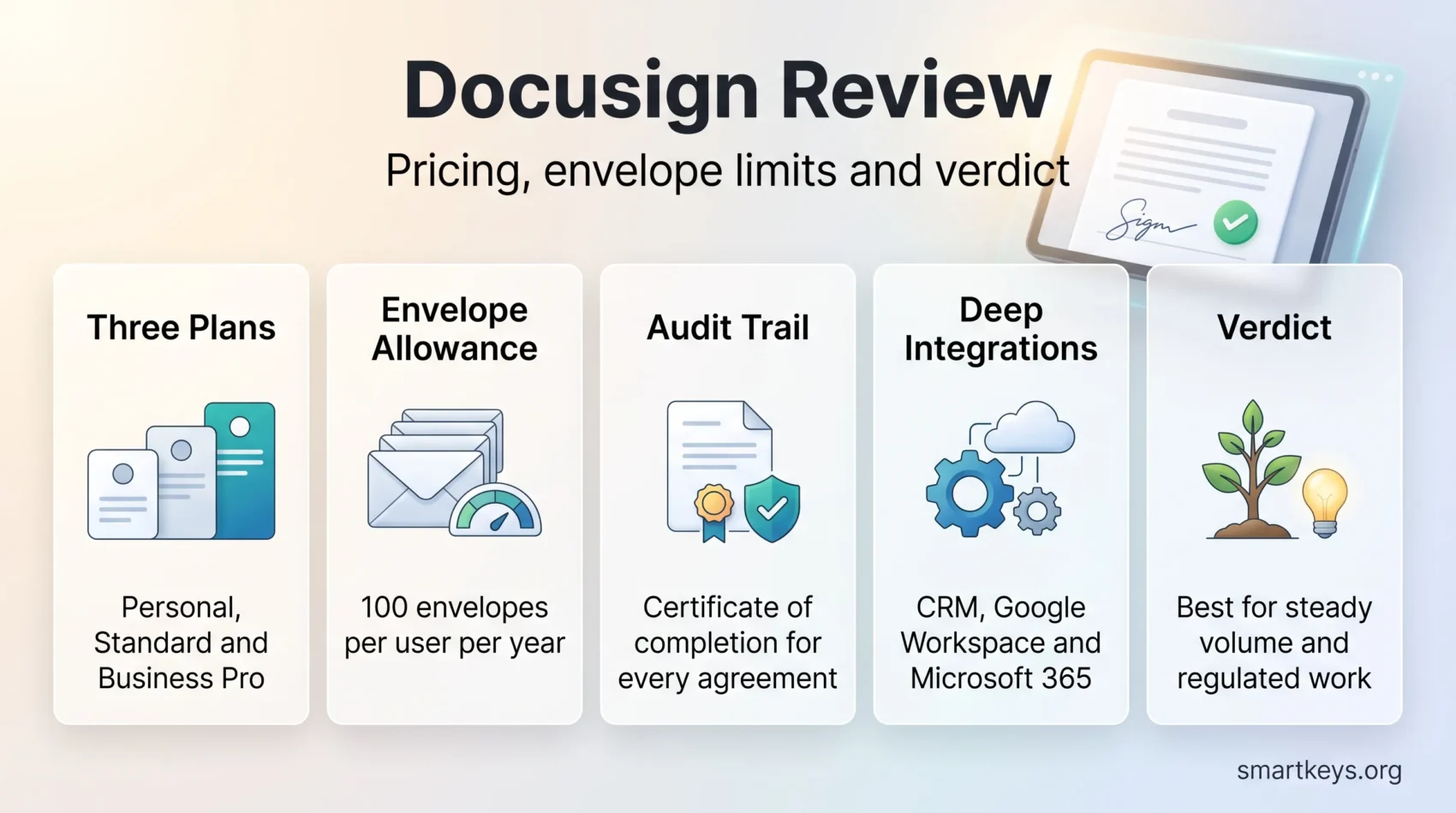
- Docusign publishes three self-serve plans: Personal at $11 a month, Standard at $30 per user a month and Business Pro at $45 per user a month, each on an annual commitment.
- Standard and Business Pro include up to 100 envelopes per user per year. Everything beyond that is billed per envelope on a pay-as-you-go basis.
- An envelope counts once the moment it is sent, no matter how many documents, fields or signers it holds, and whether or not anyone signs it.
- Independent reviewers rate the platform highly: 4.5 out of 5 on G2 across 2,629 reviews and 4.5 out of 5 on Gartner Peer Insights across 761 reviews.
- Docusign reports more than 1.5 million paying customers, over a billion users in 180 plus countries and more than 400 prebuilt integrations.
- The 30-day free trial is the only free way to send. Signing a document someone else sends you is always free and needs no account.
What Docusign Is in 2026
Docusign began as an electronic signature service and now positions itself as an intelligent agreement management platform. Signing remains the core, but the company has built several layers around it: a repository that reads and indexes completed contracts, workflow tools that route an agreement through approvals, and an AI engine called Iris.
On 21 May 2026 Docusign announced an AI assistant and a set of agents built on Iris, together with Agent Studio for building custom agents, packaged products for HR and sales teams, AI-generated web forms and a Model Context Protocol server that connects the platform to Claude, Gemini and ChatGPT.
For most buyers that matters less than it sounds. If your requirement is “send a contract, collect a signature, keep a defensible audit trail”, the eSignature plans below are what you are buying. The agreement intelligence sits above them and is either bundled in small doses or quoted separately by sales.
The scale is real, though. Docusign reports more than 1.5 million paying customers and over a billion users across more than 180 countries, with over 400 prebuilt integrations. Those are the company’s own figures rather than audited ones, but the recipient experience reflects them: most people you send an agreement to have signed one before.
Docusign Pricing in 2026
The self-serve plans
Docusign publishes three plans you can buy without talking to anyone, plus quoted plans above them.
- Personal: $11 a month on an annual commitment, $132 for the year. One user, five envelopes a month. Includes reusable templates, mobile signing and the standard integrations.
- Standard: $30 per user a month on an annual commitment, $360 per user a year, for up to 50 users. Adds shared templates, custom branding, delegated signing, in-document comments and a small bundled allowance of SMS deliveries and identity verifications.
- Business Pro: $45 per user a month on an annual commitment, $540 per user a year, also capped at 50 users. Adds web forms, payment collection, bulk send, interactive and conditional fields, and eWitness.
- Enhanced plans: quoted by sales for organisations above 50 users. Single sign-on, 24/7 live support, centralised administration, Salesforce document generation and tighter security configuration.
Month-to-month billing exists and costs more per user than the annual rate. Docusign does not publish those figures on the plan page, so ask for them rather than assuming the annual price carries over.
The envelope allowance is the number that matters
An envelope is one electronic record containing one or more documents submitted for signature. Regardless of how many documents, fields and signers it contains, it counts once against your allowance as soon as it is sent. A withdrawn or ignored envelope still counts.
Annual Standard and Business Pro accounts include up to 100 envelopes per user per year. Monthly accounts get 10 per user per month. Once you pass the allowance, each additional envelope is billed pay-as-you-go at a set per-envelope rate, so nothing stops working but the invoice grows quietly.
That structure rewards steady senders and punishes bursty ones. Before committing, count the agreements you actually sent last year rather than the ones you intend to send this year. A five-seat Standard account carries 500 envelopes across the year, which sounds generous until one renewal campaign consumes half of it in a fortnight. Teams that send in waves often do better on a per-envelope or per-document vendor.
Free trial and free signing
Docusign offers a 30-day free trial of eSignature, and annual plans bought directly from the company come with a 30-day money-back guarantee. There is no permanent free plan for sending documents. Receiving and signing remains free for the other side: recipients never need an account, which is a large part of why the platform spreads inside supply chains and cross-border teams.
Core Features
Signing and routing
Signers can draw a signature with a mouse, trackpad or stylus, type one in a chosen font, or upload an image of their own. Routing supports serial order, parallel order and mixed sequences, so a contract can go to two reviewers at once and only then to the signer. Reminders, expiry dates and correction of a sent envelope are all built in.
Every completed envelope produces a certificate of completion: timestamps, IP addresses, authentication events and the document hash. That record, not the visual signature, is what makes an electronic agreement defensible later, and it is worth building into your standard operating procedures rather than leaving it in an inbox.
Preparing documents
Fields are placed by dragging them onto the document, which is quick for one-off agreements and error-prone at volume. The fix is reusable templates: field positions, recipient roles and routing saved once and applied to every future copy. PowerForms let you publish a self-service link that anyone can complete, and Business Pro adds responsive web forms that turn a static PDF into an interactive one.
Supported uploads cover the usual office formats including .doc, .docx, .pdf, .xls and common image types.
Identity checks
Beyond a plain email link, Docusign supports access codes, SMS and phone authentication, knowledge-based authentication and government ID verification. These are the features regulated industries buy the product for. Note that SMS deliveries and ID verifications draw on separate bundled allowances and are billed once those run out, so a workflow that verifies every signer changes the economics of a plan considerably.
Agreement intelligence
The repository indexes completed agreements so you can query renewal dates, counterparties and clause language instead of hunting through folders. Workflow tools chain steps together across systems, and the Iris assistant answers questions about the portfolio in natural language. This is where Docusign now competes with contract lifecycle management vendors rather than with e-signature tools, and it is also where the cost separates from the entry plans. Treat it as a second purchase decision, not an extension of the first, in the same way you would evaluate any AI feature bundled into a SaaS product.
Security, Compliance and Legal Standing
Electronic signatures are legally equivalent to ink for most commercial agreements in the United States under the ESIGN Act and state adoptions of UETA, and in the European Union under the eIDAS Regulation, which recognises simple, advanced and qualified electronic signatures. Certain categories still need paper or notarisation, wills and some family law documents among them, so check the specific document type rather than assuming blanket validity.
On the platform side, Docusign encrypts documents in transit and at rest, applies a tamper-evident seal to completed agreements, and records the full audit trail described above. It supports multi-factor authentication for account access and offers the certification set enterprise buyers ask for, including SOC 2 Type II, ISO 27001 and PCI DSS, with HIPAA support available for healthcare customers. In September 2025 the company announced FedRAMP Moderate authorization for its agreement management platform, which opens it to more US federal work.
None of that removes your own obligations. Signed agreements contain personal data, and retention, access control and deletion remain your responsibility under GDPR and the growing set of US state privacy laws. If you are tightening how employee and customer data is handled, the signature archive belongs in that review. The same applies to account security: shared logins and unmanaged access are the weak point in most deployments, which is the argument for zero trust access controls and for the wider security practices distributed teams need.
User Experience
The sending interface is built like an email client: an inbox of agreements with status labels, a folder structure and search. People pick it up quickly, and the mobile apps carry the full sending flow rather than a cut-down version.
The recipient side is the strongest part of the product. A signer receives a link, follows a guided sequence of required fields, signs and is finished, with no account and no software. Completion rates benefit from that simplicity more than from any feature on the sender side.
The common complaints in review data are consistent: administration gets fiddly once you have many templates and permission groups, correcting a sent envelope is less intuitive than it should be, and support quality below the enhanced tiers is uneven. None of these are dealbreakers, but they are real friction as an account grows.
What Reviewers Say
Docusign holds 4.5 out of 5 on G2 across 2,629 reviews. On Gartner Peer Insights it also sits at 4.5 out of 5 across 761 verified reviews, with 57 percent five-star and 38 percent four-star ratings and only 2 percent at two stars or below.
The pattern behind those scores is stable. Reliability and recipient experience draw praise; price at volume draws criticism, particularly from small teams that discover the envelope allowance after signing up. Value for money is consistently the lowest-scoring dimension, which fits a market leader charging a premium.
Integrations
Docusign lists more than 400 prebuilt integrations. The ones that matter to most buyers are the CRM connectors, where an agreement is generated from record data and its status written back without anyone leaving the CRM. Salesforce is the deepest of these, and if you are already running Salesforce as your CRM that connection alone often justifies the platform choice. Microsoft Dynamics 365, HubSpot, SAP and Workday are all supported.
Document and productivity suites are covered too. Signing from Gmail, Drive and Docs works natively for Google Workspace customers, and the Microsoft 365 integrations cover Outlook, Word and SharePoint. Finance teams commonly wire it to QuickBooks Online for signed quotes and engagement letters.
Smaller stacks tend to connect it differently. If your CRM is Pipedrive or Bitrix24, an automation platform is usually the cleaner route: see how Workato and Zapier compare for that job, or the wider case for an integration platform as the connective layer. For anything custom, the REST API is well documented and is the reason Docusign turns up inside so many products as an invisible component, a good example of how an API-first business model compounds.
Docusign Compared With the Alternatives
Docusign is rarely the cheapest option, so the comparison usually comes down to whether the reliability and recipient familiarity are worth the premium.
Adobe sells signing inside its Acrobat business plans, priced at $16.99 per license a month for Acrobat Standard for teams and $23.99 for Acrobat Pro for teams on annual terms billed monthly. If your team already edits PDFs daily, that bundling is hard to argue against. Our comparison of Adobe Sign and HelloSign covers where each fits.
PandaDoc takes a different angle, positioning itself as a document creation and proposal tool with signing attached, at $19 per seat a month for Starter and $49 for Business. Sales teams that build quotes and proposals often prefer that shape to a pure signature tool.
At the light end, browser-based editors cover a surprising amount of ground for small volumes. Our DocHub review looks at one of them, and for a business sending a handful of agreements a month the saving against Docusign is substantial.
The honest summary: choose Docusign for reliability at scale, regulated workflows and deep CRM integration. Choose an alternative if your volume is low, your budget is tight, or document creation matters as much as signing.
Where Docusign Fits Best
Sales is the most common home for it. Contracts generated from CRM data, sent, tracked and closed without rekeying anything, which is why it shows up in almost every stack built for distributed sales teams.
HR runs a close second. Offer letters, contracts, policy acknowledgements and equipment agreements all follow a fixed template and a fixed route, so templates pay back immediately. If you are rebuilding remote onboarding, the paperwork is the easiest part to fix first, and it fits the broader shift in how HR teams are working.
Regulated sectors use the identity features rather than the convenience ones. Financial services need verified signers and complete audit trails; healthcare organisations handling consent forms and provider agreements need HIPAA-compliant handling, which is part of why signing shows up early in most healthcare digitisation programmes. Real estate and legal work remain heavy users for the same reason: high document volume, strict process, low tolerance for a lost signature.
Getting More Out of Docusign
Four habits separate accounts that pay off from accounts that quietly overspend.
Build templates for anything you send twice. Every field placed manually is a field that can be placed wrong, and correcting a sent envelope is slower than preparing it properly.
Watch the envelope counter, not the seat count. Check usage quarterly against the allowance, because overage appears on the invoice rather than in a warning.
Use bulk send instead of individual envelopes for anything that goes to a list. It is a Business Pro feature and it is the main reason to move up a tier.
Set a retention rule. Completed agreements accumulate, and an archive nobody prunes is both a compliance problem and a search problem.
Verdict
Docusign remains the strongest general-purpose e-signature platform, and in 2026 its advantages are the unglamorous ones: recipients recognise it, the audit trail holds up, the integrations are deep and the identity options cover regulated work. The agreement intelligence layer is genuinely interesting, but it is a separate buying decision and should not carry the case for the signing product.
The reservation is price, and specifically the shape of the price. At $30 to $45 per user a month plus overage on 100 envelopes, a small team sending irregularly will pay more than the work warrants. Count your real envelope volume first. If it is steady and the agreements are contracts rather than forms, Docusign earns its premium. If it is low, occasional, or mostly internal approvals, a lighter tool or a workflow inside the software you already run will do the job for a fraction of the cost.
Found this useful?
Make SmartKeys a preferred source on Google, and our articles will surface more often in your Top Stories, AI Overviews, and AI Mode.
Add as Preferred Source




