

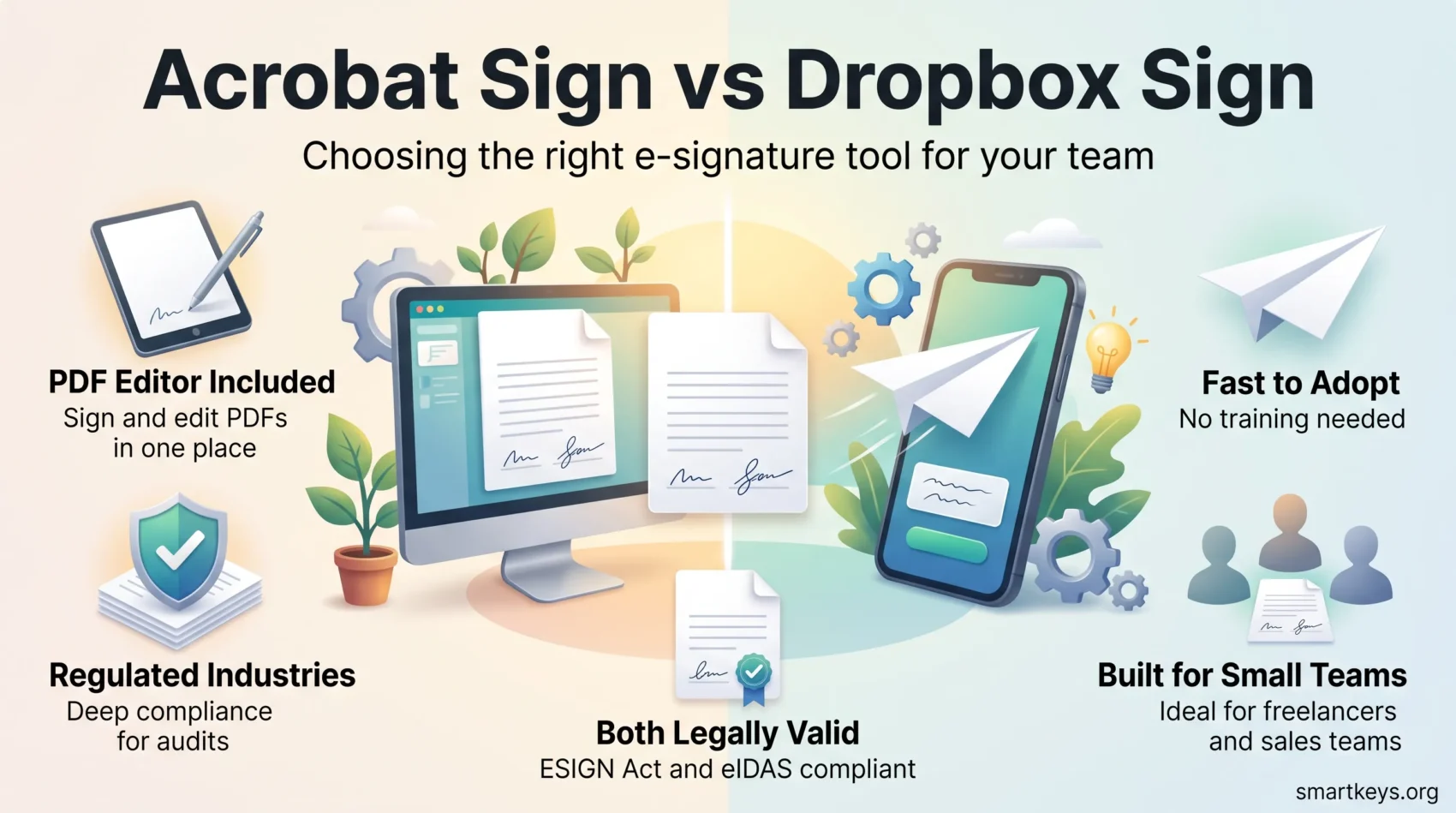
Both products in this comparison changed their names, and one of them changed owner. HelloSign is now Dropbox Sign, and Adobe Sign is now Adobe Acrobat Sign. The tools are still the two obvious alternatives to Docusign for most teams, but almost every practical detail (pricing, plan structure, who each one is built for) looks different in 2026 than it did when the “Adobe Sign vs HelloSign” question was first asked. This guide compares the two as they are sold today: what each plan costs, what the free tier really allows, how the compliance stories differ, and which type of business each one actually fits.
Key Takeaways
- HelloSign was renamed Dropbox Sign in 2022, and Adobe Sign is now sold as Adobe Acrobat Sign.
- Dropbox Sign has a free tier limited to three signature requests a month, plus unlimited self-signing.
- Adobe bundles e-signatures into its Acrobat business plans, so you also pay for a full PDF editor.
- Both meet the US ESIGN Act and eIDAS, but they diverge on regulated-industry paperwork.
- Team size and existing stack matter more than feature counts when you pick between them.
The Names Changed: What You Are Actually Comparing
Dropbox acquired HelloSign in 2019 and renamed it Dropbox Sign, an announcement it made in October 2022. Logins, documents and API integrations carried over unchanged; the rebrand was mostly cosmetic. Adobe made a similar move, folding Adobe Sign into the Acrobat family as Adobe Acrobat Sign. If you are searching for either old name, you will land on the current product either way.
That matters for buyers because the packaging changed with the names. Adobe no longer sells a small standalone “Adobe Sign” seat as the obvious entry point; e-signatures now travel with Acrobat licences, and the heavyweight version is sold as Acrobat Sign Solutions through a sales conversation. Dropbox Sign kept its own pricing page and its own plan ladder, separate from Dropbox storage plans covered in our Dropbox Business review.
What Adobe Acrobat Sign Offers
Acrobat Sign is the signature layer of Adobe’s document stack. Its natural advantage is that signing sits next to real PDF editing, form building and document conversion rather than beside a thin viewer.
Core Features
- Send for signature, track status in real time and store completed agreements with an audit trail
- Web forms that collect signatures from a public link rather than a named recipient
- Bulk sending for the same document to many recipients
- Certificate-based digital signatures, not just drawn or typed electronic signatures
- Full PDF editing, OCR and conversion in the same licence, alongside the wider Adobe toolset reviewed in our Adobe Creative Cloud review
Who It Suits
Acrobat Sign fits organisations that already live in PDFs: legal, finance, procurement, HR and regulated industries. It also suits companies standardising on Microsoft or Adobe tooling, since the integrations and admin console are built for that world. Teams building structured digital workflows across departments usually get more out of Adobe than a signing-only tool can give them.
What Dropbox Sign Offers
Dropbox Sign is deliberately narrower. It does signature requests, templates and tracking, and it does them with very little setup. That focus is the reason it consistently outscores heavier suites on ease of use.
Core Features
- Drag-and-drop preparation of signature blocks, text fields, checkboxes and date fields
- Reusable templates for contracts and forms you send repeatedly
- Bulk send, status tracking and timestamped audit trails
- Two-factor authentication, SMS signer verification and one-time signer access codes
- An API with SDKs in six languages, OAuth and embedded signing for product teams
Who It Suits
Small businesses, freelancers and sales teams that need agreements signed quickly. If your requirement is “get this contract back today” rather than “manage a document lifecycle”, Dropbox Sign is the shorter path. It is a common pairing for remote sales teams and for the lean stacks described in our guide to small business technology.
Adobe Acrobat Sign vs Dropbox Sign: Feature Comparison
Signature Collection and Management
Both platforms cover the basics well: prepare a document, place fields, set signing order, send, remind, archive. Adobe pulls ahead on document preparation, because you can fix the underlying PDF instead of working around it. Dropbox Sign pulls ahead on speed to first send, since there is almost nothing to configure. Adobe also offers web forms for open-ended collection, which is useful for consent forms and applications where you do not know the signer in advance.
Tracking, Reminders and Audit Trails
Every completed request on both platforms produces a signed PDF plus an audit trail with timestamps. Dropbox Sign exposes status and reporting in a simpler dashboard; Adobe gives deeper reporting and retention controls at the higher tiers. Both send automatic chasers, which removes the most tedious part of the job. If reminders are a recurring pain across your processes, our piece on automated reminders covers the wider pattern.
Integration Capabilities
Adobe integrates with Microsoft 365 and Dynamics, Salesforce, Workday, SAP and ServiceNow, and exposes an API for embedded signing. Dropbox Sign integrates with Salesforce, HubSpot, Google Drive, Microsoft Word, Dropbox and others. If your CRM is the system of record, check the connector before you buy: teams running Salesforce or HubSpot Marketing Hub will find both vendors supported, but the depth differs. Anything outside the native list can usually be bridged with an automation layer, whether that is a lightweight tool from our Zapier comparison or the enterprise-grade platforms in our iPaaS guide.
Ease of Use and Support
This is the clearest split between the two. Dropbox Sign is designed so that a first-time user can send a signature request without training. Adobe Acrobat Sign carries the weight of a full document platform: more menus, more settings, more capability, and a longer ramp. Neither is wrong, but they are optimised for different buyers.
On support, Adobe offers the larger library of documentation, guided tutorials and community forums, plus enterprise support contracts. Dropbox Sign leans on ticket-based support with a smaller surface area to explain. Reviewers repeatedly single out Dropbox Sign’s responsiveness, while Adobe’s depth of self-service material is the stronger asset for large rollouts.
Security and Compliance
Data Protection
Dropbox Sign states 256-bit AES encryption at rest and TLS in transit, and offers data residency options on its top tier for organisations that must keep documents in a specific region. Adobe applies its enterprise security programme to Acrobat Sign, including certificate-based digital signatures for cases where a simple electronic signature is not enough. Both are stronger than emailing a scanned PDF, which is still how a surprising amount of business gets done. If document handling is part of a wider security review, our guides to workplace data privacy and cybersecurity for remote work are useful companions.
Legal and Regulatory Standing
Both platforms produce signatures that are valid under the US ESIGN Act and the EU eIDAS regulation. Dropbox Sign lists SOC 2 Type II, ISO 27001, GDPR alignment and HIPAA support under a business associate agreement, and it supports Qualified Electronic Signatures under eIDAS. Adobe covers the same ground and goes further into regulated sectors, publishing guidance for HIPAA, FERPA and GLBA, and offering a validation package for FDA 21 CFR Part 11 environments.
That last point is the practical dividing line. For life sciences, clinical or other validated environments, Adobe has the documentation trail auditors expect. For ordinary commercial contracts, both are legally sufficient in the US and EU.

Pricing in 2026
Prices below are US list prices from each vendor’s own pricing pages and exclude tax. Both vendors discount annual commitments heavily, so the monthly figure is rarely what a committed customer pays.
Dropbox Sign Plans
- Free: three signature requests per month, unlimited self-signing, audit trail included
- Essentials: $15 per month, or $10.05 per month billed annually ($120.60 a year). One user, unlimited signature requests
- Standard: $25 per user per month, or $17.50 per user per month billed annually (from $420 a year). Two to four users, with team features, admin console, bulk send, reporting, SMS authentication and branding
- Premium: quoted by sales, for five or more users. Adds advanced signer options, data residency, multi-team management and Salesforce integration
A 30-day trial is available on the paid tiers.
Adobe Acrobat Plans With E-Signatures
- Acrobat Standard for teams: $16.99 per licence per month, or $203.88 a year prepaid
- Acrobat Pro for teams: $23.99 per licence per month, or $287.88 a year prepaid. This is the tier Adobe positions as its PDF and e-signature solution
- Acrobat Studio for teams: $29.99 per licence per month, or $359.88 a year prepaid. Adds AI Assistant, PDF Spaces and Adobe Express Premium
- Acrobat Sign Solutions: quoted by sales, for enterprise deployments and advanced authentication
Adobe’s team trial covers up to 10 licences, and cancelling an annual plan after the trial window carries a fee of half the remaining commitment. That penalty is worth reading before you commit a whole department.
Reading the Numbers Honestly
A single user who only needs signatures pays less with Dropbox Sign Essentials on an annual plan than with any Acrobat tier. But the comparison is not like for like: the Acrobat licence also replaces a PDF editor, which many teams are buying anyway. Once you count that, Acrobat Pro can be the cheaper line item overall. Above five seats, both vendors push you toward a quote, and the list price stops being the number that matters.
Which One Fits Your Situation
Freelancers and Solo Professionals
Dropbox Sign, almost without exception. The free tier covers occasional contracts, and Essentials is the cheapest credible paid seat of the two. Freelancers rarely need certificate-based signatures or a validated audit package, and the setup time saved is real. Our collection of freelancer productivity habits covers the wider toolkit this fits into.
Small and Growing Teams
This is where the answer depends on your stack. If your team already pays for Google Workspace, reviewed in our Google Workspace guide, and simply needs contracts signed, Dropbox Sign Standard is the lower-friction choice. If people are already editing PDFs daily, Acrobat Pro for teams consolidates two purchases into one. Teams comparing wider suites may also find our Dropbox versus Google Workspace comparison useful before deciding where signing should live.
Enterprises and Regulated Industries
Adobe. The reasons are boring but decisive: identity verification options, certificate-based signatures, retention controls, an admin console built for thousands of seats, and documentation for HIPAA, FERPA, GLBA and 21 CFR Part 11. Organisations moving paper processes online at scale should also read our guide to building a paperless workflow, since the signing tool is only one part of that project.
Scalability and Automation
Both platforms automate the repetitive part of signing: reminders, sequential routing, status notifications and template reuse. Adobe goes further with conditional routing, delegated signing and integration into enterprise process tools, which is what large deployments need. Dropbox Sign covers the same ground more simply and exposes an API that product teams use to embed signing directly into their own applications.
For anything more elaborate, the automation usually lives outside the signing tool. Routing a signed contract into a CRM, a billing system and a storage folder is an integration job, and platforms like those in our Workato versus Zapier comparison handle it better than either vendor’s native rules. The same logic applies as contract volumes rise alongside the shifts described in our piece on the future of contract work.
What Reviewers Actually Say
On G2, Dropbox Sign holds 4.7 out of 5 across 2,283 reviews, and Adobe Acrobat Sign holds 4.4 out of 5 across 1,070 reviews. On Capterra, Dropbox Sign shows 4.7 overall from 1,449 reviews, with 4.7 for ease of use, 4.6 for value for money and 4.5 for customer service.
The pattern behind those scores is consistent. Dropbox Sign is praised for simplicity, quick setup and support responsiveness, and criticised for limited customisation and thinner advanced features. Adobe is praised for capability, PDF handling and compliance depth, and criticised for a steeper learning curve, subscription and cancellation friction, and cost. Neither set of complaints is a dealbreaker; they are the predictable trade-offs of a focused tool versus a platform.
Verdict
Pick Dropbox Sign if signing is the job. It is faster to adopt, cheaper for one to four users, has a usable free tier, and its API is a good fit if you want signing inside your own product. Pick Adobe Acrobat Sign if documents are the job. It replaces a PDF editor, handles certificate-based signatures, and carries the compliance documentation that regulated and enterprise buyers need.
Two questions settle most decisions. First, does anyone on the team already need a proper PDF editor? If yes, Adobe’s bundle changes the maths. Second, do you have to satisfy an auditor in a regulated field? If yes, Adobe’s validation and compliance material is the safer ground. If both answers are no, the simpler tool wins, and that is Dropbox Sign. For a third opinion on the same shortlist, our Docusign review and DocHub review cover the other two names buyers usually consider.
Found this useful?
Make SmartKeys a preferred source on Google, and our articles will surface more often in your Top Stories, AI Overviews, and AI Mode.
Add as Preferred Source




