

You need a fast way to add a help bot to your website and messaging channels. This review gives you a short, practical overview so you can decide whether this platform fits your team.
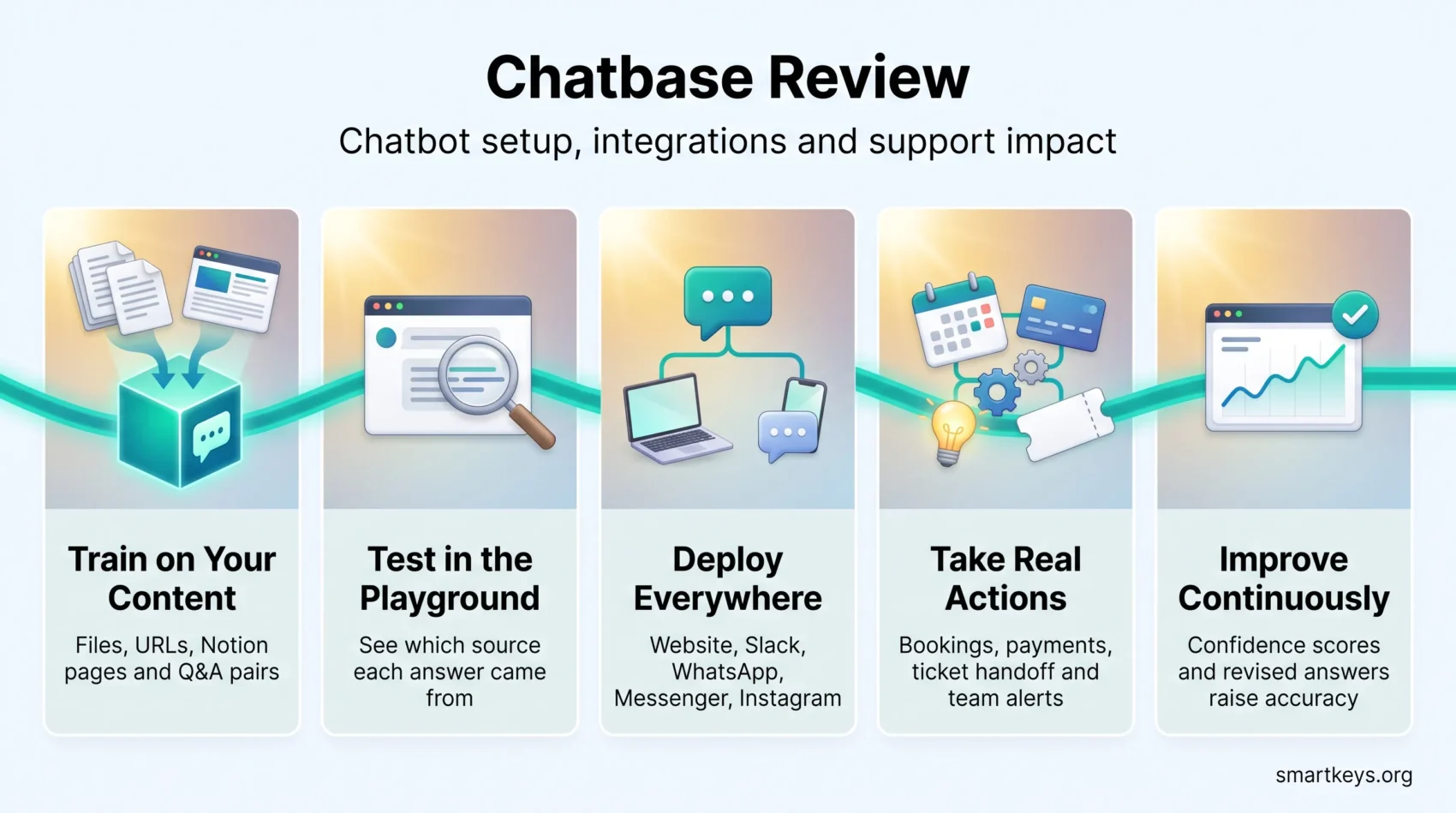
Chatbase trains a chatbot on your own material: files, website URLs, Notion pages, or question-and-answer pairs. It then publishes that bot to your website, Slack, WhatsApp, Messenger, and Instagram. Setup usually takes minutes, not weeks. The Playground, the built-in testing area, walks you from first upload to live bot through tabs for Sources, Actions, Deploy, Analytics, and Activity.
You will see which features matter for support work, and how integrations like Calendly, Stripe, Zendesk Sunshine, and Zapier turn a chat into a completed task. Pricing starts with a Free plan and scales through four paid tiers plus add-ons, so you can size the cost before you commit.
Later sections cover how real user feedback compares against other support platforms, where ease of setup earns praise and where billing complaints appear. By the end you will know whether this tool matches what you need.
Key Takeaways
- You can train a chatbot on your own content and go live the same day.
- Integrations cover scheduling, payments, ticketing, and team alerts.
- Plans run from Free to Enterprise, with add-ons for extra credits, agents, and branding removal.
- Setup speed and knowledge-base accuracy earn the strongest praise from users.
- Watch message credit consumption and read the plan limits before you upgrade.
Our Verdict at a Glance
Here is the short version, so you can decide quickly. If you want a no-code chatbot that answers repeat questions and cuts your response time, Chatbase delivers solid value for small businesses. No-code simply means you configure it in a web interface instead of writing software.
Setup is simple and usable on day one. Pricing starts free, and the first paid tier costs $40 per month, or $32 per month if you pay for a year up front.
The main strength is the approach itself. You train the bot on your existing help content and refine its answers over time, rather than mapping out conversation flows by hand. That suits teams whose questions repeat but whose answers keep changing.
Try Chatbase Now- Best for teams that want fast time to value, not visual flow builders.
- Core features favor knowledge access over complex branching logic.
- Check credit consumption early; public review scores show mixed billing sentiment.
Verdict: reliable for FAQ-style answer automation. Less suitable if you need heavy workflow orchestration or full marketing campaign tooling.
What Is Chatbase and How It Works
Chatbase turns your support content into a working assistant. You feed it PDFs, documents, plain text, Notion pages, question-and-answer pairs, or website URLs. The platform reads that material and builds a searchable knowledge base, which is simply an indexed copy of your content that the bot searches before it answers.
This matters because the bot does not invent policy. It looks up your refund page, your shipping table, or your onboarding guide, then writes an answer in plain language.
Train a chatbot on your data
Start by uploading files and links. Chatbase extracts the text, splits it into small passages, and indexes them so the bot can find the right passage fast.
You can pick which large language model powers the replies. A large language model, or LLM, is the AI system that writes the answer text. Chatbase offers models from OpenAI, Anthropic, and Google, so you can trade cost against answer quality depending on how sensitive the questions are.
Who uses it
Small businesses, support teams, and non-technical builders use it to handle repeat questions. A typical example: an online shop that answers the same forty questions about sizing, delivery, and returns every day. The bot handles those, and the human team keeps the complicated cases.
You can test the bot instantly in the Playground, ask real customer questions, and fix weak answers before anyone outside sees it. This content-first approach favors quick setup over detailed flow design. If you are weighing that trade-off across the market, our overview of how businesses deploy AI chatbots today puts it in context.
- Fast training: add data, see results within minutes.
- Flexible models: switch the underlying LLM to tune cost and accuracy.
- No coding: a non-technical colleague can launch an agent alone.

Setup Experience and Chatbot Builder
You can have a working chatbot on your site the same afternoon. Upload a few documents, URLs, or Notion pages, then click Create Chatbot. The builder drops you into the Playground, where you test answers and adjust behavior without writing code.
From signup to first answers
After signup, add your sources: files, plain text, web pages, Notion, or question-and-answer pairs. Training runs automatically once the content is ingested.
In the Playground you ask questions and see which passage the answer came from. That source view is the useful part. When an answer is wrong, you usually find that the underlying help page is wrong or missing, not that the AI failed.
Model selection, temperature, and custom instructions
Pick your model and set the temperature. Temperature controls how much the model varies its wording: a low setting produces consistent, predictable replies, a high setting produces more varied ones. For support, keep it low.
Use system instructions to fix tone and boundaries. A common setup tells the bot to answer only from the knowledge base, to keep replies under three sentences, and to offer a human handoff when it is unsure. That keeps replies on-brand and reduces confident but wrong answers.
Deploying to your website
When you are ready, deploy with a copy-and-paste script or iframe in your site HTML. A customizable widget lets you set the name, icon, colors, welcome text, and quick-reply buttons.
You can enable an automatic pop-up to open the chat at the right moment. As your help content changes, you update the sources and the bot adapts. There are no flows to rebuild, which is the main time saving compared with older builders. Teams already running AI agent workflows across daily operations will recognize the pattern.
- No-code start: first usable answers within minutes in the Playground.
- Model control: choose the model and temperature that fit your risk tolerance.
- Simple deploy: script or iframe, plus a branded widget with auto-show options.
Core Features That Shape Customer Experience
The value comes from four features working together: finding answers, taking action, spotting weak replies, and letting you correct them.
AI Knowledge Base for fast, accurate answers
The bot answers from one knowledge base built from your files, text, URLs, Notion pages, and question-and-answer pairs. One shared source means a policy change updates every channel at once, instead of leaving an outdated answer in a forgotten script. Good internal knowledge management practice pays off directly here: a tidy help center produces a reliable bot.
AI Actions for bookings and lookups
AI Actions let the bot do things, not just talk. It can book an appointment, check an order status, send a Slack alert to your team, or verify a payment through Stripe. Available connections include Calendly and Cal.com, Zendesk Sunshine, Tavily for web lookups, plus Zapier, Make, a REST API, and webhooks. A webhook is simply a message your system receives when something happens in the chat.
Suggestions, confidence scores, and continuous learning
Suggestions flag questions your content does not cover, so you know what to write next. Confidence scores mark replies the system was unsure about. Both turn vague quality worries into a concrete to-do list.
Chat Logs and Revise Answer
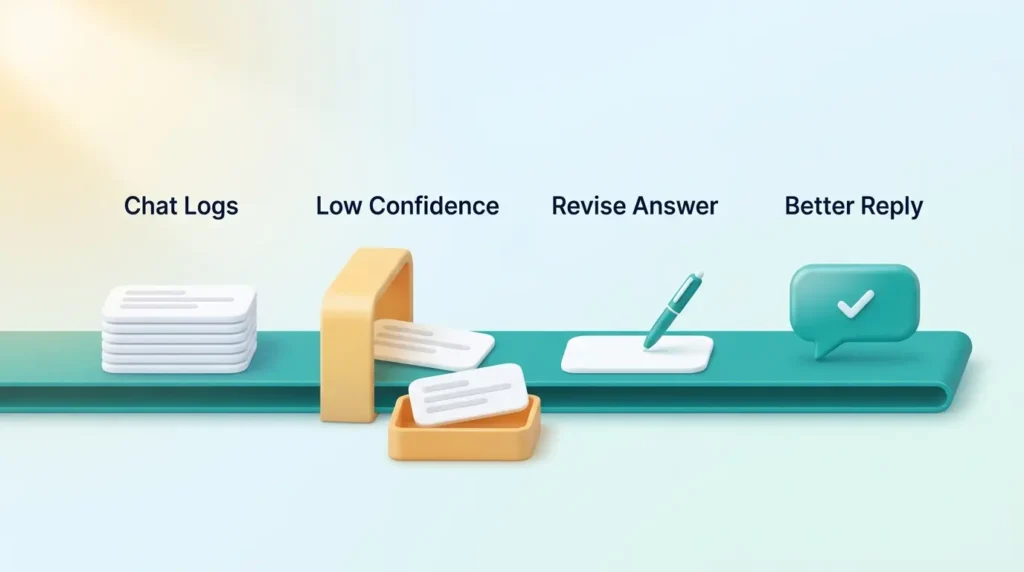
Read real conversations in the chat logs, then use Revise Answer to correct a specific reply. The system keeps your correction and applies it going forward. You improve quality one answer at a time, without a full retraining cycle.
- Fast answers: routine queries stop reaching your inbox.
- Real actions: bookings, order lookups, and alerts move work forward.
- Lead capture: the bot can collect name, email, and phone. The form stays visible until submitted, so test how that feels for visitors before you switch it on.
Channels and Integrations You Can Use
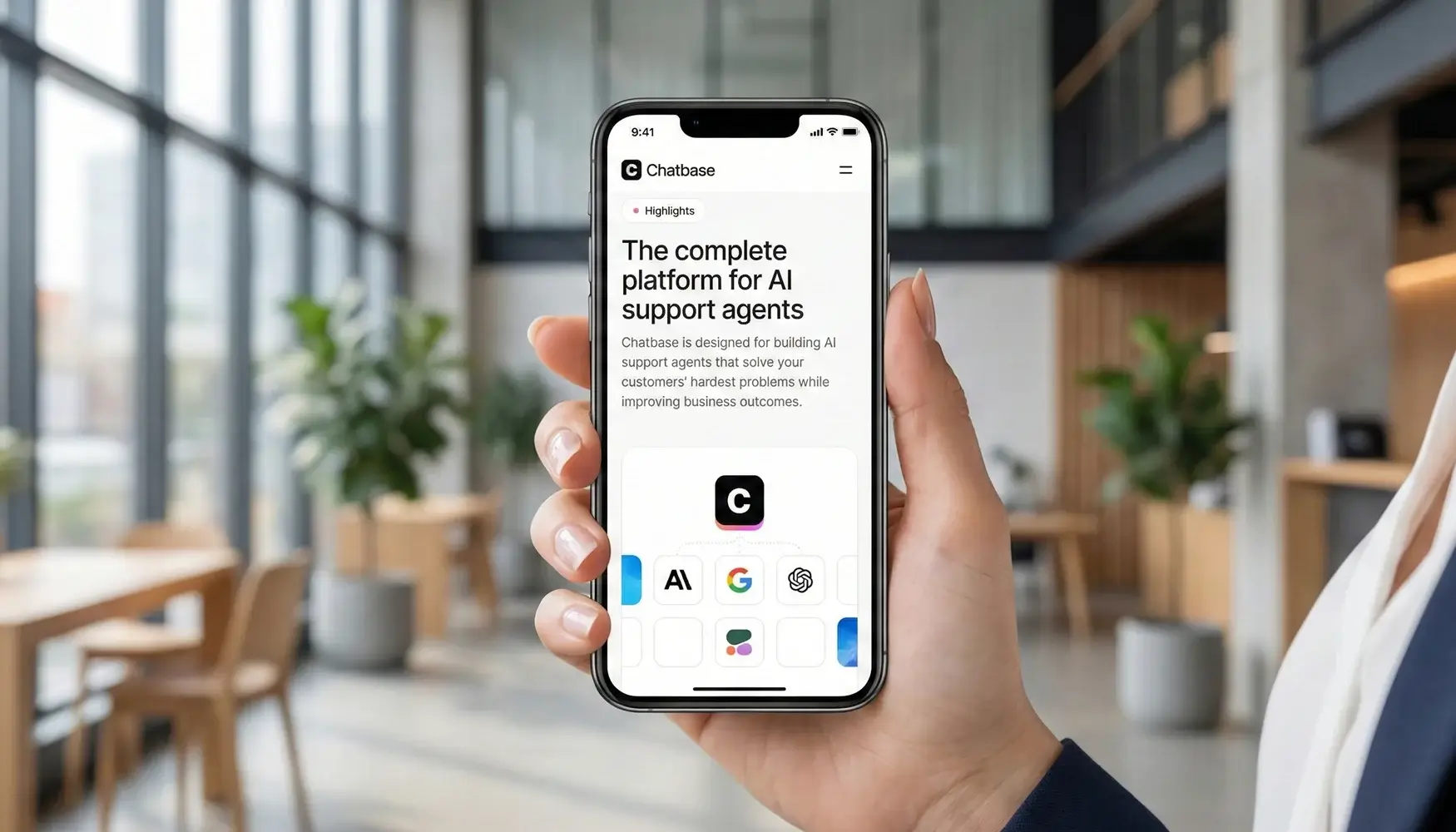
Connect the bot to the tools that handle bookings, payments, and alerts, and chats turn into finished tasks. That is the difference between a bot that answers and a bot that helps.
Direct integrations
- Calendly and Cal.com: let visitors book a slot inside the chat window.
- Stripe: check an invoice or take a payment without leaving the conversation.
- Zendesk (Sunshine): hand a conversation to a human agent and keep the ticket history.
- Slack and Tavily: route alerts to your team channel and pull in live web lookups.
Note which tier each one needs. Deeper integrations, including Stripe and Zendesk, unlock on the Standard plan and above.
Connectors and custom workflows
Zapier and Make connect thousands of other tools without code, which is usually enough for lead routing or CRM updates. Our comparison of Workato and Zapier for business automation helps if you are choosing a connector platform. For anything custom, use the API and webhooks.
Publish everywhere: embed on your website, or deploy to Slack, WhatsApp, Messenger, and Instagram. Meeting people on the channel they already use is a large part of why conversational commerce keeps growing. Be aware that several Capterra reviewers report friction setting up the social channels, so test yours during the trial.
- Start with one channel, then add integrations as real use cases appear.
- Combined with AI Actions, integrations let the bot complete tasks, not just describe them.
Analytics, Insights, and Performance Tuning
The dashboards turn raw chat data into a short list of things to fix. You get chat volume over time, visitor locations, and trend lines, so you can spot busy hours and regional patterns.
Dashboards for volume, locations, and trends
Filter by day, week, or month to find repeating spikes. If Monday mornings triple your chat volume, you can staff for it or pre-write the answers that cluster there.
Location data helps you decide which languages or regional pages deserve attention first.
The optimization loop that actually works
Use confidence filters in the chat logs to surface low-certainty replies. Revise those answers, or fix the source page behind them, and the next visitor gets a better response.
Thumbs-up and thumbs-down feedback speeds this up by pointing straight at the problem replies. Treat it as a weekly habit rather than a launch-day task. The same discipline shows up in wider customer service trends: measure, correct, repeat.
- Volume trends: plan staffing around real peak hours.
- Confidence filters: find weak answers without reading every transcript.
Pricing, Plans, and Message Credits Explained
Your cost depends on two things: how many chats you expect, and which features you switch on. Prices below are from the Chatbase pricing page as of August 2026. The lower figure applies when you pay annually, which saves about 20 percent.
Free plan
The Free plan gives you 1 AI agent, 50 message credits per month, 1 MB of training content, and a single workspace seat, with a limited model choice. Chatbase deletes inactive agents on the Free plan after 14 days, so treat it as a trial rather than a long-term free tier.
Get Started with 50 Free CreditsHobby: $40 per month, or $32 billed annually
Hobby adds the advanced AI models, 700 message credits per month, 10 MB of training data, and 2 workspace seats. You also get integrations, basic analytics, and file attachments. This tier suits a solo founder or a small site with modest traffic.
Standard and Pro
Standard costs $150 per month, or $120 billed annually, and is the tier most teams land on. It raises credits to 4,000 per month, allows 20 MB of training data and 3 seats, and unlocks the built-in Helpdesk, voice and telephony support, outbound campaigns, API access, personalization, automatic retraining, and the deeper Stripe and Zendesk integrations.
Pro costs $500 per month, or $400 billed annually. It brings 15,000 credits, 40 MB of training data, 5 seats, advanced analytics, source suggestions, and the ability to train the bot on your past support tickets. Above that, an Enterprise tier adds custom roles, single sign-on, white-labeling, audit logs, service level agreements, HIPAA eligibility, and zero data retention.
Add-ons and cost control
- Auto-recharge credits cost $40 per 1,000, so your bot does not go silent mid-month.
- Extra AI agents cost $25 per agent per month.
- Removing the “Powered by Chatbase” branding costs $99 per month.
- Add-ons often beat a full tier upgrade when you need one missing piece.
Note that every paid tier includes a single AI agent by default. If you plan separate bots for sales and support, budget the add-on. Several Trustpilot reviewers say costs rose after plan changes, so check your credit usage in the first month rather than at renewal.
Tip: count your expected monthly chats, multiply by the credits a typical answer consumes, and confirm your must-have integrations exist at that tier before you pay.
Customer Support, Documentation, and Real-World Impact
Clear documentation is the difference between a smooth launch and a stalled one. When your team can find the answer themselves, rollout does not wait on a support queue.
Tutorials, docs, and changelog
Chatbase provides step-by-step tutorials, searchable documentation, an AI-powered doc search, and a public changelog. The docs cover the parts people get stuck on: actions, webhooks, and API calls.
Use them before you file a ticket. Most setup questions are answered there.
What users actually report
Public feedback is mixed but has improved. On Capterra, Chatbase holds 4.3 out of 5 from 73 reviews, with praise for ease of setup, flexible training sources, and speed. On Trustpilot it sits at 3.9 out of 5 from 52 reviews, a clear rise from the low scores it carried in earlier years.
The recurring criticisms are worth knowing before you buy. Reviewers on both sites mention difficulty connecting WhatsApp, Instagram, and Facebook, occasional confident but incorrect answers, email-only support with no phone option, and price or credit changes that caught long-term customers by surprise.
- Test the handoff: confirm a human can take over cleanly before launch.
- Watch hallucinations: review low-confidence replies weekly and correct them.
- Set billing alerts: check credit consumption monthly, not at renewal.
If support response time is critical to your business, test it during the trial and name an internal owner for ongoing tuning. Tools like modern customer success platforms only help if someone is responsible for reading what they report.
Limitations and Trade-offs to Consider
A content-first approach does not fit every need. Know the limits before you commit.

No visual flow builder: if your team relies on drag-and-drop conversation paths with branching logic, you will need workarounds. For multi-step logic, expect to build the flow in an external tool and call it from an action.
Limited marketing automation: broadcast messages and campaign sequences on WhatsApp, Messenger, and Instagram remain thin. Marketers who expect built-in outreach will find dedicated platforms stronger here.
Hallucination risk: reviewers report occasional invented details, including fabricated links. Constrain the bot with system instructions, keep temperature low, and review low-confidence replies.
Live chat and outreach: what improved
Chatbase has closed part of this gap. The Standard plan and above now include a built-in Helpdesk plus voice and telephony support, so handing a conversation to a person no longer requires a separate product. On Free and Hobby you still need an integration such as Zendesk Sunshine for that handoff. Outbound campaigns, also from Standard upward, go beyond the simple auto pop-up of earlier versions. If live agent routing is your priority, compare Drift and LiveChat or a dedicated helpdesk such as Zoho Desk.
- Complex branching paths mean extra engineering work.
- Social messaging campaigns lag behind specialist marketing tools.
- Human handoff is built in from Standard up; Free and Hobby need an integration.
- Outbound campaigns exist from Standard up, but stay simpler than marketing platforms.
Performance is generally solid, but test with your own volumes and watch the chat logs under real traffic.
Chatbase Review: Is It Right for Your Business?
If your goal is quick self-service for repeat questions, Chatbase is a low-friction, sensible option.
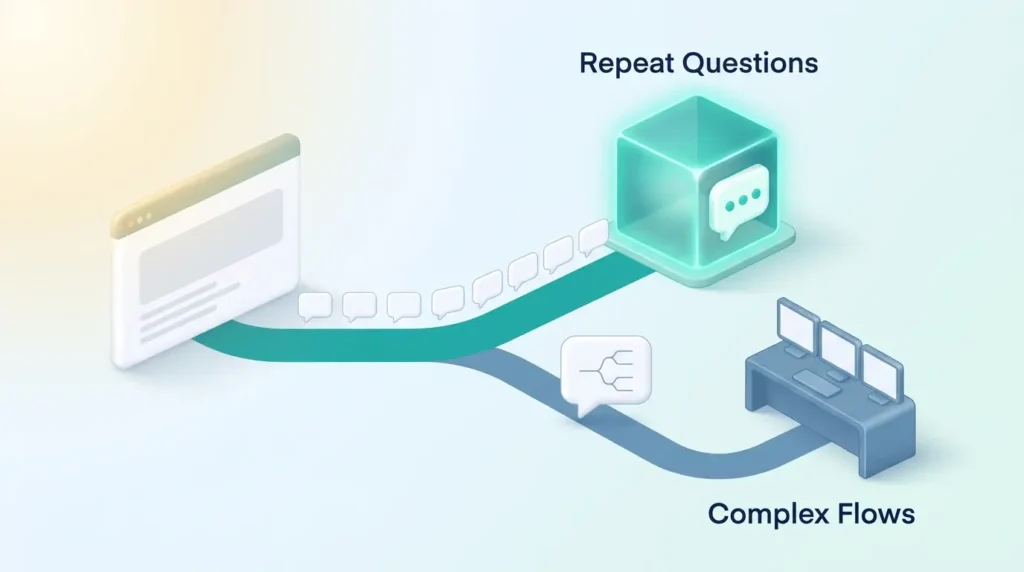
Best fit: teams that need accurate answers to recurring questions with minimal setup effort. It suits small businesses that want a no-code path to self-service and low ongoing maintenance. Internal use cases work too, and the same logic applies to HR chatbots handling employee questions.
Alternatives to weigh
If you need multi-agent orchestration or a full sales-oriented live chat suite, look at Intercom or compare Intercom against Help Scout. For a budget-friendly live chat with a bot attached, Tidio is worth a look.
Those tools trade simple setup for richer orchestration and more agent seats.
Decision tips
Plan credits and total cost: estimate monthly credits from expected chat volume, then add branding removal or extra agent fees to see the real monthly spend.
- Confirm your required integrations are included at your chosen tier.
- Test support response times during the trial if guaranteed response times matter.
- Decide what data the bot collects and how your team receives it. Data privacy expectations apply to chat transcripts too.
Conclusion
Chatbase gives you a short path from your existing content to a live chatbot across web and messaging channels.
You train the bot with text and files, tune answers in the Playground, and let analytics point at what to fix next.
Keep an eye on message credits so your plan matches real volume. Use the chat logs, confidence scores, and Revise Answer to raise accuracy month by month.
The knowledge base model, combined with AI Actions and integrations, makes the bot useful without a development project. If you need deep multi-agent flows or heavy marketing campaigns, check the add-ons and tier limits carefully before you commit.
Bottom line: with steady tuning and a clear plan for credits, Chatbase can become a reliable front line for customer self-service. For a wider view of where this fits, see how teams use AI-powered assistants at work and what shapes customer experience trends this year.
Visit Chatbase & Deploy InstantlyFound this useful?
Make SmartKeys a preferred source on Google, and our articles will surface more often in your Top Stories, AI Overviews, and AI Mode.
Add as Preferred Source




