Live chat software puts a small chat window on your website so a visitor can ask a question and get an answer while still on the page. For years, Drift vs LiveChat was a standard comparison before buying one. That comparison now has a short answer: only one of the two is still a product you can sign up for.
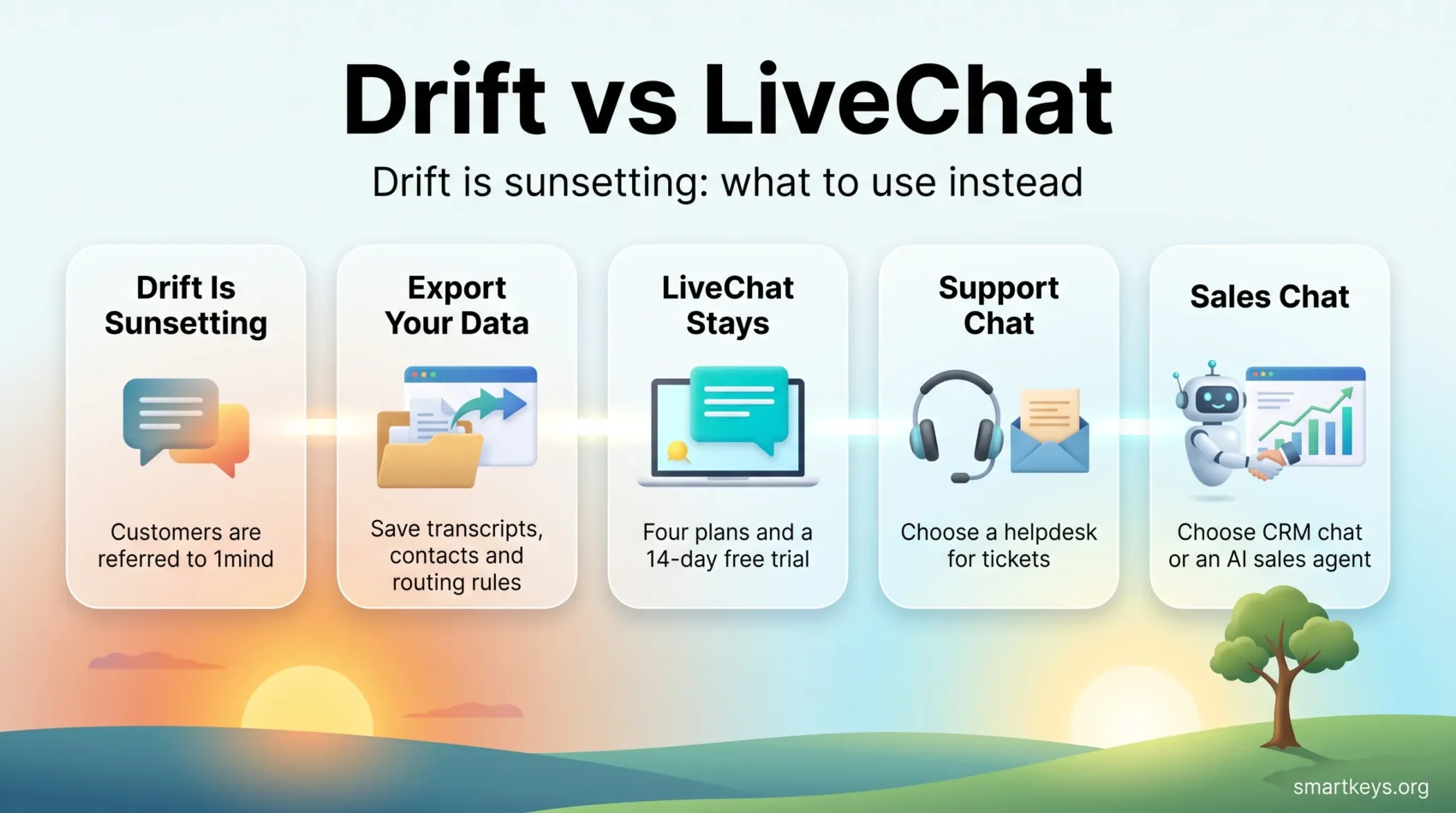
On 6 March 2026, Clari + Salesloft announced the gradual sunset of Drift and an exclusive agreement to refer existing Drift customers to 1mind. Drift’s own pricing page no longer exists; it redirects to Salesloft. LiveChat, by contrast, still sells four plans and publishes every price on its website.
This guide covers what happened to Drift, what LiveChat costs and does in 2026, and which tools to consider if Drift was on your shortlist.
Key Takeaways
- Drift is being retired. Clari + Salesloft announced a gradual sunset on 6 March 2026 and now refers Drift customers to 1mind as the successor.
- No public switch-off date has been given, so Drift users should plan a move rather than wait for one.
- LiveChat still publishes its prices: $19, $49 and $79 per agent per month on annual billing, plus a custom Enterprise tier.
- Every LiveChat plan includes a 14-day free trial and 24/7/365 support.
- If you used Drift for sales conversations rather than support tickets, the closest replacements are AI sales chat agents, not helpdesk tools.
What Happened to Drift
Drift was a conversational marketing tool, meaning chat built to turn website visitors into sales conversations rather than to answer support tickets. A visitor landing on a pricing page would be greeted by a bot, asked a few qualifying questions, and routed to a sales rep or straight into a booked meeting. Salesloft acquired Drift in February 2024 and folded it into its revenue platform.
The 2026 Sunset Announcement
On 6 March 2026, Clari + Salesloft announced what its press release calls “the gradual sunset of its Drift conversational marketing solution.” The same announcement set out the replacement path: “Under an exclusive agreement with 1mind, Clari + Salesloft will refer existing Drift clients to 1mind as the successor to ensure a seamless transition.”
Salesloft’s own Drift page now says the same thing in plainer words: “We’ve transitioned from Drift to partner with 1Mind.” The practical evidence is easy to check yourself. Drift’s pricing page redirects to Salesloft, and there is no public price list for Drift left anywhere on the vendor’s site.
What a “Gradual Sunset” Means for You
A gradual sunset is not a switch being flipped. It usually means new sales stop, new features stop, support narrows to keeping the lights on, and customers move off as their contracts expire. No hard end-of-life date has been published for Drift, which sounds reassuring but is actually the problem: you cannot plan around a date nobody has given you.
If you run Drift today, do three things this quarter. Export your transcripts and contact records while the export tools still work. Write down your routing rules and playbooks, since no new tool can import those for you. And check your renewal date, which is the natural moment to switch without paying twice.
None of this is unusual. Vendor acquisitions and product retirements are now a routine part of buying software, as our look at SaaS consolidation explains.
What Live Chat Software Actually Does
It helps to be clear about what you are buying. A live chat product has three parts: a widget on your website, a shared inbox where your team sees incoming chats, and tools that make answering faster, such as saved replies, routing rules, transcripts and reports.
Those tools serve two different jobs. Support means answering people who already bought and now have a problem. Sales means catching visitors who are still deciding. Drift was built for the second job; LiveChat sits mostly in the first, though small teams use it for both.
The distinction decides what a good replacement looks like. Swapping a sales chat tool for a support helpdesk leaves you with software that answers questions nobody asked yet. If your chat exists to sell, the closer relatives are covered in our guide to conversational commerce and our overview of AI chatbots in customer service.
LiveChat in 2026: What You Get
LiveChat is a mature product with a narrow focus. It does chat well and leaves the rest to integrations.
Tools That Speed Up Each Conversation
Message sneak peeks show what a customer is typing before they hit send, buying a few seconds to look something up. Canned responses are saved answers for questions you get every day, such as delivery times or refund rules. Chat tags label each conversation so you can later filter for, say, every chat about billing.
Chat archives keep the full history, so when a customer returns three weeks later the agent can read what was promised instead of asking them to explain it again.
Reporting That Shows Where Chats Go Wrong
LiveChat’s reports cover chat volume, response times and per-agent performance. The useful signal is rarely the headline number. It is the gap: the hour when your queue grows, or the agent whose chats take twice as long because they handle the hardest topic. The Business plan adds a work scheduler and staffing prediction, which turns those patterns into shift planning.
AI Features, and What They Cost
LiveChat’s Copilot assists agents rather than replacing them. According to LiveChat, it enhances draft text, suggests tags and summarizes chats. Full automation, meaning a bot that answers on its own, comes from ChatBot.com, a separate product with a separate bill. Keep that in mind before comparing LiveChat’s price against a tool that bundles AI resolution, such as Tidio with its Lyro AI agent.
If your main goal is a bot trained on your own help documents, a purpose-built option like Chatbase may be a better fit than a chat widget with AI bolted on.
Channels and Integrations
LiveChat advertises more than 200 integrations, including WordPress, Squarespace and Mailchimp. The Business plan adds SMS and Apple Messages for Business, so chats from those channels land in the same inbox as website chats.
LiveChat Pricing in 2026
LiveChat publishes its full price list, which is now a genuine point of difference rather than a minor convenience.
- Starter: $19 per month on annual billing, $25 billed monthly. One user, 60-day chat history, up to 100 tracked visitors, one recurring campaign, basic widget customization.
- Team: $49 per person per month on annual billing, $59 billed monthly. Unlimited users, unlimited campaigns and chat history, up to 400 tracked visitors, full widget customization and basic reporting.
- Business: $79 per person per month on annual billing, $89 billed monthly. Up to 1,000 tracked visitors, work scheduler and staffing prediction, advanced reporting, SMS and Apple Messages for Business.
- Enterprise: custom pricing, adding white-label options, single sign-on, HIPAA compliance and dedicated support.
Two details decide your real bill. First, Team and Business are priced per person, so a five-agent team on Team costs $245 a month on annual billing, not $49. Second, the tracked visitor limits are a cap on how many site visitors the tool watches at once for targeting and campaigns. A busy shop can run into the Starter and Team caps quickly, which pushes you up a tier for reasons that have nothing to do with headcount.
Every plan comes with a 14-day free trial, which is long enough to run a real week of chats through it rather than clicking around an empty dashboard.
What Drift Cost, and Why That Comparison Is Over
Drift never offered a free plan. It was sold on annual contracts quoted by its sales team and aimed at mid-market and enterprise budgets, which is why it rarely reached small business shortlists.
There is now nothing left to compare. Drift publishes no prices, and its pricing URL sends you to Salesloft. Any figure in an older article, including earlier versions of this one, describes a package that is no longer sold. If a reseller quotes you a Drift contract in 2026, ask about the end date, not the price.
Setup and Ease of Use
LiveChat installs the way most chat widgets do. You sign up for the trial, then paste a short snippet of code into your site or install a plugin. WordPress, Squarespace and Shopify stores are covered by plugins, so no developer is needed. Widget colors, greetings and display rules are set in the dashboard.
Drift also required a JavaScript snippet, which is why it had a reputation for needing more technical help. That comparison is now academic. For a Drift customer, the setup question in 2026 is migration, not installation: moving transcripts, contacts and routing logic into another tool without losing the context your team relies on.
Support Compared
LiveChat states that its product experts are available 24/7/365 through live chat, backed by a knowledge base. The company says more than 35,000 companies have used the product. Treat both as vendor claims rather than audited figures. The round-the-clock availability is easy to test during the trial: open a chat at an awkward hour and see what happens.
Drift support now runs through Salesloft during the wind-down. Support for a retiring product has a shrinking incentive behind it, which is another reason not to leave a migration until your final contract quarter.
What to Use Instead of Drift
The right replacement depends on which job your chat was doing.
For support inboxes and ticketing. If chat is one channel among email and forms, a helpdesk is the better center of gravity. Our Zendesk review and the side-by-side of Zendesk and Freshdesk cover the two obvious candidates, while Zoho Desk is the cheaper option if you already use other Zoho tools.
For chat plus AI resolution in a small team. Intercom bills its Fin AI agent per resolved conversation, which suits teams with predictable volumes. Our comparison of Intercom and Help Scout covers the lighter alternative.
For sales chat tied to your CRM. This is the closest match to what Drift did. HubSpot bundles chat with its marketing and sales tools, as covered in our HubSpot Marketing Hub review and in the comparison of Salesforce and HubSpot. Smaller sales teams may prefer Pipedrive. Our overview of CRM trends in 2026 explains why so much of this functionality has moved inside the CRM.
1mind. As the vendor-nominated successor, it is worth a demo. Being the official referral partner is a reason to look, not a reason to sign; judge it on the same criteria you would apply to any other tool.
Whichever way you go, chat is expected to do more than route messages. Our guides to AI assistants at work, e-commerce personalization and customer loyalty cover what comes next.
How to Choose
Five questions settle most decisions. How many chats arrive in a normal week? Who answers them, support staff or salespeople? Is the goal to close tickets or open conversations? What does the tool cost once you multiply by your real agent count? And can you get your data out if this vendor is the next one acquired?
That last question used to sound paranoid. After Drift, it is due diligence.
The Verdict
There is no meaningful choice between Drift and LiveChat in 2026, because Drift is on its way out. LiveChat remains a solid, transparently priced option for teams whose chat is mainly about answering customers, and the 14-day trial makes it cheap to test properly.
If you were drawn to Drift for what it did on the sales side, do not replace it with a support helpdesk and expect the same results. Look at CRM-native chat or an AI sales agent instead, and pick the one that fits your pipeline rather than the one that fits the vendor’s referral agreement.
Found this useful?
Make SmartKeys a preferred source on Google, and our articles will surface more often in your Top Stories, AI Overviews, and AI Mode.
Add as Preferred Source