

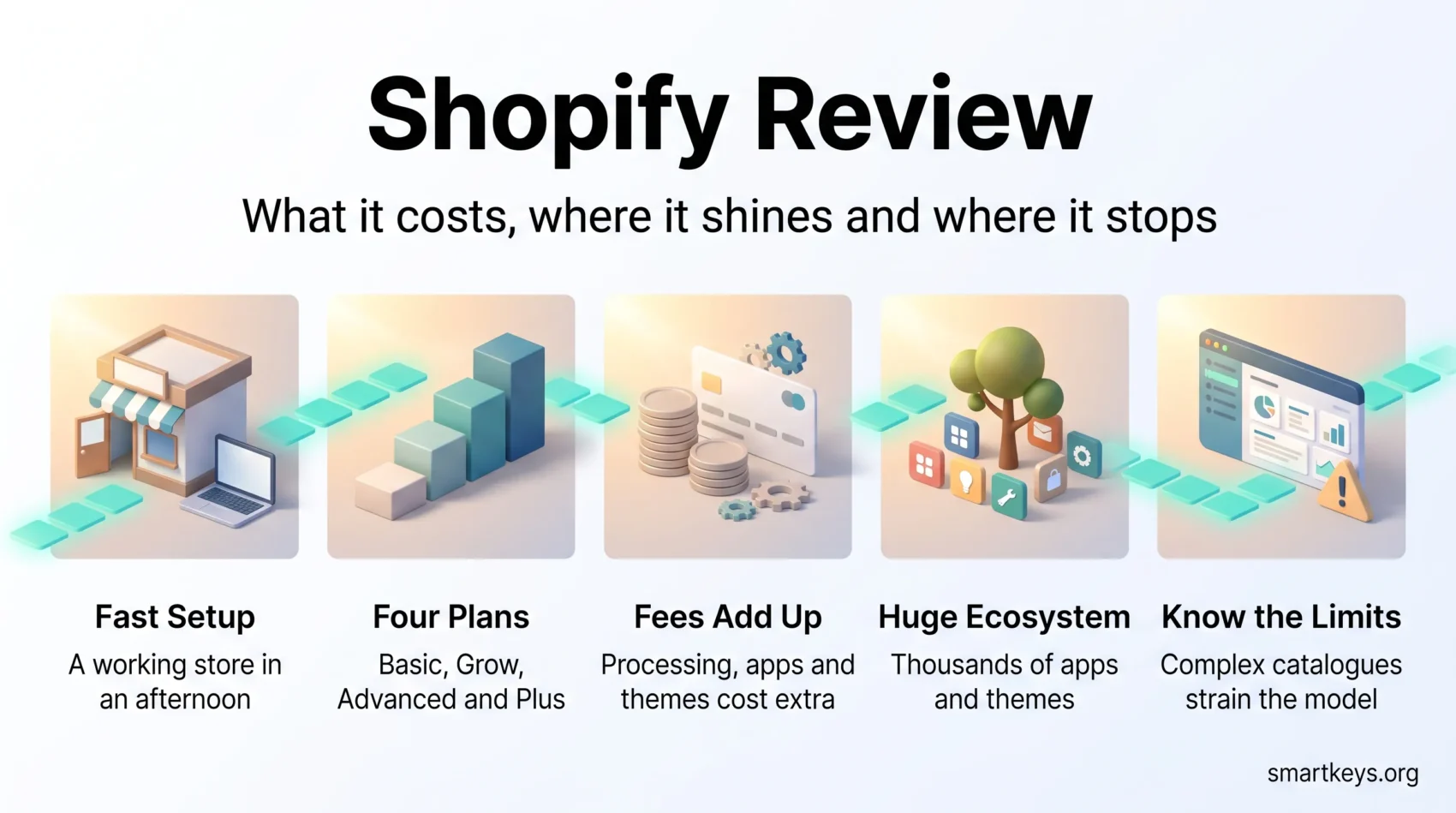
Shopify is one of the few e-commerce platforms that works for a first-time seller and a nine-figure brand without changing tools in between. That flexibility is also what makes it hard to judge: the plan you start on behaves very differently from the plan you grow into, and most of the cost sits in fees rather than the subscription line. This independent Shopify review covers what the platform actually costs in 2026, what you get at each tier, where the app and theme ecosystems help, and where merchants keep running into the same limits.
Key Takeaways
- Shopify lists four plans in 2026: Basic, Grow, Advanced and Plus, from $39 a month to $2,300 a month.
- Annual billing cuts Basic to $29, Grow to $79 and Advanced to $299 a month.
- Skipping Shopify Payments adds a third-party transaction fee of 2% on Basic, falling to 0.2% on Plus.
- The Theme Store lists more than 800 free and paid themes; the App Store lists more than 16,000 apps.
- Shopify says businesses on its platform have passed $1 trillion in cumulative sales.
What Shopify Is and Who It Suits
Shopify is a hosted e-commerce platform. You pay a monthly subscription and Shopify handles hosting, security patching, PCI compliance, checkout and the payment stack. You supply the products, the design decisions and the marketing.
That trade matters. With a self-hosted store you own every layer and every problem. With Shopify you accept the platform’s rules in exchange for never touching a server. For most merchants selling physical products, that is the right trade, and it is a large part of why Shopify has become a default choice in online retail.
The platform fits three groups particularly well. New sellers who want a working store in a weekend. Established brands moving off a marketplace to own their customer relationship, which is the core of most direct-to-consumer strategies. And retailers who sell in person as well as online and want one inventory system behind both.
It fits less well if your business logic is unusual, your catalogue has deep variant structures, or your margins are thin enough that percentage-based fees hurt. More on that further down.
Shopify Pricing in 2026
Shopify’s public pricing page lists four plans. The headline number is the monthly subscription, but the number that decides your annual cost is usually the payment processing rate.
Plans and Monthly Cost
Prices below are from Shopify’s own pricing page in 2026, in US dollars.
- Basic: $39 a month billed monthly, or $29 a month billed annually.
- Grow: $105 a month billed monthly, or $79 a month billed annually. This is the plan Shopify previously called simply “Shopify”.
- Advanced: $399 a month billed monthly, or $299 a month billed annually.
- Plus: from $2,300 a month, quoted rather than self-service.
Shopify currently advertises three days free followed by $1 a month for three months, which lowers the cost of testing the platform properly before committing.
The practical difference between tiers is less about features than about rates and depth. Basic gives you a complete store. Grow adds better card rates and more staff accounts. Advanced adds custom reporting and the lowest self-service processing rates. Plus adds checkout customisation, higher API limits and account management.
Transaction Fees and Payment Processing
This is where budgets go wrong. Shopify charges two separate things: the card processing rate, and a penalty fee if you process through someone else.
Using Shopify Payments, online standard card rates are 2.9% plus 30 cents on Basic, 2.7% plus 30 cents on Grow and 2.5% plus 30 cents on Advanced. In-person rates through Shopify POS are 2.6% plus 10 cents, 2.5% plus 10 cents and 2.4% plus 10 cents respectively.
If you use a different payment provider, Shopify adds a third-party transaction fee on top of whatever that provider charges: 2% on Basic, 1% on Grow, 0.6% on Advanced and 0.2% on Plus. On a store turning over $30,000 a month, the Basic-tier penalty alone is $600. That single line is often the reason a merchant upgrades, or the reason they stay with Shopify Payments even when a local provider looks cheaper.
Run the arithmetic on your own volume before choosing. Compare the subscription saving against the rate difference, and remember that buy now, pay later options and alternative payment methods carry their own rates.
Ease of Use and Store Setup
Setup is the strongest part of the product. Onboarding asks a short series of questions about what you sell and where, then drops you into an admin that is organised around tasks rather than technology: products, orders, customers, marketing, analytics.
You can have a functioning store with products, payments and shipping rates configured in an afternoon. No hosting decisions, no SSL certificates, no plugin conflicts. For someone who has never built a site, that gap between Shopify and a self-hosted stack is enormous.
The admin holds up as the store grows, which is less common than it sounds. Bulk editing, saved product views, order filtering and draft orders are all built in rather than bolted on. Shopify POS uses the same product catalogue, so a shop that sells at markets or in a physical location does not run two systems.
Where beginners struggle is not the software but the decisions around it: product photography, shipping zones, tax registration and returns policy. Shopify documents these well, but it cannot make them for you.
Themes and Store Design
The Shopify Theme Store lists more than 800 free and paid themes. Paid themes generally run from around $100 to $420 as a one-time purchase, with widely used options such as Motion, Expanse and Enterprise sitting at the top of that range.
Every current theme is built on the Online Store 2.0 architecture, which means sections and blocks you rearrange visually rather than templates you edit in code. You can move a product review block above the description, add a testimonial section to a landing page, or restyle the header without opening a file.
The free themes are genuinely usable. Dawn, Shopify’s reference theme, is fast, accessible and clean, and plenty of established stores run it with only colour and typography changes. Paying for a theme buys you layout variety, niche-specific sections and vendor support, not better fundamentals.
Two cautions. First, theme quality affects site speed, and speed affects conversion, so test a demo on mobile before buying. Second, heavy customisation makes future theme updates harder. If you plan to invest in richer product experiences later, keep your changes structured.
If you are still deciding between platforms rather than themes, the trade-offs are similar to those in the Squarespace and Wix comparison: hosted convenience against design control.
The Shopify App Store
Shopify’s App Store lists more than 16,000 apps. That ecosystem is the platform’s real moat, and also its most common budget leak.
Apps cover subscriptions, bundles, loyalty, reviews, upselling, wholesale pricing, shipping rules, accounting sync and much more. Most charge monthly, and the charges appear on your Shopify invoice rather than as separate card payments, which makes them easy to lose track of. A store running eight apps at $20 to $50 each is paying more for apps than for the platform.
Some practical rules. Install the fewest apps that solve real problems. Check when the app was last updated and whether the developer answers support requests. Uninstall properly, because some apps leave code in your theme. And prefer one app that does three jobs over three that each do one, since every app adds scripts to your storefront.
Review apps are worth singling out, because social proof does affect conversion. BrightLocal’s 2025 Local Consumer Review Survey found that only 4% of consumers say they never read online reviews, though trust has softened: 42% now say they trust online reviews as much as a personal recommendation, down from 79% in 2020. Reviews still matter, but volume alone no longer carries the weight it did.
One inventory note worth knowing: Shopify’s own Stocky app, which came out of its TradeGecko acquisition, is being retired. Shopify’s documentation states the app will no longer be available after 31 August 2026, and directs merchants to Shopify’s standard inventory features or third-party tools. If you rely on Stocky for purchase orders or demand forecasting, plan the migration now.
Built-in Marketing and SEO Tools
Shopify includes more marketing tooling than most merchants use. Discount codes, automatic discounts, gift cards, abandoned checkout recovery and customer segmentation are all standard.
Email, SMS and Customer Retention
Shopify Messaging, the product previously branded Shopify Email, handles email and SMS campaigns from inside the admin. It is pay-as-you-go: up to 10,000 manual or automated emails a month at no cost, then $1 per additional 1,000 emails, with lower rates above 300,000 a month. SMS is billed separately and available in selected countries.
For a store with a list under 10,000 contacts sending a few campaigns a month, that is effectively free and removes a recurring bill. Larger senders with complex automation usually still move to a dedicated platform; the trade-offs there mirror the ones in our Mailchimp and Klaviyo comparison.
Whichever tool you use, the economics favour keeping customers over acquiring them. That is worth reading alongside broader customer retention strategies, because email is a channel, not a strategy.
SEO and Organic Traffic
Shopify handles the technical basics competently: clean URLs, editable title tags and meta descriptions, automatic sitemaps, canonical tags and mobile-responsive themes. What it does not do is give you an opinionated content system. The built-in blog is basic, and category-level content usually needs a workaround.
The work that moves organic traffic is the same as anywhere: useful product and collection copy, descriptive image alt text, internal linking between related products, and content that answers questions buyers actually ask. If you want to measure it properly, a dedicated tool helps, and our Semrush review and SE Ranking review cover two options at very different price points.
Search behaviour itself is shifting as AI answers absorb informational queries, a change we cover in more detail in our overview of digital marketing strategy. Product pages remain relatively insulated, but thin content pages are not.
AI Features: Sidekick and Shopify Magic
Shopify has folded AI into the admin under two names. Shopify Magic generates text: product descriptions, email subject lines, blog drafts, FAQ answers. Sidekick is a conversational assistant inside the admin that can answer questions about your store data and carry out setup tasks.
Used realistically, these save time on drafting rather than replacing judgement. Generated product copy is a starting point that still needs your product knowledge and your brand voice. The store-data questions are the more useful half: asking which products underperformed last month is faster than building a report.
Treat AI-generated copy as a draft, not output. Search engines do not penalise AI assistance as such, but they do devalue thin, duplicated pages, and mass-generated descriptions across hundreds of near-identical variants tend to read exactly that way. For visual assets, a dedicated design tool is usually still better; our Canva review covers a common pairing.
Selling Across Channels and Borders
Shopify’s multi-channel support is a genuine strength. One product catalogue can serve your own storefront, in-person sales via POS, and connected sales channels, which matters as buying moves further into social platforms and third-party marketplaces.
Mobile deserves specific attention rather than a checkbox. A large share of storefront traffic arrives on a phone, and phone-first shopping behaviour differs from desktop: shorter sessions, more comparison, less tolerance for slow pages. Our look at mobile commerce covers what that changes about layout and checkout.
For international selling, Shopify Markets handles currencies, local payment methods, duties and market-specific pricing from one admin. That removes much of the operational friction, but not the regulatory work: registration thresholds, customs paperwork and returns logistics still land on you. Our guide to cross-border e-commerce covers what tends to be underestimated.
Personalisation sits in the same category. Shopify exposes customer data and segments, and apps layer recommendation engines on top, but the useful version depends on having enough order history to work from. Our piece on e-commerce personalisation is a reasonable place to calibrate expectations.
Where Shopify Falls Short
No platform is a fit for everyone, and Shopify’s limits are consistent enough to predict.
Costs stack. The subscription is the smallest line for most stores. Processing fees, app subscriptions, a paid theme and any third-party transaction fee together often exceed it several times over. Budget on total cost, not sticker price.
Complex catalogues strain the model. Shopify’s variant structure suits products with a handful of options. Deep configurable products, made-to-order items with dependent options, or B2B catalogues with account-specific pricing usually require apps, and app-based workarounds are fragile.
Checkout customisation is limited below Plus. This is deliberate, since a locked checkout is why Shopify’s conversion and security record is strong, but it frustrates merchants who want unusual flows.
Reporting depth is tiered. Custom reports sit on Advanced and above. On lower plans you will lean on exports or an external analytics tool. If your finance workflow depends on that data, factor in an accounting integration; our QuickBooks Online review and Xero review cover the two most common choices.
You are renting, not owning. Pricing changes, policy changes and app deprecations are outside your control. The Stocky retirement is a small example of a general condition.
Competition is the real constraint. Building the store is the easy part. Differentiation, sourcing, margin discipline and pricing strategy decide whether it works. The platform is neutral on all of that.
How Shopify Compares in 2026
Shopify’s competitive position rests on three things: the breadth of the app ecosystem, a checkout that converts well, and the fact that the same account scales from one product to enterprise volume.
Against website builders such as Squarespace and Wix, Shopify wins on commerce depth and loses on general-purpose design freedom. Against WooCommerce, Shopify trades control and per-transaction economics for the elimination of hosting, updates and security work. Against enterprise suites, Shopify Plus is usually faster to deploy and cheaper to run, with less bespoke logic.
The broader market context matters too. Direct-to-consumer brands have moved from growth-at-any-cost to margin discipline, and retail formats keep shifting, including experiments in autonomous retail. Shopify sits comfortably in the middle of that: not the cheapest, not the most flexible, but the safest default for a merchant who wants to spend their time selling rather than maintaining infrastructure.
Verdict
Shopify remains the strongest all-round e-commerce platform for most merchants selling physical products in 2026. The setup experience is excellent, the checkout converts, the app ecosystem covers nearly every requirement, and the platform grows with the business rather than forcing a migration.
The honest caveats are financial and structural. Total cost is meaningfully higher than the advertised subscription once processing, apps and themes are counted. Third-party payment providers are penalised on every tier. Complex catalogues and unusual checkout flows fight the product rather than fit it.
If you sell a manageable catalogue of physical goods and want to be trading quickly, start on Basic with annual billing, use Shopify Payments unless you have a specific reason not to, and add apps only when a real problem appears. Recalculate at around $25,000 to $30,000 in monthly revenue, since the rate differences between tiers usually justify an upgrade before the feature differences do.
Found this useful?
Make SmartKeys a preferred source on Google, and our articles will surface more often in your Top Stories, AI Overviews, and AI Mode.
Add as Preferred Source




