

Xero is a cloud accounting platform built for small and medium-sized businesses, and it has changed a lot since most reviews of it were written. Prices went up, an AI layer called JAX moved into the centre of the product, and Xero bought the bill payment company Melio. This review covers what Xero costs in 2026, what each plan actually includes, where the software is genuinely strong, and where it will frustrate you.
Key Takeaways
- US plans run $25, $55 and $90 a month for Early, Growing and Established, with unlimited users on every tier.
- The Early plan caps you at 20 invoices and 5 bills a month, which most active businesses outgrow quickly.
- Multi-currency, project tracking and expense claims sit only on the top Established plan.
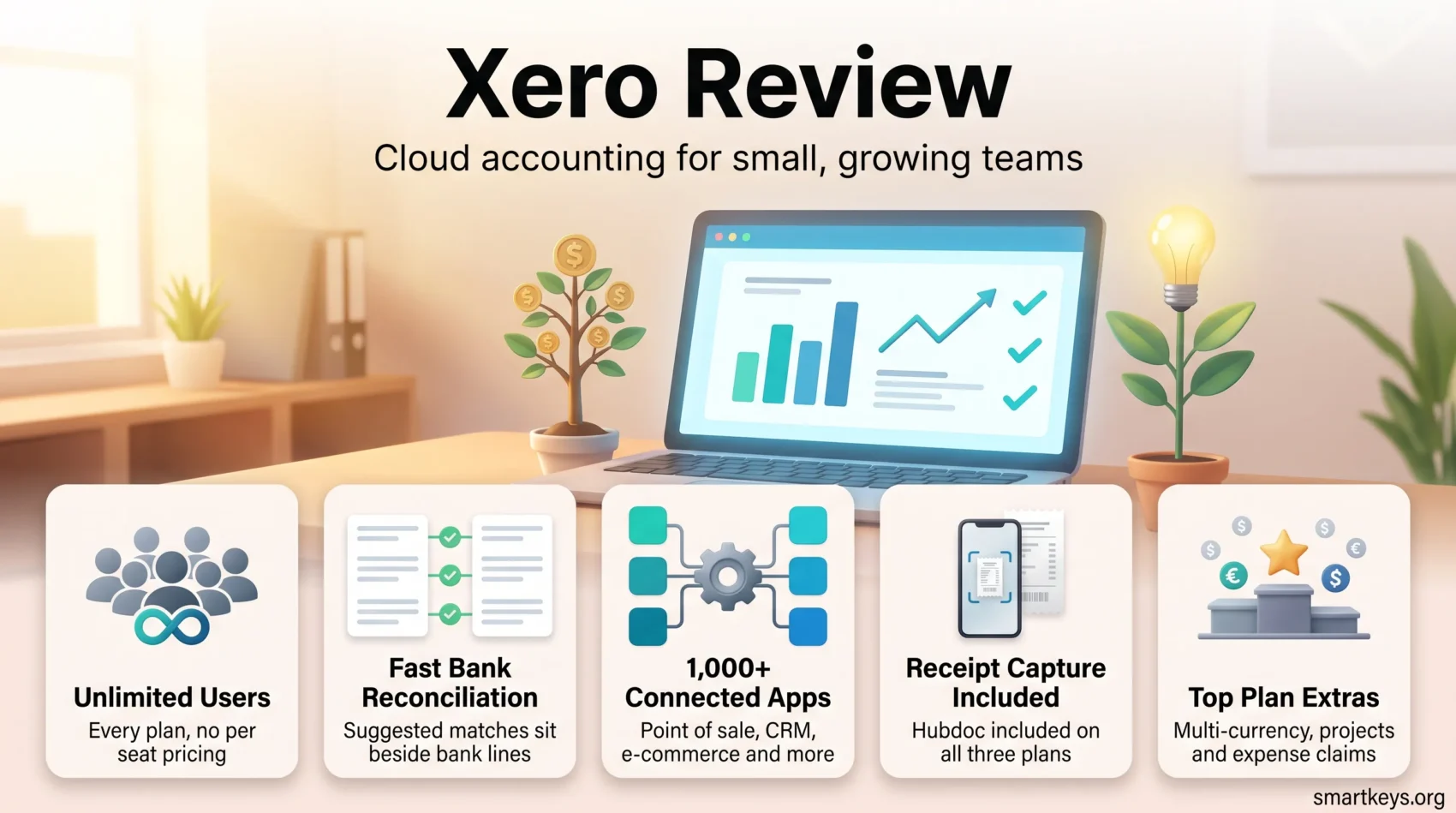
- Hubdoc receipt capture is included on all three plans at no extra cost.
- Payroll is a separate add-on, run by Gusto, at $36 a month plus $6 per person.
- Reviewers rate Xero 4.4 out of 5 on both Capterra and G2, with customer support the weakest sub-score.
- Xero reported 4.92 million customers at the end of its 2026 financial year.
Xero in 2026: What Has Actually Changed
Three things separate the Xero of 2026 from the product most older reviews describe.
The first is AI. Xero has built its assistant, Just Ask Xero (JAX), into the core workflow rather than bolting it on as a side panel. It handles reconciliation suggestions, data entry and follow-up on unpaid invoices, and Xero has added a control layer it calls JAX Assure to reduce the risk of confidently wrong answers. In its FY26 results Xero said roughly 500,000 customers had adopted the new generative AI features. That is meaningful adoption, but it is still a minority of the base, so treat JAX as a helpful assistant rather than a replacement for review.
The second is payments. Xero completed its acquisition of Melio, a US bill payment provider, and folded bill pay into the platform. US revenue grew 240% in FY26, though most of that came from the acquisition rather than organic growth.
The third is price. Xero repriced its US plans, and the entry tier that once cost $15 a month is now $25. Anyone comparing Xero against a review written a year or two ago is working from the wrong numbers.
Scale is no longer in question. Xero reported 4.92 million customers at 31 March 2026, up 11% year on year, on revenue of NZ$2.75 billion. The wave of consolidation running through the SaaS market has not left accounting software untouched, and Xero is now firmly on the acquiring side of it.
Where Xero Stands Out
The clearest advantage is user seats. Every Xero plan, including the $25 entry tier, allows unlimited users. Your bookkeeper, your accountant, your operations lead and your co-founder can all have logins without changing the bill. Almost every direct competitor charges per seat, and on a team of five that difference alone can outweigh the headline price.
The second is the app ecosystem. Xero connects with more than 1,000 third-party applications, covering point of sale, inventory, time tracking, expense management and e-commerce. If you already run a Shopify storefront or a CRM like Salesforce, the connector almost certainly exists. That matters more than any single feature, because accounting software is only as useful as the systems feeding it.

Bank reconciliation is the third. Xero’s reconciliation screen, where suggested matches sit next to imported bank lines, is the part of the product long-time users defend most strongly. It is quick, it is visual, and it makes a task most owners dread into something that takes minutes rather than an afternoon.
Security follows normal cloud standards: encrypted data in transit and at rest, and two-factor authentication that Xero requires rather than merely offers. That is table stakes now, not a differentiator, though it is worth confirming when you compare against smaller tools. Our overview of current cybersecurity practice covers what to look for.
What Users Actually Say
Xero holds a 4.4 out of 5 rating from 3,318 reviews on Capterra and 4.4 from 1,829 reviews on G2. The sub-scores are more informative than the headline: ease of use 4.4, features 4.3, value for money 4.2, and customer service 4.0.
What Reviewers Praise
- The reconciliation workflow, which comes up repeatedly as the feature that sold them.
- Unlimited users, which removes the awkward conversation about who really needs a login.
- Customizable dashboards that put cash position and overdue invoices on the first screen.
- Integration breadth, with over 1,000 connected apps.
- The mobile app, for capturing receipts and approving payments away from a desk.
Where It Falls Short
- Support is the weakest sub-score. Xero has no general inbound phone line; you raise a case and wait for a callback.
- The learning curve is real if you have never used double-entry accounting. The interface is friendly, the underlying concepts are not.
- Feature gating pushes costs up. Multi-currency, projects and expense claims all require the $90 Established plan.
- Reporting is flexible but generic. There are no industry-specific report packs out of the box.
Our Read
The pattern in the reviews is consistent: people who set Xero up properly, usually with an accountant, stay and recommend it. People who tried to self-serve their way through the first month are the ones who complain. Budget for a proper setup, and the support gap matters far less.
A Closer Look at the Features
Expense Tracking and Bill Pay
Hubdoc, Xero’s document capture tool, is included on all three US plans. You photograph a receipt, forward a supplier email or scan a document, and Hubdoc extracts the key fields and publishes the entry to Xero with the original attached. That attachment matters at audit time far more than people expect.
Bills sit in an approval queue with due dates and scheduled payments, and card and bank payment providers connect directly so customers can pay an invoice from the emailed link. If you are trying to shorten your payment cycle in general, our guide to digital wallets in business payments covers the wider shift, and embedded finance explains why payment features keep appearing inside software that is not a bank.
Reporting and Cash Flow
Reporting is where the plan you choose bites hardest. Every tier gives you the standard statements and a customizable dashboard. What changes is the forecast horizon: 30 days of short-term cash flow on Early, 60 days on Growing, and 180 days on Established. Established also adds KPI and ratio analysis plus industry benchmarking.
If cash timing is the thing keeping you up at night, that horizon is the single most important line in the pricing table. Our guide to cash flow management covers the practices that sit behind the numbers, and finance automation looks at what else can be taken off the finance team’s plate. For a different approach to the same job, see our FreshBooks review and our Expensify vs QuickBooks comparison.
How Easy Is Xero to Use?
Xero is genuinely approachable for software that runs a full general ledger. The navigation is shallow, the language avoids accounting jargon where it can, and the dashboard answers the two questions owners ask most often: how much cash do I have, and who owes me money.
The mobile app handles the tasks that suit a phone. Capture a receipt, check a balance, approve a bill, send an invoice from a job site. It is not a full replacement for the browser version, and it is not meant to be.
The honest caveat is that ease of use does not remove the need to understand what you are doing. Xero will happily let you code a transaction to the wrong account, and it will do it quickly. The friendliness is in the interface, not in the accounting.
Setting Xero Up
Setup follows a guided sequence: enter your business details, connect your bank feeds, import your chart of accounts and opening balances, then bring over contacts and any outstanding invoices from your previous system. Xero connects to thousands of banks and financial institutions worldwide through direct feeds, so once the connection is live, transactions arrive automatically.
Xero’s help centre, video library and community forum cover the common questions well. Most businesses with more than a handful of transactions still get an accountant or bookkeeper to handle the migration, particularly the opening balances, and that is money well spent. A botched conversion is far more expensive to fix than to avoid.
Plan for a few hours over a week or two rather than an afternoon. The bank feeds usually take a day or two to start flowing, and reconciling the historical data is the part that takes real time.
Xero Pricing in 2026
Xero sells three plans in the US, all with unlimited users:
- Early, $25 a month: 20 invoices and quotes, 5 bills, 30-day cash flow forecast, Hubdoc included.
- Growing, $55 a month: unlimited invoices, quotes and bills, 60-day cash flow forecast, financial health scorecard.
- Established, $90 a month: everything in Growing plus multi-currency, project time and cost tracking, expense claims, KPI and ratio analysis, 180-day cash flow forecast.
Xero was running a 90% discount on the first six months at the time of writing, valid through 30 September 2026, which brings the plans down to $2.50, $5.50 and $9 a month for that period. Promotional pricing changes often, so check the current offer before you sign. New US accounts also get one free month after signup.
What Sits Outside the Subscription
Payroll is the main one. Xero Payroll, powered by Gusto, costs $36 a month plus $6 per employee or contractor. For a five-person team that is $66 a month on top of your plan, which changes the comparison against bundles that include payroll. If you are weighing dedicated payroll and HR platforms instead, see our Gusto vs Zenefits comparison, and our overview of global payroll solutions if you employ across borders.
Inventory Plus is an add-on on the Growing and Established plans. Cross-border payments carry their own fees. And most of the apps you connect from the Xero App Store carry their own subscriptions.
Choosing a Plan
Three questions decide it. How many invoices and bills do you process in a month? Do you invoice or buy in a foreign currency? And do you bill clients by project or by time? A yes to either of the last two puts you on Established regardless of your volume, because those features do not exist lower down.
The trap is the Early plan. Twenty invoices sounds like plenty until a busy month arrives, and the 5-bill cap is tighter than most people expect. If you are anywhere near either limit, start on Growing.
Xero vs QuickBooks Online
QuickBooks Online is the comparison most US buyers actually make. Its plans run $38 for Simple Start with one user, $85 for Essentials with three, $140 for Plus with five and $340 for Advanced with 25, before its introductory discount.
On price, Xero wins clearly at the low end and the gap widens as your team grows, because QuickBooks charges per seat while Xero does not. A five-person business on Xero Established pays $90; the closest QuickBooks equivalent by seat count is Plus at $140.
QuickBooks is stronger on reporting depth, on US tax handling, and on the availability of local bookkeepers who already know it. That last point is worth more than it sounds. If your accountant works in QuickBooks all day, moving them to Xero has a real cost.
Xero is stronger on unlimited seats, on the reconciliation experience and on multi-currency, which QuickBooks reserves for higher tiers as well. Both offer a trial or a discounted introductory period. Our QuickBooks Online review goes through the other side of this comparison in detail.
Which Businesses Xero Suits
Xero fits a specific shape of business well. Service companies, agencies, consultancies and small e-commerce operations with a handful of people who all need visibility into the books are the sweet spot, particularly if more than one person touches the accounts.
Sole traders with very low volume can start on Early, but should treat it as a starting point rather than a home. Businesses trading internationally will end up on Established for multi-currency, so budget for $90 from the outset rather than being surprised by the upgrade.
Larger and more complex operations, particularly those with manufacturing, heavy inventory or industry-specific compliance reporting, will find the gaps. Xero announced a higher Ultra tier in beta aimed at medium-sized businesses in its FY26 results, which suggests it knows this, but that is not yet a mature answer.
Businesses running heavy document workflows will want to pair Xero with the right tools around it: our DocuSign review covers signatures, and automating repetitive tasks looks at the connective tissue between systems.
The Verdict
Xero is a strong choice for small and growing businesses that value collaboration, clean bank reconciliation and a wide integration ecosystem, and it is unusually good value once more than two people need access. It is a weaker choice if you need deep, industry-specific reporting, if your accountant is committed to QuickBooks, or if you want phone support on demand.
The 2026 pricing is no longer the bargain it was, so compare on total cost including payroll and add-ons rather than on the headline plan price. Use the free month, connect a real bank feed, and run one full reconciliation cycle before you commit. That single exercise tells you more than any review, this one included. If you want the wider context, our coverage of business automation trends and how AI is reshaping SaaS sets out where tools like this are heading, and small business trends covers the pressures shaping the decision.
Found this useful?
Make SmartKeys a preferred source on Google, and our articles will surface more often in your Top Stories, AI Overviews, and AI Mode.
Add as Preferred Source




