FreshBooks began life as a simple invoicing tool and has grown into a full cloud accounting platform for freelancers, agencies and small service businesses. This FreshBooks review looks at what the software actually does in 2026, what the four plans cost, where the platform is genuinely strong, and where a different tool would serve you better.
The short version: FreshBooks for small business is built around billable work. If you sell your time, send invoices and want to get paid without learning bookkeeping, it fits well. If you carry inventory, run payroll for a large team or need deep accounting controls, you will feel the ceiling sooner than you expect.
Key Insights
- List pricing is $23/month for Lite, $43/month for Plus and $70/month for Premium; Select is quoted individually.
- Lite covers 5 billable clients, Plus covers 50, Premium and Select are unlimited.
- Double-entry accounting reports start on the Plus plan, not on Lite.
- Extra team members cost $11/month each on every plan.
- There is a 30-day free trial with no credit card, plus a 30-day money-back guarantee.
What Is FreshBooks Accounting Software?
FreshBooks is a cloud accounting and invoicing platform aimed at sole proprietors and service-based businesses rather than at accountants. Everything is organised around clients and projects: you log hours, attach expenses, raise an invoice and watch the payment land, all in the same place.
The design assumption is that you are not a bookkeeper. Terminology is kept plain, the dashboard leads with money in and money out, and most tasks take a few clicks. That approach costs some flexibility, but it is the reason many freelancers stay on the platform for years.
Because the whole workflow sits in one system, FreshBooks also doubles as a lightweight cash flow management tool. You can see which invoices are outstanding and which projects have quietly stopped being profitable without exporting anything to a spreadsheet.
FreshBooks Pricing and Plans in 2026
Understanding FreshBooks pricing matters more than the feature list, because the plan you pick decides both your client limit and how much real accounting you get. FreshBooks publishes four tiers.
The Lite plan costs $23 per month and supports up to 5 billable clients. You get unlimited invoicing, expense tracking, time tracking and a Profit and Loss report. It suits a solo freelancer with a short client roster.
The Plus plan costs $43 per month and raises the limit to 50 billable clients. This is the tier where FreshBooks becomes a genuine accounting product: chart of accounts, general ledger, trial balance, balance sheet and free accountant access all appear here.
The Premium plan costs $70 per month and removes the client cap entirely, adding accounts payable tracking and more project profitability reporting. It is aimed at small agencies rather than individuals.
The Select plan is custom-quoted. It bundles two team member seats, lower card processing rates, a dedicated account manager and phone support, and it includes the Advanced Payments add-on.
Three costs are easy to miss. Additional team members are $11 per month each on every plan. Advanced Payments, which unlocks stored cards and subscription-style charging, is $20 per month unless you are on Select. FreshBooks Payroll is a separate $40 per month plus $6 per person. A two-person Plus account that also needs payroll is therefore closer to $100 a month than to $43.
FreshBooks runs frequent introductory discounts — at the time of writing its pricing page advertises 90% off for the first three months. Treat the promotional figure as a first-year saving, not as your ongoing cost, and budget against list price.
Key Features of FreshBooks
The feature set is deliberately narrow and well-executed rather than broad. The pieces that matter day to day:
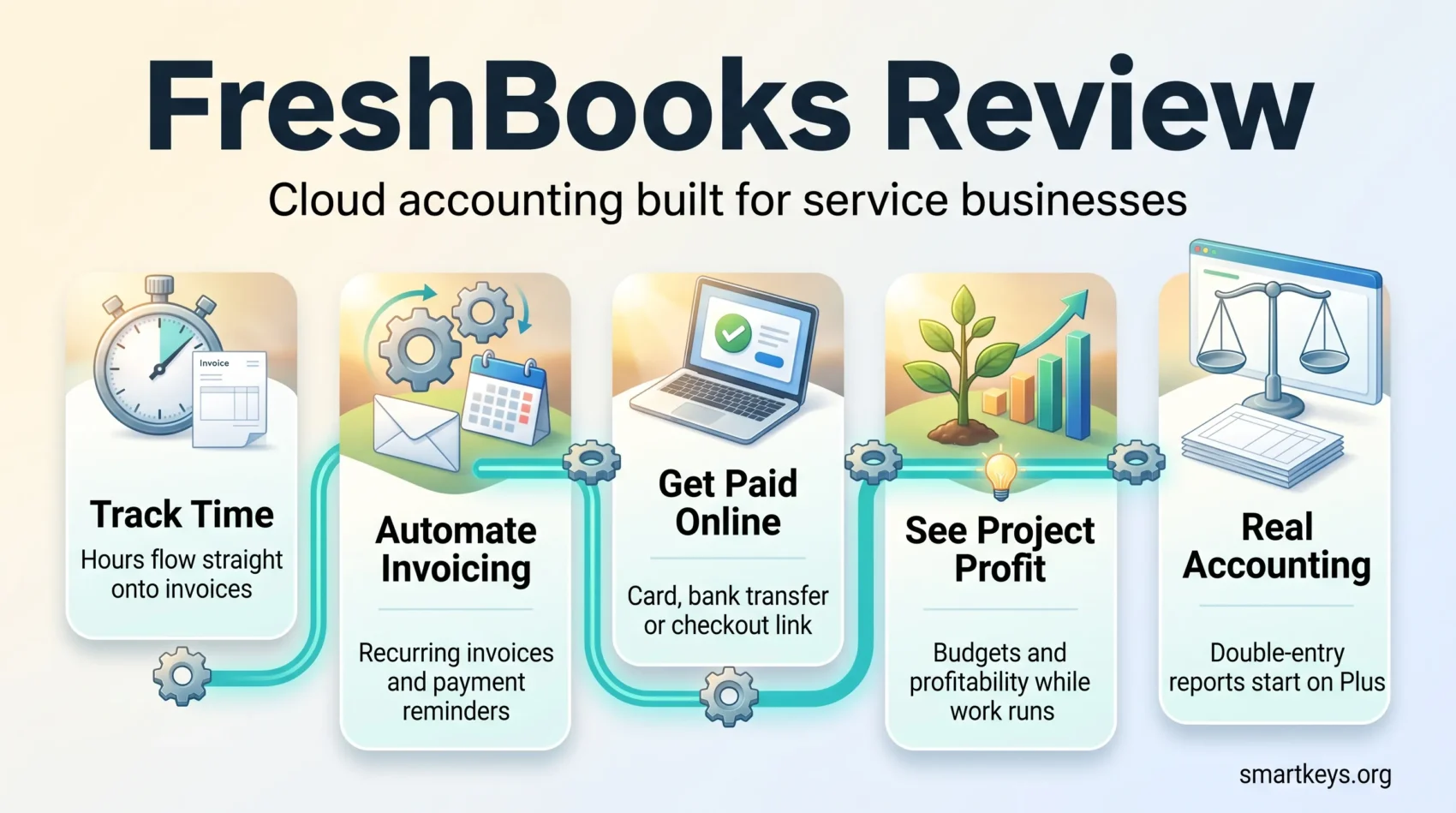
- Recurring invoices and automated payment reminders, so chasing late payers stops being a manual job.
- Time tracking that flows straight onto an invoice, with hours attributable to a client and a project.
- Expense capture from receipts and connected bank feeds, categorised for tax time.
- Project budgets and profitability views, so you can see when a fixed-fee job has gone underwater.
- Financial reports including Profit and Loss, Balance Sheet and Trial Balance on Plus and above.
- A client portal where customers can view invoices, approve estimates and pay online.
The mobile app covers the field-work cases properly: log hours, photograph a receipt, send an invoice, check whether a client has paid. It is not a full replacement for the web app, but it handles the tasks you actually need away from a desk.
Multi-currency and multi-language invoicing are supported, which matters if you bill internationally. Sales tax handling is configurable per invoice, though businesses with complex tax obligations should confirm their specific requirements before committing.
Invoicing and Getting Paid
Invoicing is the part of FreshBooks that consistently earns its keep. Templates are customisable with your logo, colours and fonts, and once a template is set up, raising an invoice from tracked time takes seconds.
Recurring invoices handle retainer clients without any monthly effort. Automated late-payment reminders and optional late fees do the awkward follow-up for you, which is often the single biggest practical improvement for a freelance business.
Payment options include online card payments through FreshBooks Payments, bank transfer and checkout links that let a client pay from a web page or a message rather than from an emailed PDF. Processing rates vary by payment method and region, so check the current rate card for your country before you build them into your pricing. If invoicing is your main pain point rather than accounting, it is worth comparing FreshBooks with a dedicated tool such as Incomee.
Retainers, estimates and proposals are all available in-app. For anything more elaborate on the sales side — branded, trackable documents with e-signature — a specialist tool like Proposify or an e-signature platform such as DocuSign still does a better job. Our Adobe Sign and HelloSign comparison covers the cheaper alternatives.
Time Tracking and Project Management
FreshBooks time tracking is genuinely useful because it is wired directly into billing. Start a timer against a project, and those hours can be pulled onto an invoice at the client’s rate without re-keying anything.
Projects hold budgets, team members, expenses and hours together, which makes project profitability visible while a job is still running rather than after it has closed. For a small studio billing by the hour, this is the feature that pays for the subscription.
What FreshBooks does not offer is real project management. There are no dependencies, no sprint boards and no resource planning. Teams that need those run a proper tool alongside it — see our reviews of ClickUp and Asana, or the Monday.com and Trello comparison if you want something lighter.
How Much Accounting Do You Actually Get?
This is where plan choice bites. On Lite you get income and expense tracking and a Profit and Loss report — enough for a simple sole-trader tax return, but not a general ledger.
From Plus upwards FreshBooks provides industry-standard double-entry accounting: chart of accounts, journal entries, general ledger, trial balance, balance sheet and bank reconciliation, plus a free accountant login. That is sufficient for most service businesses and for an external bookkeeper to work with.
The limits are still real. Inventory management is minimal, so product-based and e-commerce businesses are usually better served by QuickBooks Online or Xero. Bulk invoicing across many clients at once remains clumsy compared with those competitors. If expense management is the specific problem you are solving, our Expensify and QuickBooks comparison is a better starting point.
Integrations and Add-Ons
FreshBooks maintains its own app store covering payments, payroll, CRM, e-commerce, and time and expense tools. The practical effect is that FreshBooks handles billing while the connected apps handle everything either side of it.
Payroll is the most common addition. FreshBooks Payroll runs as a paid add-on, and businesses that need broader HR functionality often pair the accounting side with a dedicated platform instead — our Gusto versus Zenefits comparison covers the trade-offs, and Breezy HR is worth a look if hiring is the bottleneck.
On the sales side, connecting FreshBooks to a CRM such as Pipedrive keeps deal data and invoicing aligned. Where no native connector exists, an automation layer like Zapier or Make fills the gap, which is the same pattern most small teams use for broader finance automation. If you also want a business account that reconciles cleanly, our Revolut Business review is a useful companion read.
Security and Data Protection
FreshBooks encrypts data in transit with TLS, offers two-factor authentication on user accounts, and stores data in managed data centres with regular backups. It publishes GDPR and CCPA compliance commitments covering how customer data is handled and deleted.
That is a reasonable baseline for a small business, but no vendor removes your own responsibility. Enable two-factor authentication for every user, review team member permissions when people leave, and export a backup of your records periodically. Our overview of current cybersecurity trends covers the habits that matter most for small teams.
Pros and Cons of Using FreshBooks
FreshBooks earns its reputation on usability. Invoicing, time tracking and expense capture are quick to learn and quick to repeat, and the client-and-project structure matches how service businesses actually work. Support is delivered by phone and email rather than by chatbot, which users consistently mention as a differentiator.
The trade-offs are the client limits on the lower tiers, the per-seat cost of adding people, weak inventory handling, and bulk invoicing that still requires more manual work than it should.
- Pros:
- Fast, well-designed invoicing with strong automation
- Time tracking that connects directly to billing
- Project profitability visible while work is in progress
- Human customer support
- Cons:
- Billable client limits on Lite and Plus
- $11 per month for each extra team member
- No real accounting reports on the Lite plan
- Minimal inventory support; weak bulk invoicing
Verdict
FreshBooks is a strong choice if you bill for time or projects and want invoicing, expenses and basic accounting in one place without hiring anyone to run it. Freelancers, consultants and small agencies get the most from it, particularly on the Plus plan where the real accounting features begin.
It is the wrong tool if you sell physical products, need serious inventory or stock control, or want a low per-seat cost across a growing team. In those cases QuickBooks Online or Xero will cost less friction in the long run, even if they take longer to learn.
Start with the 30-day trial, but test it with your own clients and your own invoice volume rather than with sample data. The question that matters is not whether the interface is pleasant — it is — but whether the client limit and seat pricing on your chosen tier still work twelve months from now.
Found this useful?
Make SmartKeys a preferred source on Google, and our articles will surface more often in your Top Stories, AI Overviews, and AI Mode.
Add as Preferred Source