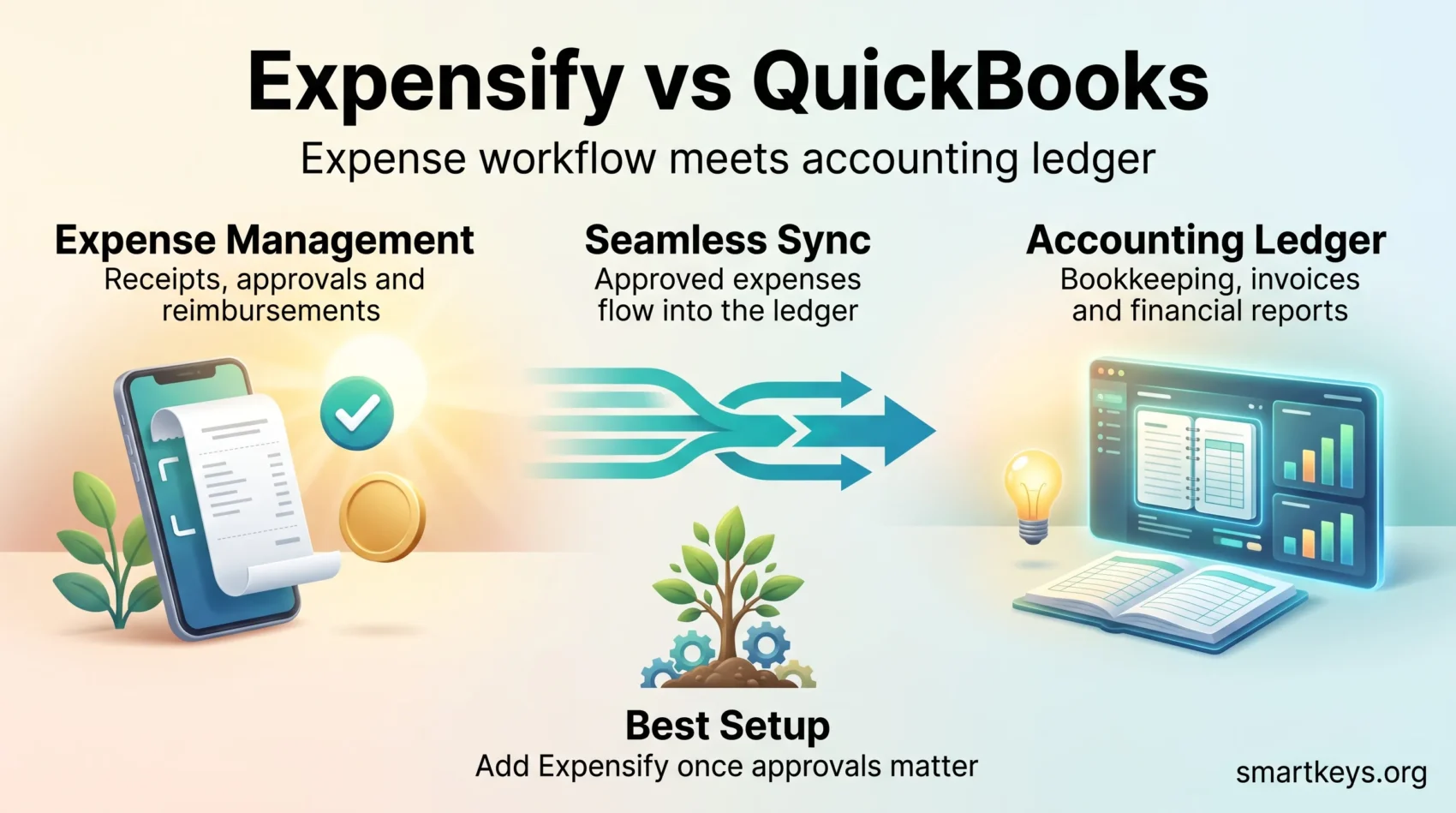
Expensify and QuickBooks get compared constantly, but they are not really competitors. Expensify is a dedicated expense management tool: it captures receipts, routes reports through approval and pays people back. QuickBooks Online is general accounting software: it runs your ledger, your invoices, your bank reconciliation and your tax prep. Expense tracking is one feature inside it rather than the whole product. This 2026 comparison covers what each platform actually does, what both now cost, how they work together, and which setup fits your business.
Key Takeaways
- Expensify is built for expense management. QuickBooks Online is built for accounting, with expense tracking as one module among many.
- Expensify prices per member: the Collect plan is $5 per member per month and the Control plan is $9 per member per month, according to Expensify.
- QuickBooks Online prices per company file: $38 for Simple Start, $85 for Essentials, $140 for Plus and $340 for Advanced per month at list price.
- Because the billing units differ, headcount decides which combination is cheaper.
- The two products sync. Expensify includes QuickBooks Online sync on its entry plan, so running both is a normal setup, not a workaround.
- Small teams that only need receipts and reimbursements can often skip Expensify entirely and use the receipt capture already inside QuickBooks.
- Both vendors publish security documentation. Expensify undergoes annual SOC 1 Type 2 and SOC 2 Type 2 audits; Intuit describes bank-grade encryption and an always-on audit trail.
Two Tools, Two Different Jobs
The most common mistake in this comparison is treating the two products as interchangeable. They solve different problems.
Expensify sits at the front of the process, where money leaves the business: someone photographs a receipt, the expense gets coded and approved, and the employee or card is settled. Everything the product does serves that loop.
QuickBooks Online sits at the back, where transactions become financial statements. It handles invoicing, accounts payable and receivable, bank feeds, payroll integration, tax categories and reporting. It can record expenses, but it was never designed to manage the approval workflow behind them.
That distinction matters most as headcount grows. A solo consultant rarely needs an approval chain. A 40-person company with field staff, corporate cards and a monthly reimbursement run usually does. Our guide to finance automation covers where each layer belongs.
What Expensify Does
Expensify is an expense management platform aimed at everyone from freelancers to mid-market finance teams. Its core promise is that an expense report should assemble itself.
Key Features of Expensify
- SmartScan receipt capture: photograph a receipt and the merchant, date, amount and currency are read automatically.
- Approval workflows: route reports through managers and finance with policy rules applied before approval.
- Card feeds: import transactions from the Expensify Card or from existing corporate cards, then match them to receipts.
- Global reimbursements: pay employees back across borders rather than only in one domestic banking system.
- Accounting sync: push coded, approved expenses into QuickBooks Online, Xero and other ledgers.
- Expensify Travel: book flights, hotels, cars and rail inside the same product, with policy controls attached.
Where Expensify Helps Most
Expensify earns its keep when expenses involve more than one person. The moment you need a submitter, an approver and a payer, a purpose-built workflow saves real time and removes the spreadsheet that everyone secretly hates.
It also suits businesses whose spending is mobile: sales teams, consultants, tradespeople, anyone whose receipts are collected in airports and car parks rather than at a desk. If travel is a large share of your cost base, read it alongside our overview of business travel trends and our practical tips on staying productive while travelling for work. Teams comparing dedicated travel and spend platforms may also want our Navan review.
Expensify advertises more than 45 accounting and payroll integrations and the ability to connect cards from a wide range of banks. Treat vendor counts as marketing figures, but the direction is clear: the product is designed to sit inside an existing finance stack, not replace it.
What QuickBooks Online Does
QuickBooks Online is Intuit’s cloud accounting platform for small and mid-sized businesses. It is the system of record: the place where your numbers become a profit and loss statement.
Key Features of QuickBooks Online
- Bookkeeping and bank feeds: import bank and card transactions, categorise them and reconcile accounts.
- Invoicing and payments: issue invoices, chase them and accept payment.
- Expense tracking: record spending, attach receipts and assign them to categories, customers or projects.
- Reporting: profit and loss, balance sheet, cash flow and custom reports, with project profitability on higher tiers.
- Tax preparation: track deductible categories and hand a clean set of books to your accountant.
- Inventory and project tracking: available from the Plus tier upwards.
Where QuickBooks Helps Most
QuickBooks Online is the right centre of gravity when your question is not “who spent this?” but “are we profitable, and can we pay everyone next month?” Its reporting is what turns bookkeeping into decisions, which is why it pairs naturally with disciplined cash flow management.
It also carries the compliance load. Tax categories, audit trails and accountant access are core features, and your bookkeeper almost certainly knows the interface already. Businesses weighing alternatives can compare it with our Xero review and our FreshBooks review, or read our dedicated QuickBooks Online review for a deeper look at the platform on its own.
Expensify vs QuickBooks: Feature Comparison
Both products touch expenses, and handle them very differently.
Expense Tracking
Expensify tracks expenses as items in a workflow. Each one has a state: unreported, submitted, approved, reimbursed. Policy rules can flag a violation before a manager ever sees the report.
QuickBooks tracks expenses as accounting entries. A transaction arrives from a bank feed, gets a category and lands in the ledger. That is what you want for reporting, and not what you need when three people must sign off on a $4,000 conference bill.
Expense Report Generation
Expensify produces expense reports as a native object, grouped by trip, project, client or billing period, with billable expenses marked for rebilling.
QuickBooks produces financial reports. You can slice spending by category, class, customer or project and analyse profitability, but a QuickBooks report answers “where did the money go?” rather than “has Sarah been paid back for the Berlin trip?”
Receipt Capture
This is the closest the two products come to overlapping. Expensify’s SmartScan reads receipts and creates the expense automatically. QuickBooks also lets you photograph or forward a receipt and matches it against a transaction.
For a sole trader, the QuickBooks receipt tool is often enough, and paying for a second subscription adds cost without adding capability. The gap opens up with volume, multiple currencies and approval requirements. Either way, moving receipts off paper is worth doing on its own merits, as our guide to building a paperless workflow explains.
Integration Options
Running both is the standard configuration for companies that outgrow QuickBooks receipt capture but still need QuickBooks as the ledger.
How Expensify Syncs with QuickBooks
Expensify pushes approved expenses into QuickBooks Online with the coding already applied, so category, class, customer and billable status carry over instead of being retyped. Reimbursements and card transactions reconcile against the ledger, which is where most of the time saving actually comes from.
Notably, QuickBooks and Xero sync sits on Expensify’s entry-level Collect plan rather than behind a premium tier, so the integration does not force an upgrade.
Other Integrations Available
Both platforms connect outward: payroll systems, corporate card programmes, CRM tools, travel booking and bill payment. Intuit also runs a large third-party app marketplace around QuickBooks, which is generally the wider ecosystem of the two.
Where a native connector does not exist, an integration platform can bridge the gap. Our overview of iPaaS in business integration explains the category, and our Workato vs Zapier comparison covers two common options. For payments-side context, see how digital wallets are reshaping work payments and, for distributed teams, our look at global payroll solutions.
Pricing in 2026
The pricing structures are not comparable line for line, because the two vendors bill different things. Expensify charges per person. QuickBooks charges per company file, with a user cap attached to each tier.
Expensify Pricing
According to Expensify, the two business plans are:
- Collect: $5 per member per month, with no annual commitment. It includes unlimited SmartScans, approvals, bill pay, invoicing, third-party card feeds, global reimbursements, QuickBooks and Xero sync, Expensify Travel and Expensify Chat.
- Control: $9 per member per month, aimed at larger teams that need more advanced controls and deeper accounting integrations.
Expensify simplified this structure in 2025, dropping the older model in which the headline price depended on adopting the Expensify Card and committing annually. A 30-day free trial is advertised. Prices vary by country, so confirm the current figure before budgeting.
QuickBooks Online Pricing
Intuit lists four QuickBooks Online tiers in the United States:
- Simple Start: $38 per month, 1 user plus access for 2 accountants.
- Essentials: $85 per month, 3 users plus access for 2 accountants.
- Plus: $140 per month, 5 users plus access for 2 accountants, adding inventory and project profitability.
- Advanced: $340 per month, 25 users plus access for 3 accountants.
Intuit runs heavy introductory discounts almost continuously, often advertising the first three months at a large reduction. Budget on the list price, not the promotional one: the discount expires and the list price is what you renew at. QuickBooks prices have also risen more than once in recent years.
What a Combined Stack Costs
Do the arithmetic on your own headcount, because the per-member and per-file models diverge quickly.
A five-person team on Expensify Collect and QuickBooks Plus pays roughly $25 plus $140, so about $165 a month at list price. A 30-person team pays about $150 for Expensify alone, and would need QuickBooks Advanced only if all 30 required ledger access, which they rarely do. That is where teams overspend: QuickBooks seats are for people who need the books, not for everyone who submits a receipt.
If your subscription list is growing faster than your headcount, our pieces on FinOps best practices and SaaS consolidation are worth a read before you add another tool. Procurement teams formalising this will find our guide to digital procurement useful.
User Experience: Ease of Use
Expensify User Interface
Expensify’s reputation rests on the mobile experience. Photograph a receipt, and in most cases the expense appears coded without further input. Submission takes seconds, which matters because the hardest part of expense management is getting people to do it at all.
The desktop side is functional but denser, and the policy configuration screens reward a careful setup rather than a quick one. Expect to spend an afternoon defining categories, approval chains and limits properly.
QuickBooks User Experience
QuickBooks Online is broader and correspondingly steeper. The dashboard, chart of accounts and reporting engine assume some familiarity with bookkeeping concepts, and a first-time user without an accountant will feel that.
Once configured, it largely runs itself: bank feeds import transactions, rules categorise them and reconciliation becomes a weekly habit. The learning curve is front-loaded, and most businesses climb it with their bookkeeper rather than alone.
Security and Compliance
Both vendors publish their security posture, which is the minimum you should expect from software holding your financial data.
Data Protection in Expensify
Expensify states that it is PCI-DSS compliant, uses HTTPS and TLS for web connections, and undergoes annual SOC 1 Type 2 and SOC 2 Type 2 audits by independent third-party auditors. It also states a commitment to GDPR requirements, and makes its compliance documentation available on request.
Security in QuickBooks
Intuit describes QuickBooks Online as using the same encryption technology as major banks, with production equipment housed in facilities that have round-the-clock physical security, video surveillance and alarms, and staff and automated tools monitoring the service continuously. QuickBooks Online also keeps an always-on activity log and audit trail recording logins and transaction changes, which matters as much for internal accountability as for external attack. Intuit additionally supports multi-factor and two-step verification on Intuit accounts.
The weakest link is usually access management rather than the vendor. Our guides to data privacy at work and current cybersecurity trends cover the policies around the software.

Pros and Cons of Each Tool
Expensify: Strengths and Weaknesses
- Strengths: fast mobile receipt capture, genuine approval workflows, per-person pricing that starts low, multi-currency and cross-border reimbursement, accounting sync included on the entry plan.
- Weaknesses: it is not accounting software and never will be, policy setup takes real effort, and per-member pricing scales linearly with headcount, so a large workforce of occasional claimants can get expensive.
QuickBooks Online: Advantages and Disadvantages
- Advantages: complete accounting in one place, strong reporting, near-universal familiarity among accountants and bookkeepers, a large third-party app ecosystem, and receipt capture that is adequate for smaller operations.
- Disadvantages: a steeper learning curve, no real approval workflow for employee expenses, list prices that have risen repeatedly, and user caps per tier that can force an upgrade for reasons unrelated to your accounting needs.
Which One Should You Choose?
For most businesses this is not an either-or decision, and framing it that way leads to a bad answer.
Choose QuickBooks Online alone if you are a sole trader or a very small team, spending is straightforward and nobody needs to approve anybody else’s receipts. The built-in receipt tool will cover you and a second subscription is a cost without a benefit.
Add Expensify when expense management becomes a workflow rather than a filing task: multiple submitters, an approval chain, corporate cards to reconcile, travel spend, or people to reimburse in more than one currency. At that point the time it removes from your finance team usually outweighs the per-member fee comfortably.
Choose Expensify alone only in narrow cases, such as a freelancer who tracks deductible expenses but hands the books to an accountant. It is not a substitute for a general ledger.
Found this useful?
Make SmartKeys a preferred source on Google, and our articles will surface more often in your Top Stories, AI Overviews, and AI Mode.
Add as Preferred Source