

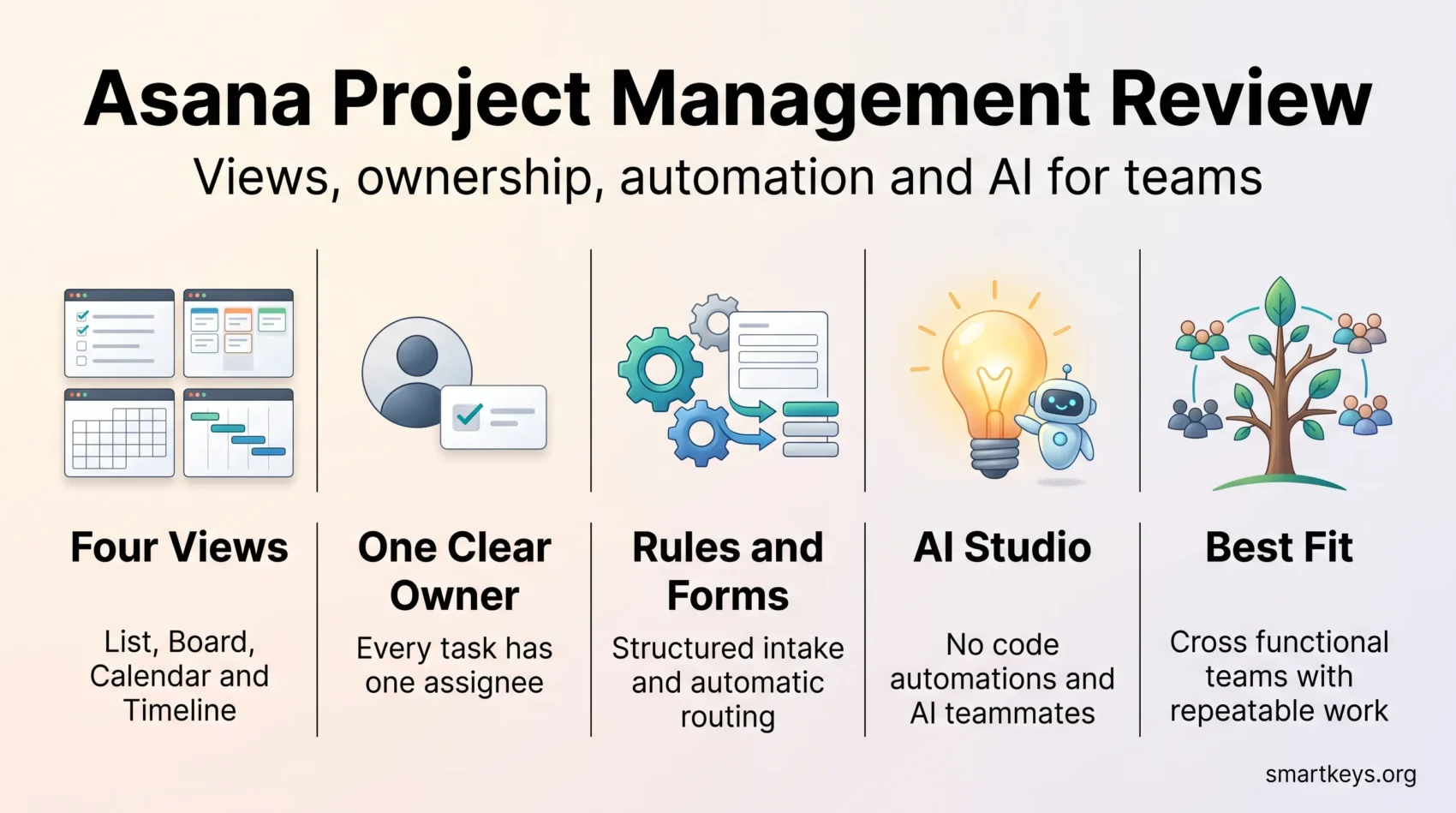
Asana is one of the best known names in project management software, and in 2026 it is still one of the easiest tools to hand to a non technical team while rebuilding itself around AI agents. This review covers what it does well, what the plans cost now, where the free tier stops being useful, and which teams are better served elsewhere.
Key Takeaways
- The free Personal plan is capped at two collaborating users, so it suits solo use and pairs, not teams.
- Starter costs $10.99 per user per month billed annually ($13.49 month to month); Advanced costs $24.99 annually ($30.49 monthly).
- List, Board, Calendar and Timeline are four views of the same data, not separate modes.
- Asana’s 2026 push is agentic: AI teammates, AI Studio automations and connectors into ChatGPT, Claude and Gemini.
- Qualified nonprofits get 50% off a Starter or Advanced plan.
- One task still has one assignee, by design rather than by omission.
Overview of Asana Project Management Software
Asana organises work as tasks inside projects, which roll up into portfolios and goals. The Work Graph® data model lets a single task appear in several projects at once without being duplicated, which is why Asana scales past the point where a simple board tool falls apart.
The practical effect is transparency: everyone sees who owns what and when it is due, and leadership can trace a task up to the objective it supports. That structure asks more of you up front than Trello or Monday.com, because someone has to decide how projects, sections and custom fields are laid out before the workspace stays tidy.
Asana is strongest for cross functional teams running repeatable processes: campaigns, launches, onboarding, editorial calendars, request intake. It is weaker where the work is code, where Jira fits better, and where billing and resource costs matter, which is Wrike‘s ground.
Key Features of Asana Project Management
The core is task assignment, due dates, subtasks, milestones and dependencies. Dependencies matter most on complex work: marking one task as blocked by another means the timeline shifts when reality does, instead of going stale.
Custom fields carry what your process needs, such as stage, priority or campaign type. Once fields exist they become filters, groupings and report columns, which turns a task list into something a manager can read at a glance. Rules then act on those fields, moving a task into a section, assigning a reviewer or posting an update when a value changes.
Forms are underrated. A request form feeds straight into a project as a structured task, which removes the usual mess of intake by email or chat. Combined with rules, that is how a team replaces a shared inbox with a queue that has owners and dates. If your process is not written down yet, document it as a standard operating procedure first.
One design decision divides opinion: a task can have only one assignee. Asana argues that shared ownership means no ownership, and publishes its reasoning openly. You work around it with subtasks or by multi homing a task into each team’s project, but teams that expect several people on one card find it restrictive.
Asana Project Management Review
Asana’s reputation rests on task tracking that stays legible as projects multiply. On G2 it holds 4.4 out of 5 across roughly 13,900 reviews, in line with its main competitors.
Comprehensive Task and Project Tracking
My Tasks is where most users live. It pulls everything assigned to you across every project into one list sorted by due date, and rules sweep incoming work into Today, Upcoming or Later automatically. For anyone running several projects at once, that view is the difference between a system and a pile.
Saved reports do the same at team level: everything overdue in a portfolio, everything blocked, everything assigned to one person. Pair that with a clear prioritization framework and the reporting stops being decoration.
Variety of Project Views (List, Board, Calendar, Timeline)
Asana shows the same data four ways:
- List view: a structured checklist with columns for custom fields, best for process work.
- Board view: a Kanban layout, the closest Asana gets to the Trello experience.
- Calendar view: tasks by due date, useful for editorial and campaign scheduling.
- Timeline view: a Gantt style layout that makes dependencies and slippage visible.
Because these are lenses on one dataset, a designer can work in Board while the project lead reviews Timeline. That detail settles a lot of tool arguments.
User Experience: Navigating the Asana Interface
The interface is clean and consistent, and new users generally find their way around within a session. Asana leans on plain labels and a stable sidebar rather than dense configuration screens, which is why it survives contact with non technical departments better than heavier tools.
Breaking work into subtasks is the habit that makes the tool click: a vague deliverable becomes three or four concrete steps with owners, and progress becomes measurable.
A few smaller touches earn their place:
- Rules that move tasks between sections by due date or status, so the board reflects reality without manual tidying.
- Recurring tasks for reporting, review cycles and maintenance work.
- Inbox digests that keep updates out of email, which matters most for teams split across time zones.
The friction shows up later. Once a workspace holds a few hundred projects, naming conventions and archive discipline matter a great deal, and notification volume becomes its own distraction if nobody prunes it.
Benefits of Using Asana for Project Management
The value is less about any single feature than about ownership and deadlines no longer being verbal. Once work is visible, the conversation shifts to what should happen next.
Improved Team Accountability
Because every task has exactly one owner and a date, there is no ambiguity about who moves it forward. Project and portfolio status updates summarise that for stakeholders without them opening the project, replacing the status meeting rather than adding to it, the same logic behind silent meetings.
Collaboration Across Teams
Comments, attachments and approvals live on the task, so context stays with the work instead of scattering across chat. Multi homing means one task can sit in the marketing project and the legal review project at once, with a single source of truth. Integrations push updates into Slack or Microsoft Teams, and new joiners find their footing faster, which makes Asana a reasonable backbone for remote onboarding.
Asana Pricing in 2026
Asana publishes four tiers: Personal, Starter, Advanced and Enterprise.
Personal is free and includes unlimited tasks, projects and messages, with a 100 MB limit per file. The restriction that catches people out is collaborators: Asana states that up to two users can collaborate for free, so it is now a solo or pair tool rather than a small team tool.
Starter costs $13.49 per user per month billed monthly, or $10.99 billed annually. It adds Timeline, dependencies, custom templates, forms and unlimited free guests, plus AI Studio Basic with 50,000 AI credits per billing account per month.
Advanced costs $30.49 monthly or $24.99 per user per month billed annually, adding Goals, Portfolios, approvals and proofing, plus 75,000 AI credits per billing account per month.
Enterprise is quoted by the sales team and adds the security, provisioning and administration controls larger organisations need, with 200,000 AI credits per month.
Two things are worth planning for. AI credits are pooled per billing account rather than per user, so heavy automation is a real budget line. And qualified nonprofits get 50% off a Starter or Advanced plan, applied when they upgrade from the free trial. If the per seat maths does not work, a flat rate tool such as Basecamp or a cheaper ClickUp tier deserves a look first.
Integrations and Capabilities of Asana
Asana’s app directory spans communication, file storage, design, sales, analytics and security, and the integrations are why it works as a hub rather than a silo.
Connecting Your Favorite Tools
The connections teams reach for most often include:
- Slack and Microsoft Teams, so tasks can be created and updated from a channel.
- Google Drive, Dropbox and OneDrive for attaching files without downloading them first.
- Adobe Creative Cloud, so designers update tasks from their own tools.
- Salesforce, for handing work from a closed deal to a delivery team.
- Scheduling tools and calendar sync, so meetings and deadlines stop competing.
Where no native integration exists, an automation platform bridges the gap. Both Zapier and Workato connect Asana to systems with no direct link, usually cheaper than custom API work for a first attempt.
Automation and AI Features
Rules remain the workhorse: when a field changes, move the task, assign a reviewer, set a due date, post a comment. Most teams get more from ten well chosen rules than from anything labelled AI.
Asana’s 2026 direction is nonetheless agentic. AI Studio builds automations for intake, routing and updates without code. Asana describes prebuilt AI teammates for marketing, operations and IT that arrive preapproved and ready to work. Asana Dash acts as an AI chief of staff, surfacing your priorities each morning from meetings, emails and tasks. Connectors and MCP support let you search, create and update Asana work from ChatGPT, Claude or Gemini without leaving the conversation. How much of this pays off depends on whether your processes are already documented, since agents inherit your mess. The same caveat applies across AI collaboration tools generally.
Where Asana Falls Short
Three limits come up repeatedly. The single assignee rule frustrates teams used to shared cards. There is no native time tracking, invoicing or resource cost management, so agencies billing by the hour bolt on another tool. And the per seat price climbs once you need Goals and Portfolios, which sit on Advanced.
If any of those are dealbreakers, the obvious comparisons are ClickUp, which bundles more at a lower price, Jira for engineering led work, and Airtable or Notion if you want a database and a wiki.
Conclusion
Asana in 2026 is a strong, opinionated tool for teams running structured, repeatable work who want the whole company to see the same picture. The four views suit different working styles without splitting the data, and the reporting is good enough to replace a recurring status meeting.
The reservations are practical. The free plan is a trial in all but name, Goals and Portfolios sit behind the Advanced tier, and there is no built in answer for time tracking or billing. The AI layer is ambitious but rewards teams that have already tidied their processes. If you need a shared system of record for cross functional work and can live with per seat pricing, Asana remains one of the safest choices in the category.
Found this useful?
Make SmartKeys a preferred source on Google, and our articles will surface more often in your Top Stories, AI Overviews, and AI Mode.
Add as Preferred Source




