

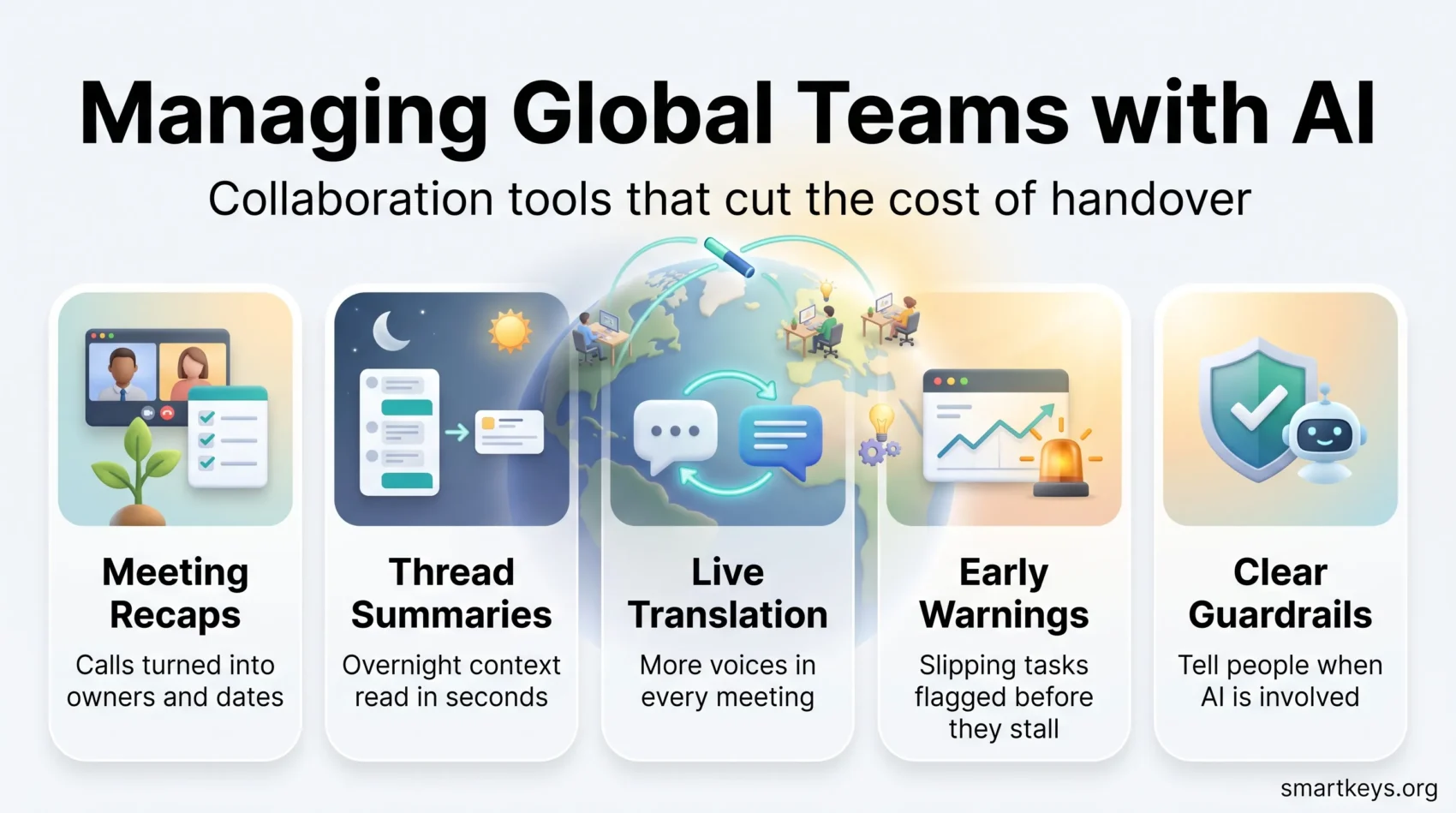
Managing a team spread across five time zones is usually a coordination problem, not a talent problem. AI collaboration tools now sit inside the apps distributed teams already use: they summarise what happened overnight, translate a thread into a colleague’s language, and turn a call into a list of owners and dates. Used well, they cut the handover cost that makes global work slow.
Used badly, they add another layer of noise. Microsoft’s 2025 Work Trend Index, based on a survey of 31,000 knowledge workers across 31 countries, found that people are interrupted roughly 275 times a day, about once every two minutes during core hours, and that meetings starting after 8pm rose 16% year over year as teams stretched across time zones (Microsoft WorkLab).
This guide covers what these tools genuinely fix in 2026, what the AI features actually cost, and what the EU AI Act now requires once you point them at your team’s conversations.
Key Takeaways
- AI collaboration tools pay off most on handover: recaps, summaries and translation between time zones.
- Microsoft puts interruptions at roughly 275 per day, with 153 chat messages and 117 emails on top.
- Slack folded its AI features into paid plans in 2025; ClickUp still sells AI as a separate add-on.
- Live speech translation in Microsoft Teams needs a Copilot or Teams Premium licence and covers nine languages.
- Since 2 August 2026, EU rules require people to be told when they are interacting with an AI system.
Why Coordination Costs More Than Talent
When a team sits in one building, coordination is nearly free. Someone turns around and asks. Spread the same team across London, Austin and Singapore and every question becomes a message that waits, sometimes for a full working day.
That waiting is where global teams lose their advantage. The Microsoft data quantifies the pressure well: 153 chat messages and 117 emails per person per weekday, 57% of meetings called ad hoc without a calendar invite, and 80% of the global workforce reporting they lack the time or energy to do their job. None of that is caused by distance alone, but distance multiplies it.
AI helps in a narrow and useful way. It compresses context. A thread that took twelve people two hours to produce becomes a five-line summary the next shift can read in thirty seconds. A meeting nobody in Asia could attend becomes a transcript with decisions marked. The tool does not make the decision; it stops the decision from getting lost. That is also why asynchronous communication habits matter more than the software you buy.
What Actually Breaks in Global Teams
Three failure modes show up again and again, and only one of them is technical.
Time zones. Every overlap you schedule takes an hour out of someone’s evening. Teams that run well tend to define a small shared window and push everything else to written handover, often using a follow the sun schedule so work moves with the clock instead of waiting for it.
Language. People who speak a second language well in writing may still lose half a fast meeting. That is a participation problem, not a comprehension test, and it quietly narrows who contributes.
Context. Distributed teams accumulate decisions in places nobody can find later: a huddle, a DM, a comment on a file. Without a shared record, the same argument gets rerun every quarter. A clear digital headquarters fixes more of this than any AI feature does.
Cultural differences sit underneath all three. Directness, escalation norms and attitudes to deadlines vary, and they surface as conflict long before anyone names them. Leaders of cross border teams generally get further by writing the norms down than by buying another platform.
What AI Collaboration Tools Do Well
Strip away the marketing and current tools are strong at three things: summarising, translating and routing. Everything else is still a work in progress.
Automated Task and Meeting Follow-Up
The most reliable win is turning conversation into structure. Meeting assistants produce a transcript, pull out action items and assign owners, which removes the person who otherwise spends their Friday writing notes. Slack generates channel and thread summaries plus huddle notes, Microsoft Teams produces a recap tied to the transcript, and project tools such as ClickUp and Asana can draft task descriptions and status updates from existing work.
What this buys you:
- A written record of decisions the next time zone can read cold
- Action items with an owner and a date, instead of a vague agreement
- Status updates assembled from real activity rather than from memory
Two cautions. Summaries inherit the errors of the transcript, so accents and cross-talk still cause mistakes. And an assistant that files every conversation neatly can make it easier to hold meetings that should never have happened. A practical AI meeting notes workflow is worth more than the raw feature.
Language Translation That Works in the Meeting
Written translation inside chat tools is now good enough for daily use. Live speech is the harder case, and it arrived properly only recently. Microsoft Teams offers live translated captions and an interpreter agent for real-time speech, but that capability requires a Microsoft Copilot licence or Teams Premium and currently covers nine languages: English, Spanish, French, German, Italian, Portuguese, Chinese, Japanese and Korean.
Slack handles message translation on Business+ and above rather than in meetings. If your working languages fall outside the built-in lists, dedicated real-time translation tools still cover more ground than the platforms do.
The practical benefit is not speed. It is that people who would otherwise stay quiet in a fast English call start contributing.
AI-Assisted Decisions Without the Hype
Vendors like to describe AI as a decision engine. In collaboration software it is closer to an early warning system.
Where it works: pattern detection across work that has already been logged. If tasks in one workstream keep slipping past their due date, a tool can flag the trend before a status meeting does. If a project’s activity drops for two weeks, that shows up in a dashboard rather than in a postmortem. Tools built for workforce analytics lean on exactly this.
Where it does not: any forecast is only as good as the data your team bothers to enter. Teams that update tasks sporadically get confident predictions built on gaps. Treat the output as a prompt to ask a question, not as an answer. That distinction is the core of collaborative intelligence, where the machine narrows the field and a person still decides.
Customizing Workflows with AI Solutions
Most teams do not need a new methodology. They need their existing one to stop leaking. AI features inside project tools help by handling the mechanical parts: routing a task to the right person, updating a board when a status changes, drafting the recurring report nobody enjoys writing.
You can adapt this to how your team actually works, whether that is a Kanban board, sprints, or something looser. The gain comes from removing repeated manual steps, not from adopting whatever workflow the vendor demonstrates.

Start small. Automate one handover that currently depends on somebody remembering, measure whether it holds for a month, then move to the next. Rolling out AI agent workflows across a whole department before a single one is proven is the fastest way to lose your team’s trust in the tooling.
Integration Beats Buying Another Tool
The strongest argument for the AI features inside Slack, Teams, Zoom and Google Workspace is not quality. It is location. They run where the conversation already happens, so nobody has to adopt anything.
That matters because tool sprawl is itself a collaboration problem. Every extra app is another place a decision can hide and another login your security team has to manage. Before adding a standalone assistant, check what your existing stack already includes, and compare the platforms honestly: our Slack and Microsoft Teams comparison covers where each one now lands. Using the AI functionality already built into business software usually beats bolting on a new subscription.
Agreeing on how the team uses these features matters as much as the setup. Simple norms, such as flagging when a message was drafted by an assistant, prevent the awkwardness that AI communication etiquette exists to solve.
What These Features Cost in 2026
Pricing has moved in two opposite directions, so check before you assume.
Slack bundled AI into its paid plans in its June 2025 repackaging. Pro includes summarisation and huddle notes; Business+ adds translation, recaps, workflow generation and search; Enterprise+ adds enterprise search. The trade-off was the Business+ list price rising from $12.50 to $15 per user per month on annual billing (Slack).
ClickUp went the other way and keeps AI separate. Its plans list at $7 per user per month for Unlimited and $12 for Business on annual billing, with Brain AI sold on top at $9 per user per month and the fuller Everything AI tier at $28, plus usage-based credits for the heavier features (ClickUp). For a 40-person team, that add-on decision is the difference between a rounding error and a five-figure annual line item, which is worth weighing alongside our ClickUp review.
Microsoft follows a licence model: the interpreter agent and multilingual speech recognition require Copilot or Teams Premium, though when the organiser holds the licence, participants can use translated captions without one.
Two costs rarely appear on the invoice. Credit-based AI pricing makes spend hard to forecast, and any tool that reads your team’s messages needs a review before it is switched on.
Security, Compliance and the EU AI Act
Collaboration tools now read the most sensitive material a company produces: contracts in progress, personnel discussions, unreleased plans. Pointing an AI feature at that content is a governance decision, not an IT setting.
The regulatory picture also changed. The EU AI Act’s transparency obligations under Article 50 took effect on 2 August 2026. Broadly, people must be told when they are interacting with an AI system unless that is obvious, providers must mark AI-generated or manipulated content in a machine-readable way, and deployers of emotion recognition or biometric categorisation must inform the people affected. Penalties for breaching Article 50 reach up to 15 million euros or 3% of worldwide annual turnover, whichever is higher, and providers of generative systems already on the market have until 2 December 2026 to meet the marking and detection requirements (Cooley).
For a global team this is not abstract. If an assistant drafts customer-facing replies, or a bot answers questions in a channel where EU staff work, disclosure is now a requirement rather than a courtesy. Practical steps: document which tools process which data, publish generative AI usage guidelines your team can actually follow, and align them with your wider EU AI Act compliance work.
The basics still apply too. Access controls, retention rules and clear ownership of what leaves your environment matter more than any vendor certification, especially for distributed staff working from home networks, which is where cybersecurity for remote work and workplace data privacy come together.
Making It Work
The teams getting real value from these tools tend to do the same unglamorous things. They pick one painful handover and fix it first. They write down what the tool is allowed to see. They tell people when they are talking to a machine. And they keep a human accountable for every decision the software surfaces.
None of that requires a platform migration. It requires agreement, which is the part software cannot supply. Get the working agreements right and the AI features amplify them; skip that step and you have automated the confusion. Clear ways of working beyond IT teams still do the heavy lifting, and the same logic applies when you set up strategic alliances across organisations.
Found this useful?
Make SmartKeys a preferred source on Google, and our articles will surface more often in your Top Stories, AI Overviews, and AI Mode.
Add as Preferred Source




