

Your team is already using generative AI. The only open question is whether they are doing it inside rules you wrote, or rules nobody wrote. Generative AI means tools that produce new text, images, code or audio from a written instruction, called a prompt. ChatGPT, Copilot, Gemini and Claude are the familiar names.
The gap between use and governance is measurable. In its 2026 AI Adoption and Risk Report, the data security firm Cyberhaven found that 32.3% of ChatGPT use inside companies runs through personal accounts. It also found that 39.7% of data moved into AI tools counts as sensitive. That is the practical risk: not robots taking jobs, but a contract pasted into a consumer chatbot on a Tuesday afternoon.
This guide covers what to allow, what to forbid, which laws apply, and how to write a generative AI usage policy for employees that people actually follow. Such a policy is one building block of a broader AI governance model for your business, which also sets out oversight roles, audits and how you respond to new regulation.
Key Takeaways
- Use these tools for drafts, and keep a human accountable for every published output.
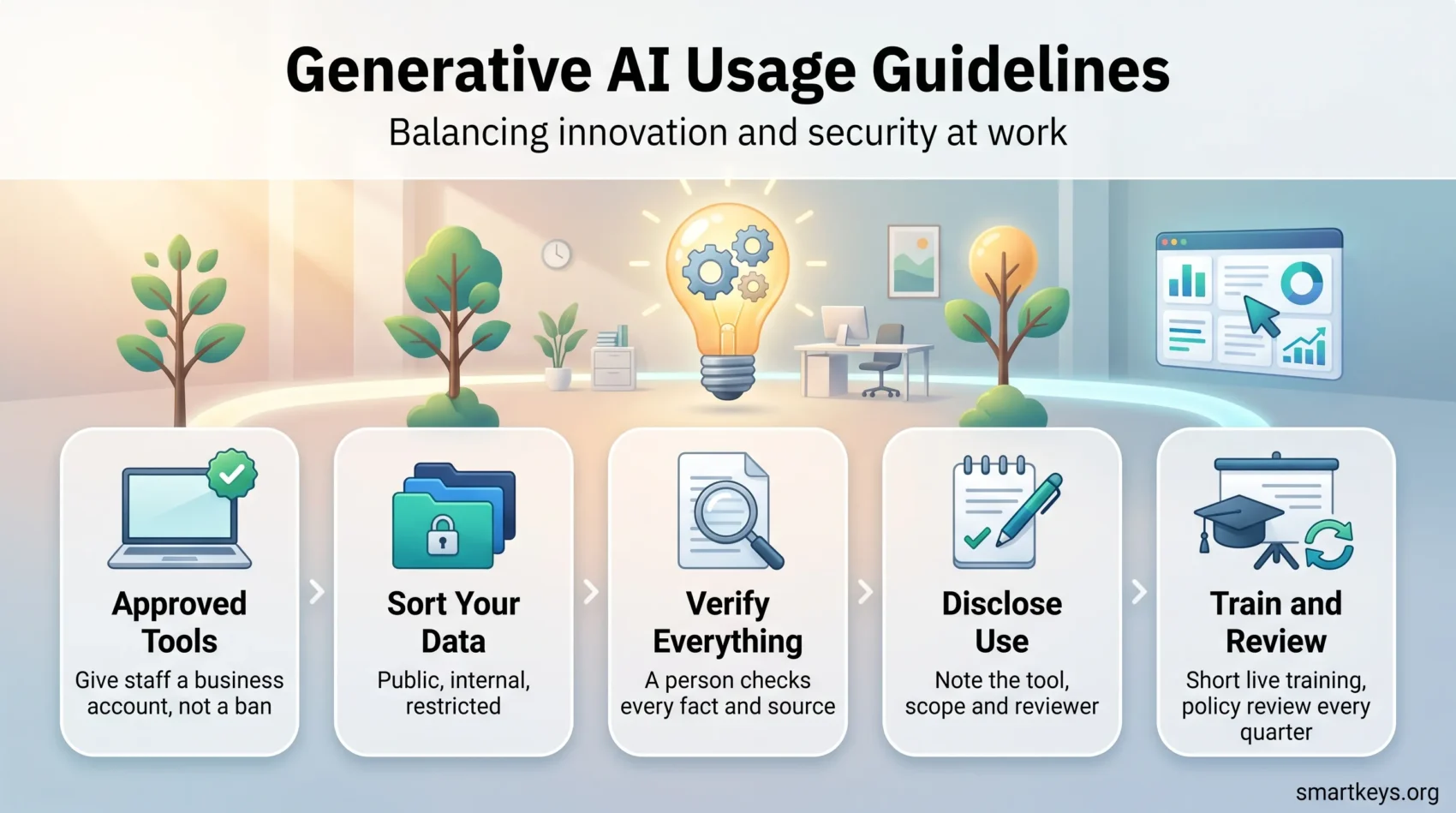
- Sort your data into three buckets before writing any rules: public, internal, restricted.
- Give staff an approved business account; a ban only pushes use into personal logins.
- Verify every fact, figure and citation; invented sources look flawless.
- The EU AI Act has required staff AI literacy since February 2025; enforcement began in August 2026.
- Keep the policy to one page, with your own examples, and review it quarterly.
- For privacy documentation, our privacy policy generator gives you a starting point.
What generative AI does well, and the three ways it fails
These tools work by prediction. A model trained on very large amounts of text or images learns statistical patterns, then continues your prompt with whatever comes next most plausibly. That single mechanism explains both the usefulness and the risk.
Prediction is excellent at form. Ask for a draft client email, a summary of a long report, a rewrite in plainer language or the structure of a proposal, and you will usually save real time. The gains are largest on routine written work, where the stakes are lowest. Our overview of AI and automation at work covers where the measurable returns actually show up.
Prediction is weaker at truth. Three failure modes cause most incidents.
Confident errors. The model does not know what is true. It produces the most plausible-sounding answer, often correct and occasionally wrong in ways that read exactly like the correct version. No tone shift warns you.
Invented sources. A fabricated citation looks perfect: real-sounding journal, plausible authors, a DOI that goes nowhere. Formatting is not evidence. If a source matters, open it.
Data exposure. Consumer tools may retain prompts and, depending on plan and settings, use them to improve the service. Pasting an unsigned contract into a personal account can amount to disclosing it outside your organisation.
The data question: what may go into a prompt
Most policies fail because they try to list every tool. Tools change monthly; data categories do not. Sort your information into three buckets once, and the rules follow almost automatically.
Public. Anything already published: website copy, a press release, a price list, a job advert. Paste it into anything. Most day-to-day use belongs here.
Internal. Not secret, but not yours to publish: draft strategy, process notes, meeting minutes, unfinished plans. Allowed only in an account your company controls, with training on your data switched off.
Restricted. Personal data about identifiable people, health records, payment details, credentials, unsigned contracts, licensed source code, anything under an NDA. Never in a consumer tool, only in an environment your organisation has assessed and approved.
Before any prompt, three questions settle the case in seconds. What exactly is this? Who else could see it if the vendor retained it? What happens if it turns up in a competitor’s hands next year? If any answer makes you uncomfortable, the content is restricted. Our guide to a privacy compliance framework shows how to formalise that classification, and our data governance strategy guide covers ownership and retention rules.
Which laws apply to you
The relevant rules depend on the data, not the tool. GDPR governs personal data about people in the EU and UK, and it applies to a prompt containing a customer name as surely as to a database. HIPAA covers protected health information in the US; FERPA covers student education records. Financial services, legal practice and public procurement add their own confidentiality duties.
None of these bans generative AI. They set conditions: a lawful basis, a data processing agreement with the vendor, retention limits, and the ability to explain what happened to the data. Our summary of employee data privacy rules covers the workplace side, and data privacy trends tracks where the wider rules are heading.
What the EU AI Act now asks of ordinary employers
Two parts of the EU AI Act reach normal businesses, not just AI vendors.
AI literacy, since 2 February 2025. Article 4 requires providers and deployers to ensure a sufficient level of AI literacy among staff and anyone operating AI systems on their behalf. A deployer is any organisation using an AI system in its own work, which covers most companies. There is no prescribed curriculum. In practice: documented, role-appropriate training on what the tools do, where they fail, and what your rules are.
Transparency, since 2 August 2026. Under Article 50, people must be told when they are interacting with an AI system rather than a person. AI-generated or manipulated content, such as deepfakes, must also be labelled in a machine-readable way. The Commission’s AI Office and national authorities began exercising enforcement powers the same day, with a grace period to 2 December 2026.
If you run a customer-facing chatbot, the rule is concrete: it must say it is a bot. Our guide to EU AI Act compliance works through scope and timing, and AI regulation covers the picture outside the EU. Employers using AI in recruitment or performance management face further duties; see AI hiring tools and AI employee monitoring.
Accuracy, bias and who owns the output
The accountability rule is short: if your name is on it, you verified it. Not the vendor, not the model, not the colleague who ran the prompt.
Verification scales with consequence. A brainstorm list needs a glance. A client report needs every number checked against its source and every claim about a law or a price confirmed at the primary source. A job advert, a pricing page or a contract clause needs a second person reading it before it goes out.
Bias needs the same practical treatment. A model reflects the patterns in its training data, so it can reproduce stereotypes or default to one cultural framing. Two habits catch most of it: ask for the strongest counterargument to its own answer, and run the same prompt twice with the demographic detail changed. If the substance shifts when it should not, you have found a problem. Our articles on AI ethics at work and ethical AI in business show where those checks belong in a workflow.
Keep the decision human. Using a model to summarise five CVs is assistance. Letting it rank them and acting on the ranking is delegation, and in several jurisdictions that triggers legal duties. The same line applies to pricing, credit, discipline and dismissal, as our guide to AI in decision making explains.
Intellectual property and disclosure
Can you use the output commercially? Usually yes, under the vendor’s terms, but check them for your plan. The harder issue is that generated material can closely echo existing work. Run anything you intend to publish through a plagiarism check, and treat generated code as code from an unknown source: review the licence implications before it ships.
Do you have to say you used it? That depends on the audience. Academic publishers and most journals require disclosure of substantive AI assistance and refuse to list AI tools as authors, because an author must be able to take responsibility. Client contracts increasingly carry their own clauses. Internally, disclosure costs nothing and prevents awkward conversations.
A workable standard: record what was used where it materially shaped the result. Note the tool, the scope of assistance, and who reviewed the output. One line in a footer or project log is enough. Better still, keep unpublished research and client documents out of public tools entirely.
Writing a generative AI usage policy employees will follow
Long policies get skimmed once and ignored. A single page answering the questions people actually have gets used. Cover seven points.
- Approved tools. Name the accounts you pay for. Without an approved option, staff use personal logins, which is how shadow IT takes hold. A bring your own AI policy is the alternative if you cannot buy seats for everyone.
- Data rules. The three buckets above, with two or three real examples from your own work in each. Examples do more than definitions.
- Verification. Who checks what before it leaves the building.
- Disclosure. When to note AI assistance, and where that note goes.
- Prohibited uses. Short and specific: no restricted data in consumer tools, no automated decisions about people, nothing published without human review, no impersonation.
- Who to ask. One named person or inbox for cases the page does not cover. Ambiguity without an escalation route becomes a guess.
- Review date. Quarterly. Vendors change retention terms faster than annual policies can track.
Roll it out in a short live session, not a document drop. Article 4 expects training anyway, so record attendance and keep the slides. If you already maintain a hybrid work policy, the AI rules can sit beside it in the same handbook. For larger teams, an AI learning platform can carry the refresher training.
Security follows the same logic. These tools are a new route to your data, not a new kind of threat. Extend what you already do: single sign-on, role-based access, no exporting outputs to personal email, logging on business accounts. Our guides to cybersecurity trends and cybersecurity for remote work cover those controls, and AI assistants at work looks at what the tools deliver once properly provisioned.
Conclusion
Balancing innovation and security is less about restraint than about routing. Decide which data may go where, buy the accounts that make the safe route the convenient one, and insist that a person verifies anything carrying your name. Those three moves handle most of the risk.
The rest is maintenance: train people, keep the rules to one page, name someone to ask, and revisit each quarter as tools and law move. Treat every output as a draft until you have checked it, and generative AI becomes what it is good at being: a fast first draft with your judgement in charge.
Found this useful?
Make SmartKeys a preferred source on Google, and our articles will surface more often in your Top Stories, AI Overviews, and AI Mode.
Add as Preferred Source




