
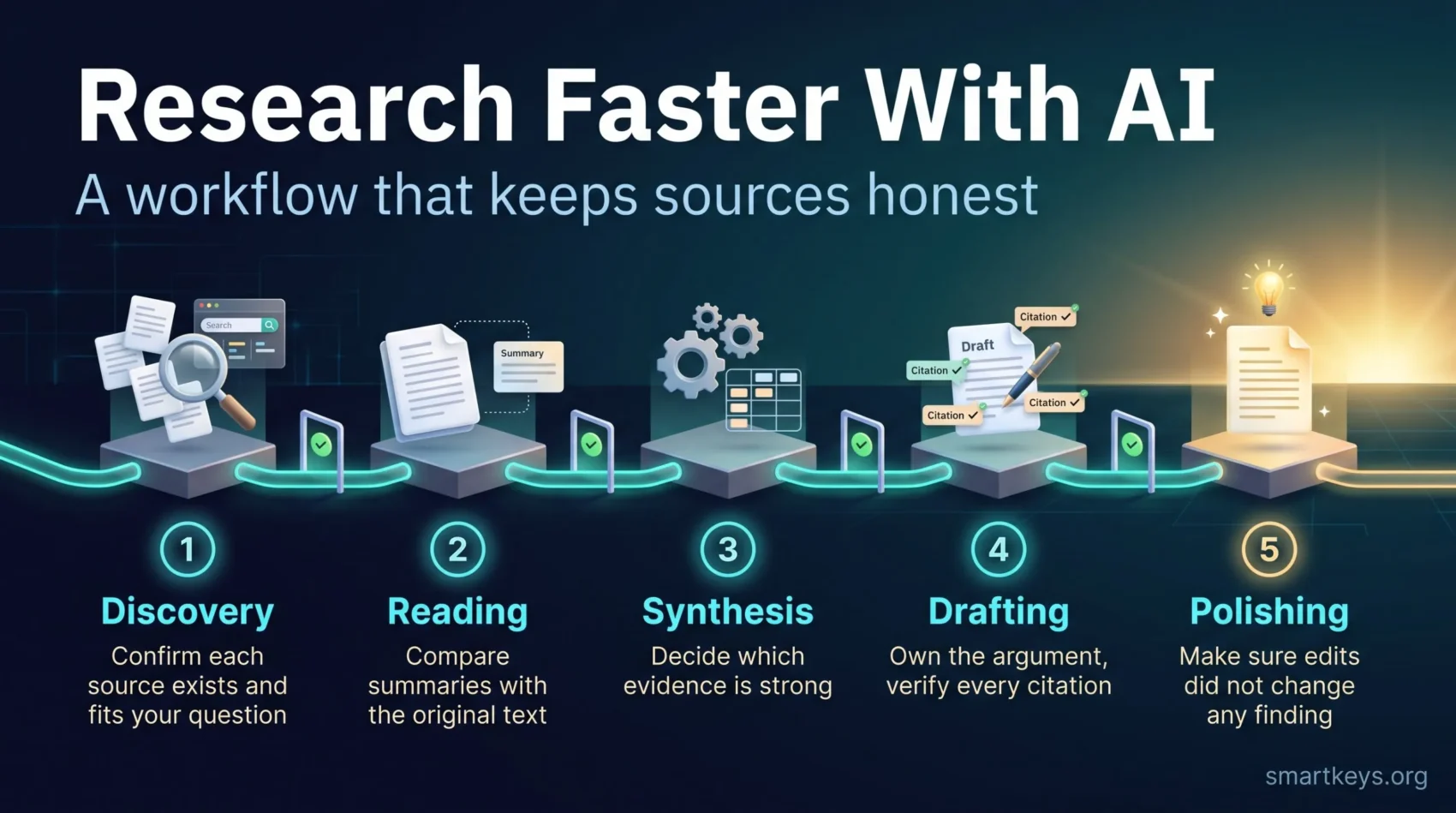
AI tools can cut the time you spend on research dramatically. They find papers in seconds, summarize long reports and turn rough notes into a first draft. The catch: the same tools can also invent sources, drop important caveats and state guesses with total confidence.
That is why speed alone is not the goal. What you need is a research workflow, a fixed sequence of steps where AI does the heavy lifting and you check the result at clear points. This guide walks you through that workflow stage by stage, from finding sources to polishing the final text. It works for academic papers, but just as well for market research, internal reports or a well-sourced blog post.
Key Takeaways
- Split research into five stages: discovery, reading, synthesis, drafting and polishing.
- Use AI to speed up each stage, but set a human checkpoint before moving on.
- Check every citation against the original source. AI can produce references that look real but do not exist.
- Prefer tools that search real paper databases or only answer from documents you upload.
- Keep a simple research log of prompts, sources and decisions so your work stays traceable.
Why AI Research Needs a Workflow, Not Just a Chatbot
A general chatbot is trained to produce fluent, plausible text. It is not built to look up facts in a database unless it is connected to one. When you ask it for sources, it may generate references that fit the pattern of a real citation without pointing to a real paper. This is called a hallucination: output that sounds correct but is made up.
The risk is well documented. A 2023 study in Scientific Reports checked 636 citations produced by ChatGPT for short literature reviews. It found that 55% of the GPT-3.5 citations and 18% of the GPT-4 citations were fabricated. Even among the real ones, many contained errors such as wrong years or page numbers. Newer models have improved, but the basic lesson still holds in 2026: a polished answer is not proof that its sources exist.
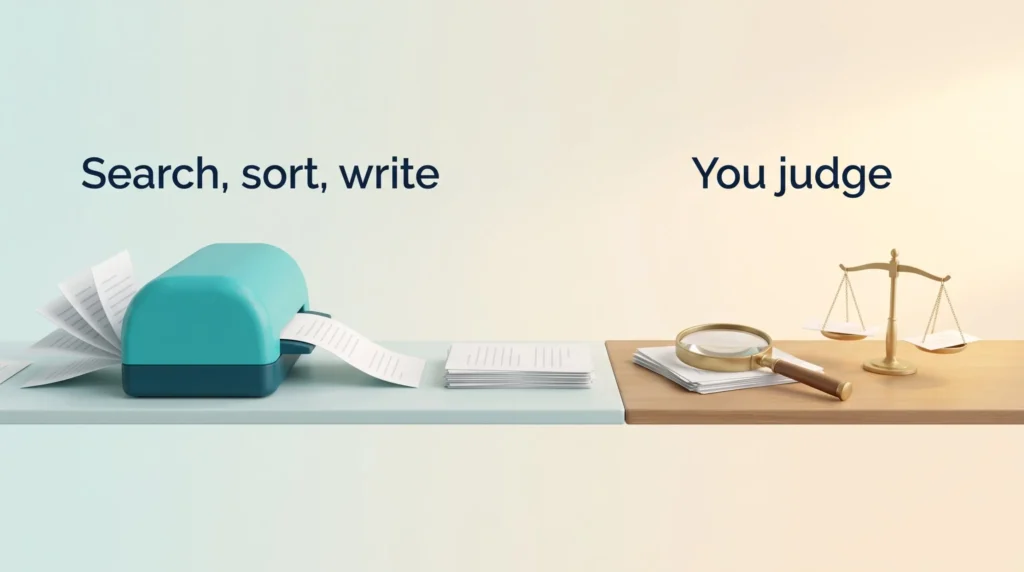
A workflow solves this by separating two jobs. The AI speeds up searching, sorting and writing. You keep the job of judging what is true, relevant and strong enough to rely on. If you are new to terms like “model” or “grounding”, the AI glossary explains them in plain language.
The Five Stages at a Glance
Almost every research project, from a thesis chapter to a competitor analysis, runs through the same five stages. The table shows where AI helps and where you need to step in.
| Stage | What AI does well | Your checkpoint |
|---|---|---|
| 1. Discovery | Suggests search terms, finds candidate papers and pages | Confirm each source exists and fits your question |
| 2. Reading | Summarizes, extracts methods and key findings | Compare summaries with the original text |
| 3. Synthesis | Groups sources by theme, spots conflicts | Decide which evidence is strong and what it means |
| 4. Drafting | Builds a first draft from your notes | Own the argument and verify every citation |
| 5. Polishing | Fixes grammar, clarity and structure | Make sure edits did not change any finding |
The rule is simple: do not move to the next stage until the checkpoint of the current one is done. One unchecked error early on can spread through the whole project.
Stage 1: Discovery With Grounded Tools
Start with a focused question. “What does research say about remote work?” is too broad. “Does remote work change how often employees get promoted?” gives you something you can actually search for.
Next, pick the right kind of tool. The safest options for discovery are grounded tools. Grounded means the tool answers from a real, checkable source base instead of from memory alone. Examples:
- Elicit searches academic papers and can pull details like sample size or methods into a comparison table.
- Consensus answers questions based on peer-reviewed studies and links each claim to a paper.
- Semantic Scholar and Google Scholar are free search engines for scholarly literature.
- Assistants such as Cassidy AI can search and summarize your own company documents and knowledge base.
A general chatbot is still useful here, just in a different role. Ask it to suggest synonyms, related concepts and three or four refined search queries. Then run those queries in the grounded tools. That way the chatbot improves your search without supplying the sources itself.
Checkpoint: Open every source on your shortlist. Confirm that it exists, that the title and authors match and that it addresses your question.
Stage 2: Reading and Verifying Sources
AI summaries are a great way to decide which papers deserve a full read. A useful prompt structure is context, key points, limitations, open questions. Asking for limitations matters: it forces the tool to report weaknesses a quick summary would skip.
You can reduce errors further by limiting the AI to the material you provide. Tools like NotebookLM answer only from the sources you add to a notebook and link each answer to the passage it came from. With any chatbot, you can add an instruction such as: “Answer only from the attached files. If the files do not cover the question, say so.”
Before a source enters your notes, run a short verification checklist:
- Author and publisher: Who wrote it, and is the outlet credible?
- Publication details: Year, journal, volume and DOI (the permanent ID of a paper) match the real record.
- Methods: How was the data collected, and how large was the sample?
- Findings: Does the paper actually say what the summary claims?
- Quotes: Does every quoted sentence appear word for word in the original?
For long reports, good reading technique still pays off. Our guide to speed reading techniques shows how to skim for structure first and read closely only where it matters.
Stage 3: Synthesis and the Evidence Matrix
Synthesis means combining many sources into one clear picture. This is where AI saves the most time, and where it can also mislead you most easily.
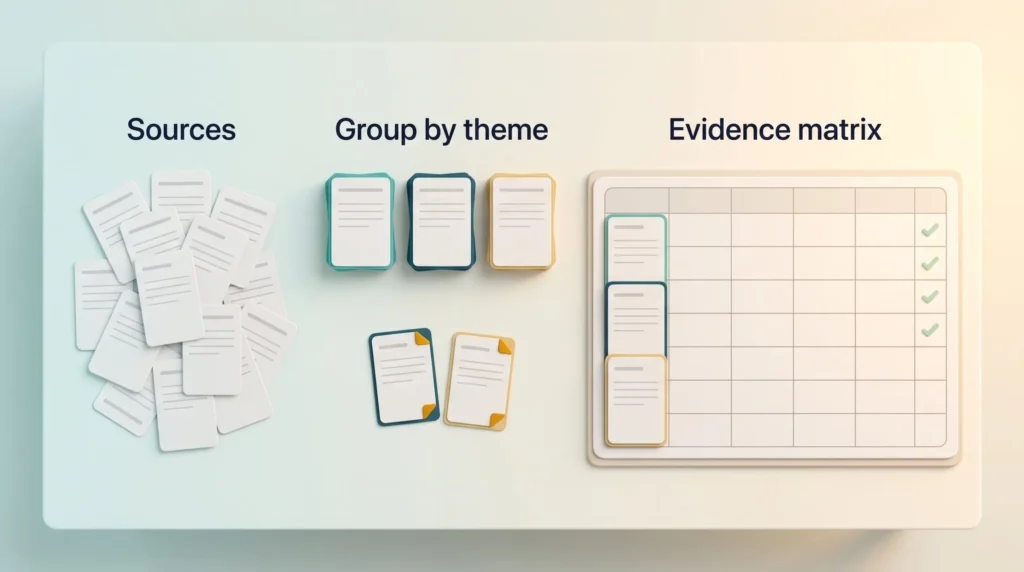
Ask the AI to group your papers by method, population, findings or theoretical angle. Then ask it to list where sources disagree. Conflicts are often the most interesting part of a review, and a summary that only lists agreements hides them.
Record the results in an evidence matrix: a simple table with one row per source. Useful columns are:
- Source and link
- Main claim
- Method and sample
- Limitations
- Verified (yes or no)
- Ready to cite (yes or no)
A spreadsheet works fine. If you already run a note system, the second brain framework and these digital note-taking tips help you store findings so you can find them again next month. For seeing how themes connect, mind mapping is a useful visual step between matrix and outline.
Checkpoint: Compare the AI’s theme summary with the original papers. Watch for missing qualifications, conflicting results that were smoothed over and conclusions that sound stronger than the evidence.
Stage 4: Drafting With Source-Backed Citations
Once your matrix is solid, AI can help turn it into a first draft. Give the tool your outline, your verified notes and the exact citations to use. Tell it not to add any source that is not on your list.
Two rules keep the draft honest:
- You own the argument. The AI can phrase and structure, but the analysis, the conclusions and the judgment of what matters come from you.
- Every citation is checked again. Fluent text can still slip in a wrong year or a reference that was never in your notes.
If you draft similar reports often, save your best prompts. A personal prompt library turns one good prompt into a reusable tool. And if you are unsure which parts of the writing to hand over at all, this guide on delegating tasks to AI helps you draw the line. For the drafting habit itself, the draft-first method in our guide to writing faster helps you get a rough version down in one pass.
Stage 5: Polishing Without Changing the Meaning
AI is excellent at the last mile: fixing grammar, tightening sentences and improving flow. The risk here is subtle. A tool that “improves” a sentence can turn “may reduce” into “reduces” and quietly change a finding.
So give clear limits, for example: “Improve clarity and grammar. Do not change any claim, number or citation.” Then compare the before and after versions of any sentence that states a result.
Also check the rules that apply to you. Many universities, journals and employers require you to disclose how you used AI. At work, your company may have its own generative AI usage guidelines that define which tools are allowed.
Keep a Research Log
A research log is a short record of how you reached your results. It covers the prompts you used, which sources you attached, what the AI produced, what you changed and why you kept or rejected a source.
This sounds like extra work, but it pays off quickly. You can repeat a search months later, explain your method to a reviewer or a manager and spot where an error came from. Microsoft’s Skills Hub post “Strengthen your research workflow with generative AI” makes the same point: it offers research-ready prompt templates for Copilot aimed at clearer reasoning and transparent methods.
The easiest format is a reusable template. Set it up once, as described in our guide to using templates for repetitive tasks, and pair it with a short checklist for each stage checkpoint.
Optional: Automating Discovery With a Research Pipeline
If you research the same kind of topic regularly, you can automate parts of the discovery stage. Automation platforms like n8n let you connect several services into a pipeline, a chain of steps that runs on its own. A common setup looks like this:
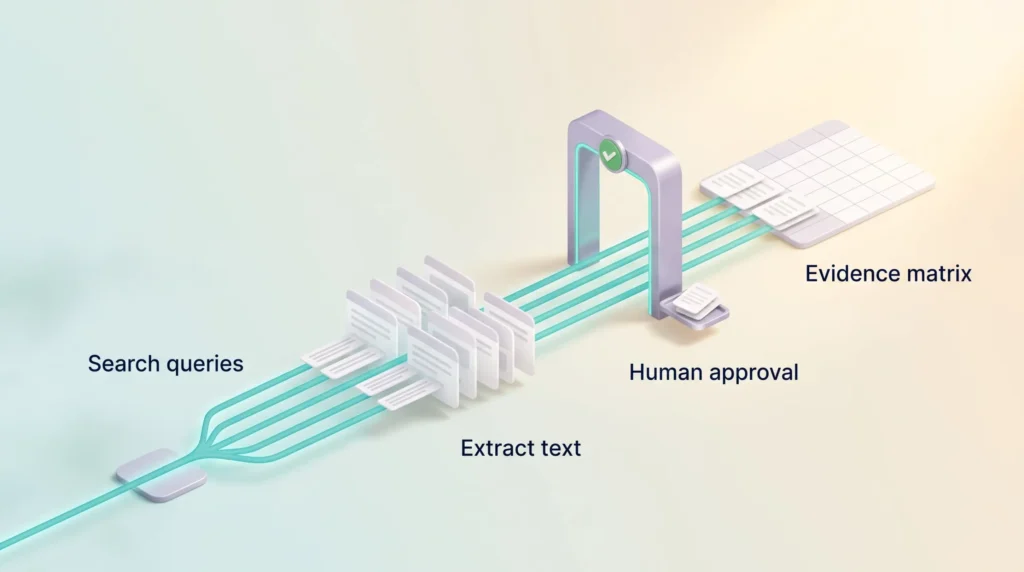
- You enter a topic.
- An AI model turns it into a handful of refined search queries.
- A search API such as SerpAPI (a service that lets software request search results automatically) retrieves Google results for each query.
- A web extraction service such as Jina AI or Firecrawl pulls the readable text from each page.
- The model scores each result for relevance, runs new searches if the results are weak and writes a structured report with links.
- The report is saved to a folder in Google Drive or Notion.
This saves hours of repetitive searching. It does not replace judgment. Automated relevance scores are signals, not proof of quality, and scraped text can be outdated or missing context. Keep a human approval step before anything from the pipeline enters your evidence matrix. For more on designing these chains, see our playbook on AI agent workflows. If you are choosing a platform, our comparison of Zapier and Make covers the main no-code options.
Where AI Research Still Goes Wrong
Even with a good workflow, some problems keep coming back. Knowing them helps you catch them early.
- Invented or distorted citations. Still the biggest risk with general chatbots. Grounded tools reduce it, but do not remove it.
- Paywalled papers. Many tools only see abstracts. A summary based on an abstract can miss the limitations discussed in the full text.
- Outdated information. A model may not know about recent studies unless it searches the web or a live database.
- Hidden reasoning. Ask the tool to state its assumptions. Understanding why a system reached a result is the core idea behind explainable AI.
- Confidential data. Uploading internal or unpublished material to an unapproved tool can breach company rules. This is a classic case of shadow AI.
Using the Workflow Beyond Academia
The five stages are not only for researchers at universities. A product manager comparing competitors, a consultant preparing a client brief or a journalist checking a claim all follow the same path: find, read, combine, write, polish.
In a business setting, the evidence matrix becomes the backbone of a decision memo. It shows what you know, how sure you are and where the gaps are. That makes it easier for managers to use AI in decision making without trusting it blindly. Stored well, these research notes also feed your team’s knowledge management, so the next person does not start from zero.
Finally, protect the time that the thinking part needs. AI shortens the searching and sorting, but judging evidence still takes concentration. Blocking a few sessions of deep work for reading and synthesis is often the best investment in the whole project.
Conclusion
AI can make research much faster, but only if you stay in charge of the evidence. Let the tools find, summarize, group and draft. Keep for yourself the checks that matter: does the source exist, does it say what the summary claims and is the evidence strong enough for your conclusion?
Work through the five stages in order, pass each checkpoint and keep a short log. Your research will be faster, and you will still be able to defend every claim in it.
Found this useful?
Make SmartKeys a preferred source on Google, and our articles will surface more often in your Top Stories, AI Overviews, and AI Mode.
Add as Preferred SourceFAQ
What is an AI research workflow?
An AI research workflow is a fixed sequence of research steps in which AI tools do the time-consuming work and a human checks the results at set points. The typical stages are discovery, reading, synthesis, drafting and polishing. AI can suggest search queries, summarize papers, group findings by theme and produce a first draft. You verify that sources exist, that summaries match the originals and that the conclusions fit the evidence. The structure matters because it stops one unchecked AI error from spreading through the whole project.
Which AI tools are best for finding academic sources?
The best tools for finding sources are grounded tools that search real paper databases rather than answering from memory. Elicit and Consensus search academic literature and link their answers to specific papers. Semantic Scholar and Google Scholar are free scholarly search engines. NotebookLM is useful once you have your sources, because it only answers from the sources you add to a notebook. A general chatbot works best as a helper that suggests search terms, not as the place where your citations come from.
How can I check whether a citation from AI is real?
Look the citation up yourself in a scholarly database or on the publisher’s website before you use it. Search for the exact title, then confirm that the authors, year, journal and DOI match. Open the paper and check that it actually supports the claim it is cited for. If you quote a sentence, find it word for word in the original. If you cannot find the paper at all, treat the citation as fabricated and remove it.
Why do AI tools make up citations?
AI chatbots make up citations because they generate text that fits a pattern, and a citation has a very recognizable pattern. Unless the tool is connected to a real database, it can produce a plausible mix of author names, titles and journals that never existed. This is called a hallucination. A 2023 study in Scientific Reports found fabricated references in 55% of GPT-3.5 citations and 18% of GPT-4 citations. Newer and grounded tools do better, but checking every reference remains necessary.
Can I use AI to write my literature review?
You can use AI to help write a literature review, but not to replace your own reading and judgment. AI is useful for finding candidate papers, summarizing them, grouping them by theme and drafting sections from your verified notes. The analysis, the choice of which studies matter and the final conclusions should be yours. Check every citation and compare AI summaries with the original papers. Also check whether your university or journal requires you to disclose AI use.
Do I have to disclose that I used AI in my research?
It depends on where your work is going, so check the specific rules before you submit. Many universities, journals and publishers now have policies on AI use, and several require you to state which tools you used and for what. Employers may have internal guidelines as well. Keeping a research log of your prompts and AI outputs makes disclosure easy, because you can describe exactly how AI contributed and where you did the work yourself.
Is it safe to upload confidential documents to AI research tools?
Only if the tool is approved for that kind of data. Consumer AI tools may store uploads or use them to improve their models, depending on the plan and settings. Business plans often offer stronger data protection, but the details vary by provider. Before you upload internal reports, client data or unpublished research, check your organization’s AI policy and the tool’s data terms. When in doubt, remove sensitive details or use a tool your company has officially approved.