

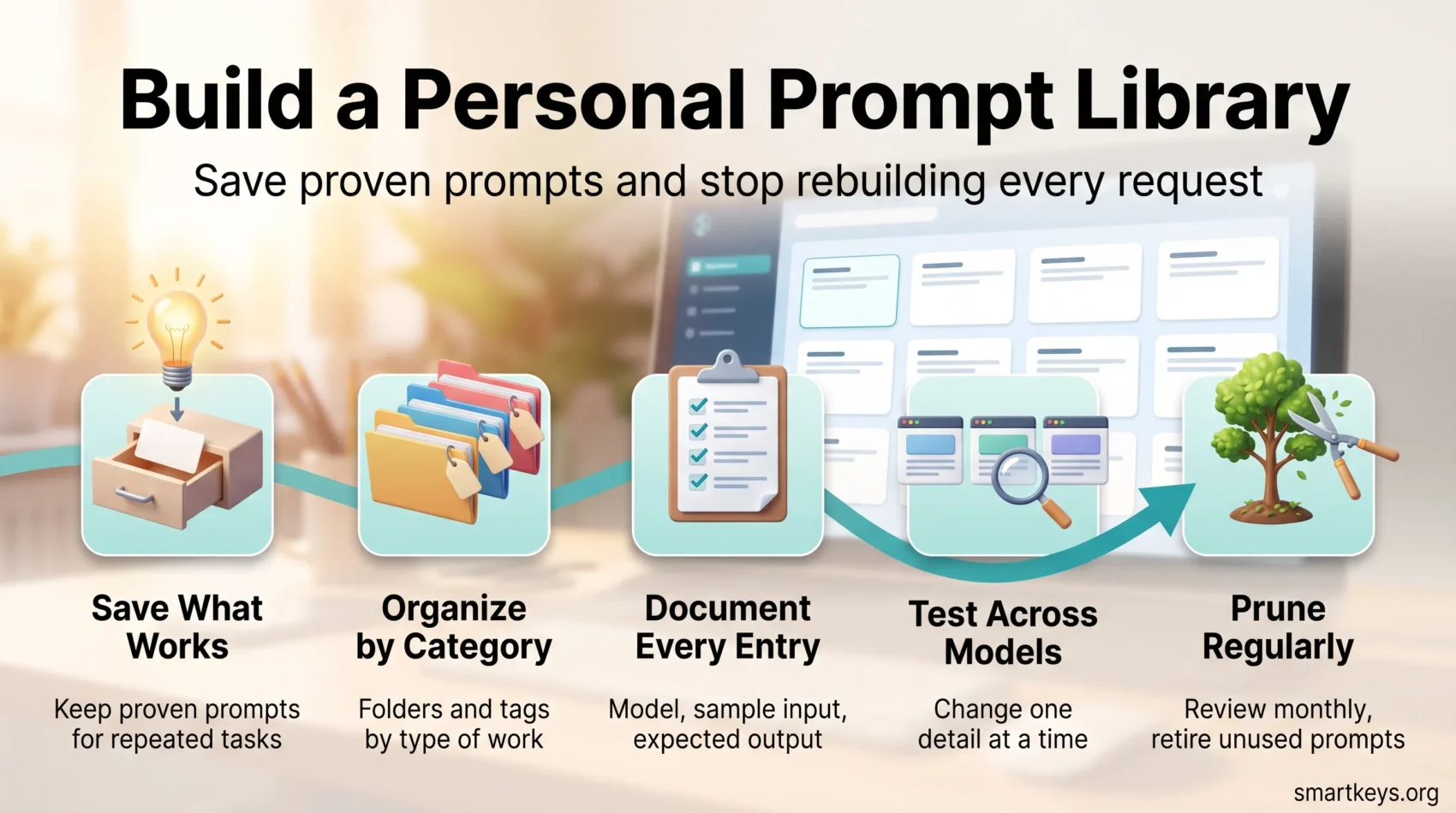
A prompt is simply the instruction you type into an AI assistant. An AI prompt library is your personal system for saving the instructions, examples, and workflows that already produced a good result. Instead of rebuilding each request from scratch, you reuse the version that worked. This one habit saves setup time and makes your results far more consistent.
This guide shows how reusable prompts support writing, research, coding, business planning, and daily productivity, in ChatGPT, Claude, Gemini, Microsoft 365 Copilot, or any other model. The goal is practical: spend less time framing each task and more time refining the output.
You will also see which categories are worth separating and what belongs in a single entry. Then, where the library should live now that every major assistant ships a saving feature, and how to test an entry before you rely on it.
Key Takeaways
- Save proven instructions and workflows for tasks you repeat.
- Cut setup time on recurring work instead of rewriting context.
- Organize entries by work category, not by the tool you happened to use.
- Record the model, the input, and the expected output with every prompt.
- Test entries across ChatGPT, Claude, Gemini, and Copilot before trusting them.
- Prune on a schedule so the collection stays small.
Why Build an AI Prompt Library for Your Daily Work
Repeated tasks begin the same way: you explain the goal, paste the context, and describe the format you want. A saved prompt removes most of that overhead and leaves more time for reviewing what comes back.
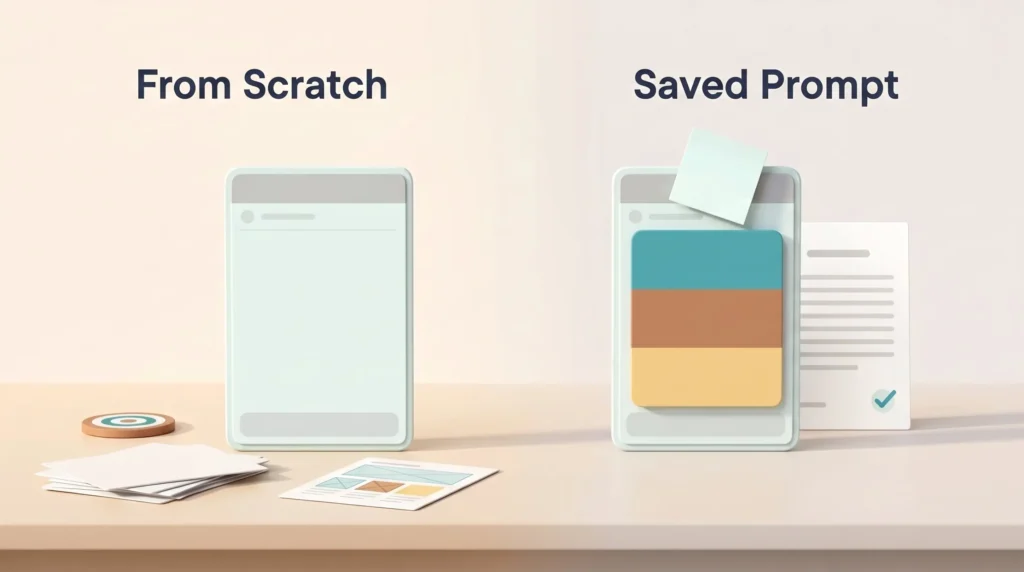
Save Time With Reusable Prompts
Tested instructions let you start from a process that already works. Save the wording, background details, formatting rules, and quality checks in one place you can reach in seconds. It is the logic behind text expansion snippets, applied to the harder problem of describing a task well.
Take a weekly status update. Without a saved prompt, every Friday you retype who reads it, the tone you want, the sections it needs, and how long it should be. With one, you paste this week’s notes into a prompt that already knows all four. The saving is not the typing. It is that you spend the time on the summary instead of the setup.
Improve Output Quality and Consistency
A useful collection supports real work, not experiments. Keep entries producing a result you would actually send, and track which save most effort.
- Review frequently used entries when your work changes.
- Update instructions after a model release or tooling change.
- Let colleague feedback guide clearer wording and tighter standards.
When several people work from one prompt, the outputs become comparable and reviewers spot a weak result quickly. That is where a shared library meets AI communication etiquette: agreeing how your team asks, checks, and credits machine-assisted work.
How to Organize Your AI Prompt Library
Structure decides whether you find the right entry before a deadline or retype the request. Start with broad folders, then add detail that matches how you work. Good organization turns saved ideas into a resource you actually use.
Group Prompts by Work Category
Use folders for development, writing, analysis, business, creative work, education, productivity, and templates. Broad groups keep browsing simple and stop the collection becoming one long list. If you already run a second brain framework, mirror that structure instead of inventing a second filing system.
Add Use Cases, Tags, and Search Terms
Give every prompt a concrete use case: code review, meeting notes, research synthesis, weekly planning. Then tag the task, audience, output format, and preferred model so search narrows quickly.
- Task: summarize, plan, explain, or revise
- Audience: customer, student, manager, or team
- Format: table, email, outline, or checklist
- Model: ChatGPT, Claude, Gemini, or Copilot
Record Models, Instructions, and Expected Outputs
Save the exact instructions next to the output format you expect, and note the model and the date you last tested it. A prompt tuned for one model version drifts when that version is retired, so a dated entry tells you whether a result is still trustworthy.
What to Include in Every Prompt Entry
Each prompt entry should read like a short brief for your future self: title, purpose, best use, the core request, a sample input, a sample output, variations, and tips. That format keeps entries readable months later.
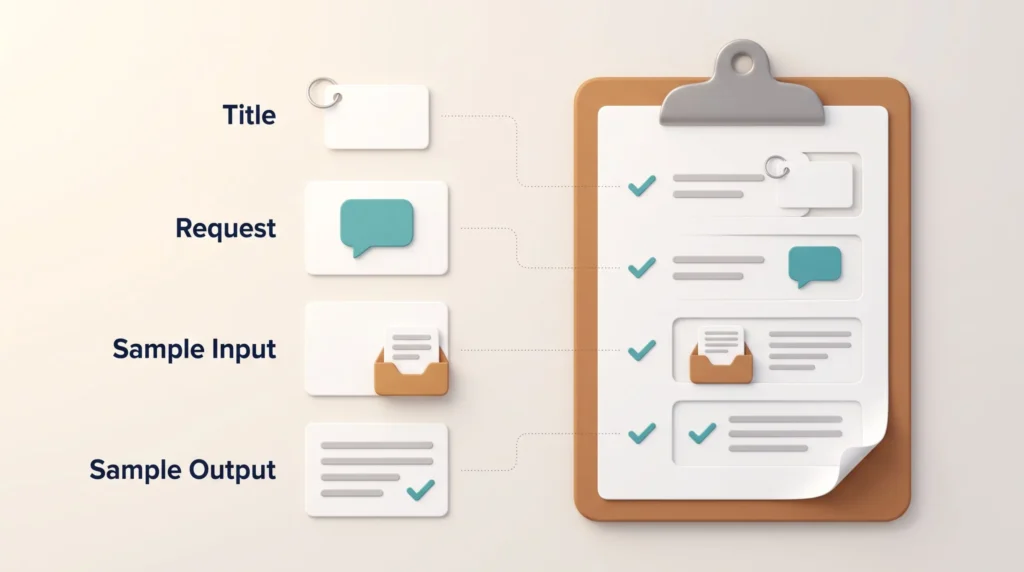
Write instructions that define the task, audience, context, limits, tone, and format. Settle those details before testing, so you can tell whether a weak result came from the prompt or the model.
- Title and description: Name the task and explain why the entry exists.
- Usage and request: State when to use it and what the tool should produce.
- Input and output: Add a realistic example that shows the quality bar.
- Variations and tips: Note changes for teams, industries, skill levels, or project goals.
“Good records turn one useful result into a repeatable workflow.”
Review each entry after real use. Small notes reveal better wording, missing context, or the need for a shorter version, and over time they are what separate a library from a folder of screenshots.
Useful AI Prompt Categories and Use Cases
Different tasks need different instructions. Grouping entries by function helps you reach the right one quickly and shows you where your collection is thin.
Development, Testing, and Technical Documentation
Organize development prompts by stage of the engineering process: code review, architecture planning, bug hunting, documentation, test cases, and refactoring each deserve an entry. Keep repository conventions inside the prompt so the model does not invent a style. Teams running AI agent workflows or a formal LLM operations strategy should treat these prompts like shared code. LLM operations means running language models under the same release and monitoring rules as other production software. Store the prompts in the repository, review changes, and keep a version history. Personal notes do not survive a handover.
Writing, Business, Research, and Data Analysis
Writers get the most from entries for briefs, email templates, blog outlines, marketing copy, and rewriting to a house style. Drafting tools such as Byword AI and video tools such as Synthesia accept the same structured input, so one prompt often carries across formats.
- Business: meeting summary, proposal writer, strategic planner, and market analysis.
- Research: data interpreter, research synthesizer, trend analyzer, and comparison matrix.
- Creative and education: brainstorming session, story creator, lesson plan, and quiz generator.
- Productivity: task prioritization, schedule planning, and goal setting.
Keep analysis prompts separate from writing requests. Analysis needs stated assumptions and a visible method; writing needs voice and structure. Mixing them produces confident prose built on unchecked numbers. That is the failure mode explainable AI practices, which make a model show how it reached a result, exist to catch.
Where Your Prompt Library Should Live
Not long ago the choice was a text file or nothing. That has changed. Every major assistant now ships a saved-prompt or custom-instruction feature. Custom instructions are standing notes the assistant applies to every chat, so you stop repeating your role, your audience, and your preferred format. Each vendor keeps that work in a different place, under different sharing rules.
Built-In Features in the Major Assistants
Microsoft 365 Copilot includes a Copilot Prompt Gallery. You save your own prompts there, share them with a team, and browse examples written by Microsoft. Administrators can see which prompts were saved, liked, and shared through usage analytics. Google offers Gems in the Gemini apps, which bundle standing instructions and reference files into a reusable custom assistant. ChatGPT and Claude both use projects plus custom instructions to hold context that would otherwise be pasted into every conversation.
- Built-in features win on convenience and team sharing.
- Plain files win on portability between vendors.
- A note app wins if your notes already live there.
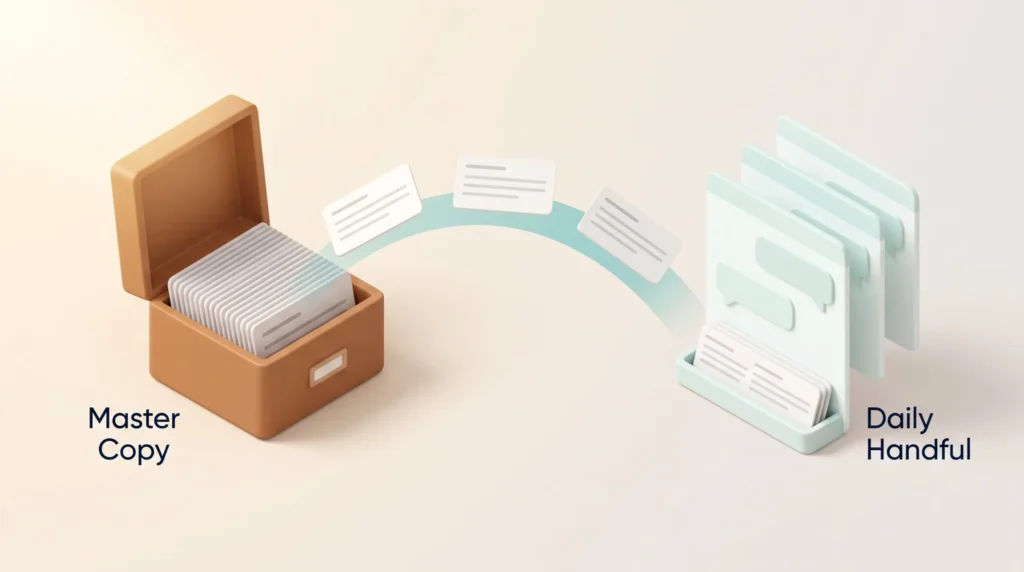
For most people a hybrid works best: keep the master copy in a plain, exportable format and mirror your daily handful into whichever assistant you sit in. If your organization runs vertical AI solutions beside a general assistant, that master copy stops one instruction being maintained in three places.
Prompt Templates for Consistent AI-Assisted Work
Turn recurring work into a repeatable process with clear prompts. It is the same move as using templates to streamline repetitive tasks, applied to how you brief an assistant. Build formats for code reviews, technical documentation, meeting summaries, marketing content, and research briefs. A good format guides the task without removing your judgment.
Decide the required fields, formatting rules, and review steps before anyone else uses the template. Publishing those rules with it creates a shared quality baseline instead of ten personal dialects.
- Add realistic input and output examples so others understand the intended result.
- List usage instructions, limits, and checks for each workflow.
- Include variations for different audiences, models, industries, and project needs.
- Record implementation tips that help people adapt the template with confidence.
A consistent format makes work easier to repeat, compare, and refine, and helps teams spot missing details before delivery. Status-update templates pair well with a digital note-taking system, since the notes supply the raw material the prompt shapes.
How to Test and Refine Your Prompts
Strong results come from comparison, not guesswork. Start with a working example, adapt it, then run a short review cycle before you save it as the version everyone reuses.
Compare Inputs and Outputs Across Models
Run the same prompt through ChatGPT, Claude, Gemini, and Copilot with identical inputs. Compare tone, structure, reasoning, speed, and how often you correct a factual claim. Record which model you chose and why: that reasoning is easy to forget and expensive to redo.
Adjust Instructions and Input Parameters
Change one detail at a time. Test how much source material you paste in, then the constraints, then the output format, then the examples. Change two at once and you will not know which one helped.
- Hold the task, audience, and source material constant.
- Score results for accuracy, clarity, usefulness, and rework needed.
- Note the date, model, input format, and the criteria you scored against.
Track Results and Successful Variations
Keep the versions that perform well and record the conditions behind them: study a working example, adapt it, refine, then share the improvement. Rework is the honest metric here, the same discipline as judging AI-powered project management tools by outcomes rather than activity.
“Small changes create clearer evidence and better decisions.”
Examples of Prompts for Real-World Workflows
Workflows get easier to improve when you watch an idea perform under pressure. Real examples show which details support clear thinking and which are decoration.
Use a Devil’s Advocate Prompt for Better Ideas
A devil’s advocate prompt challenges your first solution instead of polishing it. It asks for alternatives, hard constraints, risks, and the viewpoints you skipped. Used before a decision rather than after, it is one of the few prompts that reliably changes an outcome.
Run it in workshops, planning sessions, and problem-solving reviews, paired with a brainstorming prompt when the goal is to widen the option set before narrowing it.
- Test blog concepts, product positioning, narratives, and campaign plans.
- Ask for the evidence that would support or weaken each option.
- Save the original problem, the response, the decision, and the outcome.
Review each case afterwards: note what changed and what needs revision. Those records feed a not-to-do list too, because they show which requests were never worth making.
How to Maintain and Share Your Prompt Collection
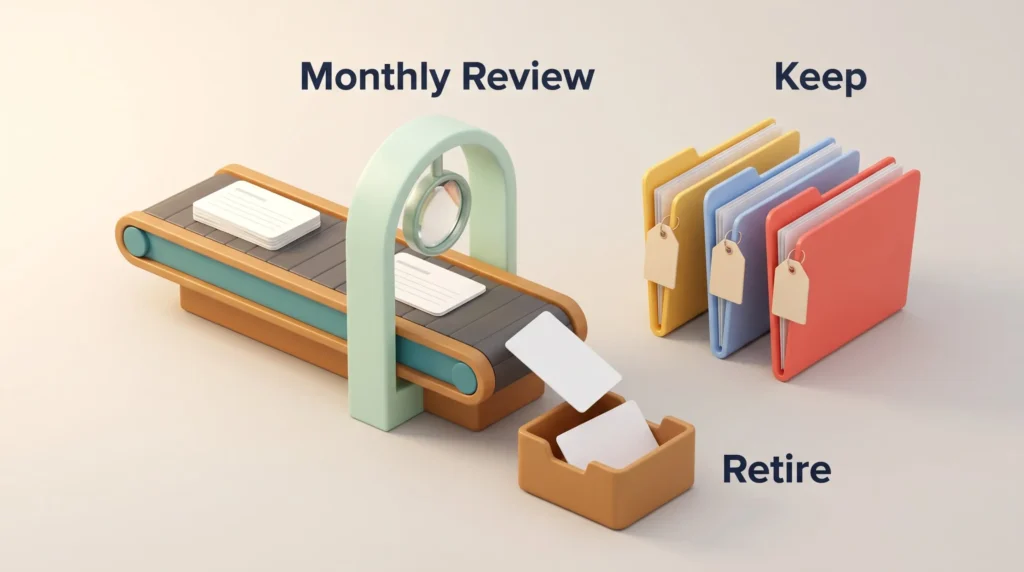
A prompt library stays useful only as a living resource. Review it monthly for outdated behavior, duplicates, broken references, and tasks you no longer do. Delete weak entries; refine the ones still earning their place.
Keep model-specific notes. A prompt that works cleanly in ChatGPT may need different phrasing in Claude or Gemini. Record the model, version date, input details, and expected output so anyone reusing the entry knows what it was tested against.
- Use clear names, access rules, and descriptions for anything shared.
- Invite teammates to suggest improvements and report entries that stopped working.
- Track which entries are actually opened, and retire the rest.
Before sharing a library beyond your team, decide who may use or change it and write that down. Prompts often carry internal context, customer names, or pricing logic, which makes this a confidentiality question rather than a formatting one. If your company already has generative AI usage guidelines, the library should sit under the same rules. It also intersects with instant messaging boundaries: a prompt pasted into a public channel is one you no longer control.
Where prompts touch customer-facing output, keep the approval path visible. Teams applying AI in their marketing strategies need a named reviewer for anything produced at scale, and the library is the natural place to record who that is.
Conclusion
A well-kept AI prompt library becomes a working asset: it cuts setup time, holds quality steady, and moves your attention from re-explaining tasks to judging results.
Arrange it by development, writing, analysis, business, creative work, education, and productivity. Give each entry a purpose, useful variations, model notes, a sample input, and the expected output. Those details make reuse effortless.
Before adopting a workflow, test it across ChatGPT, Claude, Gemini, or Copilot and compare accuracy, tone, speed, and format. Keep the version that serves your goal and note why. Broader AI augmentation programs usually fail on this step, not on tooling.
Then let real results drive the updates. A devil’s advocate prompt exposes weak ideas early, teammates surface gaps you cannot see, and voice dictation shortens the loop between having a prompt idea and capturing it. Small updates compound. Developers maintaining API-heavy documentation can extend the habit to reference data with tools such as Context.dev.
Found this useful?
Make SmartKeys a preferred source on Google, and our articles will surface more often in your Top Stories, AI Overviews, and AI Mode.
Add as Preferred Source




