

AI has moved from an experimental add-on to a normal part of how teams run projects. In 2026 most organizations use AI somewhere in their workflow, and project coordination is where it usually lands first: automated status updates, meeting notes that turn into tracked action items, and early warnings on budget and schedule risk. This guide covers what AI project management tools actually do, what the current evidence supports, and how to pick software that fits the way your team already works, along with the limits worth knowing before you buy.
Key Takeaways
- Adoption is near universal, embedded use is not: 85% of knowledge workers use AI at work and only 29% have built it into their workflows (Atlassian, State of Teams 2026).
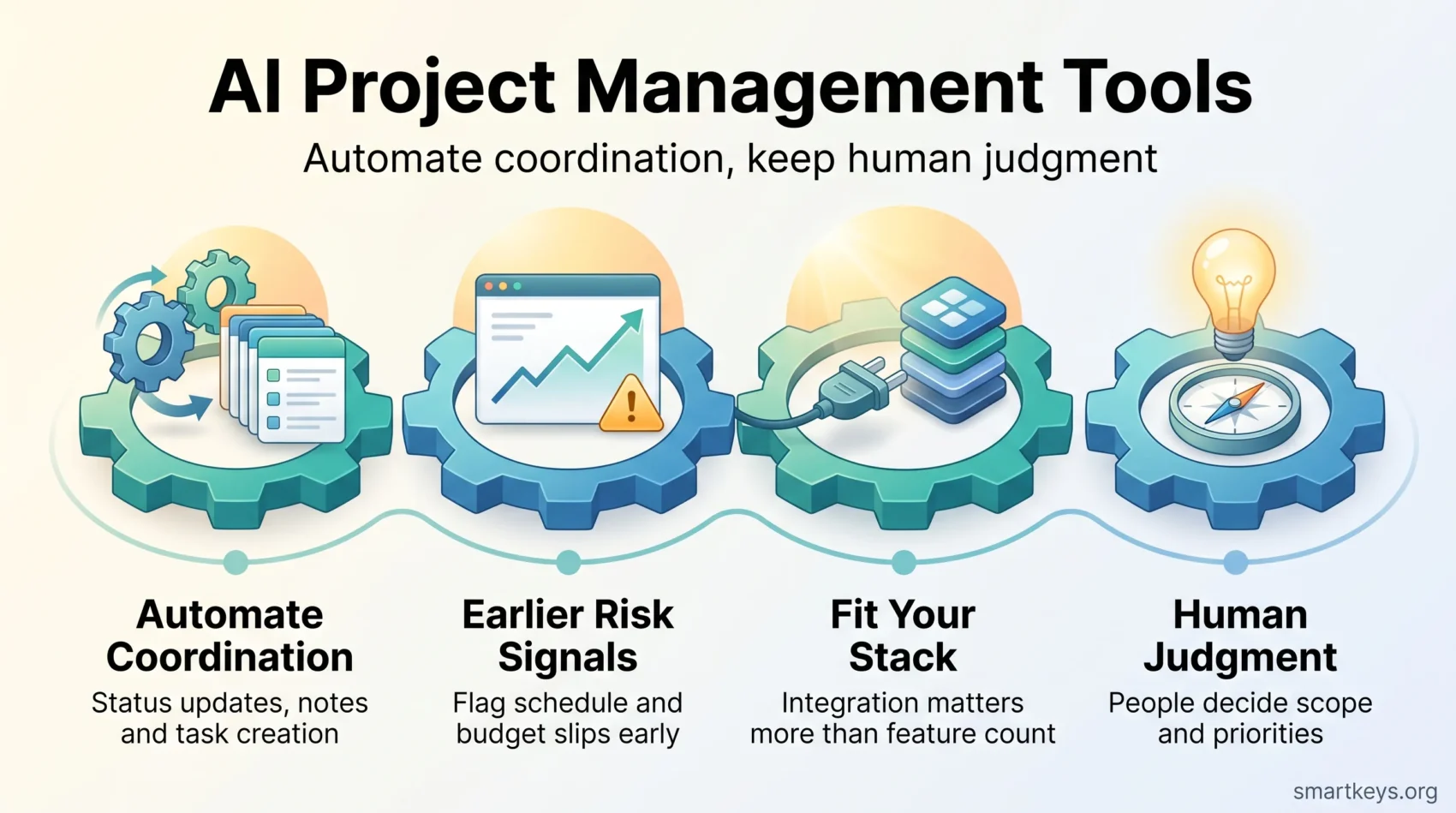
- The clearest wins are automated coordination work: status reporting, note capture, task creation and resource views.
- Analyst market forecasts vary widely, so treat any single figure as one view rather than a fact.
- Choosing the right AI project management software is mostly a question of fit with your existing stack, not feature count.
- EU AI Act transparency duties under Article 50 apply from 2 August 2026.
- Human judgment still decides scope, priorities and the political parts of a project that no model can read.
Understanding AI in Project Management
AI in project management combines machine learning with data analytics to speed up the parts of the job that involve reading, summarizing and reconciling information. Patterns that used to surface in a retrospective can now surface while the project is still running.
Automating administrative work is the most concrete benefit. It reduces copy-and-paste errors and frees project managers for decisions that genuinely need a person. AI optimizes scheduling, supports budget tracking and improves resource allocation by reading historical data alongside live project signals.
Communication is the other obvious target. AI meeting note workflows capture decisions and turn them into tracked items, removing one of the most reliably skipped steps in any project. Workflow copilots draft the status summary from what actually changed in the tool rather than from what someone remembers.
One caveat on a figure you will see everywhere: the claim that AI will absorb 80% of project management tasks by 2030 comes from a Gartner press release published in March 2019. It was a forecast, not a measurement.
The harder problem is not tool availability. Atlassian’s State of Teams 2026 research, conducted in January and February 2026, found that 85% of knowledge workers use AI at work while only 29% have embedded it into their workflows. Closing that gap, rather than buying another platform, is where most of the remaining value sits.
What the 2026 Evidence Actually Shows
Automating scheduling, status reporting and data analysis reduces manual errors and shortens the loop between something changing and everyone knowing about it. The outcome data, though, shows adoption running well ahead of measurable return.
McKinsey’s State of AI survey found 88% of organizations using AI in at least one business function, up from 78% a year earlier, yet most remain in pilot mode and only a minority can point to a clear effect on profit. Atlassian’s 2026 research lands in the same place from a different angle: 89% of executives say AI increases speed, while only 6% are confident about organization-wide return on investment.
Team-level practice is more encouraging. Atlassian identified a top-performing group, roughly the top 14% of teams, that was 5.6 times more likely to report AI improving planning and prioritization and 9.4 times more likely to say it improved collaboration. The difference was not the tooling but whether AI had been built into how the team already worked.
Read market forecasts with care. Grand View Research values the AI in project management market at $3.9 billion in 2026, projecting $7.7 billion by 2030 at a 17.3% compound annual growth rate. Other firms publish figures several times larger for the same market, which says more about differing definitions than differing realities.
AI does excel at pulling together large, messy datasets from several sources at once, and assistants such as Microsoft Copilot are now built into mainstream project management software. Human judgment still handles the messier, more political parts of running a project.
Benefits of AI Project Management Tools
Integrating AI project management solutions changes the shape of the job more than the volume of it. The benefits cluster in three areas.
Automation of Routine Coordination
AI handles the repeating work: generating status updates, creating follow-up tasks from a meeting, assigning by skill or availability, and keeping resource views current. For the wider picture on which work is worth handing to software at all, our guide to AI-driven automation tools covers how to pick candidates for automation.
Real-Time Insight for Better Decisions
AI tools analyze project data continuously and surface trends rather than raw rows, letting you rebalance work and tackle issues before they escalate. This works best when your productivity measures are already defined, because a dashboard cannot decide what matters to your team.
Earlier Risk Signals
The most valuable use is prediction. Models trained on historical project data flag schedule slip and budget overrun patterns while there is still time to respond. Treat the output as a prompt to investigate rather than a verdict: the model sees the shape of past projects, not why this one differs. Our overview of predictive analytics in business decisions covers the wider picture.
AI Project Management Software: Key Features
Start with the interface. A tool your team avoids delivers nothing, so ease of navigation matters more than the length of the feature list. Then check that the software integrates with what you already run, because an AI layer that cannot see your data cannot help you.
Robust automation features matter next: customizable dashboards, real-time reporting and rules that fire without someone remembering to run them. Collaboration features are essential for distributed teams, as is mobile access for people who are rarely at a desk.
Read verified customer reviews rather than vendor pages, and confirm compatibility with your current workflow before you commit. Asana automates routine workflow steps and layers AI over its rules engine, while ClickUp offers deeper customization and bills its AI as a separate line item. Comparisons such as ClickUp vs Asana and Trello vs Jira are a faster way to narrow the field than trialling five tools at once.

One more feature deserves attention in 2026: disclosure. If a tool generates content or interacts with people directly, EU AI Act transparency duties may apply to how you use it. Our EU AI Act compliance guide covers what that means in practice.
Choosing the Right AI Project Management Tools
Selection is more than a feature comparison. User experience and compatibility decide whether the tool is still in use six months later, so look at how it fits the workflows you already run rather than the ones a demo assumes. Check integrations with Microsoft Teams or Slack, and with whatever holds your documents. Our roundup of hybrid workforce tools is a useful cross-check if your stack is still forming.
Assessing User Experience and Compatibility
Focus on how quickly a new person becomes productive. A tool that is easy to use shortens the learning curve and survives staff turnover. Confirm it can be customized to your project structure, and involve the people who will live in it daily before you sign.
It helps to have your process written down first. Teams with clear standard operating procedures get more from automation, because they know which steps are stable enough to hand over.
Evaluating Pricing Models and Plans
Pricing varies a great deal, and AI features are increasingly billed separately from seats. Check whether AI is included, metered by credits or sold as an add-on, because that decides your real annual cost far more than the headline per-seat price. Tiered pricing lets you scale as your team grows, but watch for minimum seat counts and free-plan user caps, both of which have tightened across the category.
AI Project Management Solutions to Consider
The right choice depends on team size, budget and how much structure you need. Four options cover most situations.
Accelo, the New Home of Forecast
Forecast was a well-known AI-native platform for project creation, budgeting and invoicing in one place. Accelo acquired it on 22 July 2025, and forecast.app now points to Accelo. If you are researching Forecast today, you are effectively evaluating Accelo’s professional services automation platform, which carries forward the resource planning and predictive scheduling work.
Taskade: Task Management Made Easy
Taskade focuses on tasks, outlines and lightweight workflows, with real-time synchronization so everyone sees the same board. Its AI agents draft plans, break work into steps and answer questions about the workspace. A free tier and inexpensive paid plans make it a reasonable starting point for small teams and solo operators rather than for programme-level governance.
Asana: Structured Work With AI on Top
Asana pairs a mature rules engine with AI features that summarize projects, draft updates and flag risk, which suits teams that want structure without a heavyweight implementation. Its free tier is capped at a small number of users, so budget for paid seats as soon as the team grows. Our Asana vs Trello comparison covers where each stops being the right answer.
ClickUp and the Configurable End of the Market
ClickUp sits at the configurable end: more views, more automation, more setup time. Its AI assistant is billed separately, which is worth modelling before you commit. For teams that already run engineering work in a tracker, Jira and Monday.com or Notion are the usual alternatives to compare against.
Where AI Still Falls Short
AI reads what is recorded in your tools. It cannot see the corridor conversation, the sponsor who quietly changed their mind, or the dependency nobody logged. Forecasts built on incomplete records inherit those gaps, which is why data quality matters more than model choice.
There is also a monitoring line worth respecting. Tools that score individuals rather than surface work patterns change how people behave, and they attract regulatory attention. Our piece on AI in employee monitoring covers where that boundary currently sits.
Finally, AI is bad at saying no. Deciding what not to do remains a human call, and a good task prioritization framework will do more for a struggling project than another assistant.
How to Put AI to Work Without Disrupting Your Team
Start by naming the repetitive coordination tasks you would hand over tomorrow: status roll-ups, meeting notes, task creation, resource views. Automate one of them and measure the result before adding a second.
Apply AI where the input is structured and the output is checkable, such as data analysis and routine scheduling. Keep a person accountable for anything that reaches a client or changes scope. Our guide to applying AI project management strategies covers how roles shift once the tools land.
Then invest in the part most teams skip. Atlassian’s finding that only 29% of workers have embedded AI in their workflows is a training problem before it is a tooling problem. Write down usage guidelines, show people concrete examples from your own projects, and revisit them as the tools change. Our generative AI usage guidelines are a reasonable template to start from.
Found this useful?
Make SmartKeys a preferred source on Google, and our articles will surface more often in your Top Stories, AI Overviews, and AI Mode.
Add as Preferred Source




