Hybrid work stopped being an experiment and turned into a scheduling problem. If half your team is in the office on Tuesday and the rest are at home, someone has to know who is coming in, where they will sit, and whether a meeting room is free. Hybrid workforce tools are the software that answers those questions without a group chat and a spreadsheet.
The scale is settled enough to plan around. Gallup reported in May 2026 that 52% of US remote-capable employees work hybrid, 26% work exclusively remote and 22% are fully on site. At the same time, Moody’s Analytics recorded a record US office vacancy rate of 21% in the first quarter of 2026. Offices are emptier, attendance is uneven, and guesswork gets expensive.
This guide focuses on hybrid workplace management software: what these platforms actually do, which features earn their price, how the pricing models compare, and which products suit which situation. If you are still settling schedules, policy and leadership habits, begin with our complete guide to making hybrid work succeed, then come back here to pick the software. For the wider software layer underneath all of it, start with our guide to collaborative tools for work.
Key Takeaways
- These tools do three jobs: coordinate who is in the office, allocate desks and rooms, and report what the space is actually used for.
- Start with the one problem that costs you the most time now. A single-purpose app often beats a full platform in year one.
- Calendar sync and single sign-on decide adoption. If booking a desk takes more than a few taps, people go back to the spreadsheet.
- Pricing comes in three shapes: per user, per desk, or a flat platform fee with tiered limits. Each one favours a different attendance pattern.
- Occupancy data is employee data. Decide what you collect and who sees it before you switch on sensors.
What hybrid workforce tools actually do
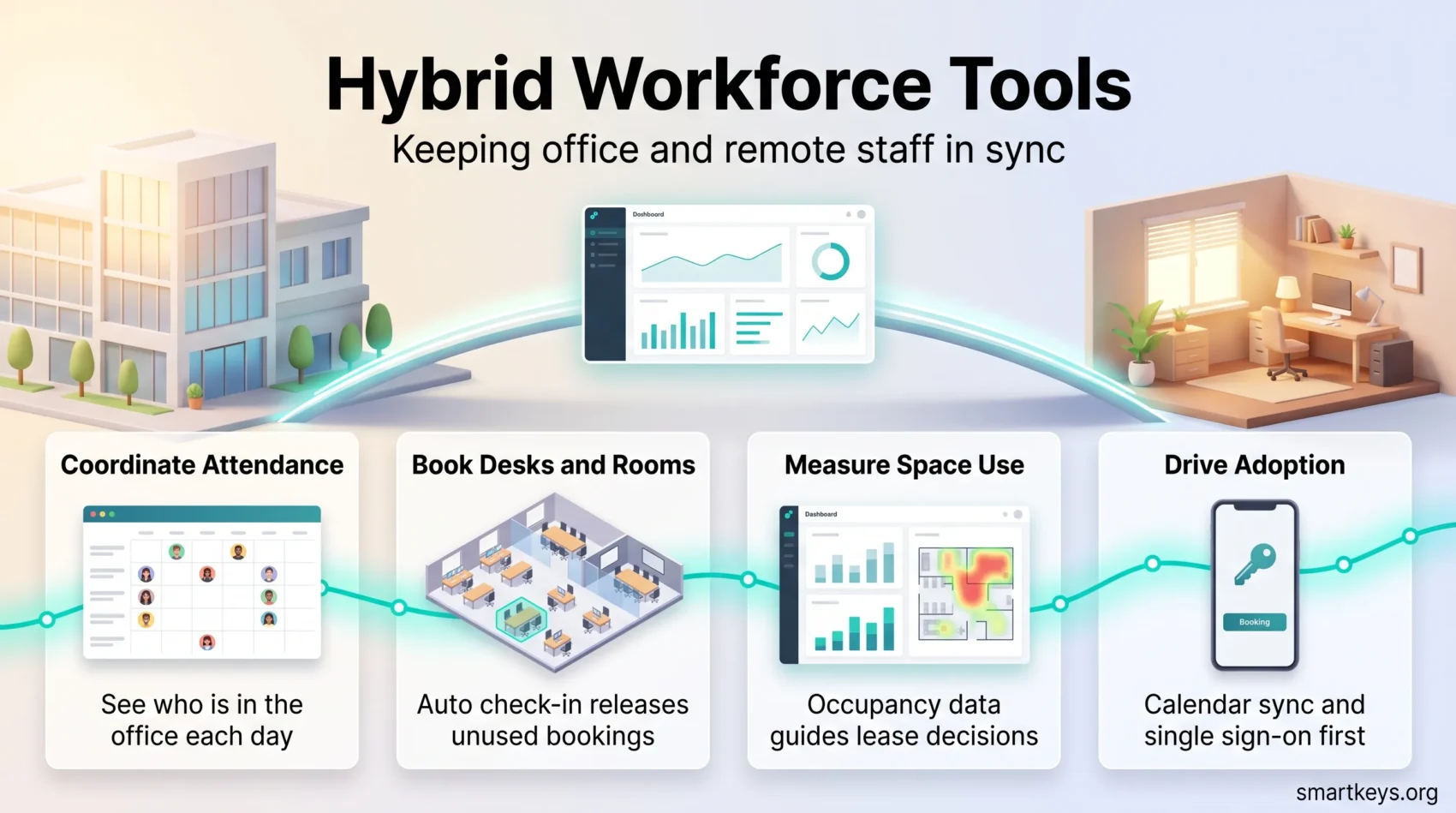
A hybrid workforce tool is software that connects three things: people, the places they work, and the record of who used what. Vendors describe this as workplace management. In practice it means three jobs.
Coordination: who is coming in, and when
Employees mark their office days in a shared view, so a manager can see on Friday who will be in on Monday. That sounds trivial until you have tried to organise a workshop for eight people across two locations. Teams that already run on written updates rather than live meetings will recognise the logic; our guide to asynchronous work covers the communication side of the same shift.
Space: desks, rooms, parking
A booking layer holds the inventory: which desks exist, which are bookable, which rooms seat eight, how many parking spaces there are. Live floor maps let someone pick a seat next to their team instead of taking whatever is free. Auto check-in releases a booking nobody claimed, which is what stops a half-empty office from looking fully booked.
Data: what the office is really used for
Every booking and check-in becomes a record. Over a quarter that record tells you which floor is dead on Fridays, which rooms are booked for six and used by two, and whether you need the third floor at all. This is the part that pays for the software, and it is why the numbers matter more than the feature list. Our guide to the cost and productivity trade-offs of office space covers how to read those figures, and workforce analytics tools goes deeper on the reporting layer.
One caution before you switch anything on. Attendance logs, badge swipes and desk sensors are personal data about employees, and they are regulated as such in the EU and in a growing list of US states. Decide what you collect, how long you keep it and who can see it before you roll out, not after. Our guides to data privacy at work and AI in employee monitoring set out where the line sits.
Who needs one, and who does not
Not every company needs a platform. Some need a rule and a shared calendar.
You probably do need software if any of these are true: you have more people than desks, you run more than one site, visitors arrive regularly, or you are about to renegotiate a lease and cannot say how much of the space you use. Under roughly 30 people in one office with assigned desks, a booking tool solves a problem you do not have.
The other honest test is whether your attendance policy is settled. Software enforces a policy; it does not write one. If nobody has decided whether office days are chosen by employees, fixed by team, or set by managers, start there. Our hybrid work policy template covers the clauses worth agreeing first, and return-to-office mandates looks at what happens when a policy is imposed without one.
The core features worth paying for
Most platforms list forty features. Five of them decide whether the thing gets used.
Booking that prevents clashes and no-shows
Live availability, seat rules, reminders and automatic check-in. The check-in matters most: without it, people book a desk on Monday for the whole week and use it twice, and your utilisation data becomes fiction.
Shared presence calendars
A view of who is in on which day, synced natively with Outlook, Google Calendar and Teams. If the tool keeps its own separate calendar, people will forget to update it.
Visitor management
Pre-registration, QR or kiosk check-in, host notification, badge printing and an audit log. Regulated industries need the log; everyone else needs the lobby to stop being a bottleneck.
Analytics and room signage
Usage reports for planning, plus panels outside rooms showing live status. Signage is the cheapest fix for the most common office complaint: walking the floor looking for a free room.
Mobile access and integrations
A phone app for booking and check-in, plus single sign-on through Microsoft Entra ID (formerly Azure AD) or Okta. Every extra login is a reason not to bother. The same principle applies to the physical side: small friction, repeated daily, is what kills adoption, as our piece on workspace lighting shows in a different context.
How to choose: start with the problem, not the feature list
Pick the one thing that wastes the most time today and buy for that. A shortlist built from a feature comparison will point you at the largest platform, which is rarely the right answer for a first purchase.
Name the outcome
Write down what should be measurably different in six months: fewer double-booked rooms, a lobby that runs without a receptionist, or a defensible number for how much space you need. Everything else is a nice-to-have.
Count the clicks
During a demo, time these three tasks: book a desk, see who is in tomorrow, register a visitor. If any of them takes more than about 30 seconds on a phone, adoption will stall regardless of what the platform can do.
Check the integrations you already depend on
Microsoft 365 or Google Workspace, Teams or Slack, your identity provider, and if relevant your access control system. Ask for the specific integration, not a general yes.
Confirm scale and certification
Multi-site support, role-based permissions, data residency, and certifications such as SOC 2 Type II or ISO 27001. If you operate in the EU, ask where occupancy data is stored and for how long.
Model the cost against your actual attendance
Per-user pricing punishes companies where everyone has an account but only a third come in. Per-desk pricing punishes companies with lots of desks and thin attendance. Take last quarter’s real numbers into the pricing conversation.
The platforms worth shortlisting
Two shapes of product exist, and in any desk booking software comparison the choice between them matters more than the choice within them.
All-in-one platforms such as YAROOMS, Robin and OfficeSpace bundle booking, scheduling, visitors, signage and analytics under one contract. They suit multi-site companies that would otherwise run four vendors and four invoices.
Point solutions solve one problem quickly. Officely lives inside Slack and Teams, so people book a desk in the tool they already have open. Envoy is built around visitors and deliveries. Joan makes e-paper room panels. These are the fastest route to a visible win.
A reasonable pattern is to start with a point solution, prove people will use it, and consolidate later if the vendor count becomes annoying.
Best fit by situation
- Visitor-heavy offices: Envoy, for guest flow, deliveries and lobby security.
- EU-based companies: Deskbird, which is built around European data protection expectations.
- Slack-first teams: Officely, because it adds no new app to learn.
- Multi-site enterprises: Robin or OfficeSpace, for depth of reporting and permissions.
- Team coordination and events: Kadence, which organises the office into neighbourhoods rather than a seat map.
- Small offices on a budget: FLYDESK, Archie or UnSpot for straightforward scheduling without the enterprise layer.
Others worth a look depending on your setup: TableAir and Cloudbooking for desks, rooms, parking and signage in security-conscious sectors, and elia where you want software paired with occupancy hardware.
Product spotlight: YAROOMS
YAROOMS brings desk, room and parking booking together with visitor management, digital signage and analytics, which makes it a reasonable default when you want one contract instead of four.
Where it is strong
Unified booking across desks, rooms and parking, with automatic check-in to cut no-shows. Visitor pre-registration with QR check-in and lobby panels. Integrations across Microsoft 365, Outlook, Teams, Google Workspace, Microsoft Entra ID and Okta, which is what keeps it inside the tools people already use.
Who it suits
Regulated and multi-site organisations: finance, healthcare, education, government and larger technology companies that need audit trails and granular permissions.
What it costs
- Starter: $99 per month, up to 20 users, 1 location, 2 floors.
- Business: $399 per month, up to 200 users, 2 locations, unlimited floors.
- Enterprise: $899 per month, unlimited users, 5 or more locations, unlimited floors.
- Visitor management: $99 per location per month as an add-on.
Annual billing is advertised at a 20% discount (prices checked on the YAROOMS pricing page in September 2026). Note the shape of this model: a flat fee with user and location caps rather than a per-seat charge. If you have 180 employees and 60 desks, that is cheap. If you have 210 employees across three sites, you are in the Enterprise tier whether or not you need its features.
The IT layer: access, identity and devices
Booking software assumes people can already reach their work. That assumption is the IT department’s problem.
Remote access. Tools such as Splashtop give staff a secure session on a work machine from home, with two-factor authentication and device checks, without routing everything through a VPN.
Identity and access management. Okta, Microsoft Entra ID and Ping Identity provide single sign-on and enforce least privilege, meaning each person can reach only the systems their role requires. This is also what makes the booking tool a one-click login rather than another password.
Endpoint protection. CrowdStrike, Symantec Endpoint Protection and similar products defend laptops that spend most of the week outside the office network.
Asset management and backup. ManageEngine, SolarWinds or ServiceNow keep the device inventory honest. Veeam, Rubrik or AWS Backup make recovery a routine rather than an incident.
The security half of hybrid work is a subject of its own; our guide to cybersecurity in remote work covers the threats these layers are built against.
Zero trust, in plain terms
Zero trust means nobody is trusted because of where they are connecting from. A traditional VPN drops a remote laptop onto the corporate network and hopes for the best. Zero trust replaces that with brokered connections: this person, on this checked device, gets this one application, for this session.
Two consequences matter for a hybrid setup. First, a compromised laptop cannot wander the network looking for file shares, because there is no network to wander. Second, access stops depending on whether someone is in the building, which is the whole point when Tuesday and Thursday attendance looks nothing like Friday’s.
Continuous monitoring is the practical companion: it shows whether a slow application is the app, the device or the home connection, so IT can fix it before the complaints arrive. Our guide to how businesses are adopting zero trust covers the rollout sequence.
Integrations that decide whether people use it
Integrations turn separate systems into one predictable day. Sync bookings with Microsoft 365 or Google Workspace so a desk reservation shows up in the calendar people actually read. Connect Teams or Slack so the prompt to book arrives where they already are.
On the building side, link access control, occupancy sensors and floor maps. Badge data can confirm attendance without anyone checking in twice, and sensor data tells you whether booked rooms are really occupied. Both add to what you know and to what you are responsible for protecting.
Sequencing matters. Calendar and single sign-on first, because they drive adoption. Signage and sensors second, once there is something worth displaying. Analytics last, when you have enough history for the numbers to mean anything. Our overview of digital workflows covers how these connections fit a wider stack.
Scaling across sites and regions
Multi-site rollouts fail on governance, not features. Decide early who administers what: facilities owns the floor plans, IT owns the identity integration, HR owns the attendance policy, local managers own the exceptions.
Regional rules then have to be reflected in the configuration rather than in a policy document nobody reads. Different countries have different expectations about employee monitoring and data retention, so check that the platform allows per-region settings rather than one global switch.
Roll out by site group. Pilot one location, measure adoption for a quarter, fix what annoyed people, then expand. And watch for the quieter risk in hybrid offices: people who come in less can be overlooked for work and promotion, a pattern covered in our piece on proximity bias. Attendance data makes that bias easier to spot, and easier to act on.
Pricing models and proving the return
Tie each pricing model to the savings you can actually name. There are three savings levers, and only the first one is usually large enough to justify the purchase on its own.
- Space. If reliable data shows you use 60% of your desks on the busiest day, the next lease negotiation is a different conversation. This is where the money is.
- No-shows. Automatic check-in and release recover capacity you already pay for, which delays the need for more of it.
- Admin time. Fewer scheduling messages, a lobby that runs itself, less manual reporting. Real, but rarely decisive.
Be sceptical of vendor ROI calculators. They tend to assume you will act on the data, and acting on it usually means giving up floor space, which is a slower decision than the model suggests. Build your own case from last quarter’s occupancy, your cost per square metre, and one specific decision you would make differently with better numbers. If shedding space is on the table, a coworking arrangement may cover the peak days more cheaply than a lease.
Where to start
Start small and in this order. Agree the attendance policy. Pick the single worst coordination problem. Buy the narrowest tool that fixes it, integrated with your calendar and identity provider. Run it for a quarter in one location. Then decide whether you need a platform or just that one tool in more places.
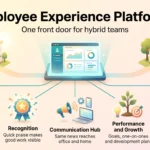
The meetings themselves deserve the same treatment, since a booked room full of people on a call with three others is its own problem; our guides to hybrid meeting etiquette and running a meeting audit cover that side. For the broader picture of where offices are heading, see the future of workspaces, virtual offices in a hybrid workforce, and what an employee experience platform adds once the basics work. Teams leaning on AI to coordinate across time zones will also want our guide to AI collaboration tools.
Found this useful?
Make SmartKeys a preferred source on Google, and our articles will surface more often in your Top Stories, AI Overviews, and AI Mode.
Add as Preferred Source