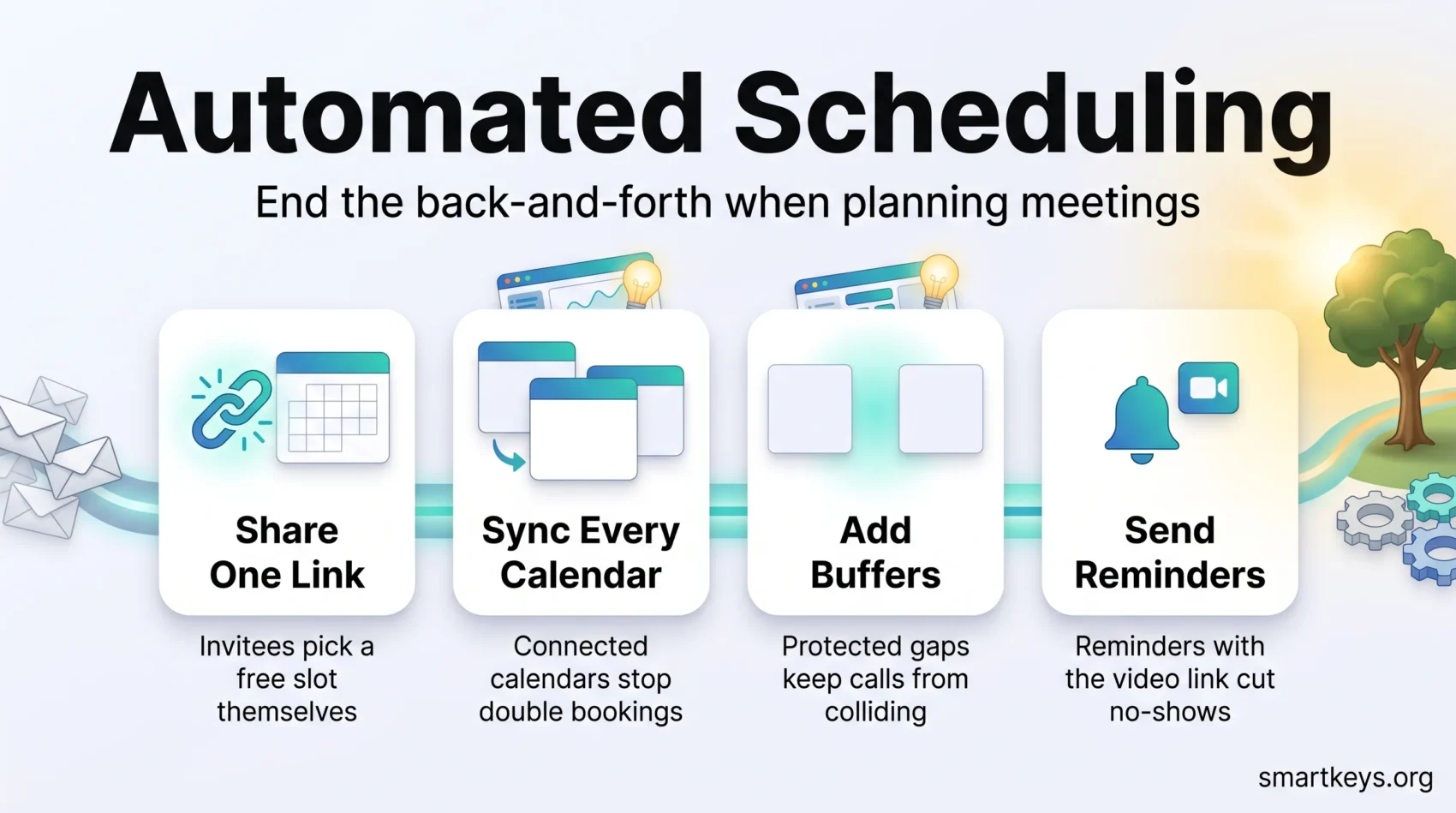
Automated scheduling means letting software handle the booking conversation for you. Instead of trading five emails to find a time, you share a link. The other person sees only the slots where you are genuinely free, picks one, and the meeting lands in both calendars with the video link attached.
This guide explains how the tools work, which one fits which job, what they cost in 2026, and how to roll one out without creating new problems.
Key Takeaways
- A booking link replaces the email back-and-forth: people pick a slot instead of proposing one.
- Connecting all your calendars in one tool is what stops double bookings.
- Buffers and automatic reminders are the two settings that cut no-shows fastest.
- Meeting tools and shift-rostering tools solve different problems. Do not expect one to do both.
- Clockwise, long a standard recommendation, shut down in March 2026. Check a tool still exists before building a process on it.
Why automated scheduling matters right now
Booking by hand looks cheap. You suggest three times, they counter with two, you check your calendar again, someone forgets the video link. Each round costs a minute or two of attention, and attention is the part that does not come back.
The cost shows up wherever booking speed decides an outcome. A sales lead who waits a day for a proposed time has time to go elsewhere. A candidate juggling three interview processes books the one that lets them choose a slot in ten seconds.
Automated scheduling collapses those rounds into one action. You publish your availability once; everyone else works inside it. The gains are practical rather than dramatic:
- Fewer interruptions. Coordination stops pulling you out of focused work. A team-wide focus time policy pairs well with a booking link.
- Faster responses. People book while they are still interested, not when you next clear your inbox.
- Fewer errors. Rules replace judgement calls, so you stop double booking or dropping a buffer before a client call.
None of this is magic. A booking tool removes the friction around meetings, not the meetings themselves. If your calendar is genuinely overloaded, run a meeting audit first and cut what does not need to exist.
What automated scheduling actually means
The term covers two different jobs, and confusing them is the most common buying mistake. One is coordination: finding a time that works for several people. The other is calendar management: deciding what your own day looks like.
From smart calendars to AI scheduling assistants
A smart calendar follows rules you write. You say “no meetings before 10am” and “leave 15 minutes between calls,” and it enforces that. It never decides anything on its own.
An AI scheduling assistant goes further. It reads your priorities, finds real openings, and moves flexible items when something urgent lands. Reclaim, Motion and SkedPal work this way: you tell them a task needs three hours this week, and they find the hours again each time your week changes.
The trade-off is control. Rules are predictable but rigid; assistants adapt but occasionally move something you wanted left alone. Good ones show you what changed and let you lock items in place.
Meetings versus shift schedules: two different problems
Meeting tools handle invitations, confirmations and reminders for named individuals. Shift tools build rosters for hourly staff, balancing labour cost, coverage and legal rest requirements.
The software is built around different questions. Calendly asks “when are these three people free?” Deputy asks “who is cheapest and legally allowed to work Saturday afternoon?” If you roster staff, start with intelligent shift scheduling instead.
What “no more back-and-forth” looks like in practice
You send one link. The invitee sees your open slots in their own time zone and picks one. The tool books it, confirms to both sides, attaches the conferencing link and sends a reminder the day before.
A second pattern is the inbox assistant. With Clara you copy an email address into a normal message thread and the assistant negotiates the time for you.
“When the software handles coordination, the calendar stops being a negotiation and becomes a record of decisions already made.”
How to choose the right tool for your team
The best tool proves itself in the first five minutes. Can you connect your calendar and share a working link before your coffee gets cold? If not, adoption stalls no matter how good the feature list looks.
Setup and onboarding time
Look for a tool where connecting a calendar and inviting a colleague takes minutes, not a configuration project. Anything needing a training session goes unused by half your team.
Integrations that fit your stack
Check four connections first: your calendar (Google or Outlook), your video platform (Zoom, Teams or Meet), your CRM (the customer database your sales team works in), and your payment processor if you charge for time. Without these, someone copies details by hand, which is the work you were trying to remove. If you already automate across tools, compare notes with our Workato and Zapier comparison.
Rules, availability and conflict handling
Good tools let you set granular rules: working hours, buffers (a gap reserved before and after each booking), a daily meeting cap, and a minimum notice period so nobody books you for eight minutes from now. Test these against a real week before publishing the link.
Security and admin controls
For teams, ask about SSO, single sign-on, which lets staff log in with existing company credentials, and SCIM, which removes an account automatically when someone leaves. Add role-based permissions and audit logs. If you schedule hourly staff, the equivalent questions concern working-time compliance rather than logins.
- Start small. Shortlist two tools, map them against your real booking types, and drop the one that needs more explaining.
- Ask how it decides. If a tool reschedules for you, make sure you can see why it moved something.
Best tools for booking external meetings
Pick the tool that matches where your invitees already are: your website, their inbox, or an outbound sales sequence.
Calendly: routing, reminders, buffers and payments
Calendly is the default choice for a reason. It handles buffers, group polls, reminders and payment collection through Stripe and PayPal, so a paid consultation is booked and charged in one step.
The free plan allows one event type and one calendar; payment collection starts on Standard. If you are weighing Calendly against a lighter poll-based tool, see our Calendly and Doodle comparison.
Clara: schedule by copying in an AI assistant
Clara lives in your inbox. You copy the assistant into an email thread and it proposes times, chases replies and confirms the meeting in ordinary language.
The maths differs from a per-seat tool: you pay per meeting for something closer to a human assistant. That suits executives and business development roles whose meetings start as conversations rather than as clicks.
Kronologic: booking and follow-up for sales pipelines
Kronologic is built for outbound sales, not general booking. It proposes times to leads at scale, chases non-responses and reschedules automatically. It costs far more than the general-purpose tools, so judge it on meetings booked rather than hours saved.
Toki: an AI scheduler for your own calendar
Toki captures text, voice notes and images, then schedules the work behind them and resolves conflicts. One important change: Toki discontinued WhatsApp access, because WhatsApp’s business terms do not allow standalone AI products on the platform. It now runs through its own mobile and web apps, syncing with Google, Outlook and iCloud.
- Practical tip: put your booking link in your email signature and on your contact and pricing pages. Most missed bookings are people who could not find the link.
Coordinating calendars across a team
Team scheduling has the harder job: distributing meetings fairly while leaving everyone enough uninterrupted time to do the work those meetings are about.
Clockwise has shut down: what changed in March 2026
Clockwise was the best-known tool here. Salesforce acqui-hired the team in March 2026 and retired the product on 27 March 2026, about a week after the announcement. Any guide still recommending it is out of date.
The lesson carries forward: calendar orchestration sits deep inside how a team works, so a shutdown is disruptive. Before standardising on one, check how easily you could export your settings.
Calendly for teams: round robin, collective booking and admin controls
Calendly’s Teams plan covers the two patterns most teams need. Round robin distributes incoming bookings across a group in turn, so one person does not absorb every demo. Collective scheduling finds a slot when several colleagues must attend the same call. Enterprise adds SSO and SCIM for organisations that manage accounts centrally.
Motion: projects, tasks and calendar in one place
Motion merges project management with calendar management. You give it tasks and deadlines; it schedules them into real gaps and re-plans when a meeting lands on your afternoon.
Motion suits teams whose planned work never survives contact with the calendar. If your problem is project structure, a conventional tool such as ClickUp or Asana or Trello may fit better. For a wider view of AI-enabled teamwork, see our guide to AI collaboration tools.
AI assistants that protect your focus time
These tools defend your calendar rather than fill it. They reserve time for recurring habits and deep work, then move that time rather than delete it when meetings land.
Reclaim: defend habits and reschedule around conflicts
Reclaim protects recurring blocks such as a weekly planning hour or a lunchtime run, flexing them around meetings instead of dropping them. It works with Google and Outlook and has a usable free tier.
SkedPal: plain-language time blocking
SkedPal turns written tasks into scheduled blocks. You describe when work should happen (“mornings, before client calls”) and it builds the week around that, after a 14-day trial. If time blocking is new to you, start with our introduction to time blocking.
Akiflow: one inbox for tasks from every app
Akiflow pulls tasks out of email, Slack and project tools into a single list, then drags them onto your calendar, after a 7-day trial. It suits people who lose work between tools rather than time to meetings.
Structured: quick capture and day planning
Structured is a lightweight day planner built around fast capture, including voice. It gives one person a visual timeline of the day rather than coordinating a team, so pair it with a booking tool rather than replacing one.
- How to combine them: one tool for external bookings, one to defend focus time. They solve opposite halves of the same problem.
- What to expect: fewer interruptions, not more hours. Our guide to focus management techniques covers the habits that make the tools work.
Automated employee scheduling for shift-based work
If you manage hourly staff, the problem is different: turning expected demand into a roster that is affordable, fully covered and legal. Deputy takes forecast demand, staff availability and pay rates, then fills the week automatically.
Deputy: auto-fill shifts from cost, availability and demand
Deputy favours the lowest-cost valid allocation while spreading hours fairly and respecting stated preferences. You enter demand inputs, such as projected sales or expected footfall, and it proposes a filled week you can adjust. Demand forecasting and auto-scheduling sit on the middle tier and above.
Compliance safeguards: rest rules and maximum hours
Built-in rules enforce minimum rest between shifts and maximum weekly hours. This separates rostering software from a shared spreadsheet: it stops a manager scheduling someone into a breach by accident. Rules vary by country and sometimes by state or sector, so confirm the tool covers the jurisdictions you actually operate in.
Mobile scheduling, leave and shift swapping
- Managers publish and edit rosters from a phone and notify staff instantly.
- Staff swap shifts and request leave in the app, so coverage gaps surface before they happen.
- Clock-in data feeds timesheets and payroll, removing a manual re-entry step.
“Rostering software earns its price the first time it refuses an illegal shift pattern a tired manager would have approved.”
Features and integrations that actually save time
A few settings do most of the work. The rest of the feature list is optional.
Routing forms, screening and payment collection
Routing forms ask a visitor two or three questions before showing availability, then send them to the right person: enterprise enquiries to a senior rep, support questions to support. That removes a triage step nobody enjoys.
Collecting payment at booking has an effect beyond revenue: people who have paid turn up. It is the most reliable way to cut no-shows for paid consultations.
Automatic email and text reminders
A reminder the day before and an hour before covers most forgetting. Put the joining link in the reminder itself, because “I could not find the link” is a common reason people miss calls. For deadlines rather than meetings, see our guide to automated calendar reminders.
Video links added automatically
Connect Zoom, Teams or Google Meet once and every invitation carries the correct link. It is a small feature that removes recurring confusion, especially for external guests who do not know your internal conventions.
Browser extensions and mobile apps
An extension drops your available times straight into an email or chat thread without switching tabs. It sounds trivial and it is the feature people use most often.
- Set rules that match reality. If you never take calls before 10am, do not publish 9am slots and then decline them.
- Connect meetings to follow-up. Push bookings into your CRM or task list. See our AI meeting notes workflow for the step after the call.
- Put the link where people already are: pricing pages, contact forms, email signatures, post-demo screens.
Pricing at a glance for 2026
List prices taken from each vendor’s own pricing page in September 2026, except where noted. They change often, so confirm before you commit.
- Calendly: free; Standard $10 per seat monthly; Teams $16; Enterprise from $15,000 a year (50 seats).
- Clara: free for five meetings; Standard $80 a month for 30 meetings; enterprise on request.
- Kronologic: from about $112 per user monthly (vendor listing, not Kronologic’s own page).
- Toki: free; Pro $3.99 a month; Max $9.99 a month.
- Motion: Pro AI $19 per seat monthly; Business AI $29; about a third less billed annually.
- Reclaim: free tier; Starter $10 per seat monthly billed annually; Business $15; Enterprise $22.
- SkedPal: Core $9.95, Pro $14.95 a month, billed annually.
- Akiflow: $19 a month annually, $34 monthly.
- Deputy: Lite $5, Core $6.50, Pro $9 per user monthly, plus add-ons.
Two habits save money. Use the trial to test the workflow you actually need, not the feature that looked best in the demo. And check seat minimums before you scale: per-seat pricing compounds quietly as a team grows.
Implementation playbook: from signup to working system
Fast rollouts get three things right: honest availability, simple rules, and the integrations that remove manual copying.
Day one: set availability, buffers and limits. Define working windows, meeting lengths and a buffer either side, plus a daily cap so a busy week cannot swallow your preparation time.
Connect calendars, video, CRM and payments
Sync every calendar that holds a real commitment, including personal ones, or the tool will offer times you are not free. Enable conferencing so links attach themselves, and connect your CRM so booked meetings reach the people who act on them. For the wider stack, see our hybrid workforce tools guide.
Share the link and standardise across the team
Install the browser extension, then agree a shared set of event types, such as a 15-minute intro and a 45-minute review, so every link behaves the same way.
- Turn reminders on before you publish the link. It is the setting people most often forget and most often need.
- Give one person responsibility for reviewing booking data monthly and adjusting availability.
- Use routing forms as soon as more than one person receives external requests.
Conclusion
Automated scheduling is a small change with a compounding return. Every booking you do not negotiate by email is a minute of attention kept, and those minutes add up across a team.
Start narrow. Put one booking link on one important page, set rules that protect your focused hours, and let people choose a slot. Add routing, payments and team distribution when volume justifies them. If you roster hourly staff, treat that as a separate purchase weighted towards compliance and coverage.
Check that any tool you standardise on is still being developed, because the Clockwise shutdown showed how fast a category favourite can disappear. Pair the right tool with a habit of running fewer and better meetings and you get back time twice over.
Found this useful?
Make SmartKeys a preferred source on Google, and our articles will surface more often in your Top Stories, AI Overviews, and AI Mode.
Add as Preferred Source