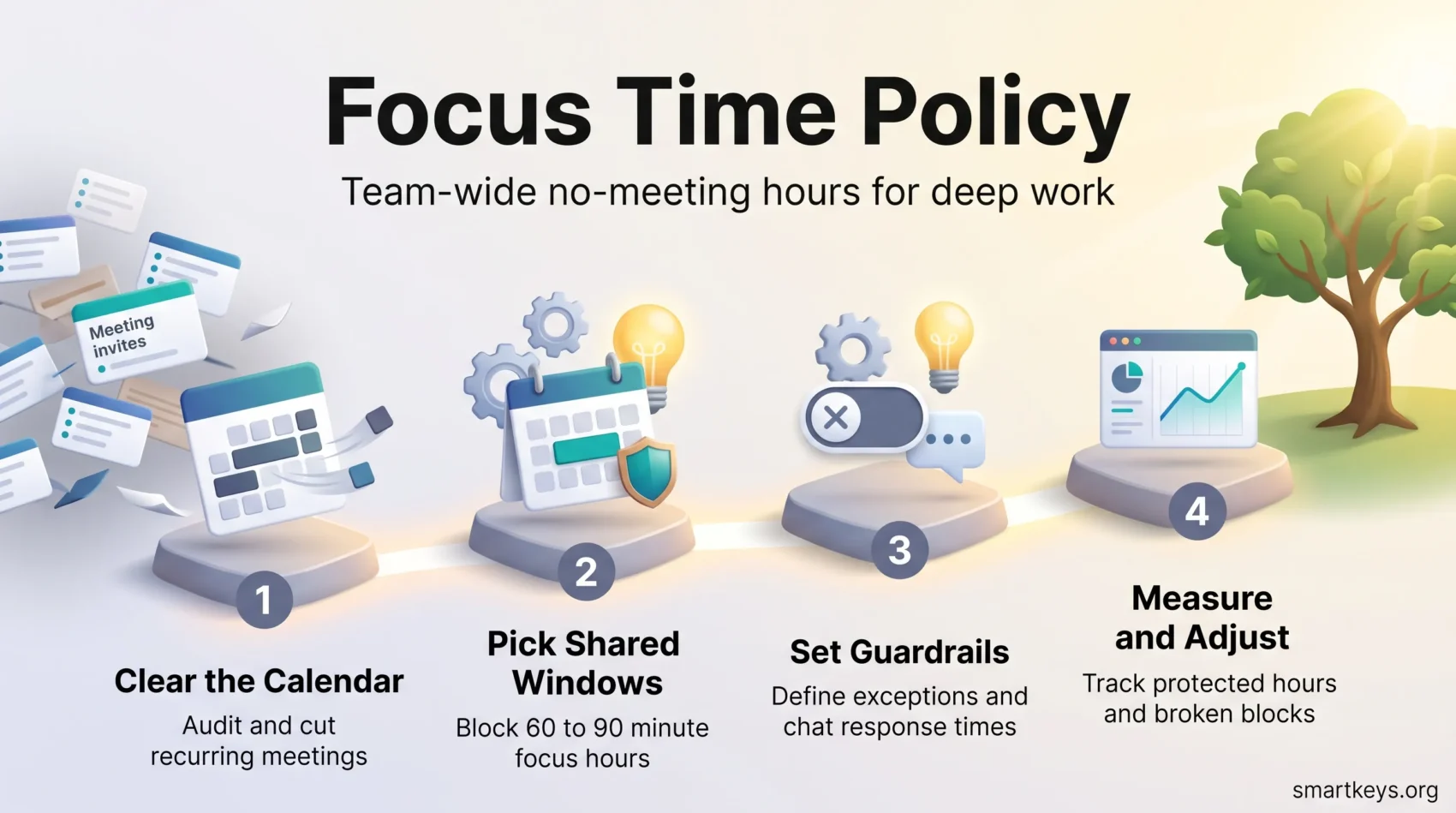
A focus time policy is a simple agreement: your team blocks the same hours each week for concentrated work, and nobody books a meeting inside them.
It sounds too basic to matter. It matters because the modern workday has been chopped into pieces too small for hard thinking to fit. Microsoft analysed anonymised Microsoft 365 usage data for its 2025 Work Trend Index special report. It found people are interrupted roughly every two minutes during core hours by a meeting, an email or a chat message. That is about 275 interruptions a day. In the same report, 48% of employees described their work as chaotic and fragmented.
You cannot fix that with willpower. You fix it by changing the calendar. This guide covers how to choose the hours, how to write rules people actually respect, how to configure it in Google Calendar and Outlook, and how to tell afterwards whether it worked.
Key Takeaways
- A focus time policy reserves recurring no-meeting blocks so the whole team can do heads-down work at the same time.
- Half of all meetings land in the two windows when people concentrate best, so moving them is the single biggest win available.
- Define deep work, agree on chat response times, and the policy stops depending on individual discipline.
- Descriptive calendar titles and a do-not-disturb status make a block visibly defended rather than quietly optional.
- Track a few simple numbers, run a pilot, then adjust before rolling the policy out company-wide.
Why protected focus time matters now
When meetings and messages own your calendar, progress slips away quietly. The problem is rarely effort. It is the absence of long, uninterrupted stretches in which a hard problem can be solved.
The same data gives a sense of the volume. The average worker receives 117 emails a day, most skimmed in under a minute, plus 153 Teams messages every weekday. Meetings after 8pm rose 16% year on year. None of it is individually dramatic. Together it leaves very little contiguous time.
Two findings from that report matter most for a focus time policy:
- 57% of meetings are ad hoc, started as an unscheduled call rather than a calendar invite. A policy that only governs invitations misses more than half the interruptions.
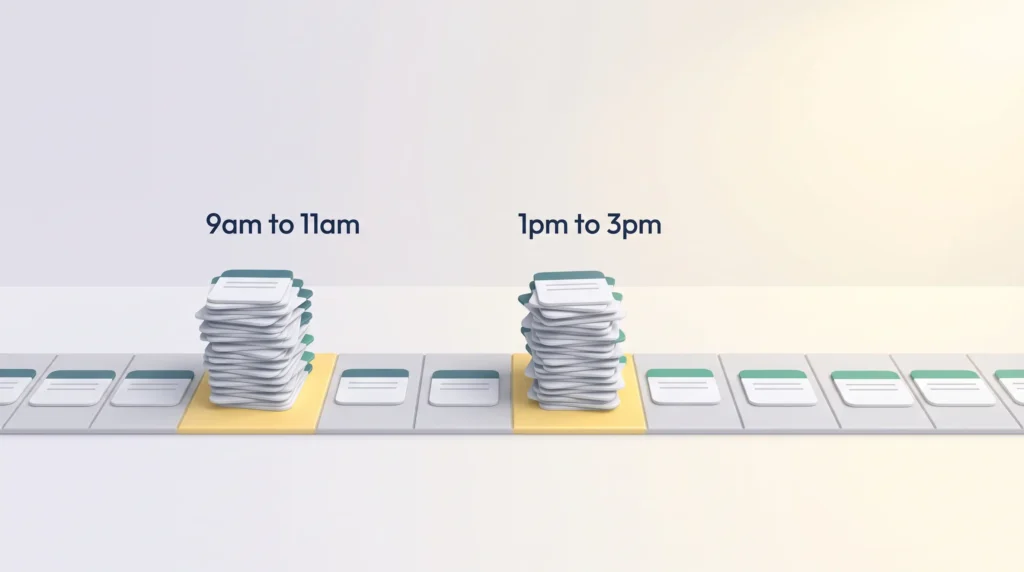
- Half of all meetings fall between 9am and 11am or 1pm and 3pm, the windows most people report as their sharpest. Meetings are competing directly with the best thinking hours of the day.
That second point is the whole argument. You are not asking anyone to work harder. You are asking the organisation to stop scheduling its noisiest activity during its most valuable hours.
What changes when the blocks are protected
Protected windows let you batch the small stuff and reserve long runs for work that needs a running start: a pricing model, a technical design, an analysis with several steps. As interruptions drop, rework drops with them, because you are less likely to lose the thread halfway through.
Cutting the fragmentation also removes one of the quieter drivers of exhaustion. Switching contexts all day feels like effort without producing much, which is a reliable route to the depletion covered in our guide to burnout prevention habits.
What focus time is, and what deep work means
Focus time is a scheduled, uninterrupted calendar block reserved for cognitively demanding work. It is an ordinary calendar event, treated as seriously as a client call.
The idea rests on a distinction the computer scientist Cal Newport drew in his 2016 book Deep Work. Deep work means tasks needing sustained concentration that produce disproportionate value: writing, designing, analysing, solving. Shallow work means the logistics that keep an organisation moving but rarely need full attention: approvals, scheduling, short replies, status updates.
Both are necessary. The mistake is letting them share the same hours: shallow work is loud, deep work is quiet, and the loud one always wins. Our knowledge worker focus framework covers drawing that line for your own role, and the deep work guide covers the practice itself.
Makers and managers need different shapes of day
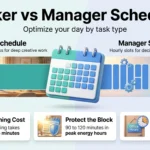
The programmer and investor Paul Graham described the split usefully. Makers work in half-day units, so one meeting in the middle of a morning can cost the whole morning. The fragments left over are too short to start anything substantial. Managers work in hour-long units, and a meeting simply fills one.
So a single policy shape does not fit everyone. Engineers, writers, designers and analysts need long contiguous blocks. Managers need fewer but well-placed ones. A policy that gives everybody the same 45 minutes helps nobody.
Why one task at a time beats several
Working on one thing from setup to finish reduces errors and rework, because you are not paying the cost of reloading context each time you return. The attention researcher Gloria Mark has tracked computer use in workplaces for two decades. She measured that people now spend around 47 seconds on a single screen before switching, down from roughly two and a half minutes in the mid-2000s. Her book Attention Span (2023) sets out the measurements behind that figure.
Protecting a block only helps if you protect your own attention inside it, which is the argument for single-tasking and for rebuilding your capacity to concentrate for longer.
Designing your no-meeting hours
A deliberate no-meeting policy gives the team room to finish priority work. The first decision is scope.
Company-wide hours or department windows
Company-wide hours are simpler: one rule, one set of quiet blocks, no need to remember which team is unavailable when. A common pattern is 9am to 11am daily, or two mornings a week if daily feels too ambitious at first. This works when most of your people share working hours.
Department windows suit teams with genuinely different rhythms: support tied to customer hours, sales tied to buyer availability, engineering needing four-hour runs. The cost is coordination, since cross-functional meetings get harder to schedule, so publish each team’s window where everyone can see it.
There is no universally correct answer. Pick the option that removes the most collisions for the fewest people, and be willing to change it after a quarter.
Guardrails: exceptions, escalation and visibility
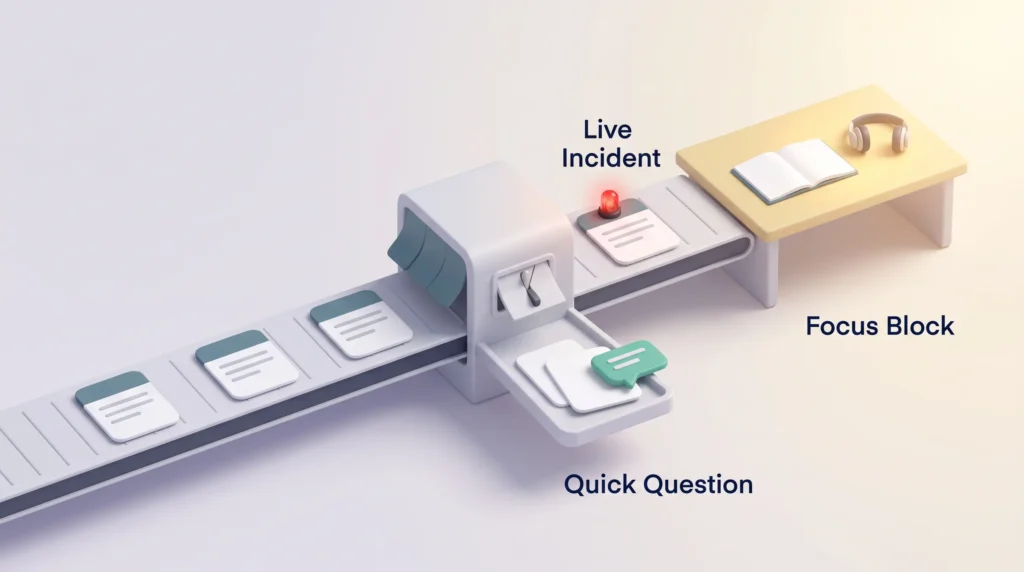
Every policy needs a written answer to “but what if it is urgent?”, or the first genuine emergency quietly ends the experiment. Write down three things:
- What counts as an exception. Usually a live customer incident, a production outage, or a decision with a hard external deadline. Not “a quick question”.
- Who can override a block. Naming a small set of roles stops the exception from spreading.
- How an override is recorded. A line in the invite is enough. Reviewing those lines monthly shows you whether the exception is being abused.
Visibility does much of the work. Name events after the actual task, so “Write Q4 strategy brief” rather than “Focus”. Colleagues respect a block far more readily when they can see what it protects.
Communication norms that hold the policy together
More than half of all meetings begin as unscheduled calls. A policy that stops at the calendar therefore leaves the biggest source of interruption untouched. Pair it with chat rules.
Agree on a do-not-disturb status during blocks and publish a realistic response time for non-urgent messages. Four hours is usually enough; the point is that it is written down, so nobody has to guess whether silence means trouble. Our guide to instant messaging boundaries covers the etiquette, and notification management covers the settings.
The other half is giving people somewhere to put the update that would otherwise have become a meeting. A short written template in a shared channel usually does it. Teams that go further find asynchronous work removes whole categories of recurring call, especially status meetings, and async communication tools make the written version easy to follow. Silent meetings, where people read a document together before discussing it, are a useful halfway house.
How long a block should be
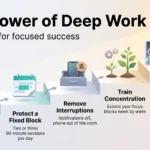
Size the block to the task rather than to a fixed rule. For most cognitive work, 60 to 90 minutes is the smallest block worth defending, because anything shorter gets consumed by getting oriented. Two or three such blocks a day is realistic for most roles. Newport suggests around four hours of genuine deep work per day is the practical ceiling for experienced practitioners, and less for people new to it. That is his own working rule rather than a research finding, but it matches what most teams report once they measure.
A few habits make each block count:
- Set an entry condition. Know the objective and have the documents, data and access ready before the block starts.
- Set an exit condition. A draft, a decision, a working prototype. “Spend two hours on it” is not a finish line.
- Put the hardest work in your best hours. Most people have a window when concentration comes easily. Defend that one first.
- Leave a 10 to 15 minute buffer on either side to prepare and to write down where you got to.
For a structured way to run the session itself, see our guide to focus sprints.
Setting it up in Google Calendar and Outlook
The calendar should do the enforcing, not you. Create recurring events with descriptive titles, colour-coded so deep work, meetings and admin are distinguishable at a glance. Keep the event visible to colleagues but the details private if the work is sensitive: a block nobody can see is a block everyone will book over.
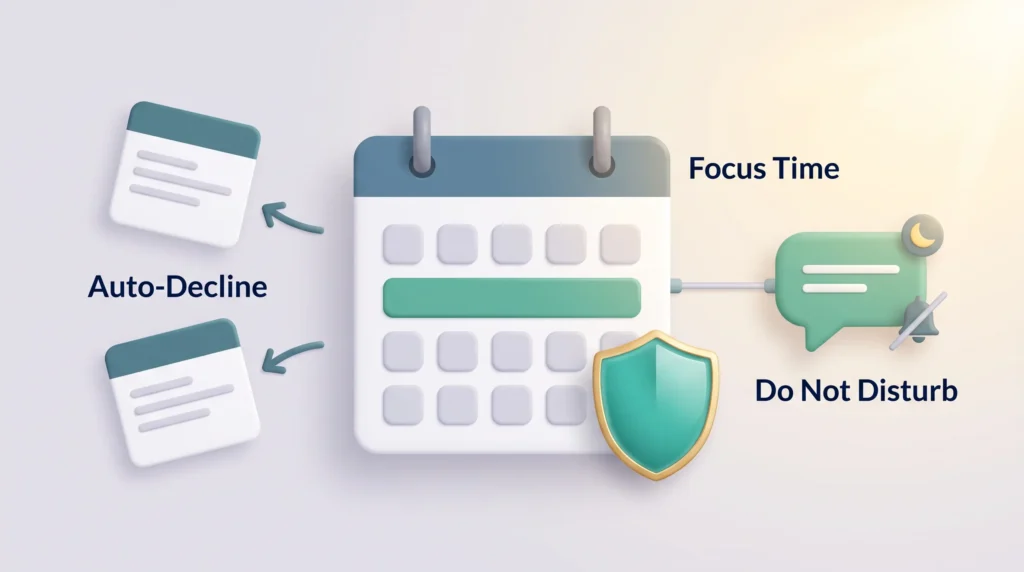
Both platforms help. Google Calendar has a dedicated Focus Time event type that can automatically decline conflicting invitations. Outlook users on eligible Microsoft 365 plans can use Viva Insights, covered in the next section. In both cases, connect the calendar to Slack or Teams so your status flips to do-not-disturb when a block begins, which removes the step people most often forget.
Two supporting habits help. Calendar management keeps the rest of the week from crowding the blocks out, and automated scheduling tools stop slot-finding from eating the space you just created. For the wider practice of assigning every hour a job, see our guide to time blocking.
Naming conventions that deter interruptions
State the outcome, not the category. “Analyse NPS drivers, draft insights” tells a colleague what they would be interrupting. “Focus block” tells them nothing, and an empty-looking hour is an invitation. A one-line checklist in the description helps you too: you start ready and leave with a written next action.
Using Microsoft Viva Insights in Outlook
For organisations on Microsoft 365, Viva Insights can schedule and defend blocks automatically. Its Focus plan books recurring focus time, sets your Teams status to focused so notifications are held back, and silences alerts for the duration.
One configuration choice matters. You can let the Focus plan book blocks every day, which suits predictably busy calendars, or have it fill gaps only when a week looks crowded. Either way, set a realistic daily cap rather than the maximum: a calendar full of blocks nobody honours is worse than three that everyone does.
Viva Insights also reports on your own patterns: when meetings cluster, when you are most often interrupted, how much uninterrupted time you actually got. That data is more useful than the automation, because it tells you where to move the blocks. If your organisation does not have Viva Insights, the manual equivalent works fine: recurring events, a linked do-not-disturb status, and auto-decline switched on.
Measuring whether the policy is working
Without a few numbers you cannot tell the difference between a policy that works and one people are politely ignoring.
What to track
Three signals cover most of it:
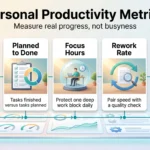
- Protected hours per week. How much focus time is actually on calendars, not how much was intended.
- Interruption rate. How often a block gets broken by a meeting, a call or an override.
- Meeting density. Total meeting hours, and where they now sit. This catches the commonest failure, which is meetings moving rather than disappearing.
Add one output measure so the exercise stays tied to results: milestones completed, or cycle time on a recurring deliverable. Our guide to personal productivity metrics covers how to pick one that does not distort behaviour.
Tools that show fragmentation
Calendar analytics platforms such as Worklytics connect to Outlook or Google Calendar and report aggregated patterns. They show how many uninterrupted blocks of an hour or more people actually get, how meeting load is spread, and how fragmented the average day is. They read metadata rather than content.
One caution, stated plainly: measurement that helps a team protect its time is welcome, and measurement that feels like surveillance is not. Report in aggregate, share the dashboard with the people it describes, and say what is not being collected.
Realistic targets by role
Compare like with like. A maker aiming for two or three long blocks a day and a manager aiming for one are both succeeding. Judge the policy by whether the gap between intended and actual protected hours is closing.
Techniques that make each block count
Structure beats willpower. A defended hour still needs a plan.
The Pomodoro Technique, developed by Francesco Cirillo in the late 1980s, splits work into 25-minute intervals separated by short breaks. Inside a 90-minute block that gives three intervals and two pauses, which suits work that is demanding but repetitive: reviewing, testing, drafting. Free timers such as Pomofocus run the cadence and log sessions. For work needing a longer run-up, one uninterrupted stretch beats three timed ones.
Two habits pair well with the policy:
- Batching. Group approvals, short replies and expense claims into one or two slots outside the protected blocks, so they stop leaking into them.
- Day theming. Give whole days or half-days a subject: strategy on Monday, operations on Wednesday, writing on Friday. It cuts setup costs, because you reload the same context once instead of five times.
Start each block with a short list mapped to that block alone, rather than your whole backlog. Our guide to effective to-do lists covers how to size that list, and prioritisation covers deciding what earns a block in the first place.
Rolling the policy out
Pilot before you scale: one department, four to six weeks, with a few agreed measures.
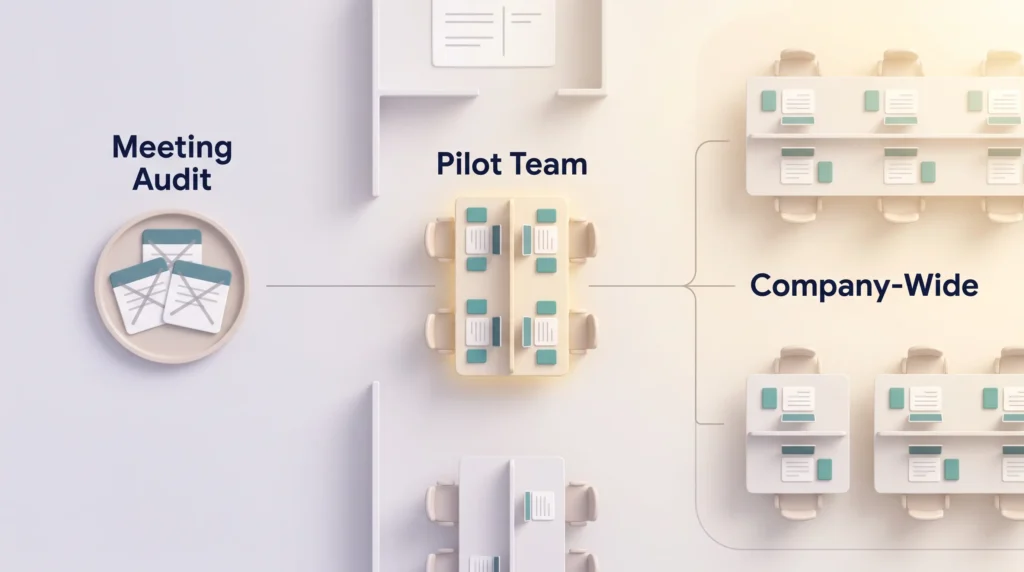
Pilot scope and success measures
Set modest targets. Two extra hours of protected time per person per week, plus a noticeable fall in blocks broken, is a good first result. Collect a two-question survey each Friday: did you get your blocks, and did anything useful come out of them.
Resist expanding early because it is going well. The failure mode usually appears in week three, when the novelty fades and the first genuinely awkward meeting request arrives. That week tells you whether the guardrails are clear enough.
Clear the calendar first
A no-meeting policy imposed on an already overloaded calendar just pushes meetings into the remaining hours. Run a meeting audit first: cancel recurring meetings nobody can justify, shorten defaults from 60 to 45 minutes and from 30 to 25, and require an agenda for anything recurring. Our guide to running effective meetings covers what should survive the cut. The audit creates the space; the policy only protects it.
Handling the awkward cases
- Flexible holds. Mark some blocks as movable so people have a legitimate answer other than breaking the rule.
- Auto-decline with a reason. A decline that explains the policy and offers alternative times reads as helpful. A silent one reads as rude.
- Time zones. With distributed teams the shared quiet window may be a single overlapping hour. Protect that one for collaboration and let each region set its own focus blocks.
- Self-interruption. Some of it comes from inside. Website blockers during protected hours handle that part.
Conclusion
A focus time policy turns a good intention into a standing arrangement. It works because it moves the decision from the individual, who has to defend an hour against a colleague every time, to the organisation, which decides once.
Start small. Pick one window, write down what counts as an exception, agree a chat response time, and measure whether the blocks survive. Revisit it each quarter, because a window that fitted in January may not fit in September.
The gain is not that people work more hours. It is that a predictable share of the hours they already work goes to the things that only get done when nobody is interrupting.
Found this useful?
Make SmartKeys a preferred source on Google, and our articles will surface more often in your Top Stories, AI Overviews, and AI Mode.
Add as Preferred Source