A knowledge worker is someone whose main output is thinking: analysis, decisions, designs, plans. If that describes your job, attention is the raw material you work with. Everything else is a tool.
Attention is also under constant attack. Microsoft’s 2025 Work Trend Index, built on anonymised Microsoft 365 usage signals, found that employees get a meeting invitation, email or chat message roughly every two minutes during core hours: about 275 interruptions a day. Nearly half described their work as chaotic and fragmented.
This guide gives you a framework for getting that focused time back: where the overload comes from, how to rebuild your week around your best hours, and how managers can protect focus without micromanaging. If you want the underlying method first, our guide to deep work strategies explains the concept and how to build the habit.
Key Takeaways
- Attention, not time, is the scarce resource in knowledge work.
- Most overload is structural: too many tools, too many meetings, no agreed response times.
- Fixed rules beat willpower. Protected blocks, batched communication and quiet hours do the work.
- AI helps when it removes searching and drafting, not when it adds another inbox.
- Managers set outcomes and guardrails; the method stays with the person doing the job.
Why focus decides what your workday is worth
Two people can put in the same eight hours and produce very different value. The difference is usually not effort. It is how much of that time was continuous.
Strategy and problem solving need long stretches because the work happens by connecting things: this number against that trend, this complaint against that design decision. Connections form slowly and break instantly, so a five-second glance at a notification costs far more than five seconds.
Gloria Mark, a researcher at UC Irvine who has tracked computer use at work for two decades, found that average time on a single screen before switching fell from about two and a half minutes in 2004 to roughly 47 seconds in her recent studies. Her work on how attention spans have changed at work is one of the few long-running datasets on this.
“Protecting focus is not a luxury. It is a management decision that shapes how real work gets done.”
When the long stretches disappear, the day fills with what is left: quick replies, status updates, small approvals. It feels productive and moves nothing forward. The fix is not working harder inside a fragmented day, but changing the shape of the day.
What a knowledge worker is, and how the role differs
Not every desk job is knowledge work, and the distinction changes how you should plan your time.
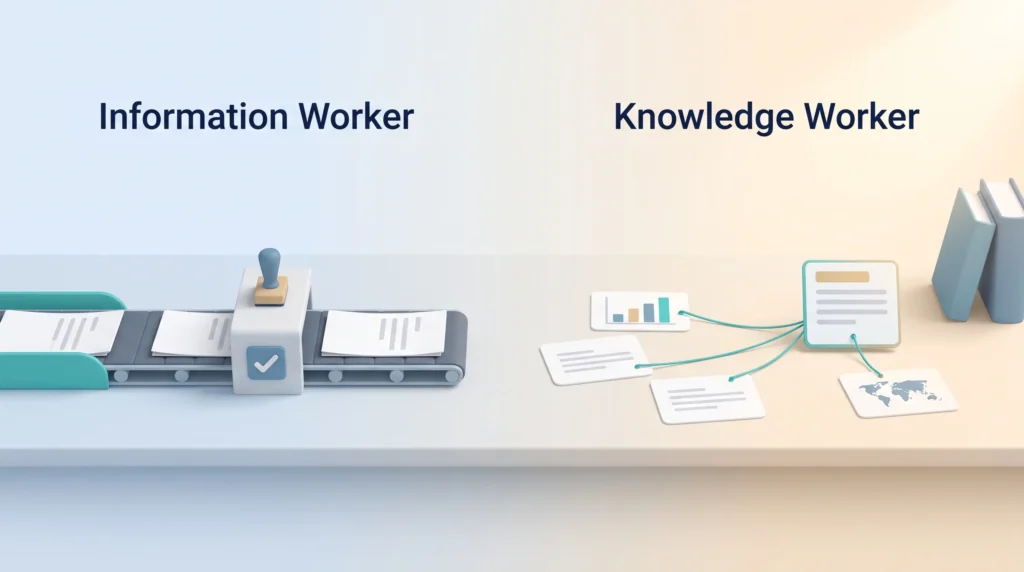
An information worker moves information through a defined process: entering claims, routing tickets, checking documents against a rule. A knowledge worker decides what the information means and what to do about it. The first job has a right answer somewhere in a manual; the second usually does not. Processing work survives interruption reasonably well. Judgement work does not.
Examples across today’s economy
Typical roles include software engineers, architects, financial analysts, pharmacists, lawyers, designers, marketers and researchers. A pharmacist checking an unusual drug interaction is doing knowledge work; the same pharmacist scanning barcodes is not. Most jobs mix both, and knowing which parts are which tells you where the protected hours belong.
Exploration versus exploitation
Management research splits work into two modes. Exploitation means getting better at what the company already knows how to do: shaving costs, tightening a process. Exploration means finding out what it does not know yet: testing a new pricing model, prototyping a feature nobody asked for. Exploration is where most knowledge work sits, and it suffers most from a fragmented calendar.
Where the term came from
Peter Drucker coined “knowledge worker” in his 1959 book The Landmarks of Tomorrow and developed it in The Effective Executive in 1966. In a 1999 California Management Review article he called raising their productivity the central management challenge of the 21st century. It has not been solved so much as buried under notifications.
The knowledge economy in 2026: what has changed
Three shifts have reshaped the daily reality of this work, and each one cuts both ways.
AI is in the workflow, not next to it
Gallup surveyed US employees in February 2026 and found half now use AI at work at least occasionally, 28% at least a few times a week and 13% daily. Four in ten say their employer has adopted AI in some form.
The practical effect: drafting and research got faster, while the volume of material to review went up. AI removes the blank page, not the need to decide what is right, and reviewing a plausible-looking draft is demanding work in itself. Our guide to AI-powered assistants at work covers where the savings are real.
Distributed by default
Teams routinely span several countries and time zones, so the default coordination mode has to be written and asynchronous. Teams that never switch just schedule more meetings, and Microsoft found 57% of meetings now happen with no calendar invitation at all. Practical patterns are in our guide to asynchronous work.
High autonomy, high burnout risk
Knowledge workers usually control their methods but rarely their volume. When priorities are vague and the inbox never empties, autonomy turns into a permanent obligation to be reachable. Meetings after 8pm rose 16% year on year in Microsoft’s data, which tells you where the extra hours go.
- Agree response windows in writing, so “urgent” has a definition.
- Give everyone the same collaboration tools, not one set per department.
- Measure decisions made and problems solved, not hours visibly online.
Where information overload really comes from
Overload feels personal, as though you should simply cope better. It is almost always structural, with three sources.
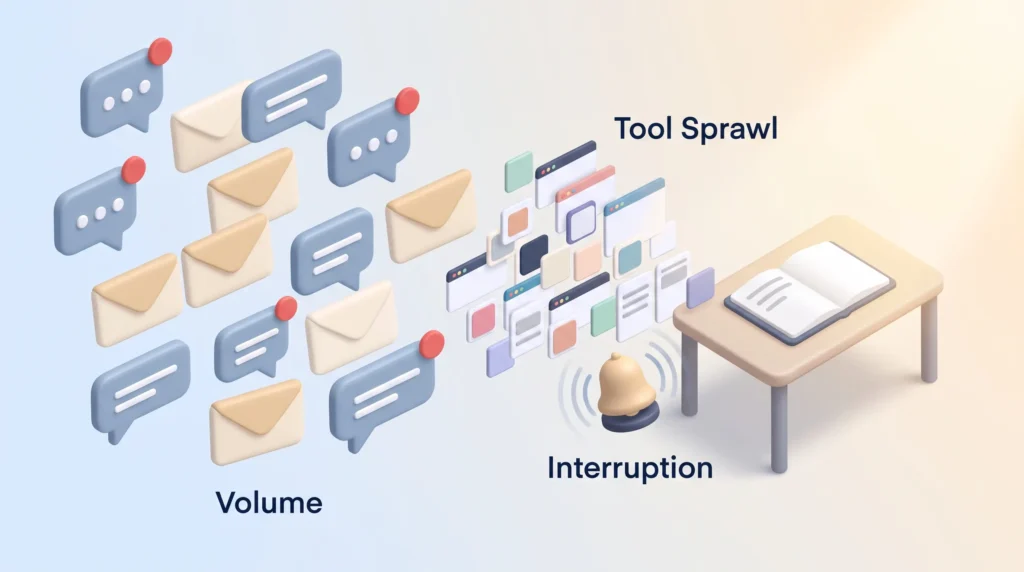
Volume. Microsoft’s data puts the average at 117 emails and 153 chat messages received per working day. Most emails get under a minute of attention, so most of that reading produces nothing.
Tool sprawl. Every extra app is another place to check, search and lose the current version of something. The cost is not the licence fee; it is the search time.
Interruption. Chat carries an implicit promise of a fast reply. Multiply that by a dozen channels and no protected stretch survives. Our piece on managing work notifications covers the settings that matter most.
What it costs
Switching tasks is not free. Each switch leaves part of your attention on the previous task, so errors rise and decisions slow down, as our articles on why multitasking hurts productivity and mastering task switching set out. The visible symptom is a full day with nothing finished. The hidden one is that the hardest work keeps sliding to a quieter tomorrow that never arrives.
Five friction categories worth auditing
- Physical: distance and time zones that delay every handoff.
- Technical: slow, fragmented or duplicated tools.
- Social: a culture that rewards instant replies over finished work.
- Contextual: silos and conflicting goals between teams.
- Temporal: no uninterrupted time in the calendar at all.
Each has a different fix, so name the one that is actually biting before changing anything. A single reliable place to capture tasks and decisions removes a surprising amount of search overhead.
For the individual side of this, including a daily routine for uninterrupted work, see how to build a deep work routine.
A practical focus framework
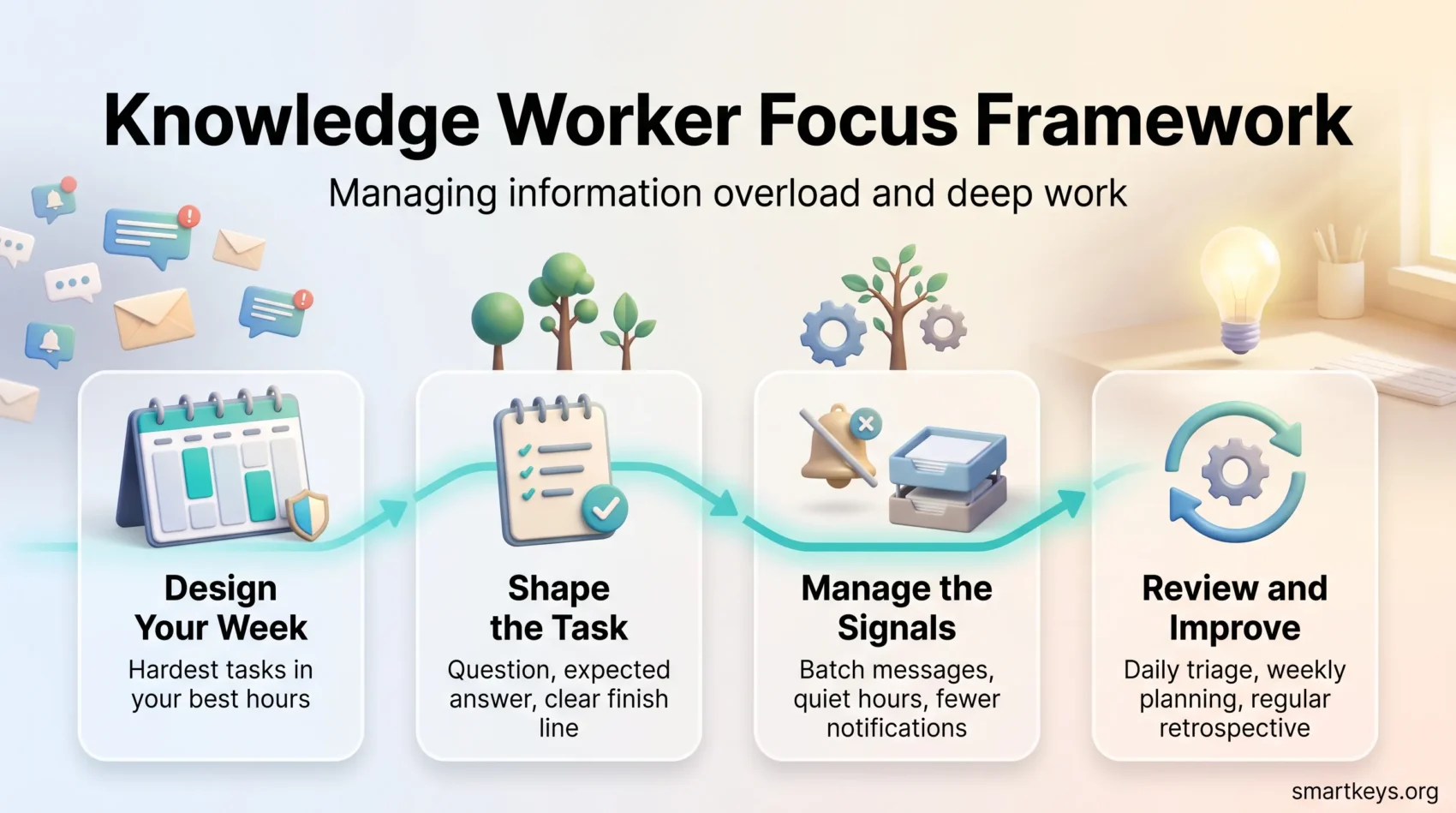
The framework has four parts: how the week is shaped, how tasks are defined, how signals are handled, and how often you check that it works.
Design your week
Put your two hardest tasks in your best hours and defend them. Batch communication into two or three windows instead of a continuous trickle, and agree one shared collaboration window so synchronous work has a home and the rest of the day does not.
A realistic starting point is two blocks of 90 minutes, three days a week. Our guides to time blocking and to setting a team-wide focus time policy cover the calendar mechanics in Google Calendar and Outlook.
Shape the task before you start
Most focus blocks fail because the task was never defined. “Work on the pricing model” is a topic, not a task, and you will spend 25 minutes deciding what you meant.
Write three lines before the block: the question you are answering, what you think the answer is, and what finished looks like. If you cannot write the third line, the task is too big and needs splitting. Choosing what deserves a block is a separate skill, covered in our guides to prioritisation and task prioritisation frameworks.
Manage the signals
- Set one rule per channel: what belongs in email, what belongs in chat, what deserves a call.
- Define quiet hours and one escalation path for genuine emergencies.
- Turn off notifications you have never acted on. Most people can cut the majority in ten minutes.
- Handle email in fixed slots. Our guide to email batching explains how to set them.
Review cadence
Run a five-minute daily triage, a proper weekly planning session, and a short retrospective every two weeks. The retrospective is the part people skip and the part that makes the system improve. Ask one question: what broke a focus block this fortnight, and can we remove it?
Tools that manage information for you
Every tool you add is a promise to check it. Choose few, and choose ones that reduce searching.
AI as a thinking partner
The reliable wins are narrow: summarising a long thread before you join a decision, finding the document you half remember, drafting a first version you will rewrite. Enterprise search tools that read across your own systems, such as IBM watsonx, are built for this.
The unreliable win is asking AI to make the judgement call. Check anything you would be embarrassed to get wrong, especially numbers and names. For the more automated end, see our guide to AI agent workflows.
One source of numbers, one home for decisions
Dashboards only help when everyone looks at the same figures. Two teams with two versions of revenue argue about the data instead of deciding anything, so do the integration work before buying another visualisation layer.
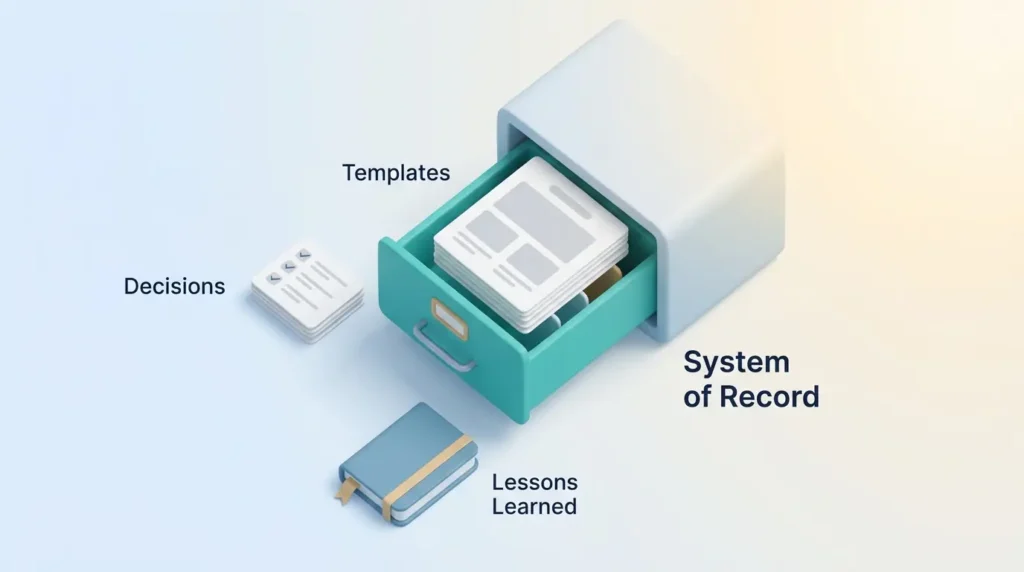
Then pick one system of record for decisions, templates and lessons learned, and make writing there part of finishing work rather than an extra chore. A second brain setup keeps your own notes searchable; our guide to modern knowledge management covers the team version.
Managing knowledge workers without micromanaging
You cannot supervise thinking by watching it happen. You can make the target clear and remove obstacles.
Outcomes, not oversight
Give each role a short list of responsibilities and no more than three outcome metrics, then use the weekly one-to-one to unblock rather than inspect. Managers who model the behaviour matter more than the policy: if you send chat messages at 10pm, quiet hours are decorative.
Knowledge management people actually use
A repository nobody searches is a slower filing cabinet. Two things make the difference: it is genuinely searchable, and writing to it is part of finishing the work rather than added after. The payoff shows up when someone leaves or joins. Written standard operating procedures are the most portable version of this.
Adaptive case management
For work that cannot become a fixed process, define the goal, the guardrails and the escalation path, then leave the method to the person doing it. Legal, clinical and investigative teams have worked this way for years, and it transfers well to any team where every case is slightly different.
“Set the outcome, protect the focus, and make it normal to write down what you learned.”
Rolling it out: a step-by-step roadmap
Do not announce a focus programme. Run a small pilot and let the results argue for you.
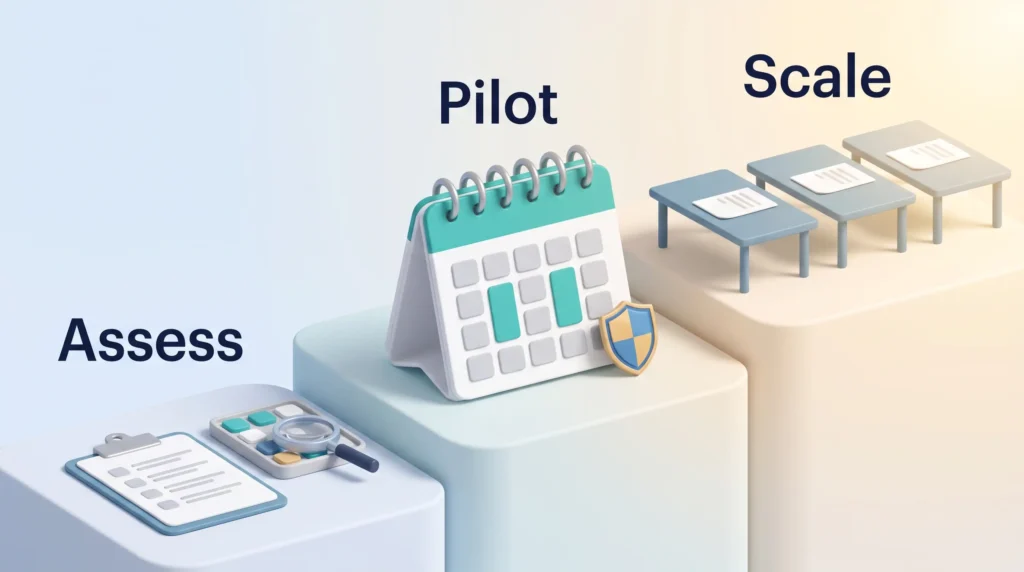
Assess, then pilot with one team
List every tool the team uses and what each is officially for, note where the same information lives twice, and ask people what interrupted them most this week. The answers are usually consistent and fixable.
Then run four to six weeks with one team: protected blocks, batched communication, one agreed response-time norm. Measure two things that are easy to count and hard to argue with. How long work takes from start to finished, and how many days had at least one uninterrupted 90-minute block.
Meetings are usually the fastest win: a short meeting audit often frees several hours a week on its own. Energy matters as much as hours, which our guide to energy management covers.
Scale with light governance
Write what worked as a one-page playbook, not a policy manual, and keep a decision log so the reasoning survives the people. Then let teams adapt the details, because a rule imported from another team’s calendar rarely fits.
- Track leading indicators: fewer interruptions, shorter cycle times, more finished work.
- Publish the wins so other teams ask to join.
- Revisit the playbook quarterly and delete what nobody uses.
Conclusion
If your job is turning information into decisions, protecting attention is the highest-leverage thing you can do. Not an app, not a methodology: uninterrupted time, reliably, every week.
The obstacles are mostly structural, which is good news, because structures can be changed. Cut the tools nobody needs, agree what urgent means, and defend your best hours the way you would defend a client meeting.
Start with one change this week: two protected blocks, notifications off, one clearly defined task in each.
Found this useful?
Make SmartKeys a preferred source on Google, and our articles will surface more often in your Top Stories, AI Overviews, and AI Mode.
Add as Preferred Source