

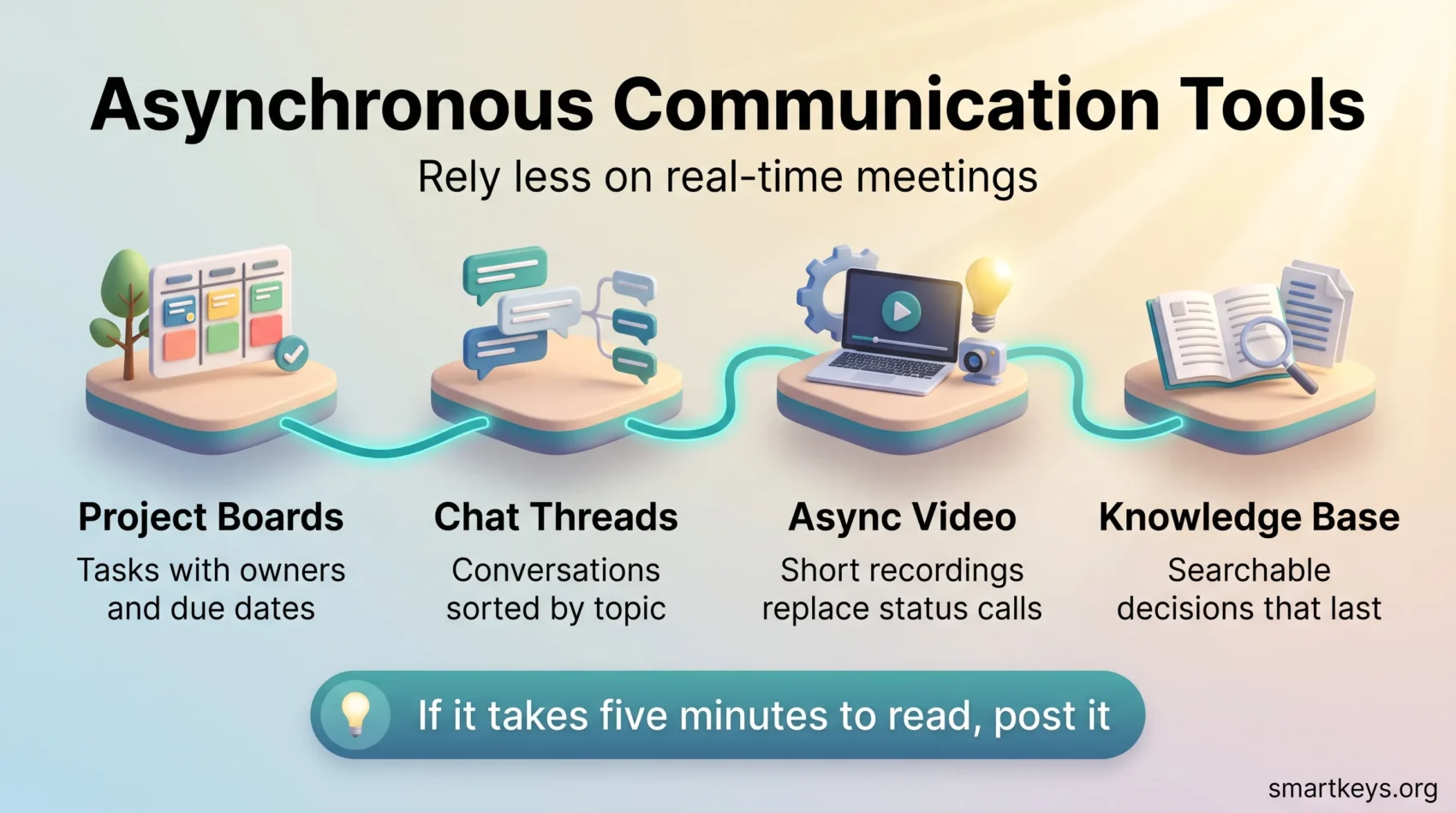
You can cut back on routine live meetings and keep your team aligned by using recorded updates and clear written threads. Asynchronous communication simply means people do not have to be online at the same moment: someone posts an update, and colleagues read or watch it when it suits their day. A 30 minute status call becomes a five minute screen recording plus a short written summary.
That shift buys two things. People get longer stretches of uninterrupted work, and every decision leaves a written or recorded trail that new joiners and absent colleagues can find later.
This guide covers the practical side: which updates genuinely belong in a meeting, how the best asynchronous communication tools compare by category, what the main options cost in 2026, and how to run the change without losing clarity.
Key Takeaways
- Short recordings and threaded written updates replace most status meetings without losing clarity.
- Async formats create a searchable record, which helps onboarding, audits and anyone who missed the discussion.
- Pick the format by goal: quick alignment, focused work, or a decision that has to be findable in six months.
- The features that matter most are search, transcripts, version history and clear ownership.
- Live time still wins for debate, conflict and relationship building. Async is not a replacement for all of it.
What asynchronous communication actually means
Synchronous work asks everyone to be present at once. Calls, live meetings and real-time chat all fall into that group. Asynchronous work does not. Someone writes a message, records a walkthrough or updates a task card, and the reply arrives an hour or a day later.
The difference is not just timing. When a reply is not expected within seconds, people answer with context in hand rather than off the top of their heads. The trade-off is speed: an urgent decision that needs three people in a room will move faster in a room. For the wider picture of how teams make asynchronous work the default, from reply-time rules to culture, see our pillar guide. This article stays with the software.
Async and sync side by side
- Async fits: status updates, progress reports, design feedback, approvals, documentation, anything that crosses time zones.
- Sync fits: disagreement, sensitive feedback, brainstorming that needs momentum, and the first conversation with a new client or colleague.
- Async costs: a slower path to a decision when several people have to weigh in.
- Sync costs: everyone’s calendar, plus the focus time destroyed on either side of the block.
A useful test before you book anything: if the update can be read or watched in five minutes and needs no live argument, post it instead. Our guide to running a one-on-one meeting covers the conversations that genuinely deserve live time.
Why the meeting load keeps growing
Meeting overload is measurable, not just a feeling. Microsoft’s special Work Trend Index report “Breaking Down the Infinite Workday” analysed anonymised Microsoft 365 telemetry and found that people are interrupted every two minutes during core hours, adding up to roughly 275 interruptions a day from meetings, emails and chats.
The same report shows where those meetings come from. About 57% are ad hoc calls with no calendar invite at all, and roughly one in ten scheduled meetings is booked at the last minute. Half of all meetings land in two narrow windows, 9 to 11 in the morning and 1 to 3 in the afternoon, which is exactly when most people would otherwise do their hardest thinking.
Distributed teams feel it twice. Nearly a third of meetings now span multiple time zones, up 35% since 2021, and meetings after 8 pm have risen 16% year over year. Someone is always attending outside their working day.
That is the practical case for async. It is not that meetings are bad. It is that the default has drifted, and the calendar has no natural brake. A structured meeting audit is the fastest way to see how much of your own calendar is recurring habit, and a team-wide focus time policy gives the reclaimed hours somewhere to go.
Which meetings you can safely replace
Not every meeting has an async equivalent. Sorting them honestly is what makes the change stick, because a team that tries to convert everything will quietly go back to the calendar within a month.
Replace these first. Recurring status meetings, written progress reports read aloud, demo walkthroughs, approval requests, and any meeting whose agenda is “let’s sync”. These share one trait: the information flows in one direction, and the live format adds nothing to it.
Convert these partly. Design reviews and retrospectives work well if people read or watch the material asynchronously first and then use a short call only for the disagreements. Silent meetings formalise exactly that pattern: everyone reads in the room, then talks about what surfaced.
Keep these live. Performance conversations, conflict, layoffs, negotiation, early-stage brainstorming and onboarding a new hire in week one. When tone carries part of the message, text strips it out. If you run these as hybrid calls, hybrid meeting etiquette matters more than the tool you use.
The four categories of async collaboration tools
Give each category one clear job so people stop guessing where to post. Most teams need one option from each of the four groups below, not four options from one group.
Project platforms: tasks, boards and timelines
Asana, Trello, Jira and Basecamp hold the work itself. Each task carries an owner, a due date and a comment thread, so blockers surface without a status call. If you are choosing between the two most common options, our Trello vs Jira comparison and ClickUp vs Asana comparison break down where each one fits.
Messaging and channels: threads, mentions and search
Slack and Microsoft Teams route conversation by topic. The feature that decides whether a channel stays async is threading: without it, every message pulls the whole channel into real time. Our Slack vs Microsoft Teams comparison covers the plans and limits in detail.
Async video and screen recording
Loom, Claap and Grain let you record your screen and camera, share a link, and collect comments at specific timestamps. This is the format that replaces the most meetings, because showing a bug or a prototype in 90 seconds beats describing it in three paragraphs. Our guide to Loom and its alternatives covers what happened to Soapbox and what to use now.
Whiteboards and knowledge bases
Miro and MURAL carry ideation, with templates, sticky notes and voting that work fine when people contribute at different hours. Notion, Confluence and Coda hold the documentation that outlives any single project. See our overview of digital whiteboards for collaboration and the Notion and Coda comparison for the differences that matter in daily use.
What the main tools cost in 2026
Pricing is where async plans quietly get expensive, because most of these tools bill per seat and everyone on the team needs a seat.
Jira is free for up to 10 users. Paid Cloud plans run at $7.91 per user per month for Standard and $14.54 per user per month for Premium, with Enterprise quoted individually and billed annually. Note that you pay for licensed seats, not active ones. Our full Jira review goes through what each tier actually unlocks.
Loom keeps a free Starter plan capped at 25 videos per person and five minute screen recordings. Business costs $18 per user per month, and Business with Loom AI costs $24 per user per month, with Enterprise quoted on request.
Claap offers a free Basic licence with 10 videos per user and 300 minutes of recording, plus transcripts in 99 languages, an AI summary and a Chrome recorder. Paid Pro and Business licences are billed per licence per month, with roughly a 20% discount for annual billing. Claap does not publish a fixed public figure that can be confirmed here, so treat any quoted price as one to check directly.
Two practical points. First, a five minute recording cap sounds generous until you try to demo a full workflow, so test your real use case inside the free tier before you commit. Second, per-seat pricing across four tools adds up quickly for a team of twenty. Costing the full stack before rollout avoids an awkward conversation later.
How to choose a tool for your team
Choose the platform that matches the work you actually do, not the one with the longest feature list.
Start from use cases. Write down the four or five things you need covered: status updates, approvals, brainstorming, knowledge capture, customer handoffs. Match each one to a specific feature. “Approvals” means version history and a clear audit trail. “Knowledge capture” means search that works across attachments.
Then check auditability. Activity feeds, version history and automatic logs are what make a decision traceable six months later. This is the feature people skip when comparing tools and regret when a client asks who approved what.
Then check integrations and permissions. The tool has to connect to your calendar, your storage and your identity provider, and role-based permissions have to be granular enough to let a contractor see one project and nothing else.
A short evaluation checklist
- Map each use case to one must-have feature, and ignore the rest of the feature list.
- Confirm search works across message text, file contents and video transcripts.
- Check audit logs, version history and role-based permissions before you shortlist.
- Time the friction: how many clicks to post a quick update or tag a colleague?
- Run a two week pilot with two or three shortlisted options and one real team.
- Price the full stack per seat, including the tools you already pay for.
“Pick a system that reduces friction. Teams adopt what makes their day easier and quietly abandon everything else.”
Implementation playbook: moving from meetings to messages
Start with one rule everyone can remember. If a status update or a decision can be read or watched in five minutes, post it instead of booking a meeting. That single sentence does more than a policy document, because people can apply it without looking anything up.
Set response windows so nobody feels ignored
The most common async failure is not slowness. It is uncertainty. When people do not know whether a reply takes ten minutes or two days, they escalate to a call. Publish a short list of channel conventions instead: chat within four hours, project comments within one working day, documents within two. Write down which channel is for genuine urgency, and keep that one narrow.
Standardise templates for updates, decisions and approvals
Create one-page templates for weekly updates, decision logs and approval requests. Each needs the same three headers: goal, owner, due date. Templates matter more in async than in a meeting, because nobody can ask a clarifying question in the moment. Our meeting notes templates work as a starting point for decision logs too.
Record and summarise so meetings become optional
When a live meeting does happen, record it and post a short written summary next to the recording. The summary is the part people actually read; the recording is there for anyone who needs the detail. An AI meeting notes workflow handles the transcription and first draft, and pairing it with organised audio notes keeps the archive searchable rather than just large.
Connect the tools so context follows the work
Automate the links between systems: a board update should reference the related document, and a recording should land beside the task it explains. Slack connects to Trello and Notion, Jira links issues to messages, and most video tools post automatically into a channel. Without those connections, people spend their reclaimed time hunting for context.
Protect the time you free up
Cancelling meetings only helps if the hours turn into focused work rather than more chat. Block the reclaimed windows explicitly, agree that they are meeting-free, and treat them as real commitments. Our guides to deep work and focus tools cover how to hold those blocks once you have them.
Running async across time zones
Async pays off most where overlap is smallest. A team spread across three continents may share only two working hours a day, which makes every live meeting expensive for someone.
Two practices carry most of the weight. First, write handoffs that assume no follow-up question is possible: what you did, what is blocked, what the next person should do first. Follow-the-sun scheduling lives or dies on the quality of that handoff note. Second, rotate the pain. If one live call a week is unavoidable, move it so the same region does not always take the evening slot.
If your team is distributed rather than fully remote, the same habits apply. Our guides to virtual offices in a hybrid workforce and building async-first norms go further on the culture side.
Measuring whether it worked
Turn the change into numbers before anyone asks you to justify it. Three measures are usually enough.
- Time returned: count the meetings cancelled or converted, multiply by attendees and duration, and check calendar logs to confirm the blocks stayed free.
- Response and throughput: track how long replies take in each channel, and watch cycle time on your board to make sure work is not simply moving slower.
- Findability: monitor search use, document views and recording views. If nobody opens the archive, the record is not doing its job.
Watch reopen rates on tasks as well. A task that keeps coming back usually means the written brief was unclear, which is a template problem rather than an async problem.
Share a short monthly summary showing hours saved, response times and adoption. Include the cases where a live conversation worked better, because a report that only shows wins stops being believed.
Where async goes wrong
Three failure patterns account for most abandoned rollouts.
Async becomes always-on. If people feel they must monitor five channels continuously, you have added work rather than removed it. Response windows are the fix, and managers have to model them by not replying at midnight.
The record becomes an archive nobody searches. Recordings pile up without summaries or tags, and finding anything takes longer than asking. Every recording needs a written summary and an owner.
Quiet people get quieter. Written channels favour fast, confident writers. Explicitly invite specific people into decisions, and use structured formats where everyone contributes before anyone comments.
Conclusion
The clearest path to fewer meetings is a small stack your team actually trusts. One messaging hub, one board, one knowledge workspace and one recorder is enough. Adding a fifth tool usually adds confusion rather than capability.
Move routine work into that stack, and keep live time for debate, difficult conversations and the relationship building that text handles badly. Then measure the result: meeting hours saved, time to decision, and whether work is still shipping at the same pace.
Start small this week. Convert one recurring meeting into a written update or a short recording, run it for a month, and let the result decide whether you go further.
Found this useful?
Make SmartKeys a preferred source on Google, and our articles will surface more often in your Top Stories, AI Overviews, and AI Mode.
Add as Preferred Source




