

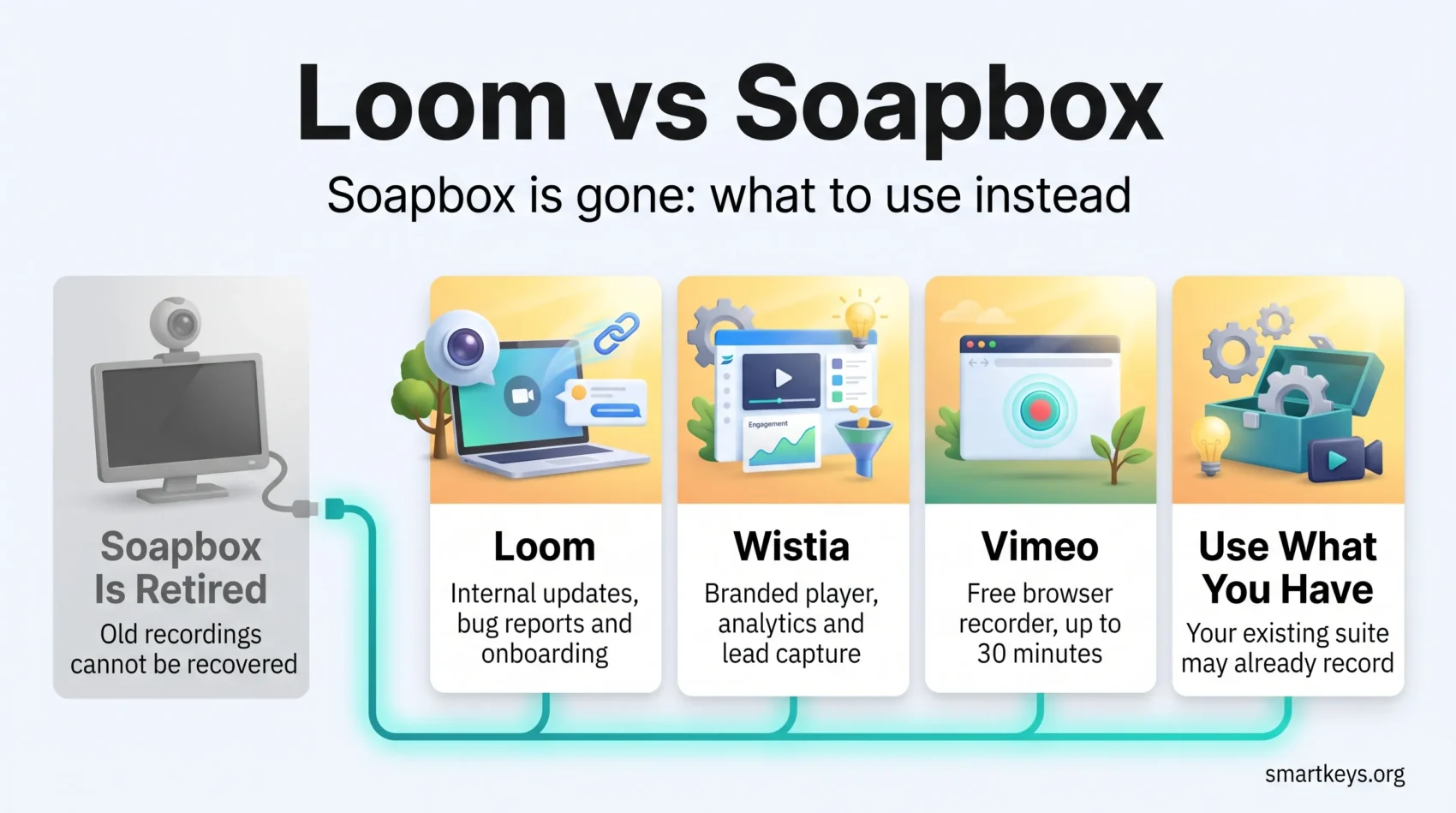
If you are weighing Loom against Soapbox, the choice has already been made for you: Wistia switched Soapbox off on 1 September 2024. The tool is gone, and so are the recordings that lived on it. What is left is a more useful question: which video messaging tool should you actually run in 2026, and what does it cost?
This guide covers what happened to Soapbox, what Loom looks like today under Atlassian ownership, and how Wistia’s built-in recording works as the official successor. It also looks at Vimeo’s free recorder, the other name that comes up in this comparison, and shows how to pick without paying for a marketing platform you do not need.
Key Takeaways
- Soapbox was retired on 1 September 2024. Old recordings cannot be viewed, downloaded or recovered.
- Wistia moved recording into its main platform, so the honest comparison today is Loom versus Wistia.
- Loom’s free Starter plan covers 25 videos per person, capped at five minutes each and recorded at up to 720p.
- Loom’s paid tiers start at $18 per user per month, and most AI editing sits on the $24 Business + AI plan.
- Loom is a messaging tool first; Wistia is a hosting and marketing platform first. Choose by job, not by feature count.
- Vimeo’s browser recorder is the strongest free fallback if the five-minute cap is the only thing holding you back.
What Happened to Soapbox
Soapbox was Wistia’s browser-based recorder, built for switching between webcam and screen mid-take. It ran as a Chrome extension, offered a split view of camera and screen, and gave each video a branded sharing page with basic viewing stats. Marketing and sales teams liked it for quick prospect videos. It has not existed since 1 September 2024.
Wistia’s own help centre is blunt about the consequences: Soapbox recordings “can no longer be viewed, downloaded, or recovered”, even by its support team, because the platform and its servers no longer exist. There is no export window left and no archive to request.
That matters beyond nostalgia. Any comparison you find that quotes Soapbox pricing tiers or feature roadmaps is describing a product you cannot buy. If you landed here from an old bookmark, treat every Soapbox link in your documentation as dead.
What to Do If You Still Have Soapbox Links
- Audit your knowledge base and onboarding docs for Soapbox URLs and remove or re-record them.
- Assume nothing is retrievable. Re-recording is the only path back.
- If Soapbox was your only reason for using Wistia, you are now choosing a tool from scratch rather than migrating one.
This is also a good moment to rethink what belongs in a video at all. A written runbook survives a vendor shutdown; a hosted recording does not. Tools like a shared notes system are worth pairing with any video workflow for exactly that reason.
Loom in 2026: What It Is and Who Owns It
Loom records your screen, your webcam or both, then turns the result into a shareable link. Viewers can comment, react and jump through an automatic transcript without downloading anything.
The ownership question comes up often. Atlassian completed its acquisition of Loom on 30 November 2023, in a deal valued at roughly $975 million. Loom still ships as its own product, but the roadmap now leans hard into Atlassian’s stack, which is the single biggest factor in whether it fits your team.
Loom Pricing in 2026
Loom publishes four tiers:
- Starter: free. 25 videos per person, a five-minute cap per recording, recording at up to 720p, and up to 50 members in a workspace.
- Business: $18 per user per month billed monthly, or about $15 on annual billing. Unlimited videos, unlimited recording length, recording at up to 4K, and password protection.
- Business + AI: $24 per user per month billed monthly, or about $20 on annual billing.
- Enterprise: custom pricing, quoted by sales. Adds single sign-on (SSO, one company login for every tool) and automatic user provisioning.
Do the seat maths before you commit. Ten people on Business + AI is $240 a month at monthly billing, which is real money for a tool most teams use in bursts. The same per-seat trap applies across most productivity subscriptions, and it compounds quickly when a tool is rolled out company-wide.
What the AI Tier Actually Buys
Auto Titles, which generates a video title from the transcript, is available on every plan including the free one. Almost everything else is gated behind Business + AI or Enterprise:
- Auto summaries and auto chapters generated from the transcript.
- Filler word removal and silence removal.
- Edit by transcript, which trims the video by deleting words.
- Overlays for text, arrows and boxes.
- Auto call-to-action buttons based on the page you recorded.
- Automatic meeting notes and recaps.
- AI Workflows, which turn a recording into a document, a message or a Jira bug report.
That last item is the strategic point. If your team already lives in Jira or ships work through an Atlassian-adjacent tracker, turning a two-minute screen recording into a filed ticket removes a genuine step. If you do not use Jira, you are paying $6 per seat per month for editing conveniences alone.
Wistia’s Built-In Record: The Official Successor
Wistia’s answer to the Soapbox shutdown was to fold recording into its main platform. You record screen and webcam from within Wistia, and the output lands in the same library as the rest of your video, with the same player, branding and analytics.
That is a different product category from Loom. Wistia is built for marketing video: a customisable player, engagement analytics per viewer, lead capture forms and channel pages. Recording is an input, not the point.
Wistia Pricing in 2026
- Free: $0 per month, 25 GB of storage and a single user.
- Business: $79 per month on annual billing, 250 GB+ of storage and three seats, with additional seats at $25 each.
- Business + Signals: $329 per month on annual billing, adding lead capture, lead scoring and marketing automation integrations such as HubSpot, Marketo and Pardot.
- Enterprise: custom pricing with 1 TB+ storage, SSO and playback protection.
Wistia’s pricing page lists its recording studio on every plan, including Free. The catch is that the free plan has one user, Wistia branding and only basic analytics. If all you want is to send colleagues a three-minute walkthrough, a paid Wistia plan is an expensive way to buy that.
Loom vs Wistia: Head to Head
Recording and Editing
Loom is optimised for the shortest path from idea to link. Trimming is available on the free plan; transcript-based editing, filler removal and overlays require Business + AI.
Wistia treats a recording as raw material for a produced asset. You get player branding, chapters, CTAs and thumbnail control that Loom does not attempt to match. That is an advantage only if someone on your team is going to use it.
Analytics
Loom tells you who watched, how far they got, and what they said in the comments. For an async status update or a code review, that is the whole requirement.
Wistia reports engagement per viewer across the timeline and connects that data to marketing automation. It answers a different question: not “did my colleague see this”, but “which prospect watched the demo twice”.
Cost at Small Team Size
Compare both on annual billing. Five people on Loom Business cost about $75 a month. Wistia Business is $79 a month for three seats, plus $25 for each additional seat, so the same five people cost $129 a month before you touch lead generation features.
Loom wins on price for pure messaging. Wistia only pays for itself if you also need hosting, branding and a funnel.
Privacy and Access Control
Every Loom plan lets you decide who can view a video. Password protection and workspace-wide default privacy settings start on Business. Enterprise adds SSO and automatic user provisioning, which matters once IT needs to control who joins and leaves.
That is enough for internal updates. It is thinner than what a hosting platform offers. If your recordings contain client data or unreleased product work, check the privacy settings before your team gets used to sharing public links. Wistia keeps its strongest protection, such as SSO and playback protection, for Enterprise.
Where Each One Fits Your Stack
Loom suits teams that already run Atlassian tools, and teams whose day happens inside chat. If your workspace is Slack or you are still weighing Slack against Microsoft Teams, a Loom link pasted into a thread replaces a meeting cleanly. The same goes for embedding recordings in a Notion or Coda workspace or attaching them to cards in Asana or Trello.
Wistia suits marketing teams that are already producing video, sitting alongside design tooling such as Canva rather than replacing an internal comms habit.
Limits Worth Checking Before You Commit
- The free ceiling is real. Twenty-five videos at five minutes each is enough to evaluate Loom, not to run a team on it.
- You pay per seat, not per use. Both vendors bill for people who might record, not for recordings made. Occasional users cost the same as daily ones.
- AI is a paywall, not a feature. Most of Loom’s editing intelligence is a $6-per-seat upgrade over the standard plan.
- Portability is not guaranteed. Soapbox is the cautionary tale. Download anything you would be unhappy to lose, and treat retention like any other remote work data question.
- Video is not always the right format. A recording cannot be skimmed. Written instructions win whenever the reader needs to search, and async video works best when it replaces a meeting rather than a document. Used that way, it also cuts down on constant context switching. Our guide to asynchronous communication tools covers which meetings are worth converting.

Other Tools Worth a Look
Before adding another subscription, check what you already pay for. ClickUp bundles a clip recorder into its plans. Zoom and Microsoft Teams both record, store and share sessions. Google Workspace covers a surprising amount of the same ground for teams already inside it.
Vimeo is the name that comes up most as a free Loom alternative. Its recorder, which Vimeo used to market as Vimeo Record, now runs directly in the browser without an extension. It captures screen, webcam or both, and the free plan allows recordings of up to 30 minutes each, with a Vimeo watermark on embedded videos and 1 GB of storage. Paid plans add password protection and domain-level privacy, which restricts playback to your own website. Vimeo leans towards polished, hosted video rather than quick back-and-forth feedback inside a team. Keep the Soapbox lesson in mind: Vimeo changed owners when Bending Spoons completed its acquisition in November 2025, so download anything you cannot afford to lose.
If your interest is polished presenter video rather than quick walkthroughs, AI video tools are a separate category worth evaluating on their own terms. Our review of HeyGen covers what that trade-off looks like.
Which One Should You Choose
Pick Loom if the job is internal: async updates, bug reports, code walkthroughs, onboarding, customer support answers. Start on the free plan, move to Business when the five-minute cap starts costing you takes, and only pay for Business + AI if you will genuinely use transcript editing or the Jira workflow.
Pick Wistia if the job is external: demos, gated content, lead capture, a branded player on your own site. Recording is a convenience there, not the reason to buy.
Pick neither if your existing suite already covers it. The cheapest video messaging tool is the one you are already paying for.
Whichever you land on, the tool is the smaller half of the problem. Recording a clear three-minute update is a skill, and it rests on the same foundations as any other clear communication at work: one topic per message, the point in the first fifteen seconds, and a stated next step at the end.
Found this useful?
Make SmartKeys a preferred source on Google, and our articles will surface more often in your Top Stories, AI Overviews, and AI Mode.
Add as Preferred Source




