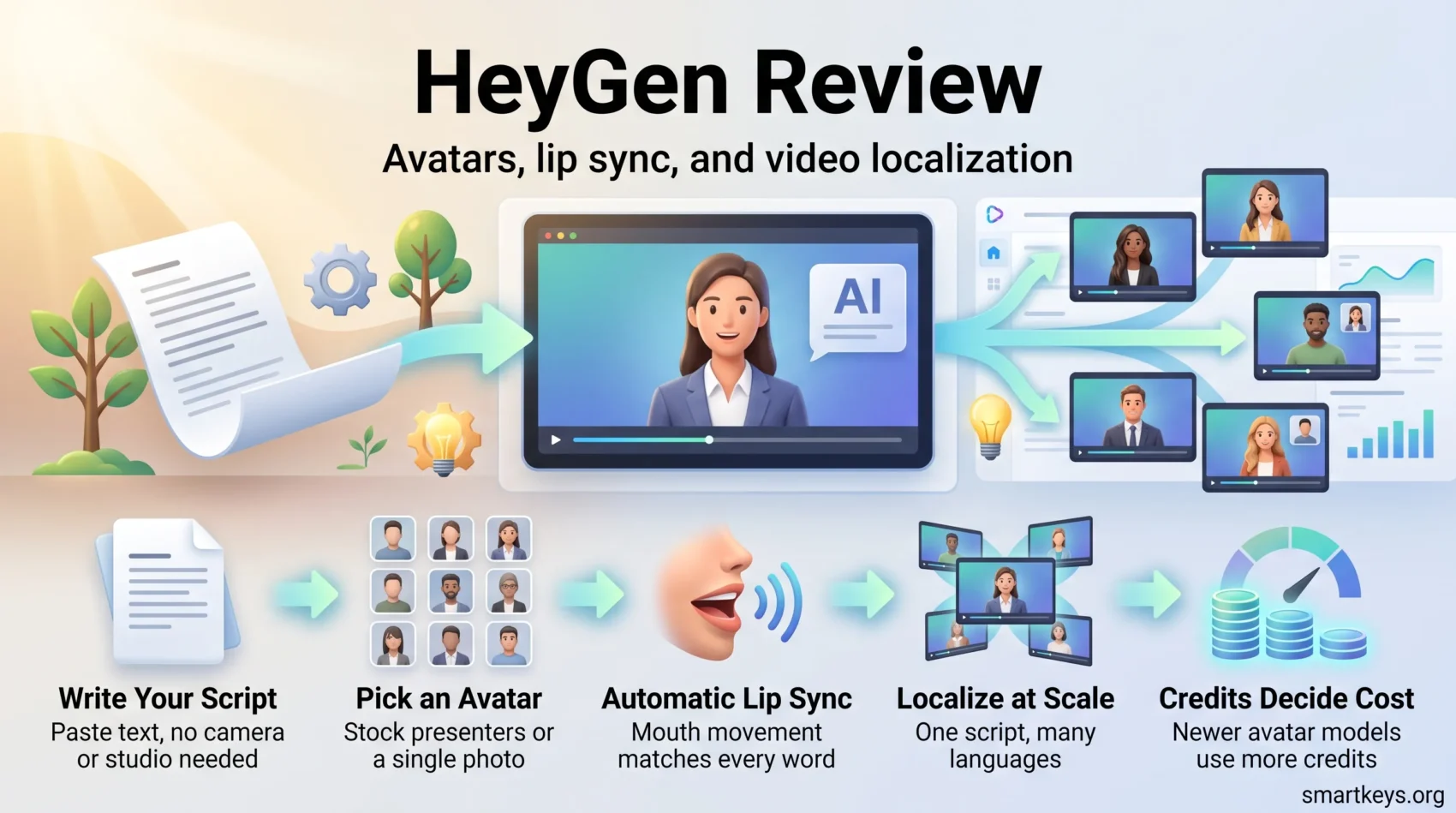
HeyGen turns a written script into a video of a realistic presenter, without a camera, a studio, or an actor. You paste your text and pick an AI avatar, a computer-generated person who speaks on screen. You choose a voice, and the platform renders a clip in which the avatar’s mouth matches the words.
That last part is called lip sync. It is what separates a usable AI video from an obvious fake, and it is the main reason HeyGen became one of the better known tools in this category.
The free plan lets you test the basics: three videos per month, up to one minute each, exported at up to 1080p with a HeyGen watermark. Paid plans remove the watermark, stretch videos to 30 or 60 minutes, and add voice cloning and team controls.
This review covers what the tool does well in 2026, what the credit system actually costs you, and where it still falls short. If you publish explainers, product demos, or training videos in more than one language, it is worth reading to the end.
Try HeyGen FreeKey Takeaways
- AI avatars with automatic lip sync let you publish presenter-led videos without filming anyone.
- The free plan is a test drive: 3 videos per month, 1 minute each, watermarked.
- Paid plans are metered in credits, and the newest avatar model burns them roughly seven times faster than the older one.
- Translation covers 175+ languages and dialects, which is the platform’s strongest selling point.
- Best suited to explainer, marketing, and training content that has to ship in several languages at once.
HeyGen Review
Paste a script, pick a presenter, and get a finished video back a few minutes later. That is the whole promise, and for straightforward talking-head content the platform delivers on it.
How the process works: you add your script, choose an avatar and a voice, then generate. The system produces the audio, animates the face, and matches lip movement to the words. HeyGen states that translation and voice generation cover more than 175 languages and dialects, so one script can become a dozen regional versions without a reshoot.
Around that core sit the extras: photo avatars (a still image animated into a speaker), face swap, screen recording, PowerPoint-to-video conversion, automatic captions, and a template library. None of these are revolutionary on their own. Together they mean you rarely have to leave the tool mid-project.
The company’s current flagship model is called Avatar V, launched as the successor to Avatar IV. It promises more consistent faces across camera angles and more accurate lip sync. It also costs far more credits per minute, which we come back to in the pricing section.
Who should consider this platform
- Content creators who need social clips and explainers on a weekly cadence.
- Trainers and HR teams who want one standard message delivered identically in every office.
- Marketers turning a single script into regional versions, a common need in cross-border e-commerce.
Start on the free tier to confirm the avatars look acceptable for your brand before you pay for anything. If you mostly need heavy editing, color grading, or complex motion graphics, an avatar tool is the wrong starting point. Pair it with a real editor instead.
Create Your First AI VideoKey features you will actually use: avatars, voiceovers, and localization
Most of the feature list is noise. Three things carry the tool in daily use.
Avatars and photo avatars come first. You pick from HeyGen’s stock library, or you upload a single photo and the system animates it into a speaker. Paid plans also allow a custom avatar trained on footage of a real person, which HeyGen calls a digital twin. Custom avatars require identity verification, a sensible guardrail given how easily this technology is misused.
Lip sync and multilingual voice
Automatic lip sync pairs with voices in 175+ languages and dialects. You can adjust pitch, speed, and pauses, or upload your own recorded audio if a human voice matters more than convenience. Voice cloning, which copies a specific person’s voice from a sample, is included from the Creator plan upward.
The practical benefit is narrow but real. A support team publishes a “how to reset your password” clip in English. The Spanish, German, and Japanese versions can be ready the same afternoon, with the presenter’s mouth matching each language.
From script to finished video
Templates, a built-in screen recorder, and PowerPoint import handle the assembly work. The screen recorder matters more than it sounds. It lets you demo software on screen while an avatar narrates in the corner, which is the format most SaaS onboarding videos use. If your team already records walkthroughs, compare the workflow against a dedicated tool such as Loom or Soapbox.
- Pick avatars that suit your audience, not the ones that look most impressive in the demo reel.
- Turn on automatic captions. Most social video is watched without sound.
- Use the API or the Zapier, Make, and n8n connectors if you generate videos in bulk.
How it feels to create a video: your step by step workflow
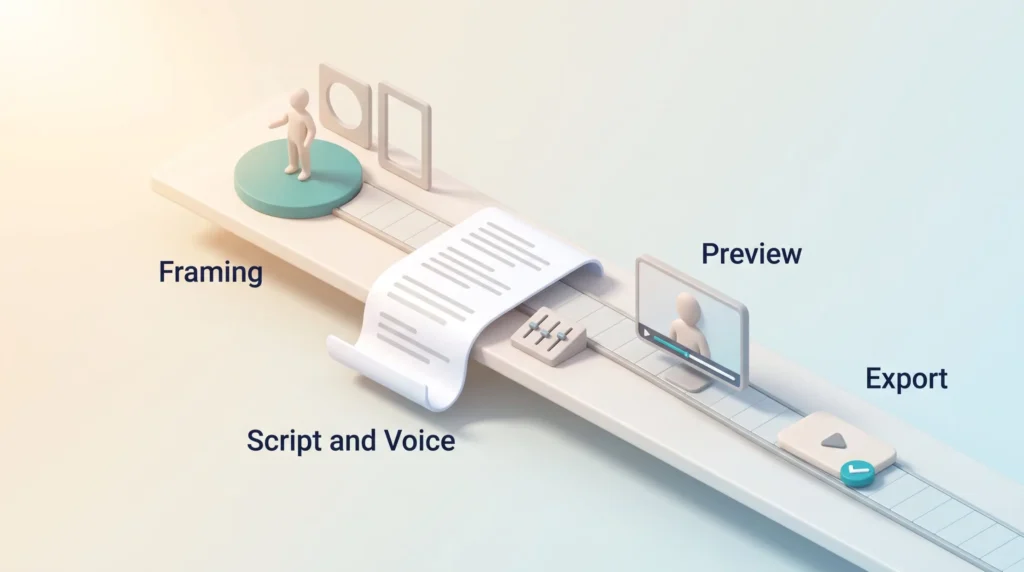
Start from a template for speed, or an empty scene for control. Templates fix your layout and pacing for you, which is usually the right call for a first video. A blank canvas is better once you know what your brand videos should look like.
Pick framing, backgrounds, and avatars
Choose your framing (close-up, half-body, or a circular cutout) and place the avatar on the stage. You can swap the background, adjust colors, and add entry or exit animations. Keep one framing across a series. It is the fastest way to make a set of videos look deliberate rather than improvised, the same brand-consistency logic that applies in any design tool.
Paste your script and set the voice
Paste the script, then tune delivery with pitch, speed, and pause controls. Punctuation does a lot of work here: commas and full stops become real breathing pauses, so a script written for the ear reads better than one written for the page. Automatic length matching aligns the visuals to the narration, which removes most manual timeline work.
Preview, render times, and export quality
Previews are quick, and the avatar often stays static in preview. That is expected behavior, not a bug. Full renders take longer and depend on video length, the avatar model you chose, and how busy the platform is. Short clips typically finish in minutes; long videos on the newest model take considerably longer.
- Assets: drop in logos, product shots, or a screen capture to demonstrate software.
- Speed: templates and automatic length matching remove most tedious editing.
- Exports: the free plan exports up to 1080p with a watermark. Pro and Business plans reach 4K.
You will spend most of your time on the script and the pacing rather than on technical editing. That is the point of the tool, and it is also its limitation: the output quality is capped by how good your writing is.
Pricing and plans: free, Creator, Pro, Business, and Enterprise
Pick the plan that matches how often you publish, not the one with the longest feature list. HeyGen’s plans are metered in credits, so the headline price alone will not tell you what you can produce.
What you get on the free plan
The free plan allows 3 videos per month, up to 1 minute each. Exports go up to 1080p but carry a HeyGen watermark. You get access to the stock avatar library, one custom digital twin, and a reduced set of roughly 30 languages rather than the full 175+.
It is enough to answer the only question that matters at this stage: do the avatars and voices look and sound good enough for your brand?
Paid tiers: what they cost and what they lift
Prices below are HeyGen’s published list prices as of August 2026 and are worth re-checking before you buy.
- Creator, $29 per month ($24 per month billed annually): 600 credits, videos up to 30 minutes, up to 1080p, watermark removed, voice cloning, full 175+ language coverage, unlimited photo avatars.
- Pro, $49 per month: 1,000 credits, up to 4K export, access to the more advanced avatar models.
- Business, $149 per month plus $20 per seat: 1,500 credits, videos up to 60 minutes, 4K, and five custom digital twins. It adds team collaboration, SCORM export for learning platforms, and connectors for Zapier, Make, n8n, and HubSpot.
- Enterprise, priced on request: no length cap, multi-workspace administration, SCIM user provisioning, and a dedicated success manager.
Credits: the number that actually decides your bill
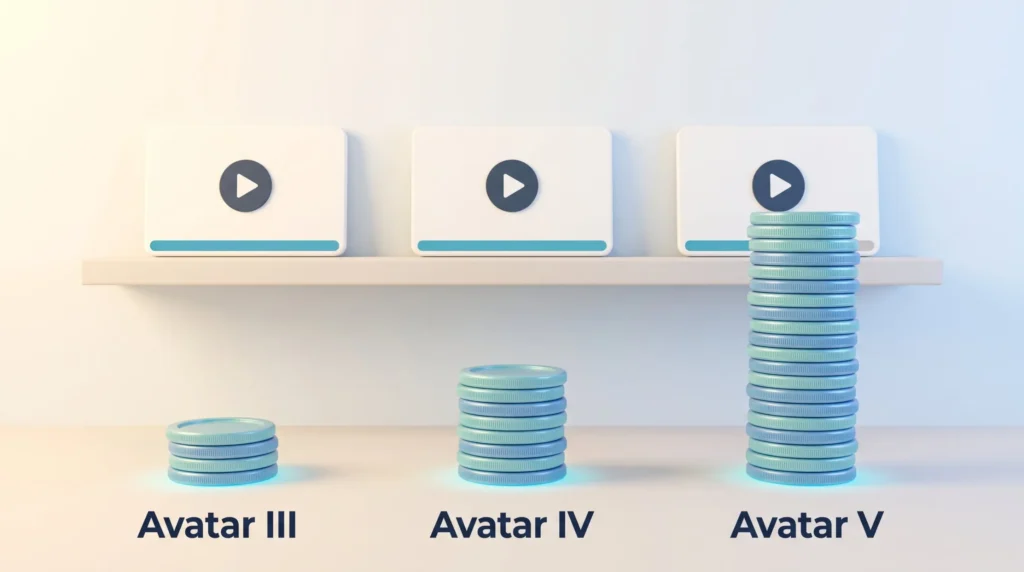
Credits, not minutes, are the real currency. According to HeyGen’s help center, one minute of rendered avatar video costs roughly 7 credits on the Avatar III model. Avatar IV costs about 16 credits per minute, and the newest Avatar V around 48. Video translation costs about 6 credits per minute in speed mode and about 10 in precision mode.
Run those numbers before you subscribe. Creator’s 600 credits stretch to well over an hour of Avatar III video, but only around twelve minutes if you insist on Avatar V for everything. That single choice changes the effective cost per finished minute by a factor of seven.
Unused credits roll over for one extra billing cycle on monthly plans, and accumulate across the year on annual plans. They are forfeited if you drop back to the free tier.
Is the price worth it for your production needs?
Run a pilot before you commit. If you publish several clips a month, the subscription usually costs less than one day of studio time plus an editor. If you need a handful of short pieces per quarter, stay on free or buy a single month when you need it.
See HeyGen PricingTip: treat “unlimited” in any AI video marketing as a claim to verify. Check the credit cost of the specific avatar model you plan to use, because that is where the real limit sits.
Real world use cases: marketing, training, and localization at scale
The tool earns its keep when one script has to become many videos.
Explainers, product demos, and social clips
Short explainers and product demos are the natural fit. They are scripted, they are repetitive, and nobody expects cinematic production values from them. Photo avatars and face swap also help when the person who knows the subject refuses to go on camera, which is more common than most teams admit.
Consistency is the underrated benefit. Every clip has the same presenter, the same pacing, and the same framing, which is hard to achieve when a busy colleague films each one on a different afternoon. That matters for anyone running a structured content calendar, as covered in our overview of social media trends and digital marketing trends.
Training and internal communication across regions
Build an onboarding module once, then translate it for every region. New hires in Warsaw and São Paulo see the same content in their own language on day one. That is the practical case for AI video in remote onboarding and training. The Business plan’s SCORM export matters here, because it lets you drop finished videos straight into a corporate learning system such as LearnWorlds.
- Produce demos and social clips with identical branding every time.
- Localize one script into many languages with synced lip motion.
- Turn your support FAQ into short clips new hires can watch on day one.
- Combine screen recordings with an avatar to walk through software step by step.
- Refresh product-update videos in hours instead of rebooking a shoot.
For immersive scenarios, where the goal is practicing a task rather than watching one, avatar video is the wrong tool. Look at VR employee training or broader remote corporate training formats instead.
Generate Videos For Your TeamPerformance, interface, and support: where HeyGen shines and struggles
The time saving is real, and it is concentrated in the boring work. Translation, captions, and re-recording a paragraph that changed are the tasks that used to eat afternoons. Those now take minutes.
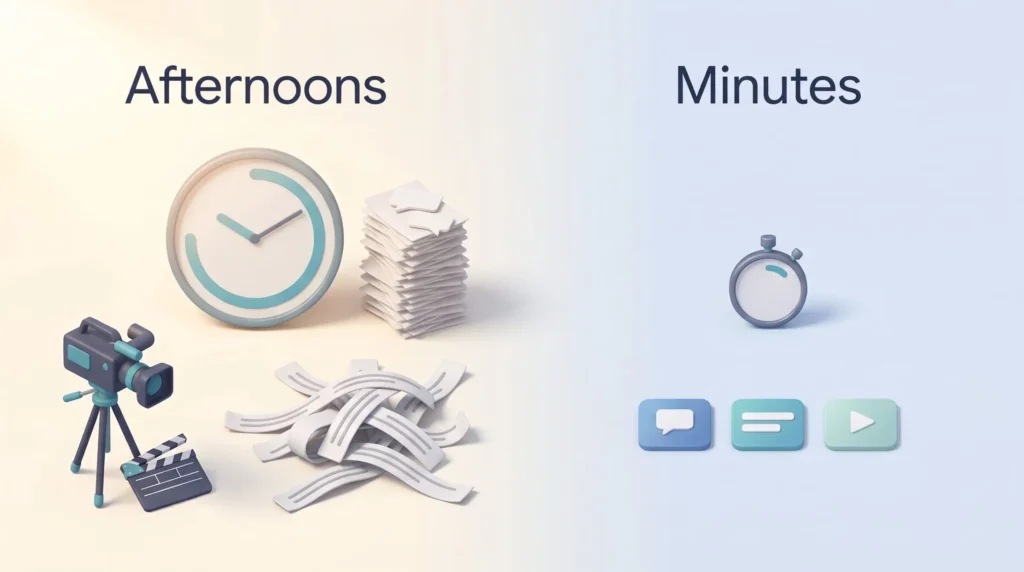
Render times vary by plan, video length, avatar model, and queue load. Short clips usually finish in a few minutes. Long videos on the newest model, or renders during peak hours, take longer. Plan your publishing schedule with a buffer rather than assuming instant output.
The interface has improved but still trips up new users. Controls move between releases, and the distinction between avatar models, looks, and voices is not obvious on day one. Budget an hour of deliberate exploration before your first real project, and write down the workflow your team should follow.
Try HeyGen For Your Next ProjectCustomer support and user sentiment
Support is chat-based for standard accounts, with a help center and tutorial library behind it. Enterprise customers get direct, faster contact and a named success manager.
HeyGen advertises a G2 rating of 4.8 out of 5 from more than 1,000 reviews. Treat any vendor-quoted score with caution. The pattern in public feedback is consistent: reviewers praise avatar realism and speed, and complain about cost and about avatars that look stiff in emotionally charged scripts.
Tip: run a two-week test window with one real project, not a demo script. Document the steps that worked so the workflow survives when the interface changes again.
- Expect genuine time savings on translation, captions, and script revisions.
- Plan for variable render times and an interface that shifts between updates.
- Track your monthly credit burn for the first two months, then pick the right plan.
Pros and cons you should weigh before you commit
The strengths are specific, and so are the limits.
What you will like
Avatar and voice quality is at the top of the current market, which lets you keep a consistent brand presenter without booking anyone. Localization speed is the standout: translating and lip-syncing a script into several languages takes minutes rather than a production cycle. Supporting features such as screen recording, PowerPoint import, automatic captions, and API access remove most of the busywork around the video itself.
What may frustrate you
Onboarding is the first hurdle. The interface is dense, and the relationship between plans, credits, and avatar models takes a while to understand.
Avatars still lack nuanced gesture and expression. For a product update or a policy explainer, nobody will mind. For a story that needs emotion, viewers notice.
Cost is the third issue. The list price looks modest until you calculate credits for the avatar model you actually want, at which point the effective price per finished minute can rise sharply.
Tip: before signing up, check the limits on video length, export resolution, watermarking, and credits per minute for your chosen avatar model. Those four numbers decide whether a plan fits.
- Pro: realistic avatars and voices that scale without extra shoots.
- Pro: fast, wide-coverage localization with matching lip movement.
- Pro: API access, SCORM export, and connectors for automated pipelines.
- Con: a confusing first hour and an interface that keeps moving.
- Con: limited gestures, credit costs that escalate on newer models, and consent questions around uploaded faces.
Net: if speed and multilingual reach are your priorities, the advantages usually outweigh the drawbacks for business content.
Alternatives and comparisons: when another tool fits better
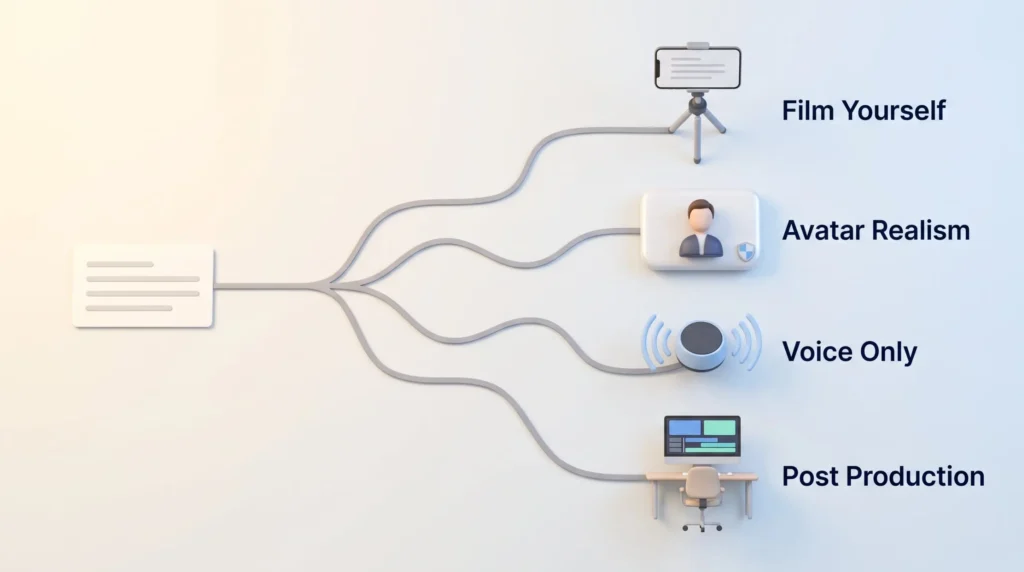
The right platform depends on the job, not on which demo looks slickest. If you want one app that records, captions, and publishes, an all-in-one tool is faster. If avatar realism, gestures, or price matter more, a specialist wins.
When another workflow beats an avatar-first tool
Pick BIGVU if you want to appear on camera yourself and need a teleprompter, mobile apps, captions, and direct publishing in one place. That flow suits creators who film themselves and simply want the production overhead removed.
For scripted social video built around hooks and trends rather than a presenter, a short-form specialist such as Syllaby or an ad-focused generator such as Creatify is a closer match.
Avatar realism, gestures, and price trade-offs
Choose Synthesia when polished avatars and enterprise governance matter most. It is the closest direct competitor and is often the safer choice for large training libraries.
- Colossyan is worth a look when gestures and expressiveness carry the message, especially in multi-avatar scenes.
- Elai is the budget option: decent avatars, many voices, voice cloning, and solid integrations.
- If you only need a voice, not a face, a text-to-speech tool such as Murf AI or Speechify costs a fraction as much.
- For audio-first formats, a podcast generator such as Jellypod is the better fit.
- For heavy post-production, pair any avatar tool with a real editor such as Premiere Pro or DaVinci Resolve.
Tip: pilot two tools on the same real script. Measure minutes saved, language coverage, and how long support takes to answer, then decide.
Conclusion
HeyGen is at its best when one script has to become many videos, quickly, in several languages.
Start on the free plan. Three videos of up to one minute each, watermarked, is enough to judge whether the avatars and voices meet your standard. Use that window on a real script, not a demo.
Upgrade when your videos outgrow a minute or your publishing cadence passes a few clips a month. Creator removes the watermark and opens full language coverage; Business adds seats, SCORM export, and the connectors that make bulk production practical.
The genuine strengths are localization breadth, avatar quality, and how little technical skill the workflow demands. The genuine costs are a confusing first hour and a credit system that punishes reaching for the newest avatar model on every project. Both are manageable once you know about them, which is more than can be said for a surprise invoice.
Bottom line: for repeatable training, explainers, and localized marketing, HeyGen is a strong option. For emotionally rich storytelling, keep a camera. If your bottleneck is writing the scripts rather than filming them, an AI assistant or a workflow tool like Cassidy will move the needle further than any avatar.
Get Started With HeyGenFound this useful?
Make SmartKeys a preferred source on Google, and our articles will surface more often in your Top Stories, AI Overviews, and AI Mode.
Add as Preferred Source