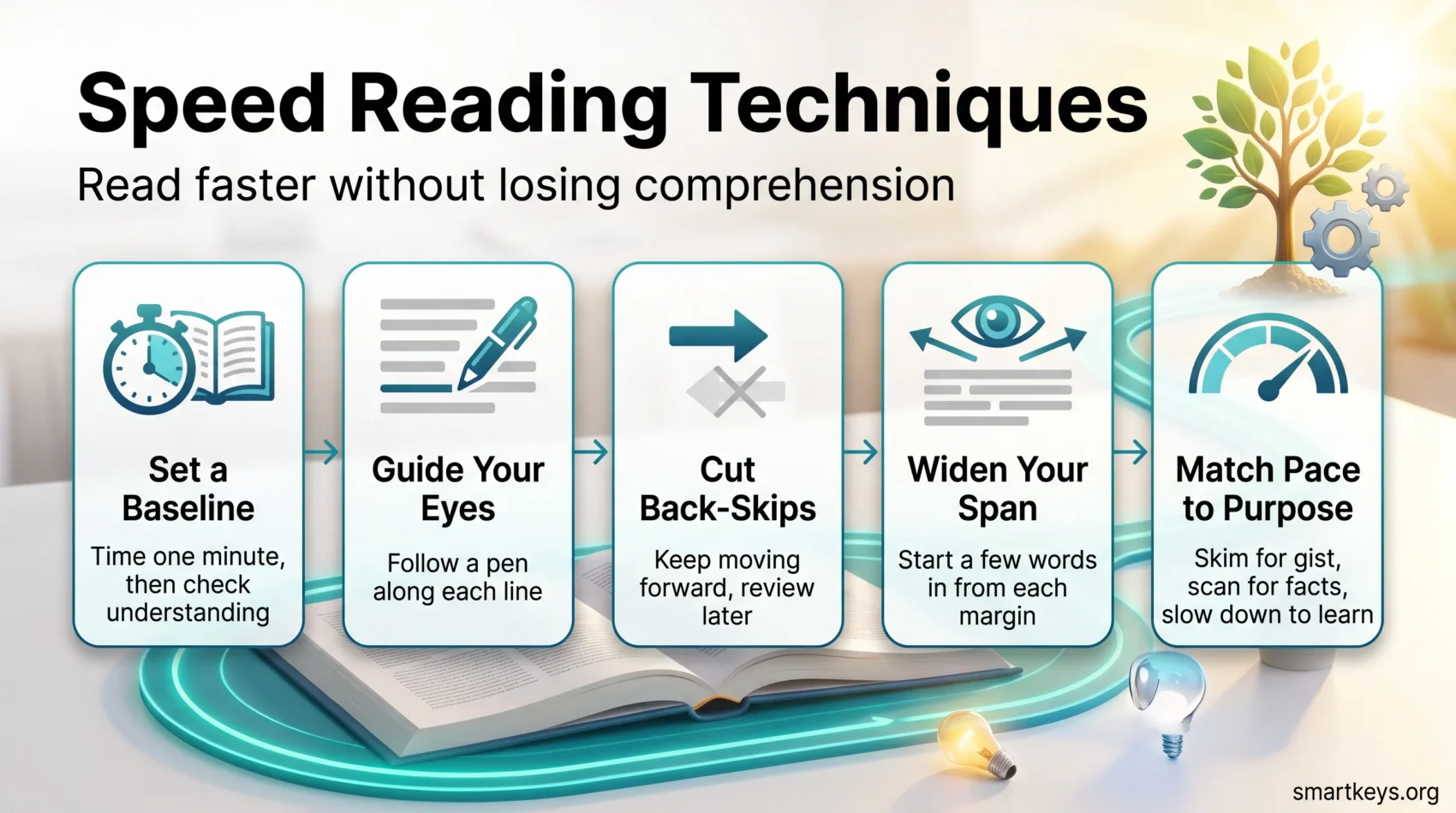
You can read meaningfully faster, just not the way most courses promise. This 2026 update separates what the evidence supports from what the app stores advertise, and gives you a routine you can start today.
Start with an honest baseline. Reading speed is measured in words per minute, usually shortened to wpm: how many words you get through in sixty seconds while still understanding them. A meta-analysis of 190 studies covering more than 18,000 readers put the average adult silent reading rate at roughly 238 words per minute for non-fiction and about 260 wpm for fiction. That sits noticeably below the 300 wpm figure repeated in most speed reading programs. Comprehension begins to slip once you push past roughly 400 to 500 wpm, and it slips fastest on unfamiliar or technical material.
That is not bad news. It means the realistic gains sit somewhere else: in fewer back-skips, steadier eye guidance, and the discipline to read different material at different speeds. Those are trainable. Claims of 1,000+ wpm with full understanding are not.
Key Takeaways
- The average adult reads about 238 wpm, far below the numbers most courses quote.
- Real gains come from cutting back-skips and matching pace to purpose, not from exotic tricks.
- Skimming and scanning are for locating information; learning still needs a slower pass.
- Measure a baseline in words per minute and a comprehension check, or the number is meaningless.
- The 2026 research is sobering: reformatting apps show little measurable speed benefit, and about 300 wpm is the practical working ceiling.
How Speed Reading Works: Eyes, Brain, and the Reading Process
Your eyes do not sweep smoothly across a line; they jump and pause. The jumps are called saccades, the pauses are called fixations, and the fixations are where the actual reading happens. Each one lasts roughly a quarter to half a second.
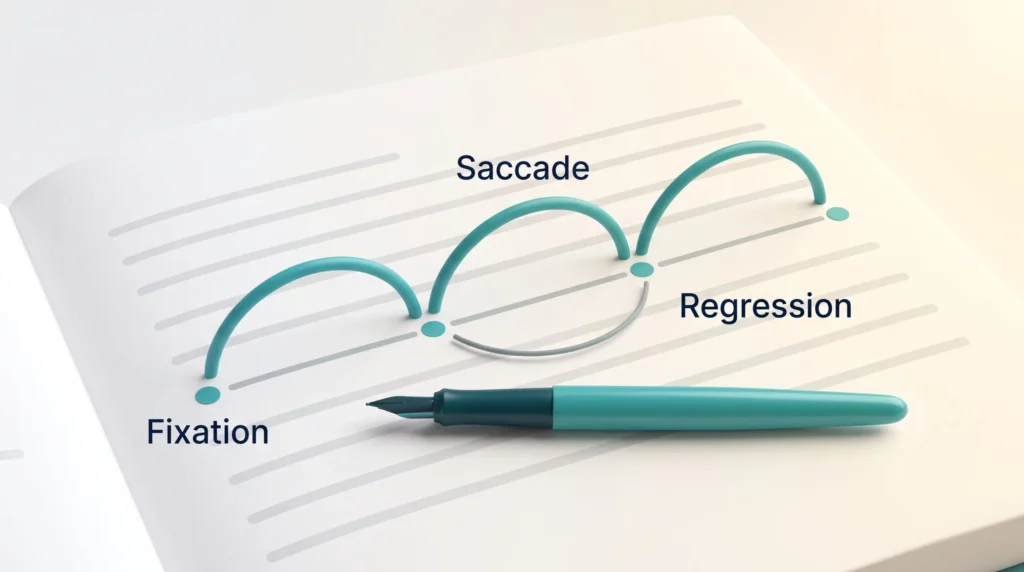
During a fixation, visual input goes to the brain for decoding. Too many fixations per line slows you down. Frequent backward jumps, known as regressions, cost even more, because you pay the decoding price twice.
Saccades, fixations, and the eye’s jumps
Most adults fixate several times per line without noticing it. Training yourself to move forward with intent, rather than drifting and re-checking, is where the first easy seconds come from. It has more in common with building an attention span than with any visual trick.
Skimming vs. scanning
Skimming samples headings, opening sentences, and paragraph endings to get the gist. It can run well above 700 wpm, but on dense material you are trading away detail. Scanning is different: you already know what you are hunting for, such as a name, a number, or a date, and you ignore everything else.
A quick example makes the difference concrete. Skimming a supplier contract tells you it covers delivery, payment terms, and liability. Scanning the same contract for the phrase “notice period” finds the one clause you actually needed, in about twenty seconds.
Finger tracing and meta-guiding
Meta-guiding simply means giving your eyes something to follow. Guiding your gaze with a finger, pen, or cursor reduces cognitive load, keeps you anchored on the line, and cuts the small hesitations that add up. It works on paper and on screen, and it has the best effort-to-payoff ratio of anything in this article.
- Count your fixations per line once; most people are surprised.
- Choose skimming for gist, scanning for facts, full reading for learning.
- Use meta-guiding to steady your eyes and suppress regressions.
Set Your Baseline Reading Speed in WPM
A reliable baseline starts with counting words on a page and timing one honest minute at your normal pace. Skip this step and you will never know whether a technique helped or just felt good.
Calculate words per line and words per page: count the words in five lines and divide by five for your average words per line. Count the lines on five pages and divide by five for average lines per page. Multiply the two for words per page.
Time a one-minute read
Set a timer for sixty seconds and read at the pace where you genuinely understand the text. Multiply the lines you covered by your average words per line. That is your wpm, and it only counts if you can summarise what you just read.
Where your number sits
| Reading mode | Typical rate |
|---|---|
| Silent reading, non-fiction | ~238 wpm (most adults: 175-300) |
| Silent reading, fiction | ~260 wpm |
| Reading aloud | ~183 wpm |
| Technical or academic text | ~175-200 wpm |
| Practical comprehension ceiling | ~400-500 wpm |
- Log each trial with the date, title, and conditions so you can spot patterns.
- Repeat on different material: your rate on a novel says nothing about your rate on a contract.
- Treat wpm as one input among your personal productivity metrics, not a score to chase.
Once you have a baseline, you can test techniques honestly. For short, repeatable practice formats, see our guide to short learning bursts.
Speed Reading Techniques You Can Practice Today
A few small changes produce most of the gain. These drills target eye guidance, regressions, and how much text you take in per fixation. They work with books and screens alike.
Use trackers and pacers
Hold a pen in your dominant hand and slide the cap under each line, keeping your gaze just above the tip. This trains a steady line rhythm and removes the micro-hesitations at line breaks.
Eliminate regressions and back-skipping
Back-skips can eat a meaningful share of your reading time, and most of them are reflex rather than need. Let the pacer set the rhythm and resist the urge to jump back. If you genuinely missed something, you will catch it in the review pass. Writing a one-line summary afterwards closes the open loop, so the passage stops nagging at you mid-page.
Expand your perceptual span
Your perceptual span is the stretch of text you can take in during a single fixation. Start one to three words in from the left margin and stop a few words before the right. You skip the empty space at the edges and pick up more useful words per fixation. Small change, measurable effect.
Protect the session
None of this survives a notification. Reading fast is really single-tasking under another name, so close the other tabs, use website blockers if your browser is the problem, and pick focus tools that fit the way you actually work.
- Keep the pen flat and light so you do not mark the page.
- Drill at one second per line, then half a second, in short sets.
- On screen, swap the pen for a cursor or a highlight bar.
Train for Speed Without Losing Comprehension
Layered reading collects structure first, facts second, and detail last. It is the most reliable way to raise your pace on difficult material without losing the plot.
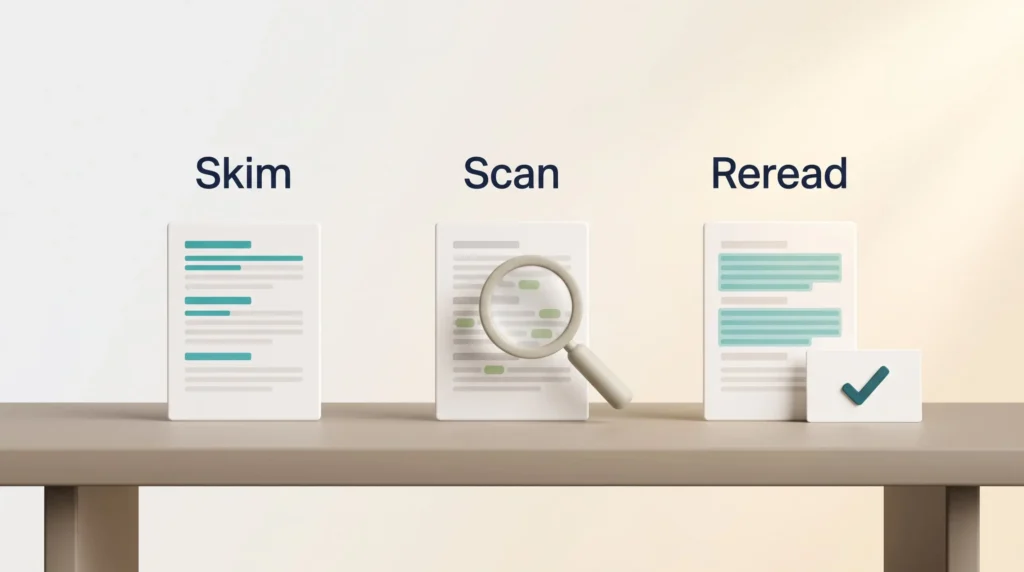
Skim, scan, then reread strategically
First pass: skim headings, topic sentences, and the shape of the argument. Second pass: scan for the specific names, numbers, or claims you need. Third pass: reread only the paragraphs that carry weight.
Quick comprehension checks
After each chunk, ask three things. What was the main point? Name two supporting details. What question could I now answer that I could not before?
Answering aloud or in one written sentence forces retrieval, which is what actually moves information into memory. If you want that to compound, feed the answers into a system: digital note-taking paired with a second brain framework turns reading into something you can retrieve months later.
Know when to slow down
Slow down on technical passages, dense arguments, legal language, and anything in a second language. Pushing past your comfortable rate on this material does not save time; it guarantees a second read.
- Pair a light meta-guide with short pauses to summarise.
- Use brief retrieval practice after each section.
- Highlight only what serves your goal for the text.
Your 20-Minute Practice Routine and Weekly Plan
One focused 20-minute session beats an hour of unstructured effort. Block it like any other commitment. Timeboxing works well here because the session has a hard stop.
The drill sequence
Warm up for two minutes at one second per line with a pen pacer to steady your gaze. Move to three minutes at half a second per line to condition faster saccades. Add perceptual-span sets, starting one to three words in from each margin.
Then read for exactly one minute at your best comprehension pace, calculate wpm, and answer two questions about what you read. That last step is the whole point.
Progression and tracking
Practising briefly above your target rate makes your normal pace feel easier, the same way a weighted warm-up does. Keep the bursts short.
- Log date, minutes, pages, wpm, and one line on what felt smooth or sticky.
- Set modest weekly targets: a few seconds per page, not a doubled rate.
- Run three to five sessions per week and attach them to an existing routine using habit stacking so they survive busy weeks.
- Alternate light material on speed days with dense text on comprehension days.
- If your focus keeps drifting mid-set, a short meditation practice before reading does more than another drill.
Keep it simple. Short, consistent practice beats long, irregular sessions every time.
Tools, Apps, and What the Research Says in 2026
The app market has grown considerably: single-word flashing readers, bionic-style bolding, colour gradients, AI summarisers. The evidence has not kept pace with the marketing.
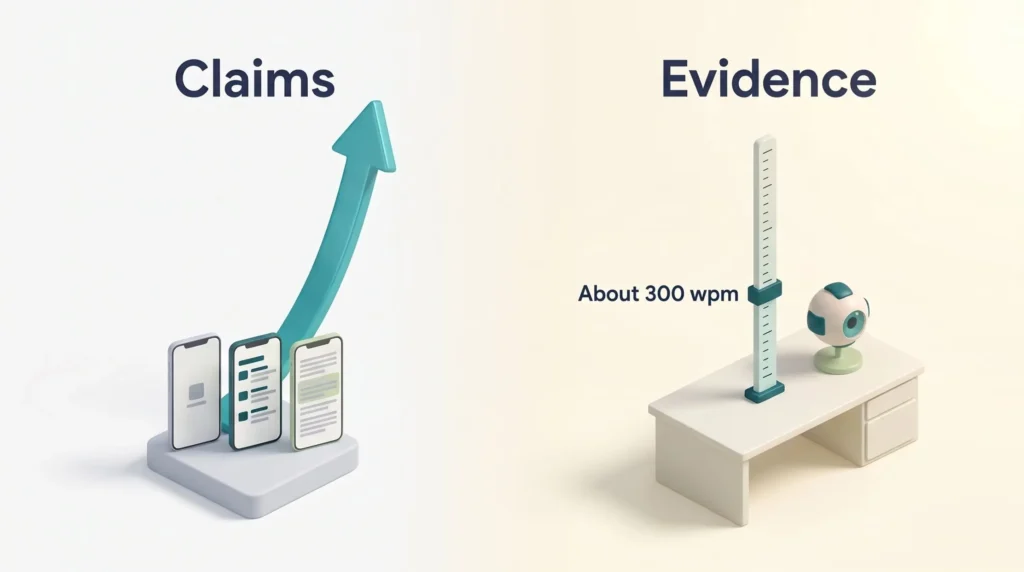
The ceiling is lower than the marketing suggests. Writing in The Conversation in August 2026, reading researcher Erik D. Reichle tested the question with a computational model of eye movements. A simulated typical reader managed 307 wpm. Give that reader flawless eye movements, with no wasted fixations at all, and the gain was 3.6%, to 318 wpm. Remove eye movements entirely, the way single-word flashing apps do, and the rate rose to 429 wpm, but comprehension declined. His conclusion is that about 300 wpm is the practical working pace when understanding matters.
Visual reformatting tools underperform their claims. A 2024 study by Joshua Snell, published in Acta Psychologica under the blunt title No, Bionic Reading does not work, found no significant difference in reading rate or comprehension between bionic-style bolded text and ordinary text. Earlier work on colour-gradient reading produced similarly flat results.
RSVP has a clearer mechanism but real limits. RSVP stands for rapid serial visual presentation: the app flashes one word at a time at a fixed point, so your eyes never move. Removing saccades does raise raw throughput on simple text. The costs are real. You cannot glance back, research on Spritz-style presentation found impaired recall of the material, and the gains transfer poorly to ordinary pages.
Guided pacing helps comfort more than speed. Line highlighting and cursor guides reduce fatigue and line-transition effort, which matters over a long report even if the wpm number barely moves. Readers with dyslexia or ADHD often report the biggest subjective benefit here.
If visual-only pacing feels too intense, try a multimodal approach. In our Speechify review we looked at syncing text-to-speech with word-by-word highlighting as a kind of digital pacer, useful for holding a steady 300 to 400 wpm without the eye strain of rapid single-word presentation. It also travels well: audio turns a commute into reading time.
How to evaluate any tool
- Measure wpm and comprehension on the same material before and after.
- Test on the kind of text you actually read, not the demo passage.
- Remember that vocabulary and background knowledge shape your speed more than any app.
Where Faster Reading Actually Pays Off at Work
The biggest returns usually are not in books. They are in the reading you do without noticing.
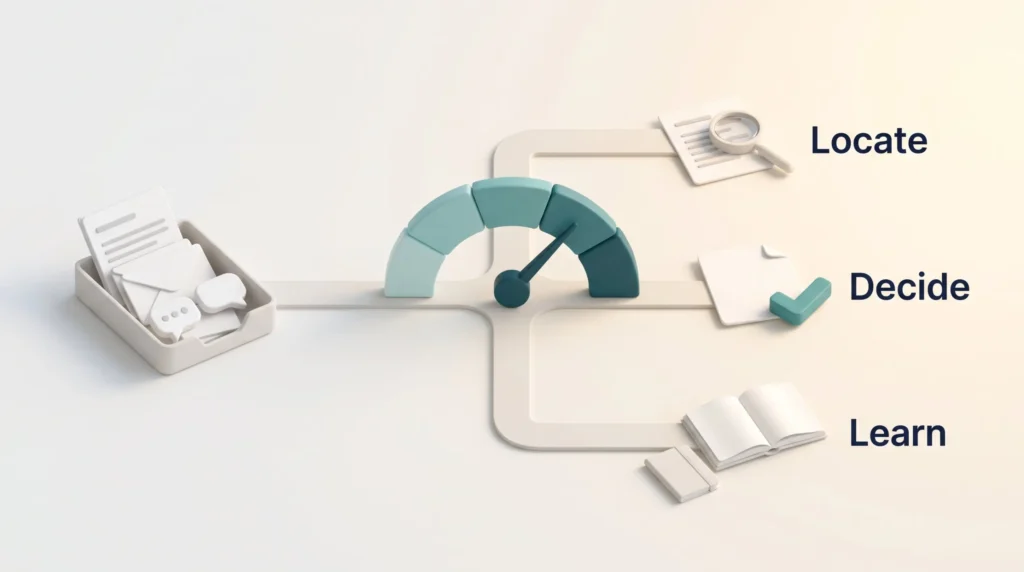
Microsoft’s 2025 Work Trend Index analysis of anonymised Microsoft 365 usage signals found that the typical worker receives 117 emails a day, most of them skimmed in under sixty seconds, alongside 153 Teams messages per weekday and an interruption roughly every two minutes during core hours. Almost none of that is deep reading. It is triage. Applying scanning discipline to an inbox is worth far more than shaving 20 wpm off your novel pace. Pair it with email batching so you are not reading in two-minute fragments.
The same logic applies to reports, briefs, and documentation. Decide the purpose before the first line: are you locating something, deciding something, or learning something? Purpose sets the pace. For the long-form material that genuinely deserves your attention, protect a proper deep work block rather than trying to power through it faster. For everything in between, short gaps in your day are enough for a scan-and-flag pass. If your day is mostly a firehose of updates and documents, our knowledge worker focus framework covers the filtering side of the problem.
Conclusion
End every session with one number and one question: your wpm, and something you can now answer about the text. That habit turns practice into feedback.
The method is unglamorous and it works. Set a baseline, guide your eyes, cut the reflexive back-skips, and match your pace to your purpose. Use layered passes on hard material instead of trying to muscle through it.
Pick one book this week and run the 20-minute routine three times. Log your time, your rate, and two recall questions after each set. Over a few weeks you will see a real, modest, durable gain, the kind that survives contact with a difficult text.
Keep expectations calibrated. The 1,000 wpm claim has been tested and it does not hold up; the underlying reading-rate research is clear about where the ceiling sits. One more unglamorous lever: comprehension collapses when you are tired, so sleep is quietly one of the best reading interventions available.
Found this useful?
Make SmartKeys a preferred source on Google, and our articles will surface more often in your Top Stories, AI Overviews, and AI Mode.
Add as Preferred Source