Micro-productivity means using the short gaps in your day, the ten minutes before a call or the seven minutes after one ends, to finish one clearly defined step of real work. It is the opposite of waiting for a free afternoon that never arrives.
Most calendars in 2026 are not built from long, quiet blocks. They are built from meetings, messages and handovers, with small openings scattered between them. Those openings are usually spent scrolling or half-reading email. Micro-productivity turns them into progress instead.
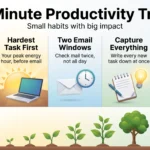
The idea is simple. Break a project into steps small enough to finish in five to fifteen minutes, keep that list where you can see it, and start the moment a gap opens. This guide covers what the research actually supports, how to build the list, and where the method goes wrong. If you want broader routines for the whole day, such as planning, email windows and a weekly review, start with our guide to 10-minute productivity habits for a busy workday.
Key Takeaways
- Short gaps are usable work time if you have decided in advance what goes in them.
- A task you can finish in ten minutes is a task you will actually start.
- Visible progress is one of the strongest drivers of motivation at work.
- The method supplements long focus blocks. It does not replace them.
- The main risk is fragmentation: lots of small finishes that add up to nothing.
What micro-productivity actually means
Picture your workday as a string of brief windows. Each one is long enough for a single clear action, and too short for anything vague. Micro-productivity is the habit of preparing those actions ahead of time so a window never opens on an empty mind.
From “finish the report” to one next step
“Finish the report” is not something you can do in eleven minutes, so you postpone it. “Draft the three section headings” is. So is “list the four sources I still need” or “write the opening paragraph”.
The shift is from naming the project to naming the next action: the smallest physical step that moves it forward. A useful next action starts with a verb, names an outcome, and has an obvious finish line. If you cannot tell whether it is done, it is still a project in disguise. Our guide to the next action mindset goes deeper on that distinction.
Why small wins matter more than they look
This is the part with real evidence behind it. Teresa Amabile and Steven Kramer of Harvard Business School analysed roughly 12,000 daily diary entries from 238 professionals across seven companies. Their finding, published in Harvard Business Review in May 2011 as “The Power of Small Wins”, was that of all the things that make for a good day at work, making progress in meaningful work mattered most. Even minor progress lifted mood and motivation; minor setbacks pushed them down harder.
That is the practical case for micro-productivity. Finishing something visible, however small, is not just pleasant. It is fuel for the next attempt. Marking off daily micro-goals works on the same principle.
Why small steps make starting easier
Three well-supported ideas explain why shrinking a task changes your willingness to begin it.
Working memory has a hard ceiling
Working memory is the mental workspace that holds what you are actively thinking about. Psychologist Nelson Cowan’s review of the evidence put its capacity at roughly four items for most adults, far below the seven often quoted.
That ceiling matters when a task is fuzzy. “Sort out the client situation” forces your brain to hold the goal, the options, the risks and the first move all at once, and it stalls. One named step occupies one slot, and the stall disappears.
Specific goals beat vague ambitions
Edwin Locke and Gary Latham’s goal-setting research, built over decades of studies, found the same pattern repeatedly: specific and moderately difficult goals produce better performance than “do your best”. A goal that names the outcome tells you when to stop and how you did.
“Draft the intro before the 10 a.m. call” is a cue you can act on. “Work on the report” is not.
Unfinished tasks keep pulling at you
Psychologists E.J. Masicampo and Roy Baumeister showed that unfinished goals intrude on your thoughts and interfere with other work, and that simply making a specific plan for how to complete them largely stops the intrusion. You do not have to finish the task to free up attention. You have to decide, concretely, what you will do next.
That is why writing the next step down before you close a window matters as much as doing the step itself. If you never capture tasks in a trusted place, your head keeps doing the job badly.
Who benefits most
Micro-productivity helps most when your schedule is chopped up by other people.
People in meeting-heavy roles. Managers, account leads and consultants rarely get a clear afternoon. Ten usable gaps a day at eight minutes each is more than an hour of real work that would otherwise vanish.
Parents and carers. Work happens between school runs, naps and appointments. The window is real, it just refuses to be long.
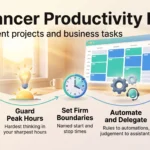
Freelancers juggling clients. Short, prepared actions let you touch three projects in a morning without losing half an hour to reorientation each time.
Students. Class breaks and commutes absorb flashcards, source lists and single paragraphs well.
It helps least when your work genuinely requires long uninterrupted thought: writing a complex argument, debugging a subtle system, designing an architecture. That work needs protected deep work blocks, and no number of ten-minute windows substitutes for them.
Micro-productivity and long focus blocks are not rivals
The usual advice is to defend long, uninterrupted stretches. That advice is right, and it is also incomplete, because most people cannot get four such stretches a week.
Treat the two as different tools. Long blocks are for work that needs sustained thinking and where switching costs are severe. Short windows are for the preparation, tidying and small decisions that otherwise eat into the long blocks.
A workable pattern: protect one or two real focus blocks a week for the hardest thinking, and use micro-productivity for everything that surrounds them. If you spend your ten-minute gaps gathering sources and drafting outlines, your Thursday morning block starts with the hard part instead of the setup. Our comparison of what multitasking really costs explains why the two modes should stay separate rather than blur together.
Your micro-productivity toolkit
Four simple rules cover almost everything. None of them requires new software.
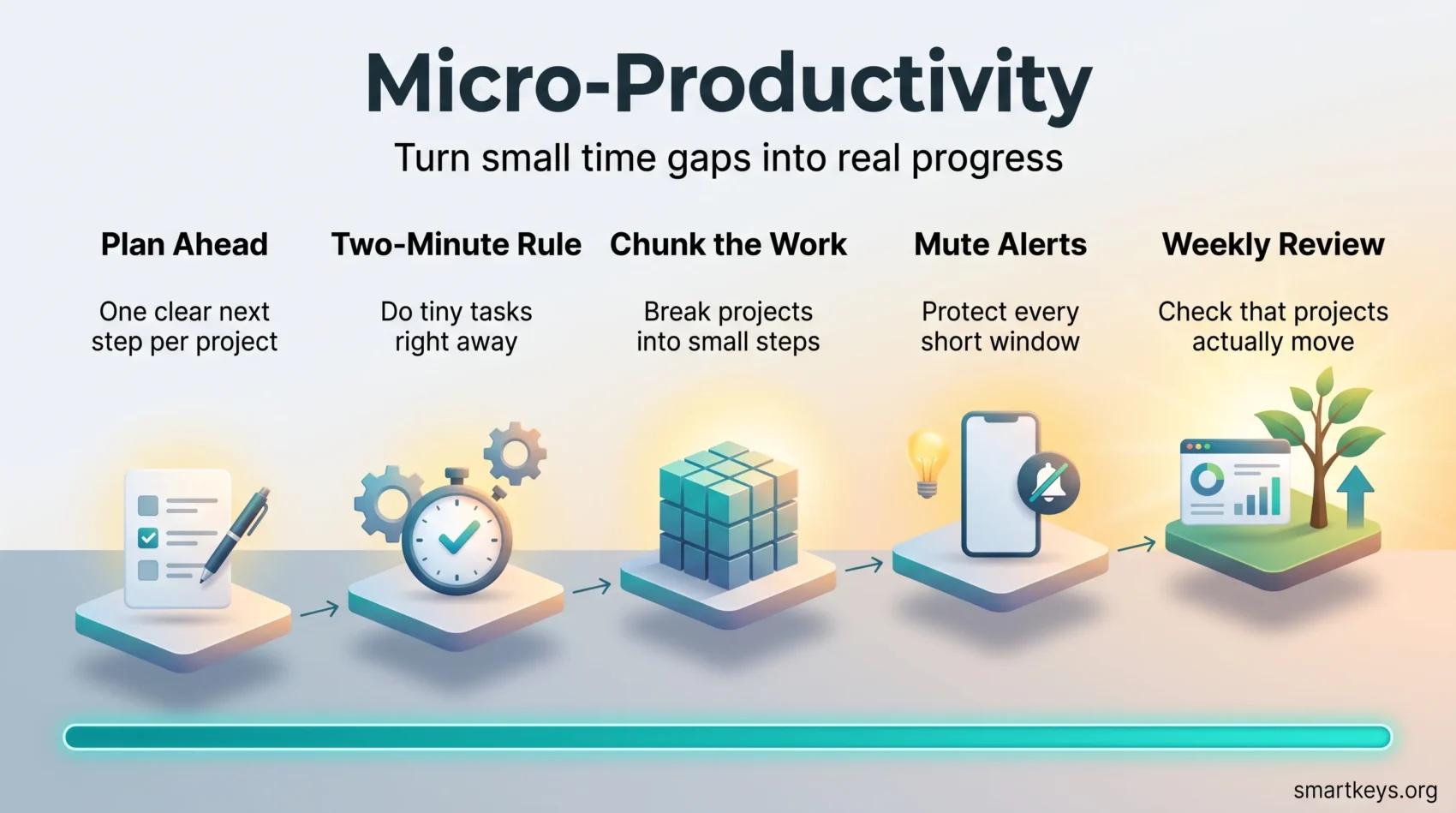
The Two-Minute Rule for anything trivial
If a task takes under two minutes, do it now rather than filing it. Capturing, sorting and later retrieving a two-minute task usually costs more than the task. The rule comes from David Allen’s Getting Things Done, and there is a second version from James Clear aimed at habits: commit to two minutes of a larger task, and starting often carries you further. Our full guide to the Two-Minute Rule covers where it backfires, which is mostly when it becomes an excuse to answer every message immediately.
Chunking: slicing work into finishable pieces
Break each active project into steps of five to twenty-five minutes. Write them as verb plus outcome. Keep them in one place, next to the project name, so choosing takes seconds rather than minutes. The method for breaking large goals into smaller steps is the same one, applied at project scale.
A related trick: punch small holes in a daunting task from wherever you can reach, rather than insisting on starting at the beginning.
Short sprints when you get twenty minutes or more
When a longer gap appears, a timer keeps it honest. The Pomodoro Technique uses 25 minutes of work and a 5-minute break; shorter focus sprints apply the same idea with a length you choose. Name one task before the timer starts, and write the next step before it ends.
Time blocking so the windows are not accidental
If every gap is a surprise, you will waste the first three minutes deciding. Time blocking puts a few short, named windows on the calendar on purpose: fifteen minutes for email at 11:30, ten minutes to prep tomorrow at 17:20. Leaving deliberate buffers between back-to-back meetings creates the gaps in the first place.
Connecting small tasks to real goals
This is where the method usually fails. Ten finished micro-tasks feel productive and can still leave the important project exactly where it was this morning.

Every window belongs to a milestone
Break each goal into milestones, then keep exactly one queued next step per milestone. When a gap opens, you are not choosing from forty items. You are choosing from four or five, each of which advances something that matters.
A weekly review is what keeps that queue honest. Twenty minutes on a Friday to check what moved, clear what is stale and queue the next step for each project is enough. Without it, the list silently fills with easy work.
Guard against the easy-win trap
Given a free ten minutes, most people reach for the pleasant task. Renaming files feels like progress. It usually is not.
One practical fix: tag each queued step by impact rather than effort, and require that at least one gap per day goes to something you would rather avoid. That is the logic behind eating the frog, scaled down to a single window. If the queue keeps drifting toward comfort, the frameworks in our guide to prioritization will sort it faster than willpower.
Micro-productivity in practice: email, reports, workspace
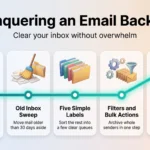
Email. Set two or three fixed windows instead of a permanently open inbox. Inside a window, answer anything under two minutes, convert anything longer into a queued next step with a name, and archive the rest. This is email batching, and it works because the cost of email is mostly the reopening, not the reading.
Reports and documents. Slice by artefact, not by time. Gather sources. Write the headings. Draft one section. Check the numbers in section two. Each is finishable in one window and leaves the document visibly further along.
Your workspace. Five minutes on one drawer, one folder or one browser tab group. Small cleanups lower the friction of the next start, which is the whole point.
Admin. Expenses, timesheets, approvals and scheduling are the natural residents of a short window. Keeping them there stops them from colonising your good hours.
Building a daily system that holds up
One list, kept current
Keep a single to-do list that maps projects to named next steps. Each step needs a finish condition, so completion is a fact rather than a feeling. Two lists in two apps means neither is trusted.
Batch similar work
Group calls together, email together, review together. Staying in one mode removes the reorientation cost that eats short windows. Batch processing is most valuable exactly where windows are shortest, because the fixed setup cost is proportionally larger.
Measure something small and honest
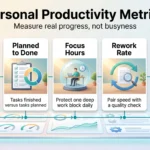
You do not need a dashboard. Two questions at the end of the week will do: how many queued next steps did I actually finish, and did the projects I care about move? If the first number is high and the answer to the second is no, your queue is full of the wrong steps. For a fuller treatment, see personal productivity metrics.
Cutting the toggle tax
The “toggle tax” is the time and attention lost every time you switch between applications. It has been measured. In a Harvard Business Review study published in August 2022, Rohan Narayana Murty, Sandeep Dadlani and Rajath B Das tracked around 20 million actions from 137 users across three Fortune 500 companies. People switched between apps and windows roughly 1,200 times a day, and reorienting after those switches consumed just under four hours a week, about 9% of working time.
In a ten-minute window, that tax is not a rounding error. Two practical responses:
Keep the working set small. A task list, a notes app and the document. If a step needs five tools open, it is too big for a short window and belongs in a longer block.
Let automation absorb the routine. Status updates, recurring reminders and thread summaries do not need a human. AI-assisted project management tools are genuinely good at surfacing what changed and what is blocked, which is often the exact question a short window is for. Treat the output as a draft to check, not an answer to trust.
Notifications deserve their own decision. Interruption research by Gloria Mark and colleagues found that after an interruption, people take a long time to return to the original task, often more than twenty minutes when other work intervenes. A ten-minute window survives no interruptions at all, so switch on Do Not Disturb for the duration. Our guide to managing work notifications covers the settings worth changing permanently.
Micro-productivity for teams
The team version is mostly about making the next step visible to someone other than you.
Give every task an owner, a definition of done and a due date. Without those three, a “small step” becomes a question in someone’s inbox, which is the opposite of progress.
Keep feedback attached to the task rather than in a separate email thread. A threaded comment on the item takes a colleague thirty seconds to read in a gap between meetings; a reply-all chain takes ten minutes to reconstruct.
Design handoffs so the receiving person can start immediately. “Reviewed, two comments on section 3, ready for your edit” is actionable in a short window. “See attached” is not.
Watch what you measure. Counting completed tasks rewards people for slicing work thinner, not for finishing anything that matters. Track whether milestones move.
Where micro-productivity goes wrong
Fragmentation
If every task is tiny, the day becomes a sequence of starts. The test is simple: does this step, on its own, leave the project measurably further along? If not, merge it with the next one. Working in fragments also trains a habit of switching, and frequent task switching carries its own cost in accuracy and fatigue.
Substituting motion for judgement
Some decisions cannot be made in eleven minutes and should not be attempted there. Recognising which those are is part of the skill. Park them for a focus block rather than half-deciding.
Filling every gap
A day with no unclaimed minutes is exhausting, and the quality of the last few windows shows it. Leave some gaps empty on purpose. Micro-productivity is about not wasting the windows you choose to use, not about using all of them.
Over-engineering the system
Tags, colour codes and nested projects can consume more time than they save. Start with one list and a timer. Add structure only when a real problem appears. Small, repeatable habits beat elaborate systems, which is also the finding behind micro-habits.
A day, worked through
Here is what this looks like in practice for someone with six meetings.
8:50, before the first call: read the agenda and write down the one question you need answered. Four minutes.
10:12, a call ends early: draft the three headings for the quarterly report. Nine minutes, and the report now exists.
11:30, scheduled email window: eleven quick replies, three converted into queued next steps, the rest archived. Fifteen minutes.
13:40, waiting for a colleague: list the four data sources the report still needs, and email one request. Seven minutes.
15:05, a meeting is cancelled: this one is long enough for a sprint. Draft the first section of the report. Twenty-five minutes.
17:20, end of day: write tomorrow’s queued next step for each active project. Ten minutes, and tomorrow’s windows start with certainty instead of hesitation.
None of those blocks was longer than half an hour. Together they moved the report from nothing to a draft section, cleared the inbox and set up the next day.
Finding the windows in your own calendar
Look at yesterday. Most people have four to eight gaps of five minutes or more and never notice them, because noticing requires having something ready.

- Keep a short list of prepared next steps sorted roughly by how long each takes.
- Match the step to the window. A five-minute gap gets a five-minute task, not the start of a big one.
- Silence notifications for the duration, even if the duration is seven minutes.
- Write the next step before you stop, so restarting costs nothing.
- Leave some windows empty. Recovery is not wasted time.
Conclusion
Micro-productivity is not a way to do more in less time. It is a way to stop losing the time you already have, by deciding in advance what a spare ten minutes is for.
The evidence behind it is modest but real: visible progress drives motivation, specific goals outperform vague ones, and unfinished tasks stop nagging once you have a concrete plan for them. Everything else is logistics.
Start with one thing this week. At the end of each day, write down the single next step for your most important project. Then, the next time a meeting ends early, you will already know what to do.
Found this useful?
Make SmartKeys a preferred source on Google, and our articles will surface more often in your Top Stories, AI Overviews, and AI Mode.
Add as Preferred Source