Ready to keep control of your event revenue and simplify ticket sales? This review walks you through a low-fee ticketing platform that sends funds straight to your own payment account. You will see how the fee model works in 2026, which features save you time, and where the platform runs out of road.
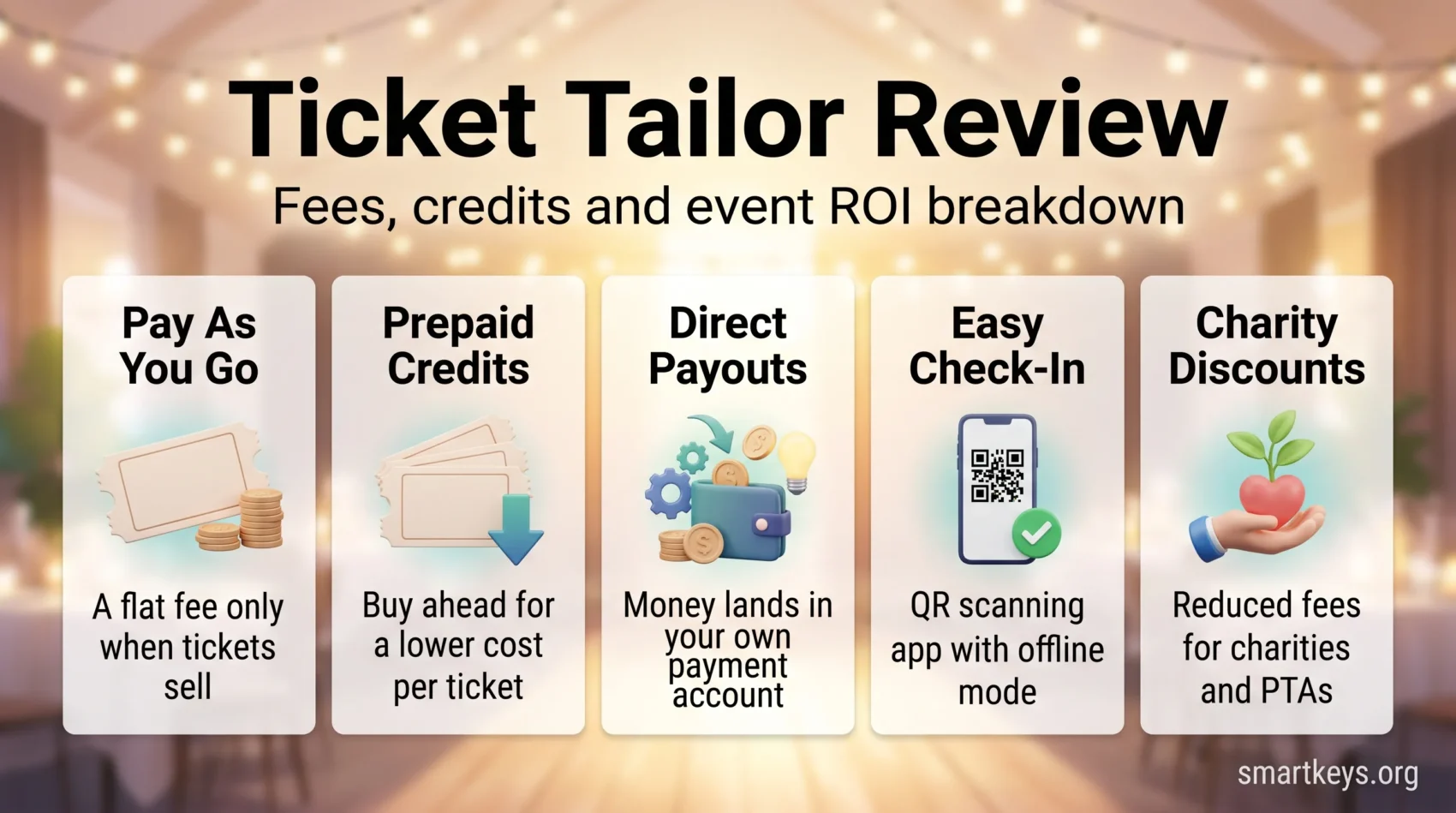
Ticket Tailor dropped subscription plans in favour of two options: pay as you go, or prepaid credits that get cheaper the more you buy. Registered charities pay half. Free events are free to run up to a generous annual allowance. On top of that you get an embeddable box office, unlimited ticket types, Apple Pay and Google Pay, a barcode check-in app, and integrations with Mailchimp and Zapier.
You will also get a clear, honest summary of what organisers consistently praise: straightforward setup, responsive human support, and reliable check-in. It also covers the limits, such as shallow reporting and the fact that refunds are entirely your job.
Later sections cover the exact fee maths, practical setup steps, and when this platform fits your events best.
Key Takeaways
- Ticket money lands in your Stripe, PayPal or Square account, not in the platform’s balance.
- Two ways to pay: per ticket as you sell, or prepaid credits at a lower unit rate.
- There is no subscription and no contract. Fees only apply when you sell paid tickets.
- Core tools are included free: box office, check-in app, unlimited ticket types, integrations.
- Registered charities get 50% off fees permanently; PTAs and B Corps get 20%. Tickets under $5 attract reduced fees.
- Reporting is basic and refunds sit with you. Plan for both before you migrate.
Why You Are Here: What This Ticket Tailor Review Covers
This section maps the practical things you need to know so you can decide whether the platform fits your events.
We answer the common questions about pricing (pay as you go versus prepaid credits), how direct payouts through Stripe, PayPal or Square affect your cash flow management, and which features actually move the needle for a small team.
Expect concise guides on embedding a box office, speeding checkout with Apple Pay and Google Pay, creating voucher codes, and building custom confirmations with PDF tickets.
- Clear fee breakdowns so you can compare costs and margins against percentage-based rivals.
- A tour of the check-in tools: QR scanning, offline mode, and multi-device sync.
- How integrations and privacy tools handle attendee data.
You will also get a fair read on where organisers hit friction, plus guidance on when this service is a smart pick and when to look elsewhere.
At a Glance: Is Ticket Tailor Right for Your Events?
You can tell quickly whether this platform makes sense by weighing a flat per-ticket cost against your usual turnout and average ticket price.
Who it fits: small to medium events, PTAs, charities, workshops, community gatherings and independent venues. The company earns consistent praise for simple setup, low fees, and a check-in app that holds up on the door.
What you get: an embeddable box office, Apple Pay and Google Pay, unlimited ticket types, and direct payouts that put money in your hand faster than marketplace platforms that hold funds until after the show.
- A predictable flat fee per paid ticket instead of a percentage of face value.
- Human support that helps you go live quickly.
- Basic reporting: fine for most organisers, thin for anyone who wants deep analysis.
When to try it: you want a simple, low-cost way to sell tickets from your own site. When to pause: you need seating charts at scale, enterprise reporting, or a partner who handles refunds for you.
- Compare your average ticket price against a flat fee per ticket.
- Match features to day-of needs: check-in, wallets, payouts.
- Buy credits up front if you already know roughly how many tickets you will sell.
Ticket Tailor Review
Organisers who want fast setup and full control often pick this platform for its simple workflows and low overhead.
Who uses it
Users are usually small to medium organisers: PTAs, charities, workshop hosts, grassroots festivals and community groups. Many of them are running events as a side project or as part of a broader micro-entrepreneurship setup, so a platform with no monthly commitment matters.
Core value proposition
Less friction, more control. The company routes payouts directly to you through Stripe, PayPal or Square instead of holding your revenue until after the event.
- You keep more of the face value thanks to a flat fee and a standing charity discount.
- Unlimited ticket types and customisable checkout fit VIPs, families, members and add-ons.
- The check-in app, QR codes and door lists speed entry and sync across devices.
- Templates and clean dashboards make first-time setup manageable without training.
- Lightweight reporting works for small teams; larger planners will export and analyse elsewhere.
If your priorities are low fees, fast payouts and simple tools, this system is worth a close look.
Pricing and Fees: Pay-As-You-Go vs. Prepaid Credits
This is the part of the review that has changed most. Ticket Tailor no longer sells monthly subscription tiers. As the company puts it on its own pricing page: “We don’t run a subscription model. There are no contracts, and fees are only linked to when you are selling tickets.”
Pay as you go costs $0.85 per paid ticket at the published US rate (£0.60 in the UK). You pay nothing until a ticket sells. Ticket Tailor prices in your local currency, so the euro and other regional rates differ slightly; check the on-site calculator for your market.
Prepaid credits
Buying credits up front lowers the unit cost. Ticket Tailor advertises credits from $0.30 per ticket in the US (£0.22 plus VAT in the UK), and the rate falls as the bundle size rises. One credit covers one paid ticket. Credits do not expire, so an annual purchase can carry across several events. Seated events cost more. Ticket Tailor charges two credits for each paid ticket sold from a reserved seating chart, and one credit for each free seated ticket. Work that into your maths before you commit to a large bundle.
Free tickets, trials and discounts
Free events are genuinely free for almost everyone. Ticket Tailor states that 99% of organisers running free events stay under 5,000 tickets a year and pay nothing at all, but it also asks anyone issuing more than 2,000 free tickets a year to contact support for a quote. Treat 5,000 as an observation about the user base rather than a guaranteed ceiling, and get your allowance confirmed in writing if you run large free events. New organisers can sell their first five paid tickets at no cost, which is enough to test the whole checkout flow before spending anything. That is the same logic behind any good freemium model.
The discounts are tiered, and this is where most write-ups get it wrong. Registered charities get 50% off Ticket Tailor’s fees permanently. PTAs (parent teacher associations) and B Corps (companies certified against social and environmental standards) get 20%, not 50%. Tickets priced under $5 attract reduced fees, which softens the main weakness of any flat-fee model.
Two limits are worth knowing before you budget. The discount applies only to pay-as-you-go rates and prepaid credits, not to custom domain or white-label pricing, and it does not touch your payment processing fees. The under-$5 threshold also counts any booking fee you add, so a $4.50 ticket with a $1 booking fee is a $5.50 ticket and will not qualify.
Claim Your 5 Free Tickets on Ticket TailorPayment processing is separate
The ticketing fee is not the whole cost. Your payment processor bills you directly. Stripe’s published rates are 2.9% + $0.30 for US domestic cards and 1.5% + £0.20 for UK domestic cards, and PayPal and Square set their own. On a $45 ticket that is roughly $1.61 in processing on top of the $0.85 ticketing fee, so your true all-in cost is about $2.46. Add the processor cost to the ticketing fee before you decide what to charge, and consider adding a small booking fee that you keep to cover both.
How You Get Paid: Direct Payouts and Cash Flow Control

The way payouts are handled can make or break event cash flow.
Ticket Tailor routes funds straight to you rather than holding a balance. You connect your Stripe, PayPal or Square account and each order settles into your processor. That means faster access to revenue and no waiting for a post-event payout run.
Connectors and settlements
Linking your processor is quick and keeps bookkeeping tidy. Settlement timelines come from the processor, not the ticketing platform, so reconciliation follows the schedule you already know. If you run your books in a tool like FreshBooks, ticket income arrives as ordinary processor deposits rather than a separate marketplace statement.
Fees, donations and refunds
- You can add a booking fee that you keep, to cover platform and processing costs.
- Optional donations at checkout land in your account alongside the ticket price.
- Refunds are yours to issue from your processor dashboard, because the platform holds no funds to refund on your behalf.
That last point cuts both ways. You get the money sooner, but you also absorb the admin and the chargeback risk. A chargeback is when a buyer asks their bank to reverse a payment, and the money is pulled back out of your account. Display ticket price, booking fee and taxes clearly at checkout so buyers are not surprised later.
Flexible Box Office: Embed, Standalone, or Social
A box office is simply the page or widget where people choose their tickets and pay. Running a branded one on your own domain keeps buyers on your site and reduces checkout drop-off. That control over the buyer journey matters most with first-time visitors who do not yet know your brand.
Embed on your website or run a standalone page. Use a compact widget on individual event pages, or publish a full box office page that lists everything you have coming up. If your site runs on a builder, the widget drops into the same place any other embed would. See our Squarespace vs Wix comparison if you are still choosing one.
Social and on-site embeds
Place the widget where people actually discover events, including social profiles, so buyers can complete a purchase without a detour. Keeping the flow native reduces friction, and it fits the way social media drives business growth for small organisers.
Customise and track
Match your colours and copy while relying on system defaults that protect usability. Referral tracking shows which email, post or partner site actually drove the sale. For a bigger launch, a dedicated landing page builder paired with the embedded box office usually converts better than a generic event page.
- Embed a clean widget on your site so buyers do not bounce to a third-party domain.
- Choose standalone pages or social embeds to meet buyers where they find you.
- Keep the look consistent so the checkout feels like part of your brand.
Checkout and Payment Options That Boost Conversions
A faster, clearer checkout helps your sales finish strong. Offer mobile wallets, ask only for essential details, and orders complete more often.
Apple Pay and Google Pay for quicker checkout
Enable Apple Pay and Google Pay to shorten the flow on phones. Most event traffic now arrives on mobile, and the gap between mobile traffic and mobile conversion is exactly where wallets earn their keep, a pattern we cover in depth in our guide to mobile commerce trends.
Custom checkout fields: collect only what you need
Use conditional questions, which appear only for the ticket types you pick, so VIP or group buyers see different prompts. Every extra required field costs completions, so ask for the minimum you genuinely need on the door.
Discount and voucher codes with expirations
Offer percentage or fixed discounts and set expiry dates to create urgency. Test every code before launch so promos do not fail at on-sale time.
One thing to note: Ticket Tailor does not offer instalment or buy now, pay later options natively. For higher-priced tickets where that matters, check whether your processor can add it.
- Customise confirmation emails and attach PDF tickets and invoices.
- Keep the order flow short so saved wallet details can do the work.
- Keep the UI consistent between the box office and the check-in app.
Feature Highlights That Matter on Event Day
What matters most on the day is control: clear capacities, fast notifications, and tidy confirmations so you can focus on attendees.
Unlimited ticket types, groups and capacities
You can create unlimited ticket types and groups with capacity rules for VIPs, early birds and add-ons. Shared capacity across overlapping types prevents accidental oversells.
Waitlists, quantity-left display and private events
Turn on a quantity-left counter to nudge last-minute buyers. Open a waitlist before a sale and notify people automatically when spots free up.
Host private or invite-only events with access codes so only approved guests can see and buy.
Customisable order confirmations with PDFs
Customise confirmations to include PDF tickets and invoices, plus the practical details attendees need: doors, transport, accessibility, what to bring.
- Hide map or share buttons when that information only adds noise.
- Broadcast email tools let you send operational updates about changes.
- Start from the platform defaults, then tweak only what your brand needs.
Check-In Made Easy: App, QR Codes, and Offline Mode

Fast scanning and simple staff controls make entry the easiest part of your event. Use the free smartphone app to scan QR codes so lines move and errors drop.
The system syncs multiple devices in real time so a larger door team can check guests in without duplicate scans. Create temporary users for volunteers and limit what they can see.
How it works on show day
Switch to offline mode if the venue Wi-Fi fails. Scans queue locally and sync when the connection returns. In a church hall or a field with patchy signal, that one feature saves the door.
- Scan fast: each ticket is validated in the app, so there is no manual entry.
- Sync devices: multiple scanners update live to avoid duplicates.
- Temporary users: add short-term staff accounts for the day.
- Export backups: download a door list as a fail-safe before you leave the office.
You will smooth the attendee experience by catching duplicates, marking re-entries, and searching the will-call list, the guests picking up tickets at the door, by name, code or email. Run a five-minute test with your team before doors open.
Integrations and Marketing: Stripe, PayPal, Mailchimp, Zapier, Pixels
Connect your sales stack so payments, email lists and tracking work together for every event.
Sync Stripe, PayPal or Square to handle payments directly into your account. Then connect Mailchimp to segment attendees and send reminders. If you are still deciding on an email platform, our Mailchimp vs Klaviyo comparison covers the trade-offs.
Add a tracking pixel to your event pages to retarget visitors. A pixel is a small piece of code from an ad platform that records who visited, so you can show them an ad later. Referral tracking shows which links and partners actually drive purchases, which is the raw material for the kind of behavioral analytics that tells you where to spend next time.
Automations and referral tracking
Use Zapier to log orders in a spreadsheet, push contacts to your CRM, or trigger internal tasks without code. Our Workato vs Zapier review is worth a look if you are running several shows and the automation load is growing.
- Broadcast updates for time changes or sold-out notices keep buyers informed.
- The integration list is practical rather than exhaustive, so check yours before you commit.
- Referral data gives clear attribution so you can plan the next on-sale with confidence.
Marketing the event itself is still your job. A clear narrative sells tickets better than a discount code, which is why brand storytelling belongs in your on-sale plan.
Privacy and Compliance: Built-In Policy Generator and Opt-Ins
A clear consent workflow helps you collect marketing permission and document it. The platform includes a privacy policy builder aligned with the GDPR, the European data protection law that governs how you handle personal information. Your event pages can then explain in plain language how attendee data is used.
Collect consent properly. Add consent checkboxes at checkout, sync opt-ins to Mailchimp, or export a CSV of who agreed. That keeps your marketing list auditable rather than assumed.
What this does and does not cover
- Generate a privacy policy once and reuse it across events.
- Add clear checkboxes so attendees answer consent questions transparently.
- Sync opt-ins to your email tool or export them for clean, compliant lists.
- Keep a record of who opted in, so you can defend a campaign if challenged.
A generator is a starting point, not legal advice. If you sell across borders, where attendee data is stored matters as much as what your policy says. Our guide to data localization laws explains why.
Customer Support Experience: Real Humans, Fast Help
Support is one of the most consistently praised parts of the product. Organisers report reaching people who know the platform and respond quickly, which matters most during an on-sale or on the morning of an event.
The support model mixes documentation with live chat, so you get step-by-step guidance when you need it. Conversation history is retained, so follow-ups keep their context.
Some organisers report occasional login or captcha friction. It is a minor annoyance rather than a blocker, and responses are usually quick.
What good support does not replace
Ticket Tailor’s team helps you run the platform. It does not answer your attendees. That is still your inbox. If ticket-holder questions are eating your week, a lightweight help desk such as the one covered in our Tidio review handles the repetitive ones.
- You reach real people rather than a queue-only ticket form.
- Documentation and live tips cut stress for first-time setups.
- Saved threads keep context so follow-ups are simple.
Real-World Feedback: What Organisers Love (and Do Not)
Hands-on experience from event teams highlights both practical wins and small headaches.
What organisers like: the platform is affordable and straightforward, and the check-in app draws frequent praise. QR scanning, wallet support and quick name search solve real queues.
What they flag as concerns: a flat per-ticket fee is proportionally heavy on very cheap tickets, which is exactly what the under-$5 discount is meant to address. Check whether your price point qualifies, remembering that any booking fee you add counts toward that $5 threshold. Reporting is adequate for sales and attendee lists but thin for anyone doing serious financial analysis. And because the platform never holds your money, every refund is your admin.
Practical takeaways
- The check-in app and confirmation customisation are the features teams miss most when they leave.
- Buy prepaid credits if you can forecast volume; stay on pay as you go if you cannot.
- Agree a refund policy and a named owner for it before your first on-sale.
- Export sales data if you need analysis beyond the built-in reports.
ROI Breakdown: When Ticket Tailor Beats Percentage-Fee Platforms
A short calculation shows when a flat fee beats a percentage. Compare $0.85 per paid ticket against a typical percentage-based model, and remember free tickets generally cost nothing at all.
Flat fee versus percentage
The break-even point is simple arithmetic. Against a platform charging a flat 5% of face value, a $0.85 fee is cheaper on any ticket priced above $17, and the advantage widens as prices rise. Below that, the percentage model wins unless your tickets qualify for the under-$5 discount.
That comparison flatters the competition, though, because almost nobody charges a clean 5%. Eventbrite’s published US structure is 3.7% plus $1.79 per ticket in service fees, with payment processing on top. Because of that fixed component, Ticket Tailor comes out cheaper at every price point, not just above $17. On a $50 ticket, Eventbrite’s effective load is around 10% of face value against roughly $2.60 all-in on Ticket Tailor. Add processor fees to both sides of any comparison, because those apply either way.
Scenario maths: cheap tickets versus premium tickets
For a $5 community workshop ticket, a flat fee is a meaningful share of the revenue, which is exactly what the under-$5 discount exists to address. For a $45 conference seat or a group booking, the flat fee is close to a rounding error. Sell 400 tickets at $45 and the ticketing cost is $340 rather than roughly $900 under a 5% model, and around $2,500 in service fees on Eventbrite’s published rates. Scale that to a 1,000-seat conference at $80 and the gap runs into five figures.
Charity and small-event considerations
Factor in the 50% charity discount (20% if you are a PTA or B Corp), the free-ticket allowance, and direct payouts that remove the wait for post-event settlement. A registered charity running a 200-seat gala on prepaid credits is looking at roughly $30 in ticketing fees for the whole event. Prepaid credits cut the unit cost further if you can forecast volume. Choose based on this event’s price point rather than your annual average, because the maths flips at surprisingly low ticket prices.
Calculate Your Savings & Sell Tickets with Flat FeesWho Ticket Tailor Is For, and When to Consider Alternatives
This platform fits groups that need simple selling tools, quick payouts and reliable day-of operations without enterprise complexity.
You will likely choose it if you run small to medium events: PTAs, workshops, community meetups, independent venues or charity fundraisers. If you run recurring workshops or one-to-one sessions rather than ticketed events, a scheduling tool is the better fit. See our Calendly vs Doodle comparison.
The platform shines when you want to sell from your own site with minimal fuss, using unlimited ticket types, wallet payments and a solid check-in app.
Consider alternatives if you need enterprise reporting, complex reserved seating at scale, assigned-seating venues, or a partner who administers refunds and disputes for you.
- Choose it if control, quick iteration and predictable fees matter most.
- Lean on integrations to fill gaps before you switch platforms entirely.
- Run one small pilot event to validate the buyer flow before you migrate everything.
- Use waitlists and expiring codes to build demand without extra ad spend.
How to Switch from Eventbrite Without Losing Momentum
Switching platforms feels risky, but a clear checklist keeps sales steady and your audience informed. Treat it like any other launch and give it a proper go-to-market plan.
Start by mapping what you already sell. List ticket types, fees, groups, custom questions and active coupons. Recreate them one to one so buyers see the options they expect.
Replicating ticket types, coupons and custom questions
Export your current data and import it into the new box office. Migrate vouchers with their expiry dates and usage limits intact so live promos keep working.
Rebuild conditional questions and group rules exactly as they were, then place a test order to confirm nothing broke.
Embedding your box office and updating pixels and links
Embed the box office on your site and replace old links across menus, bios, newsletters and social profiles. Update tracking pixels and UTM tags, the campaign labels added to the end of a link, so your reporting still shows where each sale came from.
Redirect key landing pages or add clear calls to action so returning buyers are not stranded on a dead event page.
- Export past attendees and import the list for reminders about upcoming events.
- Sanity-check the full order flow on desktop and mobile before going live.
- Ask support to review your setup during the switch window.
Watch referral tracking for the first week after launch to confirm which channels still convert, and tell your audience plainly where to buy now.
Conclusion
Ticket Tailor gives you a low-cost, low-friction way to sell tickets with fast payouts and genuine control over the buyer journey.
You will appreciate the predictable flat fee, the prepaid credit option, the permanent 50% charity discount, and the fact that there is no subscription to justify in months when you are not running events. The check-in app and responsive support make event day calmer, and the integrations keep marketing and bookkeeping wired to the tools you already use.
Weigh that against thin reporting, refunds landing squarely on your desk, and no marketplace discovery, so you bring your own audience. For most small and mid-sized organisers, those are fair trade-offs.
If you want to move fast and keep buyers on your own site, Ticket Tailor is one of the most sensible ticketing platforms available in 2026.
Get Started with Ticket Tailor TodayFound this useful?
Make SmartKeys a preferred source on Google, and our articles will surface more often in your Top Stories, AI Overviews, and AI Mode.
Add as Preferred Source