A checklist is the simplest productivity tool there is: a short list of steps you tick off so nothing gets forgotten. Pilots run one before every take-off, surgeons before every incision, and you can use one for the parts of your day that repeat.
A checklist does not make you smarter. It takes the remembering off your plate, so your attention is free for the work itself. This article covers what the evidence shows, the two types worth knowing, how to build one people keep using, how to run a complex project with them, and which apps handle checklists well in 2026. For how checklists fit alongside planning and prioritizing, see our guide to task management.
Key Takeaways
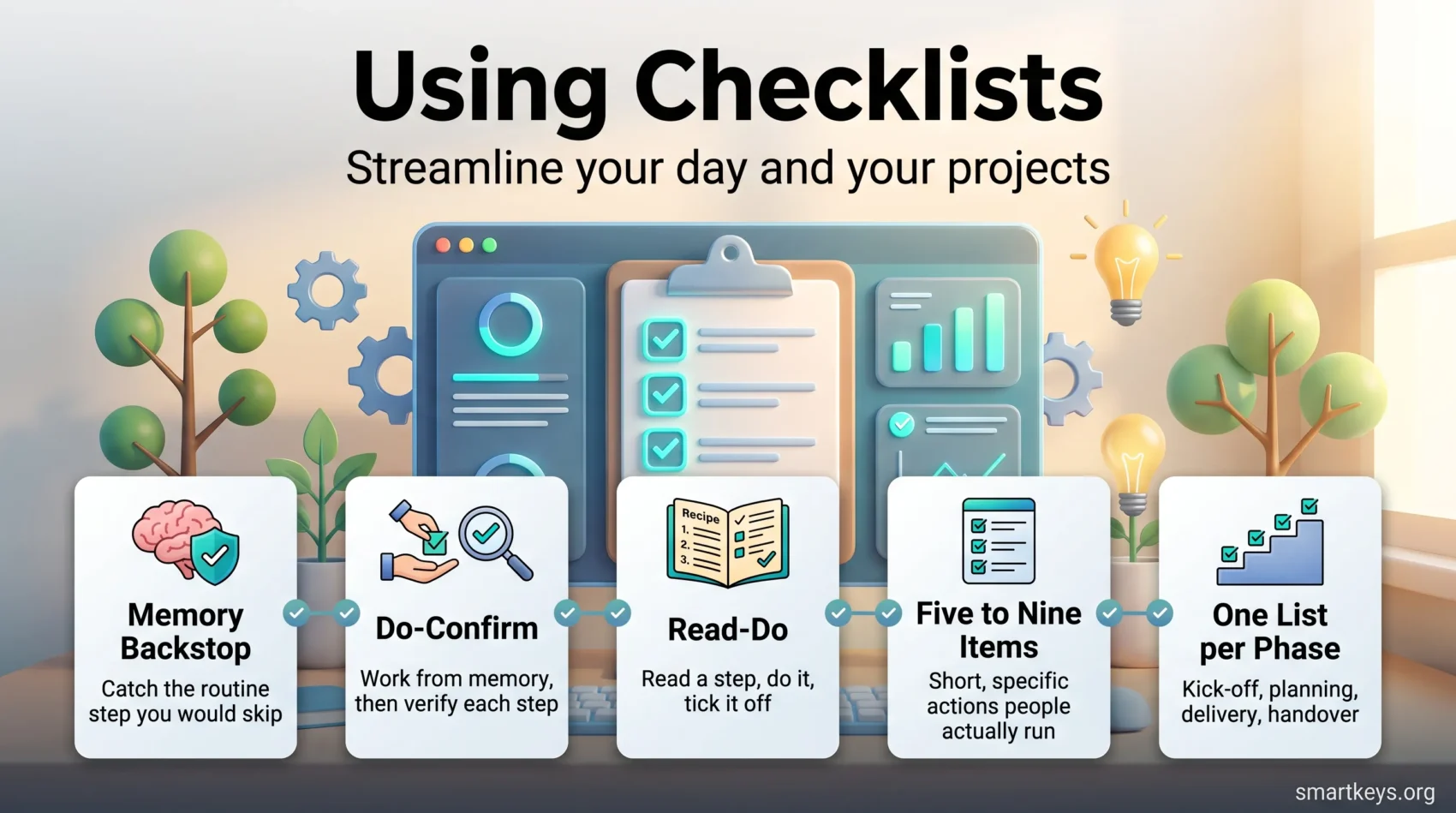
- Checklists work as a memory backstop. They catch the routine step you would otherwise skip when busy or tired.
- The famous surgical checklist study cut complications by more than a third; a later, larger rollout showed no effect. A list only helps when people actually use it.
- There are two types: Do-Confirm (work from memory, then verify) and Read-Do (read each step, then do it). Pick the type before you write the list.
- Keep each checklist to five to nine items, written as short, specific actions.
- Checklists suit repeatable routines such as mornings, planning and handovers, not one-off creative work.
- For complex projects, write one short list per phase (kick-off, planning, delivery, handover) instead of one giant list.
Why Checklists Work
Most mistakes at work are not caused by lack of skill. They happen because a known step got skipped under pressure. You knew you had to attach the file or update the invoice number. You just did not do it that time.
A checklist deals with exactly that failure. It makes sure what you already know gets applied every time, including on days you are rushed or interrupted.
There is a second benefit. Written steps stop competing for your attention. It is the same reason a good to-do list feels calming: the system remembers, so you do not have to.
What the Surgical Checklist Evidence Really Shows
The best-known evidence comes from surgery. In 2009, a team led by Atul Gawande published a study in the New England Journal of Medicine. It tested a 19-item World Health Organization safety checklist in eight hospitals in eight countries. Across 7,688 patients, major complications fell from 11% to 7%, and deaths fell from 1.5% to 0.8%.
What gets quoted less often is what happened next. In 2014, researchers looked at 101 hospitals in Ontario, Canada, after the province mandated surgical checklists. Comparing more than 100,000 operations before and after, they found no significant change in deaths or complications.
The two studies point to the same lesson. In the 2009 trial, teams were trained, coached and observed. In Ontario, hospitals were told to adopt a form. A checklist only changes outcomes when people stop, read it and act on it. A box ticked without thinking is just paperwork. For your own work, that means: design the list so it is quick to run and obviously useful, or you will skip it within a month.
Checklist or To-Do List? They Are Not the Same Thing
A to-do list holds tasks that change every day: reply to the client, draft the proposal, book the flight. Once a task is done, it is gone. Our guide on how to capture tasks covers that side of things.
A checklist holds steps that repeat. Every time you publish a blog post, onboard a new hire or close the month’s books, the same steps apply. The list stays the same; you just run it again.
The more often a process repeats, and the more painful it is to miss a step, the more a checklist earns its place. In a team, a checklist is often the first draft of a standard operating procedure. Our article on standard operating procedures explains how to formalize one.
The Two Types of Checklists: Do-Confirm and Read-Do
Gawande’s book The Checklist Manifesto describes two formats. Choosing the right one comes before writing a single item.
Do-Confirm Checklists
With a Do-Confirm list, you do the work from memory first. Then, at a set pause point, you read the list and confirm each step was completed. Pilots work this way: they set up the aircraft, then run the checklist to verify.
This format suits people who know the process well, and it only slows you down at the end. Use it when a missed item can still be fixed afterwards. A pre-send email check (right recipient, attachment included, subject line clear) is a typical Do-Confirm list.
Read-Do Checklists
With a Read-Do list, you read a step, do it, tick it off, then read the next one. It works like a recipe. Use it when the order matters, when you are new to the process, or when a step done out of sequence causes real trouble. Running a server migration or preparing a tax filing are Read-Do jobs.
The practical rule: if a forgotten step can be done later without harm, Do-Confirm is faster. If the sequence must be exact, use Read-Do.
How to Build a Checklist People Actually Use
A checklist fails in one of two ways. Either it is so long that nobody runs it, or so vague that ticking the boxes proves nothing. The steps below avoid both.
Start With the Steps That Get Missed
Do not list every action in the process. List the ones that matter and that people forget. If you have ever had to redo work because a step was skipped, that step belongs on the list. If a step is impossible to forget, leave it off.
For a big, messy process, first split the work into stages, then write one short checklist per stage. Our guide to breaking large goals into smaller steps shows how to find those natural break points.
Keep It to Five to Nine Items
Gawande’s guidance is five to nine items per list, roughly what short-term memory holds at a glance. A 30-item list gets skimmed rather than read. If you need 30 steps, split them across several pause points.
Write Each Item as a Concrete Action
“Check the report” is not a checklist item. “Confirm totals in the summary table match the spreadsheet” is. Use a verb, name the object and make it verifiable in seconds. Plain language beats jargon.
Test It on a Real Run
Run the list on an actual task before you rely on it. You will usually find one step in the wrong place and one missing. Fix those, use the list for a few weeks, then revise again. To turn the result into a reusable document, see our article on using templates for repetitive tasks.
Checklists for Complex Projects
A project is not a routine, so it can look like the wrong place for a checklist. But most projects move through the same phases every time: kick-off, planning, delivery and handover. The content changes, but the steps that keep a project on track mostly do not. Each phase ends at a natural pause point for a short list.
The mistake is to write one giant project checklist. Break the project down first. A work breakdown structure (WBS), a map that splits the final result into smaller packages of work until each one can be owned and estimated, shows you where the phases and handovers are. Then give each phase its own list. Our guide to tackling big projects covers the breakdown step.
A Phase-by-Phase Project Checklist
Use these as starting points and cut them to fit your projects:
- Kick-off: goal written in one or two sentences; stakeholders named (everyone who approves, pays for or is affected by the result); one decision-maker agreed; budget and deadline confirmed.
- Planning: work split into packages; each package has one owner; milestones on the calendar; dependencies noted; main risks listed.
- Delivery: progress compared with the plan at a fixed rhythm; scope changes logged before anyone agrees to them; risk list reviewed at each milestone; stakeholders updated.
- Handover and close: deliverables signed off; documentation and access passed on; open issues assigned to a named person; lessons learned written down.
Most of these work best as Do-Confirm lists at the end of each phase. The team does the work, then pauses before moving on and confirms nothing was skipped. A missed item at kick-off, such as a stakeholder nobody talked to, is cheap to fix in week one and expensive in month three.
Use a Checklist to Spot Risks Early
Risk is where project checklists earn the most. A few fixed questions at kick-off and at every milestone make the team look for trouble before it arrives. Which person or supplier could delay us? Which decision is outside our control? What happens if the budget or timeline shrinks?
Anything that turns up goes into a risk register: a simple table listing each risk, how likely it is, how much damage it would do and who keeps an eye on it. For a more structured approach, see our guide to building a risk management framework.
Improve the List After Every Project
Your best checklist items come from your own near misses. When a project ends, ask what went wrong or almost went wrong, and whether a single checklist item would have caught it. If so, add it. Save the updated lists as templates in your project tool, so the next project starts with everything the last one taught you.
Integrating Checklists Into Your Morning Routine
Mornings are where checklists pay off fastest, because the same handful of things must happen every day before real work starts. Our overview of morning routines that boost productivity covers what the evidence supports; here the focus is on turning a routine into a list.
Setting Up a Productive Start to Your Day
A morning checklist should be short enough to run without thinking. Build yours from elements like these:
- Basic self-care first: brush your teeth, shower, get dressed.
- Some light movement, even ten minutes, to wake up.
- A glass of water before coffee or tea.
- A breakfast that will carry you to lunch.
- A few quiet minutes: journaling, a short meditation or simply no phone.
- A quick review of your daily checklist and the one task that matters most today.
Pick what fits your life and drop the rest. A six-item list you follow beats a twelve-item list you abandon. If you are building new habits, a habit tracker pairs well with a morning checklist.
Examples of Morning Routine Checklists
Two examples:
- For parents with a school run:
- Make the bed for a small early win.
- Prepare breakfast and pack lunches.
- Get dressed for the day’s tasks.
- Glance at the daily checklist and adjust for anything urgent.
- For office professionals:
- Skim email for anything that changes today’s priorities, without replying yet.
- Confirm the day’s meetings and any prep they need.
- Pick the one task you will finish before lunch.
- Note one personal goal for the day.

Using Checklists for Time Management
A checklist can also structure how you plan the day, not just how you execute a task. Planning becomes a repeatable routine instead of something you reinvent each morning.
A Daily Planning Checklist
Run a short list like this before you open your inbox:
- Write down the two or three outcomes that would make today a success.
- Sort the rest by urgency and importance. The Eisenhower Matrix is the quickest way to do this.
- Block time for the top items on your calendar. Our guide to time blocking explains how to size those blocks.
- Group small, similar tasks (calls, admin, replies) into one slot; this is batch processing.
- Check the plan at midday and adjust.
This takes about ten minutes and prevents the most common failure: a day spent reacting to whatever arrived last. For more on choosing what comes first, see our article on prioritization.
The same approach works once a week: a short Do-Confirm list (inbox cleared, calendar checked, open projects reviewed) keeps the system from drifting. One caution: do not add items you will not actually do. Every item you routinely skip teaches you to skip the list.
Digital Checklist Tools
Paper works fine for a personal morning list. Once a checklist is shared with a team, or needs reminders and due dates, an app is worth it.
Best Tools and Apps for Creating Checklists
Todoist is the simplest option for personal checklists. Its free plan includes task reminders and lets you duplicate a project as a template, but it is capped at five active projects. Heavy users end up on Pro, about $5 a month billed annually.
Microsoft To Do is free with a Microsoft account and lives inside Outlook and Teams. Each task can hold sub-steps, which covers most personal checklists.
Trello attaches checklists to cards, a natural fit for recurring processes like content publishing. Assigning checklist items to people and giving them due dates requires a Standard plan or higher; the free plan offers basic tick boxes only. Our guide to Trello Power-Ups covers the add-ons that extend this.
ClickUp goes furthest: checklist templates, subtasks, dependencies and automations that create a checklist when a task reaches a certain stage. It is the most capable option and the steepest to learn. Our ClickUp review covers the plans; our comparison of productivity apps puts these tools side by side.
Features That Make a Difference
Four features matter most. Templates let you save a list once and reuse it. Recurrence makes a weekly list appear on its own. Assignees and due dates on individual items matter once a team shares the list. Automation starts a checklist by itself when a deal closes or a new hire is added. That last step is where checklists meet task automation. Whatever you pick, the paper rule still applies: if the app makes running the list slower than skipping it, the list will be skipped.
Where Checklists Go Wrong
Three failure modes cover most bad experiences.
The first is the list nobody asked for: a manager writes a 40-step procedure and the team ticks boxes to keep the manager happy. That is the Ontario problem from earlier. Write lists with the people who will run them, and cut anything they call pointless.
The second is checklist creep. A six-item list picks up one more item every time something goes wrong, until it is unusable. Review it every few months and remove what no longer earns its place.
The third is using checklists for the wrong kind of work. Writing a strategy or solving a novel problem cannot be reduced to steps. Checklists protect the routine parts of your day so the non-routine parts get your full attention. That is why they pair well with deep work: clear the predictable steps quickly, then give the hard thinking uninterrupted time.
Found this useful?
Make SmartKeys a preferred source on Google, and our articles will surface more often in your Top Stories, AI Overviews, and AI Mode.
Add as Preferred Source